F201 TSE - Basket Airforce - Free user manual and instructions
Find the device manual for free F201 TSE Airforce in PDF.


| Brand | Airforce |
| Model | F201 TSE |
| Product type | Kitchen hood |
| Version | Suction or recirculation (activated charcoal kit optional) |
| Power supply | 220-240 V / 50 Hz (check label) |
| Connection power | 30 mA differential switch required |
| Cable length | 1250 mm |
| Minimum safety distance (electric hob) | 60 cm |
| Minimum safety distance (gas/mixed hob) | 60 cm or more according to hob instructions |
| Controls | Touch (light touch) |
| Suction speeds | 4 speeds (TSE model) or 8+2 intensive (PTC model) |
| Timer function | Yes, 5 minutes (TSE); automatic shut-off after 4 hours of inactivity |
| Sensor function (auto) | Yes (TSE): automatic speed adjustment |
| Metal filter saturation indicator | After 40 hours of operation (flashing FG or G) |
| Charcoal filter saturation indicator | After 120 hours of operation (flashing FC or C) |
| Lighting | LED, replacement by after-sales service only |
| Cleaning grease filter | Every month, in dishwasher or by hand |
| Charcoal filter replacement | Every 6 months, not washable |
| Exterior maintenance | Soft cloth with denatured alcohol or neutral detergent |
| Safety instructions | Do not flame under the hood; monitor frying; do not discharge into flue |
| Warranty and repairability | Spare parts available; contact after-sales service for LED bulbs |
Frequently Asked Questions - F201 TSE Airforce
User questions about F201 TSE Airforce
0 question about this device. Answer the ones you know or ask your own.
Ask a new question about this device
Download the instructions for your Basket in PDF format for free! Find your manual F201 TSE - Airforce and take your electronic device back in hand. On this page are published all the documents necessary for the use of your device. F201 TSE by Airforce.
USER MANUAL F201 TSE Airforce
natural_image
Isometric line drawing of a rectangular box mounted on a base plate (no text or symbols)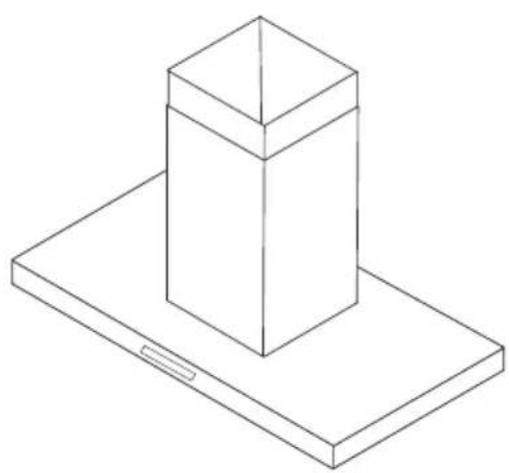
natural_image
Isometric line drawing of a rectangular prism mounted on a base plate (no text or symbols)| D | MONTAGE- UND GEBRAUCHSANWEISUNG |
| GB | INSTRUCTIONS ON MOUNTING AND USE |
| F | PRESCRIPTIONS DE MONTAGE ET MODE D'EMPLOI |
| NL | MONTAGEVOORSCHRIFTEN EN GEBRUIKSAANWIIZING |
| ES | MONTAJE Y MODO DE EMPLEO |
| I | ISTRUZIONI DI MONTAGGIO E D'USO |

natural_image
Illustration of two gloves with textured soles (no text or symbols)EN Always wear work gloves for all installation and maintenance operations
natural_image
Simple line icon of a house with an upward arrow, enclosed in a square frame (no text or symbols)90cm
natural_image
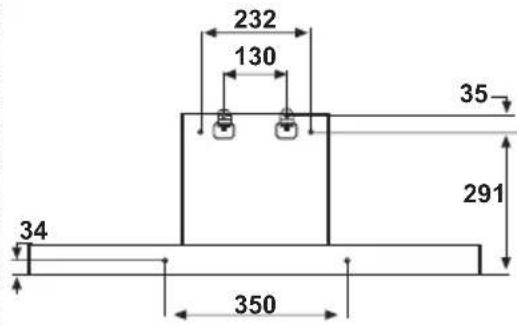
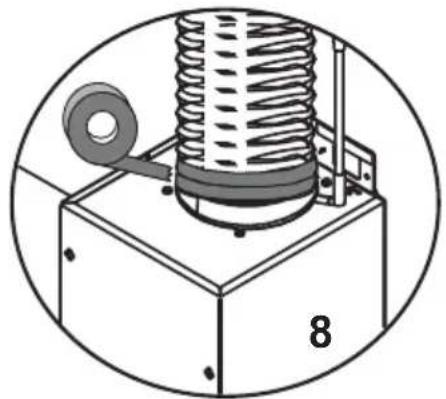
Technical illustration of a mechanical assembly with a coiled spring mounted on a base, labeled '8' (no text or symbols beyond the number)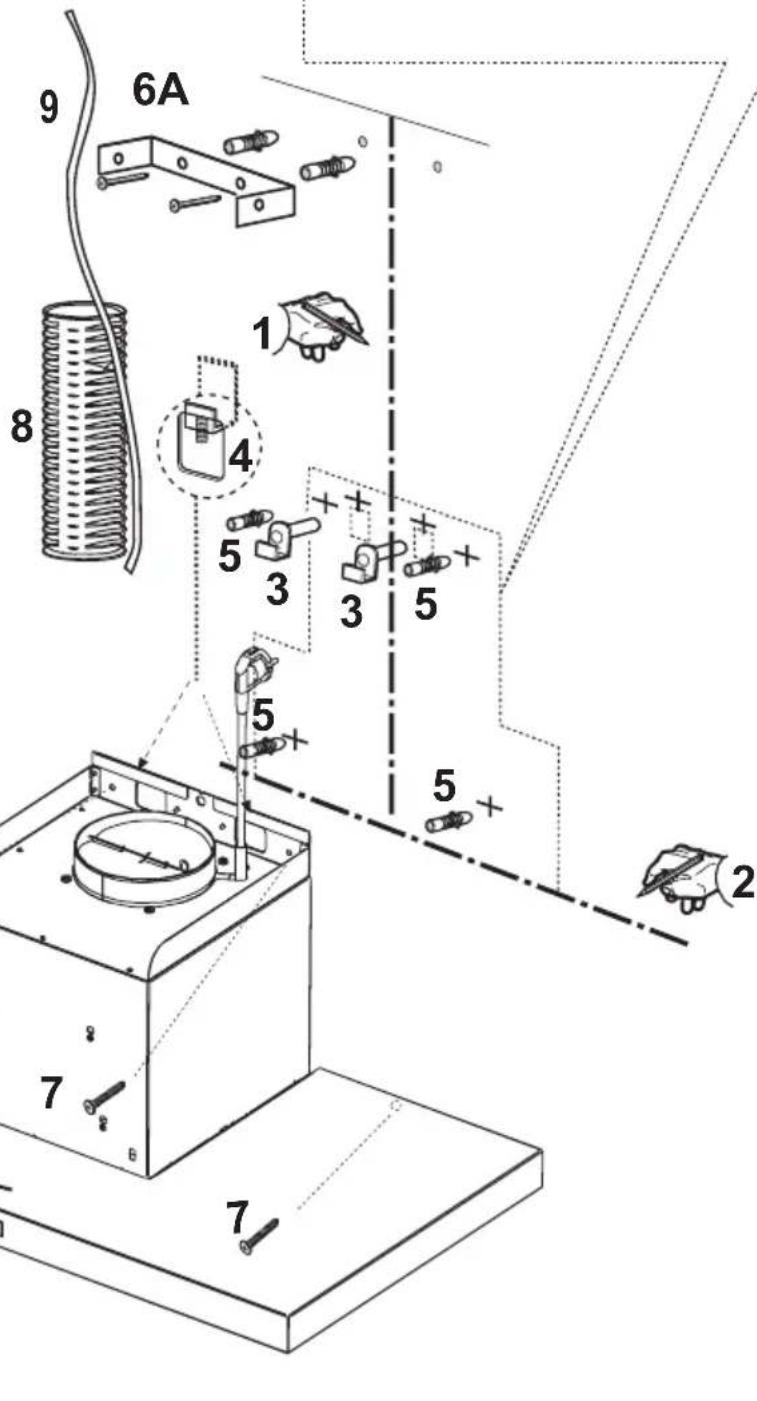
natural_image
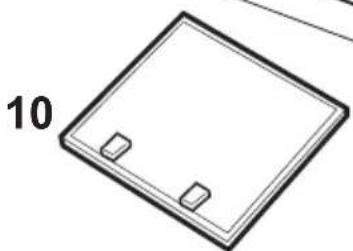
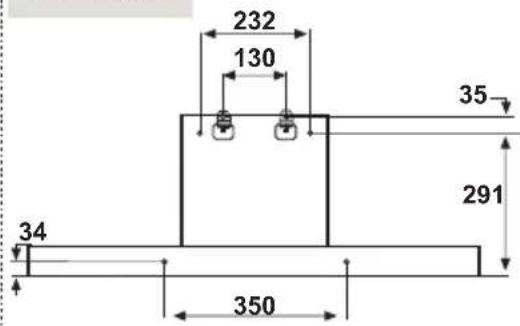
Simple line drawing of a square frame with two small rectangular cutouts, labeled '10' on the left side (no other text or symbols)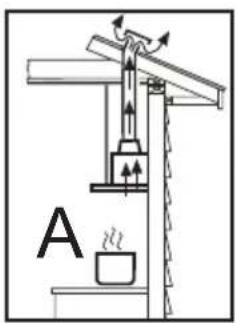
natural_image
Simple black-and-white icon of a house with an upward arrow, enclosed in a square frame (no text or symbols)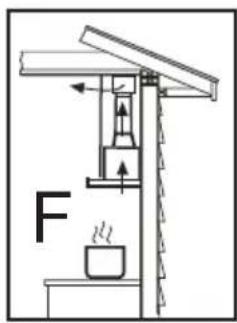
natural_image
Simple line icon of a house with a circular arrow inside, enclosed in a square frame (no text or symbols)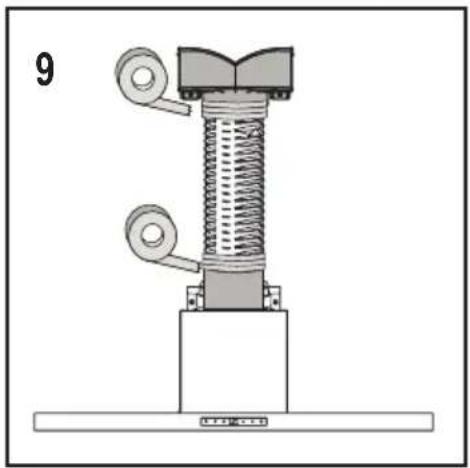
natural_image
Mechanical assembly diagram showing a spring-loaded component mounted on a base plate (no text or symbols)90cm

natural_image
Simple line icon of a house with a circular arrow inside, enclosed in a square frame (no text or symbols)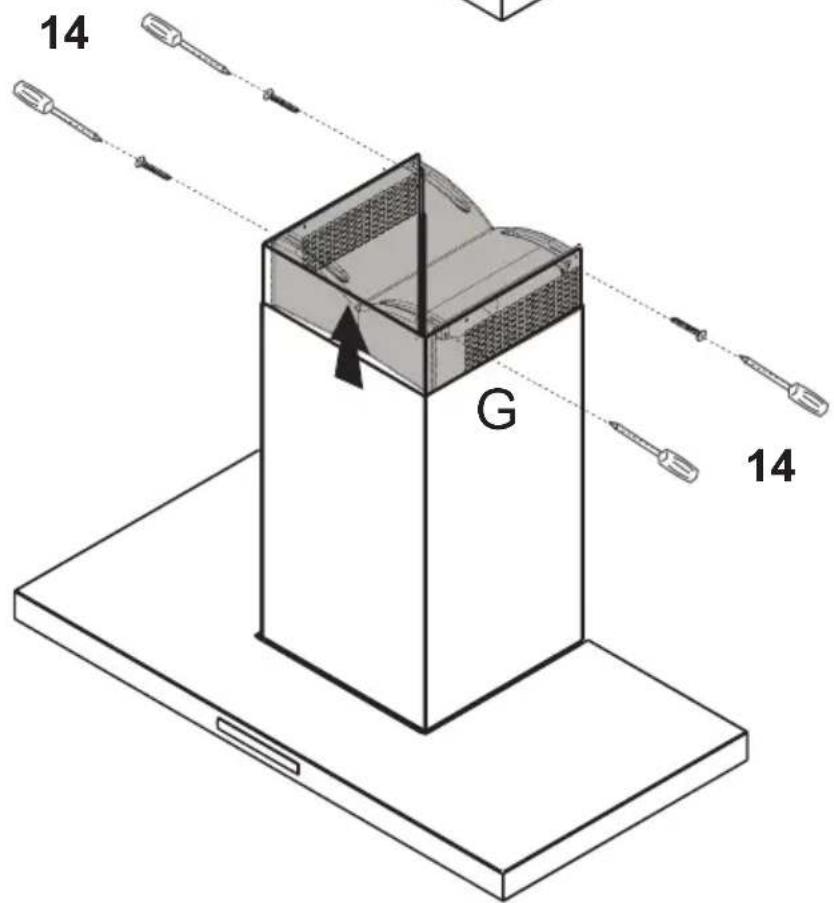
natural_image
Isometric line drawing of a multi-tiered cylindrical device with internal components and airflow indicators (no text or symbols)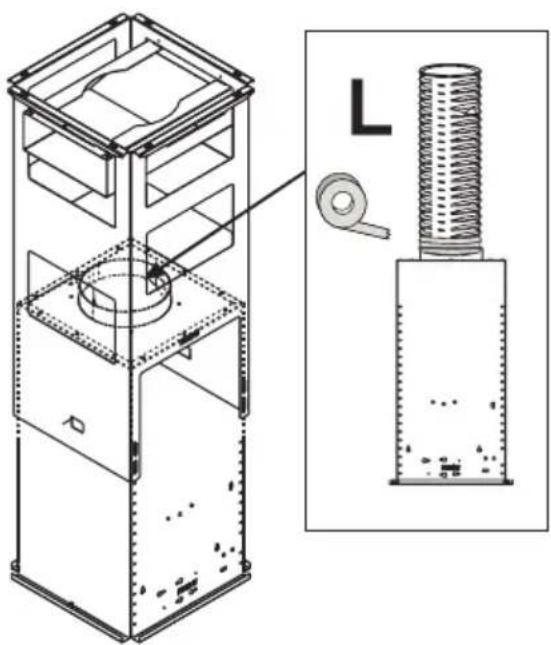
natural_image
Technical line drawing of a mechanical device with internal components and a magnified inset showing internal structure (no text or symbols)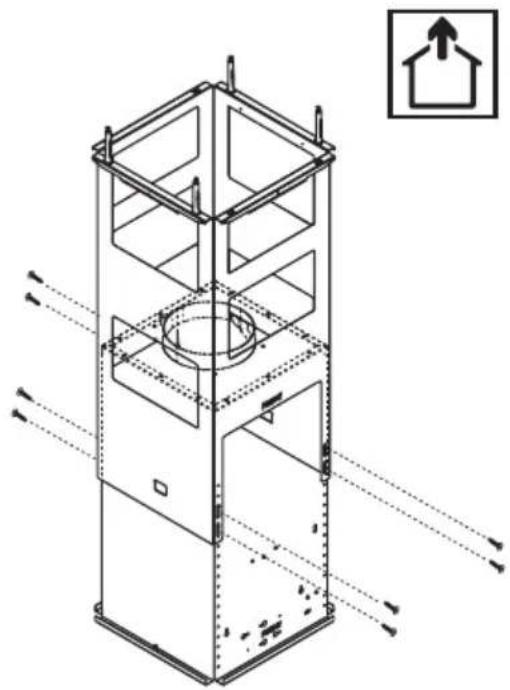
natural_image
Technical line drawing of a multi-tiered industrial or storage unit with internal compartments and structural beams, no text or symbols present.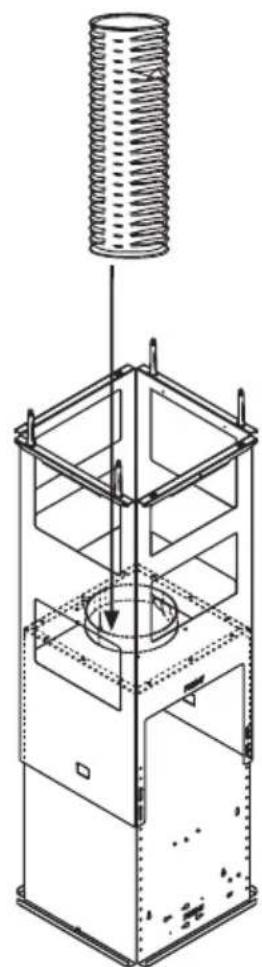
natural_image
Technical line drawing of a mechanical device with a coiled spring above it, showing internal components and mounting brackets (no text or symbols)
natural_image
Technical line drawing of a multi-tiered industrial or electrical enclosure with mounting brackets and internal compartments (no text or symbols)
natural_image
Simple line drawing of a 3D box with two side slats and upward arrows indicating top-down orientation (no text or symbols)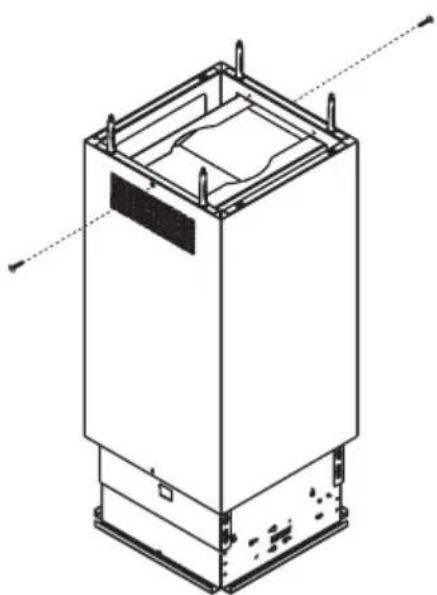
natural_image
Technical line drawing of a rectangular industrial or electrical enclosure with mounting base and internal compartments (no text or symbols)
natural_image
Technical line drawing of a multi-tiered industrial or mechanical device with internal compartments and mounting holes (no text or symbols)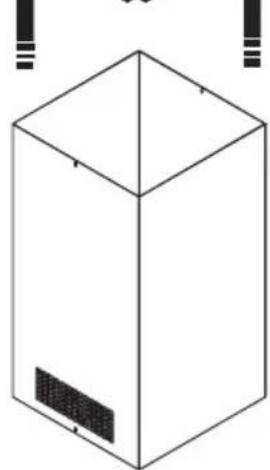
natural_image
Simple line drawing of a 3D box with a side panel, no text or symbols present
natural_image
Isometric line drawing of a rectangular industrial or electrical enclosure with mounting feet and internal compartments (no text or symbols)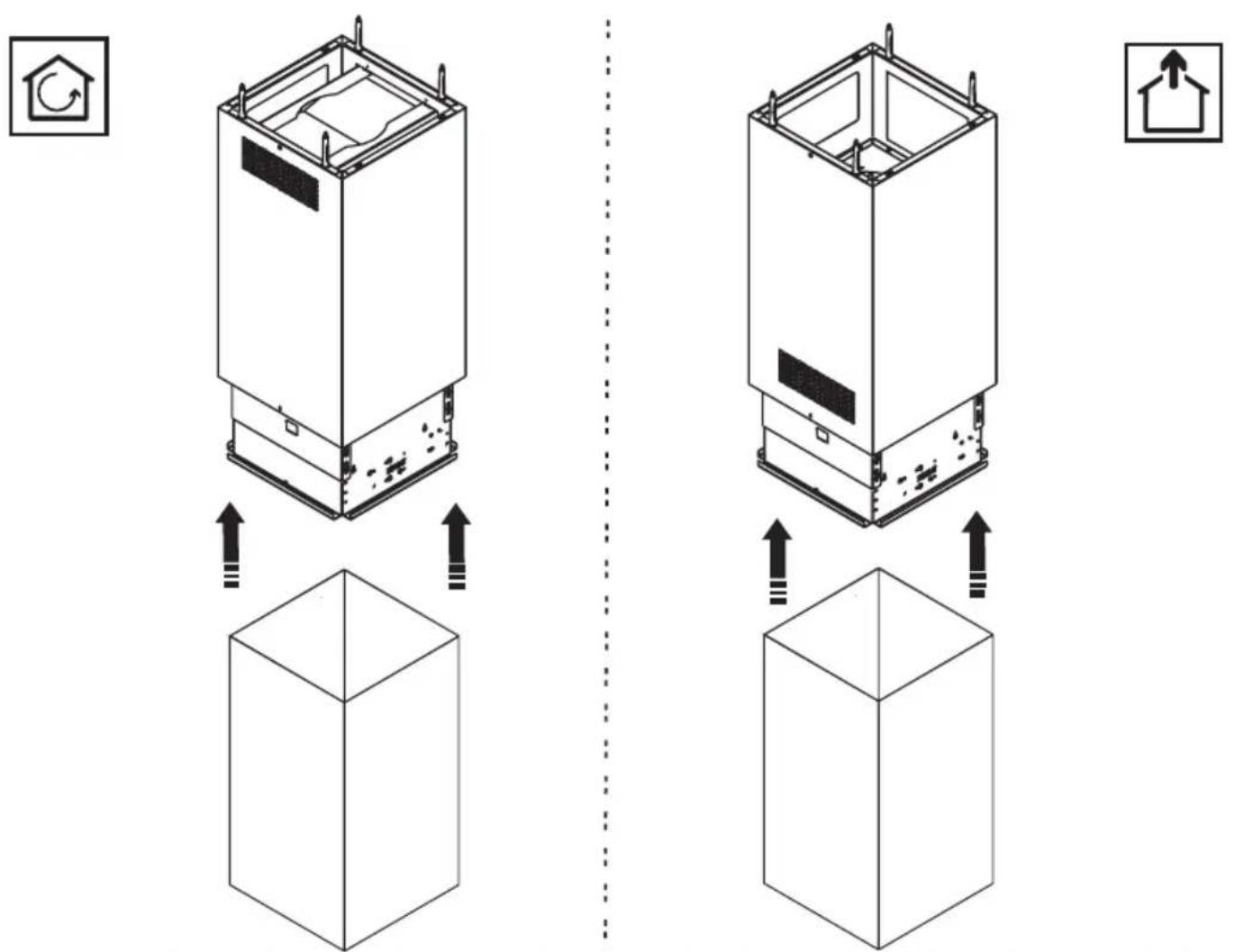




flowchart
graph TD
    A["Square Structure"] --> B["Arrow pointing inward"]
    B --> C["F"]
natural_image
Diagram showing a square container with internal structure and an arrow pointing to it, alongside a grid-patterned panel (no text or symbols)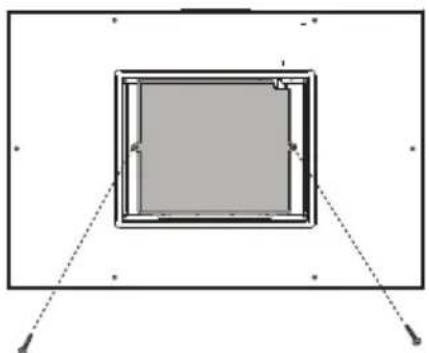
natural_image
Simple diagram of a square frame with dashed lines indicating hidden edges (no text or symbols)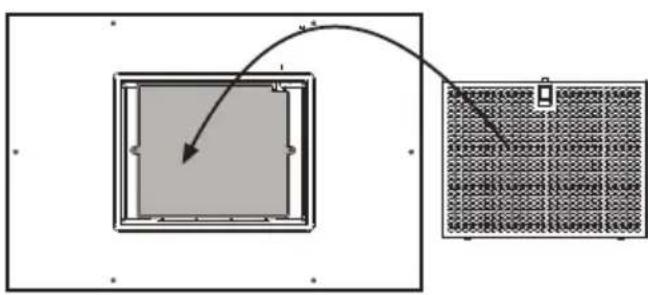
flowchart
graph TD
    A["Square Component"] --> B["Grid Panel"]
    style A fill:#f9f,stroke:#333
    style B fill:#ccf,stroke:#333
Warnung
The appliance should not be used by children under 8 years of age and by persons with reduced physical, sensory and mental capabilities, or lack of experience and knowledge, unless they are supervised or have received instructions regarding the safe use of the appliance and are aware of the possible risks. Children must not play with the appliance. Any intended cleaning and maintenance by the user should not be carried out by children unless supervised. The hood should never be used without without the grid properly fitted! Never use the hood without the grill properly fitted!
The accessible components can overheat when the cooktop is in use.
The hood must not be connected to the flues of other appliances that run on gas or other fuels. When the hood is used at the same time as other appliances that run on gas or other fuels, provision must be made for an adequate supply of air. No food must be cooked flambé underneath the hood. The use of an unprotected flame could cause damage to the filters and could cause fires, so should be avoided. When frying food, never leave the pan unattended because the cooking oil could flare up. Please comply with the technical and safety provisions set forth by your local competent authorities regarding the ventilation of hoods.
This appliance conforms to European Directive 2002/96/EC, Waste Electrical and Electronic Equipment (WEEE). Please dispose of this product correctly in the interest of health and the environment.
The symbol 📁 on the product, or on the documents accompanying the product, indicates that this appliance may not be treated as household waste. Instead it shall be handed over to the applicable collection point for the recycling of electrical and electronic equipment. Disposal must be carried out in accordance with local environmental regulations for waste disposal. For more detailed information about treatment, recovery and recycling of this product, please contact your local city office, your household waste disposal service or the shop where you purchased the product. If the power cable is damaged you should, in the interest of safety, contact the manufacturer or the manufacturer's technical assistance service to request a replacement, or ask someone who is similarly qualified.
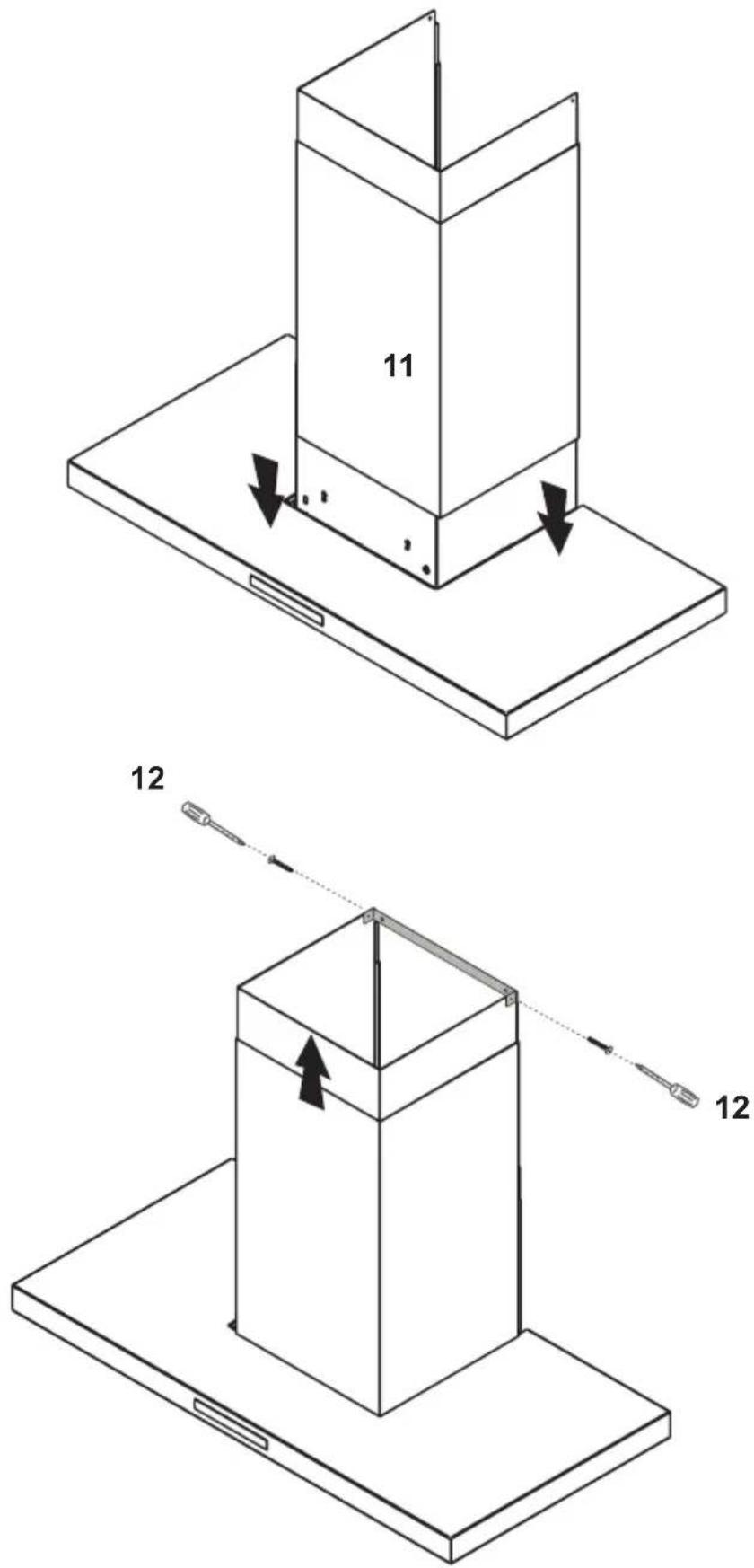
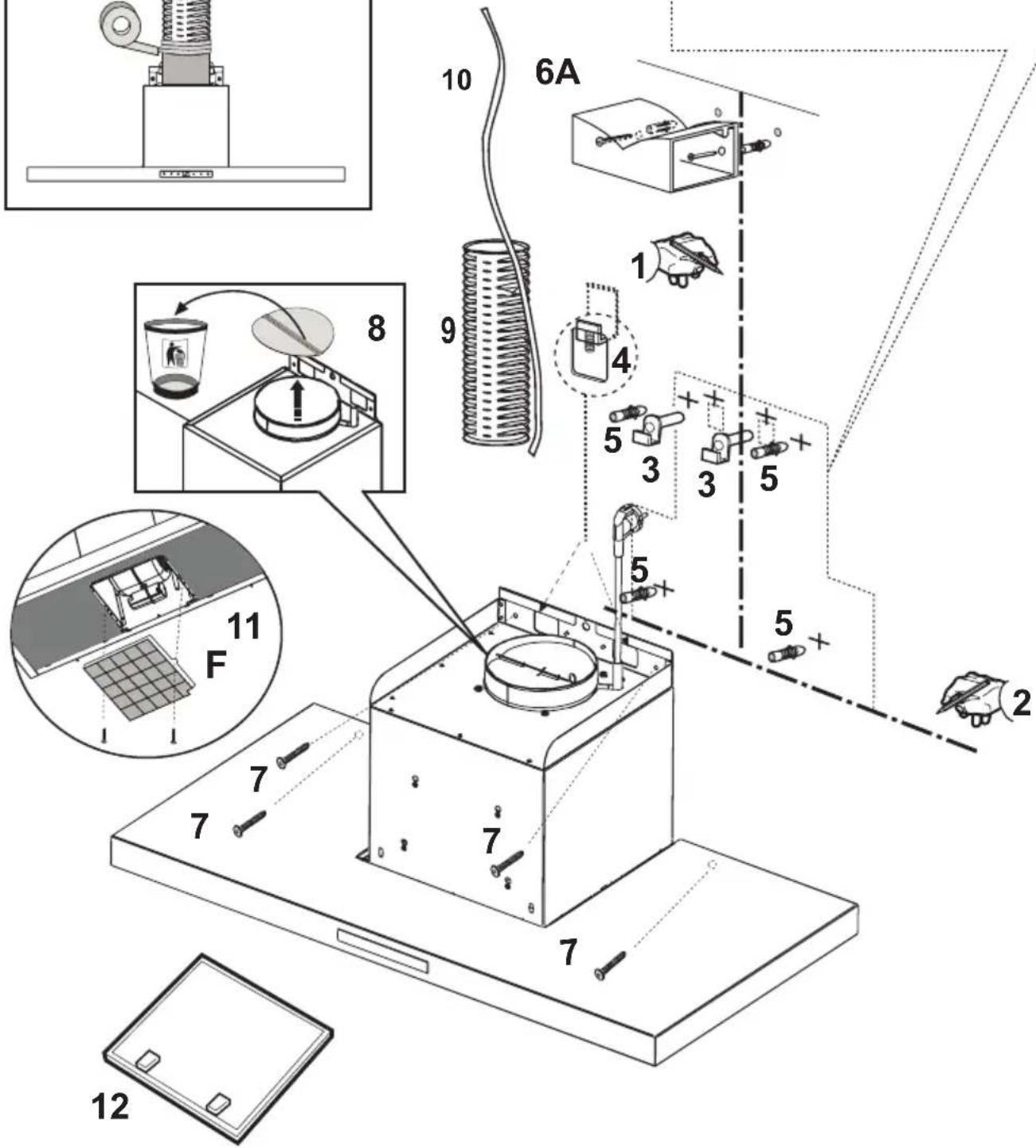
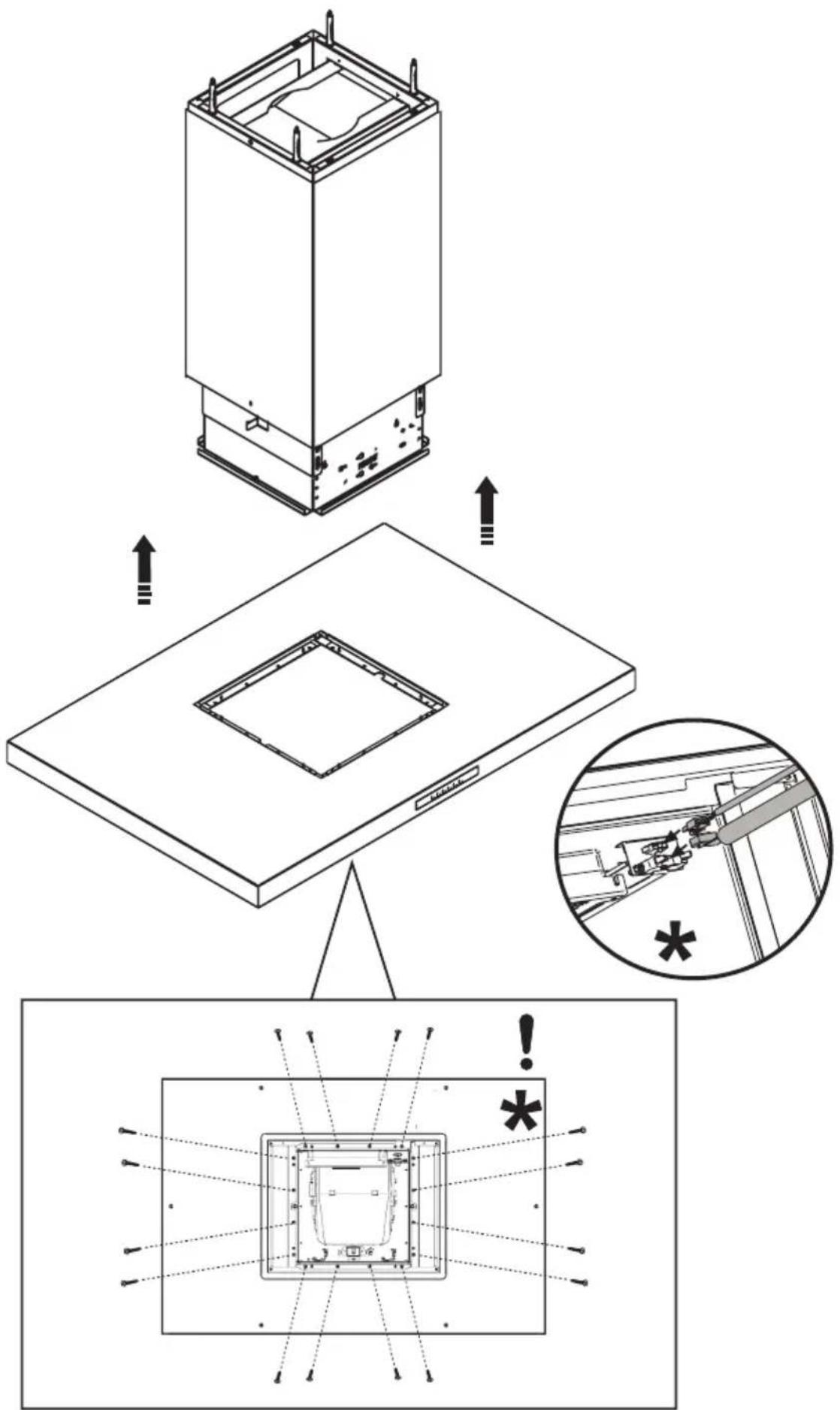
Check also the drawings on the initial pages with the alphabetical and numerical references in the explanatory text. Closely follow the instructions in this manual. We cannot accept liability for any faults, detriment or fire damage to the appliance due to non-compliance with the manual's instructions.
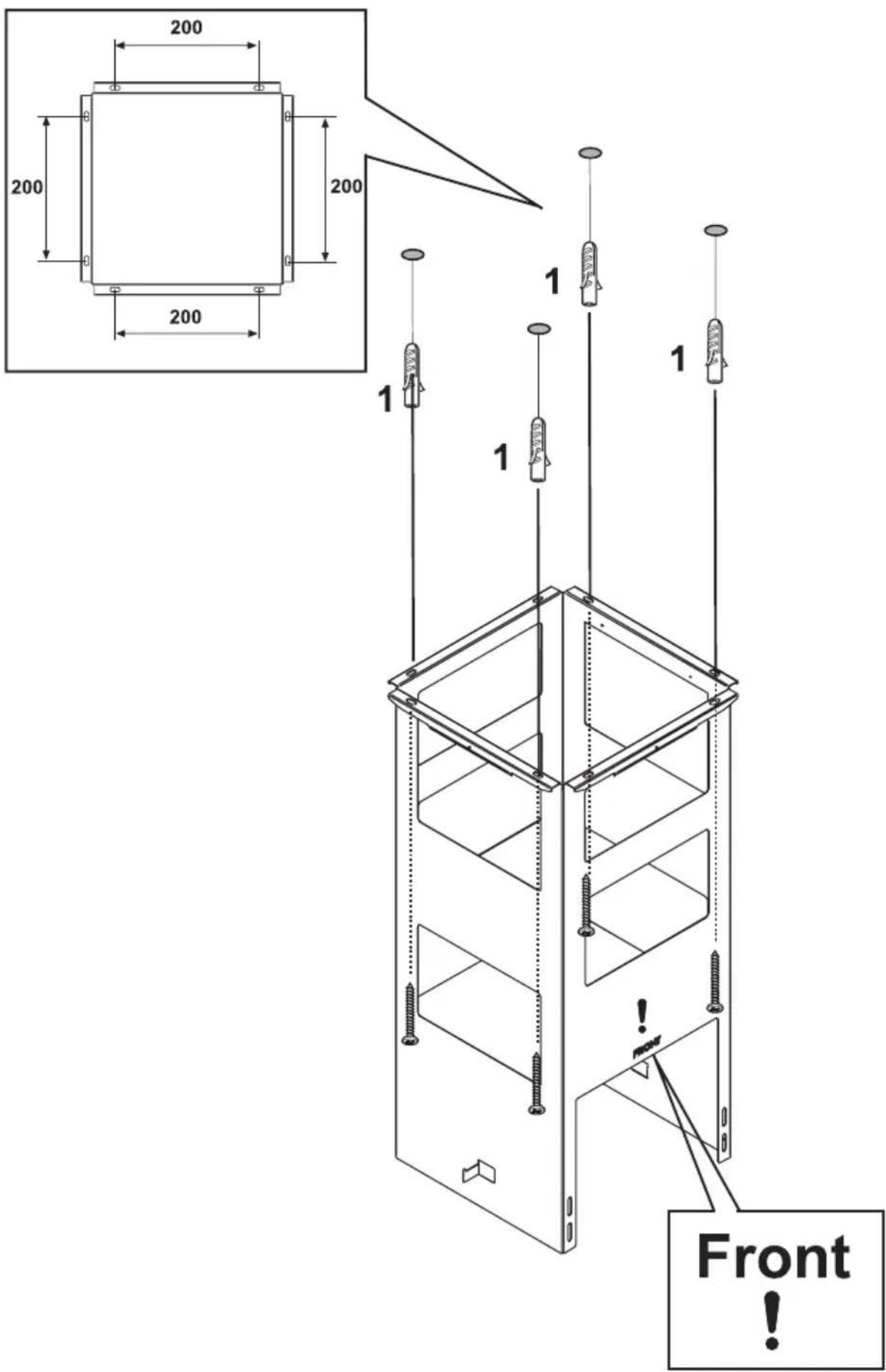
You should affix the hood to a wall of sufficient weight-bearing capacity, so not to one made of plasterboard.
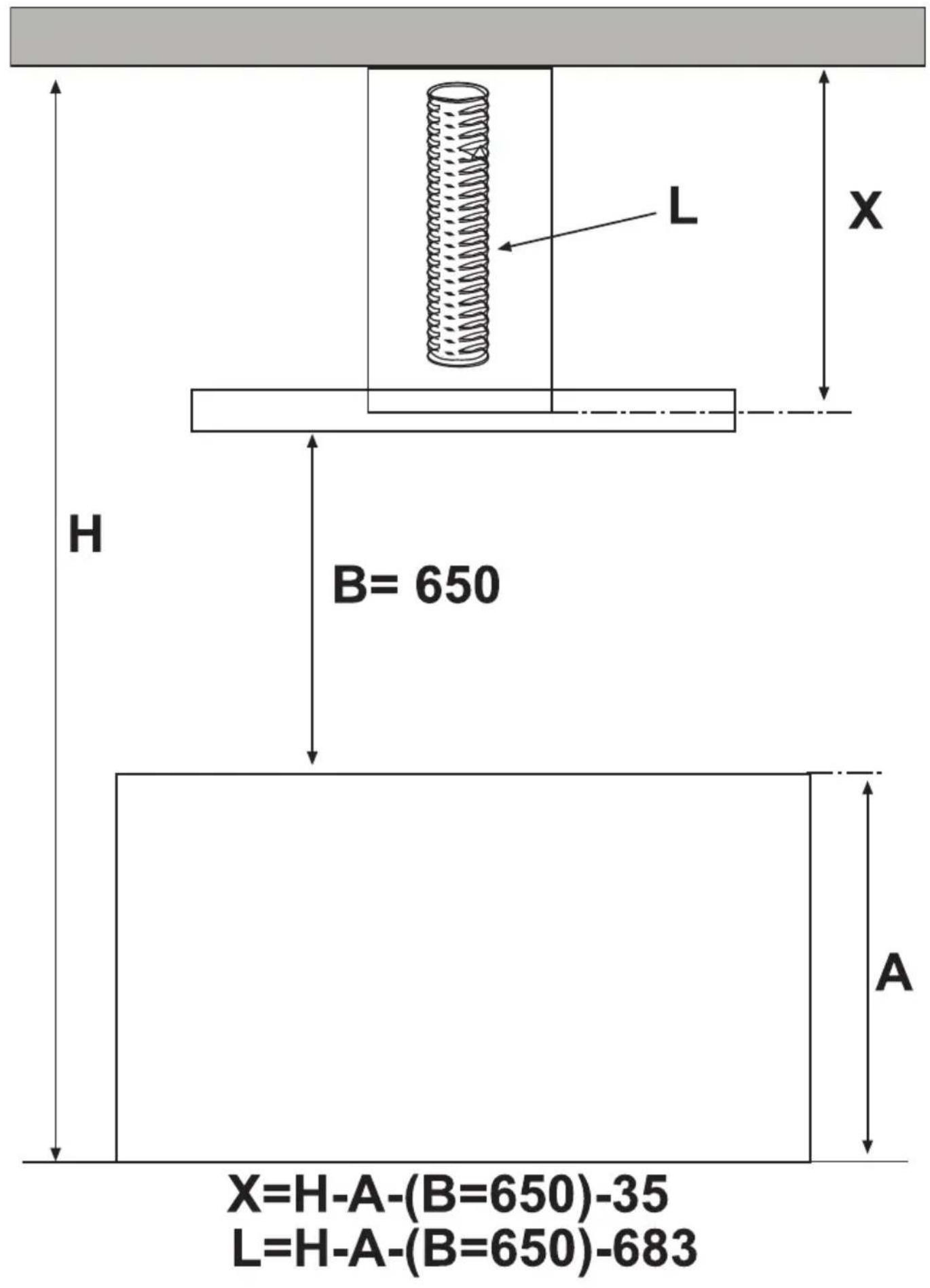
The cooker hood must be placed at a minimum distance of 60 cm from the cooking plane for electric cookers and 60 cm for gas or mixed cookers. If the instructions for installation for the gas hob specify a greater distance, this has to be taken into account. Do not tile, grout or silicone this appliance to the wall. Surface mounting only. Do not fix chimney flue to furniture or fly over shelves unless the chimney flue can be easily removed, in case maintenance is ever required.
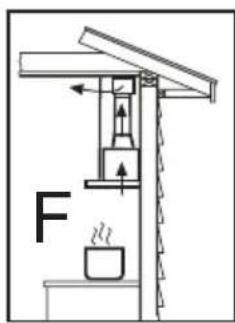
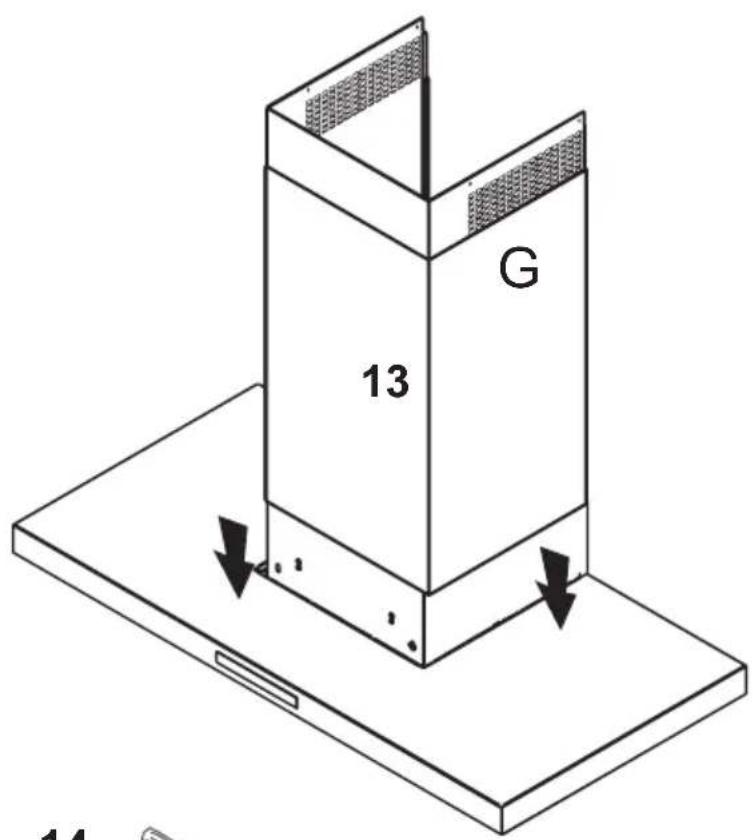
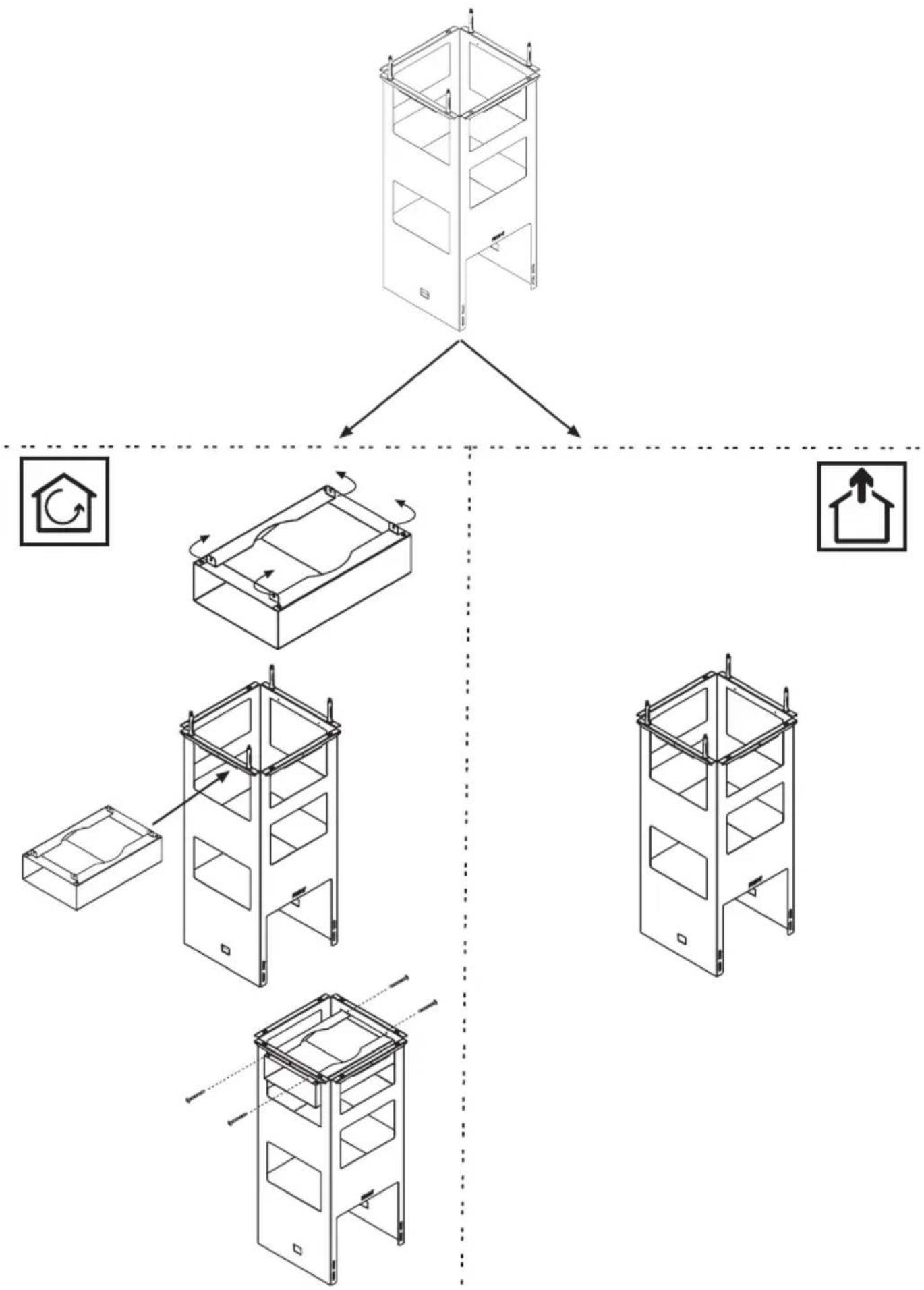
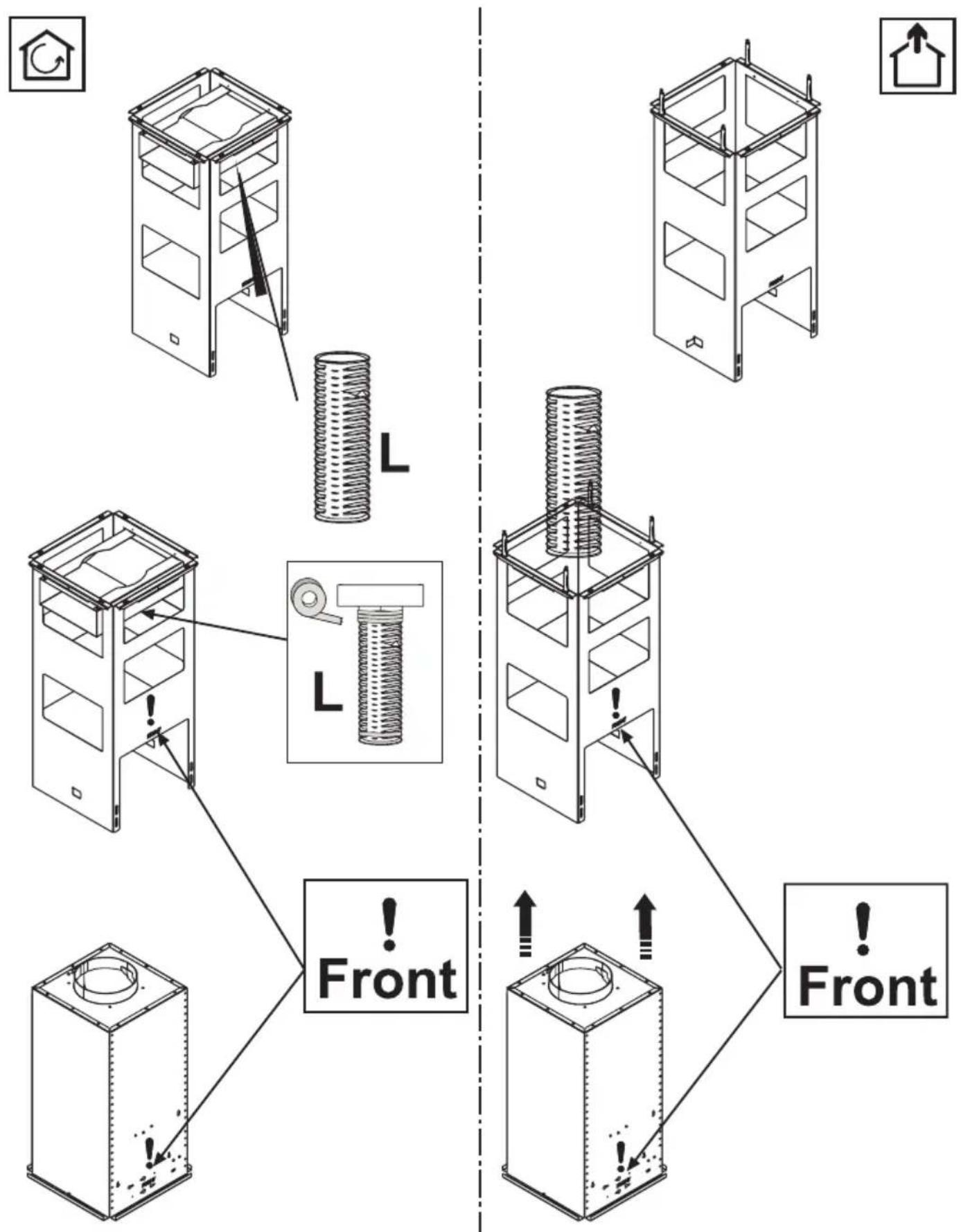
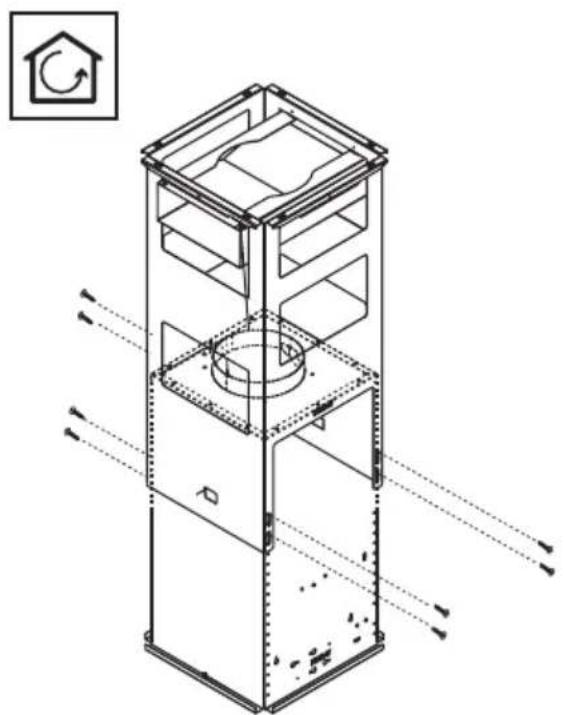
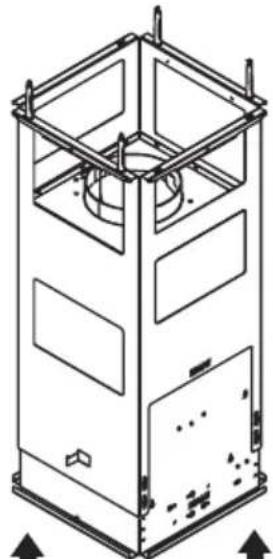
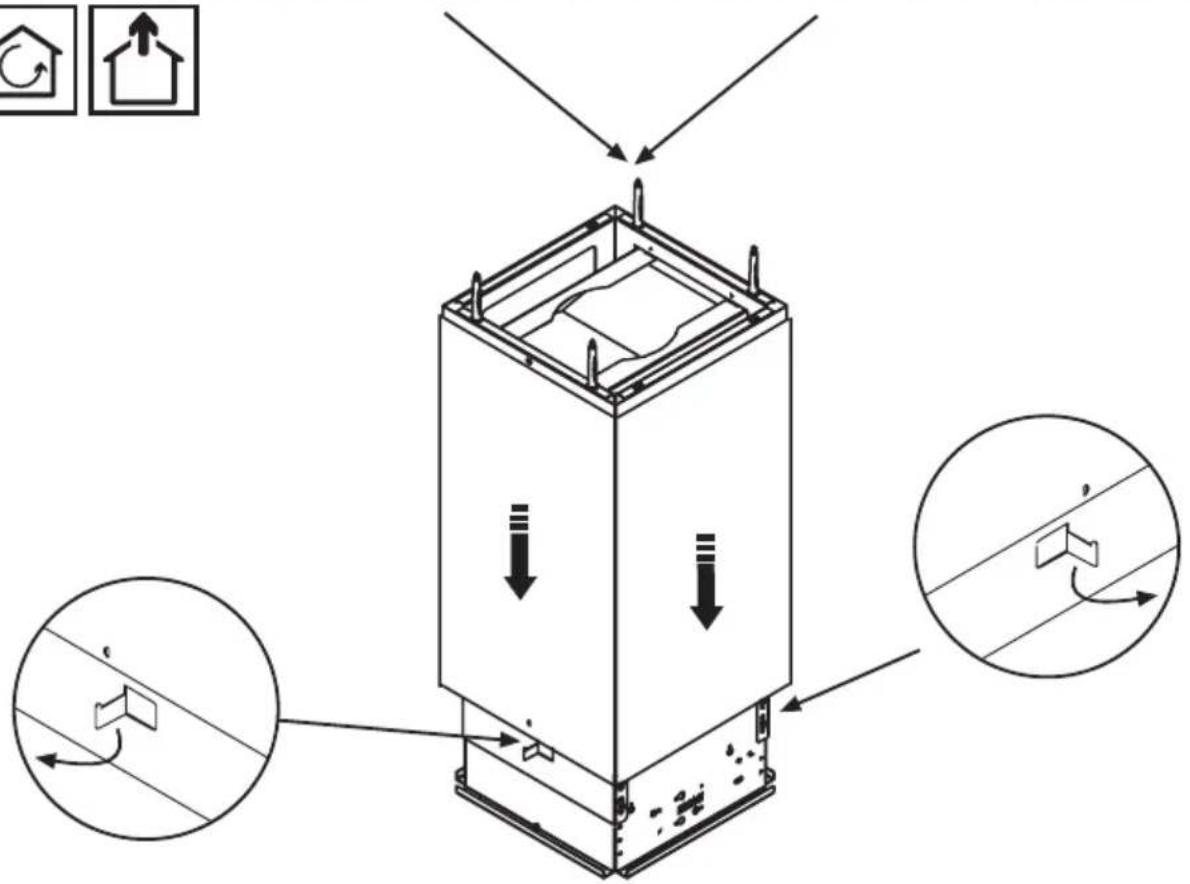
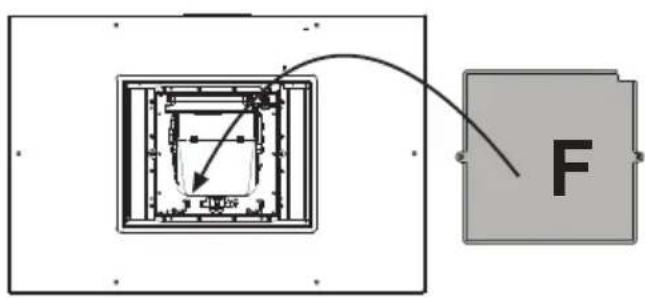
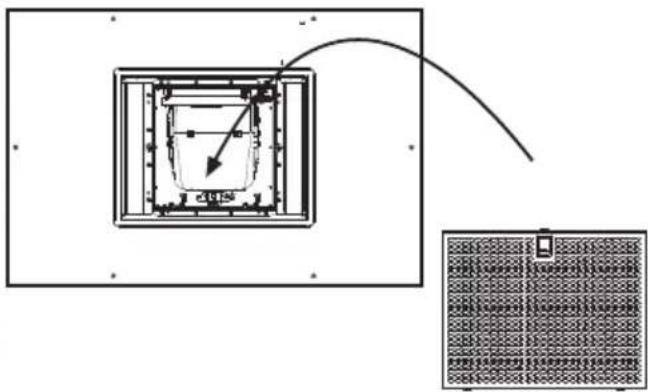
The cooker hood is provided with an upper air exit B for discharging fumes externally for models including chimney flue C (Suction Version A- exhaust pipe not supplied). If cooking fumes and vapours cannot be externally discharged, the cooker hood can be used in the recirculating version F: the installation of 1 active charcoal filter F allows the recirculation of fumes and vapours through the upper grid G.
Make sure that there is a power socket near the hood and that the system has a 30 mA differential. The mains voltage must be the same as that on the label inside the hood. The hood has a 1250 mm power cable with or without plug: if it does have a plug, connect the hood to an accessible approved socket; or if it does not (connection direct to the mains), fit an approved bipolar switch with a minimum contact opening of no less than 3 mm (accessible). This installation and electrical connection must be executed by a qualified technician.
If the cooking top is in use, the cooker hood must always operate.
Product performance test carried out in accordance with standard (EU) No 65/2014-Ref: IEC 61591
Maximum performance is achieved by placing the mobile panels, if any, in the open position.
TSE

A B C D E F
A: Light ON/OFF key: press this touch sensor to switch on or off the lights of the hood.
B: Motor ON/OFF key (4 speed): press this touch sensor to switch on the hood extractor fan at the same speed as it was when last switched off. Use the „D“ and „C“ keys to vary the speed (power) of extraction.
C: Decrease extraction speed (power) key: press this touch sensor to reduce the extraction speed of the hood.
D: Increase extraction speed (power) key: press this touch sensor to increase the extraction speed of the hood.
E: Timer key: irrespective of the extraction speed selected, touching the key will activate the timer function for 5 minutes (during this phase a dot will flash on and off on the display). To reset the timer operate the E motor key.
F: Filters reset key: touching this key will reset the metal anti-grease filter (1) saturation and carbon filter replacement (2) warning. (1) After the hood has been operating for 40 hours, the "FG" or "G" symbol on the display will begin to flash, indicating the need to clean the metal antigrease filters. (2) After the hood has been operating for 120 hours, the "FC" or "C" symbol on the display will begin to flash, indicating the need to clean the active carbon filters.
Automatic Sensor: tapping both "C" and "D" keys at the same time will activate the "Automatic Sensor" function. This function, indicated with an "A" on the display, automatically sets the hood at the best extraction speed, depending on the cooking going on. To return to manual operation, press "C" or "D" button.
Note: 4 hours after the last key touch, the fan will automatically turn off.
All hoods with capacities exceeding 650 m3/h have the last timed speed; It lasts for 7 minutes, after which it automatically returns to the last non-timed speed.
Tiptodo

General Notes: the control system is touch-sensitive. To activate any function, it is only necessary to touch the button lightly.
A: Light ON/OFF: switches the hood lights on and off.
B :Motor ON/OFF (8 speeds+2 timed high speeds): tapping this control will start and stop the motors.
C: Speed control buttons: Pressing the „1,2,3,4,5,6,7,8“ buttons sets the speed (power) of aspiration desired. The speed can be selected directly, or by gradually changing through the possible speeds.
D: High Speed 1: tapping this control activates the „High Speed 1“ aspiration speed. This will time-out after approx. 8 minutes, after which the speed will return to level 8.
E: High Speed 2: tapping this control activates „High Speed 2“ aspiration speed. This will time-out after approx. 7 minutes, after which the speed automatically reverts to level 8.
F: Grease filters saturated: when the motor is started, this indicator button will light for five seconds in a colour that shows the level of filter saturation: Green 0-75%, Orange 76-99%. If the indicator shows a constant red, this means the metal grilles need to be washed (typically after 40 hours of use).
G: Carbon filters saturated: when the motor is started, this indicator button will light for five seconds in a colour that shows the level of filter saturation: Green 0-75%, Orange 76-99%. If the indicator shows a constant red, this means the carbon filters need to be washed or replaced (typically after 120 hours of use).
Grease / Carbon filters saturated" when the indicator button shows red, pressing it will reset the indicator. WARNING: This operation should be performed only after correct maintenance of the respective filter(s).
NOTE: after four hours of uninterrupted operation since the last touch of any of the cooker hood's buttons, the hood will switch itself off automatically.
Maintenance
Prior to any maintenance operation ensure that the cooker hood is disconnected from the electrical outlet.
Cleaning
The hood must be cleaned frequently both inside (apart from the area behind the grease filter) and outside. Use a cloth moistened with denatured alcohol or neutral liquid detergents. Never use products containing abrasives.
Warning
Failure to carry out the basic standards of the cleaning of the cooker hood and replacement of the filters may cause fire risks. Therefore we recommend observing these instructions.
Anti-grease Filter
must be cleaned once a month, with non abrasive detergents, by hand or in dishwasher on low temperature and short cycle. When washed in a dishwasher, the grease filter may discolour slightly, but this does not affect its filtering capacity.
Charcoal Filter - (only for filter version)
The active charcoal filters F are not washable nor regenerative. It should be changed every 6 months in normal use. The active charcoal filters capture unpleasant cooking odours.
Replacing lightbulbs
Warning! Prior to touching the light bulbs ensure they are cooled down.
Led Light
If the lighting group LED does not work, please contact the technical service center in order to replace the whole group.
Reducing environmental impact:
To reduce energy consumption, we recommend you always use the lowest suction speed among those suitable for the cooking mode currently active, avoid leaving the appliance running for more than 15 minutes after burner shutdown and switch off the lights if you leave the cooking area.
Attention
All hoods with capacities exceeding 650 m3/h have the last timed speed; It lasts for 7 minutes, after which it automatically returns to the last non-timed speed.
A B C D E F