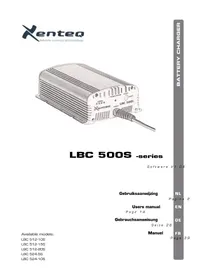
LBC 500S - Battery charger Xenteq - Free user manual and instructions
Find the device manual for free LBC 500S Xenteq in PDF.



| Product Type | Automatic Battery Charger |
| Brand | Xenteq |
| Model | LBC 500S |
| Input Voltage | 230 V AC |
| Input Frequency | 50/60 Hz |
| Output Voltage | Adjustable according to battery type (12 V / 24 V depending on model) |
| Charging Current | Variable depending on model (e.g., 10 A, 15 A, 20 A) |
| Compatible Battery Types | Lead-acid, AGM, GEL, Calcium, Spiral, LiFePO4 |
| Charging Phases | 4 phases: main charge, recharge, maintenance charge, jogging |
| Protections | Battery reversal, short circuit, overheating, thermal protection, low input voltage, charge timing |
| Display | LED for power status, charging process, settings |
| Temperature Sensor | Optional (T-Sense1) for temperature compensation |
| Cooling | Temperature-controlled fan (on some models) |
| Protection Degree | IP205 |
| Dimensions (approx.) | 220 x 170 x 70 mm |
| Weight (approx.) | 1.5 kg |
| Maintenance | Clean with a dry cloth; regularly check connections and ventilation openings |
| Safety | Accessible input fuse, automatic shutdown in case of error, overvoltage protection |
| Spare Parts | Replaceable fuse, cables, crocodile clips, optional temperature sensor |
| Warranty | 5 years on parts and labor (excluding fuse) |
Frequently Asked Questions - LBC 500S Xenteq
User questions about LBC 500S Xenteq
0 question about this device. Answer the ones you know or ask your own.
Ask a new question about this device
Download the instructions for your Battery charger in PDF format for free! Find your manual LBC 500S - Xenteq and take your electronic device back in hand. On this page are published all the documents necessary for the use of your device. LBC 500S by Xenteq.
USER MANUAL LBC 500S Xenteq
LBC 500S -series
Software V1.04
Gebruiksaanwijzing
NL
Pagina 2
Users manual
Page 14
EN
DE
Gebrauchsanweisung
Seite 26
Manuel
FR
Page 39
Available models:
LBC 512-10S
LBC 512-15S
LBC 512-20S
LBC 524-5S
LBC 524-10S
QUICK GUIDE
| Oranje + rood | 61% - 80% |
| Rood | 81% - 100% |
| Rood, knippert | > 100% |
OPTIONELE TEMPERATUURSENSOR T-SENSE1
natural_image
Coiled black cable with two metal terminals, no visible text or symbolsnatural_image
Two metallic bracket components with mounting holes (no text or symbols visible)natural_image
Close-up of red and black clamps with yellow connectors (no text or symbols visible)'Charge process' LED's: 'Power' LED:
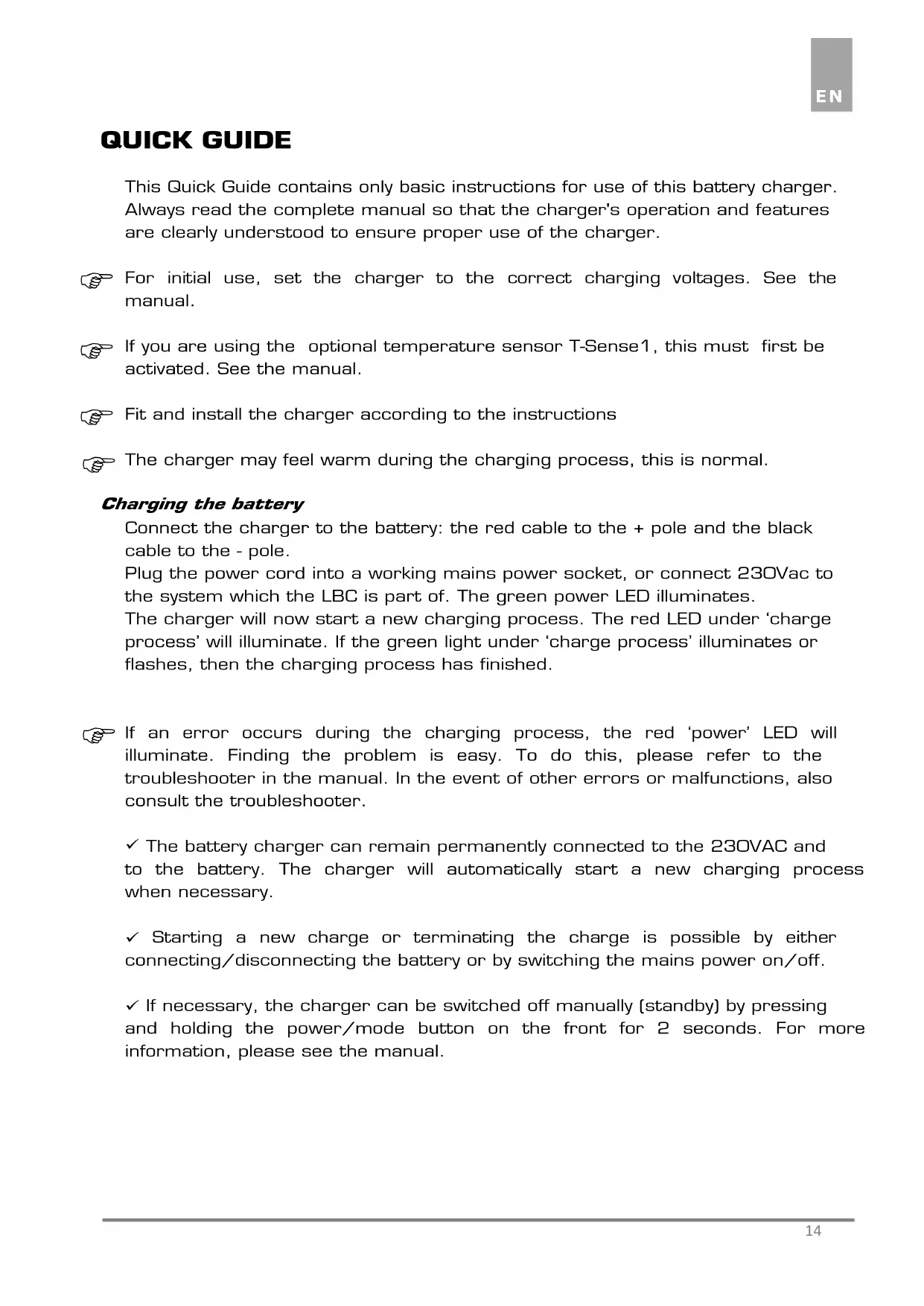
This Quick Guide contains only basic instructions for use of this battery charger. Always read the complete manual so that the charger's operation and features are clearly understood to ensure proper use of the charger.
For initial use, set the charger to the correct charging voltages. See the manual.
If you are using the optional temperature sensor T-Sense1, this must first be activated. See the manual.
Fit and install the charger according to the instructions
The charger may feel warm during the charging process, this is normal.
Charging the battery
Connect the charger to the battery: the red cable to the + pole and the black cable to the - pole.
Plug the power cord into a working mains power socket, or connect 230Vac to the system which the LBC is part of. The green power LED illuminates.
The charger will now start a new charging process. The red LED under ‘charge process’ will illuminate. If the green light under ‘charge process’ illuminates or flashes, then the charging process has finished.
If an error occurs during the charging process, the red 'power' LED will illuminate. Finding the problem is easy. To do this, please refer to the troubleshooter in the manual. In the event of other errors or malfunctions, also consult the troubleshooter.
√ The battery charger can remain permanently connected to the 230VAC and to the battery. The charger will automatically start a new charging process when necessary.
√ Starting a new charge or terminating the charge is possible by either connecting/disconnecting the battery or by switching the mains power on/off.
√ If necessary, the charger can be switched off manually (standby) by pressing and holding the power/mode button on the front for 2 seconds. For more information, please see the manual.
INTRODUCTION
On page 54 you will find the technical specifications of the LBC 500S.
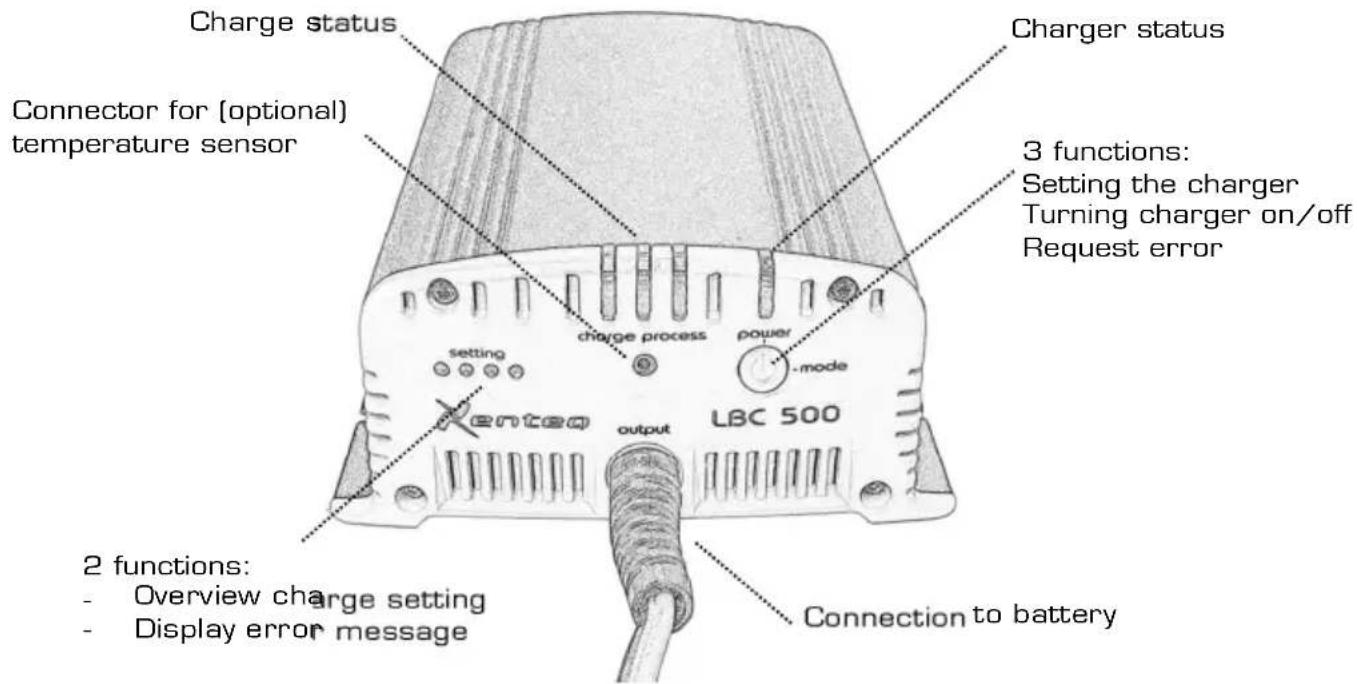
The LBC 500S is a fully automatic battery charger and float charger in one and can be left connected to the mains power supply permanently. The microprocessor supervises the battery and the charge process continuously so that a very safe and accurate process can be guaranteed. The internal electronics comes from the latest developments, which resulted in an exceptionally intelligent battery charger.
The LBC 500S can be used for a large diversity of battery types, such as Starting, semi-traction, traction, GEL, AGM, Calcium, Spiral and LifoPo4. The charger is suitable for many battery types because the charge voltages can be set. See chapter 'SETTING THE CHARGER', section 'charge voltages'.
During the charge process, and also when the charger is in its float stage, potential users may be turned on. The charger will indirectly supply the present consumers and the battery is spared. Keep in mind that when charging a (partially) empty battery, the current draw of the present consumers comes at the expense of the charge current for the battery. If you only want to use the charger as a power supply, then put the charger in its power supply mode, see chapter 'SETTING THE CHARGER' section 'charger as power supply'.
You can use multiple power sources, like solar panels or a dynamo, together with the LBC 500S battery charger.
For conventional open lead batteries (semi-traction and traction) that will be heavily discharged on a regular base, an extra charge phase can be activated. Contact us for this possibility.
FEATURES AND PROTECTIONS
The LBC 500S contains a wide variety of features and protections to promote the usability, but off course also to ensure that the charge process progresses extremely safe.
Reverse polarisation
Reverse polarisation means that the plus and minus connection wires are inadvertently reversed on the battery. The LBC 500S is protected against reverse polarisation. The charger will not activate and the 'power' LED will light red. Disconnect the battery and connect correctly.
Short circuit (output)
The charger is protected from short circuit when no battery is connected, even in the presence of the main voltage.
Batteries on the other hand cannot withstand short circuit!
You should for this reason never short circuit the battery. Never short circuit when the charger is connected to the battery, irrespective of whether the main voltage is present. When a battery is short circuited there is a danger that it will explode!!! The charger too will then incur serious damage.
Fan
The models LBC 512-15S, LBC 512-20S and LBC 524-10S have a fan. The fan is temperature controlled.
Temperature
If the internal temperature rises too high, the charger will reduce the charge current. Isn't this sufficient and the temperature keeps on rising, the charge will shut down totally. The 'power' LED will light up red. When the charger has cooled down, the charger is reactivated (Power LED green again) and the charge process will continue.
How this temperature protection progresses will strongly depend on the ambient temperature.
Temperature sense monitoring
The temperature protection as described above, is monitored. If the charger can't carry out internal temperature measurements due to a broken temperature sensor, the charger shuts down. The 'power' LED will light up red. This way the charger is maximally protected against overheating.
Soft start
The input and the output of the charger contains a soft start. This way the charger has no influence on the DC and AC systems.
Current limitation
The charger incorporates a current limitation feature.
Input voltage protection
If a fault may occur on the input, the charger is protected by means of a fuse. This fuse can be reached by removing the bottom plate of the charger. It is located at the input side, where the power cord enters the charger. For replacement, always use a fuse with the same value as the original one. See specifications on page 54.
Input voltage monitoring
If the input voltage drops below 180VAC, the charger will protect itself and pauses the charge process. The 'power' will light up red. The charge process will be continued automatically if the input voltage has risen to 190VAC again.
Automatic voltage compensation
The charger automatically compensates for the voltage drop over the connection cables. This compensation is optimized for the standard cable length of 1 meter. To secure the correct working of the voltage compensation, it is preferred not to change the length of the cables.
Charge time monitoring
All phases of the charge process are time monitored, but in particular the first stage, the boost phase. If this phase takes longer than 14 hour, the charge process will be stopped and the 'power' LED will light up red. Most important requisite of this feature is that this way is prevented that the charger keeps on charging a broken battery. But with this feature it also can become clear that the charger doesn't fit the specific situation. For instance that the charge current isn't in the correct proportion to the battery capacity (the battery can become damaged when the charge process takes too long) or due to the presence of users there is insufficient current left for charging the battery.
Battery voltage protection
After switching on, the charger first monitors the battery voltage. If the charger doesn't detect a battery, the power led will light up red. If the charger measures a battery voltage that is too low, so the battery is discharged too deeply, the power led will light up red for 3 minutes as a warning. The charging process will not start when the battery voltage is too high. Then the power led will also light up red.
Temperature-compensated charging system
By connecting the optional temperature sensor T-Sense1, it is possible to adjust charging process based on the battery temperature. Read more about this in the relevant chapter.
Level of protection
The indication for the degree of protection contains the character 'IP' (International Protection) followed by two or three digits that stipulates the conditions that it complies with. The first digit refers to the class of protection for density, the second digit to the fluid density and the last digit refers to the impact resistance. The LBC 500S can be assigned IP 205, which means:
2 = the charger is protected against solid particulate larger than 12mm.
O = the charger is not protected against water/liquid etc.
5 = the charger can bear an impact force of 2.00 Joule (2Nm) max.
Important
Protect the charger against moisture, pollution etc. This can damage the charger internally. The cost for this repair is not covered by warranty.
SETTING THE CHARGER
Charge voltages
The LBC 500S has different charging voltages because each battery type and/or brand needs other voltages to ensure the longest duration of life. Therefore, the right charging voltages need to be set beforehand by means of the 'power/mode' button. The battery may be connected, but is not required.
Important
The charger can only run the set-up mode after connection with the mains. So when the charger for instance is reactivated from its stand-by mode, it can't be set.
Connect the charger to the mains. Push directly afterwards, within 5 seconds, on the 'power/mode' button. The green 'Power' LED starts flashing, which means that the charger is in its setup-mode. By way of pressing the button you can choose between the 'setting' LED's. Each different LED combination stands for a voltage setting. For the voltages, see page 54.
Important
The battery manufacturer determines how his battery needs charged. The schedule below is therefore a directive. Always check if the suggested charging voltages match with the charging guides of your battery. Most of all AGM batteries have a large diversity of charge voltages (for this reason, we apply two setting suggestions). So for this battery type it is even more important that the advised charge voltages are verified. Never set the charger to your own opinion. This can lead to irreparable damage to the battery
SUGGESTED SETTING BATTERY TYPE
| * | |
 | STANDARD CHARGING VOLTAGE (LEAD ACID) |
 | OPEN SEMI-TRACTION, TRACTION |
 | AGM, GEL |
| >>> | |

AGM, CALCIUM, SPIRAL

LiFe-P04
* = factory setting
The charger will leave the setup-mode if the button isn't used for 10 seconds. In this case the 'power' LED will flash two times. The chosen setting will remain in the memory of the charger and the setting LED lights when the charger is on.
Charger as power supply
The LBC 500S has a special setting for the use as a power supply. In this case the charger will give one, constant voltage. The users can be connected to the charger directly, so without intervention of a battery.
Put the charger in its set up mode, as described above. Push until all 4 setting LED's are out.
Important: the short circuit protection on the output will not work when the charger is in its power supply mode.
POWER SUPPLY

If the charger is in its power supply function, the three charge status LED's are used to indicate the height of the load. This way you know how much power the charger supplies.
| LED Current LED current | Ct | ||
| Green, flashes 0% | Orange + red | 61% - 80% | e |
| Green 1% - 20% | Red | 81% - 100% | |
| Green + orange | 21% - 40% | Red, flashes | >100% |
| Orange | 41% - 60% | ||
OPTIONAL TEMPERATURE SENSOR T-SENSE1
Temperature-compensated charging is possible by connecting the optional T-Sense1 temperature sensor.

natural_image
Coiled black cable with two terminal connectors (no text or symbols visible)If you want to use this temperature sensor, then it must first be activated. This makes it necessary to intentionally choose whether or not to use temperature-compensated charging, and your choice is monitored. It will prevent long periods of unintentional erroneous charging. The applied compensation can be found in the appendix (page 55).
Whether or not to run temperature compensation is determined in set-up mode. If the T-sensor is present when in set-up mode, then temperature compensation is automatically activated. If the charger does not detect the temperature sensor during set-up mode, then the charging program will run normally.
Activating the sensor
Attach the temperature sensor to the designated connector at the front of the charger. Next, set the charger to set-up mode (see chapter Setting the charger. This can be done at the same time as choosing the charge setting). The orange LED light for 'charge process' will illuminate, indicating that the charger has detected the presence of the temperature sensor and will apply temperature compensation to the charging voltage. The presence of the temperature sensor is saved in the charger's memory.
If you don't want to use the T-sense any longer, then you need to remove the temperature sensor and run the charger set-up mode again. The charger will not detect a sensor (orange LED remains switched off), which means that charging will not be temperature compensated.
Temperature sensor protection
If the charger is set for the T-Sense1, but during use the charger fails to detect the sensor, then the charger will stop charging and the red 'power' LED will illuminate.
If the temperature sensor has not been activated, but while in use the charger detects the temperature sensor, then the charging process will stop and the red 'power' LED will illuminate. In the event of any other errors, such as incorrect measurements, etc., the charging process will stop and the red 'power' LED will illuminate.
If the fault is settled, the charger must be reset (by means of the main power or stand by function)
INSTALLATION
The atmosphere
The battery should be charged in an area with adequate ventilation because it may emit explosive gases. Be sure that there is enough space around the charger. This is important for the air circulation, for cooling of the charger and release of gases emitted. The LBC 500S may not be used outdoors.
Important
Don't not charge when there is a fuel leak or fuel is evaporating.
Mounting
The charger can be mounted in different ways (preferably vertically) with the mounting plate on the bottom of the charger. Place the charger on a stable underground.
With the optional mounting clamp PC1 the charger can be easy placed en taken, without removing the screws each time.
Connection with the battery
Due to the automatic voltage compensation we strongly recommend to leave the cable length as it is. However, if you want to shorten the cable, it is important that the length doesn't become less than 0.7 meter. The cable length can be extended, but that will also have effect on the automatic voltage compensation.
Use the already wired terminal rings for a fixed connection with the battery.
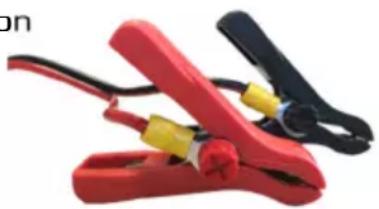
For a flexible use you can simply use the supplied crocodile clamps. This by fixing the clamps to the terminal rings using the screw connection.
natural_image
Close-up of red and black clamps with yellow connectors (no text or symbols visible)Connect the red wire on the + connection of the battery and the black wire on the - connection of the battery.
Important
- The battery junction that isn't linked with the frame should be connected firstly. The other junction must be made with the frame.
- When the charger is to be used in an aluminium or steel ship/vessel, it must be insulated by suspension. That is, in order to avoid electrolysis, the casing of the charger may not be in contact with the ship.
- The connection between the charger and the battery must be made some distance from the fuel installation.
Advice
It is advisable to mount a fuse between the + pole of the battery and the + bolt of the charger. Always use a fuse that is heavier than the charge current.
After installing the charger and setting the charger, the charger is ready for use.
IN USE
When the charger will be connected to the mains and the set-up mode isn't used, the charger will flash two times after 5 seconds and, if the battery is connected, the charge process will start. When the mains is already present and the battery will be connected, the charge process will also start automatically.
The charge process
The LBC 500S standards has a 4-stage process to charge en maintain the battery the correct way. The charger will always start in the first stage, the bulk phase (LED red). This first stage has a minimum time length of 30 minutes, so
also when a full battery is connected. In the second stage, the equalize stage (LED orange) the will be charged to 100%. The length of the charging time depends on the battery quality, battery capacity, depth of discharge and the current draw of any present users. Furthermore any faults could delay the process.
If the charge process is finished, the charger will switch automatically to the float charge (LED green) keeping the battery under continues maintenance. If the charger is in this stage for 24 hours at a minor current, the charger will go to its 'jogging' mode. This is a special charge stage for batteries that aren't used for a longer period of time, for instance during a winter break.
If necessary the charger will automatically return from the float charge stage or jogging stage to the first charging stage (bulk charging).
Important
The charging process may only be stopped when it is finished, so when the green charging process LED lights or flashes. If the charging process is interrupted before it is completed, the battery loses its charge and its acid balance.
When disconnecting the battery, at interruption of the mains voltage or when the charger is put in its stand-by function, the current charge process will stop.
When a battery is re-connected, the mains voltage is present again or when the charger is re-activated from its stand-by function, in all cases a new charge process will start.
When a problem is detected at the start or during the charge process, the 'power' LED will light up red. Advice the Trouble Shooter for the needed actions.
LiFePO4 setting
If the charger is set on the LiFePO4 setting, then the charger will follow a special charging program for this kind of battery, including a BMS auto start system. If the charger doesn't detect a battery, it will send a pulse every 20 seconds to start up a potentially present BMS. During these pulses the 4 setting LED's will light as indication.
Turning the charger on/off
With the push button ‘power/mode’ button on the front side, the charger can be turned off. Push and hold this button for 2 seconds, the charger will turn in its stand-by function. In this stand-by mode the “Power” LED will flash two times every 10 seconds. During this period the charger is in its power save mode.
To re-activate the charger, the ‘power/mode’ button must be pushed shortly. The ‘power’ LED will turn to green again. If a battery is present, a new charge process will start directly.
OVERVIEW (CHARGE)STATUS
With the ‘charging process’ LED’s and the ‘power’ LED the status of the battery charger can be followed.
Charge process: Power:
| Red | Bulk stage | Green | Charger activated |
| Orange | Equalize stage | Flashes two times every 10 seconds | Charger de-activated (standby mode) |
| Green | Float stage Red Problem detected | * | |
| Green, flashes | Jogging *= advise the troubleshooter | ||
TROUBLE SHOOTER
| Problem (Possible) cause Action | ||
| Charger is in its bulk stage (LED red), but the charge current is not 100%. | Charger feels hot. Internal temperature too high. Charger has reduced the charge current. | When the charger has cooled down enough, the charge current will be corrected. |
| Battery doesn't absorb any current. | Battery sulfated. Check the battery. | |
| Battery was already full when the charger was activated. Charger will switch soon to the next stage (LED orange). | ||
| The battery isn't charged fully, but the charger indicates the charging process is finished. | The battery is sulphated. | Check the battery. |
| The battery is connected to the charger and the charger does not work. No LED's burn. | No input voltage present. | Check the mains voltage. |
| Input fuse broken. | Replace the fuse or return the charger to the retailer/manufacturer | |
| The battery is connected but the charger does not work correctly (the LED's also show incorrect behaviour) | Charger is set on the power supply mode. | Change the setting, see chapter 'Setting the charger'. |
Power LED lights red * (see explanation below)
| Connection problem:- No battery present- Bad connection between battery and charger- Reverse polarity- Short circuit | Check the connection to the battery on faults. |
| Charger is in a thermal stop. | The charging process will continue when the charger has cooled down. |
| AC input too low. | Check the mains voltage. It should be ≥180VAC. |
| The bulk stage takes longer than 14 hours. | The battery is damaged/broken. Check the battery. |
| Heavy users present during charge process. Shut down as many users as possible. | |
| The charger has insufficient current for the concerning battery capacity. | |
| Hardware/software problem. | Send the charger back to supplier/manufacturer. |
| Warning for a too low battery voltage. | Indication will light for 3 min.The charge process will start as usual. |
| Battery voltage too high. Charge process stopped. | Check if the system voltage is the same as the output voltage of the charger |
| Temperature sensor error:- Presence of temp. sensor does not match with the setting.- No or incorrect temperature measurements | - Check the charger to determine whether the charger has or has not been set for use of the temperature sensor.- Check the connections and environment. |
* = when the 'power' LED lights red, it is possible to request the concerning error by means of pushing the 'power/mode' button shortly. With the 4 LED's from 'setting' can be read which error is ascertained (LEDs are flashing). See overview on page 53. Advise also the explanations of the concerning section of the chapter 'Features'.
MAINTENANCE
The charger itself doesn't need any specific maintenance. When you want to clean the housing of the charger, only use a dry cloth or one that is squeezed dry well.
Important
- Check the charge status of the battery charger on a regular basis.
- Check the vents on a regular basis.
- Check the connection between battery and charger on a regular basis. Damaged wires should be replaced immediately.
- Follow the instructions of the manufacturer for the handling and maintenance of the battery. CAUTION! A battery contains corrosive sulphuric acid.
WARRANTY AND REPAIR

The LBC 500S chargers are marked with the 'Smart Value' service label of Xenteq. This service label gives you additional advantages and certainties on service. Read more about this on our website.
Before sending the charger back, always advice the Troubleshooter and other information in this manual firstly. If a problem could have been solved by means of this manual, we are obligated to charge the repair/research costs.
In case of a defect, the charger can be brought back to your supplier or it can be send to the address on the back of this manual. The charger must be send prepaid. The LBC 500S carries a five-year warranty from selling date. This warranty only covers the costs of parts and labour for the repair. The warranty period is only valid when the (copy)purchase ticket is handed over with the repair. The warranty will lapse when a third party has attempted to repair the charger or when the LBC 500S is not installed or used in accordance with the instructions. The only activities that may carried out yourselves is the replacement of the input fuse. Do not attempt to repair the charger yourselves.
The manufacturer cannot be hold responsible for the voltage settings or any damage resulting from use of the LBC 500S.
QUICK GUIDE
natural_image
Coiled black cable with two metal terminals, no visible text or symbolsnatural_image
Two gray plastic mechanical brackets with mounting holes (no text or symbols)natural_image
Close-up of red and black clamps with yellow connectors (no text or symbols visible)natural_image
Coiled black electrical terminal with two terminal metal pins (no text or symbols visible)natural_image
Two metallic L-shaped metal brackets with mounting holes (no text or symbols)natural_image
Close-up of red and black clamps with yellow connectors (no text or symbols visible)LED 'charge process : LED 'power' :
Vert, clignote Jogging
Note: all above specifications are at 25°C and 230VAC input
Data may change without notice
TEMPERATURE COMPENSATED CHARGING
LEAD ACID BATTERY SETTINGS
Below -20°C:
Output voltage fixed 12Volt
From -20°C until +50°C
20°C is reference point (= charge voltage setting)
Voltage compensation of 30mV per °C
Output voltage is max. 14,8Volt
Above +50°C
Output voltage fixed 12Volt

line
| T (°C) | U (V) | | ------ | ----- | | -20 | 12 | | -10 | 14.5 | | 10 | 14.5 | | 20 | 14.5 | | 50 | 13.5 | | 60 | 12 |Schedule is an example at a charge setting of 14,4Volt
TEMPERATURE COMPENSATED CHARGING
LIFEPO4 SETTING
Below O°C :
Charge current will be reduced to 10%
EC DECLARATION OF CONFORMITY
Company name: Xenteq B.V.
Address: Banmolen 14
5768 ET Meijel
The Netherlands
Declares that the following products:
Product Type: LBC 500-series
Models: - LBC 512-10S
- LBC 512-15S
- LBC 512-20S
- LBC 524-5S
- LBC 524-10S
Complies with the requirements of the following Directives of the European Union:
Used standards: EMC Directive 2004/108/EC with the following harmonized standards:
EN61000-6-1:2007
EN61000-6-3:2007
EN61000-3-2:2006/A1/A2
EN61000-3-3:2007
Low Voltage Directive 2006/95/EC with the following harmonized standards:
EN 60335-1 : 2007
Restriction of the use of certain hazardous substances (RoHS) 2011/65/EU with the following harmonized standards:
EN 50581 : 2012
Name and signature of the authorized person:
P.J.F. Linders
Technical Director

Place and date of issue:
Meijel, October 6, 2017
Xenteq BV
Banmolen 14
5768 ET Meijel (NL)
+31-(0)774662067
+31-(0)774662845
www.xenteq.nl
info@xenteq.nl
- LBC 500S -series
- QUICK GUIDE
- OPTIONELE TEMPERATUURSENSOR T-SENSE1
- Charging the battery
- INTRODUCTION
- FEATURES AND PROTECTIONS
- Reverse polarisation
- Short circuit (output)
- Fan
- Temperature
- Temperature sense monitoring
- Soft start
- Current limitation
- Input voltage protection
- Input voltage monitoring
- Automatic voltage compensation
- Charge time monitoring
- Battery voltage protection
- Temperature-compensated charging system
- Level of protection
- Important
- SETTING THE CHARGER
- Charge voltages
- Charger as power supply
- OPTIONAL TEMPERATURE SENSOR T-SENSE1
- Activating the sensor
- Temperature sensor protection
- INSTALLATION
- The atmosphere
- Mounting
- Connection with the battery
- Advice
- IN USE
- The charge process
- LiFePO4 setting
- Turning the charger on/off
- OVERVIEW (CHARGE)STATUS
- TROUBLE SHOOTER
- MAINTENANCE
- WARRANTY AND REPAIR
- TEMPERATURE COMPENSATED CHARGING
- LEAD ACID BATTERY SETTINGS
- EC DECLARATION OF CONFORMITY
Brand : Xenteq
Model : LBC 500S
Category : Battery charger