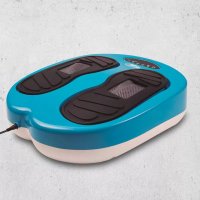
Leg Action - Fitness Equipment Gymform - Free user manual and instructions
Find the device manual for free Leg Action Gymform in PDF.



| Product Type | Shiatsu Massager for Feet, Legs, and Back |
| Brand | Gymform |
| Model | Leg Action |
| Power Supply | AC adapter 100-240 V AC, output 24 V DC, 1.5 A |
| Power | 30 W |
| Automatic Programs | 4 (P1, P2, P3, P4) – combinations of vibration and massage |
| Manual Programs | 2 (M0: vibration only, M1: vibration + massage) |
| Number of Speeds | 1 to 15 (adjustable in manual mode) |
| Timer | 1 to 10 minutes (manual programs); fixed 10 minutes (automatic) |
| Functions | Vibration, Shiatsu roller massage |
| Massage Method | Rotating rollers with vibration |
| Remote Control | Yes, with AAA batteries (not included) |
| Recommended Use | On the soles of the feet, legs, and back (not on the neck or waist) |
| Cleaning | Damp cloth and mild detergent; removable pads |
| Material | Not specified (likely plastic and fabric) |
| Weight | Approximately 2.5 kg (estimated) |
| Dimensions | Approximately 40 x 30 x 15 cm (estimated) |
| Warranty | Warranty against manufacturing defects (duration according to national legislation) |
| Included Accessories | Main unit, AC adapter, remote control, pads, exercise guide, user manual |
| Safety Instructions | Do not use on wet skin, consult a doctor if you have health issues, do not leave children unattended, etc. |
Frequently Asked Questions - Leg Action Gymform
User questions about Leg Action Gymform
0 question about this device. Answer the ones you know or ask your own.
Ask a new question about this device
Download the instructions for your Fitness Equipment in PDF format for free! Find your manual Leg Action - Gymform and take your electronic device back in hand. On this page are published all the documents necessary for the use of your device. Leg Action by Gymform.
USER MANUAL Leg Action Gymform

Instruction Manual

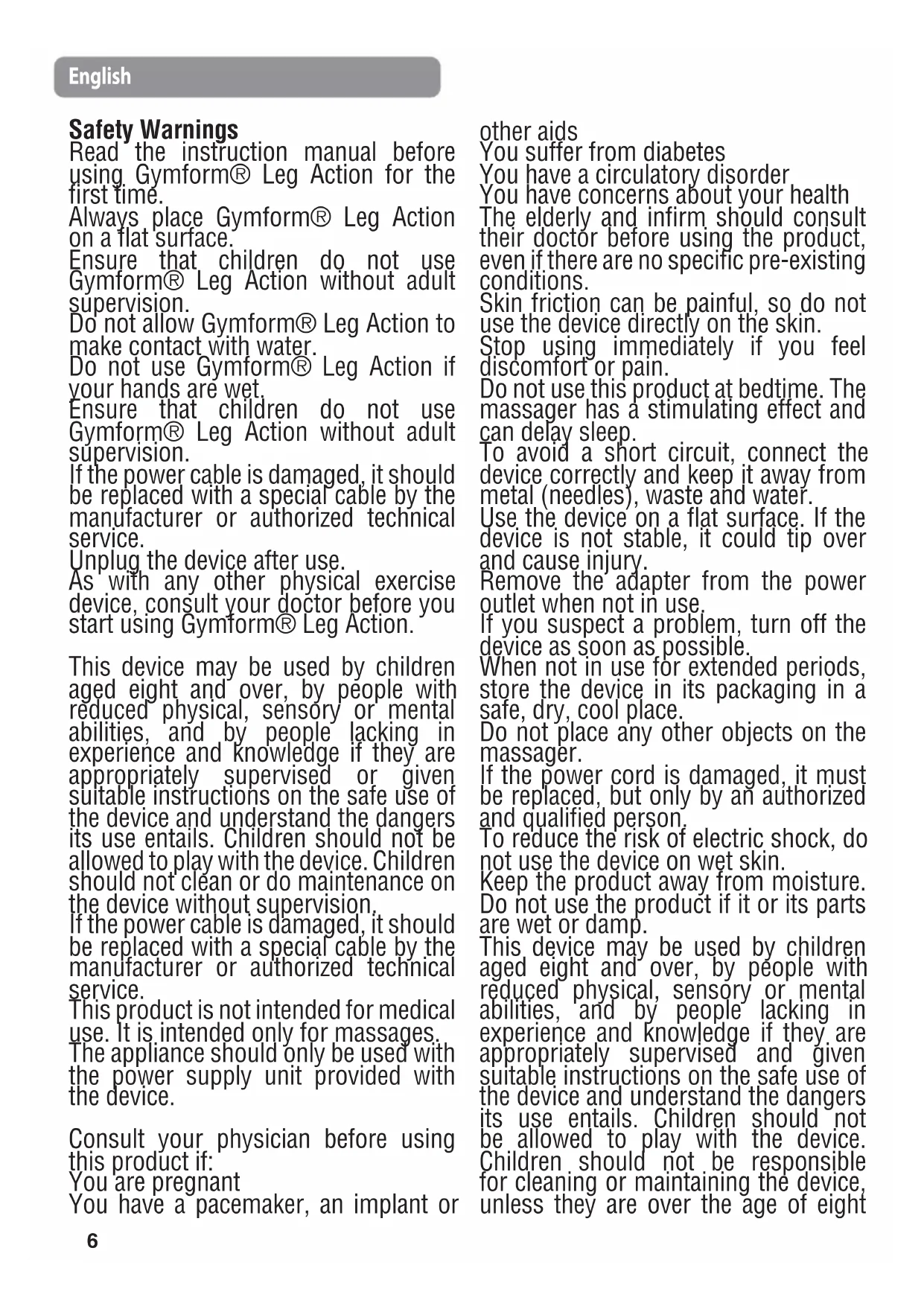
Safety Warnings
Read the instruction manual before using Gymform® Leg Action for the first time.
Always place Gymform® Leg Action on a flat surface.
Ensure that children do not use Gymform® Leg Action without adult supervision.
Do not allow Gymform® Leg Action to make contact with water.
Do not use Gymform® Leg Action if your hands are wet.
Ensure that children do not use Gymform® Leg Action without adult supervision.
If the power cable is damaged, it should be replaced with a special cable by the manufacturer or authorized technical service.
Unplug the device after use.
As with any other physical exercise device, consult your doctor before you start using Gymform® Leg Action.
This device may be used by children aged eight and over, by people with reduced physical, sensory or mental abilities, and by people lacking in experience and knowledge if they are appropriately supervised or given suitable instructions on the safe use of the device and understand the dangers its use entails. Children should not be allowed to play with the device. Children should not clean or do maintenance on the device without supervision.
If the power cable is damaged, it should be replaced with a special cable by the manufacturer or authorized technical service.
This product is not intended for medical use. It is intended only for massages..
The appliance should only be used with the power supply unit provided with the device.
Consult your physician before using this product if:
You 'are pregnant
You have a pacemaker, an implant or
other aids
You suffer from diabetes
You have a circulatory disorder
You have concerns about your health
The elderly and infirm should consult their doctor before using the product, even if there are no specific pre-existing conditions.
Skin friction can be painful, so do not use the device directly on the skin.
Stop using immediately if you feel discomfort or pain.
Do not use this product at bedtime. The massager has a stimulating effect and can delay sleep.
To avoid a short circuit, connect the device correctly and keep it away from metal (needles), waste and water.
Use the device on a flat surface. If the device is not stable, it could tip over and cause injury.
Remove the' adapter from the power outlet when not in use.
If you suspect a problem, turn off the device as soon as possible.
When not in use for extended periods, store the device in its packaging in a safe, dry, cool place.
Do not place any other objects on the massager.
If the power cord is damaged, it must be replaced, but only by an authorized and qualified person.
To reduce the risk of electric shock, do not use the device on wet skin.
Keep the product away from moisture. Do not use the product if it or its parts are wet or damp.
This device may be used by children aged eight and over, by people with reduced physical, sensory or mental abilities, and by people lacking in experience and knowledge if they are appropriately supervised and given suitable instructions on the safe use of the device and understand the dangers its use entails. Children should not be allowed to play with the device.
Children should not be responsible for cleaning or maintaining the device, unless they are over the age of eight
and supervised by an adult. Keep the device and its cable out of the reach of children under the age of eight. To avoid injury and irreparable damage, always sit while using the massager. To avoid dangerous injury, never stand on the unit or use it forcefully. Do not attempt to disassemble or repair the product. Repairs may only be carried out by suitably qualified technicians.
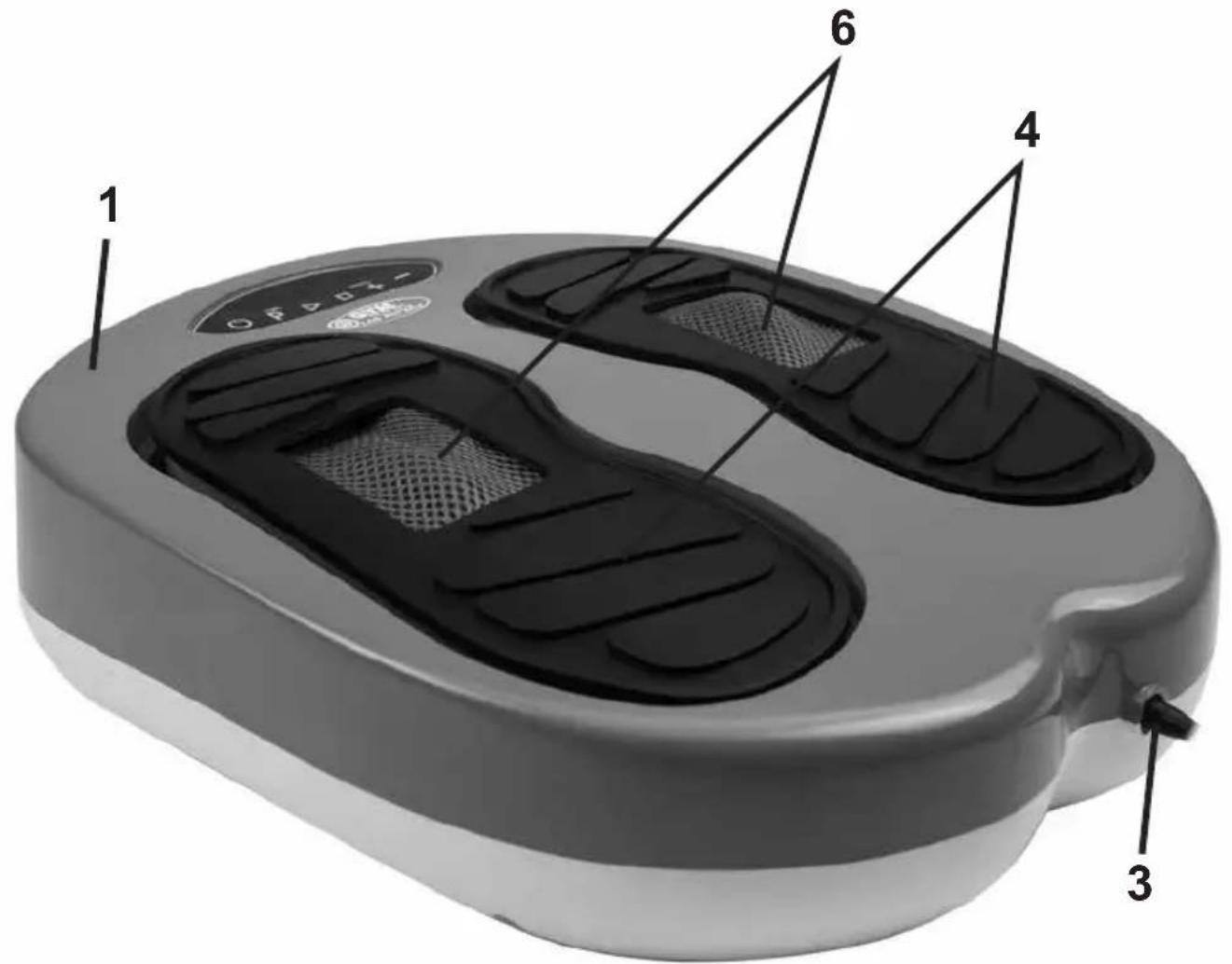
Product Description:
- Gymform® Leg Action main unit
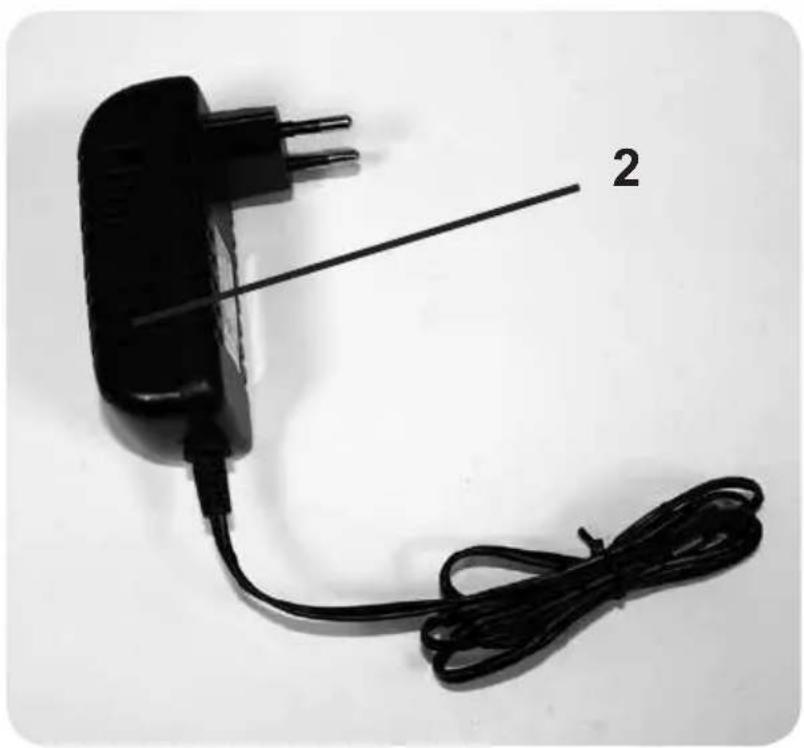
- Power adapter
- Power jack
- Foot páds
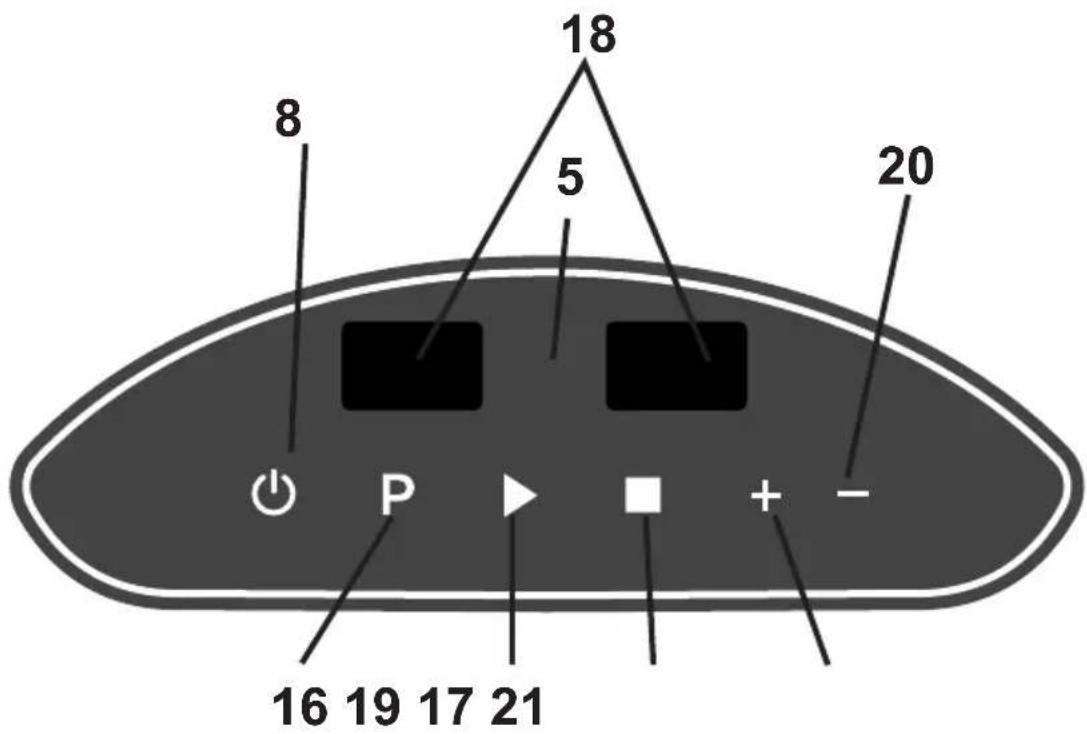
- Control panel
- Shiatsu massage rollers
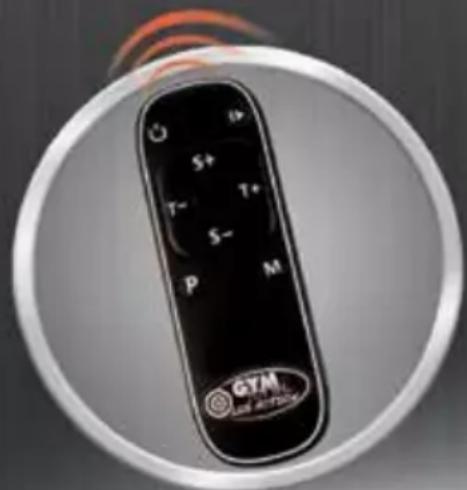
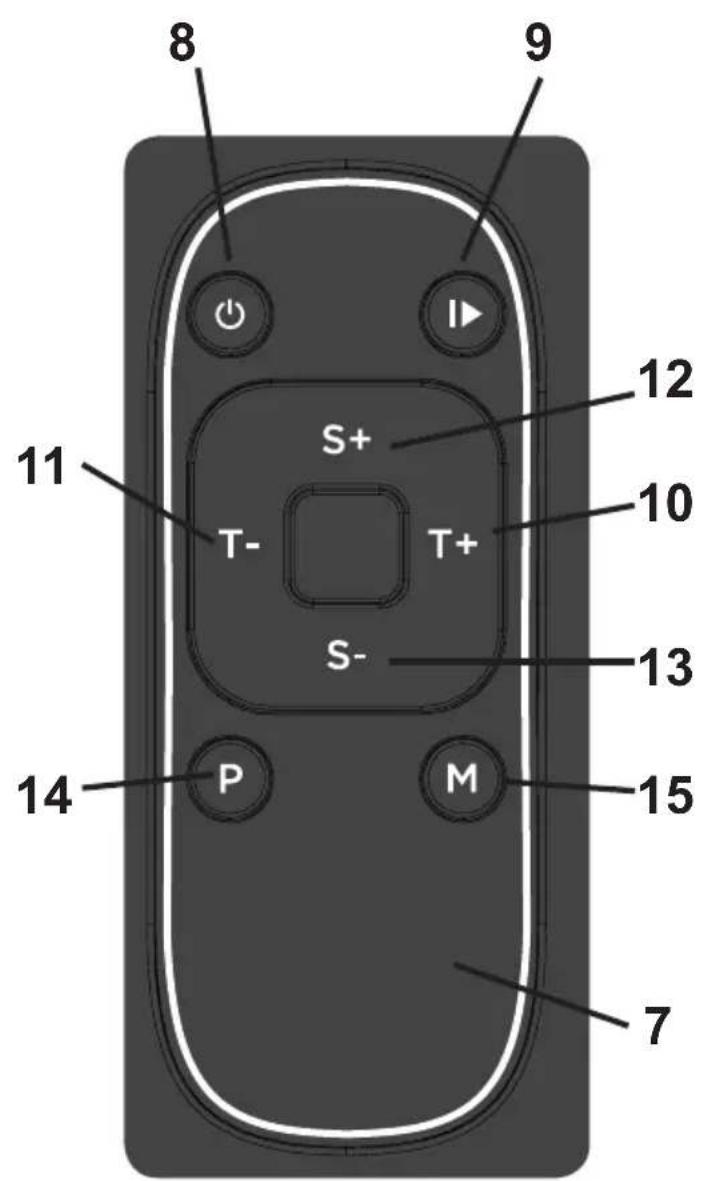
- Remote control
- ON/OFF button ⏻
- Start / Stop button
- More Time button (T+)
- Less Time button (T-)
- More speed button (S+)
- Less speed button (S-)
- Automatic programme button (P) on remote control
- Manual programme button (M) ón remote control
- Programme button (P) on device
- Button to stop the device
- Display panels
- Button to start the device
-
- Button on device
-
- Button on device
The Set Contains:
1 Gymform® Leg Action main unit
1 Remote control
1 Instruction manual
1 Exercise guide
Instructions for Use
Operating features
Speeds from 1 to 15.
Six specifically designed programmes.
Note:
The device is designed to be used on the sole of the foot, the legs and back. Do not use it on the waist, neck or other parts of the body not described in this manual. Do not use the device for purposes other than those specified in this manual and the exercise guide.
- Place the unit (1) on a flat, level surface.
- Plug one end of the adapter (2) into the mains and the other into the power jack (3).
-
The functions of the Gymform® Leg Action can be selected on the control panel (5) on the device or on the remote control (7), as described below. The remote control runs on two AAA batteries (not included). Insert them into the battery compartment by following the polarity marks.
-
To turn the device on and off, press the ON/OFF button (8) 🔊.
- When the device is on, press the "P" button (14) on the remote control to choose one of the Gymform® Leg Action's four automatic programmes (P1, P2, P3 and P4). Press the "M" button (15) on the remote control to choose one of the two manual programmes (M0 and M1). To choose the programme on the device, just press the Programme button (P) on the device (16). Press this button to switch from automatic to manual programmes. The chosen setting is shown on the display panels (18).
- (see Programme Table).
Programme Table:
AUTOMATIC PROGRAMMES
P1 -
Vibration only:
Range of intensity levels: 9-15
Time: 10 minutes
P2 -
Vibration and vibration + massage
1 minute......vibration
2 minutes......vibration + massage
3 minutes......vibration
4 minutes......vibration + massage
5 minutes......vibration
6 minutes......vibration + massage
7 minutes......vibration
8 minutes......vibration + massage
9 minutes......vibration
10 minutes vibration + massage
Range of intensity levels: 9-15
Time: 10 minutes
P3 -
Vibration only
Range of intensity levels: 6-15
Time: 10 minutes
P4-
Vibration and vibration + massage
2 minutes......vibration
2 minutes......vibration + massage
3 minutes......vibration
3 minutes......vibration + massage
Range of intensity levels: 9-15
Time: 10 minutes
MANUAL PROGRAMMES
MO
Manual Programme, vibration only
Range of intensity levels: 1-15
Time: 10 minutes
M1
Manual Programme, vibration + massage
Range of intensity levels: 1-15
Time: 10 minutes
-
To start and stop the chosen programme, press the Start/Stop button ▶ (9).
-
It is not possible to set the time or speed on automatic programmes.
-
If you choose one of the two manual programmes (M0 and M1), you can set a time of 1 to 10 minutes before starting the programme.
- Press the Less Time button (T-) (11) on the remote control or the - button on the unit (20) to reduce the time.
- Press the More Time button (T+) (10) on the remote control or the + button on the unit (21) to increase the time.
- Once you have chosen the time, press the Start/Stop button ▶ (9) on the remote control or the Start button ▶ (19) on the device to start the programme. When the programme begins, you can set the speed (from 1 to 15) at any time.
- Press the More Speed button (S+) (12) to increase the speed.
- Press the Less Speed button (S-) (13) to reduce the speed.
-
To turn off the device, first press the Start/Stop button ▶ (9) on the remote control or the stop button on the device □ (17). Then press the ON/OFF button on the device to turn it completely off.
-
Disconnect the device from the mains after use.
Positions for using the device:
The device can also be used on the legs and back. Consult the exercise guide on how to use the product.
NOTE: Never apply all your weight on the device, as this may damage it.
CLEANING
Always unplug the device from the mains before cleaning it.
Wipe the device and foot pads (4) with a damp cloth and mild soap. Do not use abrasive or corrosive cleaners. The foot pads can be removed for easy cleaning (4).
TECHNICAL SPECIFICATIONS
Input: 24 V
Power: 30 W
Adapter Technical Specifications
Input: 100-240 V
Output 24 V 1.5 A
AUSTRALIA & NEW ZEALAND ONLY
This product has the benefit of certain Consumer Guarantees. These are prescribed by the Australian Consumer Law & the New Zealand Consumer Guarantees Act 1993 both of which provide protection for consumers. There is no express warranty for this product in Australia or New Zealand. The above paragraph refers to other countries.
WARRANTY
This product is covered by a warranty against
manufacturing defects subject to the time periods stipulated by the legislation in force in each country.
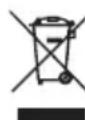
ATTENTION DISPOSAL OF MATERIALS
A symbol of a crossed-out wheeled bin means you should find out about and follow local regulations about disposing of this kind of products.
Do not dispose of this product as you would other household waste.
Dispose of this device in accordance with the corresponding local regulations.
Electrical and electronic devices contain hazardous substances that can have harmful effects on the environment and/or human health and should be recycled properly.
Made in China.
Technical specification of adapter
Input: 100-240V
Output 24V
1.5A
2 minuten......trilling
2 minuten......trilling + massage
3 minuten......trilling
3 minuten......trilling + massage
Snelheid 9-15
Duur 10 minuten
HANDMATIGE PROGRAMMA'S
MO
PO Box 202, Spit Junction NSW
2088, Australia
Best Direct (International) Benelux B.V.
3871 KM - NL
www.best-direct.nl
Best Direct International Ltd,
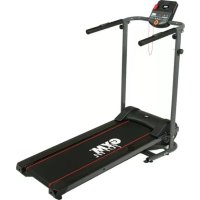
Brand : Gymform
Model : Leg Action
Category : Fitness Equipment