
Vaporella Next VN18.40 - Iron POLTI - Free user manual and instructions
Find the device manual for free Vaporella Next VN18.40 POLTI in PDF.



| Brand | Polti |
| Model | Vaporella Next VN18.40 |
| Category | Steam iron with separate boiler |
| Power supply | 220-240 V, 50/60 Hz (standard estimate) |
| Main functions | Steam ironing, dry ironing, Steam Pulse function (intermittent steam), vertical ironing, ECO and TURBO functions |
| Soleplate | 360° Fluid Curve Technology, scratch-resistant coating, rounded multidirectional soleplate |
| Water tank capacity | Approximately 1.2 L (common estimate for this model) |
| Steam pressure | Not specified, but designed for efficient ironing |
| Automatic shut-off | Yes, after 10 minutes of inactivity |
| Limescale indicator | Yes, Calc Cleaning light for boiler cleaning |
| Recommended water type | Tap water (hardness 8-20°f); mix 50% tap water + 50% demineralized water if water is very hard |
| Descaling product | Polti Kalstop (PAEU0094) recommended |
| Routine maintenance | External cleaning with damp cloth; cold soleplate with damp cloth or non-abrasive sponge |
| Extraordinary maintenance | Boiler cleaning (Calc Cleaning) when light comes on; rinse with cold water |
| Spare parts | Boiler cap gasket, boiler cap, Kalstop descaler, optional accessories |
| Repairability | Polti approved after-sales service; 2-year legal warranty for conformity defects |
| Safety | Automatic shut-off, safety instructions in the manual, burn hazard when accessing the boiler |
| Country of origin | Manufactured by Polti S.p.A., Italy |
Frequently Asked Questions - Vaporella Next VN18.40 POLTI
User questions about Vaporella Next VN18.40 POLTI
0 question about this device. Answer the ones you know or ask your own.
Ask a new question about this device
Download the instructions for your Iron in PDF format for free! Find your manual Vaporella Next VN18.40 - POLTI and take your electronic device back in hand. On this page are published all the documents necessary for the use of your device. Vaporella Next VN18.40 by POLTI.
USER MANUAL Vaporella Next VN18.40 POLTI
natural_image
PolTi Vaporella Next air iron machine (VN18.65) with black and white casing, no visible text or symbols on the device itself.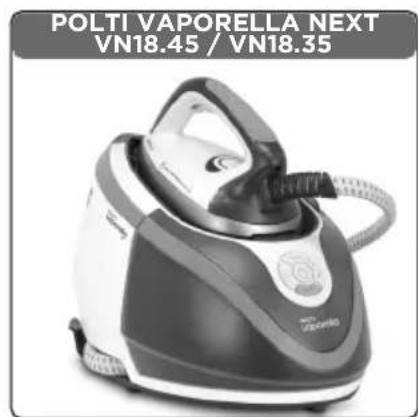
natural_image
Black and white image of a Polti Vaorella Next steam iron (no text or symbols on the device itself)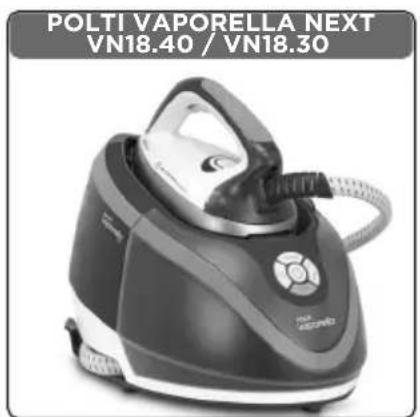
natural_image
Product photo of a Polti Vaporella Next air fryer (VN18.40 / VN18.30), no visible text or symbols on the device itself.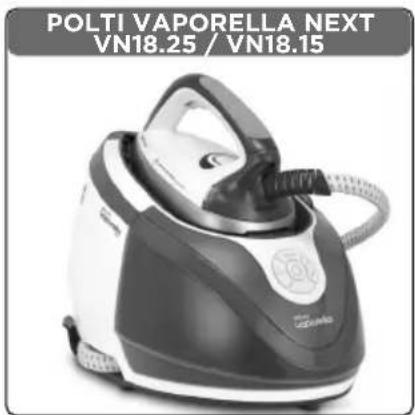
text_image
POLTI VAPORELLA NEXT VN18.25 / VN18.15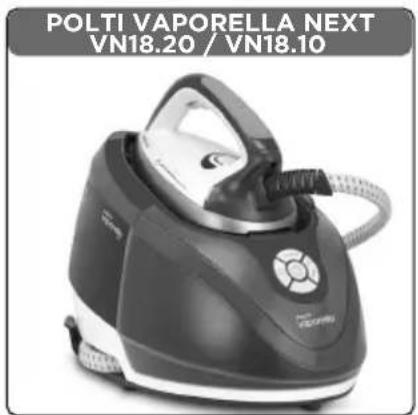
natural_image
Polti Vaporella Next steam iron (VN18.20 / VN18.10) with black and white casing, no visible text or symbols on the device itself.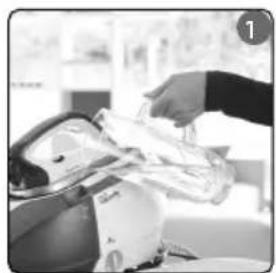
natural_image
Person using a handheld device to interact with a device (no visible text or symbols)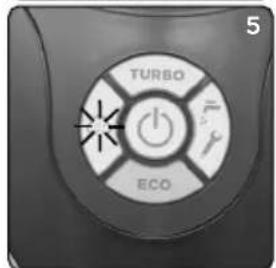
text_image
TURBO ECO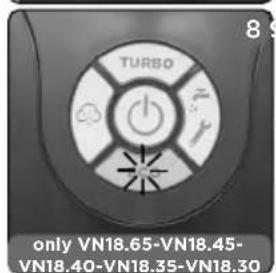
text_image
TURBO only VN18.65-VN18.45- VN18.40-VN18.35-VN18.30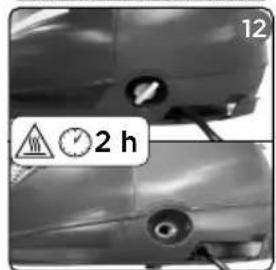
natural_image
Close-up of a car's side profile showing front and rear views with no visible text or symbols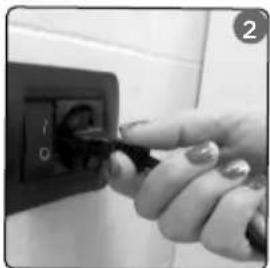
natural_image
Close-up of a hand inserting a plug into a black electrical outlet (no visible text or symbols)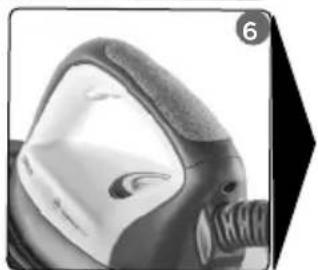
natural_image
Close-up of a gas mask with filter bands (no visible text or symbols)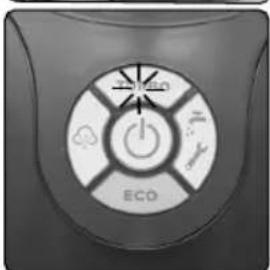
natural_image
Close-up of a circular industrial control panel with icons and labels (ECO), no readable text or symbols beyond the label.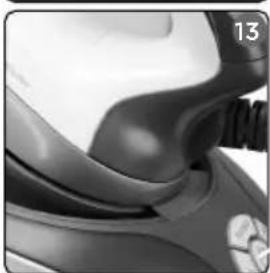
natural_image
Close-up of a scooter seatbelt and helmet (no visible text or symbols)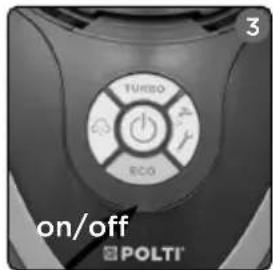
text_image
3 TURBO ECO on/off POLTI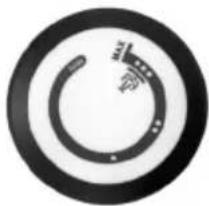
natural_image
Circular icon with a stylized gear or wrench symbol, no text or numbers present.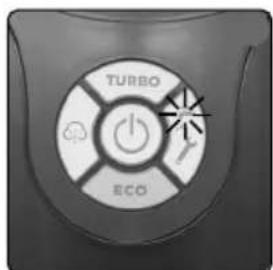
text_image
TURBO ECO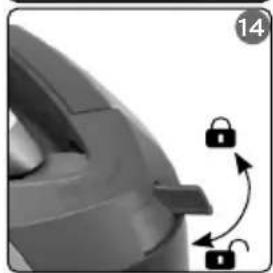
natural_image
Close-up of a mechanical component with a lock mechanism and curved arrows indicating motion (no text or symbols)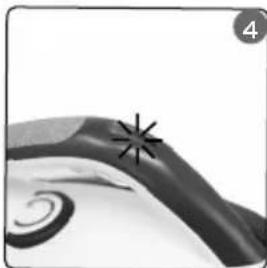
natural_image
Close-up of a decorative swirl design with a starburst symbol (no text or symbols present)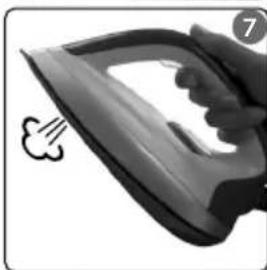
natural_image
Close-up of a steam iron with a cloud-shaped tip, no visible text or symbols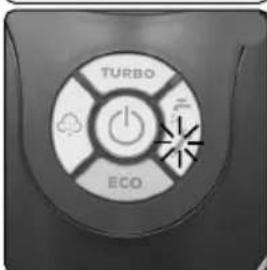
text_image
TURBO ECO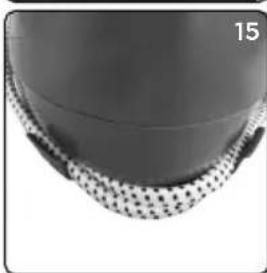
natural_image
Close-up of a textured spherical object with a dotted pattern, no visible text or symbolsOPTIONAL
text_image
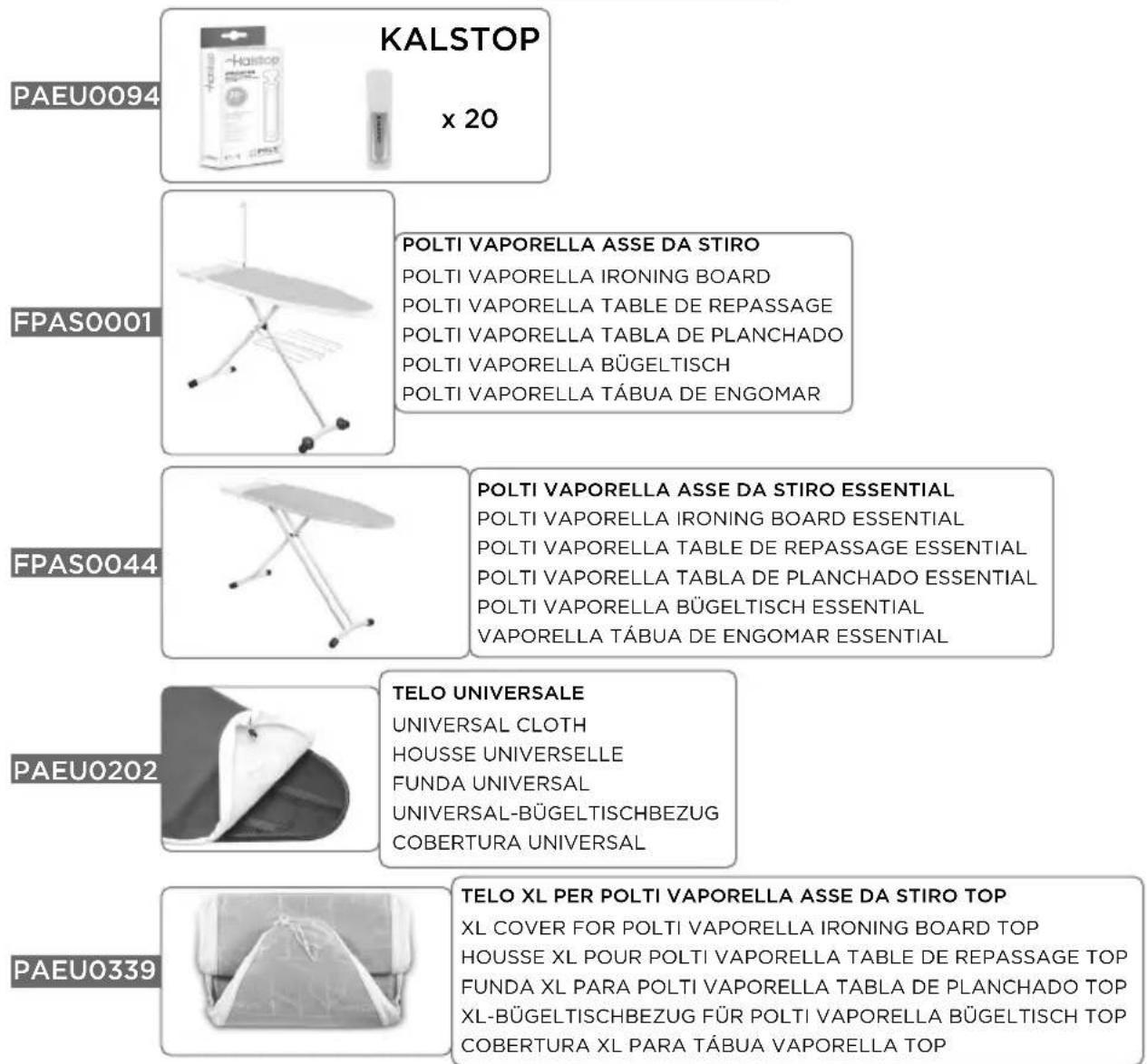
KALSTOP x 20 PAEU0094 FPAS0001 FPAS0044 PAEU0202 PAEU0339 POLTI VAPORELLA ASSE DA STIRO POLTI VAPORELLA IRONING BOARD POLTI VAPORELLA TABLE DE REPASSAGE POLTI VAPORELLA TABLA DE PLANCHADO POLTI VAPORELLA BÜGELTISCH POLTI VAPORELLA TÁBUA DE ENGOMAR POLTI VAPORELLA ASSE DA STIRO ESSENTIAL POLTI VAPORELLA IRONING BOARD ESSENTIAL POLTI VAPORELLA TABLE DE REPASSAGE ESSENTIAL POLTI VAPORELLA TABLA DE PLANCHADO ESSENTIAL POLTI VAPORELLA BÜGELTISCH ESSENTIAL VAPORELLA TÁBUA DE ENGOMAR ESSENTIAL TELO UNIVERSALE UNIVERSAL CLOTH HOUSSE UNIVERSELLE FUNDA UNIVERSAL UNIVERSAL-BÜGELTISCHBEZUG COBERTURA UNIVERSAL TELO XL PER POLTI VAPORELLA ASSE DA STIRO TOP XL COVER FOR POLTI VAPORELLA IRONING BOARD TOP HOUSSE XL POUR POLTI VAPORELLA TABLE DE REPASSAGE TOP FUNDA XL PARA POLTI VAPORELLA TABLA DE PLANCHADO TOP XL-BÜGELTISCHBEZUG FÜR POLTI VAPORELLA BÜGELTISCH TOP COBERTURA XL PARA TÁBUA VAPORELLA TOPThe optional accessories are on sale at all the best domestic appliance retailers, an Authorised Polti Service Centre or online at www.polti.com.
natural_image
Silhouette of a briefcase with handle and straps (no text or symbols)ACCESSORI PER TUTTE LE ESIGENZE
natural_image
Simple black silhouette of a briefcase with handle (no text or symbols)ACCESSORIES FOR ALL NEEDS
When you visit www.polti.com or any top household appliance store, you will find a vast range of accessories to enhance the performance and convenience of your appliance and make cleaning your home even simpler.
To check the compatibility of an accessory with your appliance, search the code PAEUXXXX/FPASXXXX listed next to each accessory on page 3.
If the accessory code you wish to buy is not listed in this manual, please contact our Customer Service

REGISTER YOUR PRODUCT
Visit our website www.polti.com or call our Customer Services department to register your product.
You can benefit from a special welcome offer, in participating countries, and keep up to date on all the latest Polti news, as well as buy accessories and consumables.
To register your product, in addition to your personal information, you must enter the serial number (SN) which you will find on the label, located on the box and on the appliance.
To save time and have your serial number to hand, write it in the space provided on the back cover of this manual.

text_image
YouTubeWant to know more? Visit our official channel:
www.youtube.com/poltispa.
We'll show you the natural power and ecological effectiveness of steam both for ironing and for cleaning, through many videos of Polti Vaporella and of all other products in Polti's world. Sign up to the official channel to keep yourself updated about our video contents!
ATTENTION: The safety warnings are only shown in this manual.
CORRECT USE OF THE PRODUCT
This appliance is intended for domestic use as an iron with separate boiler, in accordance with the descriptions and instructions contained in this manual. Please read these instructions carefully and keep them. This manual is also available on the website www.polti.com.
POLTI S.p.A. reserves the right to make the aesthetic, technical and construction changes it deems necessary, without prior notice.
Before leaving our factory all our products are rigorously tested. This is the reason why your Polti Vaporella may contain some residual water in the boiler.
Correct use of the product is only as detailed in this instruction manual. Any other use may damage the appliance and invalidate the warranty.
WHICH WATER TO USE IN THE BOILER
This appliance has been designed to function with medium-hardness tap water between 8°f and 20°f. If the tap water is very hard, do not just use demineralised water but a mix composed of 50% tap water and 50% demineralised water which is widely available to purchase.
Warning: check the hardness of the water at the technical office at your local council or the local water supplier.
If you only use tap water, you can reduce the formation of limescale by using the special Polti Kalstop (PAEU0094) anti-limescale product, distributed by Polti, and available for sale at all major domestic-appliance stores or online at www.polti.com.
Do not use distilled water, undiluted demineralised water, rain water or water containing additives (e.g. starch, perfumes), scented water or water produced by other domestic appliances, by water softeners and filter jugs.
Do not add chemical, natural, detergent, or limescale removing substances, etc.
1. PREPARATION FOR USE
1.1 Position Polti Vaporella Next on a stable, flat, heat-resistant surface.
1.2 Open the lid to fill the tank. Fill the water tank with water up to the MAX level marked on the water tank (1).
This operation must always be carried out with the power cable disconnected from the mains.
You can fill up the tank when necessary, with-
out stopping and waiting for the appliance to cool.
1.3 Close the cap.
1.4 Unwind the power cable and insert the plug in an appropriate mains socket (2), which is earthed. The light on the switch ⏻ will start to flash. Take out and unwind the steam hose. 1.5 To turn on the appliance press. The light on the switch will change from flashing to constant (3) and the iron heating light (4) will also come on.
The sound emitted on switching on your appliance and periodically during use, is due to the water refilling system and is quite normal.
2. IRON TEMPERATURE ADJUSTMENT
Before ironing an item of clothing, always check the symbols on its label, for the instructions provided by the manufacturer.
Check, based on the following table, the most appropriate type of ironing:
| High temperature - cotton, linen:Set the iron temperature adjustment knob to the position··· | |
| Medium temperature - wool, silk:Set the iron temperature adjustment knob to the position··· | |
| Low temperature - synthetic, acrylic, nylon, polyester:Set the iron temperature adjustment knob to the position · | |
| - Do not iron- Steam ironing and steam treatment not allowed |
WARNING: For low temperature we do not recommend the use of steam since water could come out from the holes on the sole-plate. For medium temperature alternate the use of steam and dry ironing to avoid water leaking from the holes on the soleplate.
Divide the laundry according to the symbols on the garment labels or according to the kind of fabric. Always start ironing with the garments that require the lowest temperature, in order to reduce the waiting times and avoid the risk of burning the fabrics.
3. STEAM IRONING
3.1 3.1 Make sure that section 1 has been completed and regulate the temperature of the iron (6) as described in section 2
3.2 Wait until the "steam ready" indicator (
) of Polti Vaporella Next (5) is on and constant and the iron heating indicator light (4) is off.
3.3 Press the steam button on the iron (7) to make the steam come out from the holes in the soleplate. Start ironing the garments. Releasing the button, the flow stops.
When first using the steam, there may be some drops of water leaking out of the plate, this is due to imperfect thermal stabilization. We therefore recommend that the first jet of steam be directed onto a cloth.
The heating indicator light turns on and off during use. This indicates that the electrical resistor has started to work to keep the temperature in the iron steady: continue ironing normally.
WARNING: Do not place the hot iron directly on any surface. Polti Vaporella is equipped with an iron rest mat with soft non-slip inserts designed to resist high temperatures.
4. STEAM PULSE FUNCTION
(only for models POLTI VAPORELLA NEXT VN18.65 - VN18.45 - VN18.40 - VN18.35 - VN18.30 - VN18.25 - VN18.20)
The STEAM PULSE function (intermittent steam) can be activated for quick and easy ironing, by double-clicking on the steam button of the iron (7). The intermittent steam penetrates further into the fabric, speeding up and improving the ironing. In this mode, the iron will alternate between emitting steam and not emitting steam.
To deactivate this function, press the steam button of the iron again.
To reactivate, repeat the procedure from the beginning.
The Steam Pulse function is also recommended for vertical ironing.
5. VERTICAL IRONING
It is possible to use the iron vertically to remove creases from fabrics and/or to freshen up the fibres, eliminating possible residual odours.
Hold the iron in a vertical position, press the steam button (7), and if permissible based on the type of fabric, touch the fabric lightly with the plate.
6. DRY IRONING
Make sure that section 1 has been followed, adjusting the temperature of the iron (6) to the lowest temperature as in section 2. Continue with the ironing without pressing the steam button on the iron.
During dry ironing, take care not to push the steam release button on the iron since some water drops can come out from the soleplate.
7. ECO FUNCTION
(only for models POLTI VAPORELLA NEXT VN18.65 - VN18.45 - VN18.40 - VN18.35 - VN18.30)
With the ECO function, Polti Vaporella Next automatically sets the steam pressure for significant energy savings and at the same time ensures excellent performance for ironing all fabrics, including the most resistant ones (cotton / jeans / linen).
To activate or deactivate the ECO function, just press the ECO button on the appliance (8).
8. TURBO FUNCTION
Using the TURBO function, you can quickly and easily iron even the heaviest fabrics, smoothing out the most stubborn creases in one go.
Do not use this mode for ironing synthetic, silk and wool clothing.
To activate this function, just press the TURBO button on the appliance (9). The Turbo function has a maximum duration of 10 minutes. To reactivate it just press the TURBO switch again.
9. 360° FLUID CURVE TECHNOLOGY PLATE
The innovative multidirectional rounded sole-plate with a scratch-resistant covering allows for 360^ ironing. The pointed tip reaches the most difficult areas and the concentration of steam in this area smooths even the most stubborn creases. The channels distribute the steam evenly, making the iron slide more easily for faster ironing with less effort.
10. AUTOMATIC SWITCH-OFF
After 10 minutes without use (calculated from the last operation carried out on the appliance), the boiler and the iron switch off automatically. The indicator light ⏻ flashes.
To re-activate the appliance, press the switch ⏻.
11. OUT OF WATER
A lack of water in the tank is identified by the out-of-water light coming on ( ) (10).
To restart operations just fill the water tank again as described in section 1.
12. GENERAL MAINTENANCE
Before carrying out any maintenance on the device, always unplug it from the power mains making sure that the product has cooled down before proceeding.
To clean the outside of the appliance, use only use a damp cloth.
Do not use detergents of any type.
For good maintenance of the boiler we suggest using Polti Kalstop, the special anti-limescale product, distributed by Polti, and available for sale at all major domestic-appliance stores or online at www.polti.com.
Clean the iron soleplate when it is completely cold with a damp cloth or with a non-abrasive sponge.
13. CALC CLEANING OF THE BOILER
(special maintenance)

WARNING: Steam.
Risk of scalding!
WARNING: Risk of scalding! When accessing the boiler (removing the cap, filling up, emptying), ensure that the appliance is switched off at the power switch and has been disconnected from the mains for at least two hours.
This special function makes it possible to extend the life of Polti Vaporella Next and automatically indicates when the boiler needs to be cleaned.
The maintenance light coming on does not affect normal use of the appliance. It is possible to continue ironing. However, cleaning the boiler when the light comes on will keep your Polti Vaporella Next in perfect operating condition for longer.
When the Calc Cleaning light comes on (1) (11) proceed as follows:
13.1 Disconnect the appliance and let it cool down for at least 2 hours, if it is hot.
13.2 Empty the water from the tank to prevent leaking.
13.3 Place the appliance onto its side to unscrew the boiler cap (12).
13.4 Pour 250 ml of cold water into the boiler.
WARNING: Do not exceed the quantity of water recommended and pour it slowly into the boiler, paying attention not to let it overflow.
13.5 Rinse out the boiler and pour the water away into the sink or into a container for collecting dirty water. If the water is very dirty, repeat the operation until it is clean.
13.6 Put 100 ml of water into the boiler and screw back the cap. Make sure that the seal is in and the cap is screwed on properly.
13.7 Refill the water tank.
13.8 Reconnect the plug to the mains electricity (3).
13.9 Press the switch ⏻.
13.10 Press the Turbo switch and the ON/OFF switch ⏻ together for at least five seconds. The Calc Cleaning light ( ✉) will turn off.
13.11 Now the appliance can be used normally again.
WARNING: Risk of scalding! When accessing the boiler (removing the cap, filling up, emptying), ensure that the appliance is switched off at the power switch and has been disconnected from the mains for at least two hours.
If the gasket of the boiler cap is damaged, replace it with the approved spare part, as described below:
14.1 Unplug the appliance and let it cool down for 2 hours at least, if it is hot.
14.2 Empty the water from the tank to prevent leaking.
14.3 Place the appliance onto its side and unscrew the boiler cap (12).
14.4 Remove the damaged washer.
14.5 Insert the new gasket and push it in place.
14.6 Screw the boiler cap back on, making sure that it is screwed on correctly.
The spare gasket can be purchased from authorized Polti Service centres (check on www.polti.com for the updated list).
15. POLTI KALSTOP
Polti Kalstop is the limescale product for appliances with boiler for ironing and steam
cleaning.
Regular use of Polti Kalstop, every time the tank is filled with water:
- Extends the life of the appliance.
- Allows emission of a "drier" steam
- Prevents limescale build up.
- Protects the walls of the boiler.
- Contributes to saving energy.
Polti Kalstop is sold in packages of 20 phials at household appliance stores, at Polti authorized service centres and at www.polti.com.
16. STORAGE
16.1 Turn off the appliance and disconnect from the mains electricity.
16.2 Wait for the appliance to cool down completely before storing it.
16.3 Empty the water tank.
16.4 Position the iron on top of the mat, inserting it into the back section of the appliance first (13) and then securing it with the locking slider (14) located on the front section of the appliance.
16.5 Place the tube into the hook on the side of the unit (15).
Before storing Polti Vaporella Next, make sure that the iron is locked by setting the lever on the slider to 🔒 (see point 16.4).
- TROUBLESHOOTING
| PROBLEM CAUSE SOLUTION | ||
| Water comes out of the iron instead of steam. | Temperature dial is turned to minimum value. | Check that the iron temperature adjustment dial is set to medium/high. |
| When first switched on. Emit o | nto a cloth until steam comes out of the holes in the plate. | |
| Steam does not come out of the iron. | No power. Make sure that the | appliance is connected to the mains and the switch ⏻ is on. |
| Water reservoir empty. Fill the | water tank. | |
| Little steam comes out of the iron. | The steam is dry and not very visible, but present and effective. | This is a normal phenomenon seen in particular environmental conditions. |
| The appliance does not turn on. | Switch ⏻ off or flashing. Press | the switch and make sure that the appliance is connected to the mains. |
| Traces of water remain on the garments. | The ironing board cover is saturated with water as the board is not suited to the power of an iron with a boiler. | Check that the ironing board is suitable (a board with a mesh top that prevents condensation). |
| Water under the appliance. Boiler cap screwed on incorrectly.Seal of the boiler cap damaged. | Unscrew the boiler cap and screw it back on (section 13).Replace the damaged seal (section 14). | |
| If problems persist or are not listed above, please contact a Polti Authorised Service Centre (www.polti.com for the updated list) or contact Customer Services. | ||
WARRANTY
This appliance is for domestic and household use only.
It is covered by a legal warranty against defects existing at the time of delivery for two years from the date of purchase, as provided for by European law, unless otherwise specified by conditions (expiry and remedies provided for) in force in the country in which the warranty is requested; date of purchase must be confirmed with a document valid for tax purposes issued by the seller.
To activate the warranty and for further information, visit www.polti.com
For repairs, the appliance must be accompanied by proof of purchase.
This warranty does not affect the consumer rights deriving from European Directive 99/44/EC as regards some aspects of sale and warranty of consumer goods, rights which the consumer should uphold with respect to the seller.
This warranty is valid in the countries which adhere to European Directive 99/44/EC. For other countries, local regulations on warranties apply.
WHAT THE WARRANTY COVERS
During the warranty period, Polti guarantees free repair of a product with a manufacturing or factory defect and, therefore, the customer is not liable to pay for any work or materials. In case of irreparable defects, Polti may replace the product free of charge.
To avail of the warranty, the customer should visit one of the Polti Authorised Service Centres with proof of purchase from the seller valid for tax purposes and bearing the date of purchase of the product. Without proof of purchase and the relative date of purchase, the work will be charged for. Store the proof of purchase document safely for the whole duration of the warranty period.
WHAT THE WARRANTY DOES NOT COVER
- Any fault or damage not deriving from a manufacturing defect.
- Any fault due to improper use or use other than that indicated in the instruction booklet, an integral part of the product sales contract.
- Any defect resulting from force majeure (fires, short circuits) or caused by third parties (tampering).
- Damage caused by the use of non-original Polti parts, and repairs or modifications performed by staff or service centres not authorised by Polti.
- Damage caused by the customer.
- Parts (filter, brush, hose, etc.) damaged by use (consumable goods) or normal wear and tear.
• Any damage caused by limescale. - Defects resulting from lack of maintenance/cleaning according to the manufacturer's instructions.
- Assembly of non-original Polti accessories or those that have been modified or which are not suitable for the appliance.
Inappropriate use and/or use not compliant with the instructions for use and any other warnings or indications contained in this manual invalidates the warranty.
Polti takes no responsibility for any direct or indirect damage to people, objects or animals caused by non-compliance with the instructions indicated in this instruction booklet, regarding warnings for use and product maintenance.
To see the up-to-date list of the Polti Authorised Service Centres, visit the website www.polti.com.
BIENVENUE DANS LE MONDE DE POLTI VAPORELLA
POLTI VAPORELLA NEXT : PUISSANT ET RAPIDE, CONÇU POUR UN REPASSAGE FACILE ET EFFICACE

natural_image
Simple black silhouette of a briefcase with handle (no text or symbols)DES ACCESSOIRES POUR TOUS LES BESOINS
UTILISATION CORRECTE DU PRODUIT
natural_image
Simple black silhouette of a briefcase with handle (no text or symbols)ACCESORIOS PARA TODAS LAS NECESIDADES
USO CORRECTO DEL PRODUCTO
natural_image
Simple black silhouette of a briefcase with handle (no text or symbols)ZUBEHOER FUER ALLE BEDUERFNISSE
natural_image
Simple black silhouette of a briefcase with handle (no text or symbols)ACESSÓRIOS PARA TODAS AS NECESSIDADES
natural_image
Abstract gear-like symbol with concentric circles and a central dot (no text or symbols)POLTI®
NATURAL HOME FEELING
Discover the world and the complete offering of Polti on polti.com, sign up for the newsletter to stay up to date on all the news and offers.