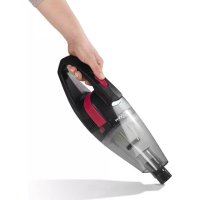
03605 - Handheld vacuum Maxxmee - Free user manual and instructions
Find the device manual for free 03605 Maxxmee in PDF.



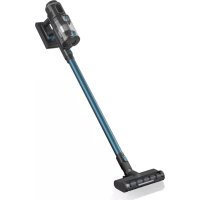
| Product type | Rechargeable table vacuum cleaner |
| Brand | Maxxmee |
| Model | 03605 |
| Power supply | Li-ion battery 7.4 V, 2000 mAh |
| Power | 67 W |
| Runtime | Approximately 18 minutes (fully charged) |
| Charging time | Approximately 4 hours |
| Protection class | III |
| Filter | Washable EPA11 filter |
| Dustbin capacity | Not specified (approximately 200 ml estimated) |
| Included accessories | Brush nozzle, crevice nozzle, extension hose, 2 adapters (short and long), USB cable |
| Main functions | Vacuuming household dust and small amounts of liquids, built-in LED light |
| Charging | Via USB cable on mains adapter (5 V, ≥1000 mA, not included) |
| Maintenance | Washable dustbin and filter, clean regularly |
| Intended use | Household, for dust and small amounts of liquids |
| Materials | Not specified (estimated plastic) |
| Dimensions | Not specified (compact table model) |
| Weight | Not specified (approximately 0.5 kg estimated) |
Frequently Asked Questions - 03605 Maxxmee
User questions about 03605 Maxxmee
0 question about this device. Answer the ones you know or ask your own.
Ask a new question about this device
Download the instructions for your Handheld vacuum in PDF format for free! Find your manual 03605 - Maxxmee and take your electronic device back in hand. On this page are published all the documents necessary for the use of your device. 03605 by Maxxmee.
USER MANUAL 03605 Maxxmee

Gebrauchsanleitung

Mode d'emploi

Operating instructions

Gebruiksaanwijzing


IMPORTANT NOTICES! PLEASE KEEP FOR REFERENCE!
On the front and back fold-out page you will find all illustrations referenced in these operating instructions. Open these pages before reading the operating instructors.
Page 7

AVIS IMPORTANTS! À CONSERVER IMPÉRATIVEMENT!
0.00% Conjects of 90% cell V

KUNDENSERVICE IMPORTEUR
"Calls to German landfills are subject to your provider's charges."

SERVICE APRÈS-VENTE IMPORTATEUR
- Adapter, lang (1 x)
• USB-Kabel (A-Stecker an Hohlstecker) (1 x)
Charging Up the Battery 13
Use 13
Cleaning and Storage 14
Troubleshooting 14
Disposal 15
Technical Data 15
ITEMS SUPPLIED
- Motor unit incl. battery, collecting container, EPA11 filter (1 x)
- Brush nozzle (1 x)
- Crevice nozzle (1 x)
- Extension hose (1 x)
- Adapter, short (1 x)
- Adapter, long (1 x)
• USB cable (A connector to barrel connector) (1 x) - Operating instructions (1 x)
Check the items supplied for completeness and the components for transport damage. If you find any damage, do not use the device but contact our customer service department.
Remove any possible fi lms, stickers or transport protection from the device.
Never remove the rating plate and any possible warnings!

A USB mains adapter is also required for charging at the plug socket. This is not supplied with the device.
AT A GLANCE
(Picture A)
1 On / Off switch (I / 0)
2 Handle
3 Release button for collecting container
4 Charging socket
5 Motor unit
6 Adapter, short
7 Brush nozzle
8 USB cable
9 Extension hose
10 Crevice nozzle
11 Adapter, long
12 Collecting container
13 Suction opening
14 EPA11 filter
15 Light
EN
Dear Customer,
We are delighted that you have chosen the MAXXMEE cordless handheld vacuum cleaner. Whether it is picking up crumbs on a keyboard, fl uff on the sofa or coffee spilt on the kitchen table – with its special crevice nozzle, brush nozzle and the fl exible extension hose this handy little powerhouse can handle a range of different tasks. The collecting container and EPA11 fi lter are detachable, which makes them easy to clean. You can vacuum continuously for around 20 minutes before simply recharging the device using the USB cable.
If you have any questions about the device and about spare parts/accessories, contact the customer service department via our website: www.dspro.de/kundenservice
We hope you have a lot of fun with your MAXXMEE cordless handheld vacuum cleaner.
Information About the Operating Instructions
Before using the device for the first time, please read through these operating instructions carefully and keep them for future reference and other users. They form an integral part of the device. The manufacturer and importer do not accept any liability if the information in these operating instructions is not complied with.
SYMBOLS

Danger symbols: These symbols indicate possible dangers. Read the associated safety notices carefully and follow them.
Supplementary information
Read the operating instructions before use!
Direct current
Protection class III
SIGNAL WORDS
Signal words indicate hazards if the associated notices are not followed.
DANGER – high risk, results in serious injury or death
WARNING – medium risk, may result in serious injury or death
CAUTION – low risk, may result in minor or moderate injury
NOTICE – may result in risk of damage to material
INTENDED USE
■ This device is intended to be used to suck up normal household dust and small quantities of liquid.

On no account should the device be used to suck up the following:
- glowing ash, cigarette ends, matches, etc.
- infl ammable or explosive substances
- very fine dust (e.g. concrete dust), ash or toner
- pointed, hard objects such as large pieces of broken glass
■ The device is for personal use only and is not intended for commercial applications.
■ The device should only be used as described in the operating instructions. Any other use is deemed to be improper.
■ The warranty does not cover faults caused by incorrect handling, damage or attempted repairs. The same applies to normal wear and tear.
SAFETY NOTICES

DANGER – Danger of Electric Shock
■ Never immerse the USB cable in water or other liquids and ensure that it cannot fall into water or become wet.
If the device falls into water while it is connected to the mains power, pull the USB mains adapter out of the plug socket immediately! Only after this should you pull the device out of the water.
■ Never touch the device and the connecting cable with wet hands when these components are connected to the mains power.
In the event of damage / faults, switch the device off immediately. Do not use the device if it is damaged.
- Do not make any modifi cations to the device. The light cannot be replaced. The device may only be taken apart and / or repaired by the manufacturer, customer service department or a similarly qualifi ed person (e.g. specialist workshop) in order to avoid any hazards.
■ The device must always be disconnected from the mains power when left unattended and before cleaning it.

WARNING – Danger of Injury!
- Keep children and animals away from the packaging material. There is a danger of suffocation.
■ Make sure that the USB cable is always kept out of the reach of small children and animals. There is a danger of strangulation.
■ The device is not a toy! Do not leave children and animals unsupervised with the device. There is a danger of injury from incorrect use. - Keep animals, hair, jewellery, wide clothing, fingers and all other body parts away from the nozzles of the device.
If the battery leaks, do not allow your skin, eyes and mucous membranes to come into contact with the battery acid. There is a danger of burns. If you do touch battery acid, rinse the affected areas with abundant clear water straight away and seek medical assistance immediately.
EN

WARNING – Danger from Rechargeable Batteries
■ No liquid must get inside the housing (with the exception of the collecting container) as this may cause a short circuit. Do not immerse the device in water or other liquids!
Do not use the device if liquid has got inside it and have it checked in a specialist workshop before using it again.
■ The device has a built-in battery. It must not be thrown into a fire or exposed to high temperatures of over +40°C. Do not expose it to direct sunlight for a prolonged period. Do not take apart the rechargeable battery! Do not place any heavy objects on the device. The battery could ignite or explode. Do not store the device with a built-in battery in a vehicle where it might be exposed to extreme temperatures.
■ Protect the device from persistent moisture. Do not use, charge or store it in rooms with high humidity.
■ If the device is to be used for cleaning a car, ensure that the device is not exposed to rain or moisture.
■ Do not use the device if the battery is leaking.

WARNING – Danger of Fire!
■ Do not charge up the device in the vicinity of highly fl ammable materials (curtains, textiles, etc.).
- Do not cover the device during operation or charging in order to prevent it from catching fire. Do not insert anything into the ventilation openings of the device and make sure that they do not become clogged.
NOTICE – Risk of Damage to Material and Property
■ Charge and store the device only in closed rooms.
■ The device should only be used if it has been fully and correctly assembled! The fi Iter must be inserted and must not be damaged! If dirt were to get inside the motor unit, this could damage the motor.
■ Use only original accessories from the manufacturer in order to guarantee that there is no interference that may prevent the device from working and to avoid possible damage.
■ Make sure that the USB cable is not squashed, bent or laid over sharp edges and does not come into contact with hot surfaces.
■ Disconnect the device from the power source if an error occurs during charging or before a thunderstorm.
■ Protect the device from: impacts, sub-zero temperatures, temperature fluctuations and persistent moisture.
ACCESSORIES
Brush Nozzle
The brush nozzle (7) is suitable for dusting all uneven objects, furniture, lamp shades, picture frames, keyboards, books etc. and for cleaning all kinds of upholstery (e.g. sofas, car seats etc.).
Crevice Nozzle
The crevice nozzle (10) is ideal for places which are hard to get to, such as corners, crevices or recesses. Upholstery and all nooks and crannies that cannot be reached with other nozzles.
Extension Hose
The extension hose (9) is used together with the two adapters (6, 11) to make it easier to reach ceilings and corners.
Cordless Handheld Vacuum Cleaner
It can also be used with the brush and crevice nozzle.

The crevice nozzle and the adapters can be used to suck up small quantities of liquid.
CHARGING UP THE BATTERY
Please Note!
■ Make sure that the USB cable does not present a trip hazard.
■ Do not charge up on a computer because the computer might be damaged by the high charging current.
■ Connect the USB mains adapter to a plug socket that is properly installed. It must be readily accessible so that the connection to the mains can quickly be isolated.
Charge up the battery fully before you first use the device, or if the device has not been used for a long time, so that it reaches full capacity.
Otherwise the battery needs to be charged if the device cannot be switched on.
- Plug the barrel connector of the USB cable (8) into the charging socket (4) and connect the A connector to a suitable USB mains adapter.
- Connect the mains adapter to a plug socket.
The charge control lamp in the A connector lights up red and the battery is charging.
When the charge control lamp lights up green, the battery is fully charged.
EN
USE
Please Note!
■ Make sure that there are no large, sharp objects on the surface which is to be cleaned.
Note the MAX marking on the collecting container. If during use the marking is reached, empty the collecting container. Empty and clean the collecting container after each use. The fi Iters must also be regularly cleaned in order to prevent overloading of the motor.
■ Switch off the device after you finish cleaning each surface to signifi cantly increase the operating time on each battery charge. Charge up the battery after use.
- Select a nozzle (see the "Accessories" chapter) and plug it into the suction opening (13). For a longer reach, plug the extension tube (9) in between.

The long adapter (11) is plugged into the suction opening. The short adapter (6) acts as a nozzle or as an intermediate piece for placing the brush nozzle (7) or crevice nozzle (10) on the extension hose.
- To switch on the device, slide the On / Off switch (1) to the I position. The light (15) switches on and the vacuuming process begins.
- Guide the nozzle over the area to be cleaned.
- To switch off the device, slide the On / Off switch to the 0 position.
- To ensure optimum performance of the device, empty and if necessary clean the collecting container after every use (see next chapter).
EN
CLEANING AND STORAGE
Please Note!
■ Do not use any sharp or abrasive cleaning agents to clean the device. They may damage the surfaces.

The fi Iter may lose some of its colour over time. This is normal and does not have any adverse effect on function.
- Take off the accessory if it is located on the device.
- Press the release button (3) and take the collecting container (12) off the motor unit (5).
- Remove the EPA11 filter (14).
- Empty the collecting container over an open dustbin or drain.
- Tap out the EPA11 fi lter and clean it with a soft brush if necessary. It can also be rinsed out with clear water, but it must be completely dry before it is assembled!
- Wipe the collecting container with a damp cloth if necessary and then dry it or allow it to dry in the air. Never assemble wet or damp components!
- Once all components are dry, insert the EPA11 fi iter into the collecting container and place it back on the motor unit. It must engage audibly.
- Remove hair and fl uff from the used accessory.
- Store the device and accessories in a cool, dry place which is protected from direct sunlight and is out of the reach of children and animals.

To prevent a deep discharge of the battery, charge it up every 3 months if it is not used for a prolonged period.
TROUBLESHOOTING
If the device does not work properly, check whether you are able to rectify the problem yourself. If the problem cannot be solved with the steps below, contact the customer service department.

Do not attempt to repair an electrical device yourself!
The battery is not charging. The control lamp does not light up.
The USB cable (8) is not connected correctly to the device or the USB mains adapter.
▶ Check the connection and correct it.
The USB mains adapter is not inserted in the plug socket correctly.
▶ Correct the fit.
The plug socket is defective.
▶ Try another plug socket.
The device does not start.
The battery is empty.
▶ Charge up the battery.
Low suction force.
The battery is weak.
▶ Charge up the battery.
The collecting container (12) is too full.
▶ Empty the collecting container.
The EPA11 filter (14) is dirty.
▶ Clean the filter.
The suction opening (13), the nozzle (7, 10) or the extension hose (9) is blocked.
▶ Switch off the device and remove the blockage.
The dirt particles are too large or too heavy.
▶ Switch off the device and remove dirt particles by hand.
Cordless Handheld Vacuum Cleaner
EN
Unusual odour
The device is being used for the first time.
▶ A new odour is normal when the device is used for the first time; it disappears after a while.
DISPOSAL


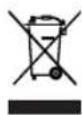
Dispose of the packaging material in an environmentally friendly manner so that it can be recycled.
Remove the battery before the device is disposed of and dispose of it separately from the device at suitable collection points.
This device is governed by the European Directive 2012/19/EU on waste electrical and electronic equipment (WEEE). Do not dispose of the device as normal domestic waste, but rather in an environmentally friendly manner via an offi cially approved waste disposal company.
Removing the Battery
Please Note!
■ The device must not be connected to the mains power while the battery is being removed / inserted.
■ The battery must not be taken apart, thrown into a fi re, immersed in liquids or short-circuited.
■ You should never open the battery!
To remove the battery from the device, proceed as follows:
- Press the release button (3) and take the collecting container (12) off the motor unit (5).
- Undo the six screws on the motor unit with a screwdriver (Picture B).
- Detach the two halves of the housing (Picture C).
- Take out the battery pack (Picture D).
- Disconnect the cables with a pair of pliers.
- Dispose of the battery pack in accordance with the statutory regulations governing the disposal of batteries.
TECHNICAL DATA
Article number: 03605
ID of operating instructions: Z 03605 M DS V1 0421 uh
Device
Model number: YF131B
Voltage supply: 7.4 V DC (Li-ion battery; 2 000 mAh)
Power: 67 W
Battery charge time: 4 hours
Battery operating time: approx. 18 minutes (with fully charged battery)
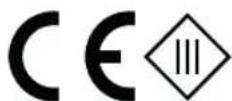
Protection class: III
Mains adapter required: 5 V and ≥1000 mA
All rights reserved.
FR
MAXMEE
SOMMAIRE
Composition 16
Aperçu général 16
Symboles 17
WAARSCHUWING – Verwon- dingsgevaar!
WAARSCHUWING – Gevaar door accu's
WAARSCHUWING – Brandgevaar!
De contactdoos is defect.
- KUNDENSERVICE IMPORTEUR
- SERVICE APRÈS-VENTE IMPORTATEUR
- ITEMS SUPPLIED
- AT A GLANCE
- EN
- Dear Customer,
- Information About the Operating Instructions
- SYMBOLS
- SIGNAL WORDS
- INTENDED USE
- SAFETY NOTICES
- DANGER – Danger of Electric Shock
- WARNING – Danger of Injury!
- WARNING – Danger from Rechargeable Batteries
- WARNING – Danger of Fire!
- NOTICE – Risk of Damage to Material and Property
- ACCESSORIES
- Brush Nozzle
- Crevice Nozzle
- Extension Hose
- Cordless Handheld Vacuum Cleaner
- CHARGING UP THE BATTERY
- Please Note!
- USE
- CLEANING AND STORAGE
- TROUBLESHOOTING
- The device does not start.
- Low suction force.
- Unusual odour
- DISPOSAL
- Removing the Battery
- TECHNICAL DATA
- Device
- SOMMAIRE
- WAARSCHUWING – Verwon- dingsgevaar!
- WAARSCHUWING – Gevaar door accu's
- WAARSCHUWING – Brandgevaar!
Brand : Maxxmee
Model : 03605
Category : Handheld vacuum