EasyManual
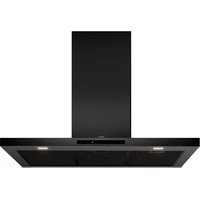
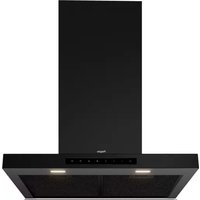
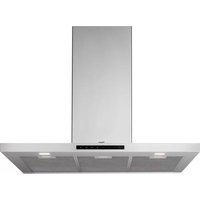
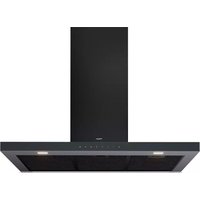
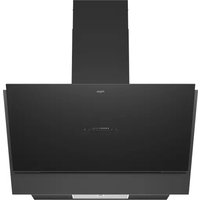
ISWA980MAT - Basket Pelgrim - Free user manual and instructions
Find the device manual for free ISWA980MAT Pelgrim in PDF.


User questions about ISWA980MAT Pelgrim
0 question about this device. Answer the ones you know or ask your own.
Ask a new question about this device
Download the instructions for your Basket in PDF format for free! Find your manual ISWA980MAT - Pelgrim and take your electronic device back in hand. On this page are published all the documents necessary for the use of your device. ISWA980MAT by Pelgrim.
USER MANUAL ISWA980MAT Pelgrim
1. As a cooker hood connected to an exhaust duct.
The extracted and filtered cooking vapours are removed to the outdoors.
2. As a recirculation cooker hood.
The grease particles and the odour from the extracted cooking vapours are filtered. The extracted air is not removed but is returned to the kitchen. Therefore, you must fit carbon filters. Note! The carbon filter must be ordered separately. Note! If you have a cooker hood with a carbon filter, you should activate the carbon filter indicator as described in the chapter ‘Operation’.
▷ Switching on or dimming lighting. ▷ Switching off lighting.
2. ‘Automatic mode’ key
▷ Connect/disconnect to a hob. ▷ Enable/disable the automatic mode.
▷ Reducing the fan speed. ▷ Switching off the fan. ▷ Check the status of the carbon filter cleaning indicator.
▷ Switching on the fan and increasing the fan speed.
▷ Fan switches off automatically at setting 1after 10 minutes. Operation Switching on the fan
1. Touch the ‘+’ key.
▷ The cooker hood switches on at speed 1. Setting the extraction level
1. Touch the ‘+’ or ‘-’ key one or more times to select a higher or
lower setting (0-1-2-3-P). ▷ The highest setting is intensive setting P (setting 4). ▷ The intensive setting switches off automatically after 7 minutes. After this, the fan switches to setting 3. OPERATIONEN 6 Switching off the fan
1. Touch the ‘-’ key for two seconds..
▷ ‘0’ appears on the display for 5 seconds. ▷ The cooker hood switches off. Switching the lighting on and off
1. Touch the lighting key.
▷ The lighting is switched on.
2. Touch the lighting key again.
▷ The lighting is switched off. Dimming the lighting
1. To dim the lighting, touch the lighting key until the dimming function
is activated. ▷ The lighting switches on at its brightest setting and continues to dim until you release the key. ▷ At the lowest dimming setting, the lighting returns from dimmed light to bright light. Clean Air function The fan automatically switches on for 10 minutes every hour (for 24 hours) at the selected speed.
1. Switch off the appliance and lighting.
2. Touch the ‘Automatic mode’ key and the ‘+’ key at the same time.
3. Touch the ‘+’ key one or more times to select a higher setting
(1-2-3). ▷ The setting appears on the display.
4. Confirm the selected setting within 5 seconds: touch the ‘Automatic
mode’ key and the ‘+’ key at the same time again. ▷ The Clean Air function is switched on. ▷ The setting flashes on the display: 2 seconds on, 2 seconds off.
5. Touch any key (except the lighting key) to switch off the Clean Air
function. OPERATIONEN 7 Timer function With the timer function, the cooker hood can be switched off automatically after 10 minutes at setting 1.
1. Switch on the cooker hood and touch the timer key.
▷ A flashing dot appears on the display next to setting 1, indicating that the cooker hood is in timer mode.
2. Switch off the timer function at any time by selecting a higher
setting with the ‘+’ key or switch off the cooker hood. Grease filter cleaning indicator After 100 hours of use of the cooker hood, a beep sounds occasionally during use and the display alternates between the setting, ‘A’ (if switched on) and three underscore symbols. The three underscore symbols remain on the display when the cooker hood is switched off. The grease filter must be cleaned.
- To reset the cleaning indicator, touch the ‘Automatic mode’ key twice with the cooker hood switched off. ▷ You will hear a long confirmation beep. ▷ After 20 hours, the filter cleaning indicator automatically resets. Carbon filter cleaning indicator After 200 hours of use of the cooker hood, a beep sounds periodically during use if the carbon filter contamination indicator is activated. The setting, ‘A’ (if switched on) and ‘C’ appear alternately on the display. The ‘C’ remains on the display when the cooker hood is switched off. The carbon filter must be cleaned.
- To reset the cleaning indicator, touch the ‘Automatic mode’ key twice with the cooker hood switched off. ▷ You will hear a long confirmation beep. ▷ After 20 hours, the filter cleaning indicator automatically resets. If the cleaning indicator for both the grease filter and the carbon filter is displayed and the beep sounds, the reset procedure must be carried out twice. OPERATIONEN 8 Activation of the carbon filter cleaning indicator In standard mode, the carbon filter cleaning indicator is not active. If the cooker hood is used as a recirculation hood, the carbon filter cleaning indicator must be activated.
1. Switch off the cooker hood and the lighting.
2. Touch the ‘Automatic mode’ key.
3. Touch the timer key for 5 seconds.
▷ You will hear a beep and ‘C’ will appear on the display for 5 seconds as confirmation. Switching off the carbon filter cleaning indicator:
1. Switch off the cooker hood and the lighting.
2. Touch the ‘Automatic mode’ key.
3. Touch the timer key for 5 seconds.
▷ You will hear a beep and three underscore symbols will appear on the display for 5 seconds as confirmation. Check the status of the carbon filter cleaning indicator
1. Switch off the cooker hood and the lighting.
2. Touch the ‘-’ key twice within 1 second.
▷ Three underscore symbols appear in the display for five seconds; the indication is not activated. ▷ ‘C’ appears in the display for five seconds; the indication is activated. OPERATIONEN 9 Making the connection between cooker hood and hob The connection to an AutoAir hob is not active by default. First the connection to the hob must be activated. At the same time, a setting must also be made on the hob; see the hob manual for this. Check our website for the full range of hobs that can be connected to your cooker hood. Making a connection
1. Turn off the hood and the lighting.
2. Touch and hold the ‘Automatic mode’ key for three seconds.
▷ ‘A’ will flash in the display for a maximum of two minutes. ▷ On your hob, activate the pairing mode in the user menu (see the hob manual). The connection to the hob is established.
3. The connection is successful when ‘A’ lights continuously for four
seconds. If the automatic mode key, the lighting key and the timer key are no longer illuminated within two minutes, the connection was not successful. Repeat the procedure. If necessary, clear the hood’s memory (see “Disconnecting”). Disconnecting
1. Turn off the hood and the lighting.
2. Touch and hold the ‘Automatic mode’ for three seconds.
▷ ‘A’ will flash five times in the display and disappears. The hob is no longer connected.
OPERATION WITH A CONNECTED HOBEN 10
Automatic mode The hob can control the extraction of the cooker hood in 3 different ways: manually, semi-automatically, and fully automatically. The automatic mode is for the user who wants the extraction level to automatically adjust to the cooking intensity. Extraction starts automatically as soon as a cooking zone is active and the extraction level depends on how the hob is used. When the hob is switched off, the extraction continues for 10 minutes and then stops automatically. Automatic mode Cooking zone setting Speed
Semi-automatic mode Cooking zone setting Speed
Switching on/off the automatic mode on the cooker hood ’A’ only lights up in the display (alternating with the set speed) when the hob is active and set to automatic mode. The hood is switched on and on the hob the automatic mode is active.
1. Shortly touch and release the ‘Automatic mode’ key.
▷ ‘A’ appears in the display; the automatic mode on your cooker hood is now switched on.
2. Shortly touch and release the ‘Automatic mode’ key.
▷ ‘A’ disappears in the display; the automatic mode on your cooker hood is switched off.
OPERATION WITH A CONNECTED HOBEN 11
Activated intensive setting on the hob If the intensive setting for the hood has been set on the hob, it will automatically switch back to speed 3 after six minutes. Activated timer function on the hob If the timer for the hood is set on the hob, the hood will continue to operate at speed 1 (according to the countdown time that is displayed) after switching off the hob until the set time has elapsed. Lighting When a connected hob is switched on, the lighting of the cooker hood always switches on automatically. You can continuously adjust the brightness of the hood via the hob. When you use the hob again (after you have switched the hob off) , the lighting comes on at the preset brightness. When switching off a connected hob, the lighting of the cooker hood remains on. Manually switch off the lighting with the lighting key on your AutoAir hob or via your hood.
OPERATION WITH A CONNECTED HOBEN 12
Cleaning Attention! Before performing any maintenance operation, isolate the hood from the electrical supply by unplugging the appliance or switching off your household’s master switch. The cooker hood should be cleaned regularly (at least as frequently as the grease filters are cleaned) both internally and externally. Do not use abrasive products. Do not use alcohol! Attention! Failure to comply with the basic recommendations for cleaning the cooker hood and cleaning/replacing the filters may lead to a fire. Therefore, we recommend that you observe these instructions. The manufacturer declines all responsibility for any damage to the motor or any fire damage linked to inappropriate maintenance or failure to observe the above safety recommendations. Cooker hood Clean the cooker hood with soapy water and a soft cloth. Then wipe with clean water to rinse. Do not apply aggressive cleaning agents such as caustic soda. The paintwork on the cooker hood will remain shiny if it is periodically rubbed with wax. Stainless steel canopy hoods Do not use any sort of scourer. Treat with a stainless steel care product and polish with the structure of the stainless steel. Metal grease filters Metal grease filters should be cleaned once a month (or when indicated by the filter saturation indication system, if present on your model), using a neutral cleaning agent, preferably by hand or in the dishwasher on a short, low-temperature program. Place the grease filters with the openings facing downwards in the dishwasher so the water can drain out of the filter. Aluminum-colored and black grease filters become dull as a result of dishwasher cleaning agents. This is normal and does not effect the working. MAINTENANCEEN 13 Grease filters Removing the grease filters Switch off the electricity! Remove the plug from the mains socket or turn the switch in the meter cupboard to zero. Open the extraction panel. Release the lock of the fat filer and tilt the filter downwards. Carbon filters [optional] Use carbon filters when the cooker hood is not connected to an exhaust duct. The functioning:
- More noise is produced when carbon filters are used than when the cooker hood is used with an exhaust vent.
- Carbon filters function optimally at a lower motor speed. For this reason, avoid the intensive setting.
1. Remove the grease filter.
2. Attach the carbon filters to the engine.
3. Install the grease filter.
MAINTENANCEEN 14 The regenerable active carbon filters can be washed by hand or in the dishwasher at a maximum temperature of 65 °C. The washing cycle must be done without other dishes and without dishwasher detergent. Do not use any cleaning agents! Remove excess water. Be careful to avoid damaging the filter. Place the filter in the oven to dry for at least 1 hour at a maximum temperature of 80 °C. After up to 3 years (or if the filtres are damaged), the filters will need to be replaced. It is important that the grease filters and the regenerable active carbon filters are properly dried before installation. Lighting This hood is fitted with a light system. This light system has to be replaced by an authorized technician. Do not attempt to replace it by yourself. The lamp in this household appliance is only suitable for illumination of this appliance. The lamp is not suitable for household room illumination. MAINTENANCEEN 15 INSTALLATION General This appliance must be connected to the electric mains by an authorised installer who is familiar with the safety precautions and will carry them out. The appliance is in compliance with European guidelines. Important information:
- The distance between the lowest point of the cooker hood and agas hob must be at least 65 cm. If using an electric, ceramic orinduction hob, this distance must be at least 55 cm.
- If the cooker hood is connected to an existing exhaust duct, no other appliance must be connected to the duct (such as a hot water heater or a stove).
- Consider local regulations with respect to the ventilation of gas appliances.
- The shorter the duct, and the fewer bends in it, the better the cooker hood will work.
- Check before you start drilling that no installation pipe(s) is/are present.
- The connection pipe to the cooker hood has a diameter of 150 mm. We recommend that the exhaust pipe has as large a diameter as possible.
- The enclosed installation materials are suitable for reinforced concrete and brick walls. For some types of wall you may need special plugs and screws.EN 16 INSTALLATION Electrical connection This appliance is fitted with an unearthed plug, which can be connected to an unearthed wall socket. Check that the voltage indicated on the rating plate matches the voltage of your household supply. The appliance should be connected to the mains as follows: BROWN = L live BLUE = N neutral This cooker hood is fitted with a connector plug. Install the cooker hood so that the plug is accessible. Attention! If you are making a fixed connection, you must ensure that a double pole switch with an air gap of at least 3 mm is fitted in the supply line. max. 1400 mm Mounting the cooker hood The last pages of this manual show the steps for mounting the cooker hood.EN 17 ENVIRONMENTAL ASPECTS Disposal of appliance and packaging This appliance was manufactured using sustainable materials. It must be disposed of responsibly at the end of its life cycle. The local authorities can provide you with the relevant information. The packaging of this appliance is recyclable. It may have been made from:
- CFRP-free polystyrene (PS hard foam). You need to dispose of these materials responsibly in accordance with official regulations. To draw attention to the fact that the segregated processing of household electrical appliances is compulsory, this appliance carries the symbol of a crossed-out dustbin. This means that you may not dispose of the appliance as household refuse at the end of its useful life. Instead, it should be taken to a special segregated refuse collection centre run by the local authority or to a dealer providing this service. Segregated processing of household appliances prevents any negative impact on the environment and public health that might otherwise arise. It allows the recovery of the materials used to manufacture this appliance, thus generating considerable savings in terms of raw materials and energy. Declaration of conformity We hereby declare that our products satisfy the applicable European directives, orders and regulations, as well as the requirements stated in the referenced standards.18