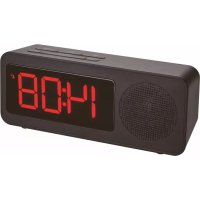
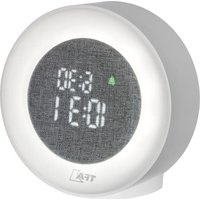
USER MANUAL Tune 60.2546 TFA
Output: 5.0 V DC 1.0A, 5.0W
TUNE – Radio-controlled alarm clock with radio
GB
Thank you for choosing this instrument from TFA.
1. Before you use this product
- Please make sure you read the instruction manual carefully.
This information will help you to familiarize yourself with your new device, to learn all of its functions and parts, to find out important details about its first use and how to operate it and to get advice in the event of a malfunction.
- Following and respecting the instructions in your manual will prevent damage to your instrument and loss of your statutory rights arising from defects due to incorrect use.
- We shall not be liable for any damage occurring as a result of non-following of these instructions.
- Please take particular note of the safety advice!
- Please keep this instruction manual safe for future reference.
2. Delivery contents
- Radio-controlled alarm clock with radio • AC/DC power adaptor • Instruction manual
3. Range of application and all the benefits of your new Instrument at a glance
- Highest precision radio-controlled clock
• FM Radio
- Alarm with snooze function
TUNE – Radio-controlled alarm clock with radio
- Adjustable snooza interval
- Two brightness levels
- Charging function for mobile devices via USB port (1A)
• Non-slip stand with 4 rubber pads
- For your safety
- This product is exclusively intended for the range of application described above. It should only be used as described within these instructions.
- Unauthorized repairs, alterations or changes to the product are prohibited.

Caution! Risk of electrocution!
- Plug the device only into a mains socket installed within your country's electrical safety regulations and with a correct mains voltage (see nameplate).
• The mains socket must be located near the equipment and it must be easily accessible.
• The device and the power adapter must not come into contact with water or moisture. Only suitable for indoor use.
- Do not use the device if the housing or the power adapter are damaged.
- Keep the device out of reach of persons (including children) who cannot fully appreciate the potential risks of handling electrical equipment.
-20--21-
GB
TUNE – Radio-controlled alarm clock with radio
GB
- Unplug the device immediately if any fault occurs or if the device is not to be used for a long period of time.
- Only use the supplied power adapter.
- Connect the lead to the device first and then plug the power adapter into the socket.
- Do not pull the plug out of the socket by its cable.
- Route the mains cable so it does not come into contact with sharp-edged or hot objects.

Caution! Risk of injury:
- Keep this instrument and the batteries out of the reach of children.
- Batteries contain harmful acids and may be hazardous if swallowed. If a battery is swallowed, this can lead to serious internal burns and death within two hours. If you suspect a battery could have been swallowed or otherwise caught in the body, seek medical help immediately.
- Batteries must not be thrown into a fire, short-circuited, taken apart or recharged. Risk of explosion!
- Low batteries should be changed as soon as possible to prevent damage caused by leaking. Never use a combination of old and new batteries together, nor batteries of different types. Wear chemical-resistant protective gloves and safety glasses when handling leaking batteries.
TUNE – Radio-controlled alarm clock with radio

- Do not expose the device to extreme temperatures, vibrations or shocks.
- Protect it from moisture.
5. Elements
A: Display (Fig. 1):
A 1: Time A 2: AM/PM
A 3: Alarm symbol A 4: DCF reception symbol
A 5: Daylight Saving Time symbol A 6: Alarm mode
A 7: Radio mode A 8: Snooze symbol
B 1: VOL- button B 2: VOL+ button
B 3: MODE button B 4: DOWN button
B 5: SNOOZE button B 6: UP button
-22--23-
GB
TUNE – Radio-controlled alarm clock with radio
C: Housing (Fig. 1+3):
C 1: Battery compartment C 2: USB Port
C 3: Power adaptor jack
C 5: Speaker
C 4: LIGHT switch
6. Getting started
- Remove the protective film from the display.
- Connect the attached power adapter to the alarm clock. Insert the power adapter pin into the device jack and connect the plug to a wall socket. Important! Make sure that your household voltage is no more than 240V! Otherwise your device may be damaged.
• The device will alert you with a beep.
6.1 Insert the batteries
- The batteries will operate as a backup power source in case of power failure.
- Insert two new batteries AAA 1.5 V into the battery compartment. Make sure the polarity is correct.
- Close the battery compartment again.
6.2 Radio-controlled time reception
- The clock will now scan the DCF frequency signal and the DCF symbol will be flashing on the display.
TUNE - Radio-controlled alarm clock with radio

- Note: To avoid interference, the backlight (and the USB port) turns off during the reception of the radio controlled clock.
- When the time code is received after 3-8 minutes, the backlight is activated and the radio-controlled time will be shown. The DCF symbol remains on the display.
- If the reception falls, the DCF symbol will disappear and the clock will repeat the reception every 3 hours.
- Activate the reception manually by holding the UP button for 3 seconds.
- The backlight will turn off automatically and the DCF symbol will be flashing.
• To end the DCF reception attempt, press the UP button again. The DCF reception symbol disappears.
- The DCF reception always takes place at 2:00 in the morning. If the reception is not successfully received, further attempts will be taken at 3:00 and 4:00 o'clock.
- If the clock cannot detect the DCF-signal (e.g. due to interference, transmitting distance, etc.), the time can be set manually.
- The clock will then work as a normal quartz clock. (see: Manual settings).
Note on radio-controlled time
The time base for the radio-controlled time is a caesium atomic clock operated by the Physikalisch Technische Bundesanstalt based in Braunschwaig (Brunswick). Germany. It has a time deviation of less than one second in one million years. The time is coded and transmitted from Mainflingen near Frankfurt via the frequency signal DGF-77 (77.5 kHz) and has a transmitting range of approximately 1,500 km. The adjustment to Daylight Saving Time (summer/winter time) is automatic.
-24--25-
TUNE – Radio-controlled alarm clock with radio

In Daylight Saving Time DST is shown on the display. The reception quality depends mainly on geographic location. Normally there should be no reception problems within a 1,500 km radius around Frankfurt.
Therefore, please note the following steps:
• The recommended distance to any interfering sources like computer screens or TV sets is at least 1.5 - 2 meters.
- Within concrete walls (reinforced with steel) such as basements, the received signal is naturally weakened. In extreme cases, please place the unit close to a window to improve reception.
- During night-lime, the atmospheric interference is usually less severe and reception is possible in most cases. A single daily reception is adequate to keep the accuracy deviation under 1 second.
7. Operation
7.1 Manual settings
- Press and hold the UP or DOWN button in setting mode for fast mode.
- The device will automatically quit the setting mode if no button is pressed for 60 seconds.
7.1.1 Time setting
- Press and hold the MODE button in normal mode for three seconds.
- 0 (default) will be flashing. Press the UP or DOWN to adjust the time zone.
TUNE – Radio-controlled alarm clock with radio

- Press the MODE button again and the setting sequence is shown as follows: the 24 or 12 hours display (default: 24 Hr), hours and minutes. Adjust with the UP or DOWN button.
- Confirm the setting with the MODE button.
- The manually set time is overwritten once the DCF time signal is successfully received.
7.1.2 Time zone setting
- You can make the time zone correction (-12/+12) in setting mode.
- The time zone correction is needed for countries where the DCF signal can be received but the time zone is different from the DCF time (e.g. +1=one hour plus).
7.1.3 24- or 12-hour system setting
- In setting mode you can choose between the 12 - or 24 hour system.
- In the 12-HR system AM (before noon) or PM (after noon) appears on the display.
7.2 Alarm time setting
- Press the MODE button in normal mode to enter the alarm mode.
- AL and 6:00 (default) or the last adjusted alarm time appear on the display.
- Press and hold the MODE button for three seconds to enter the setting mode.
• The hour digits flash.
-26--27-
TUNE – Radio-controlled alarm clock with radio

- Press the UP or DOWN button to set the desired time.
- Confirm with the MODE button.
- Set the minutes in the same way.
- Confirm with the MODE button
• You can now set the snooze interval.
- 05 (default) or the last adjusted snooze interval appear on the display.
- Press the UP or DOWN button to set the desired time duration (5 to 60 minutes).
- Confirm with the MODE button
7.3 Activate and deactivate the alarm
• To activate or deactivate the alarm function press the DOWN button. The alarm symbol appears/disappears on the display.
- When the alarm is activated, the alarm starts to ring when the set alarm time is reached.
- Press any button (except SNOOZE) and the alarm will stop.
- If the alarm is not stopped manually, the alarm tone automatically turns off after two minutes and will be reactivated at the same set time on the following day.
• The alarm symbol remains on the display.
- When the alarm rings, press the SNOOZE button and the snooze function is activated.
- Once the snooze function is activated, the snooze symbol will be flashing on the display.
• The alarm will be interrupted for 5 minutes (default).
TUNE - Radio-controlled alarm clock with radio

7.4 Backlight
- You can choose 2 light settings by using the switch. The device is equipped with a backlight which is also visible in bright ambient light and a night backlight which enables the user to read the display in the dark.
7.5 Radio mode
- Press and hold the SNOOZE button in normal mode for three seconds to switch on the radio.
• FM MHZ and the received radio frequency appear on the display.
• Each keypress with the UP or DOWN button will increase/decrease the frequency by 0.1 MHz.
- Press and hold the UP or DOWN button to start an automatic search.
- Press the VOL- or VOL+ button to adjust the volume in 15 steps.
- Press the MODE button while in normal mode to switch between the time, the alarm time and radio.
- Press and hold the SNOOZE button in normal mode for three seconds to switch off the radio.
7.6 Charging function
- Attention: The charging function only works with the power adapter. Plug the USB cable into the USB port on the alarm clock and connect the other end to your mobile device. Make sure that the charging rate is suitable for your mobile device.
-28--29-
TUNE – Radio-controlled alarm clock with radio

8. Care and maintenance
- Clean the device with a soft damp cloth. Do not use solvents or scouring agents.
- Remove the batteries if the device will not be used for an extended period of time.
- Keep the device in a dry place.
8.1 Battery replacement
- Open the battery compartment and insert two new AAA 1.5 V batteries, polarity as illustrated.
- Close the battery compartment again.
9. Troubleshooting
Problem Solution
No display → Connect the device to the power adapter
→ Wait for the DCF signal reception
→ Set the LIGHT switch to (see: backlight)
No DCF recaption
→ Press and hold the UP button in normal mode for three seconds.
→ Wait for an attempt reception during the night
→ Change the location (interference)
TUNE - Radio-controlled alarm clock with radio
GB
→ Restart the device according to the manual
→ Set the clock manually
No charging function → Connect the device to the power adapter
→ Check the USB port connection
→ Wait for the DCF signal reception
If your device fails to work despite these measures, contact the retailer where you purchased the product.
10. Waste disposal
This product has been manufactured using high-grade materials and components which can be recycled and reused.
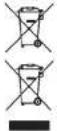
Never dispose of empty batteries and rechargeable batteries in ordinary household waste. As a consumer, you are required by law to take them to your retail store or to an appropriate collection site depending on national or local regulations in order to protect the environment.
The symbols for the contained heavy metals are: Cd = cadmium, Hg = mercury, Pb = lead
This product is labelled in accordance with the EU Waste Electrical and Electronic Equipment Directive (WEEE).
Please do not dispose of this product in ordinary household waste. As a consumer, you are required to take end-of-life devices to a designated collection point for the disposal of electrical and electronic equipment, in order to ensure environmentally-compatible disposal.
-30--31-
TUNE – Radio-controlled alarm clock with radio
GB
- Specifications
Power consumption Power supply (included)
Input: 100-240V AC 50/60Hz 0.3A Max
Output: 5.0 V DC 1.0A, 5.0W
Average active efficiency: ≥73.62%
No-load power consumption: ≥0.10 W
Backup batteries 2 x 1.5 V AAA (not included)
Use alkaline batteries
Radio frequency range FM 87.5 - 108 MHz in 0.1 MHz steps
Charging output USB Port (14)
Housing dimension 162 x 53 x 67 mm
Weight 194 g (device only)
TUNE – Radio-controlled alarm clock with radio

No part of this manual may be reproduced without written consent of TFA Destmann. The technical data are correct at the time of going to print and may change without prior notice.
The latest technical data and information about this product can be found in our homepage by simply entering the product number in the search box.
Hereby, TFA Dostmann declares that the radio equipment type 60.2546 is in compliance with Directive 2014/53/EU. The full text at the EU declaration of conformity is available at the following internet address: www.tfa-dostmann.de/service/downloads/ce
www.ifa-dostmann.de
E-Mail: info@tta-dastmann.de
TFA Dostmann GmbH & Co.KG. Zum Ottersberg 12. D-97877 Wertheim, Germany
Commercial registration number: Reg. Gericht Mannheim HRA 570186 04/20
-32--33-
Output: 5.0 V DC 1.0A, 5.0W