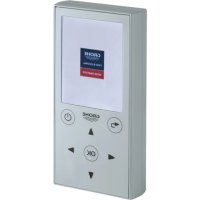
36 407 - Remote control GROHE - Free user manual and instructions
Find the device manual for free 36 407 GROHE in PDF.


| Product type | Remote control for GROHE Blue Home cooler/carbonator |
| Brand | GROHE |
| Model | 36 407 |
| Power supply | 3 micro batteries 1.5 V (AAA, LR03) |
| Battery life | Automatic standby after 15 minutes; screen dims after 180 s |
| Display | Screen with menu and status indicators (connection, selection) |
| Buttons | On/off, arrows (up/down), OK, back |
| Main functions | Monitoring (consumption, cycles, duration), Configuration (filter, CO₂), Handle calibration, Demo mode, Save/load profiles |
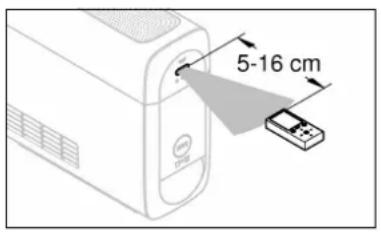
| Transmission distance | 5 to 16 cm (infrared to the sensor) |
| Approval | Compliant with European regulations |
| Maintenance | Clean with a soft cloth; replace batteries if necessary |
| Battery replacement | 3 AAA 1.5 V batteries |
| Safety | Do not expose to moisture; use only suitable batteries |
| General information | Allows to modify the default settings of the GROHE Blue Home cooler/carbonator |
| Demo mode | Displays all types of operable faucets and their functions |
Frequently Asked Questions - 36 407 GROHE
User questions about 36 407 GROHE
0 question about this device. Answer the ones you know or ask your own.
Ask a new question about this device
Download the instructions for your Remote control in PDF format for free! Find your manual 36 407 - GROHE and take your electronic device back in hand. On this page are published all the documents necessary for the use of your device. 36 407 by GROHE.
USER MANUAL 36 407 GROHE
DESIGN + ENGINEERING
GROHE GERMANY
INT00007/ÄM 236833/04.17
www.grohe.com
Pure Freude an Wasser
36 407
natural_image
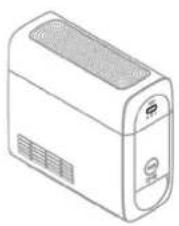
Line drawing of a portable air conditioner unit (no text or symbols)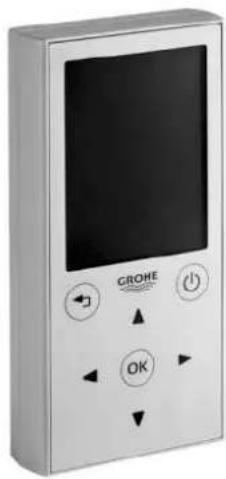
natural_image
Front view of a modern electronic device with a screen and control buttons (no readable text or symbols)D Bedienungsanleitung......1
GB Operating instructions.....21
F Notice D'utilisation......41
NL Gebruikershandleiding......61
DK Betjeningsvejledning......81


natural_image
Line drawing of a microwave oven with ventilation grilles and control panel (no text or symbols)Bildschirm
Main Menu
Aktuelles Menü
III
Bedienung allgemein
Sprache einstellen
Demo Modus
Monitoring
Wasserlaufzeit
Total still
Counter total Total running time
Pumpe
Restliter
Konfiguration senden
natural_image
Line drawing of a device with a control panel and a mouse pointer (no text or symbols)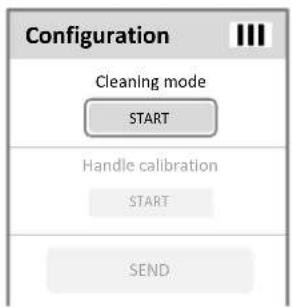
Reinigungsmodus

Service
Number of filter replacements
Running time since restart
Current error
SAVE
LOAD

natural_image
Line drawing of a computer monitor with an attached remote control panel (no text or symbols)Reset
natural_image
Exploded view diagram of a screwdriver installing components into a battery pack (no text or labels)Wartung
Batteriewechsel
Entsorgungshinweis
Approval and conformity....23
Device overview 24
Buttons 24
Screen 25
General operation....26
Switch on remote control 26
Switch off remote control 26
Set language....27
Demo Mode 28
Establish connection to fitting 29
Monitoring....30
Cleanings 30
Open and closing cycles 30
Water running time....31
Operating hours 31
Maximum idle time 31
Pump 31

21

Remaining litres 32
Filter limit 32
CO2 limit. 32
Error display....32
Configuration for GROHE Blue fittings 33
Filter parameters 33
Send configuration 34
Cleaning mode 35
Handle calibration....35
Service 36
Service informations....36
Save profile 37
Load profile....37
Calibration values handle 38
Reset 39
Maintenance 40
Battery replacement 40

22
natural_image
Line drawing of a portable air conditioner unit with ventilation grilles and control panel (no text or symbols)General information
Applications
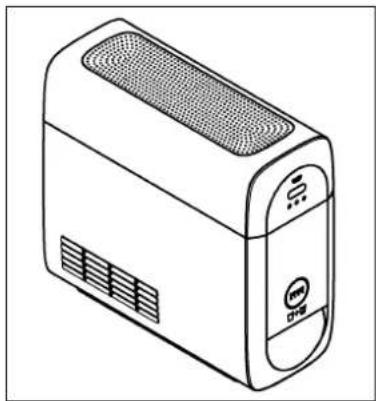
With the remote control factory settings can be changed and usage informations can be retrieved at GROHE Blue Home cooler/carbonator.

Store and transport remote control properly to avoid damage.
Technical Data
• Protection class: IP X4
- Battery: 3 x Typ Micro 1.5V (AAA, LR03)

Approval and conformity
This product conforms to the requirements of the relevant EU directives.
Conformity declarations can be obtained from the following address:
- Switch on remote control
- Switch off remote control

Arrow buttons
- Navigation in the menu
- Selection of menu items and functions
- Setting values

OK button
- Confirming a selection
- Switching between 2 values

Back button
- Return to the higher menu level
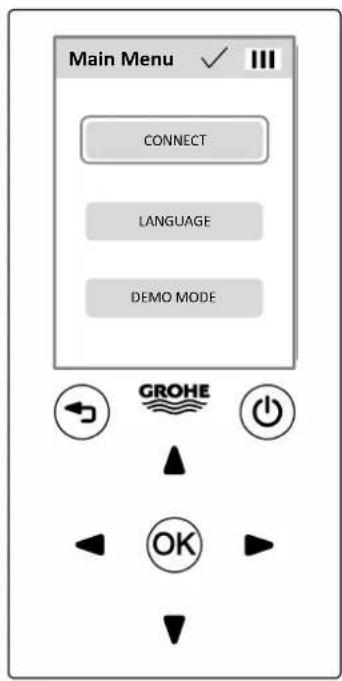
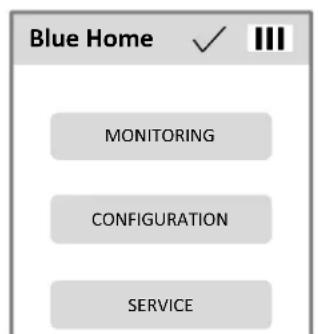
Screen
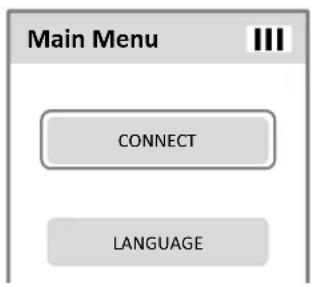
Main Menu
Curent menu
III
Remote control battery level

Data transfer status display

Data transfer successful
Data transfer failed
Data transfer fails if the remote control is not correctly adjusted to the sensor system.
CONNECT
Selection fields
CONNECT
not selected
CONNECT
selected
USAGE-
confirmed
-
activated

Slider for settings
The factory setting is marked as an gap in the slider bar.
The screen goes dark if no button is pressed for 180 s.
Pressing any button reactivates the screen.


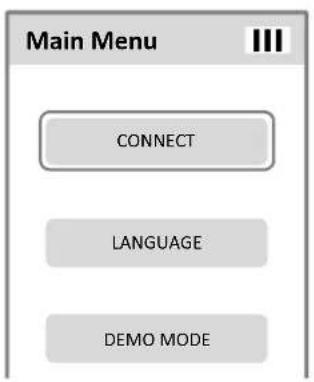
General operation
Switch on remote control
Press and hold on/off button for 2 s.

The start display appears on the screen.
The main menu then appears.
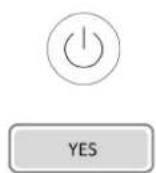
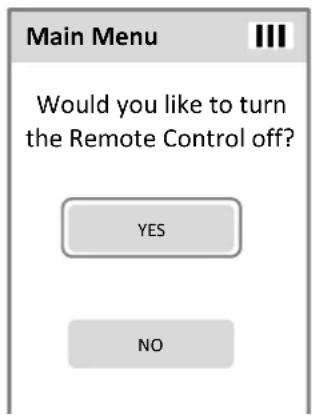
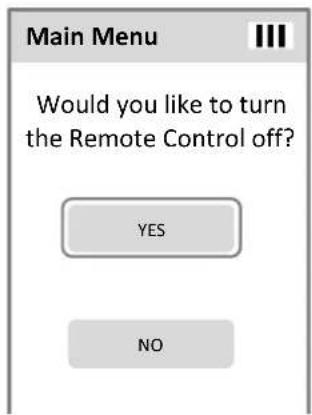
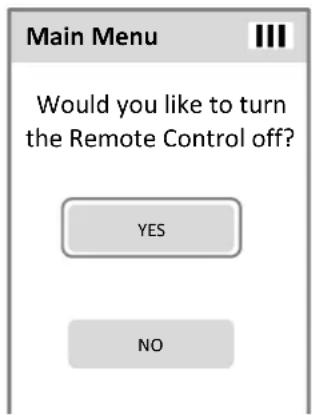
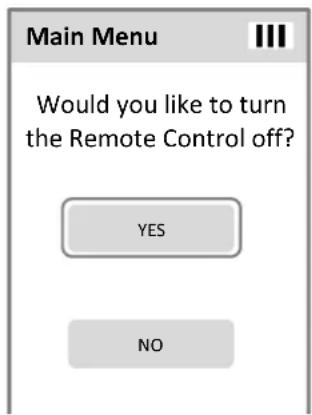
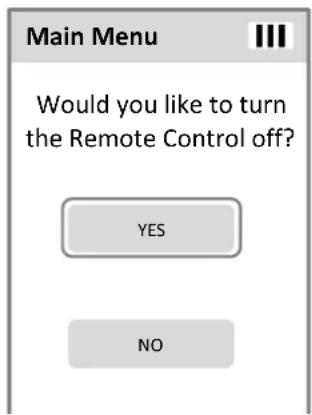
Switch off remote control
Press and hold on/off button for 2 s.
A prompt then appears and must be confirmed.
The remote control shuts off automatically if no button is pressed for 15 min.
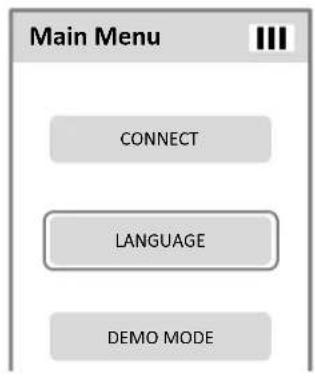
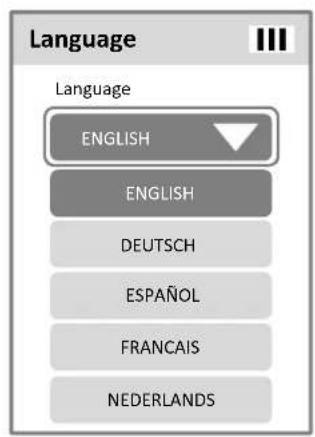
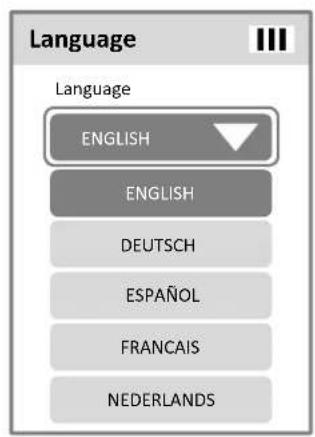
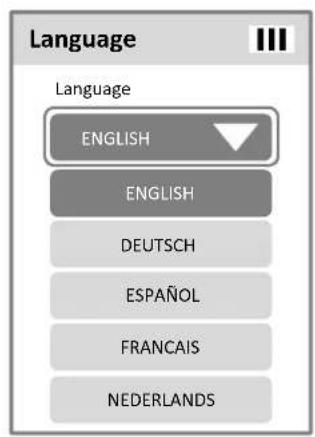
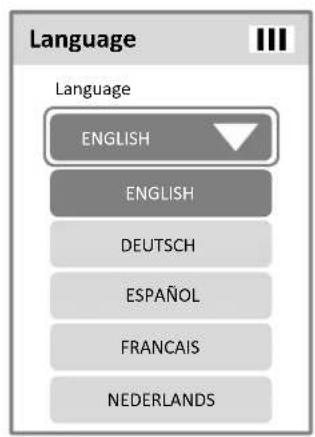
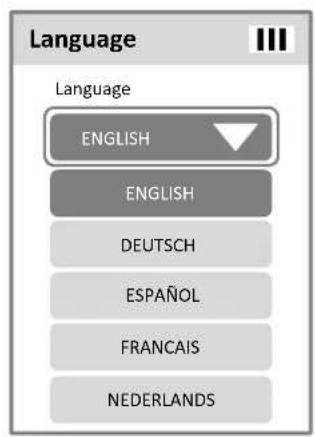
Set language
Open submenu for language setting.

Open the drop-down menu with the OK button. Select desired language.

Leave submenu.
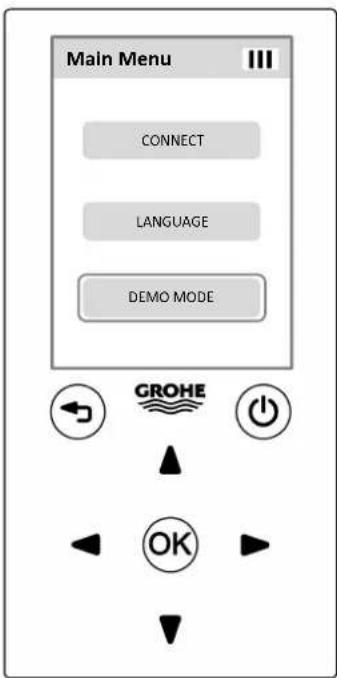
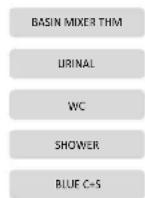
Demo Mode
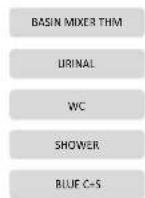
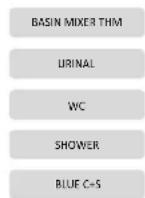
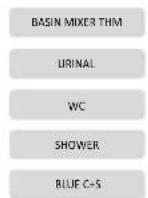
In demo mode all fitting types are listed, which can be operated with the remote control.
By selecting a fitting type selection fields appear for the submenu with the respective functions and displays:
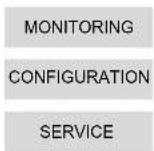
Monitoring
Configuration
Service
In the Service menu the saved profile of each fitting type can be loaded. In the Configuration menu the settings of the profile can be viewed and changed. A changed profile can be stored in the Service menu.

In demo mode no data transmission takes place.

Establish connection to fitting
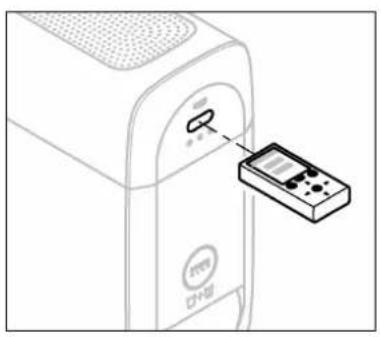
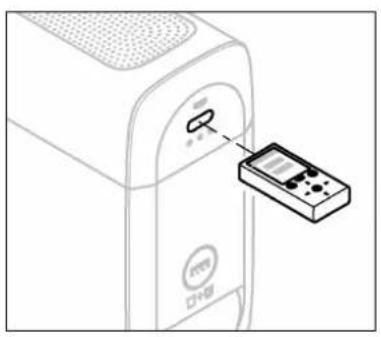
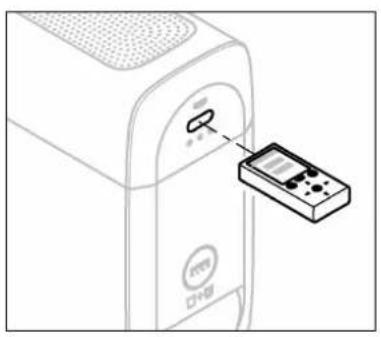
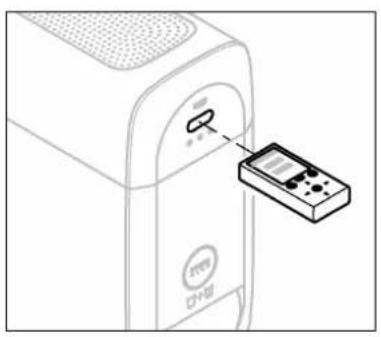
Point remote control at the sensor system and start data transfer:
Select menu item.
The remote control opens the menu of the respective fitting type.
The status indicator shows whether the data transfer was successful.
The menu display shows the respective fitting type.
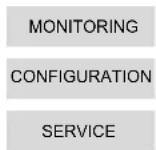
In the menu of the respective fitting type the selection fields for the submenu appears:
Monitoring
Configuration
Service
The configuration of a fitting type can be saved in a profile. The profile is saved and loaded in the Service menu.
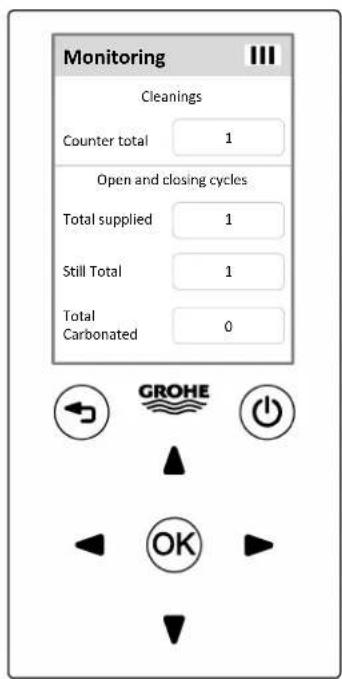
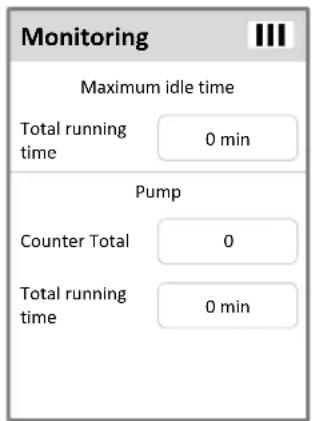
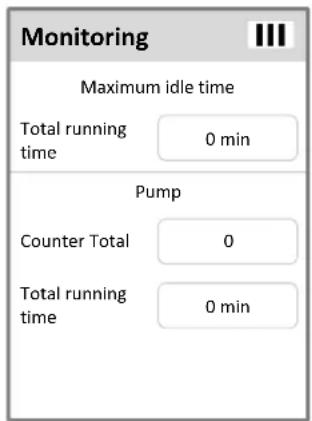
Monitoring
Scroll through monitoring information.
Cleanings
Numbers of the cleanings since the cooler/carbonator was commissioned.
Open and closing cycles
Number of actuations of the inlet valve since the cooler/carbonator was commissioned.
Number of actuations of the valve for still water since the cooler/carbonator was commissioned.
Number of actuations of the valve for carbonated water since the cooler/carbonator was commissioned.
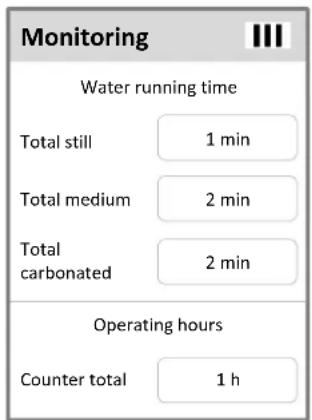

Water running time
Total still
Consumption of still water in minutes since the cooler/carbonator was commissioned.
Total medium
Consumption of medium water in minutes since the cooler/carbonator was commissioned.
Total carboated
Consumption of total carbonated water in minutes since the cooler/carbonator was commissioned.
Counter total
Operating hours
Current term of the cooler/carbonator connected to mains.
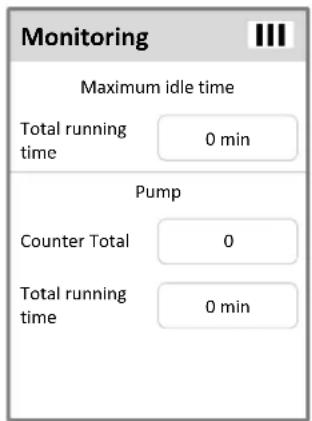
Total running time
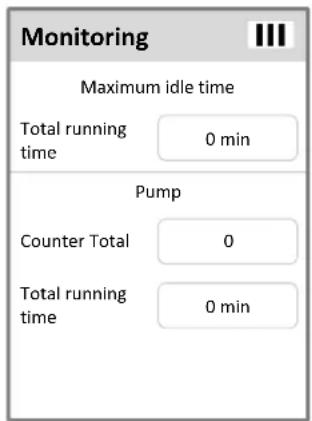
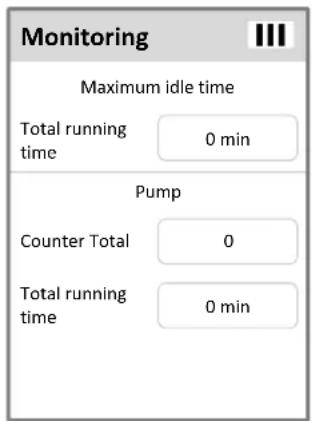
Maximum idle time
Current non-use time since the last uasage.
Counter total Total running time
Pump
Number of pump operations.
Running time of the pump.

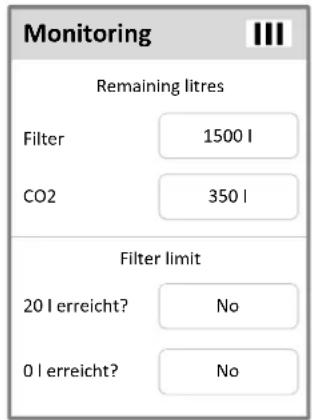

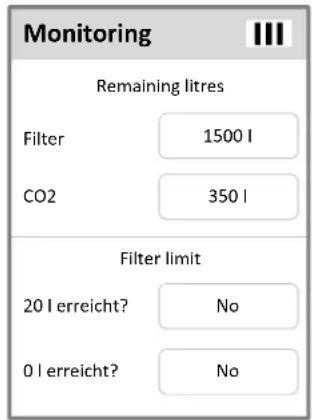
Remaining litres
Filter
Amount of water that can be filtered with the remaining filter capacity.
CO2
Amount of water that can be carbonated with the remaining CO_2 capacity.
Filter limit
20I reached?
No / Yes (Filter cartridge must be replaced soon)
01 reached?
No / Yes (Filter cartridge must be replaced)
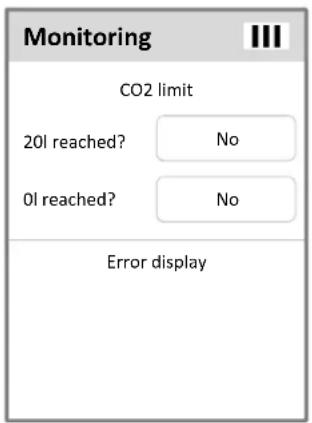
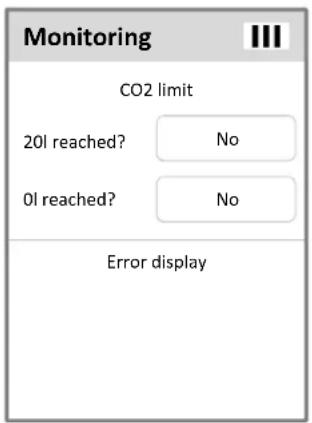
CO2 limit
20I reached?
No / Yes (CO _2 bottle must be replaced soon)
01 reached?
No / Yes (CO _2 bottle must be replaced)
Error display
If errors occur, the error codes are displayed.

Configuration for GROHE Blue fittings
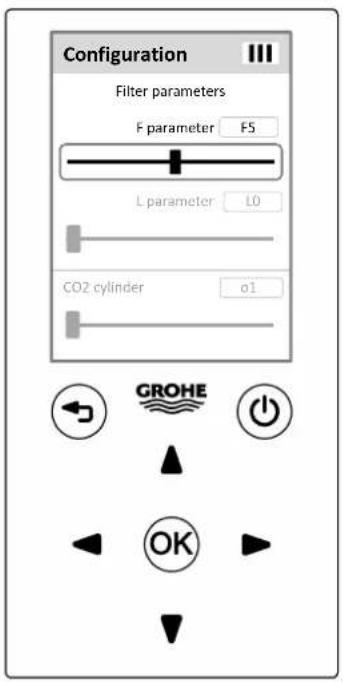
Scroll through configuration items.
The configuration items are sent to the fitting in a data record.
Filter parameters
Adjust carbonate hardness at cooler/carbonator.
Determine local water hardness (°KH/°dGH).
F-Parameter
F0
F9
Set value.
Factory setting: F5
L-Parameter
L0
L9
Set value.
Factory setting: L0
| °KH | Size S | Ac | Mg+ | dGH |
| 40404001 | 40547001 | 40691001 | ||
| < 7 | F9 / L1 (2000) | F9 / L2 (3000) | F5 / L1 (1600) | < 7 |
| 7 - 9 | F5 / L1 (1600) | - | F1 / L1 (1200) | 7 - 9 |
| 10 - 12 | F9 / L0 (1000) | - | F6 / L0 (700) | 10 - 12 |
| 13 - 16 | F7 / L0 (800) | - | F4 / L0 (500) | 13 - 16 |
| 17 - 20 | F5 / L0 (800) | - | F3 / L0 (400) | 17 - 20 |
| 21 - 24 | F4 / L0 (500) | - | F2 / L0 (300) | 21 - 24 |
| 25 - 28 | F3 / L0 (400) | - | F1 / L0 (200) | 25 - 32 |
| 29 - 32 | F2 / L0 (300) | - | F0 / L0 (100) | > 32 |
| > 32 | F1 / L0 (200) | - | ||
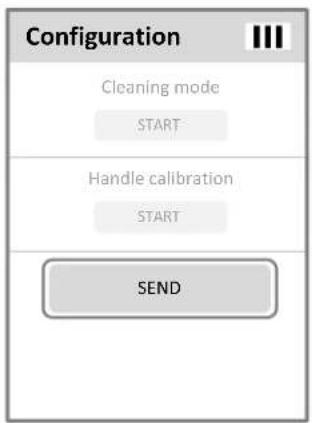
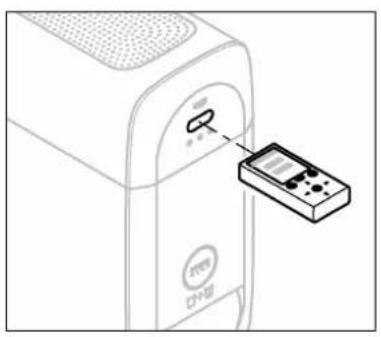
Send configuration
The remote control transfers the data record with the current settings to the fitting.
Point remote control at the sensor system.
Select menu item, to transfer the data record.
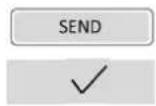
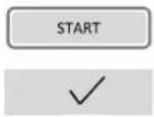
The status indicator shows whether the data transfer was successful.
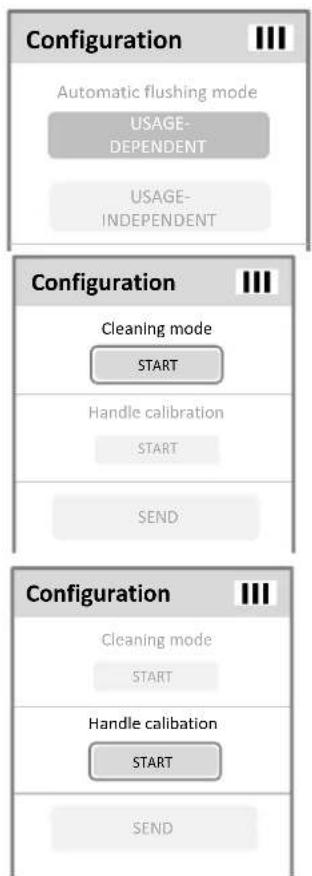
Cleaning mode
Insert cleaning cartridge.
Point remote control at the sensor system.
Start cleaning mode.
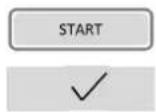
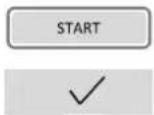
The status indicator shows whether the data transfer was successful.
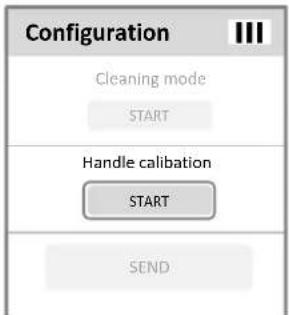
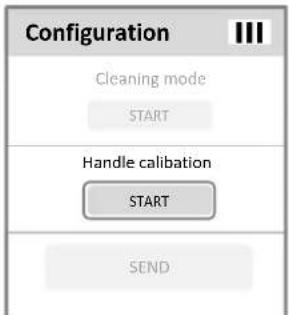
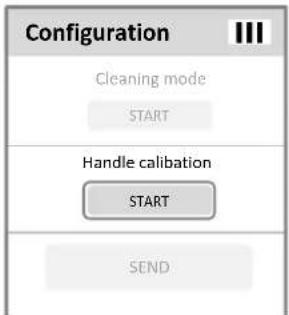
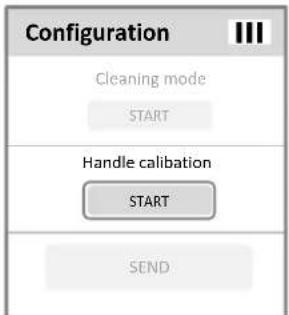
Handle calibration
Point remote control at the sensor system.
Start handle calibration.
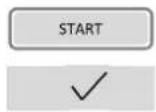
The status indicator shows whether the data transfer was successful.
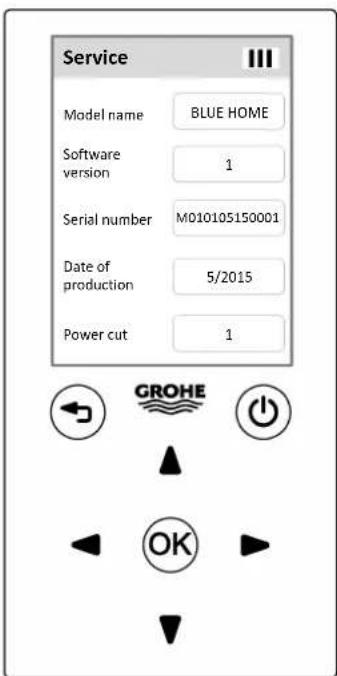

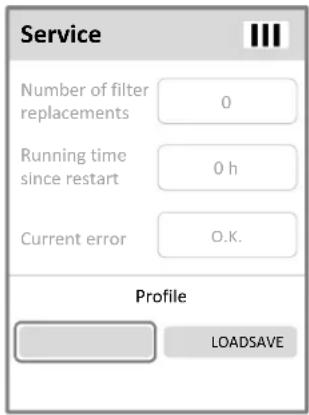
Service
Scroll through service items.
Service informations
Model name
Type of fitting: BLUE HOME
Software version
Sequential number of the software version
Serial number
Serial number of the cooler/carbonator
Date of production
Calendar week and year of production of the cooler/carbonator
Power cut
Number of power cuts since the cooler/carbonator was commissioned

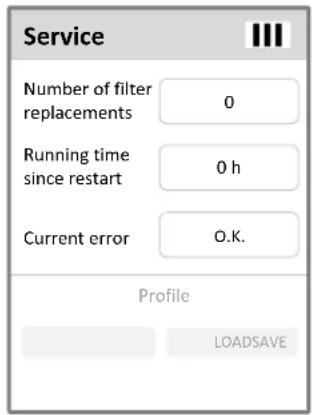
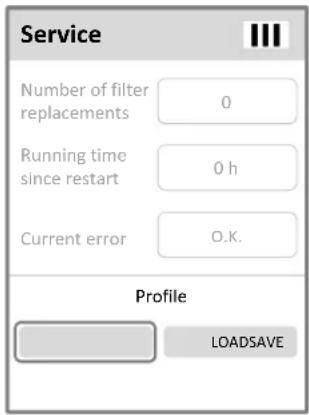
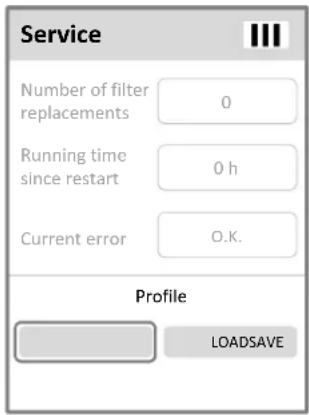
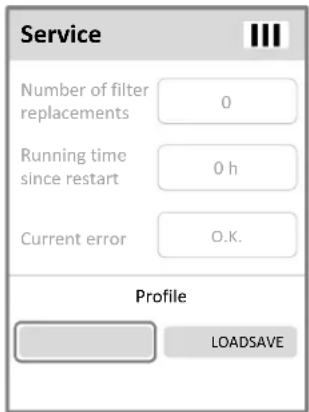
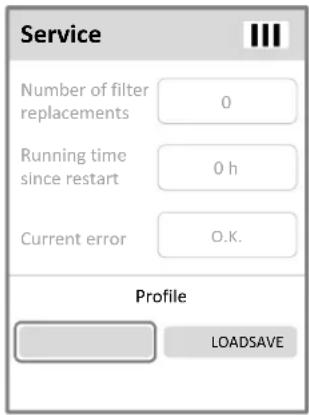
Number of filter replacements
Running time since restart
Current error
SAVE
LOAD

Number of the filter changes. The counter is not reset, when performing a reset.
Time since the cooler/carbonator is connected with mains power. The counter is reset, when performing a reset.
Current error: the error with the highest importance is displayed (all errors are displayed in the Monitoring Menu).
Save profile
The configuration of a fitting type can be saved in a profile. Save the configuration as a profile.
Load profile
Load saved profile.
The settings of the profile can be viewed and modified in the Configuration menu. The profile can be transferred to other fittings of the same fitting type.
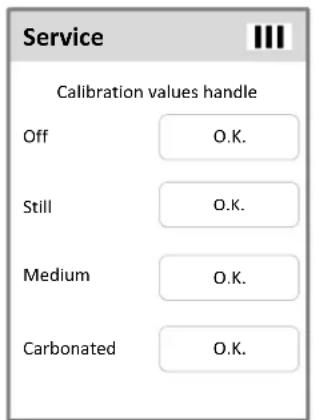

Calibration values handle
Off
Off: O.K. / error (carry out handle calibration)
Still
Still: O.K. / error (carry out handle calibration)
Medium
Medium: O.K. / error (carry out handle calibration)
Carbonated
Carbonated: O.K. / error (carry out handle calibration)

38
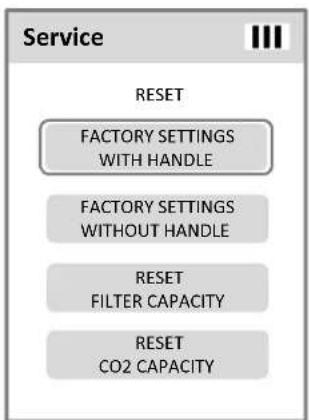
flowchart
graph TD
    A["Service"] --> B["RESET"]
    B --> C["FACTORY SETTINGS WITH HANDLE"]
    B --> D["FACTORY SETTINGS WITHOUT HANDLE"]
    B --> E["RESET FILTER CAPACITY"]
    B --> F["RESET CO2 CAPACITY"]
Reset
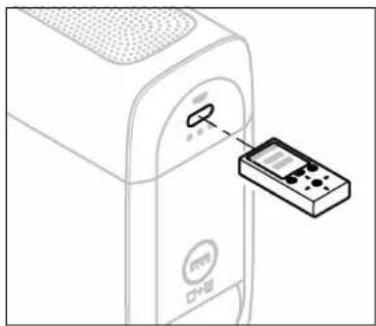
Point remote control at the sensor system.
FACTORY SETTINGS WITH HANDLE
Restore configuration values, filter- and CO_2 -capacity to factory settings. Handle calibration is carry out.
FACTORY SETTINGS WITHOUT HANDLE
Restore configuration values, filter- and CO_2 -capacity to factory settings. Handle calibration is not carry out.
RESET FILTER CAPACITY
Reset filter capacity after replacing the filter cartridge.
RESET CO2 CAPACITY
Reset CO2 capacity after replacing the CO2 -bottle.
√
The status indicator shows whether the data transfer was successful.
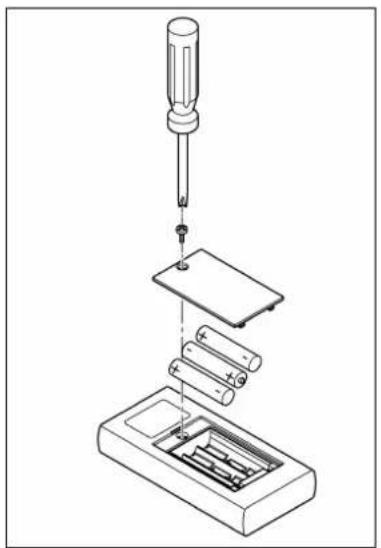
natural_image
Exploded view diagram of a screwdriver installing battery pack and circuit board (no text or labels)Maintenance
Battery replacement
Disposal note
This category of devise does not belong in the domestic waste, but must be disposed of separately in accordance with the relevant local national regulations.
Dispose of batteries in accordance with national regulations!

natural_image
Line drawing of a microwave oven with ventilation slots and a control panel (no text or symbols)Écran
Menu
Menu actif
III
Choisir la langue
Mode démonstration

Surveillance

Counter total Total running time
Pompe
Nombre de cycles de la pompe

natural_image
Line drawing of a computer monitor with an attached remote control panel (no text or symbols)Transmission de la configuration
natural_image
Line drawing of a device with a control panel and a screen, no text or symbols present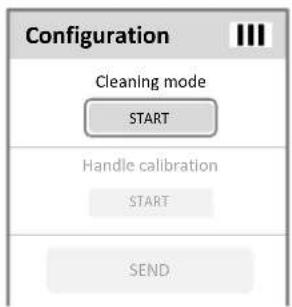
Mode de nettoyage

Service
Number of filter replacements
Running time since restart
Current error
SAVE
LOAD

natural_image
Line drawing of a computer monitor with an attached remote control panel (no text or symbols)Réinitialisation
natural_image
Exploded view diagram of a screwdriver installing components into a battery pack (no text or labels)Maintenance
natural_image
Line drawing of a microwave oven with ventilation grilles and control panel (no text or symbols)Algemene informatie
Toepassingsgebied
Beeldscherm
Hoofdmeni
Huidig menu
III
Bediening algemeen
Afstandsbediening inschakelen
Taal instellen
Demo-modus
Bewaking
Waterlooptijd
Total still
Counter total Total running time
Pomp
Aantal pompstarts

Resterende liters
Filter
natural_image
Line drawing of a computer monitor with an attached remote control panel (no text or symbols)natural_image
Line drawing of a device with a control panel and a mouse pointer (no text or symbols)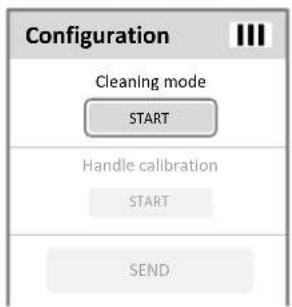
Reinigingsmodus

Service
Door de servicepunten bladeren.
Service-informatie
Model name
Kraantype: BLUE HOME
Software version
Actueel softwareversienummer
Serial number
Number of filter replacements
Running time since restart
Current error
SAVE
LOAD

natural_image
Line drawing of a computer monitor with an attached remote control panel (no text or symbols)Reset
natural_image
Exploded view diagram of a screwdriver installing components into a battery pack (no text or labels)Onderhoud
Batterij vervangen
natural_image
Line drawing of a microwave oven with ventilation slots and a control panel (no text or symbols)Skærm
Main Menu
Aktuel menu
III
Ladetilstand for fjernbetjeningens batterier
Demo-modus
Overvågning
Tid med vandudløb
Total still
Counter total Total running time
Pumpe
Antal pumpekørsler
Pumpens driftstid
Resterende liter
Filter
natural_image
Line drawing of a device with a control knob and a remote control panel (no text or symbols)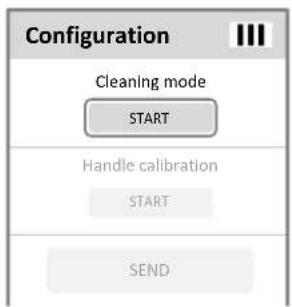
Rensemodus
Isæt rensepatronen.
Service
Gennemse servicepunkterne.
Serviceoplysninger
Model name
Armaturtype: BLUE HOME
Software version
Number of filter replacements
Running time since restart
Current error
SAVE
LOAD
