ManualGo.com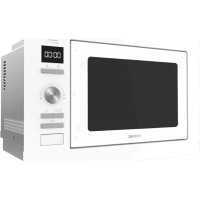
GrandHeat 2590 Builtin - Microwave Oven CECOTEC - Free user manual and instructions
Find the device manual for free GrandHeat 2590 Builtin CECOTEC in PDF.



Download the instructions for your Microwave Oven in PDF format for free! Find your manual GrandHeat 2590 Builtin - CECOTEC and take your electronic device back in hand. On this page are published all the documents necessary for the use of your device. GrandHeat 2590 Builtin by CECOTEC.
USER MANUAL GrandHeat 2590 Builtin CECOTEC
1. Parts and components 64
5. Cleaning and maintenance 70
8. Disposal of old electrical appliances 71
9. Technical support and warranty 72
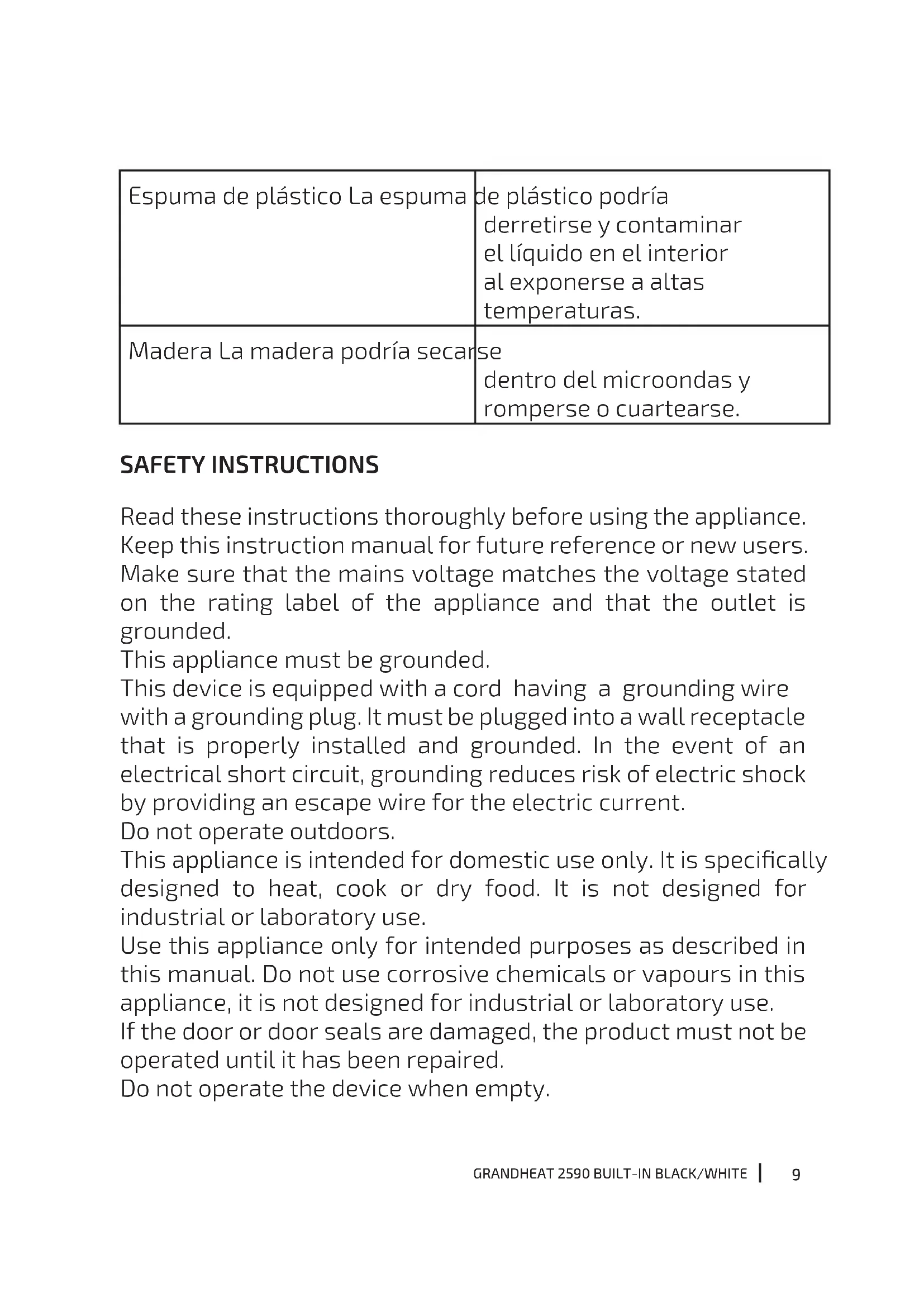
Espuma de plástico La espuma de plástico podría derretirse y contaminar el líquido en el interior al exponerse a altas temperaturas. Madera La madera podría secarse dentro del microondas y romperse o cuartearse. SAFETY INSTRUCTIONS Read these instructions thoroughly before using the appliance. Keep this instruction manual for future reference or new users. Make sure that the mains voltage matches the voltage stated on the rating label of the appliance and that the outlet is grounded. This appliance must be grounded. This device is equipped with a cord having a grounding wire with a grounding plug. It must be plugged into a wall receptacle that is properly installed and grounded. In the event of an electrical short circuit, grounding reduces risk of electric shock by providing an escape wire for the electric current. Do not operate outdoors. This appliance is intended for domestic use only. It is specically designed to heat, cook or dry food. It is not designed for industrial or laboratory use. Use this appliance only for intended purposes as described in this manual. Do not use corrosive chemicals or vapours in this appliance, it is not designed for industrial or laboratory use. If the door or door seals are damaged, the product must not be operated until it has been repaired. Do not operate the device when empty.10
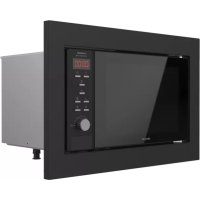
GRANDHEAT 2590 BUILT-IN BLACK/WHITE
Do not attempt to operate the device with the door open since open door operation can result in harmful exposure to microwave energy. Do not operate this appliance if it has a damaged cord or plug or if it is not operating properly. In case the device does not operate correctly, please contact our Technical Support Service of Cecotec. Only use utensils that are suitable for microwaves. Make sure utensils do not touch the interior walls during operation. Do not use the microwave cavity for storage purposes. Do not attempt to deep-fry in this device. In order to reduce re risk: Do not overcook food. Remove wire twist-ties from paper or plastic bags before placing them inside the microwave. Do not place the device where heat, moisture, or high humidity are generated, or near combustible materials. Do not heat liquids or other foods in sealed containers. Do not use the cavity for storage purposes. Do not leave paper products, cooking utensils or food in the cavity when not in use. In case of smoke or re inside the device, keep the door closed, turn the product o and disconnect it from the power supply. After operating, the container is likely to be very hot. Use gloves in order to avoid burns and injuries. All parts of the device will be very hot during and after operation, including door and top part of the microwave. Remember to use gloves or any other type of protection. Technical service and reparations that involve cover removals or exposure to cables must always be carried out by a competent, professional and qualied person.11
GRANDHEAT 2590 BUILT-IN BLACK/WHITE
Supervise young children to make sure that they do not play with the appliance. It can be used by children over 8 if they are continually supervised. This appliance is not intended to be used by persons with reduced physical, sensory, or mental capabilities, or lack of experience or knowledge, unless they have been given supervision or instruction concerning the use of the appliance in a safe way by a person responsible for their safety, and understand the hazards involved. Supervise young children to make sure that they do not play with the appliance. Close supervision is necessary when the appliance is being used by or near children. This product is a Group 2 Class B ISM equipment. The denition of Group 2 which contains all ISM (Industrial, Scientic and Medical) equipment in which radio-frequency energy is intentionally generated and/or used in the form of electromagnetic radiation for the treatment of material, and spark erosion equipment. Class B equipment is suitable for domestic use and in establishments directly connected to a low voltage power supply network, which supplies buildings used for domestic purpose. Microwave-safe materials Utensils Remarks12
GRANDHEAT 2590 BUILT-IN BLACK/WHITE
Browning dish Follow the manufacturer’s instructions. The bottom of browning dish must be at least 3/16 inch (5 mm) above the glass tray. Incorrect usage may cause the glass tray to break. Dinnerware Microwave-safe only. Follow the manufacturer's instructions. Do not use cracked or chipped dishes. Glass jars Always remove the lid. Use only to heat food until just warm. Most glass jars are not heat resistant and may break. Glassware Heat-resistant microwave glassware only. Make sure there is no metallic trim. Do not use cracked or chipped dishes. Microwave cooking bags Follow manufacturer’s instructions. Do not close with metal tie. Make slits to allow steam to escape. Paper plates and cups Use for short–term cooking/ warming only. Do not leave microwave unattended while cooking.13
GRANDHEAT 2590 BUILT-IN BLACK/WHITE
Paper towels Use to cover food for reheating and absorbing fat. Use with supervision for a short-term cooking only. Parchment paper Use as a cover to prevent splattering or a wrap for steaming. Plastic Microwave-safe only. Follow the manufacturer’s instructions. Should be labelled "Microwave Safe". Some plastic containers soften, as the food inside gets hot. "Boiling bags" and tightly closed plastic bags should be slit, pierced or vented as directed by package. Plastic wrap Microwave-safe only. Use to cover food during cooking to retain moisture. Do not allow plastic wrap to touch food. Thermometer Microwave-safe only (meat and candy thermometers). Wax paper Use as a cover to prevent splattering and retain moisture. Materials to be avoided in microwaves14
GRANDHEAT 2590 BUILT-IN BLACK/WHITE
Utensils Remarks Aluminium tray May cause arcing. Transfer food into microwave-safe dish. Food carton with metal handle May cause arcing. Transfer food into microwave-safe dish. Metal or metal-trimmed utensils Metal shields the food from microwave energy. Metal trim may cause arcing. Metal twist ties May cause arcing and could cause a re in the microwave. Paper bags May cause a re in the microwave. Plastic foam Plastic foam may melt or contaminate the liquid inside when exposed to high temperature. Wood Wood will dry out when used in the microwave and may split or crack.
7. Safety lock system
8. Grill rack (Only suitable for Grill function, must be placed on the glass tray)
Take the product out of the box. If the microwave has a protective lm, tear it o before starting operation. Check carefully if there is any damage, and if there is, immediately notify the Technical Support Service. The product must be placed on a at, stable and dry place and kept away from corrosive materials, heat and humidity, such as gas burners or water. The product must be placed in such way that the plug is accessible and must ensure an eective grounding in case of leakage in order to avoid electric shocks. The microwave door must be closed in order to operate. In case there is any manufacturing rests in the microwave cavity or on the heating elements, leave the microwave open to ensure good ventilation. In such case, it is recommended to heat a glass of water at high power for several times.
Warning: Do not remove the mica cover that is attached to the microwave cavity to protect the
3. PRODUCT INSTALLATION
When installing the glass tray: Never place the glass tray upside down. Both glass tray and glass tray ring assembly must always be used during cooking. All food and food containers must always be placed on the glass tray for cooking. If the glass tray or the ring assembly cracks or breaks, contact the Technical Support Service of Cecotec. Note: This appliance is intended for built-in use only. It is not intended for counter-top use or for use inside a cupboard. The appliance must be installed in a 60-cm wide wall-mounted cupboard. Electrical connections If the plug is no longer accessible after installation, an all-pole isolating switch must be on one of the sides with a contact gap of 3 mm. The tted cabinet must not have a back wall behind the appliance. The minimum height installation must be 85 cm. Do not cover the ventilation slots. Microwave Fig. 3. Screws Fig. 4. Mounting plate Fig. 5. Plastic cover Fig. 6. Built-in furniture Fig. 7. Preparing the cabinet Fig. 8.GRANDHEAT 2590 BUILT-IN BLACK/WHITE
ENGLISH Read the instructions on the bottom of the cabinet. Put the template on the bottom plane of the cabinet. Fig. 9. Make the marks on the bottom part of the cabinet according to the “a” marks on the template. Fig. 10. Remove the bottom cabinet template and x the mounting plate with a screw. Microwave installation Fig. 11. Install the microwave in the cabinet. Make sure the back of the device is locked by the mounting plate. Do no trap the power cord. Fig. 12. Open the door, x the microwave onto the cabinet with a screw through the installation hole. Then, x the plastic cover onto the installation hole.
Clock setting When the device is plugged in, it will beep once and the display will show “0:00”. Tap Clock/Timer to set the time. The hour digits will blink. Turn the knob to set the desired hour, from 00-23. Tap Clock/Timer. The minutes digits will blink. Turn the knob to set the desired minutes, from 00-59. Tap Clock/Timer to save the time settings. “:” will ash and the time will light. Note: If the clock is not set, the current time will not be displayed when the device is turned on. During the process of clock setting, press " Stop/Clear ", to go back to the previous status automatically. Microwave cooking Tap Microwave/Grill/Combi once. “P100” will be displayed on the screen. Tap Microwave/Grill/Combi several times or turn the knob to select the microwave power: “P100”, “P80”, “’P50”, “P30” or “P10”. Tap the Start/+30sec/Conrm icon to conrm. Turn the knob to set the desired cooking time. The set time should be 0:05-95:00. Tap the Start/+30sec/Conrm icon to start cooking. Example: Cooking at 80 % microwave power for 20 minutes. Tap Microwave/Grill/Combi once. “P100” will be displayed on the screen.GRANDHEAT 2590 BUILT-IN BLACK/WHITE
ENGLISH Tap Microwave/Grill/Combi again or turn the knob to select 80 % microwave power. Tap the Start/+30sec/Conrm icon to conrm. The screen will display “P80”. Turn the knob to set the desired cooking time: “20:00”. Tap the Start/+30sec/Conrm icon to start cooking. 0---1 min: 5 seconds 1---5 min: 10 seconds 5---10 min: 30 seconds 10---30 min: 1 minute 30---95 min: 5 minutes Microwave/Grill/Combi power chart Press Display Microwave power Grill power 1 P100 100 % 2 P80 80 % 3 P50 50 % 4 P30 30 % 5 P10 10 % 6 G 0 % 100 % 7 C-1 55 % 45 % 8 C-2 36 % 64 % Grill/Combi cooking Tap Microwave/Grill/Combi once. “P100” will be displayed on the screen. Tap Microwave/Grill/Combi repeatedly or turn the knob to select the desired cooking program: “G”, “C-1” or “C-2”. Tap the Start/+30sec/Conrm icon to conrm. Turn the knob to set the desired cooking time, from 0:05 to 95:00. Tap the Start/+30sec/Conrm icon to start cooking. Example: Cooking at 55 % microwave power and 45 % grill power (C-1) for 10 minutes. Tap Microwave/Grill/Combi once. “P100” will be displayed on the screen. Tap Microwave/Grill/Combi 4 times or turn the knob to select Combi. 1 mode. Tap the Start/+30sec/Conrm icon to conrm. The screen will display “C-1”. Turn the knob to set the desired cooking time: “10:00”. Tap the Start/+30sec/Conrm icon to start cooking. Note: Half-way through the cooking process, the device will stop operating and will beep twice.GRANDHEAT 2590 BUILT-IN BLACK/WHITE
ENGLISH This is to remind you to turn food over in order for it to be cooked evenly. Once you have turned it over, tap Start/+30sec/Conrm to continue cooking. QuickStart When this program is selected, the device will quickly cook food at top power (100 % power output). The maximum cooking time for this program is 95 minutes. Open the door and place the food inside the microwave. Close the door. In standby mode, tap Start/+30sec/Conrm to start cooking at 100 % power level. Each press will increase the cooking time by 30 seconds. In Microwave, Grill, Combi or Time defrost modes, each press will increase the cooking time by 30 seconds. In standby mode, turn the knob anticlockwise to set the cooking time (100 % power level cannot be changed). After adjusting time, tap Start/+30sec/Conrm to start cooking. Weight defrost Tap the Weight/Time defrost icon once, the display will show “dEF1.”. Turn the knob to set the weight of food, from 100 g to 2000 g. Tap the Start/+30sec/Conrm icon to start the defrost process. Time defrost Tap the Weight/Time defrost icon twice, the oven will display “dEF2”. Turn the knob to set the desired defrost time. The maximum time is 95 minutes. Tap the Start/+30sec/Conrm icon to start the defrost process. Timer Tap the Clock/Timer icon, the display will show 00:00. Turn the knob to set the desired cooking time. The maximum time is 95 minutes. Tap the Start/+30sec/Conrm icon to conrm. When the set time is over, the device will beep 5 times. Note: If the clock has been set (24-hour system), the display will show the current time. Auto menu Turn the knob to select the desired Auto menu function. Tap the Start/+30sec/Conrm icon to conrm the menu. Turn the knob to select the food weight according to the menu chart. Tap the Start/+30sec/Conrm icon to start cooking. Example: Setting the Auto menu to cook 350 g of sh.GRANDHEAT 2590 BUILT-IN BLACK/WHITE
ENGLISH A maximum of 2 sequences can be set for a cooking process. If one of the sequences included is defrosting, it should be set as the rst one. Example: Defrost food for 5 minutes, then cook with 80 % microwave power for 7 minutes. Tap the Weight/Time defrost icon, the display will show “dEF2.”. Turn the knob to set 5 minutes of defrost time, “5:00”. Tap the Microwave/Grill/Combi icon once, the screen will display “P100”. Tap the Microwave/Grill/Combi icon again or turn the knob to select 80 % microwave power. Tap the Start/+30sec/Conrm icon to conrm. The screen will display “P80”. Turn the knob to adjust the cooking time to 7 minutes. The screen will display “7:00”. Tap the Start/+30sec/Conrm icon to start cooking. The device will beep each time a sequence is completed. When the whole process is completed, the device will beep 5 times. Checking settings During operation, tap the Microwave/Grill/Combi icon, the current power level will be displayed for 3 seconds. During operation, tap the Clock/Timer icon, the current time will be displayed for 3 seconds. Child lock system In standby mode, tap the Stop/Clear for 3 seconds. The device will emit a long beep indicating this function has been activated. The current time will be displayed if the clock is set. The following icon will also be displayed: Fig. 13. In standby mode, tap the Stop/Clear for 3 seconds. The device will emit a long beep indicating this function has been deactivated.
5. CLEANING AND MAINTENANCE
The device, as well as food rests, must be cleaned and removed regularly. Unplug the cable from the power supply before starting the cleaning. Do not immerse the product in water or any other uid during cleaning. The lack of maintenance and cleaning of the product may cause a deterioration on its surface and aect its lifespan. Do not use strong detergents, powder abrasives or metal brushes to clean the device. Do not remove the mica plate. When the microwave has been used for a long time, some strong odours may arise from inside. In order to get rid of them, follow one of the steps below: Place several lemon slices in a cup and heat them at high power for 2 or 3 minutes. Place a cup of red tea inside the microwaves and heat it at high power for 2 or 3 minutes.GRANDHEAT 2590 BUILT-IN BLACK/WHITE
ENGLISH Place orange peels inside the microwaves and heat it at high power for 1 minute. Use a dampened soft cloth to clean enclosures, door, interior walls and the door frame.
Warning: All maintenance tasks must be strictly carried out by qualied technical personnel.
Problem Cause Solution The device does not turn on The power cord is not plugged in properly. Disconnect it and connect it again after 10 seconds. Fuse blow or short circuit. Contact the Technical Support Service of Cecotec. Faulty power outlet. Test the power outlet with a dierent appliance. The device does no heat Door not closed properly. Close the door properly.
7. TECHNICAL SPECIFICATIONS
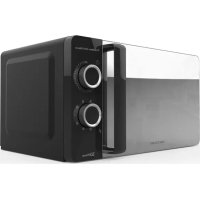
01393 GrandHeat 2590 Built-In Black 01394 GrandHeat 2590 Built-In White Rated input power (Microwave): 1450 W Rated output power (Microwave): 900 W Rated input power (Grill): 1000 W 230 V ~ 50 Hz Capacity: 25L Made in China | Designed in Spain
8. DISPOSAL OF OLD ELECTRICAL APPLIANCES
The European directive 2012/19/EU on Waste Electrical and Electronic Equipment (WEEE), species that old household electrical appliances must not be disposed of with the normal unsorted municipal waste. Old appliances must be collected separately, in order to optimise the recovery and recycling of the materials they contain and reduce the impact on human health and the environment.GRANDHEAT 2590 BUILT-IN BLACK/WHITE
ENGLISH The crossed out “wheeled bin” symbol on the product reminds you of your obligation to dispose of the appliance correctly. Consumers must contact their local authorities or retailer for information concerning the correct disposal of old appliances and/or their batteries.
9. TECHNICAL SUPPORT AND WARRANTY
This product is under warranty for 2 years from the date of purchase, as long as the proof of purchase is submitted, the product is in perfect physical condition, and it has been given proper use, as explained in this instruction manual. The warranty will not cover the following situations: The product has been used for purposes other than those intended for it, misused, beaten, exposed to moisture, immersed in liquid or corrosive substances, as well as any other fault attributable to the customer. The product has been disassembled, modied, or repaired by persons, not authorised by the ocial Technical Support Service of Cecotec. Faults deriving from the normal wear and tear of its parts, due to use. The warranty service covers every manufacturing defects of your appliance for 2 years, based on current legislation, except consumable parts. In the event of misuse, the warranty will not apply. If at any moment you detect any problem with your product or have any doubt, do not hesitate to contact Cecotec Technical Support Service at +34 963 210 728.GRANDHEAT 2590 BUILT-IN BLACK/WHITE