ManualGo.com
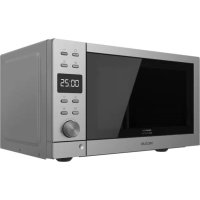
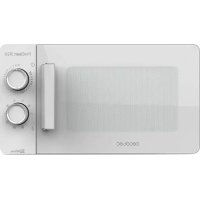
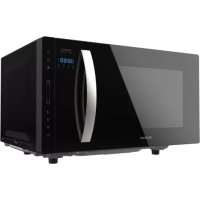
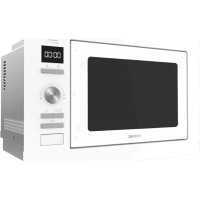
GrandHeat 2350 Builtin - Microwave Oven CECOTEC - Free user manual and instructions
Find the device manual for free GrandHeat 2350 Builtin CECOTEC in PDF.



Download the instructions for your Microwave Oven in PDF format for free! Find your manual GrandHeat 2350 Builtin - CECOTEC and take your electronic device back in hand. On this page are published all the documents necessary for the use of your device. GrandHeat 2350 Builtin by CECOTEC.
USER MANUAL GrandHeat 2350 Builtin CECOTEC
1. Parts and components 47
5. Cleaning and maintenance 53
6. Technical specifications 53
7. Disposal of old electrical appliances 54
8. Technical support and warranty 54
1. Door safety lock system
Take the product out of the box. If the microwave has a protective film, tear it off before starting operation. Check carefully if there is any damage, and if there is, immediately notify the Technical Support Service of Cecotec. The product must be placed on a flat, stable and dry place and kept away from corrosive materials, heat and humidity, such as burners or water. The product must be placed, at least, at 5 m from the TV, Radio or antenna. The product must be placed in such way that the plug is accessible and must ensure an effective grounding in case of leakage in order to avoid electric shocks. The microwave door must be closed in order to operate. In case there is any manufacturing rests in the microwave cavity or on the heating elements, leave the microwave open to ensure good ventilation. In such case, it is recommended to heat a glass of water at high power for several times. 01387_01388_01389_GrandHeat 2350 Built-In Black_White_Steel black_Manual_YV_01200623.indd 46-4701387_01388_01389_GrandHeat 2350 Built-In Black_White_Steel black_Manual_YV_01200623.indd 46-47 26/6/20 14:2026/6/20 14:20GRANDHEAT 2350 BUILT-IN BLACK / WHITE / STEEL BLACKGRANDHEAT 2350 BUILT-IN BLACK / WHITE / STEEL BLACK
Warning: Do not try to remove the wave guide.
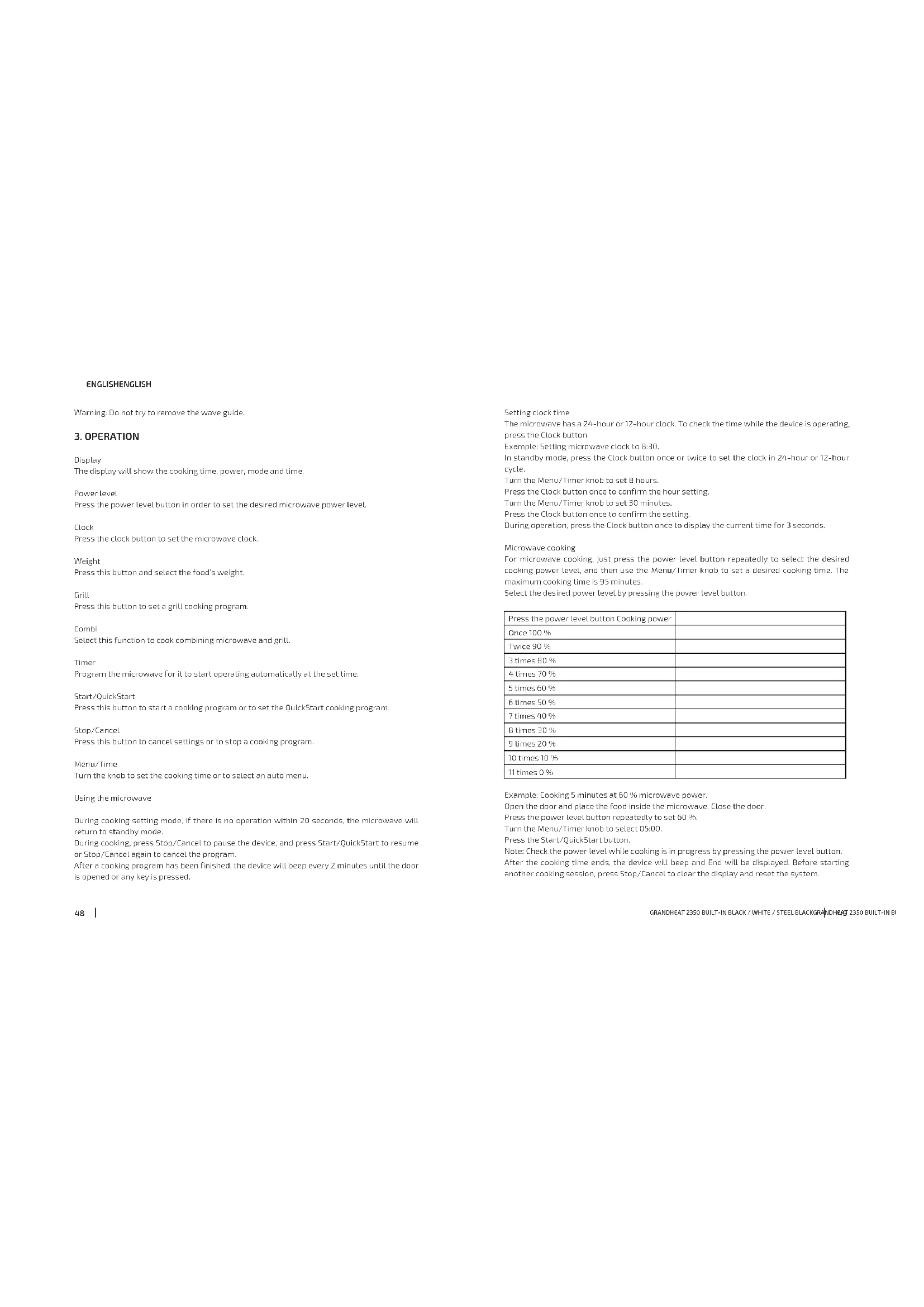
Display The display will show the cooking time, power, mode and time. Power level Press the power level button in order to set the desired microwave power level. Clock Press the clock button to set the microwave clock. Weight Press this button and select the food’s weight. Grill Press this button to set a grill cooking program. Combi Select this function to cook combining microwave and grill. Timer Program the microwave for it to start operating automatically at the set time. Start/QuickStart Press this button to start a cooking program or to set the QuickStart cooking program. Stop/Cancel Press this button to cancel settings or to stop a cooking program. Menu/Time Turn the knob to set the cooking time or to select an auto menu. Using the microwave During cooking setting mode, if there is no operation within 20 seconds, the microwave will return to standby mode. During cooking, press Stop/Cancel to pause the device, and press Start/QuickStart to resume or Stop/Cancel again to cancel the program. After a cooking program has been finished, the device will beep every 2 minutes until the door is opened or any key is pressed. Setting clock time The microwave has a 24-hour or 12-hour clock. To check the time while the device is operating, press the Clock button. Example: Setting microwave clock to 8:30. In standby mode, press the Clock button once or twice to set the clock in 24-hour or 12-hour cycle. Turn the Menu/Timer knob to set 8 hours. Press the Clock button once to confirm the hour setting. Turn the Menu/Timer knob to set 30 minutes. Press the Clock button once to confirm the setting. During operation, press the Clock button once to display the current time for 3 seconds. Microwave cooking For microwave cooking, just press the power level button repeatedly to select the desired cooking power level, and then use the Menu/Timer knob to set a desired cooking time. The maximum cooking time is 95 minutes. Select the desired power level by pressing the power level button. Press the power level button Cooking power Once 100 % Twice 90 % 3 times 80 % 4 times 70 % 5 times 60 % 6 times 50 % 7 times 40 % 8 times 30 % 9 times 20 % 10 times 10 % 11 times 0 % Example: Cooking 5 minutes at 60 % microwave power. Open the door and place the food inside the microwave. Close the door. Press the power level button repeatedly to set 60 %. Turn the Menu/Timer knob to select 05:00. Press the Start/QuickStart button. Note: Check the power level while cooking is in progress by pressing the power level button. After the cooking time ends, the device will beep and End will be displayed. Before starting another cooking session, press Stop/Cancel to clear the display and reset the system. 01387_01388_01389_GrandHeat 2350 Built-In Black_White_Steel black_Manual_YV_01200623.indd 48-4901387_01388_01389_GrandHeat 2350 Built-In Black_White_Steel black_Manual_YV_01200623.indd 48-49 26/6/20 14:2026/6/20 14:20GRANDHEAT 2350 BUILT-IN BLACK / WHITE / STEEL BLACKGRANDHEAT 2350 BUILT-IN BLACK / WHITE / STEEL BLACK
ENGLISH ENGLISH Grill cooking The maximum cooking time is 95 minutes. This function is especially useful for cooking thin slices of meat, steaks, chops, sausages or pieces of chicken. It can also be used to heat sandwiches or cook dishes au gratin. Example: Grilling for 12 minutes. Open the door and place the food inside the microwave. Close the door. Press the Grill button. Turn the Menu/Timer knob to 12:00. Press the Start/QuickStart button. Combi The maximum cooking time is 95 minutes. Example: Set combination 1 for 25 minutes. Press the Combi button once or twice to set the desired combination mode. Turn the Menu/Timer knob to 25:00. Press the Start/QuickStart button. Press Combination button Combination Cooking time Use Microwave Grill Once COMBI. 1 30% 70% Fish, potatoes or au gratin. Twice COMBI. 2 55% 45% Pudding, omelets, baked potatoes and poultry. Timer function This function allows scheduling a cooking program to start at an appointed time. Example: Suppose the present time is 11:10, and you want the microwave to start a cooking program at 11:30. In standby mode, set the desired cooking program. Press Timer button once. Turn the Menu/Timer knob to set 11:00 (hours). Press the Timer button once. Turn the Menu/Timer knob to set 11:30 (30 minutes). Press Start/QuickStart once. Press the Timer button to check the preset time. It will be displayed for 5 seconds. During these 5 seconds, press the Stop/Cancel button to cancel the timer. Note: The QuickStart function and the defrost function cannot be programmed. QuickStart When this program is selected, the device will quickly cook food at top power (100 % power output). The maximum cooking time for this program is 10 minutes. Open the door and place the food inside the microwave. Close the door. Press the QuickStart button repeatedly to set the desired cooking time. The device will start operating automatically. Press it a number of times to set the cooking time and it will start cooking immediately at full power level. Preset cooking programs These programs have cooking power levels and times set by default. When these programs are used, only the food type and weight have to be set. Open the door and place the food inside the microwave. Close the door. In standby mode, turn the Menu/Timer knob anticlockwise to select food code to specify the food to be cooked. Press the Weight button repeatedly to set the desired weight or number of servings. Press the Start/QuickStart button. Preset cooking menus: Code Food Cooking mode 01 Milk/coffee (200 ml/cup) Microwave 02 Rice (g) Microwave 03 Spaghetti (g) Microwave 04 Potato (each 230 g) Microwave 05 Auto reheat (g) Microwave 06 Fish (g) Microwave 07 Chicken (g) Microwave + grill 08 Beef/Mutton (g) Microwave + grill 09 Skewered meat (g) Microwave + grill Notes : The user is required to set weight and then the device will set the time automatically. For milk/coffee and potato, parameters on display are not weight but number of servings. For chicken, beef/mutton and skewered meat, the device pauses and beeps during cooking to remind you to turn food over for uniform cooking. Auto defrost The device allows to defrost food based on the weight entered. The defrosting time and power 01387_01388_01389_GrandHeat 2350 Built-In Black_White_Steel black_Manual_YV_01200623.indd 50-5101387_01388_01389_GrandHeat 2350 Built-In Black_White_Steel black_Manual_YV_01200623.indd 50-51 26/6/20 14:2026/6/20 14:20GRANDHEAT 2350 BUILT-IN BLACK / WHITE / STEEL BLACKGRANDHEAT 2350 BUILT-IN BLACK / WHITE / STEEL BLACK
ENGLISH ENGLISH level are automatically set once the food category and the weight are programmed. Frozen food weight ranges from 100 g to 1800 g. Example: Defrosting 600 g of shrimp. Open the door and place the food inside the microwave. Close the door. In standby mode, turn the Menu/Timer knob anticlockwise to select “10”. Press the weight button to select the weight of food to be defrosted: 600 g. Press the Start/QuickStart button. Note: The device stops during defrosting to let the user turn food over for even defrosting. Turn food over and press the Start/QuickStart button. Multi-sequence cooking A maximum of 2 sequences can be set for a cooking process. If one of the sequences included is defrosting, it should be set as the first one. Note: Quick Start, Auto defrost and Auto menu cannot be set as one of the multi-sequences. Example: Microwave cooking and then grill cooking. Open the door and place the food inside the microwave. Close the door. Press Stop/Cancel to reset the system. Enter the microwave cooking program. Enter the grill cooking program. Press Start/QuickStart to start cooking. The respective light indicators will turn on to indicate which stage the oven is operating in. After the total time has elapsed, beeps will sound. Child lock This function is designed to prevent little children from operating the device. The child lock indicator will light up on the display screen, and the oven will be locked. When the device is not operated for 1 minute with the door open and in in standby mode, this function will be automatically activated. All buttons will be inactive. The lock light indicator will turn on. To deactivate the function, open or close the door. The lock light indicator will turn off.
Food arrangement: Place the thickest food parts towards the edge of the glass tray. If possible, do not overlap food. Watch cooking time: Cook for the shortest amount of time at first and add more minutes in case it is necessary. Over-cooking may result in smoke and burns. Cover food while cooking: Covering the food you are going to cook avoids spattering and allows a more even cooking. Flip or stir food once during the cooking process. Respect pre-heating time: Pre-heating time specified on the food’s label must not be exceeded. Eggs in their shell and whole hard-boiled eggs should not be heated in microwave ovens since they may explode even after microwave heating has ended. Pierce foods with heavy skins such as potatoes, whole squashes, apples and chestnuts before cooking.
5. CLEANING AND MAINTENANCE
The device, as well as food rests, must be cleaned and removed regularly. Unplug the cable from the power supply before starting the cleaning. Do not immerse the product in water or any other fluid during cleaning. The lack of maintenance and cleaning of the product may cause a deterioration on its surface and affect its lifespan. Keep the inside of the oven clean. When food splatters or spilled liquids adhere to oven walls, wipe with a damp cloth. Do not use strong detergents, powder abrasives or metal brushes to clean the device. Do not allow the control panel to become wet. Do not remove the waveguide. If steam accumulates inside or around the outside of the oven door, wipe with a soft cloth. This may occur when the microwave oven is operated under high humidity condition. The roller ring and oven floor should be cleaned regularly to avoid excessive noise. Simply wipe the bottom surface of the oven with mild detergent. Use a dampened soft cloth to clean enclosures, door, interior walls and the glass tray. When the microwave has been used for a long time, some strong odours may arise from inside. In order to get rid of them, follow one of the steps below: Place several lemon slices in a cup and heat them at high power for 2 or 3 minutes. Place a cup of red tea inside the microwaves and heat it at high power for 2 or 3 minutes. Place orange peels inside the microwaves and heat it at high power for 1 minute.
The European directive 2012/19/EU on Waste Electrical and Electronic Equipment (WEEE), specifies that old household electrical appliances must not be disposed of with the normal unsorted municipal waste. Old appliances must be collected separately, in order to optimise the recovery and recycling of the materials they contain and reduce the impact on human health and the environment. The crossed out “wheeled bin” symbol on the product reminds you of your obligation to dispose of the appliance correctly. Consumers must contact their local authorities or retailer for information concerning the correct disposal of old appliances and/or their batteries.
8. TECHNICAL SUPPORT AND WARRANTY
This product is under warranty for 2 years from the date of purchase, as long as the proof of purchase is submitted, the product is in perfect physical condition, and it has been given proper use, as explained in this instruction manual. The warranty will not cover the following situations: The product has been used for purposes other than those intended for it, misused, beaten, exposed to moisture, immersed in liquid or corrosive substances, as well as any other fault attributable to the customer. The product has been disassembled, modified, or repaired by persons, not authorised by the official Technical Support Service of Cecotec. Faults deriving from the normal wear and tear of its parts, due to use. The warranty service covers every manufacturing defects of your appliance for 2 years, based on current legislation, except consumable parts. In the event of misuse, the warranty will not apply. If at any moment you detect any problem with your product or have any doubt, do not hesitate to contact Cecotec Technical Support Service at +34 963 210 728.