407910 - Measuring equipment Extech - Free user manual and instructions
Find the device manual for free 407910 Extech in PDF.


User questions about 407910 Extech
0 question about this device. Answer the ones you know or ask your own.
Ask a new question about this device
Download the instructions for your Measuring equipment in PDF format for free! Find your manual 407910 - Extech and take your electronic device back in hand. On this page are published all the documents necessary for the use of your device. 407910 by Extech.
USER MANUAL 407910 Extech
Differential Pressure Manometer
Model 407910
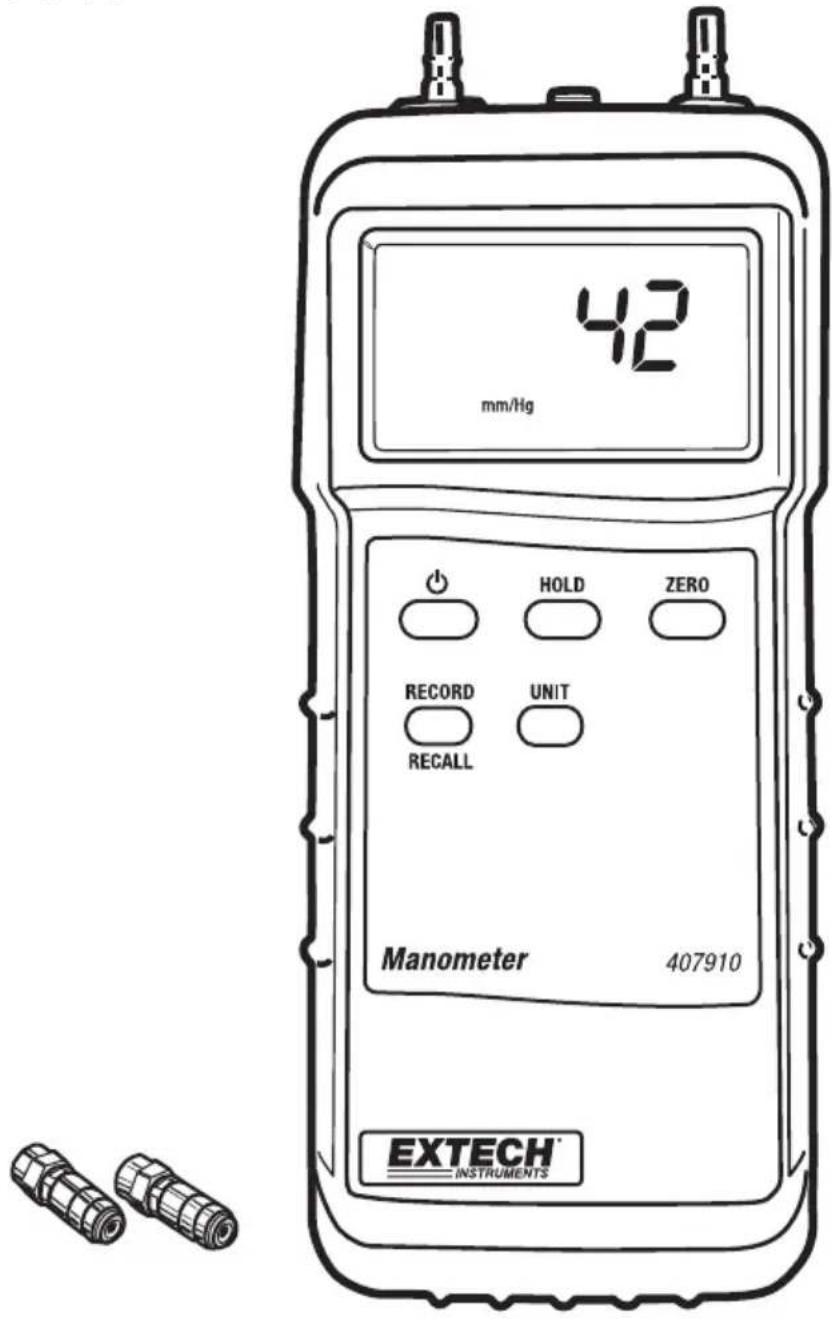
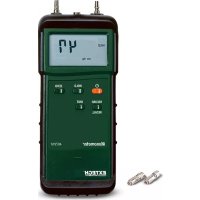
Congratulations on your purchase of the Extech Manometer Model 407910. This device has a differential input with convenient quick-disconnect fittings. Eight units of measure are selectable by front panel pushbutton. Advanced features include Data hold, MAX/MIN record/recall, and RS-232 PC interface. Properly used, this device will provide years of reliable service.
Specifications
General Specifications
| Circuit Custom one-chip | LSI microprocessor circuit |
| Display 0.6" (15mm) 600 | 0 count LCD with function indicators |
| Units of Measure mBAR | psi, kg/cm ^2 , mm Hg, inches Hg, meter H_2O , inches H_2O and Atmospheres |
| Input circuit Differential inputs (P1 and P2) | |
| Data Hold Freezes displayed reading | |
| Sensor Built-in piezoelectric sensors | |
| Zero Adjust Front panel push-button | |
| Sample rate 0.8 sec. (approx.) | |
| Compatibility Air or non-corrosive and non-ionized gas | |
| Auto Power OFF Meter turns off after approx. 10 minutes to conserve energy | |
| Data Output RS-232 PC serial interface | |
| Ambient conditions 32 to 122 °F (0 to 50°C); < 80% RH | |
| Battery power 9V alkaline battery | |
| Power Consumption 8mA DC (approx.) | |
| Dimensions 7.1 x 2.8 x1.3" (180 x 72 x 32 mm) | |
| Weight 0.46 lbs (210 g) meter only | |
| Accessories | Quick-disconnect fittings (2), rubber jacket, and 9V battery |
Range Specifications
| Range/Units (Max.) | Resolution | Accuracy |
| ± 2000 mbar | 1 | ± 2% full scale @ 23±5°CNote: Accuracy includes linearity, hysteresis and repeatability effects |
| ± 29 psi | 0.01 | |
| ± 2.040 Kg/cm2 | 0.001 | |
| ± 1500 mm Hg | 1 | |
| ± 59.06 inches Hg | 0.02 | |
| ± 20.40 meters H2O | 0.01 | |
| ± 802 inches H2O | 0.5 | |
| ± 1.974 atmospheres | 0.001 |
Meter Description
-
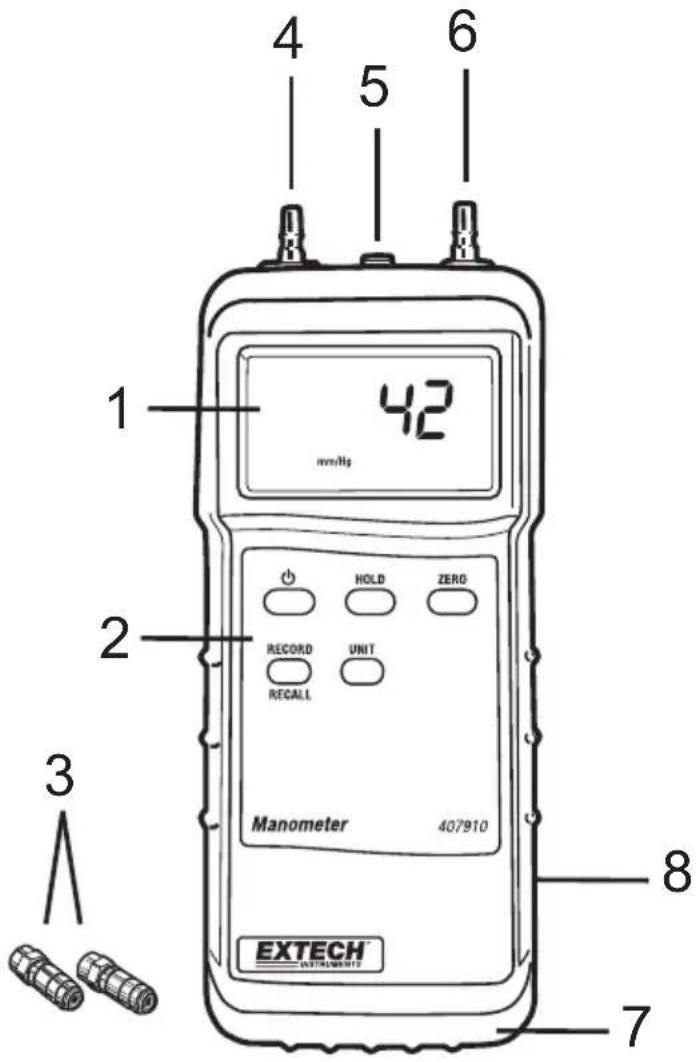
LCD Display – Indicates the measurement data, unit of measure, and user alert symbols as described in this manual
-
Push-buttons:
-
POWER – Press to turn the meter ON or OFF
- HOLD – Press to freeze the displayed reading
- ZERO – Press to null the display (with fittings disconnected)
- RECORD/RECALL – Press to access the MIN/MAX recording mode as described later in this manual
-
UNIT – Press to select the unit of measure
-
0.16" (4mm) Quick-disconnect fittings (supplied)
- P1 Input -0.16" (4mm) accepts quick disconnect connector
- RS-232 PC interface jack (3.5mm) – For use with data acquisition software/hardware interface kit model 407001
- P2 input - 0.16" (4mm) accepts quick disconnect connector
- Rubber protective holster (removable)
- Battery compartment (on rear) – Remove rubber jacket to access compartment
Meter Power
This device uses a 9V battery for power. If the meter does not switch on when the POWER button is pressed or if the display shows LBT, replace the battery (refer to the Battery Replacement section later in this manual).
In order to conserve battery life, the meter has an automatic power off feature (after 10 minutes). To defeat this feature, access the RECORD mode by pressing the RECORD/RECALL button. In the RECORD mode, the meter will remain on until the user turns it off or until the battery weakens.
Unit of measure
Press the UNIT button to select the unit of measure. This meter offers eight (8) units of measure as listed below, in the specifications chart earlier in this manual, and on the face-plate of the meter.
| Units | Displayed Symbol |
| MBAR "m" at bottom of the LCD and "Bar" at the top | |
| Kg/cm2 | Kg^2 /cm |
| mm of Hg mm /Hg | |
| m H_2O | m _2O H |
| Atmospheres | ATP |
| PSI | PSI |
| Inches of Hg in/Hg | |
| Inches of H_2O | inch _2 ΘI |
Zero Adjust and Offset function
Before use and without fittings attached to the meter, press the ZERO button to calibrate the meter's circuitry. The display should then indicate zero.
If it is desired to offset the meter's display, press the ZERO button while taking a measurement. Subsequent readings will be the difference between the current measurement and the measurement that was on the display when the ZERO button was pressed.
Fittings Connection
Connect tubing to the quick-disconnect fittings and then snap the supplied quick-disconnect fitting(s) to the P1, P2 (or both) input port(s). If both inputs are used (differential mode), the meter displays a positive pressure reading if the P1 pressure is greater than P2 and a negative reading if P2 is greater than P1.
MIN/MAX Record/Recall Mode
The Record/Recall function tracks the maximum and minimum readings for recall at any time.
- Press the RECORD/RECALL button once. The REC indicator will appear on the display.
- Press the RECORD/RECALL button again to view the highest (MAX) reading taken since the RECORD/RECALL button was first pressed. The MAX indicator and maximum reading will appear on the display.
- Press the RECORD/RECALL button again, the MIN indicator and the minimum value will appear on the display.
- To return to normal operation, press and hold the RECORD/RECALL button until the display indicators REC, MAX, and MIN disappear.
RS-232 PC Interface
The meter has a built-in RS-232 serial port. For streaming of data to a PC via the RS232 Output jack, the optional 407001-USB kit (RS232 to USB cable and driver CD) along with the 407001 software (available free at www.extech.com) are required.
When the low battery indicator LBT appears on the display or if the meter does not switch on when the POWER button is pressed, it is necessary to replace the battery.
To replace the battery:
- Remove the meter's rubber protective jacket by stretching it over the bottom of the meter.
- Pry open the battery compartment located on the back of the meter using a small coin or screwdriver.
- Replace the 9V alkaline battery
- Replace the battery compartment cover and the protective jacket.
Useful Conversions
| Useful conversion Factors | ||
| From | To | Multiplier |
| In of H_2O In of | Hg 0.07355 | |
| In of H_2O Cm of Hg | 2.54 | |
| mm of Hg In of | H_2O | 0.03937 |
Warranty
FLIR Systems, Inc. warrants this Extech Instruments brand device to be free of defects in parts and workmanship for one year from date of shipment (a six month limited warranty applies to sensors and cables). If it should become necessary to return the instrument for service during or beyond the warranty period, contact the Customer Service Department for authorization. Visit the website www.extech.com for contact information. A Return Authorization (RA) number must be issued before any product is returned. The sender is responsible for shipping charges, freight, insurance and proper packaging to prevent damage in transit. This warranty does not apply to defects resulting from action of the user such as misuse, improper wiring, operation outside of specification, improper maintenance or repair, or unauthorized modification. FLIR Systems, Inc. specifically disclaims any implied warranties or merchantability or fitness for a specific purpose and will not be liable for any direct, indirect, incidental or consequential damages. FLIR's total liability is limited to repair or replacement of the product. The warranty set forth above is inclusive and no other warranty, whether written or oral, is expressed or implied.
Calibration, Repair, and Customer Care Services
FLIR Systems, Inc. offers repair and calibration services for the Extech Instruments products we sell. NIST certification for most products is also provided. Call the Customer Service Department for information on calibration services available for this product. Annual calibrations should be performed to verify meter performance and accuracy. Technical support and general customer service is also provided, refer to the contact information provided below.
Support Lines: U.S. (877) 439-8324; International: +1 (603) 324-7800
Technical Support: Option 3; E-mail: support@extech.com
Repair & Returns: Option 4; E-mail: repair@extech.com
Product specifications are subject to change without notice
Please visit our website for the most up-to-date information
www.extech.com
FLIR Commercial Systems, Inc., 9 Townsend West, Nashua, NH 03063 USA
ISO 9001 Certified
Copyright © 2014 FLIR Systems, Inc.
All rights reserved including the right of reproduction in whole or in part in any form
www.extech.com
Garantie
Copyright © 2014 FLIR Systems, Inc.
Copyright © 2014 FLIR Systems, Inc.