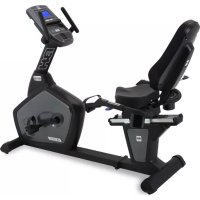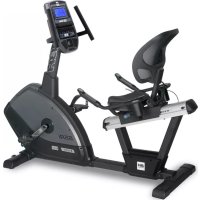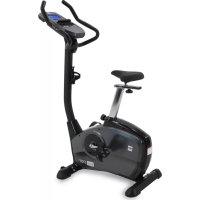
S1UiB - Bike BH FITNESS - Free user manual and instructions
Find the device manual for free S1UiB BH FITNESS in PDF.


User questions about S1UiB BH FITNESS
0 question about this device. Answer the ones you know or ask your own.
Ask a new question about this device
Download the instructions for your Bike in PDF format for free! Find your manual S1UiB - BH FITNESS and take your electronic device back in hand. On this page are published all the documents necessary for the use of your device. S1UiB by BH FITNESS.
USER MANUAL S1UiB BH FITNESS
natural_image
Line drawing of a stationary exercise bike with visible legs, arms, and control panel (no text or symbols)OWNER'S MANUAL
Important: Read all instructions carefully before using this product. Retain this owner's manual for future reference.
FOR SERVICE PLEASE CONTACT BH FITNESS
TOLL FREE: 866-325-2339
BH Fitness | 20155 Ellipse, Foothill Ranch, California 92610 | p.949.206.0330 | f.949.206.0013 | www.BHfitnessusa.com
BH
TABLE OF CONTENTS
| Title | Page | ||
| Introduction | 03 | ||
| Safety Information | 04 | ||
| Exercise Instruction | 05 | ||
| Training Guidelines | 06 | ||
| Suggested Stretches | 10 | ||
| Assembly Instructions | 12 | ||
| Exploded View Drawing | 19 | ||
| Parts List | 20 | ||
| Console Operations | 21 | ||
| Maintenance and Cleaning | 31 | ||
| Warranty | 32 | ||
CONGRATULATIONS
Congratulations on your purchase of BH Fitness equipment. We hope you appreciate the style, quality, and value that exercisers around the world have come to expect from BH Fitness.
If you have any questions, concerns or product issues please call our Customer Service Team at 1-866-325-2339 or email us at CustomerSupport@BHINorthAmerica.com.
Carefully read through the instructions contained in this manual. They provide you with important information about assembly, safety, fitness and use of the machine. Please read ALL the safety information contained on the following page.
BH



SAFETY INFORMATION
PRECAUTIONS
This equipment has been designed and constructed to provide maximum safety. Nevertheless, certain precautions should be taken when using exercise equipment. Read the whole manual before assembling and using the machine. Please observe the following safety precautions:
- Keep children and pets away from this equipment at all times. DO NOT leave them unsupervised in the mom where the machine is kept.
- If you experience dizziness, nausea, chest pains or any other symptom while using this machine STOP exercising and SEEK IMMEDIATE MEDICAL ATTENTION!
- Use the machine on a level and solid surface. Adjust the feet for stability.
- Keep your hands away from any of the joins and moving parts.
- Wear clothing suitable for doing exercise. Do not wear baggy clothing that might get caught in the machine. Always wear athletic shoes when using the machine and tie the laces securely.
- This machine must only be used for the purposes described in this manual. DO NOT use accessories that are not recommended by BH Fitness. Real manual prior to use and follow all warnings and instructions.
- Do not place sharp objects near the machine.
- Any person with physical or coordination limitations should not use the machine without the assistance of a qualified person or doctor. Mause of this machine may result in serious injury.
- Do warm-up stretching exercises before using the equipment.
- Do not use the machine if it is not working correctly.
- Before using the machine, thoroughly inspect the equipment for proper assembly.
- Keep a perimeter of 3 feet (1 meter) around the machine before operating the equipment.
- Use only authorized and trained technicians if a repair is needed.
- Please follow the advice for correct training, as detailed in the Training Guidelines.
- Use only the tools provided to assemble this machine.
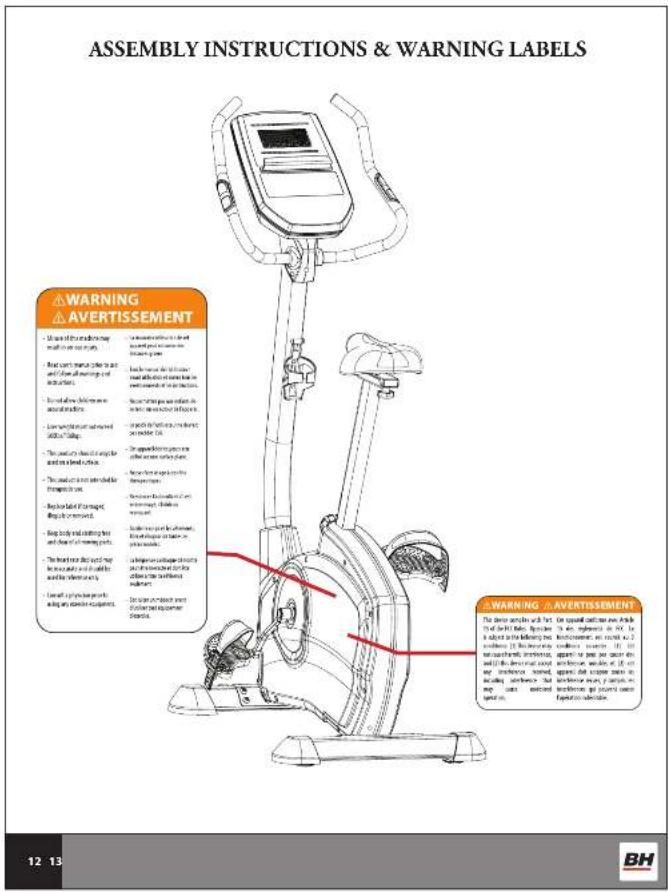
- Replace warning labels if damaged, illegible or removed.
- This machine was designed for a maximum user weight of 300 lbs (136 kg)
- The machine can only be used by one person at a time.
Caution: Consult your doctor before beginning to use the machine or any exercise program. Read all of the instructions before using any exercise equipment.
KEEP THESE INSTRUCTIONS SAFE FOR FUTURE USE.
45
BH
EXERCISE INSTRUCTION
Use of the machine offers various benefits; it can improve fitness, muscle tone and when used in conjunction with a calorie controlled diet, it can help you lose weight.
- Consult your doctor before starting any exercise program. It is advisable to undergo a complete physical examination.
- Work at the recommended exercise level. Do not over exert yourself.
- If you feel any pain or discomfort, stop exercising immediately and consult your doctor.
- Wear appropriate clothing and footwear for the exercise; do not wear loose clothing; do not wear leather soled shoes or footwear with high heels.
- It is advised that you do warm-up stretches before working out.
- Get on the equipment slowly and securely.
- Select the program or workout option that is most closely aligned with your workout interests.
- Start slowly and work your way up to a comfortable pace.
- Be sure to cool down after your workout.
BH



TRAINING GUIDELINES
Exercise is one of the most important factors in the overall health of an individual. Listed among its benefits are:
- Increased capacity for physical work (strength endurance)
- Increased cardiovascular (heart and arteries/veins) and respiratory efficiency
• Decreased risk of coronary heart disease
• Changes in body metabolism, e.g. losing weight
• Delaying the physiological effects of age - Reduction in stress, increase in self-confidence, etc.
There are several components of physical fitness and each is defined below.
STRENGTH
The capacity of a muscle to exert a force against resistance. Strength contributes to power and speed.
MUSCULAR ENDURANCE
The capacity to exert a force repeatedly over a period of time, e.g. it is the muscular endurance of your legs to carry you 10 km without stopping.
FLEXIBILITY
The range of motion of your joints. Improving flexibility involves the stretching of muscles and tendons to maintain or increase suppleness, and it provides increased resistance to muscle injury or soreness.
CARDIO-RESPIRATORY ENDURANCE
The most essential component of physical fitness, is the efficient functioning of the heart and lungs.
AEROBIC FITNESS
Is an exercise of relatively low intensity and long duration, which depends primarily on the aerobic energy system. Aerobic means "with oxygen", and refers to the use of oxygen in the body's metabolic or energy-generating process. Many types of exercise are aerobic, and by definition are performed at moderate levels of intensity for extended periods of time.
ANAEROBIC TRAINING
Is an exercise intense enough to trigger anaerobic metabolism. This means "without oxygen" and is the output of energy when the oxygen supply is insufficient to meet the body's long term energy demands. (For example, a 100 meter sprint.)
67
BH
OXYGEN UPTAKE
The effort that you can exert over a prolonged period of time is limited by your ability to deliver oxygen to the working muscles. Regular vigorous exercise produces a training effect that can increase your aerobic capacity by as much as 20 to 30% . An increased VO2 Max indicates an increased ability of the heart to pump blood, of the lungs to ventilate oxygen, and of the muscles to take up oxygen.
THE TRAINING THRESHOLD
This is the minimum level of exercise which is required to produce significant improvements in any physical fitness parameter.
OVERLOAD
This is where you exercise above your comfort level. The intensity, duration and frequency of exercise should be above the training threshold and should be gradually increased as the body adapts to the increasing demands. As your fitness level improves, the training threshold should rise. Working through your program and gradually increasing the overload factor is important.
PROGRESSION
As you become more fit, a higher intensity of exercise is required to create an overload and therefore provide continued improvement.
SPECIFICS
Different forms of exercise produce different results. The type of exercise that is carried out is specific to the muscle groups being used and to the energy source involved. There is little transfer of the effects of exercise, i.e. from strength training to cardiovascular fitness. That is why it is important to have an exercise program tailored in your specific needs.
REVERSIBILITY
If you stop exercising or do not do your program often enough, you will lose the benefits you have gained. Regular workouts are the key to success.
WARM-UP
Every exercise program should start with a warm-up where the body is prepared for the effort to come. It should be generic and preferably use the muscles group to be involved later. Stretching should be included in both your warm-up and cool down, and should be performed after 3-5 minutes of low intensity aerobic activity or calisthenic type exercise.
This involves a gradual decrease in the intensity of the exercise session. Following exercise, a large supply of blood remains in the working muscles. If it is not returned promptly to the central circulation, pooling of blood may occur in the muscles.
BH



HEART RATE
As you exercise, your heart beat increases. This is often used as a measure of the required intensity of an exercise. You need to exercise hard enough to condition your circulatory system, and increase your pulse rate, but not enough to strain your heart.
Your initial level of fitness is important when developing an exercise program for you. When starting, you can get a good training effect with a heart rate of 110-120 beats per minute (BPM). If you are more fit, you will need a higher threshold of stimulation.
To begin with, you should exercise at a level that elevates your heart rate to about 65 to 70% of your maximum. If you find this is too easy, you may want to increase it, but it is better to lean on the conservative side.
As a rule of thumb, the maximum heart rate is 220 minus your age. As you increase in age, your heart, like other muscles, loses some of its efficiency. Some of its natural loss is won back as fitness improves. The following table is a guide to those who are "starting fitness."
| Age | Target | Heart | Rate | 25 | 30 | 35 | 40 | 45 | 50 | 55 | 60 |
| 10 | Second | Count | 23 | 22 | 22 | 21 | 20 | 19 | 19 | 18 | 18 |
| Beats per Minute | 138 | 132 132 126 | 120 | 114 | 114 108 | 108 | |||||
PULSE COUNT
The pulse count (on your wrist or carotid artery in the neck, taken with two index fingers) is done for ten seconds, taken a few seconds after you stop exercising. This is for two reasons: (a) 10 seconds is long enough for accuracy, (b) the pulse count is to approximate your BPM rate at the time you are exercising. Since heart rate slows as you recover, a longer count isn't as accurate.
The target is not a magic number, but a general guide. If you're above average with your fitness, you may work comfortably a little above that suggested for your age group. The following table is a guide.
| Age | Target | Heart | Rate | 25 | 30 | 35 | 40 | 45 | 50 | 55 | ||
| 10 | Second | Count | 26 | 26 | 25 | 24 | 23 | 22 | 22 | 21 | 20 | |
| Beats | per | Minute | 156 | 156 | 150 | 144 | 138 | 132 | 132 | 126 | 120 | |
Don't push yourself too hard to reach the figures on this table. It can be very uncomfortable if you over exercise. Let it happen naturally as you work through your program. Remember, the target is a guide, not a rule, a little above or below is just fine.
Two final comments: (1) don't be concerned with day to day variations in your pulse rate, being under pressure or not enough sleep can affect it; (2) your pulse rate is a guide, don't become a slave to it.
65
65
89
BH
MUSCLE SORENESS
For the first week or so, muscle soreness may be the only indication you have that you are on an exercise program. This, of course, does depend on your overall fitness level. A confirmation that you are on the correct program is a very slight soreness in most major muscle groups. This is quite normal and will disappear in a matter of days.
If you experience major discomfort, you may be on a program that is too advanced, or you have increased your program too rapidly.
If you experience PAIN during or after exercise, your body is telling you something. Stop exercising and consult your doctor.
WHAT TO WEAR
Wear clothing that will not restrict your movement in any way while exercising. Clothes should be light enough to allow the body to cool. Excessive clothing that causes you to perspire more than you normally would give you no advantage. The extra weight you lose is body fluid and will be replaced with the next glass of water you drink. Always wear a pair of athletic shoes.
BREATHING DURING EXERCISE
Do not hold your breath while exercising. Breache normally as much as possible. Remember, breathing involves the intake and distribution of oxygen, which feeds the working muscles.
REST PERIODS
Once you start your exercise program, you should continue through to the end. Do not break off halfway through and then restart at the same place later on without going through the warm-up stage again. The rest period required between exercises may vary from person to person.
BH



SUGGESTED STRETCHES
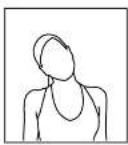
Head Rolls
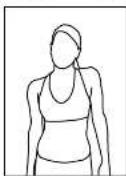
Rotate your head to the right for one count while feeling the stretch up the left side of your neck. Next, rotate your head back for one count, stretching your chin to the ceiling. Rotate your head to the left for one count, and finally, drop your head to your chest for one count.
Shoulder Lifts
Lift your left shoulder up toward your ear for one count. Then lift your right shoulder up for one count as you lower your left shoulder.
Side Stretches
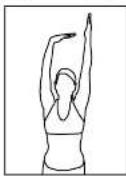
Open your arms to the side and continue lifting them until they are over your head. Reach your left arm as far upward as you can for one count. Feel the stretch up your left side. Repeat this action with your right arm.
Quadriceps Stretch
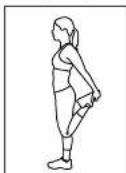
With one hand against a wall for balance, reach behind you and pull your left foot up. Bring your heel as close to your burtocks as possible. Hold for 15 counts and repeat with right foot up.
10 11
BH
SUGGESTED STRETCHES
Inner Thigh Stretch
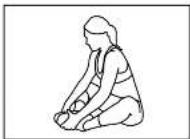
Sit with the soles of your feet together with your knees pointing outward. Pull your feet as close into your groin as possible. Gently push your knees towards the floor. Hold for 15 counts.
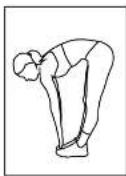
Toe Touches
Slowly bend forward from your waist, letting your back and shoulders relax as you stretch toward your toes. Reach down as far as you can and hold for 15 counts.
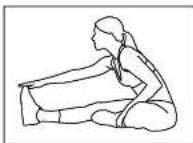
Hamstring Stretches
Sit with your right leg extended. Rest the soles of your left foot against your right inner thigh. Stretch toward your toes as far as possible. Hold for 15 counts. Relax and then repeat with left leg extended.
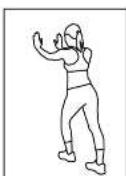
CalflAchilles Stretches
Lean against a wall with your right leg in front of the left and your arms forward. Keep your left leg straight and the right foot on the floor; then bend the right leg and lean forward by moving your hip toward the wall. Hold, then repeat on the other side for 15 counts.




text_image
ASSEMBLY INSTRUCTIONS & WARNING LABELS WARNING AVERTISSEMENT ■ Use the following: must use the next track to the next track to the next track to the next track to the next track to the next track to the next track to the next track to the next track to the next track to the next track to the next track to the next track to the next track to the next track to the next track to the next track to the next 12 13 Warning AVERTISSEMENT ■ Use the following: must use the next track to the next track to the next track to the next track to the next track to the next track to the next track to the next track to the next track to the next track to the next track to the next track to the next track to the next track-to-stand-in (see Section 10.1) ■ Use the following: must use the next track to the next track to the next track to the next track to the next track to the next track to the next track to the next track to the next track to the next track to the next track to the next track to the next track to the next track to the next track to be used in this section. ■ Use the following: must use the next track to the next track to the next track to the next track to the next track to the next track to the next track to the next track to the next track to the next track to the next track to the next move on or off, but not on or off, but not on or off, but not on or off, but not on or off, but not on or off, but not on or off, but not on or off, but not on or off, but not on or off, but not on or off, but not on or off, but not on or off, but not on or off, but not on or off, but not on or off, but not on or off, but not on or off, ■ Use the following: must use the next track to the next track to the next track to the next track to the next track to the next track to the next track to the next track to the next move on or off, but not on or off, but not on or off, but not on or off, but not on or off, but not on or off, but not on or off, but not on or off,but not on or off, but not on or off, but not on or off, but not on or off, but not on or off, but not on or off, but not on or off, but not on or off, but not on or off, but not on or off, but not on or off, but not on or off, but not on or off, but not on or off, but not on or off, but not on or off, but not on or Off, ■ Use the following: must use the next track to the next track to the next track to the next track to the next track to the next track to the next move on or off, but not on or off, but not on or off, but not on or off, but not on or off, but not on or off, but not on or off, but not on or off, but not on or off, but not on or off,but not on or off, but not on or off, but not on or off, but not on or off,but not on or off, but not on or off, but not on or off,but not on or off, but not on or off,but not on or off, but not on or off,but not on or off, but not on or off,but not on or off,but not on or off,but not on or off,but not on or off,but not on or off,but not on or off,but not on or off,but not on or off,but not on or off,but not on or off,but not on or off,but not on or off,but not on or off,but not on or off,but not on or off,but not on or off,but not on or off,but not on or off,but not on or off,but not on or off,but not on or off,but not on or off,but not on or off,but not on or off,but not on or off,but not on or off,but not on or off,but not on or off,but not on or off,but not on or off,but not on or off,but not on or off,but not on or off,but not on or off,but not on or off,but not on or off,but not on or off,but not on or off,but not on or off,but not on or off,but not on or off,but not on or off,but not on or Off, ■ Use the following: must use the next track to the next track to the next track to the next track to the next move on or off,but not on or off,but not in some of these sections. ■ Use the following: must use the next track to the next move at an end of these sections. ■ Use the following: must use the second move at an end of these sections. ■ Use the following: must use the second move at an end of these sections. ■ Use the following: must use the second move at an end of these sections. ■ Use the following: must use the second move at an end of these sections. ■ Use the following: must use the second move at an end of these sections. ■ Use the following: WARNING AVERTISSEMENT The device works in and then it is a key component. It is a key component in all cases. In addition to identifying one component (2) this component is used in all cases. In addition to using a device for each component. The device is used in all cases. In addition to using a device for each component. The device is used in all cases. In addition to using a device for each component. The device is used in all cases. In addition to using a device for each component. The device is used in all cases. In addition to using a device for each component. The device is used in all cases. In addition to using a device for each component. The device is used in all cases. In addition tousing a device for each component. The device is used in all cases. In addition to using a device for each component. The device is used in all cases. In addition to using a device for each component. The device is used in all cases. In addition to using a device for each component. The device is used in all cases. In addition to using a device for each component. The device is used in all cases. In addition to using a device for each component. The device isused in all cases. In addition to using a device for each component. The device isused in all cases. In addition to using a device for each component. The device isused in all cases. In addition to using a device for each component. The device isused in all cases. In addition to using a device for each component. The device isused in all cases. In addition to using a device for each component. The device isused in all cases. In addition to using a devices that are used in any case instead of using a device without any case instead of using a device without any case instead of using a device without any case instead of using a device without any case instead of using a device without any case instead of using a device without any case instead of using a device without any case instead of using a device without any case instead of using a device without any case instead of using a device without any case instead of using a device without any case instead of using a device without any case instead of using a device without any case insteadof using a device without any case instead of using a device without any case instead of using a device without any case instead of using a device without any case instead of using a device without any case instead of using a device without any case instead of using a device without any case instead of using a device without any case instead of using a device without any case instead of using a device without any case instead of using a device without any case instead of using a device without any case instead of using a devicewithout any case instead of using a device without any case instead of using a device without any case instead of using a device without any case instead of using a device without any case instead of using a device without any case instead of using a device without any case instead of using a device without any case instead of using a device without any case instead of using a device without any case instead of using a device without any case instead of using a device without any case instead of using a device without any case instead-of using a device without any case instead of using a device without any case instead of using a device without any case instead of using a device without any case instead of using a device without any case instead of using a device without any case instead of using a device without any case instead of using a device without any case instead of using a device without any case instead of using a device without any case instead of using a device without any case instead of using a device without any case instead of using a device Without any condition. ■ Use the following: ■ Use the following: ■ Use the following: ■ Use the following: ■ Use the following: ■ Use the following: ■ Use the following: ■ Use the following: ■ Use the following: ■ Use the following: ■ Use the following: ■ Use the following: ■ Use the following: ■ Use the following: ■ Use the following: ■ Use the following: ■ Use the following: ■ Use the following: ■ Use the following: ■ Use the following: ■ Use the following: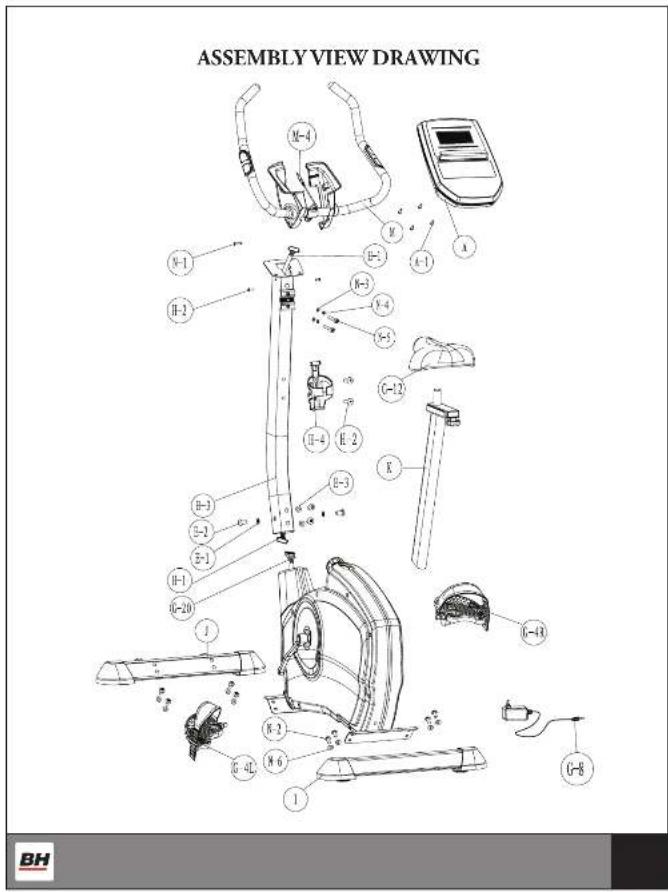
text_image
ASSEMBLY VIEW DRAWING M-4 N-1 H-2 H-3 H-4 H-5 G-12 H-4 E-2 K H-3 H-1 O-20 J K-2 H-4L N-6 G-8 1 BHSTEP 1
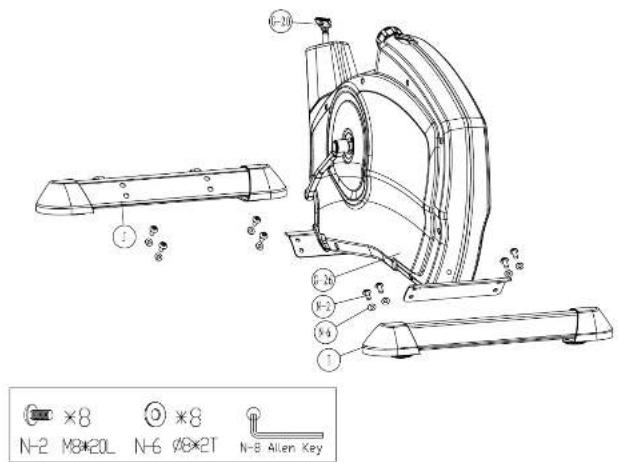
Attach the Front Stabilizer (J) to the Main Frame (G-26) using two Bolts (N-2) and Flat Washers (N-6). Attach the Rear Stabilizer (I) to the Main Frame (G-26) using two Bolts (N-2) and Flat Washers (N-6). Tighten the bolts with the Allen Key (N-8).
text_image
N-2 M8×20L N-6 Ø8×2T N-8 Allen Key14 15
BH
Stark Mass Kingdick 1415-179206 71025-45

STEP 2
-
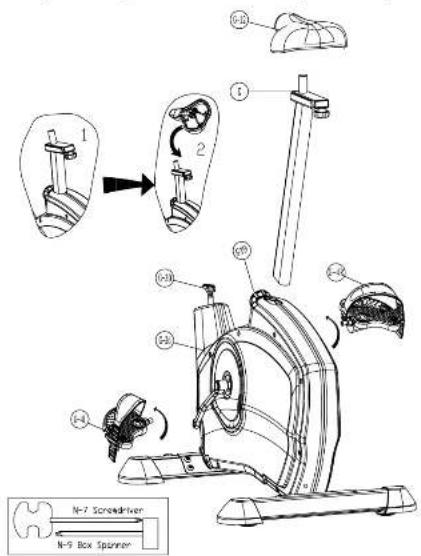
Install the Right Pedal (G-4R) onto the right crank by turning clockwise. Install the Left Pedal (G-4L) onto the left crank by turning counter-clockwise. Use N-10 Screw Driver provided to tighten pedals securely.
-
Make sure Knob (G19) is loosened, then pull the knob out and insert Seat Post (K) into the Main Frame (G-26). Choose the desired position and released the knob, adjust up or down until you hear a "click", then tighten the knob to secure the position.
-
Slide the Seat (G-12) onto the Seat slider (L). The seat can be adjusted to different angles. Tighten the two Nuts under the Seat using the box spanner (N-12). In addition, the Slider can be adjusted horizontally by loosening the knob below the Seat Slider and slide the Seat Slider to the desired position. Tighten the knob after setting the desired position.
text_image
N-7 Screwdriver N-9 Box SpannerBH



STEP 3
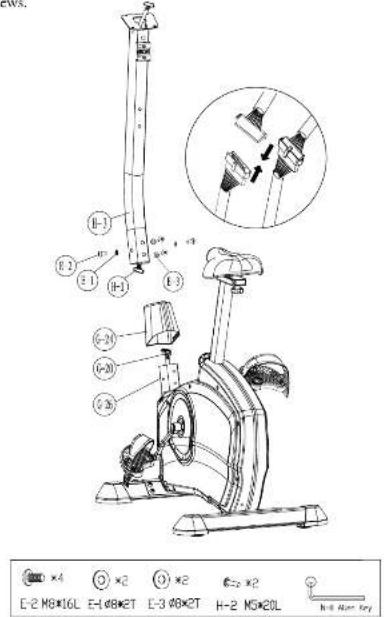
- Remove the Bolts (E-2) and Flat Washers (E-1) from the Main Frame (G-26)
- Take the Handlebar Post Cover (G-24) and slide it onto Handlebar Post (H)
- Hold the Handlebar post (H-3) and connect the Lower computer cable (G-20) to the Upper Computer Cable (H-1)
- Slide the Handlebar Post (H-3) into the Main frame (G-26) - align the holes then insert Bolts (F-2), Flat Washers (F-1) and Curved Washers (F-3). Tighten the screws to secure the Handlebar Post (H-3) with Allen key (N-11). Slide the Handlebar Post Cover (G-24) down to cover the screws.
text_image
E-2 M6×10L E-1 φ8×2T E-3 φ8×2T H-2 M5×20L E-4 ×2 ×2 ×2 ×2 H-4 ×2 E-2 M6×10L E-1 φ8×2T E-3 φ8×2T H-2 M5×20L H-4 Max Key16 17
BH
STEP 4
- Attach the Handlebar (M) to the Handlebar Post (H-3) using the Main Clamp (N-2). Attach firmly with two Flat Washers (N-3), two Spring Washers (N-4) and two Allen Bolts (N-5).
- Pass the 11and-Pulse Wire (M-4) through the hole in the 11handlebar Post (II-3) - See Figure 1 & 2.
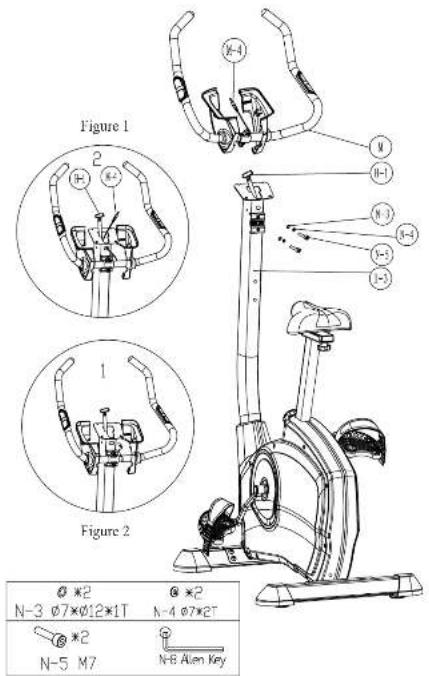
text_image
Figure 1 2 N-4 N N-3 N-2 N-1 N-0 Figure 2 1 N-3 N-2 N-1 N-0 N-0 N-0 N-0 N-0 N-0 N-0 N-0 N-0 N-0 N-0 N-0 N-0 N-0 N-0 N-0 N-0 N-0 N-0 N-0 N-0 N-0 N-0 N-0 N-0 N-3 Ø7×Ø12×1T Ø7×Ø7×2T Ø7×Ø7×2T N-5 M7 N-6 Alon KeyBH



STEP 5
- Connect the Computer Cables (H-1) and hand pulse wire (M-4) to computer (A). Then attach the Computer (A) to the Computer bracket with the enclosed Screws (A-1).
- Remove the pre-installed Screws (H-2) on the handlebar post and set aside.
- Pass the R/L Cover (M-6 & M-7) through the 1Handlebar (M).
- Attach the Right and Left cover (M-6 & M-7) using Screws (H-2) and Screws (H-1).
- Take the pre-installed Screws (H-2) from the handlebar post, and then assemble the Bottle cage (H-4) and mount with Screws (H-2).
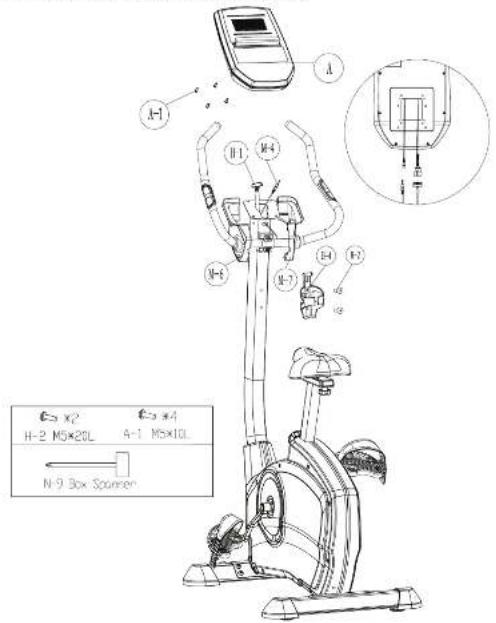
text_image
A H M4 M7 M-1 E E E E E E E E E E E E E E E E E E E E E E E E E E E E E E E E E E E E E E E E E E E E E E E E E E C3 X2 E4 H-2 M5×20L A-1 M5×10L N-9 Box Spinner

EXPLODED VIEW DRAWING
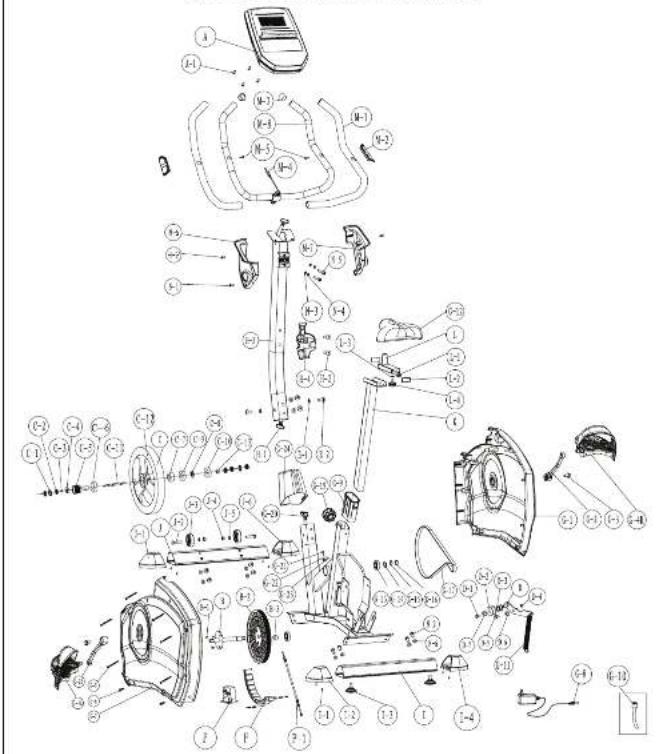
text_image
Exploded view diagram of a stationary exercise machine with labeled components and parts



PARTS LIST
To order replacement parts: provide your customer service representative with the product model number and the part number located on the Parts List below, along with the quantity you require.
| Parts No. Description Qty | |
| S-UB-C-Compler for test screw 1 | |
| S-UB-C-1. See no flange romnader 4 | |
| S-UB-C-Small | |
| S-UB-E-1. See MIPOL2x1013_ | |
| S-UB-E-2. See Fig. 1 | |
| S-UB-E-3. See Fig. 2 | |
| S-UB-E-4. Hydraulic assembly vol 1 | |
| S-UB-C-1. See washer | |
| S-UB-C-2. See 1 | |
| S-UB-C-3. See Fig. 2 | |
| S-UB-C-4. See RICERS | |
| S-UB-C-5. See Poly | |
| S-UB-C-6. See PolyRIS | |
| S-UB-C-7. See Dye mulling | |
| S-UB-C-8. See washer | |
| S-UB-C-9. See PolyRIS | |
| S-UB-C-10. See Bearing S2005C | |
| S-UB-C-11. See Airflow /hydroid | |
| S-UB-C-12. See Pitch | |
| S-UB-C-13. See Bending | |
| S-UB-C-14. See wheel assembly box | |
| S-UB-C-15. See Roll | |
| S-UB-C-16. See wheel | |
| S-UB-C-17. See waneer q.g.10.5ppm.10.7c | |
| S-UB-C-18. See Pin.10.8 | |
| S-UB-C-19. See Pin.10.9 | |
| S-UB-C-20. See washer | |
| S-UB-C-21. See washer | |
| S-UB-C-22. See Pitch of gpt.11.1 for head/door post | |
| S-UB-C-23. See Pitch of gpt.11.2 for head/door post | |
| S-UB-C-24. See washer, q.gp.10x21 | |
| S-UB-C-25. See Washer assembly | |
| S-UB-C-26. See chain cover | |
| S-UB-C-27. See Ctrl.10 | |
| S-UB-C-28. See Pitch, Qgpt.10x21 | |
| S-UB-C-29. See Pitch assembly | |
| S-UB-C-30. See Pitch, Qgpt.10x21 | |
| S-UB-C-31. See Pitch, Qgpt.10x21 | |
| S-UB-C-32. See Pitch, Qgpt.10x21 | |
| S-UB-C-33. See Pitch, Qgpt.10x21 | |
| S-UB-C-34. See Pitch, Qgpt.10x21 | |
| S-UB-C-35. See Pitch, Qgpt.10x21 | |
| S-UB-C-36. See Pitch, Qgpt.10x21 | |
| S-UB-C-37. See Pitch, Qgpt.10x21 | |
| S-UB-C-38. See Pitch, Qgpt.10x21 | |
| S-UB-C-39. See Pitch, Qgpt.10x21 | |
| S-UB-C-40. See Pitch, Qgpt.10x21 | |
| S-UB-C-41. See Pitch, Qgpt.10x21 | |
| S-UB-C-42. See Pitch, Qgpt.10x21 | |
| S-UB-C-43. See Pitch, Qgpt.10x21 | |
| S-UB-C-44. See Pitch, Qgpt.10x21 | |
| S-UB-C-45. See Pitch, Qgpt.10x21 | |
| S-UB-C-46. See Pitch, Qgpt.10x21 | |
| S-UB-C-47. See Pitch, Qgpt.10x21 | |
| S-UB-C-48. See Pitch, Qgpt.10x21 | |
| S-UB-C-49. See Pitch, Qgpt.10x21 | |
| S-UB-C-50. See Pitch, Qgpt.10x21 | |
| S-UB-C-51. See Pitch, Qgpt.10x21 | |
| S-UB-C-52. See Pitch, Qgpt.10x21 | |
| S-UB-C-53. See Pitch, Qgpt.10x21 | |
| S-UB-C-54. See Pitch, Qgpt.10x21 | |
| S-UB-C-55. See Pitch, Qgpt.10x21 | |
| S-UB-C-56. See Pitch, Qgpt.10x21 | |
| S-UB-C-57. See Pitch, Qgpt.10x21 | |
| S-UB-C-58. See Pitch, Qgpt.10x21 | |
| S-UB-C-59. See Pitch, Qgpt.10x21 | |
| S-UB-C-60. See Pitch, Qgpt.10x21 | |
| S-UB-C-61. See Pitch, Qgpt.10x21 | |
| S-UB-C-62. See Pitch, Qgpt.10x21 | |
| S-UB-C-63. See Pitch, Qgpt.10x21 | |
| S-UB-C-64. See Pitch, Qgpt.10x21 | |
| S-UB-C-65. See Pitch, Qgpt.10x21 | |
| S-UB-C-66. See Pitch, Qgpt.10x21 | |
| S-UB-C-67. See Pitch, Qgpt.10x21 |
| Parts No. | Description Qty |
| SUB-F-1 | Upper tube |
| SUB-F-2 | Screw MioA |
| SUB-F-3 | Hand-caps pad |
| SUB-F-4 | stroke cap |
| SUB-F-1 | ear stabilizer |
| SUB-F-1 | Screw Blift |
| SUB-F-2 | ear lock (for rear stabilizer) |
| SUB-F-3 | Adjusting nails for stabilizer |
| SUB-F-4 | End clip (L) for rear stabilizer |
| SUB-F-5 | For COAL/CO |
| SUB-F-6 | End clip (L) for front stabilizer |
| SUB-F-7 | Air vent WhIP 25x20x2 for rear stabilizer |
| SUB-F-8 | Steatogen deal for rear stabilizer |
| SUB-F-9 | Raptor gate for front stabilization |
| SUB-F-10 | Flat water pH 25x20x2 for rear stabilizer |
| SUB-F-11 | End clip (L) for front stabilize |
| SUB-F-12 | SOUP 25x20x2 |
| SUB-F-13 | Seal slide |
| SUB-F-14 | Belt (20x20x2 for post slide) |
| SUB-F-15 | Cup for rear scale |
| SUB-F-16 | Flat water pH 25x20x2 |
| SUB-F-17 | Knock for rear holder |
| SUB-F-M | Lumilizer Assembly w/o |
| SUB-F-M-1 | Term grip 2 |
| SUB-F-M-2 | Hand grip |
| SUB-F-M-3 | Cap (20x20x2 for hand holder 2) |
| SUB-F-M-4 | Stroke nails for hand scale |
| SUB-F-M-5 | Screw MioA |
| SUB-F-M-6 | Left foot (for complete) |
| SUB-F-M-7 | Screw cube for complete |
| SUB-F-M-8 | End cover (press) |
| SUB-F-M | Box b blocks pack |
| SUB-F-M-1 | Screw |
| SUB-F-M-2 | Inner box NioR 25x20x1 |
| SUB-F-M-3 | Pat shaker |
| SUB-F-M-4 | Spring shaker |
| SUB-F-M-5 | Screw |
| SUB-F-M-6 | Pat shaker |
| SUB-F-M-7 | Mrench |
| SUB-F-M-8 | Air return |
| SUB-F-M-9 | Spring switch |
| SUB-F-M | Stair box |
| SUB-F-M-10 | Tension block |
*Please Note: When ordering the Tenson Cable for machines 2014 and older, use part number P2. For all machines that are 2015 and newer, use Part Number 37 when ordering the Tenson Cable. The year your machine was produced is located on the Information Sticker, which is located at the rear of the machine by the Power Plug at the front by the whads. The data on the sucker is located in the upper right corner of the sucker.
20 21
BH
CONSOLE OPERATIONS
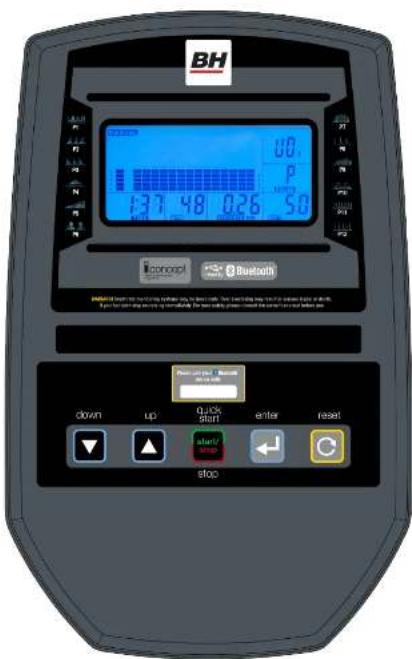
text_image
BH 0.0 P 137 48 026 50 Openout Bluetooth down up quick start enter reset stopBH



MODES
-
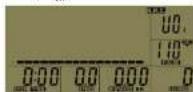
Power Mode - When initially plug in the machine it will beep and the full display will appear for 2 seconds (Fig-1). The screen then will transition into the User Mode - U0 will be displayed.
-
Sleep Mode – The console will automatically enter Sleep Mode if there is no input from the user within 4 minutes.

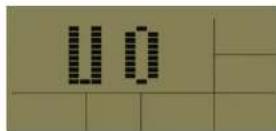
Figure 1
Figure 2
DISPLAY FUNCTIONS:
UP ARROW: Increases values
DOWN ARROW: Decreases values
START (Quick Start)/STOP: Press this button to automatically go to Sport mode.
Press to Start a program
During exercise press to Pause and Resume the workout.
ENTER: Confirms all value settings.
Press and hold ENTER for 5 seconds and it will go back to the main Program menu.
RESET: Resets all values to the default. Press and hold RESET button for 3 seconds and a total RESET
will occur. The console will go to the initial power up screen.
DISPLAY FEATURES:
Once the display is powered up you will see there are 6 different information windows:
TIME: Displays workout time when exercising (0-99 minutes)
RPM/SPEED: Displays Revolutions per minute and then switches to Speed (default is MPII)
DISTANCE: Amount of distance covered while exercising (0-99.99 default is miles)
WATT/CALORIES: Displays WATTS and then switches to Calories Burned
PULSE: Displays pulse reading via pulse hand grips or wireless pulse chest strap
USFR: Displays the current user (U0-U4)
GETTING STARTED:
When you power up the machine by plugging it in or start pedaling you will see U0 blinking,
This means user zero. There are 5 possible users U0-U4.
*Note to bypass the USER setting and to start exercising press the QUICK START button and begin exercising.
This will take you to Sport mode. Resistance can be set using the UP/DOWN arrow buttons.
1) To choose a user (U0-U4) use the UP/DOWN arrow buttons. To select a USER press ENTER to confirm.
2) Once the user is selected SEX must be chosen. Choose SEX - small icon of a woman or man with the
ARROW buttons. Once the SEX is chosen press ENTER to confirm.
3) Once SEX is selected use the UP/ DOWN buttons to input your AGE. Press ENTER to confirm.
22 23
BH
4) Once AGE is selected use the UP/ DOWN buttons to input HEIGHT (in inches). Press ENTER to confirm.
5) Once HEIGHT is selected use the UP/DOWN buttons to input WEIGHT (in lbs.) Press ENTER to confirm.
6) Once the WEIGHT is selected the user profile is complete and the user statistics will be saved in the console. The console will now display the Program Menu.
SETTING UP VALUES/GOALS
Programs have can have settings for LEVEL, TIME, DISTANCE and CALORIES. They are all set the same way.
1) When entering a value for any of them use the UP/DOWN arrow buttons to increase or decrease the value.
2) When you are satisfied with that value press the ENTER button to accept it. This will move you on to the next value to be entered and it will blink.
3) When all values have been entered the first value will blink again. This means that you have completed all of the values. Press START to enter your workout.
4) When you reach one of your values/goals the machine will beep and STOP will flash. This means you have completed your workout goal. Example if you input 100 calories and 20 minutes for the workout TIME. If you achieved 100 calories before 20 minutes the program would stop because you have achieved your goal/value of 100 calories.
5) Press the ENTER button if you want to keep going in the current workout. This will reset the Value/Goal that has just been achieved.
6) Press RESET to go to the Program Screen.
*Note you do not have to enter additional Values/Goals you can just press START and start exercising once in the program. If no values/givals are entered, values will count up from zero and are cumulative.
PROGRAM MENU
On the top of the program screen there are 7 program headings - MANUAL, PROGRAM, FITNESS, WATT, PERSONAL, H.R.C. and RANDOM. Use the UP/DOWN arrow buttons to select a program. Press ENTER to select the program.
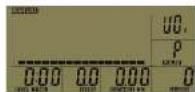
1. MANUAL MODE
In MANUAL MODE press the UP/DOWN arrows to set the resistance level (1-24). Press ENTER to confirm. (Default resistance level is 1)
Values/goals can be set for TIME, DISTANCE and CALORIES. To set them use the UP/DOWN Arrow buttons to increase or decrease values then press the ENTER button to confirm the value. (See setting up Goals/Values on pg. 28 for more detailed instruction). Press START to begin workout.
Manual
BH



2. PROGRAM MODE
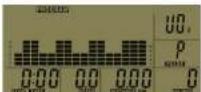
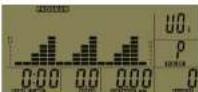
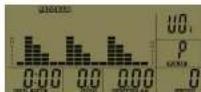
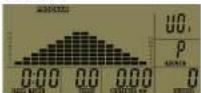
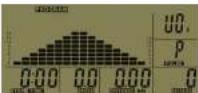
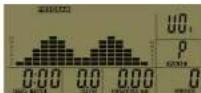
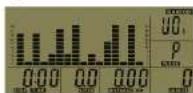
In Program Mode there are 12 pre-set program profiles (P1-P12) to choose from. Use the
UP/DOWN buttons to scroll between programs. Select the desired program by pressing ENTER.
(A graph of the program will show up on the screen when looking at each program. See
Program profile section for pictures of program profiles.)
Use the UP/DOWN arrows to adjust the resistance level (1-24). Press ENTER to confirm. (Default resistance level is 1)
Values/goals can be set for TIME, DISTANCE and CALORIES. To set them use the UP/DOWN Arrow buttons to increase or decrease values then press the ENTER button to confirm the value. (See setting up Goals Values on pg. 28 for more detailed instruction). Press START to begin workout.
P1 P2 P3
P4 P5 P6
P7 P8 P9
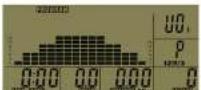
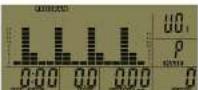
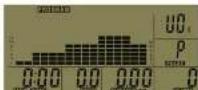
P10 P11 P12
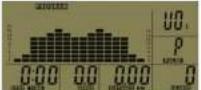
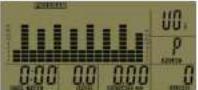
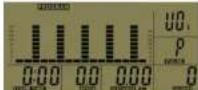
24 25
BH
3. FITNESS TEST
Once in the Fitness test program, press START to begin the test. Ie Fitness test is an 8 minute test that grades you on your physical performance. Here are 5 grades (F1-F5) F1-Very Good, F2-Good, F3-Fair, F4-Poor, F5-Very Poor. Once the program is complete the screen will show your result. Press START to begin workout.
| Figure State | |
| F1 VERY GOOD | |
| F2 GOOD | |
| F3 FAIR | |
| F4 POOR | |
| F5 VERY POOR |
4.WATT PROGRAM
Values/goals can be set for TIME, DISTANCE and CALORIES. To set them use the UP/DOWN Arrow buttons to increase or decrease values then press the ENTER button to confirm the value. See Setting up Values/Goals section above for more detailed setup information. Press START to begin workout.
Watt
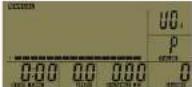
5. PERSONAL PROGRAMS
In the Personal program you can set your own custom workout. Here are 16 custom segments in the program. When in the Personal program, the first bar on the display will be blinking. Use the UP/DOWN arrows to adjust the level of resistance of the first bar in the graph. Once you are satisfied with the level of resistance press ENTER to set. After pressing ENTER to confirm the second bar in the graph will blink. Use the UP/DOWN arrows to set the level of resistance. Press ENTER to set, let go on to the next bar and repeat until all 16 segments are done. You know when you are done when you get to segment 16, press enter and the first section blinks again. To save your custom program press the ENTER button for 3 seconds. You will know the program is saved when the TIME window starts blinking. Now you can set the TIME, DISTANCE and CALORIES for your personal program. Use the UP/DOWN arrow keys to adjust the values and press ENTER to confirm the values. (See setting up Goals/Values on pg. 29 for more detailed instruction). Press START to begin workout.
Personal
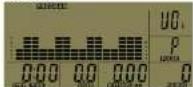
BH



6.H.R.C. PROGRAM (Heart Rate Control)
This program will increase or decrease the resistance to keep you near your heart rate goal.
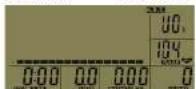
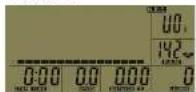
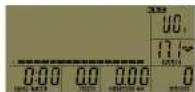
Once in the H.R.C. program the Heart Rate window will blink. There are 4 options to choose from 55%, 75%, 90% and Tag(Target). Select one of the options by using the UP/DOWN arrow buttons and then press ENTER to confirm your selection. The machine will calculate the heart rate value based on the user profile data (U0-U4) and is based on height, weight, age and sex.
If you select Tag (Target heart rate) the heart rate display window will blink and you can set your target heart rate with the UP/DOWN arrow keys. Press Enter to confirm. Once a heart rate function is selected you can set the TIME, DISTANCE and CALORIES. Use the UP/DOWN arrow keys to adjust the values and press ENTER to confirm the values. (See setting up Goals/Values on pg. 28 for more detailed instruction). Press START to begin workout.
H.R.C.
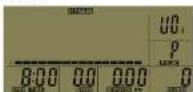
Program Profile for the H.R.C.(55%, 75%, 90%, Tag) Program
HRC(55%) HRC(75%) HRC(90%)
HRC(Tag)
7. RANDOM PROGRAM
Once selected the RANDOM program will create a unique random workout. You can set the TIME, DISTANCE, and CALORIES. Use the UP/DOWN arrow keys in adjust the values and press ENTER to confirm the values. (See setting up Goals/Values on pg. 28 for more detailed instruction). Press START to begin workout.
26 27
BH
- FUNCTION STATISTICS AND RANGES
| Item | Windows | Display Range | Default | Stored |
| 1 | SEX | MALE/ FEM | Male | Yes |
| 2 | AGE | 10 - 100 | 30 | Yes |
| 3 | WEIGHT | 20 - 330(Lb) | 70 | Yes |
| 10 - 150(KG) 70 | ||||
| 4 | HEIGHT | 36 - 84(INCH) | 70 | Yes |
| 90 - 210(CM) | 175 | |||
| 5 | TIME | 0:00 - 99:59 | 0:00 | No |
| 6 | DISTANCE | 0.0 - 99.99 | 0.0 | No |
| 7 | CALORIES | 0 - 999 | 0 | No |
| 8 | SPEED | 0.0 - 99.9 | 0.0 | No |
| 9 PUTSE 30- 200 bpm 0 | No | |||
| 10 | RPM | 0 - 250 rpm | 0 | No |
| 11 | BRAKE RESISTANCE LEVEL | L1 - L24 | L1 | No |
| 12 | USFR | U0-U4 | U0 | Yes |
BH



DOWNLOADING APPS AND PAIRING YOUR DEVICE WITH YOUR EQUIPMENT
DOWNLOADING THE SOFTWARE
Connect the Apple device with the App Store (iTunes) or your Android Device with Google Play, search for 'Tafers', then read the APP introductions and Download the APPs with bicycle/elliptical machine functions to your device. Note: if you download an APP for a treadmill and pair it with an Elliptical it will not work.
- The App uses bluetooth mode, so please make sure the machine and device you are using has the optional DUALKIT installed. See BH DualKit installation on this page.
- The App contains the following functions, the user must open a 3G network or wi-fi network:
(a) Managing Data - After completing the registration in the "Pafers" App, log on to your personal account. Now that you have registered you can record all of your workout data and save it to your device. (b) Some APPs need connection to Google maps in order to function correctly.
BH DUALKIT INSTALLATION
- To Access iConcept compatible apps, an optional (purchased separately) BH DualKit Module is required.
INSTALLATION:
1.) Take out the Phillips Locking Screw from the slot on the back of the console and set aside.
2.) Select the appropriate BI1 DualKit Module. On the front of the module, it will say the machine type
and on the back of the module it will say if it is a SMART or CLASSIC type. There are 3 types of modules:
a.) Bike & Elliptical - Classic
b.) Treadmill - Classic
c.) BH DualKit - Works for all machine types
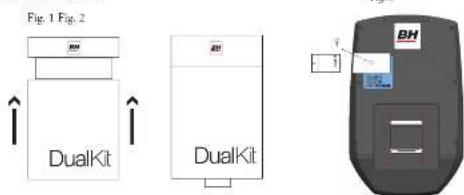
3.) Make sure the USB part is extended from the module.
- Push up on the sides of the DualKit Module (Fig. 1)
- The USB Port should extend out of the bottom of the module (Fig. 2)
i.) Push the module in the slot at the back of the console (Fig. 3)
5.) Once the module is plugged in, take the Phillips Locking Screw previously set aside and screw it in
behind the module to secure.
text_image
Fig. 1 Fig. 2 DualKit DualKit BH28 29
BH
PAIRING THE BH DUALKIT CLASSIC WITH AN APPLE DEVICE
- Place the Apple Device on the area in front of the LCD screen.
- Enter into settings and turn Bluetooth m.
- Your Apple Device will detect all Bluetooth devices within range (following on screen instructions), click on the appropriate "BH DUALKIT" and confirm your connection.
- After pairing successfully, please start the APP within 2 minutes, if you do not, Bluetooth will automatically cancel the pairing. Please keep the Apple Device within a range of 2 meters for best quality connection. If you see "not connected," please perform the above steps again.
- Press the Apple Device home button, the screen will return to the desktop.
- Start the APP you downloaded. When the APP connects with the equipment successfully, the APP screen buttons will unlock. Start from APP interface using a variety of modes to control the exercise equipment. Pay attention to the APP instructions and function introduction. If you need help with the APP, please browse the APPs download page description or contact Pafers for instructions.
- When you are done using the APP, please press the HOME button on the Apple Device twice and close the APP.
PAIRING THE BH DUALKIT CLASSIC DEVICE WITH AN ANDROID DEVICE
- Place the Android Device on the area in front of the LCD screen.
- Enter into settings and turn Bluetooth on.
- Your Android Device will detect all Bluetooth devices within range (following on screen instructions), click on the appropriate "BH DUALKIT" and confirm your connection.
- After pairing successfully, please start the APP within 2 minutes, if you do not, Bluetooth will automatically cancel the pairing. Please keep the Android Device within a range of 2 meters for best quality connection. If you see "not connected," please perform the above steps again.
- Press the home button, the screen will return to the desktop.
- Start the APP you downloaded. When the APP connects with the equipment successfully, the APP screen buttons will unlock. Start from APP interface using a variety of modes to control the exercise equipment. Pay attention to the APP instructions and function introduction. If you need help with the APP, please browse the APPs download page description or contact the third party for instructions.
- When you are done using the APP, please press main screen button on the Android Device twice and close the APP.
PAIRING BI SMART DUALKIT WITH YOUR DEVICE
- Place the Apple Device on the area in front of the LCD screen.
- Enter into settings and turn Bluetooth on.
- Open the app compatible with smart bluetooth that was downloaded from the app store.
- It should say connect at the bottom of the screen Press "CONNECT"
- The next screen should have the connection type. Either Bluetooth Smart or Other, Choose Bluetooth Smart
- The code for the bluetooth module will appear select the code
- The app should figure out your machine type and say success. The monitor will also beep and "B1" will scroll across it.
- Press the "START" button and you can begin using the app.
BH



COMPATIBLE DEVICES
Android
Bluetooth & App Enabled Android Device
Apple Products
iPod touch (4th generation) iPod touch (3rd generation)
| iPhone | 5 | iPhone | 4S |
| iPhone | 4 | Mini | iPad |
| iPad | iPad | 2 |
BH Fitness i.Concept Bluetooth products are compatible with Apple devices with iOS 5.1 or later. It is recommended to update iOS to latest version to obtain the best user experience.
iPad, iPhone, iPod, iPod classic, iPod nano, iPod shuffle, and iPod touch, is a registered trademark of Apple, Inc., in the United States and other countries.
"Made for iPod," "Made for iPhone," and "Made for iPad" mean that an electronic accessory has been designed to connect specifically to iPod, iPhone, or iPad, respectively, and has been certified by the developer to meet Apple performance standards. Apple is not responsible for the operation of this device or its compliance with safety and regulatory standards. Please note that the use of this accessory with iPod, iPhone, or iPad may affect wireless performance. iPad, iPhone, iPod, iPod classic, iPod nano, iPod shuffle, and iPod touch are trademarks of Apple Inc., registered in the U.S. and other countries.
30 31
BH
MAINTENANCE AND CLEANING
Care has been taken to assure that your equipment has been properly adjusted and lubricated at the factory. It is not recommended that the user attempt service on the internal components. Instead, seek service from an authorized service center. However, you may clean the outer surface. Use a soft cloth, dampened with warm water. Do not use aerosol sprays or pump bottles as they may deposit sediments upon the console surface. The use of harsh chemicals will destroy the protective coating and cause a static build-up that may damage the some of the components.
BH



WARRANTY
LIMITED RESIDENTIAL WARRANTY
BH Fitness will repair or replace, free of charge, at its option, parts that are defective as a result of material or workmanship. Lifetime replacement warranty coverage on frame and motor. Three (3) year on other parts. Labor warranty coverage is one (1) year. Warranty covers the original consumer purchaser only.
THIS WARRANTY DOES NOT COVER
• Pre-delivery set-up.
- Components that require replacement due to dirt or lack of regular maintenance.
- Repairs necessary because of operator abuse or negligence or the failure to operate and maintain the equipment according to the instructions contained in the Owner's Manual.
Register your product warranty easily online at: www.BHfitnessusa.com
FOR WARRANTY REPAIRS, PLEASE DO NOT TAKE YOUR MACHINE BACK TO THE RETAIL STORE. CONTACT BH FITNESS FIRST.
BH Fitness/BH North America Corporation
20155 Ellipse
Foothill Ranch, CA 92610
Phone: 949.206.0330; Toll Free: 866.325.2339; Fax: 949.206.0013
Email: fitness@bhnorthamerica.com
Web: www.BHfitnessusa.com
Mon - Fri 8am - 5pm PST
32
BH
Étirements suggérés 42
TOUTES NOS FÉLICITATIONS!
text_image
INSTRUCTIONS DE MONTAGE ET ÉTIQUETTES DE MISE EN GARDE WARNING AVERTISSEMENT 1. Use the motor to use the motor's position. 2. Use the motor to use the motor's position. 3. Use the motor to use the motor's position. 4. Use the motor to use the motor's position. 5. Use the motor to use the motor's position. 6. Use the motor to use the motor's position. 7. Use the motor to use the motor's position. 8. Use the motor to use the motor's position. 9. Use the motor to use the motor's position. 10. Use the motor to use the motor's position. 11. Use the motor to use the motor's position. 12. Use the motor to use the motor's position. 13. Use the motor to use the motor's position. 14. Use the motor to use the motor's position. 15. Use the motor to use the motor's position. 16. Use the motor to use the motor's position. 17. Use the motor to use the motor's position. 18. Use the motor to use the motor's position. 19. Use the motor to use the motor's position. 20. Use the motor to use the motor's position. 21. Use the motor to use the motor's position. 22. Use the motor to use the motor's position. 23. Use the motor to use the motor's position. 24. Use the motor to use the motor's position. 25. Use the motor to use the motor's position. 26. Use the motor to use the motor's position. 27. Use the motor to use the motor's position. 28. Use the motor to use the motor's position. 29. Use the motor to use the motor's position. 30. Use the motor to use the motor's position. 31. Use the motor to use the motor's position. 32. Use the motor to use the motor's position. 33. Use the motor to use the motor's position. 34. Use the motor to use the motor's position. 35. Use the motor to use the motor's position. 36. Use the motor to use the motor's position. 37. Use the motor to use the motor's position. 38. Use the motor to use the motor's position. 39. Use the motor to use the motor's position. 40. Use the motor to use the motor's position. 41. Use the motor to use the motor's position. 42. Use the motor to use the motor's position. 43. Use the motor to use the motor's position. 44. Use the motor to use the motor's position. 45. Use the motor to use the motor's position. WARNING AVERTISSEMENT The device consists of two sets of four sections: 1st section, 2nd section, 3rd section, and 4th section of a BDO system (e.g., 5th section, 6th section, 7th section). For each section, it is used for identifying one of its components, so it is used as a component in a BDO system (e.g., 1st section, 2nd section, 3rd section, 4th section). The device contains an additional part of this section, but it is not a separate component in any case, except that it is not a separate component in any case, except that it is not a separate component in any case, except that it is not a separate component in any case, except that it is not a separate component in any case, except that it is not a separate component in any case, except that it is not a separate component in any case, except that it is not a separate component in any case, except that it is not a separate component in any case, except that it is not an alternative configuration. WARNING AVERTISSEMENT The device consists of two sets of four sections: 1st section, 2nd section, 3rd section, and 4th section of a BDO system (e.g., 5th section, 6th section, 7th section). For each section, it is used for identifying one of its components, so it is used as a component in a BDO system (e.g., 1st section, 1nd section, 2nd section, 3rd section). The device contains an additional part of this section, but it is not a separate component in any case, except that it is not a separate component in any case, except that it is not a separate component in any case, except that it is not a separate component in any case, except that it is not a separate component in any case, except that it is not a separate component in any case, except that it is not a separate component in any case, except that it is non-alternative configuration. WARNING AVERTISSEMENT 44 45 BH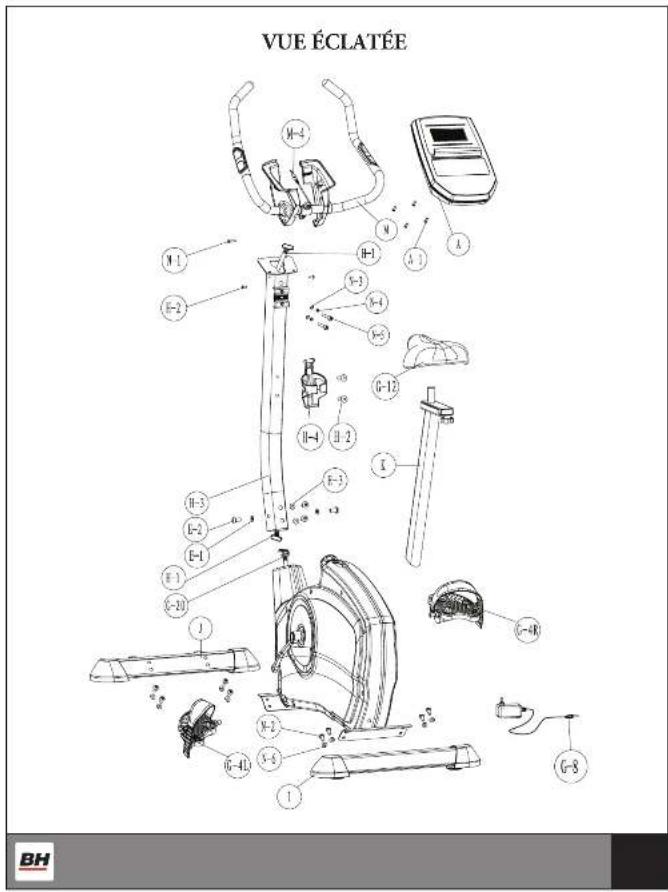
text_image
VUE ÉCLATÉE N-1 N-2 N-3 N-4 N-5 N-6 N-7 N-8 N-9 N-10 N-11 N-12 N-13 N-14 N-15 N-16 N-17 N-18 N-19 N-20 N-21 N-22 N-23 N-24 N-25 N-26 N-27 N-28 N-29 N-30 N-31 N-32 N-33 N-34 N-35 N-36 N-37 N-38 N-39 N-40 N-41 N-42 N-43 N-44 N-45 N-46 N-47 N-48 N-49 N-50ÉTAPE 1
text_image
Exploded view diagram of a mechanical exercise machine with labeled components and parts



LISTE DES PIÈCES
1. MANUAL MODE (MODE MANUEL)
4. PROGRAMME DES WATT
BH North America Corporation
20155 Ellipse