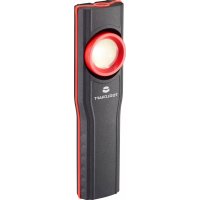
TO7330974 - Lamp Toolcraft - Free user manual and instructions
Find the device manual for free TO7330974 Toolcraft in PDF.
Questions des utilisateurs sur TO7330974 Toolcraft
0 question sur cet appareil. Repondez a celles que vous connaissez ou posez la votre.
Poser une nouvelle question sur cet appareil
Download the instructions for your Lamp in PDF format for free! Find your manual TO7330974 - Toolcraft and take your electronic device back in hand. On this page are published all the documents necessary for the use of your device. TO7330974 by Toolcraft.
USER MANUAL TO7330974 Toolcraft
Maintenance, modications and repairs must only be completed by a technician or an au- thorised repair centre.
This product is not intended for use by persons (including children) with limited physical, sensory or mental capabilities or lack of experience and knowledge. Such persons must rst be instructed by a person responsible for their safety or supervised while operating the product!
The product must be operated under the supervision of qualied personnel in schools, educational facilities, hobby and DIY workshops.
For installations in industrial facilities, follow the accident prevention regulations for electri- cal systems and equipment issued by the national safety organisation or the corresponding national authority.
Do not use the product in an explosive environment or in the rain or expose it to excessive heat.
Never immerse the product in water or other liquids. Never touch a mains-connected de- vice when it has fallen into water. In this case, unplug the mains plug immediately.
If you have questions which remain unanswered by these operating instructions, contact our technical support service or other technical personnel.
5.2 Connected devices (power bank function)
Also observe the safety and operating instructions of any other devices which are connect- ed to the product (USB connection).
5.3 Rechargeable battery
When handling the rechargeable battery, do not wear any metal or conductive materials such as jewellery (necklaces, bracelets, rings, etc.). Keep the rechargeable battery away from metal objects (e.g. screws, nails, paper clips, etc.), as these can short-circuit the con- tacts on the rechargeable battery. A short-circuit of the battery contacts can cause burns, and may also cause a re or explosion!
Use the rechargeable battery only in conjunction with the battery-operated power tools associated with the system. Use of the rechargeable battery for other tools or devices may cause a re or explosion.
Do not use the product in the immediate vicinity of strong magnetic or electromagnetic elds, transmitter aerials or HF generators. Doing so may affect the control electronics in the rechargeable battery.
The rechargeable battery is not a toy and should be kept out of reach of children. Keep the rechargeable battery out of reach of children.
The rechargeable battery must never be short-circuited, disassembled or thrown into re. This may cause a re or explosion!
Never open, squeeze, heat or ignite a battery.
Liquids may leak from the rechargeable battery in the event of damage, improper use or excessive ageing. This can cause skin irritation or burns.
Use suitable protective gloves in the event of a leak. Avoid direct contact with the skin; do not allow liquid to get in the eyes.
In case of accidental contact, rinse the affected skin areas with plenty of clear, lukewarm water; do the same for eye contact.
In case of eye contact (or stronger irritation of the skin), consult a physician.
Liquids leaking from batteries are very corrosive. Objects or surfaces coming into contact with these liquids may be severely damaged. Always store batteries in a suitable location that is not prone to damage.
The rechargeable battery must not get damp or wet; shield the rechargeable battery from cold, heat and sunlight. Failure to observe these instructions may not only reduce the op- erating life of the rechargeable battery, but can also result in damage. In extreme cases, there is also a risk of explosion!
Never throw the product into a re!
Do not place any objects on the rechargeable battery.
Attention, LED light: – Do not look directly into the LED light! – Do not look into the beam directly or with optical instruments! – All illuminated objects must be at least 10 cm away from the light! Operating instructions WL 4600 LED work light Item No. 2483042 1 Intended use The product is a long-life, durable work light with four brightness settings. It is powered by rechargeable, replaceable li-ion (lithium ion) battery pack and has an adjustable stand as well as a carry handle for portability. The work light has the following protection ratings: IP54 (ingress protection), IK07 (impact protection). For safety and approval purposes, do not rebuild and/or modify this product. If you use the product for purposes other than those described above, the product may be damaged. In ad- dition, improper use can result in other hazards. Read the operating instructions carefully and store them in a safe place. Make this product available to third parties only together with its operating instructions. This product complies with statutory national and European regulations. All company and product names contained herein are trademarks of their respective owners. All rights reserved. 2 Delivery content
Rechargeable battery
Operating instructions 3 Latest product information Download the latest product information at www.conrad.com/downloads or scan the QR code shown. Follow the instructions on the website. 4 Symbols in this document A symbol of an exclamation mark in a triangle points to important information in these operating instructions which must be observed. The arrow symbol indicates special information and advice on how to use the pro- duct. This symbol indicates that the power adapter has protection class II. It is equipped with reinforced or dual insulation between the mains circuit and the output voltage. This device was constructed according to protection class III. Protection class III includes electrical devices with a low voltage power supply (< 50 Volts) using a safety transformer or batteries/rechargeable batteries/solar energy etc. Devices in protection class III have no connection for protective insulation - they must not be connected to the protective earth. 5 Safety information Read the operating instructions carefully and especially observe the safety information. If you do not follow the safety instructions and information on proper handling in this manual, we assume no liability for any resulting per- sonal injury or damage to property. Such cases will invalidate the warranty/ guarantee.
5.1 General safety information
The unauthorised conversion and/or modication of the product is prohibited for safety and approval reasons.
This product is not a toy. Keep it out of the reach of children and pets.
Do not leave packaging material lying around carelessly. It may become a dangerous play- thing for children.
Do not allow people who have not read or understood these instructions to use the product.
Protect the appliance from extreme temperatures, direct sunlight, strong jolts, high humidi- ty, moisture, ammable gases, steam and solvents.
Do not expose the product to any mechanical stress.
If it is no longer possible to operate the product safely, stop using it and prevent unauthor- ised use. Safe operation can no longer be guaranteed if the product: – is visibly damaged, – is no longer working properly, – has been stored for extended periods in poor ambient conditions or has been exposed to considerable transport-related stress.
Please handle the product carefully. Despite the robust design, impacts, blows or falls can damage the product.
Consult an expert when in doubt about the operation, safety or connection of the appliance.
The light must not be placed with the light source facing down, and must not fall over on this side. This constitutes a re hazard. To prevent the light from tipping over, it may only be used in accordance with its intended use.Press the power button (1) repeatedly to cycle between the following light modes: Press once 25% brightness 750 lm Press twice 50% brightness 1500 lm Press three times 75% brightness 3000 lm Press four times 75% brightness 4600 lm Press ve times Light off The work light will turn off when the battery needs to be recharged. The battery charging status is displayed during use via the status LEDs on the on/off button (1). The more LEDs that are illuminated, the greater the charging level. If none of the LEDs light up, this means that the rechargeable battery is empty and must be recharged immediately. Low battery warning: The warning starts about 10 minutes before the light switches off automatically. The warning is indicated by switching off the light three times in quick succession. This function is repeated every 15 seconds. When this occurs, charge the battery pack immediately. Control button and LED indicators Before using the control button, switch off the light. On one side of the rechargeable battery there is a control button (5) and 5 LEDs. Press the control button to show the battery capacity. The more LEDs that are illuminated, the greater the charging level. If none of the LEDs light up, this means that the rechargeable battery is empty and must be re- charged immediately. USB charging socket (power bank function) The USB connection on the battery pack can supply devices with a max. current of 2 A. To do this, connect the device you want to charge to a USB cable and then plug it into the charg- ing socket (6). Disconnect when not in use. The USB charging socket (power bank function) can only be used if the battery pack has been removed from the lamp. 8 Care and cleaning
Switch off the work light and allow it to cool down completely before cleaning it.
Before cleaning, remove the rechargeable battery from the work light or charger.
Do not use any aggressive cleaning agents, rubbing alcohol or other chemical solutions, as they can cause damage to the housing or cause the product to malfunction.
Wipe the product with a dry, bre-free cloth.
Never immerse the product in water or other liquids.
Make sure that no liquids enter the housing.
Do not use hard brushes or sharp objects to clean the product. 9 Storage
Remove the rechargeable battery from the work light.
Fully charge the work light if you do not plan to use it for an extended period.
During extended storage periods, charge at least 2x a year to prevent deep discharge of the battery pack.
Store the work light in a cool, dark location away from moisture.
Check the charge status on a regular basis and charge the rechargeable battery if nec- essary. 10 Disposal
All electrical and electronic equipment placed on the European market must be labelled with this symbol. This symbol indicates that this device should be disposed of separately from unsorted municipal waste at the end of its service life. All owners of waste equipment are obliged to dispose of waste equipment separa- tely from unsorted municipal waste. Before handing the old device to a collection point, end users are required to separate old batteries which are not enclosed by the old device, as well as lamps which can be removed from the old device without any damage. Distributors of electrical and electronic equipment are legally required to accept waste equip- ment free of charge. Conrad offers the following free return options (further information is avail- able on our website):
At our Conrad stores
At the collection points established by Conrad
At the collection points of public waste disposal agencies or at the collection systems set up by manufacturers and distributors in accordance with the German Electrical and Electronic Equipment Act. The end user is responsible for deleting personal data on the old device before disposal. Please note that in countries outside Germany, other obligations may apply to the return and recycling of old devices. 6 Operating elements 1 On/off button with battery status display (ve LEDs) 2 LED light 3 Swivel base 4 Battery slot 5 Control button
6 Release latch (locks the rechargeable battery in the work light; retracts into rechargeable battery when the unlock button is pressed) 7 Unlock button 8 LEDs for monitoring the charge status 9 Charging socket 10 USB output (power bank 5 V/DC, 2 A (maximum)) 7 Operation and use Looking into an LED light in darkness can cause temporary blindness. This can be dangerous in high risk environments. Removing/inserting the rechargeable battery
To remove the rechargeable battery from the work light, press and hold the unlock button on the rechargeable battery and then remove the rechargeable battery from the work light. Do not use any force.
To insert the rechargeable battery into the work light, simply slide the battery with correct orientation into the corresponding battery slot on the work light until it engages. Do not use any force. Charging Charge the work light for approx. 4-5 hours before rst use. Pay attention to the battery safety information! Proceed as follows:
Remove the battery from the work light. To do this, briey press the release button (7) on the rechargeable battery, and then remove the battery.
To recharge the battery, connect one end of the supplied charger to the battery charging socket (9), and the other end to a suitable 230 V power supply.
During the charging process, the LEDs (8) on the battery light up/ash and indicate the current charging status based on the number of illuminated LEDs. The more LEDs that are illuminated, the greater the charging level. When the battery is fully recharged, all LEDs will be constant. Operation
After charging, slide the battery in until it locks into place with a “click”. Make sure it is secure before letting go.
Do not use force when inserting the battery. If it does not slide in easily, the battery is not being inserted correctly.
110.2 (Rechargeable) batteries
Remove batteries/rechargeable batteries, if any, and dispose of them separately from the product. According to the Battery Directive, end users are legally obliged to return all spent batteries/rechargeable batteries; they must not be disposed of in normal household waste. Batteries/rechargeable batteries containing hazardous substances are labelled with this symbol to indicate that disposal in household waste is forbidden. The abbre- viations for heavy metals in batteries are: Cd=Cadmium, Hg=Mercury, Pb=Lead (marked on batteries, e.g., under the rubbish bin symbol shown to the left). Used batteries can be returned to local collection points, our stores or battery retailers. You thus full your statutory obligations and contribute to environmental protection. Before disposal, the exposed contacts of batteries must be fully covered with a piece of adhe- sive tape to prevent short-circuits. Even if batteries are depleted, the remaining energy may present a hazard in the event of a short-circuit (bursting, severe heating, re, explosion). 11 Technical data
11.2 Technical data for charger
Operating voltage .................................100–240 V/AC Network frequency ................................50/60 Hz Output voltage ......................................20 V/DC Output current .......................................1.1 A Output power ........................................22 W Protection class ....................................II Protection rating ...................................IP20 No-load power consumption .................0.1 W Efciency at low load (10%) .................76.4% Average active efciency ......................85.9% Storage conditions ................................-10 to +40 ºC, <80 % RH (non-condensing) Operating conditions .............................-10 to +40 ºC, <80 % RH (non-condensing) Weight ..................................................113 g
EasyManual