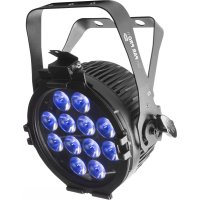
SlimPAR Pro H USB - Effect machine Chauvet - Free user manual and instructions
Find the device manual for free SlimPAR Pro H USB Chauvet in PDF.



| Product Type | LED Effect Projector |
| Brand | Chauvet |
| Model | SlimPAR Pro H USB |
| Power Supply | 100-240 VAC, 50/60 Hz (universal) |
| Light Sources | 7 LEDs: red, green, blue, amber, white, ultraviolet |
| DMX Channels | 6, 7 or 12 channels |
| Control Modes | DMX, master/slave, standalone, infrared (IRC-6), D-Fi USB |
| Automatic Programs | 4 programs: 6 colors (snap/pulse), 32 colors (snap/fade) |
| Sound-Active Mode | Yes, with adjustable sensitivity |
| Max. Ambient Temperature | 40 °C |
| Protection Rating | IP20 (indoor use only) |
| Mounting | Suspension with safety cable mandatory |
| Fuse | Replaceable, use a fuse of the same type and rating |
| Included Accessories | Power cord, gel frame holder, gel frame, reference manual |
| Maintenance and Cleaning | Disconnect before cleaning; do not open (no user-serviceable parts) |
| Safety Instructions | Do not expose eyes to light source; do not obstruct ventilation slots; use only the mounting bracket to lift the device |
| Warranty | Limited, subject to conditions available on Chauvet website |
Frequently Asked Questions - SlimPAR Pro H USB Chauvet
User questions about SlimPAR Pro H USB Chauvet
0 question about this device. Answer the ones you know or ask your own.
Ask a new question about this device
Download the instructions for your Effect machine in PDF format for free! Find your manual SlimPAR Pro H USB - Chauvet and take your electronic device back in hand. On this page are published all the documents necessary for the use of your device. SlimPAR Pro H USB by Chauvet.
USER MANUAL SlimPAR Pro H USB Chauvet
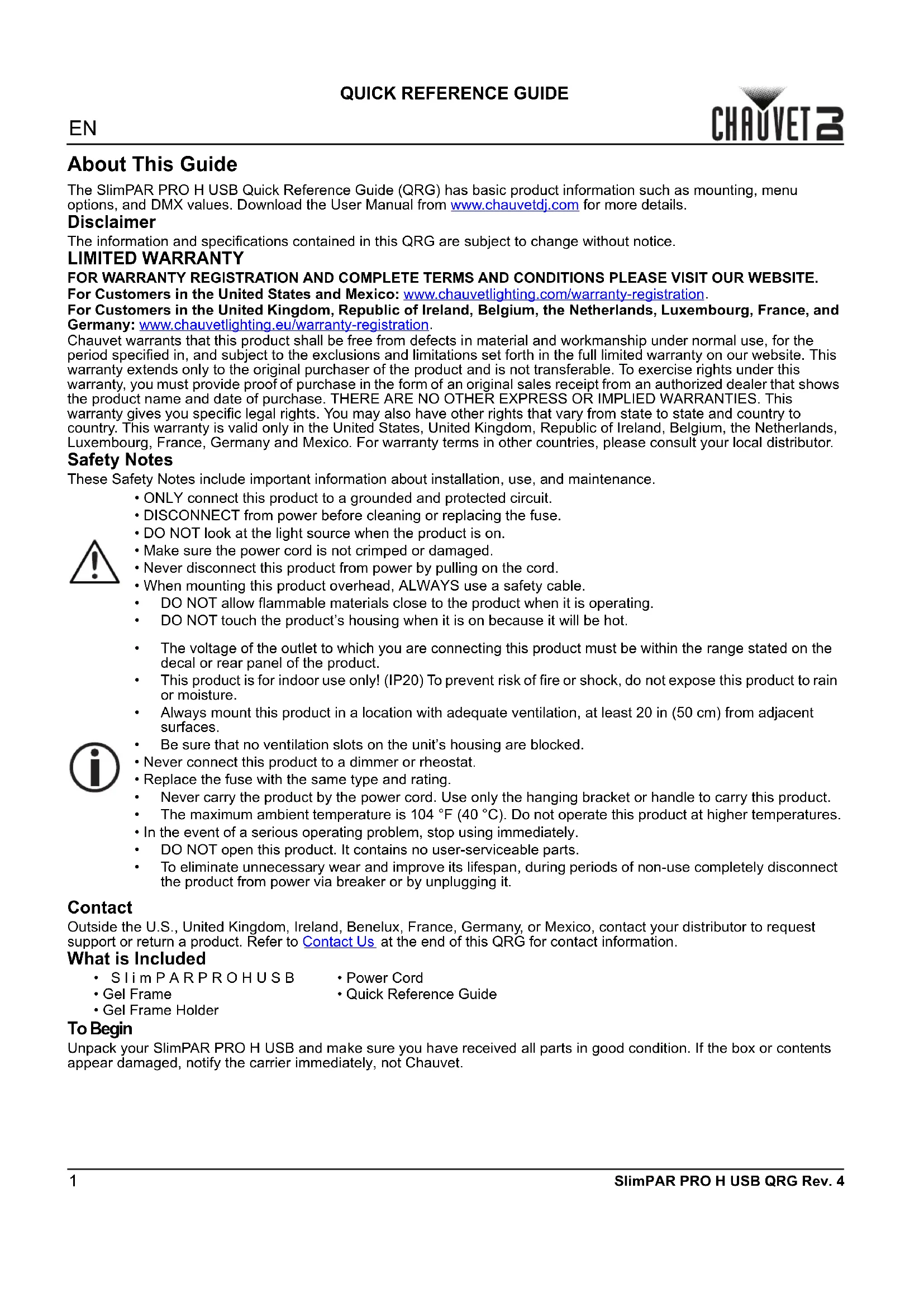
The SlimPAR PRO H USB Quick Reference Guide (QRG) has basic product information such as mounting, menu options, and DMX values. Download the User Manual from www.chauvetdj.com for more details.
Disclaimer
The information and specifications contained in this QRG are subject to change without notice.
LIMITED WARRANTY
FOR WARRANTY REGISTRATION AND COMPLETE TERMS AND CONDITIONS PLEASE VISIT OUR WEBSITE.
For Customers in the United States and Mexico: www.chauvetlighting.com/warranty-registration.
For Customers in the United Kingdom, Republic of Ireland, Belgium, the Netherlands, Luxembourg, France, and Germany: www.chauvetlighting.eu/warranty-registration.
Chauvet warrants that this product shall be free from defects in material and workmanship under normal use, for the period specified in, and subject to the exclusions and limitations set forth in the full limited warranty on our website. This warranty extends only to the original purchaser of the product and is not transferable. To exercise rights under this warranty, you must provide proof of purchase in the form of an original sales receipt from an authorized dealer that shows the product name and date of purchase. THERE ARE NO OTHER EXPRESS OR IMPLIED WARRANTY. This warranty gives you specific legal rights. You may also have other rights that vary from state to state and country to country. This warranty is valid only in the United States, United Kingdom, Republic of Ireland, Belgium, the Netherlands, Luxembourg, France, Germany and Mexico. For warranty terms in other countries, please consult your local distributor.
Safety Notes
These Safety Notes include important information about installation, use, and maintenance.
- ONLY connect this product to a grounded and protected circuit.
- DISCONNECT from power before cleaning or replacing the fuse.
- DO NOT look at the light source when the product is on.
- Make sure the power cord is not crimped or damaged.
- Never disconnect this product from power by pulling on the cord.
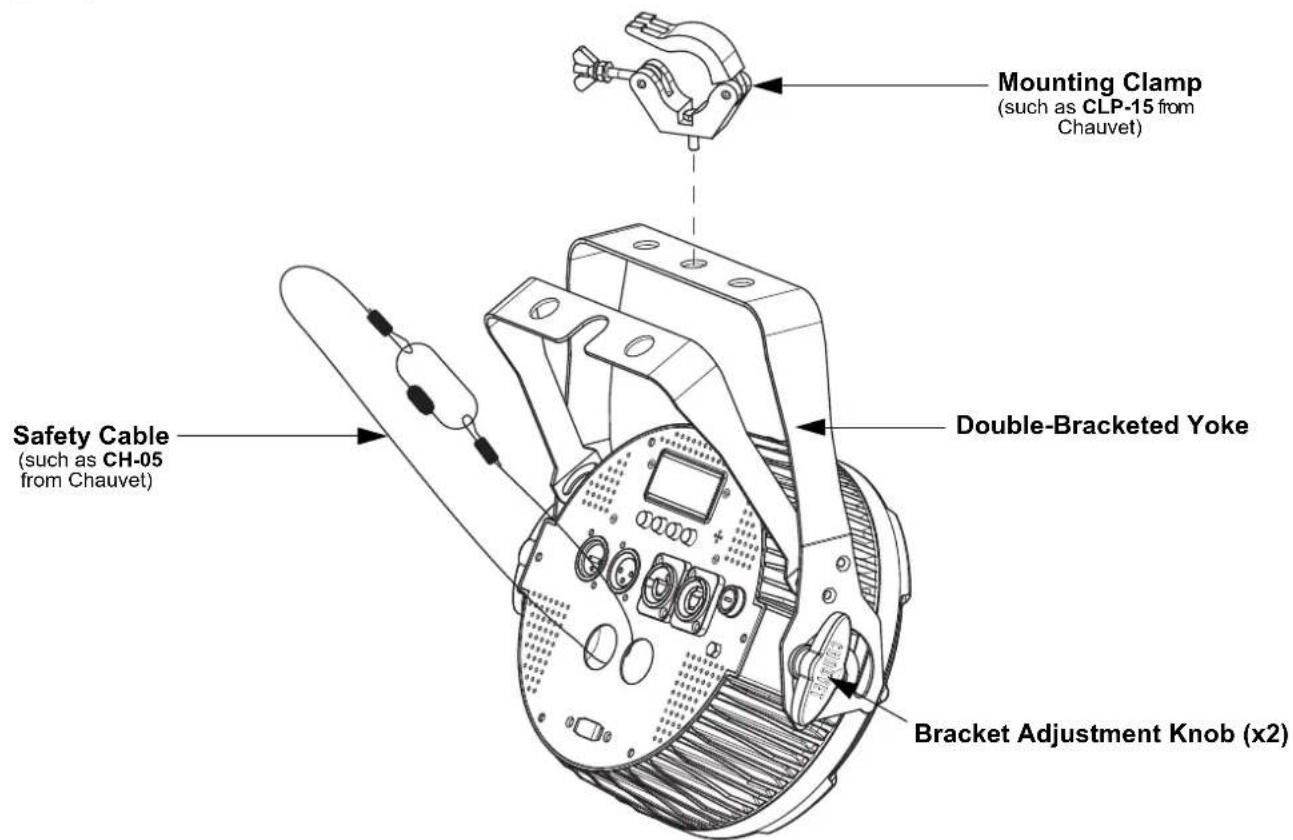
- When mounting this product overhead, ALWAYS use a safety cable.
DO NOT allow flammable materials close to the product when it is operating.
DO NOT touch the product's housing when it is on because it will be hot.
The voltage of the outlet to which you are connecting this product must be within the range stated on the decal or rear panel of the product.
This product is for indoor use only! (IP20) To prevent risk of fire or shock, do not expose this product to rain or moisture.
- Always mount this product in a location with adequate ventilation, at least 20 in (50 cm) from adjacent surfaces.
- Be sure that no ventilation slots on the unit's housing are blocked.
- Never connect this product to a dimmer or rheostat.
- Replace the fuse with the same type and rating.
- Never carry the product by the power cord. Use only the hanging bracket or handle to carry this product.
The maximum ambient temperature is 104°F (40°C) . Do not operate this product at higher temperatures.
- In the event of a serious operating problem, stop using immediately.
DO NOT open this product. It contains no user-serviceable parts.
To eliminate unnecessary wear and improve its lifespan, during periods of non-use completely disconnect the product from power via breaker or by unplugging it.
Contact
Outside the U.S., United Kingdom, Ireland, Benelux, France, Germany, or Mexico, contact your distributor to request support or return a product. Refer to Contact Us at the end of this QRG for contact information.
What is Included
- SlimPARPROHUSB
Power Cord
Gel Frame - Quick Reference Guide
- Gel Frame Holder
To Begin
Unpack your SlimPAR PRO H USB and make sure you have received all parts in good condition. If the box or contents appear damaged, notify the carrier immediately, not Chauvet.
AC Power
This product has an auto-ranging power supply that works with an input voltage range of 100 to 240 VAC, 50 / 60Hz

To eliminate wear and improve its lifespan, during periods of non-use completely disconnect the product from power via breaker or by unplugging it.
Power Linking
For the maximum number of SlimPAR PRO H USB products that you can power link at each voltage, see the User Manual or the sticker on the product.
Fuse Replacement
- Disconnect the product from power.
- Using a flat-head screwdriver, unscrew the fuse holder and pull straight out.
- Remove the blown fuse from the holder and replace with a fuse of the exact same type and rating.
- Re-insert the fuse holder and reconnect power.
Mounting
Before mounting this product, read the Safety Notes.
Mounting Diagram
Control Panel Description
| Button Function | |
| <MENU> Exits from the current menu or function | |
| <UP> | Navigates upwards through the menu list and increases the numeric value when in a function |
| <DOWN> | Navigates downwards through the menu list and decreases the numeric value when in a function |
| <ENTER> | Enables the currently displayed menu or sets the currently selected value into the selected function |
Menu Map
| Mode Programming Levels Description | |||
| DMX Mode | 6-CH | channel DMX mode | |
| 7-CH 7-channel DMX mode | |||
| 12CH 12-channel DMX mode | |||
| Static Colors C-- C 1-63 Static colors | |||
| Automatic Programs P-- | P1 6-color program (snap) | ||
| P2 6-color program (pulse) | |||
| P3 32-color program (snap) | |||
| P4 32-color program (fading) | |||
| Program Speed S-- S-1-100 Program speed for P 1-4 | |||
| Sound-Active Programs | Snd | Snd1 | 6-color sound-active program |
| Snd2 | 32-color sound-active program | ||
| Sound Sensitivity | SEnS | u--0-100 | Sound sensitivity |
| Custom Color Mixing | U-- | r000-255 | Custom static colors Combine red, green, blue, amber, white, and ultraviolet |
| g000-255 | |||
| b000-255 | |||
| A000-255 | |||
| W000-255 | |||
| P000-255 | |||
| Dimmer Speed Mode | dIM | OFF | Linear dimmer |
| dIM1 | Dimmer speed settings: dIM1 (slow) to dIM1 (fast) | ||
| dIM2 | |||
| dIM3 | |||
| Infrared Mode | SEr | On | Enables or disables infrared control |
| OFF | |||
DMX Linking
The SlimPAR PRO H USB can work with a DMX controller. Instructions for connecting and configuring this product for DMX operation are in the User Manual. If you are not familiar with DMX, download the DMX Primer from www.chauvetdj.com.
Starting Address
To ensure full access to all channels available in each DMX mode, the highest recommended DMX address is 501.
Master/Slave Connection
The SlimPAR PRO H USB uses the DMX data connection for its Master/Slave mode. Information about configuring the SlimPAR PRO H USB for Master/Slave operation is in the User Manual, which is available from the Chauvet website.
IRC-6 (Infrared Remote Control)
The SlimPAR PRO H USB can be operated with the CHAUVET IRC-6. For more information about the IRC-6, download instructions for the IRC-6 or the SlimPAR PRO H USB User Manual from www.chauvetdj.com.
D-Fi USB Connectivity
The SlimPAR PRO H USB is able to become a D-Fi wireless receiver/transmitter with the use of the D-Fi USB from CHAUVET DJ. Simply set the DIP switch D-Fi receiving/transmitting channel, plug it into the USB port then set the product's DMX Personality and DMX Address. Further instructions for connecting and configuring this product for D-Fi USB operation are in the User Manual.

WARNING! DO NOT plug anything other than a D-Fi USB into the USB port. Doing so may cause damage to the product.

Once plugged in, the D-Fi USB will take over the product. Wired DMX and manual display control/menu buttons will be unavailable until you unplug the D-Fi USB. The priority levels are:
- D-Fi USB
- Wired DMX
- IRC-6 Remote Control
- Manual Digital Display/Menu Buttons
DMX Values 12CH
| Channel Function Value Percent/Setting | |||
| 1 Dimmer 000 ⇌ 255 0-100% | |||
| 2 Red 000 ⇌ 255 0-100% | |||
| 3 Green 000 ⇌ 255 0-100% | |||
| 4 | B l u e | 0 | 0 0 ⇌ 255 0-100% |
| 5 Amber 000 ⇌ 255 0-100% | |||
| 6 White 000 ⇌ 255 0-100% | |||
| 7 Ultraviolet 000 ⇌ 255 0-100% | |||
| 8 Strobe | 000 ⇌ 015 No function | ||
| 016 ⇌ 255 strobe, slow to fast | |||
| 9 Color Macros | 000 ⇌ 015 No function | ||
| 016 ⇌ 255 Color macros | |||
| 10 | Automatic/Sound-Active Programs | 000 ⇌ 031 No function | |
| 032 ⇌ 063 Pulse strobe (0-100%) | When Ch. 2-7 are active | ||
| 064 ⇌ 095 Pulse strobe (100-0%) | |||
| 096 ⇌ 127 Pulse strobe (0-100-0%) | |||
| 128 ⇌ 159 Auto fade transition | |||
| 160 ⇌ 191 Auto snap transition (6-color) | |||
| 192 ⇌ 223 Auto snap transition (32-color) | |||
| 224 ⇌ 249 Sound-active mode (6 colors) | |||
| 250 ⇌ 255 Sound-active mode (32 colors) | |||
| 11 | Auto Speed (when Ch. 10 is 032 ⇌ 223) | 000 ⇌ 255 Auto program speed, slow to fast | |
| Sound Sensitivity (when Ch. 10 is 224 ⇌ 255) | 000 ⇌ 010sound sensitivity Off | ||
| 011 ⇌ 255 Sound sensitivity, low to high | |||
| 12 | Dimmer Speed Mode | 000 ⇌ 051 Dimmer speed set from display | |
| 052 ⇌ 101 Dimmer speed mode off | |||
| 102 ⇌ 152 Dimmer speed mode 1 (fast) | |||
| 153 ⇌ 203 Dimmer speed mode 2 (medium) | |||
| 204 ⇌ 255 Dimmer speed mode 3 (slow) | |||
7-CH
| Channel Function Value Percent/Setting | ||||
| 1 Dimmer 000 ⇌ 255 0-100% | ||||
| 2 Red 000 ⇌ 255 0-100% | ||||
| 3 Green 000 ⇌ 255 0-100% | ||||
| 4 | B l u e | 0 | 0 0 | ⇔ 255 0-100% |
| 5 Amber 000 ⇌ 255 0-100% | ||||
| 6 White 000 ⇌ 255 0-100% | ||||
| 7 Ultraviolet 000 ⇌ 255 0-100% | ||||
6-CH
| Channel Function Value Percent/Setting | |||
| 1 Red 000 ⇌ 255 0-100% | |||
| 2 Green 000 ⇌ 255 0-100% | |||
| 3 | B l u e | 0 | 0 0 ⇌ 255 0-100% |
| 4 Amber 000 ⇌ 255 0-100% | |||
| 5 White 000 ⇌ 255 0-100% | |||
| 6 Ultraviolet 000 ⇌ 255 0-100% | |||
Acerca de esta guía
General Information Technical Support
Chauvet World Headquarters
Address: 5200 NW 108th Ave. Voice: (844) 393-7575
Sunrise, FL 33351 Fax: (954) 756-8015
Voice: (954) 577-4455 Email: chauvetcs@chauvetlighting.com
Fax: (954) 929-5560
Toll Free: (800) 762-1084 Website: www.chauvetdj.com
Chauvet Europe Ltd
Address: Unit 1C Email: UKtech@chauvetlighting.eu
Brookhill Road Industrial Estate
Pinxton, Nottingham, UK Website: www.chauvetdj.eu
NG16 6NT
Voice: +44 (0) 1773 511115
Fax: +44 (0) 1773 511110
Chauvet Europe BVBA
Address: Stokstraat 18 Email: BNLtech@chauvetlighting.eu
9770 Kruishoutem
Belgium Website: www.chauvetdj.eu
Voice: +32 9 388 93 97
Chauvet France
Address: 3, Rue Ampère
91380 Chilly-Mazarin
France Website: www.chauvetdj.eu
Voice: +33 178 85 33 59
Chauvet Germany
Address: Bruno-Burgel-Str. 11
28759 Bremen
Germany Website: www.chauvetdj.eu
Voice: +49 421 62 60 20
Chauvet Mexico
(Entrance by Calle 2)
Zona Industrial Lerma Website: www.chauvetdj.mx
Lerma, Edo. de Mexico, CP 52000
Voice: +52 (728) 690-2010
Email: FRtech@chauvetlighting.fr
Email:增值服务@chauvet.com.mx
7.chauvetdj.mx
Outside the U.S., United Kingdom, Ireland, Benelux, France, Germany, or Mexico, contact the dealer of record. Follow the instructions to request support or to return a product. Visit our website for contact details.
SlimPAR PRO H USB QRG Rev. 4 ML6
Copyright 2019 Chauvet
All rights reserved
Printed in the P.R.C.


RoHS


- DISCLAIMER
- LIMITED WARRANTY
- SAFETY NOTES
- CONTACT
- WHAT IS INCLUDED
- TO BEGIN
- AC POWER
- POWER LINKING
- FUSE REPLACEMENT
- MOUNTING
- MOUNTING DIAGRAM
- CONTROL PANEL DESCRIPTION
- DMX LINKING
- STARTING ADDRESS
- MASTER/SLAVE CONNECTION
- IRC-6 (INFRARED REMOTE CONTROL)
- D-FI USB CONNECTIVITY
- ACERCA DE ESTA GUÍA
- GENERAL INFORMATION TECHNICAL SUPPORT
- CHAUVET WORLD HEADQUARTERS
- CHAUVET EUROPE LTD
- CHAUVET EUROPE BVBA
- CHAUVET FRANCE
- CHAUVET GERMANY
- CHAUVET MEXICO
Brand : Chauvet
Model : SlimPAR Pro H USB
Category : Effect machine