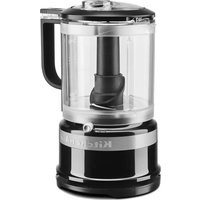
KFC3511GA - Food Processor KITCHENAID - Free user manual and instructions
Find the device manual for free KFC3511GA KITCHENAID in PDF.


User questions about KFC3511GA KITCHENAID
0 question about this device. Answer the ones you know or ask your own.
Ask a new question about this device
Download the instructions for your Food Processor in PDF format for free! Find your manual KFC3511GA - KITCHENAID and take your electronic device back in hand. On this page are published all the documents necessary for the use of your device. KFC3511GA by KITCHENAID.
USER MANUAL KFC3511GA KITCHENAID
natural_image
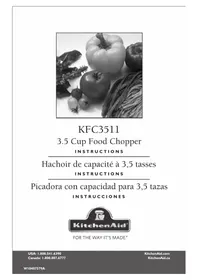
Black-and-white photo of assorted vegetables including bell peppers, tomatoes, and leafy greens (no text or symbols visible)KFC3511
3.5 Cup Food Chopper
INSTRUCTIONS
text_image
KitchenAid®Welcome to the world of KitchenAid®
We're committed to helping you create a lifetime of delicious meals for family and friends. To help ensure the longevity and performance of your appliance, keep this guide handy. It will empower you with the best way to use and care for your product. Your satisfaction is our #1 goal. We're so confident the quality of our products meets the exacting standards of KitchenAid that, if your Food Chopper should fail within the first year of ownership, KitchenAid will arrange to deliver an identical or comparable replacement to your door free of charge and arrange to have your "failed" Food Chopper returned to us. Remember to register your product online at www.kitchenaid.com, or by mail using the included Product Registration Card.

text_image
KITCHENIAID HASSLE-FREE REPLACEMENT WARRANTY QUALITY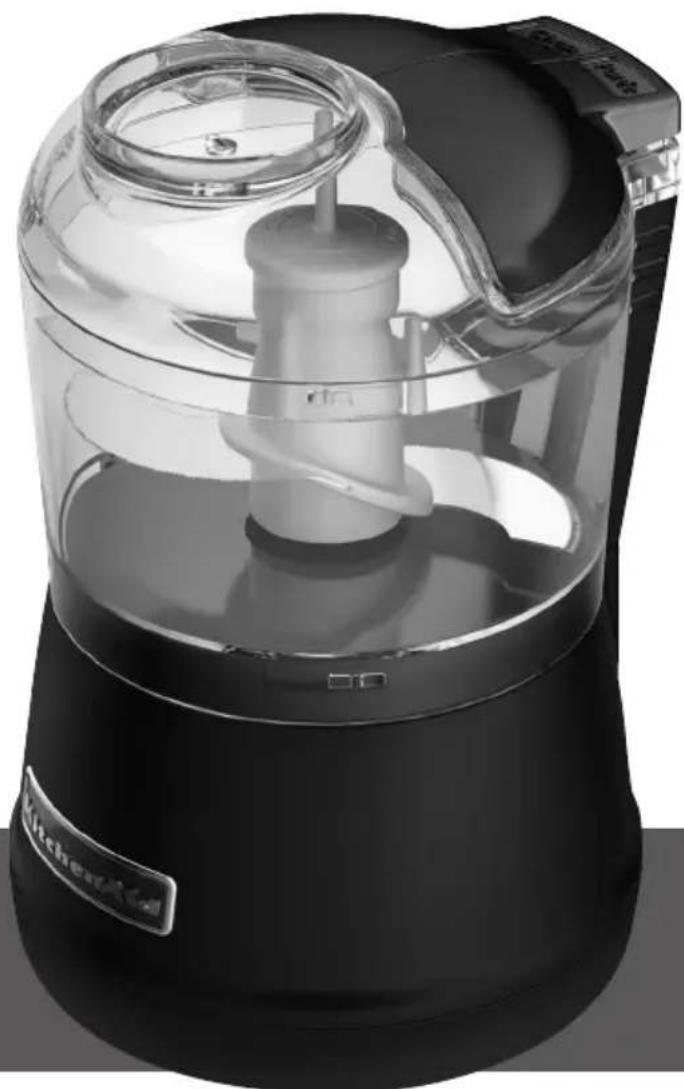
natural_image
Exterior view of a kitchen electric shaver with clear glass casing and control panel (no text or symbols visible)Troubleshooting....5
Parts and Features Guide....6
Operating Your Food Chopper 7
Before First Use 7
Disassembling the Food Chopper....7
Using the Food Chopper 8
Removing Ingredients 9
Operating Tips for Great Results 10
Care and Cleaning 9
Warranty 10
Proof of Purchase & Product Registration
Always keep a copy of the sales receipt showing the date of purchase of your Food Chopper. Proof of purchase will assure you of in-warranty service. Before you use your Food Chopper, please fill out and mail your product registration card packed with the unit. This card will enable us to contact you in the unlikely event of a product safety notification and assist us in complying with the provisions of the Consumer Product Safety Act. This card does not verify your warranty. Please complete the following for your personal records:
Model Number
Serial Number
Date Purchased
Store Name ____
Your safety and the safety of others are very important.
We have provided many important safety messages in this manual and on your appliance. Always read and obey all safety messages.

This is the safety alert symbol.
This symbol alerts you to potential hazards that can kill or hurt you and others.
All safety messages will follow the safety alert symbol and either the word "DANGER" or "WARNING." These words mean:
! DANGER
You can be killed or seriously injured if you don't immediately follow instructions.
WARNING
You can be killed or seriously injured if you don't follow instructions.
All safety messages will tell you what the potential hazard is, tell you how to reduce the chance of injury, and tell you what can happen if the instructions are not followed.
IMPORTANT SAFEGUARDS
When using electrical appliances, basic safety precautions should always be followed, including the following:
- Read all instructions.
- To protect against risk of electrical shock do not put motor body, cord or electrical plug of this Food Chopper in water or other liquid.
- Close supervision is necessary when any appliance is used by or near children.
- Unplug from outlet when not in use, before putting on or taking off parts, and before cleaning.
- Avoid contacting moving parts.
- Do not operate any appliance with a damaged cord or plug or after the appliance malfunctions, or is dropped or damaged in any manner. Return appliance to the nearest Authorized Service Facility for examination, repair or electrical or mechanical adjustment.
- The use of attachments not recommended or sold by the manufacturer may cause fire, electric shock or injury.
- Do not use outdoors.
- Do not let cord hang over edge of table or counter.
- Keep hands and utensils away from the cutting blade while chopping food to reduce the risk of severe injury to person or damage to the Food Chopper. A scraper may be used but only when the Food Chopper is not running.
- Blade is sharp. Handle carefully.
- To reduce the risk of injury, never place cutting blade on base without first putting bowl properly in place.
- Be certain cover is securely locked in place before operating Food Chopper.
- Do not attempt to defeat the cover interlock mechanism.
- This product is designed for household use only.
SAVE THESE INSTRUCTIONS
Food Chopper Safety
Electrical Requirements
Volts: 120 V.A.C.
Hertz: 60 Hz
NOTE: This Food Chopper has a polarized plug (one blade is wider than the other). To reduce the risk of electrical shock, this plug will fit in a polarized outlet only one way. If the plug does not fit fully in the outlet, reverse the plug. If it still does not fit, contact a qualified electrician. Do not modify the plug in any way.
A short power-supply cord is provided to reduce the risk resulting from becoming entangled in or tripping over a longer cord.
Extension cords are available and may be used if care is exercised in their use.
If a longer extension cord is used:
- The marked electrical rating of the extension cord should be at least as great as the electrical rating of the appliance.
- The cord should be arranged so it will not drape over the countertop or tabletop where it can be pulled on by children or tripped over unintentionally.
Troubleshooting
Keep a copy of the sales receipt showing the date of purchase. Proof of purchase will assure you of in-warranty service.
If your Food Chopper should malfunction or fail to operate, check the following:
• Make sure that the bowl and lid are properly aligned and locked in place.
- Press only one button at a time. The Food Chopper will not operate if both buttons are pressed at the same time.
• Is the Food Chopper plugged in?
- Is the fuse in the circuit to the Food Chopper in working order? If you have a circuit breaker box, be sure the circuit is closed.
- Unplug the Food Chopper, then plug it back into the outlet.
- If the Food Chopper is not at room temperature, wait until unit reaches room temperature and retry.
If the problem is not due to one of the above items, see "Warranty".
Do not return the Food Chopper to the retailer. Retailers do not provide service.
Parts and Features Guide
text_image
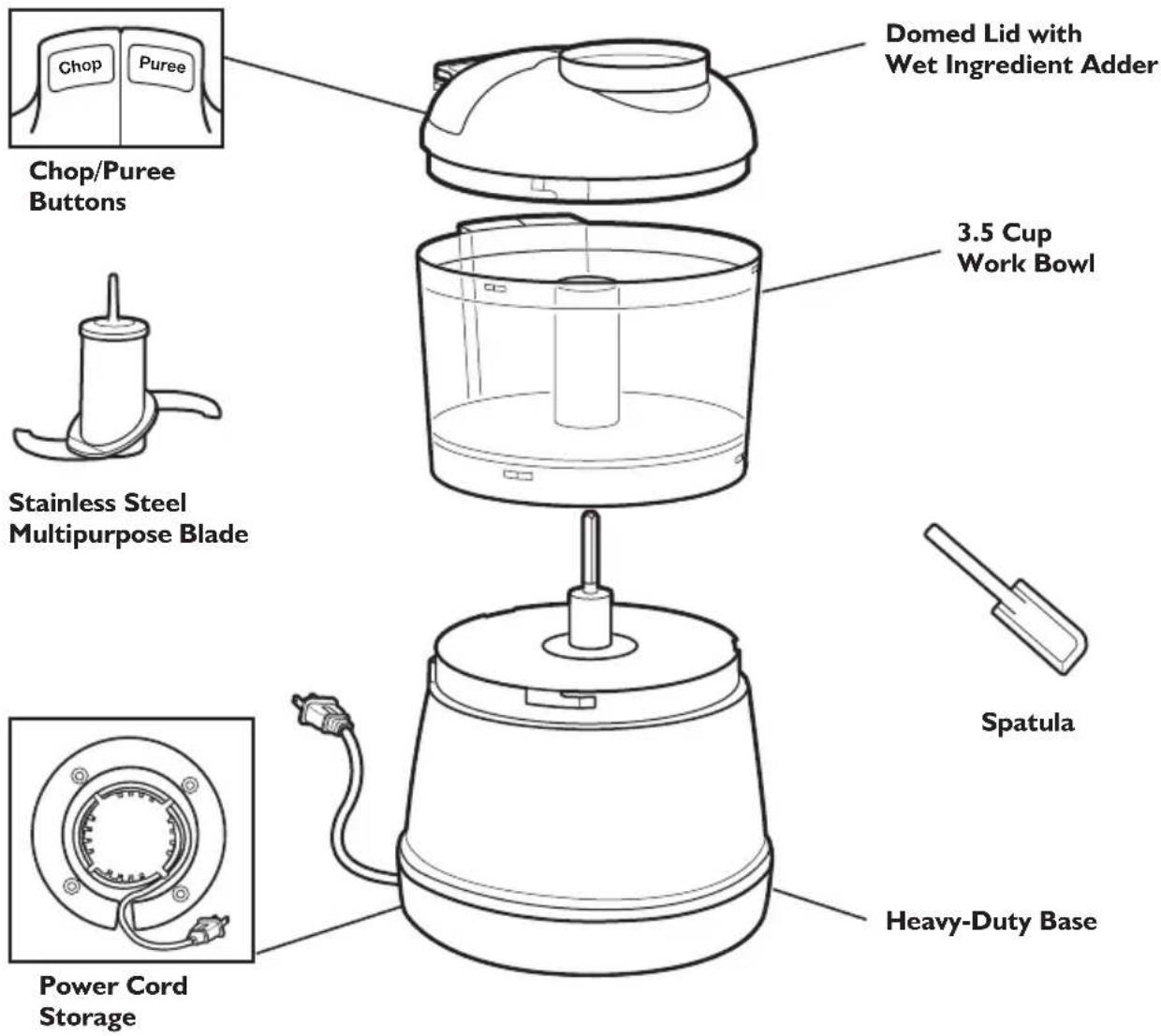
Chop/Puree Buttons Stainless Steel Multipurpose Blade Power Cord Storage Domed Lid with Wet Ingredient Adder 3.5 Cup Work Bowl Spatula Heavy-Duty BaseChop/Puree Buttons
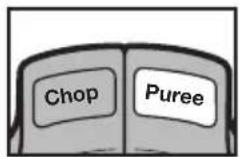
The Food Chopper features easy one-handed operation with top-mounted buttons. 2 speeds provide optimal results, regardless of the task: Use the Chop button for everyday chopping needs. Use the higher Puree speed to quickly purée ingredients.
Stainless Steel Multipurpose Blade
This strong, razor-sharp blade quickly processes small amounts of meats, fresh or cooked fruits and vegetables, and nuts and herbs. Blade locks on the shaft to stay in place while you pour out ingredients. Reverse spiral design pulls foods down into blade for uniform chopping, and minimizes need to scrape sides of bowl. The blade is dishwasher-safe.
Domed Lid with Wet Ingredient Adder
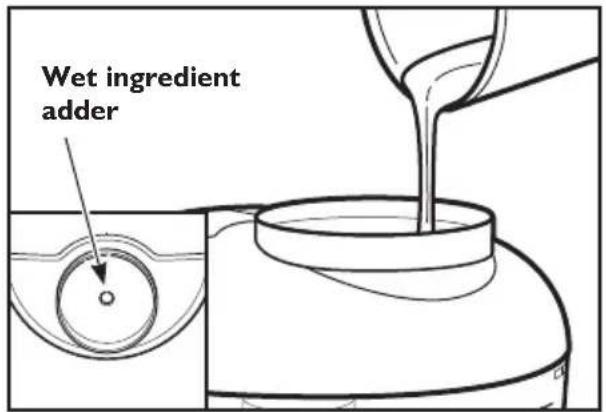
The domed lid locks into place to operate the Food Chopper, and removes easily to add ingredients. A wet ingredient adder hole and well in the lid allows you to add liquid ingredients without removing the lid. The lid is dishwasher-safe.
3.5 Cup Work Bowl
The BPA-free 3.5 cup capacity bowl provides a generous working capacity, and removes easily from the base. The work bowl is dishwasher-safe.
Spatula
Use the included spatula to quickly remove chopped food from the sides of the bowl.
Power Cord Storage
The power cord wraps under the base for convenient storage.
WARNING
Cut Hazard
Handle blades carefully.
Failure to do so can result in cuts.
Before First Use
I. Before using the KitchenAid® Food Chopper for the first time, wash the work bowl, lid, and blade in hot, soapy water. Work bowl, lid, and blade may also be washed in the top rack of a dishwasher.
2. Read Food Chopper Operating Tips for recommendations on how to get consistently great results.
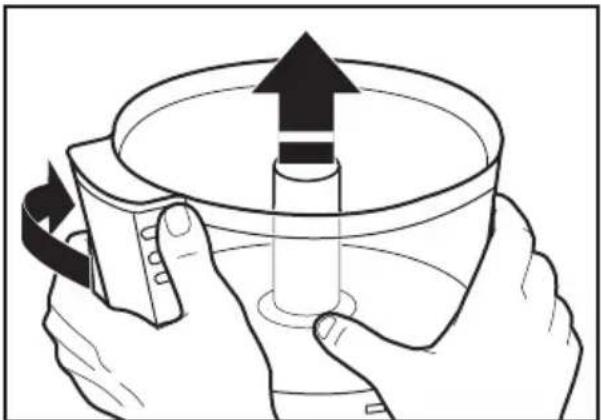
Disassembling the Food Chopper
To dissassemble the Food Chopper for cleaning and when removing ingredients from the bowl, follow the instructions below:
I. Be sure the Food Chopper is unplugged.
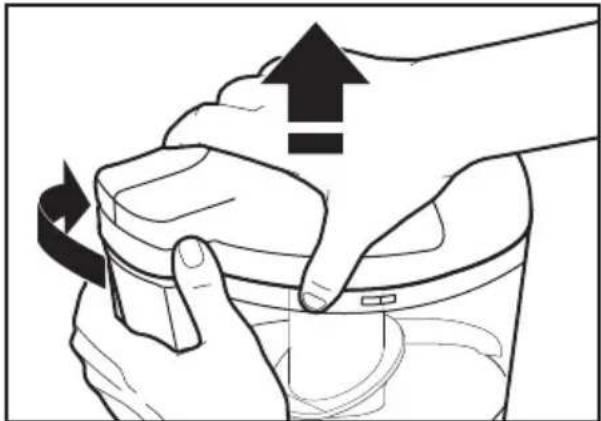
2. Holding the lid as shown, twist lid clockwise to unlock, and lift off the bowl.
natural_image
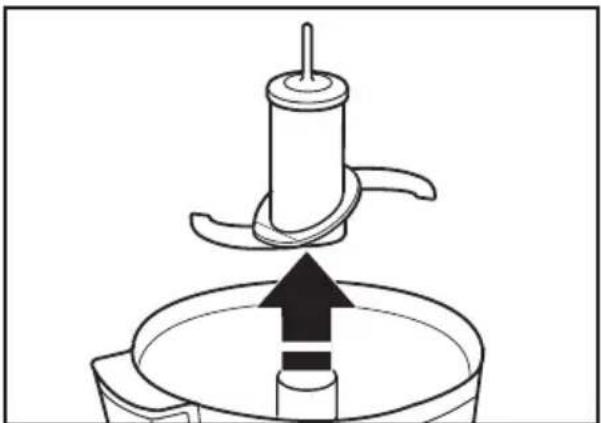
Illustration of hands cleaning a glass container with an upward arrow indicating rotation (no text or symbols)- Pull the blade straight up to unlock and remove it from the bowl.
natural_image
Diagram of a kitchen utensil pressing into a bowl with an upward arrow (no text or symbols)- Holding the bowl as shown, twist bowl clockwise to unlock, and lift off the base.
natural_image
Illustration of hands holding a container with an upward arrow and a rotating arrow, no text or symbols present.Operating Your Food Chopper
Using the Food Chopper
I. Be sure the Food Chopper is unplugged.
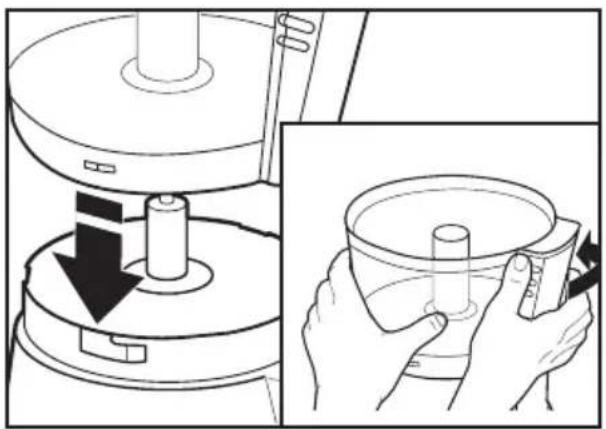
2. Align the tabs on the work bowl with the L-slots on the base. Twist bowl counterclockwise to lock into place.
natural_image
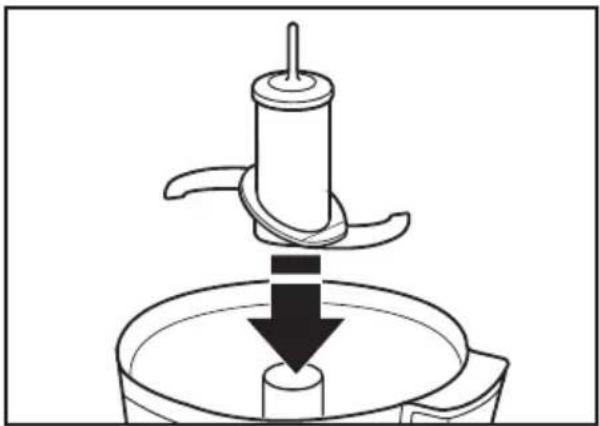
Illustration showing a mechanical device with a downward arrow and a close-up of hands holding a cylindrical object (no text or symbols present)- Fit the blade over the shaft in the center of the work bowl, rotate, and press down until it locks into operating position.
natural_image
Diagram of a kitchen tool pressing down on a cylindrical component (no text or symbols)-
Place ingredients to be processed into the work bowl.
-
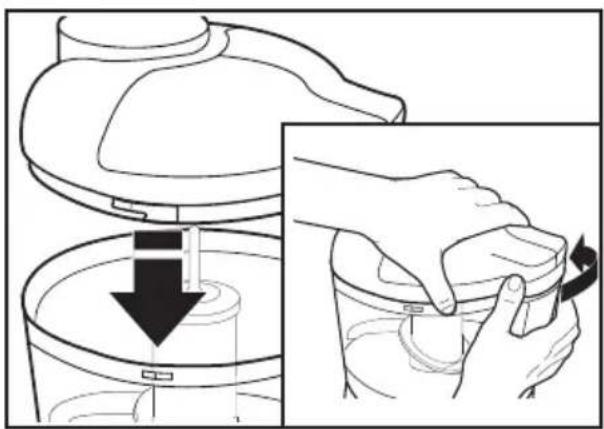
Place the lid on the workbowl, aligning the L-slots on the lid with the tabs on the work bowl. Twist lid counterclockwise to lock into place as shown below.
NOTE: Bowl and lid must be locked in place for the Food Chopper to operate.
natural_image
Illustration of a hand holding a container with a downward arrow, showing the process (no text or symbols)-
Plug power cord into electrical outlet.
-
Press and hold Chop or Puree button to start processing.
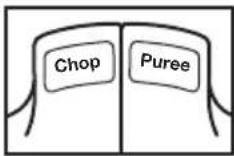
NOTE: Food Chopper will not operate if both buttons are pressed at the same time.
- Use the wet ingredient adder to add liquid ingredients while processing, if desired. See "Operating Tips for Great Results".
- When ingredients are chopped to the desired consistency, release the Chop or Puree button.
Removing Ingredients
I. Once the blade has stopped spinning, remove lid by twisting it clockwise and lifting it off.
2. Remove the work bowl from the base by twisting it clockwise and lifting it off. Blade locks on the shaft to stay in place while you pour out ingredients
3. Use the spatula to remove ingredients from the work bowl.
4. To remove blade for cleaning, pull the blade straight up to unlock and remove it from the bowl.
Operating Your Food Chopper
Operating Tips for Great Results
I. To achieve optimal results when grinding raw meat, use the puree button to grind up to 12 pound (227g) of meat at one time.
natural_image
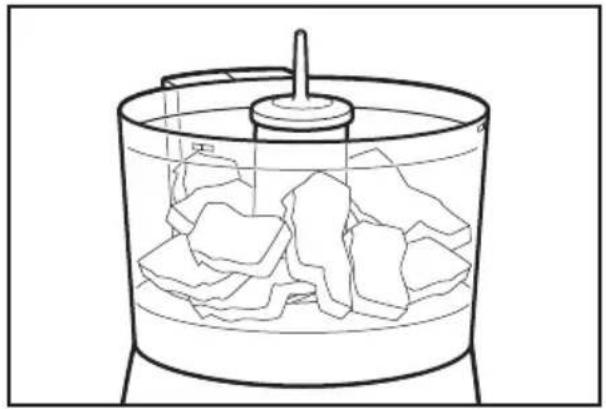
Line drawing of a cylindrical container filled with irregularly shaped blocks and a central knob (no text or symbols)- For best processing results, press and release the Chop or Puree button. Repeat until ingredients reach the consistency you want.
- Use the wet ingredient adder to add liquid ingredients such as olive oil during processing.
text_image
Wet ingredient adder- Use your Food Chopper to make bread, cracker, or cookie crumbs. Break bread, crackers, or cookies into small pieces, add to work bowl and process into crumbs.
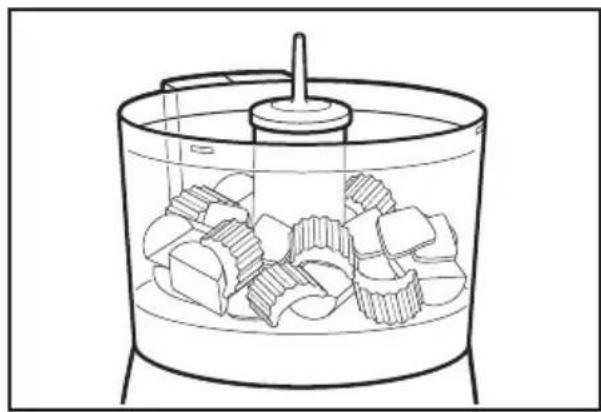
- For uniform consistency of processed foods, cut carrots, celery, mushrooms, green peppers, onions and similar vegetables into 1-inch pieces before adding to work bowl.
natural_image
Line drawing of a container with granular material inside, no text or symbols present- Use your Food Chopper to chop nuts and mince parsley, basil, chives, garlic and other herbs.
- Make baby food by using your Food Chopper to purée cooked fruit or vegetables. Puréed, cooked fruits and vegetables can also be used as bases for soups or sauces.
- Do not use your Food Chopper to process coffee beans or hard spices such as nutmegs. Processing these foods could damage the Food Chopper.
Find recipes and more at www.kitchenaid.com
Care and Cleaning
WARNING
Cut Hazard
Handle blades carefully.
Failure to do so can result in cuts.
I. Unplug the Food Chopper.
2. Remove the work bowl, lid and blade. Wash in hot, soapy water. Rinse and dry. Work bowl, lid, and blade can also be washed in the top dishwasher rack.
3. Wipe the base clean with a damp cloth. Do not use abrasive cleaners. Do not immerse the base in water.
4. To protect the blade, always reassemble your Food Chopper after cleaning.
KitchenAid® Food Chopper Warranty for the 50 United States, the District of Columbia, and Canada
This warranty extends to the purchaser and any succeeding owner for Food Choppers operated in the 50 United States, the District of Columbia, and Canada.
Length of Warranty: One Year Full Warranty from date of purchase.
KitchenAid Will Pay Hassle-Free Replacement of your Food Chopper.
for Your Choice of: See the next page for details on how to arrange for service, or call the Customer Satisfaction Center toll-free at
I-800-541-6390.
OR
The replacement parts and repair labor costs to correct
defects in materials and workmanship. Service must be
provided by an Authorized KitchenAid Service Center. See
the KitchenAid ^® Food Chopper Warranty for Puerto Rico on for details on how to arrange for service.
KitchenAid Will
A. Repairs when Food Chopper is used in other than normal
Not Pay for: single family home use.
B. Damage resulting from accident, alteration, misuse or abuse.
C. Any shipping or handling costs to deliver your Food Chopper to an Authorized Service Center.
D. Replacement parts or repair labor costs for Food Choppers operated outside the 50 United States and District of Columbia.
DISCLAIMER OF IMPLIED WARRANTIES; LIMITATION OF REMEDIES
IMPLIED WARRANTIES, INCLUDING TO THE EXTENT APPLICABLE WARRANTIES OF MERCHANTABILITY OR FITNESS FOR A PARTICULAR PURPOSE, ARE EXCLUDED TO THE EXTENT LEGALLY PERMISSIBLE. ANY IMPLIED WARRANTIES THAT MAY BE IMPOSED BY LAW ARE LIMITED TO ONE YEAR, OR THE SHORTEST PERIOD ALLOWED BY LAW. SOME STATES AND PROVINCES DO NOT ALLOW LIMITATIONS OR EXCLUSIONS ON HOW LONG AN IMPLIED WARRANTY OF MERCHANTABILITY OR FITNESS LASTS, SO THE ABOVE LIMITATIONS OR EXCLUSIONS MAY NOT APPLY TO YOU.
IF THIS PRODUCT FAILS TO WORK AS WARRANTED, CUSTOMER'S SOLE AND EXCLUSIVE REMEDY SHALL BE REPAIR OR REPLACEMENT ACCORDING TO THE TERMS OF THIS LIMITED WARRANTY. KITCHENAID AND KITCHENAID CANADA DO NOT ASSUME ANY RESPONSIBILITY FOR INCIDENTAL OR CONSEQUENTIAL DAMAGES. This warranty gives you specific legal rights and you may also have other rights which vary from state to state or province to province.
KitchenAid® Food Chopper Warranty for Puerto Rico
A limited one year warranty extends to the purchaser and any succeeding owner for Food Choppers operated in Puerto Rico. During the warranty period, all service must be handled by an Authorized KitchenAid Service Center. Please bring the Food
Chopper, or ship it prepaid and insured, to the nearest Authorized Service Center. Call toll-free 1-800-541-6390 to learn the location of a Service Center near you. Your repaired Food Chopper will be returned to you prepaid and insured.
Hassle-Free Replacement Warranty – 50 United States and District of Columbia
We're so confident the quality of our products meets the exacting standards of KitchenAid that, if your Food Chopper should fail within the first year of ownership, KitchenAid will arrange to deliver an identical or comparable replacement to your door free of charge and arrange to have your original Food Chopper returned to us. Your replacement unit will also be covered by our one year limited warranty. Please follow these instructions to receive this quality service.
If your Food Chopper should fail within the first year of ownership, simply call our toll-free Customer Satisfaction Center at 1-800-541-6390 Monday through Friday, 8 a.m. to 8 p.m. (Eastern Time), or Saturday, 10 a.m. to 5 p.m. Give the consultant your complete shipping address. (No P.O. Box numbers, please.)
When you receive your replacement Food Chopper, use the carton and packing materials to pack up your original Food Chopper. In the carton, include your name and address on a sheet of paper along with a copy of the proof of purchase (register receipt, credit card slip, etc.).
Hassle-Free Replacement Warranty – Canada
We're so confident the quality of our products meets the exacting standards of the KitchenAid® brand that, if your Food Chopper should fail within the first year of ownership, KitchenAid Canada will replace your Food Chopper with an identical or comparable replacement. Your replacement unit will also be covered by our one year limited warranty. Please follow these instructions to receive this quality service.
If your Food Chopper should fail within the first year of ownership, take the Food Chopper or ship collect to an Authorized KitchenAid Service Centre. In the carton
include your name and complete shipping address along with a copy of the proof of purchase (register receipt, credit card slip, etc.). Your replacement Food Chopper will be returned prepaid and insured. If you are unable to obtain satisfactory service in this manner call our toll-free Customer Interaction Centre at 1-800-807-6777.
Or write to us at: Customer Interaction Centre KitchenAid Canada 1901 Minnesota Court Mississauga, ON L5N 3A7
Arranging for Service after the Warranty Expires, or Ordering Accessories and Replacement Parts
In the United States and Puerto Rico:
For service information, , or to order accessories or replacement parts, call toll-free at 1-800-541-6390 or write to: Customer Satisfaction Center, KitchenAid Portable Appliances, P.O. Box 218, St. Joseph, MI 49085-0218
Outside the United States and Puerto Rico:
Consult your local KitchenAid dealer or the store where you purchased the Food Chopper for information on how to obtain service.
For service information in Canada:
Call toll-free I-800-807-6777.
Or write to: Customer Interaction Centre KitchenAid Canada 1901 Minnesota Court Mississauga, ON L5N 3A7
text_image
KITCHENAID HASSLE-FREE REPLACEMENT WARRANTY QUALITY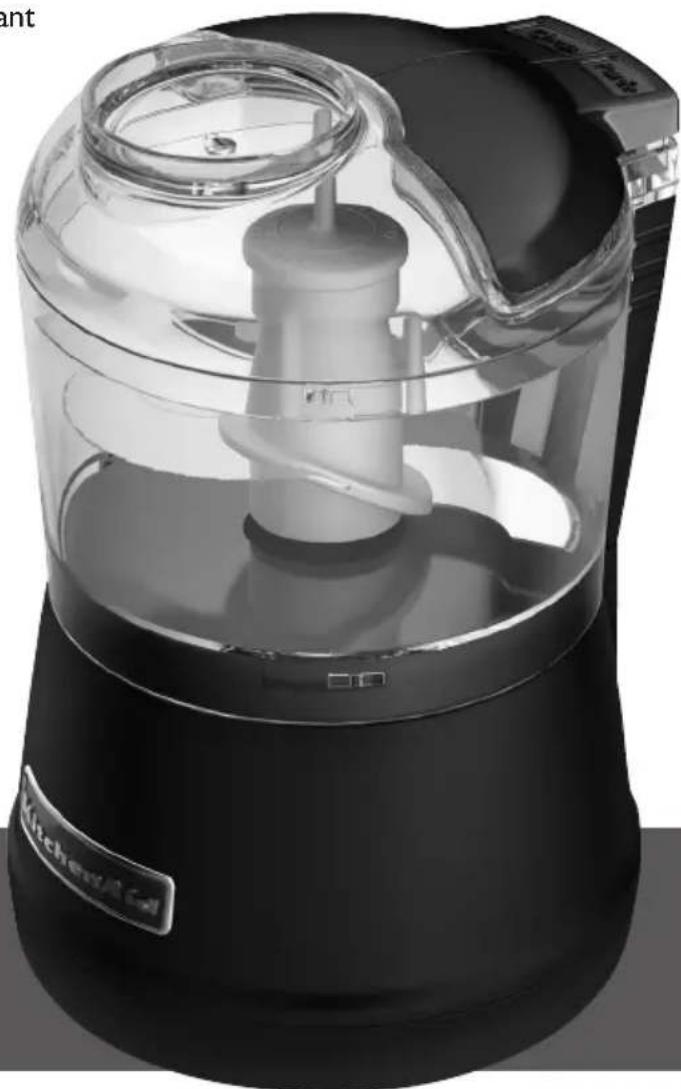
natural_image
Exterior view of a kitchen appliance with clear glass lid and black body (no visible text or symbols)USA: 1.800.541.6390
Canada: 1.800.807.6777
KitchenAid.com
KitchenAid.ca
Table des matières
natural_image
Illustration of hands cleaning a container with an upward arrow indicating rotation (no text or symbols)natural_image
Diagram of a kitchen utensil with an upward arrow indicating a process or operation (no text or symbols present)natural_image
Illustration of hands holding a container with an upward arrow and a rotating arrow, no text or symbols present.natural_image
Illustration showing a mechanical device with a rotating shaft and a close-up of hands holding a cylindrical object (no text or symbols present)natural_image
Line drawing of a kitchen utensil with a downward arrow indicating compression or lifting (no text or symbols)natural_image
Illustration showing a hand pressing down a container with a downward arrow, alongside a close-up of the interior (no text or symbols)natural_image
Line drawing of a cylindrical container filled with irregularly shaped blocks and a central knob (no text or symbols)natural_image
Line drawing of a container filled with food items, no text or symbols presentCustomer Satisfaction Center, KitchenAid Portable Appliances, P.O. Box 218, St. Joseph, MI 49085-0218
Customer Interaction Centre
KitchenAid Canada
1901 Minnesota Court
Mississauga, ON L5N 3A7
text_image
KITCHENAID HASSLE-FREE REPLACEMENT WARRANTY QUALITY
natural_image
Exterior view of a kitchen appliance with clear glass lid and black base (no visible text or symbols)USA: 1.800.541.6390
Canada: 1.800.807.6777
KitchenAid.com
KitchenAid.ca
Índice
natural_image
Illustration of hands cleaning a container with an upward arrow indicating rotation (no text or symbols)natural_image
Diagram of a kitchen utensil with an upward arrow indicating a process or operation (no text or symbols present)natural_image
Illustration of hands using a measuring tool to interact with a bowl containing liquid, showing upward and downward arrows (no text or symbols)natural_image
Illustration showing a mechanical device with a rotating shaft and a close-up of hands holding a cylindrical object (no text or symbols present)natural_image
Diagram of a kitchen presser lifting a cylindrical object with a downward arrow (no text or symbols)natural_image
Illustration showing a hand pressing down a container with a downward arrow, alongside a close-up of the action (no text or symbols)natural_image
Line drawing of a cylindrical container filled with irregularly shaped fragments, no text or symbols presentnatural_image
Line drawing of a cylindrical container filled with small blocks and a central knob, no text or symbols presentCustomer Interaction Centre KitchenAid Canada
1901 Minnesota Court
Mississauga, ON L5N 3A7
Customer Satisfaction Center,
KitchenAid Portable Appliances,
P.O. Box 218, St. Joseph, MI 49085-0218.
Customer Interaction Centre
KitchenAid Canada
1901 Minnesota Court
Mississauga, ON L5N 3A7
® Registered trademark/™ Trademark/The shape of the mixer is a registered trademark of KitchenAid, U.S.A.
text_image
KitchenAid®W10407579A
© 2011
All rights reserved.