USER MANUAL SZ4187 TRISTAR
EN | Instruction manual
natural_image
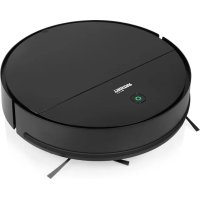
Black circular robotic vacuum cleaner with green control knob (no visible text or symbols)
SZ-4187
\*\*\* TRISTAR
PARTS DESCRIPTION / ONDERDELENBESCHRUVING / DESCRIPTION DES PIÈCES / TEILEBESCHREIBUNG / DESCRIPCIÓN DE LAS PIEZAS / DESCRIÇÃO DOS COMPONENTES / DESCRIZIONE DELLE PARTI / BESKRIVNING AV DELAR / OPIS CZĘŚCI / POPIS SOUČÁSTÍ / POPIS SÚČASTÍ

text_image
Exploded view diagram of a robotic vacuum cleaner with numbered parts and internal components
SAFETY DIRECTIONS
- By ignoring the safety instructions the manufacturer cannot be held responsible for the damage.
• The appliance must be placed on a stable, level surface.
- The user must not leave the appliance unattended while it is connected to the supply.
- This appliance is only to be used for household purposes and only for the purpose it is made for.
• To protect yourself against an electric shock, do not immerse the cord, plug or appliance in the water or any other liquid.
- The plug must be removed from the socket-outlet before cleaning or maintaining the appliance.
• Children shall not play with the appliance.
- This appliance can be used by children aged from 8 years and above and persons with reduced physical, sensory or mental capabilities or lack of experience and knowledge if they have been given supervision or instruction concerning use of the appliance in a safe way and understand the hazards involved. Children shall not play
with the appliance. Cleaning and user maintenance shall not be made by children without supervision.
SAFETY INSTRUCTIONS
- Risk of suffocation! Keep the packaging material away from children and animals.
- Keep the device, cord and plug away from water or other liquids in order to avoid the risk of an electrical shock. Never touch the mains plug, cord or device with wet or damp hands.
- Keep animals, hair, jewelry, loose clothing, fingers and all other parts of the body away from the moving parts or openings of the appliance when it is in operation. They can be caught in the vacuum cleaner. If something gets stuck in the vacuum cleaner, switch the appliance off immediately.
- Use and store the device only out of the reach of children. Improper use can result in injury and electric shock. The power cord may also not be accessible to children.
- The appliance must only be used domestically, it is not suitable for industrial or commercial use.
PROPER USE
\*\*\* TRISTAR Instruction manual
- Only use it on normally soiled hard floors, short pile carpets or upholstered furniture, all other use is considered improper use and is prohibited.
• The appliance must not be used to clean:
• People, animals, plants or items of clothing on the body, always keep the appliance away from body parts and hair.
- Glowing or burning objects like ash, charcoal, burning cigarettes, matches or highly flammable substances.
• Water and all other liquids
- Pointed objects like broken glass or nails.
- Fine dust, construction dust.
- Only use and store the device in enclosed areas. Do not use the device outdoors, in rooms with high humidity or on hot surfaces.
-
Check the devices and accessories for damage before each use. Do not use the appliance if the appliance, the cord, the plug or the filter are visibly damaged, do not attempt to repair the appliance yourself or replace the parts yourself. In case of damage, contact a qualified repair center or the helpdesk of the supplier.
-
Do not use the device if it malfunctions, has vacuumed up liquids or objects or has fallen down. Have the device repaired by a qualified repair center.
- Only use the device if it has been completely and correctly assembled.
- Do not expose the device to extreme temperatures, severe changes in temperature, open flames, direct sunlight, moisture or wetness.
- Never place heavy objects on the device.
- Empty the dust bin after every use. The filters must also be cleaned regularly.
- Allow the dust bin, dust filter and exhaust filter to dry completely before you reinstall them in the device.
- Only use original spare parts provided by the supplier.
- Store the device in a cool, dry area that is not accessible to children and animals when not in use.
- Never fill the dust bin with liquids.
CE This product complies with conformity requirements of the applicable European regulations or directives.
BATTERY WARNING
- Rechargeable battery is only to be charged under adult supervision.
- Do not attempt to open the rechargeable battery or battery pack as there are no serviceable parts inside.
- Do not disassemble, incinerate or short-circuit the battery or the battery pack. Only replace the battery with an original battery, the use of another battery can cause a fire or explosion.
- The battery is a sealed unit and under normal circumstances it does not constitute a safety hazard. If in any case liquid does leak out of the battery don't touch it and consult a doctor immediately in case of inhalation, skin or eye contact.
- Should a battery leak, the device may become damaged. Clean the battery compartment immediately, avoiding touching your skin.
- Avoid storing the battery in extremely hot or cold environment. A device with a hot or cold battery may not work temporarily, even when the battery is fully charged.
- Do not dispose battery in a fire as it may explode. Battery may also explode if damaged. Please dispose it according to local regulation. Do not dispose it as household waste.
PARTS DESCRIPTION
-
Main body
-
Bumper
-
Power button
-
LED indication light
-
Dust compartment
-
Side brushes
-
Mopping accessory
-
Adapter
-
Anti-drop sensors
-
Battery cover
-
Vacuum intake
-
Wheels
BATTERY INSTRUCTIONS
Battery installation and removal
- Before installing or removing the battery, the product must be disconnected from the power source.
- Open the battery cover.
- Insert the battery into the battery cabinet and close the cover. Make sure the cover clips are in the right position.
★★★●
■■■
TRISTAR
Instruction manual
Recharging the battery
- Before charging, make sure the battery is correctly installed.
- First, connect the adapter to the vacuum cleaner's adapter output, then plug into a power socket.
- A red light will flash.
- When the battery is fully charged, the indicator light will turn to stable green.
• To ensure the best performance and life span of the battery, charge the product for at least 8 hours before the first use.
USE
Turning on the device
- Push the power switch on the side of the device next to the charging socket to the on position.
Install side brushes
- Note that the centre of the left brush is grey, the centre of the right brush is yellow. The brushes are not interchangeable.
- Place the side brushes on the bottom and fix them to the device with a screwdriver.
• After using the device for a while, remove the brushes to clean them from hair or other debris.
Operation
- Place the device in a room with much free space.
• Power it on by pressing the power button.
- To stop the device press the power button again.
- When the device runs out of power, it stops working automatically.
NOTE: This product is not suitable for long-pile carpets.
Mopping accessory
Secure mopping accessory using the locking tabs underneath the device.
Moisten cloth with water and mild detergent and attach to mopping accessory.
NOTE: This feature is not suitable for carpets.
Turning off the device
- Push the power switch on the side of the device next to the charging socket to the off position.
CLEANING AND MAINTENANCE
Emptying dust bin
- Open the upper cover.
• Take out the dust compartment.
- Open the dust compartment lid.
• Empty the dirt in a dust bin.
Cleaning the dust bin
- Rinse the dust compartment with tap water. Do not wash it in the washing machine, dishwasher or other machine.
- Periodically clean the filter with a soft bristle and rinse it with tap water.
- Allow the filter to dry completely before putting the dust compartment back into the device.
- Put the dust compartment back into the device and close the cover.
Using the device without the dust compartment may cause malfunction or damage to the device.
After repeated use for some time, dirt and dust might accumulate around the intake of the product. To ensure its best cleaning efficiency and constant airflow it should be cleaned periodically.
- Remove the external power source.
- Clean up the dirt and dust at the intake with a small brush.
TROUBLESHOOTING
| Problem Possible cause Solution | |
| Device is switched on but does not collect dirt and hair | Dust compartment is full Empty | and clean the dust compartment |
| Side brushes do not work normally | Side brushes not installed correctly or dirty | Reassemble and/or clean the side brushes |
| The product won't start | Battery is not installed properlyBattery is low | Re-install the battery correctlyTurn off the device and recharge the batteryReset the device by switching the device off and on |
| The device only circles around, cannot go straight | Problem with the wheels or anti-drop sensors | Clean the wheels, clean the sensors |
ENVIRONMENT

This appliance should not be put into the domestic garbage at the end of its durability, but must be offered at a central point for the recycling of electric and electronic domestic appliances. This symbol on the appliance, instruction manual and packaging puts your attention to this important issue. The materials used in this appliance can be recycled. By recycling of used domestic appliances you contribute an important push to the protection of our environment. Ask your local authorities for information regarding the point of recollection.
Support
You can find all available information and spare parts at www.tristar.eu!