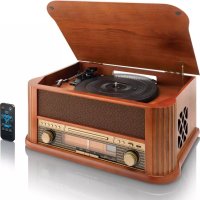
TCD2500 - Turntable Classic Phono - Free user manual and instructions
Find the device manual for free TCD2500 Classic Phono in PDF.



| Product Type | Turntable with CD player, FM radio, USB connectivity |
| Brand | Classic Phono |
| Model | TCD2500 |
| Power supply | 230 V ~ 50 Hz, 40 W max |
| Output power | 2 x 4.5 W |
| Turntable speeds | 33, 45, 78 rpm |
| CD compatibility | CD, CD-R, CD-RW, MP3 |
| USB connector | MP3 compatibility, CD and vinyl recording |
| FM radio | 87.5 to 108 MHz |
| Built-in speakers | Yes |
| Recording functions | CD to USB, vinyl to USB, 128 kbit/s bitrate |
| Programmed playback | Up to 99 MP3 files or 20 CD tracks |
| Remote control | With CR2025 lithium battery (3 V) |
| Cabinet maintenance | Soft, dry, non-abrasive cloth. Avoid abrasive cleaners. |
| Compact disc maintenance | Soft, dry cloth, from center to edge |
| Safety | Class 1 laser, risk of electric shock, do not open |
| Environmental protection | Recycling at collection point, used batteries |
| Included accessories | Transport screw, 45 rpm adapter, stylus protection |
| Warranty | Conforms to European legislation, excludes professional use |
Frequently Asked Questions - TCD2500 Classic Phono
User questions about TCD2500 Classic Phono
0 question about this device. Answer the ones you know or ask your own.
Ask a new question about this device
Download the instructions for your Turntable in PDF format for free! Find your manual TCD2500 - Classic Phono and take your electronic device back in hand. On this page are published all the documents necessary for the use of your device. TCD2500 by Classic Phono.
USER MANUAL TCD2500 Classic Phono
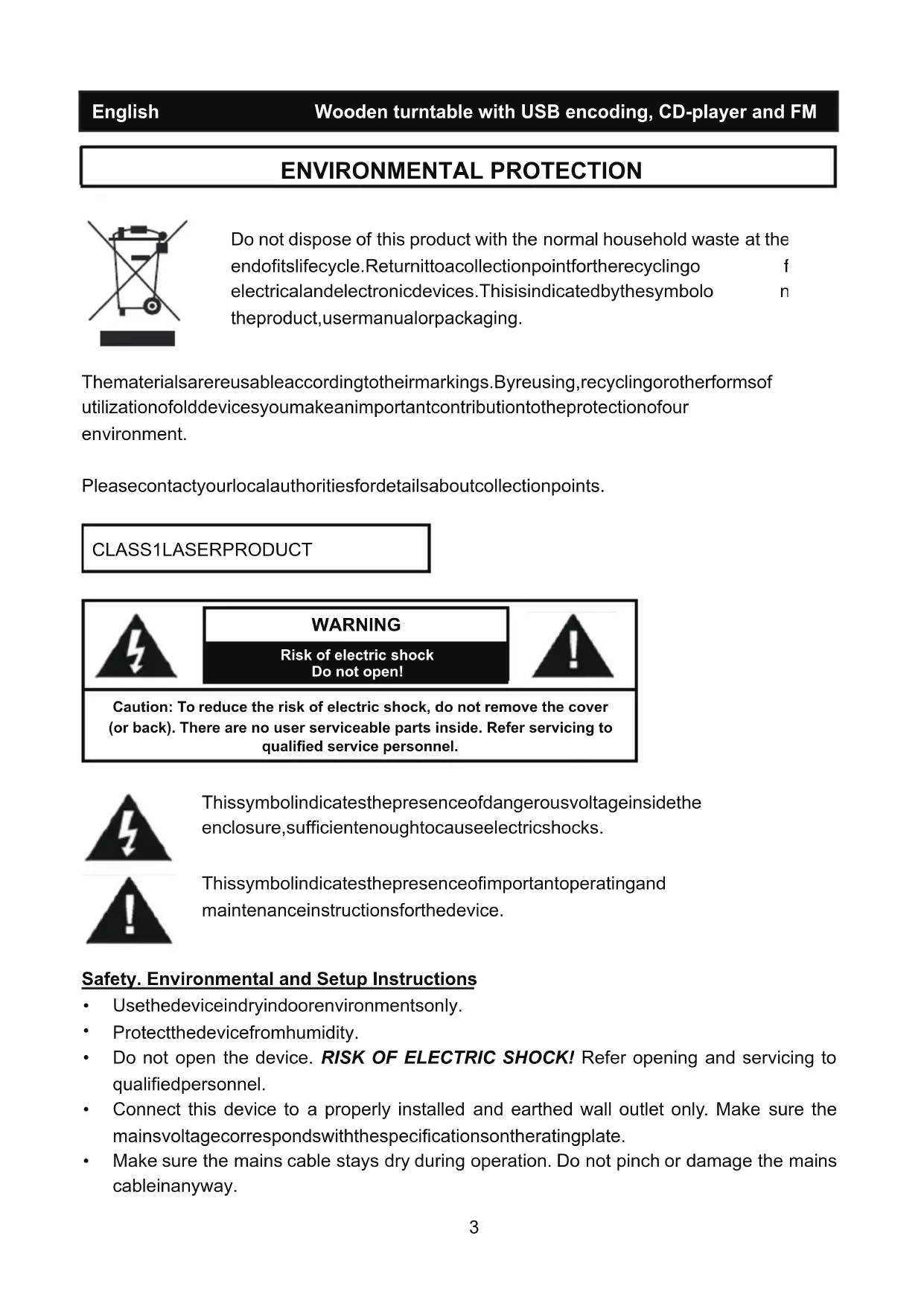
Do not dispose of this product with the normal household waste at the endofitslifecycle.Returnittoacollectionpointfortherecyclingo f electricalandelectronicdevices.Thisisindicatedbythesymbol n theproduct,usermanualorpackaging.
Thematerialsareereusableaccordingtotheirmarkings.Byreusing,recyclingorotherformsof utilizationofolddevicesyoumakeanimportantcontributiontotheprotectionofour environment.
Pleasecontactyourlocalauthoritiesfordetailsaboutcollectionpoints.
CLASS1LASERPRODUCT
WARNING
Risk of electric shock Do not open!

Caution: To reduce the risk of electric shock, do not remove the cover (or back). There are no user serviceable parts inside. Refer servicing to qualified service personnel.
Thissymbolindicates the presence of dangerous voltage insidethe enclosure, sufficient togethotelectricshocks.

Thissymbolindicates the presence of important operating and maintenance instructions for the device.
Safety. Environmental and Setup Instructions
- Usethedevicemeanindryindoorenvironmentsonly.
- Protecttthedevicefromhumidity.
- Do not open the device. RISK OF ELECTRIC SHOCK! Refer opening and servicing to qualified personnel.
- Connect this device to a properly installed and earthed wall outlet only. Make sure the mainsvoltagecorrespondswiththespecificationsontheratingplate.
-
Make sure the mains cable stays dry during operation. Do not pinch or damage the mains cableinanyway.
-
A damaged mains cable or plug must immediately be replaced by an authorized service center.
In case of lightning, immediately disconnect the device from the mains supply.
Children should be supervised by parents when using the device.
Clean the device with a dry cloth only.
Do NOT use CLEANING AGENTS or ABRASIVE CLOTHS!
- Do not expose the device to direct sunlight or other heat sources.
- Install the device at a location with sufficient ventilation in order to prevent heat accumulation.
- Do not cover the ventilation openings!
Install the device at a safe and vibration-free location. - Install the device as far away as possible from computers and microwave units; otherwise radio reception may be disturbed.
- Do not open or repair the enclosure. It is not safe to do so and will void your warranty. Repairs are only allowed by an authorized service/customer center.
- The device is equipped with a "Class 1 Lase". Avoid exposure to the laser beam as this could cause eye injuries.
Only use mercury and cadmium-free batteries. - Used batteries are hazardous waste and NOT to be disposed of with the household waste! Return the batteries to your dealer or to collection points in your community.
- Keep batteries away from children. Children might swallow batteries. Contact a physician immediately if a battery was swallowed.
- Check your batteries regularly to avoid battery leakage.
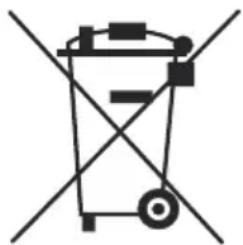
Used batteries are hazardous waste and NOT to be disposed of with the household waste! As a consumer
you are legally obligated to return all batteries for
environmentally responsible recycling no matter whether or
not the batteries contain harmful substances*).
Return batteries free of charge to public collection points in your community or to shops selling batteries of the respective kind.
Only return fully discharged batteries.
*) marked Cd = cadmium, Hg = mercury, Pb = lead
Warning
Do not ingest the battery, Chemical Burn Hazard
(The remote control supplied with) This product contains a coin/button cell battery. If the coin/ button cell battery is swallowed, it can cause severe internal burns in just 2 hours and can lead to death.
Keep new and used batteries away from children.
If the battery compartment does not close securely, stop using the product and keep it away from children.
If you think batteries might have been swallowed or placed inside any part of the body, seek immediate medical attention.
PREPARATION FOR USE
UNPACKING AND SET UP
- Carefully remove the unit from the display carton and remove all packing material from the unit.
- Unwind the AC power cord and extend it to its full length.
- Unwind the FM Antenna wire and extend it to its full length.
- Place the unit on a stable, level surface, convenient to an AC outlet away from a strong magnetic field.
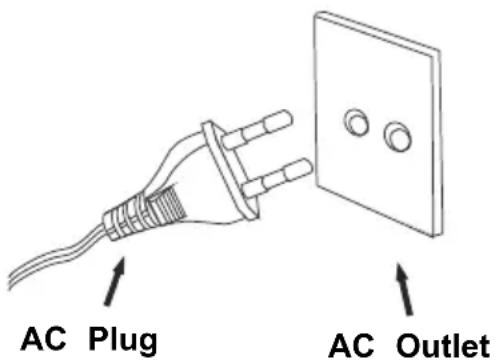
- Connect the plug to your AC outlet.
- Raise the lid to expose the phonograph. The phonograph has been secured for shipment with a transit screw. Use a coin or screwdriver to turn the transit screw clockwise. This will allow the turntable to "float".
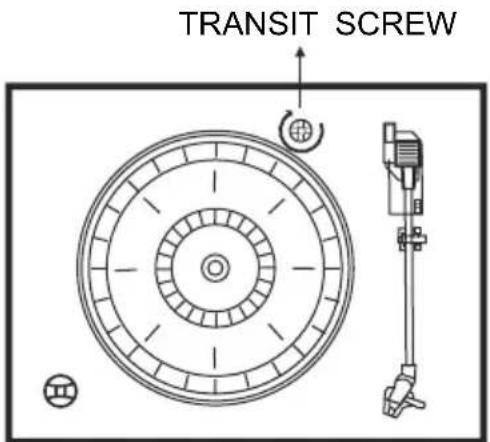
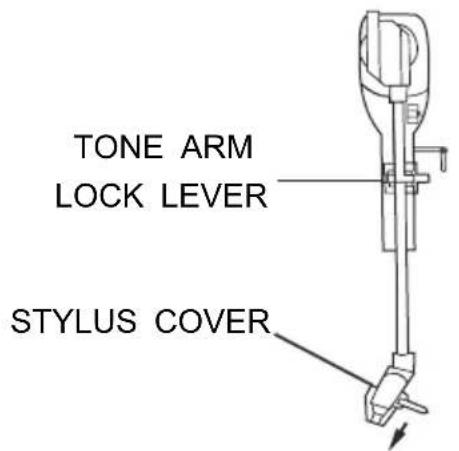
- Remove the opaque white plastic stylus cover from the phonograph stylus by sliding it in the direction of the arrow (refer to the picture on the right side).
- During this operation pay attention to the stylus, because damage to the stylus is not covered by the guarantee.
- Remove the twist-tie that was used to secure the tone arm during shipment.
- Release the tone arm lock lever (refer to the picture on the right side).
- Connect the plug to your AC 230V, 50Hz outlet.
POWER SOURCE
This system is designed to operate on normal 230V 50Hz AC only.
Attempting to operate from any other power source may cause damage to the system, and such damage is not covered by your warranty.
NOTE: If this plug does not fit into your outlet, you probably have an outdated non-polarized AC outlet. You should have your outlet changed by a qualified licensed electrician.
IMPORTANT: Raising And Lowering The Phonograph Lid
To open the lid, raise it as far as it will go until the lid support bracket 'locks' in the open position. To close the lid, lift it upward slightly until the lid support bracket ' unlocks', and then gently lower the lid.
TO AVOID DAMAGING THE CABINET OR THE LID, NEVER FORCE THE LID TO CLOSE. ALAWYS RAISE THE LID TO RELEASE THE LID SUPPORT BRACKET.
PROTECT YOUR FURNITURE
This model is equipped with non-skid rubber 'feet' to prevent the product from moving when you operate the controls. These 'feet' are made from nonmigrating rubber material specially formulated to avoid leaving any marks or stains on your furniture. However, cartain types of o based furniture polishes, wood preservatives, or cleaning sprays may cause the rubber 'feet' to soften, and leave marks or a rubber residue on the furniture. To prevent any damage to your furniture we strongly recommend that you purchase small self-adhesive felt pads, available at hardware stores and home improvement centres everywhere, and apply these pads to the bottom of the rubber'feet' before you place the product on fine wooden furniture.
CARE OF THE CABINETS: You should care for the cabinet as you would care for any piece of furniture. When the cabinet becomes dirty, wipe it with a soft, non-abrasive dust cloth. If the cabinet becomes smudged with fingerprints you may use any good quality commercial dusting and polishing spray cleaner; however avoid spraying the plastic or metal parts of this system.
We recommend that you spray the cleaner on your dust cloth, not directly on the cabinet, to avoid getting any of the spray on the plastic or metal parts.
FRONT PANEL
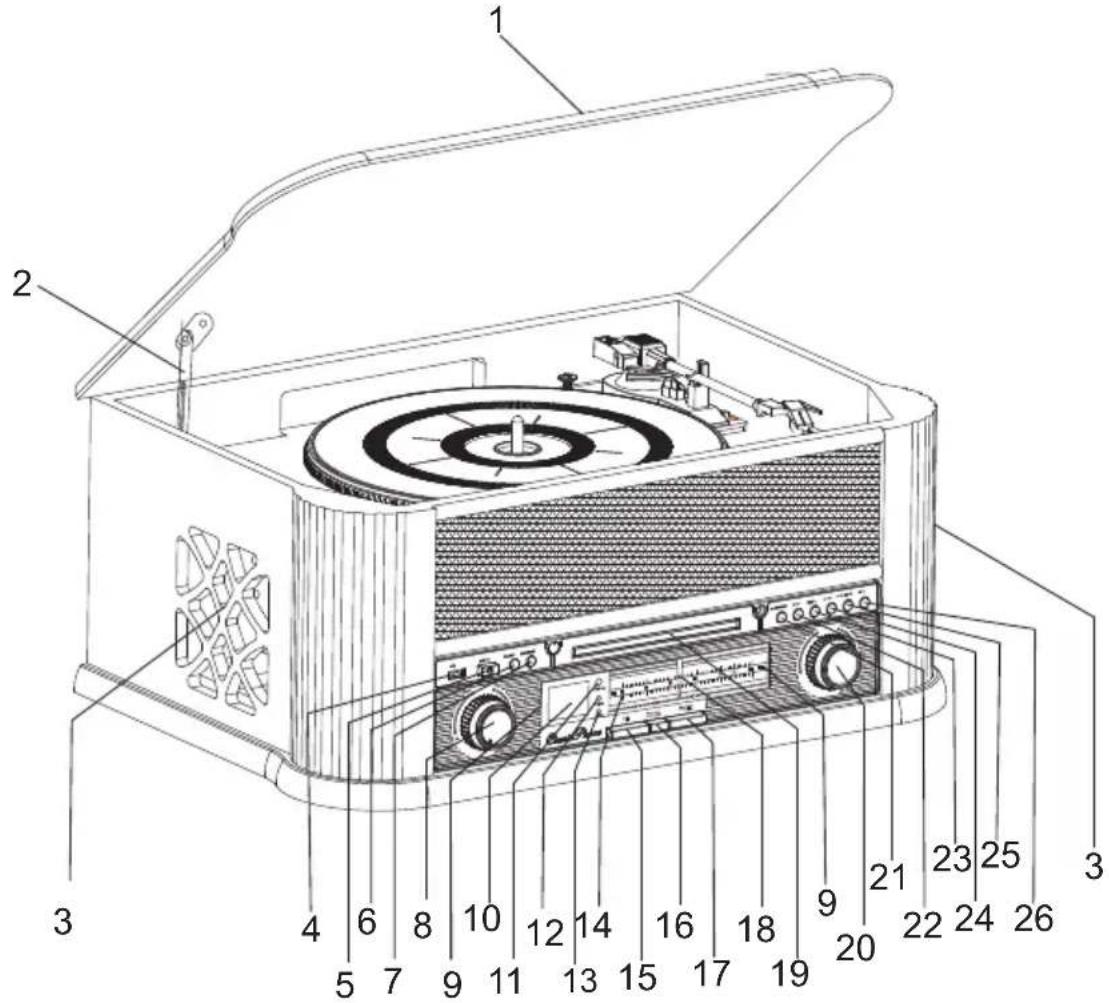
NOTE: All of the buttons on the remote control have the same function as these buttons in the unit. This remote control can only be used for CD/MP3 and USB mode.
BACK PANEL
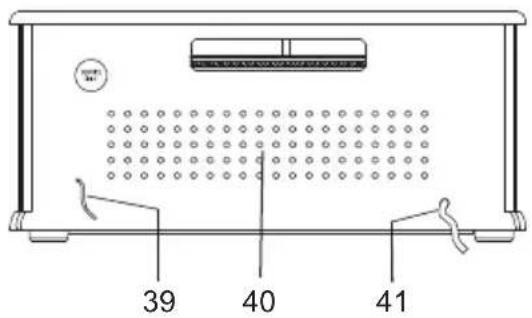
1) To turn the system 'on', press the POWER button 1 second on the front panel, and set the volume to a low level. The POWER indicator lights up.
2) Press the function selector buttons (FM/CD/USB/PHONO) to select your desired function.
3) Start to adjust the volume by rotating the VOLUME control.
4) When you have finished your listening, press and hold the POWER button 2 seconds to turn off the unit. The POWER indictor goes 'off'.
If nobody presses and holds the POWER button to turn off the unit after stopping playing, the unit will often POWER off automatically after 10 minutes.
USB OPERATION
1) Press the CD/USB button first and the FUNCTION button second to enter USB mode, the '---' and 'USB' icon will be shown.
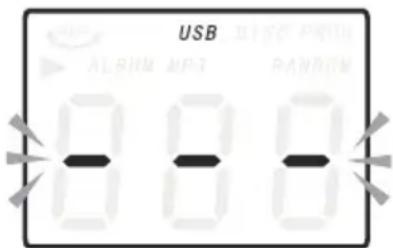
2) Insert a USB device into the USB socket. The player will begin to play the first song of the USB.
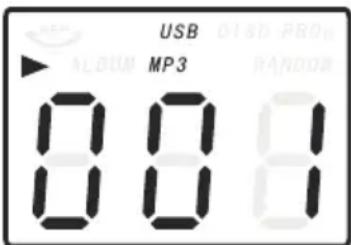
3) MP3 icon will be shown while MP3 is detected.
4) PLAY/PAUSE, DN/F-R/UP/F-F and STOP functions are the same as in CD play mode.
You may press the FUNCTION button on the unit or long press the PLAY/PAUSE button on the remote control to change the playing mode between CD and USB.
PLAYING IN MP3 MODE (UNDER CD/USB OPERATION)
1) Press PLAY/PAUSE button to start or pause playback of the selected track in the CD/USB mode.
2) While playing the song, the song number and folder number of your selected track will be shown on the screen. MP3 icon and icon will be shown.
3) You can stop the playback at any time by pressing the STOP button.
TRACK SKIP AND HIGH SPEED TRACK SEARCH IN CD/USB MODE
During CD/USB playback, pressing the UP/F-F (Fast Forward) or the DN/F-R (Fast Reverse) button repeatedly will skip to next or previous tracks. Release the button when next or previous track number is shown. The disc will begin to play from your selected track.
To rapidly search forward or backward within a track and locate a specific passage of it, press and hold UP/F-F or DN/F-R button. The player will search forward or backward at a high speed. Release the button when you hear your desired passage and the playback will resume normal from that point.
To skip 10 tracks FORWARDS/BACKWARDS, press TRACK+10/TRACK-10 button on the remote control.
REPEAT/RANDOM FUNCTION IN CD/MP3 MODE (UNDER CD/USB OPERATION)
Press the PLAY_MODE button on the unit or the REPEAT button on the remote control; this will repeat the currently playing track and the REP icon will be shown on the track number display. Pressing it again will repeat all tracks in the currently playing USB or MP3 disc, REP will be shown. Press the button once more, and press DN/F-R or UP/F-F button to select the desired track in desired folders backward or forward for repeating, both 'ALBUM' and '001' '002' (the folder name and song name will flash by returns) will flash. Press the PLAY_MODE button for the fourth time or the RANDOM button on the remote control; the random playback function will begin and 'RANDOM' will be shown; press DN/F.R or UP/F.F button to select tracks randomly. Press the PLAY_MODE button a fifth time and both the repeat and random playback function will be cancelled. Press the STOP button to stop playing.
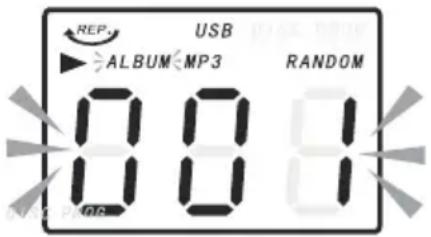
NOTE: There is no folder in the disc if no MP3 is detected. During playing the CD Disc, there is no ALBUM repeating function.
MEMORY FUNCTION IN CD/MP3 MODE
1) In CD stop mode, press the PLAY_MODE button on the unit or the PROGRAM button on the remote control to enter PROG mode, both 'PROG' and 'P01' will appear and 'PROG' will flash on the track number display. Press the UP/F.F button or DN/F.R button to select your desired track and press the PLAY_MODE or PROGRAM button to confirm.
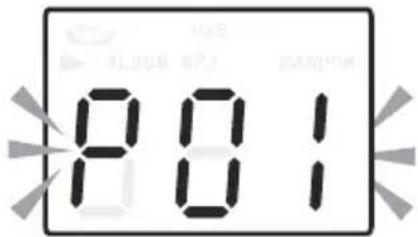
2) Press the PLAY_MODE button or PROGRAM button to program the next track. Repeat this operation to program the track sequence.
3) In MP3 mode under CD/USB operation, the setting procedure of MP3 memory is the same as that of the CD memory mentioned above under 1) and 2).
4) Press the PLAY/PAUSE button to play the stored tracks, press UP/F-F or DN/F-R to select a track in the sequence saved.
5) Press the STOP button twice to leave the program mode. The entire program stored in memory is cancelled.
NOTE: You can store a total of 99 MP3 tracks and 20 CD tracks.
USB RECORDING
1) CD RECORDING
Plug a U-disk into the USB socket. Then press the CD/USB button, place a CD into the CD drawer and play the track that will be recorded. Press the RECORD button twice to start recording, the USB icon will flash. The song number and folder number of your recorded track will be shown on the screen, it will continue to record the next track until you press the STOP button to finish.
Plug a U-disk into the USB socket. Then press the CD/USB button and place an MP3 disc into the CD drawer; the recording procedure is the same as that of CD recording mentioned above under 1).
3) PHONOGRAPH RECORDING
Plug a U-disk into the USB socket. Then press the PHONO button, play the phono that w be recorded and set the tone arm to the right place. Press the RECORD button twice to start recording, press the STOP button to stop recording when you finish recording.
NOTE: Recording will fail if you press the STOP button during the recording.
4) Press the DELETE button one time, DEL will be shown on the display.
Press the DELETE button again to confirm to delete the track that was playing.
RADIO OPERATION
1) Press the POWER button at the front panel to turn the system 'on' and set the volume to low level. Press the FM button to select the FM band as desired. The tuner backlight comes 'on'.
2) Rotate the TUNING control to tune the desired radio station. If you tune to an FM stereo station, the FM ST. indicator will light and reception will be in stereo. If you tune to a weaker FM station, the reception will automatically switch to mono.
3) When you finish listening, press the POWER button again to turn the system off. The POWER indicator and the tuner backlight go 'off'.
ANTENNA INFORMATION
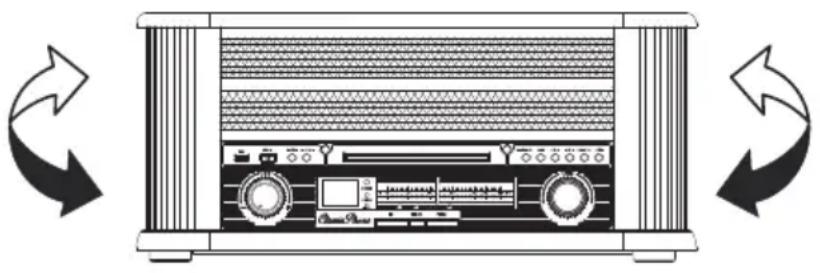
The FM wire antenna is located on the back of the cabinet. If necessary, adjust the position and direction of this antenna until you find the position that provides the best reception.
CD OPERATION
1) Press the CD/USB button to enter the CD mode; the '---' icon will be shown on the screen. The unit can play CD, CD-R and CD-RW.
2) Press the OP/CL button to open the CD drawer.
3) Place your disc (MP3 is compatible) in the CD drawer with the label side facing up.
4) Press the OP/CL button again to close the CD drawer. The disc will spin for a few seconds while the player is reading the disc, then the disc stops spinning and starts to play the first track of the disc.
5) The MP3 icon will be shown while an MP3 is detected. No icon will be shown when no MP3 file is detected in the disc.
PLAYING RECORDS
This system includes a full-size, 3-speed, belt-drive turntable. You can play 33, 45 and 78 rpm records.
1) Press the POWER button at the front panel and set the volume to a low level.
2) Press the PHONO button to enter the PHONO mode.
3) Make sure that you have removed the stylus cover from the stylus and have released the tone arm lock that secured the tone arm to the tone arm rest.
4) Set the turntable speed selector to the appropriate speed 33, 45 or 78 rpm. If you are playing 45 rpm 'singles', place the 45 rpm adapter on the centre spindle.
5) Place your record on the centre spindle.
6) Raise the cue lever to lift the tone arm off its rest. Move the tone arm to the edge of the record. The turntable starts automatically. Use the cue lever to gently lower the tone arm onto the record.
7) Adjust the VOLUME control to the desired level.
8) When the tone arm reaches the end of the record it automatically returns to the tone arm rest and the record player stops.
9) To turn the system 'off', press the POWER button again and the POWER indicator goes 'off'.
NOTE: Do not turn or stop the turntable manually. Moving or jarring the turntable without securing the tone arm clamp could result in damage to the tone arm.
IMPORTANT!!
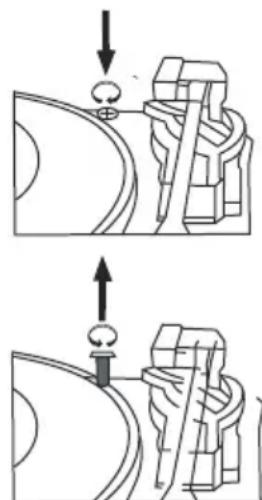
- TO PROTECT THE TURNTABLE FROM DAMAGE DURING TRANSPORTATION, A SILVER TRANSIT SCREW IS LOCATED AT THE UPPER RIGHT OF THE TURNTABLE PLATFORM.
- BEFORE PLAYING, PLEASE USE A SCREWDRIVER TO TURN THE TRANSIT SCREW IN CLOCKWISE DIRECTION (SCREW GOING DOWN) COMPLETELY TO UNLOCK THE TURNTABLE.
- TO LOCK THE TURNTABLE AGAIN FOR TRANSPORTATION, PLEASE TURN THE SCREW IN COUNTER-CLOCKWISE DIRECTION.
LITHIUM BATTERY INSTALLATION OF REMOTE CONTROL
- The remote control requires one CR2025 (3V) lithium battery.
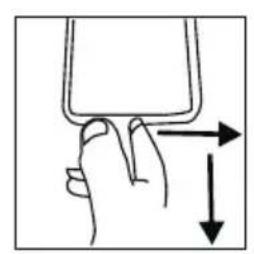
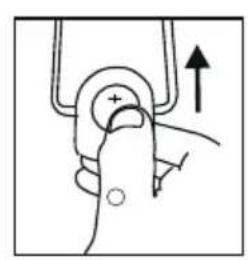
- Hold and lever pressing the clasp with the thumb in the right direction of the arrow in the illustration, and take out the battery compartment by sliding with forefinger in the direction towards you. Take out the battery compartment from the remote control. Install a lithium battery (CR-2025) in the compartment with the positive polarity upturned Level hold and push the battery compartment into the remote control lightly. It's okay once you hear a click.
CARE AND MAINTENANCE
COMPACT DISC CARE
- To remove a disc from its storage case, press down on the centre of the case and lift the disc out, holding it carefully by the edges.
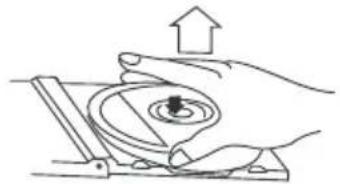
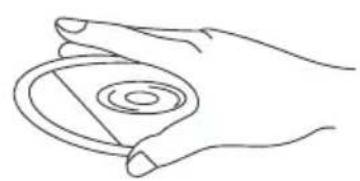
- Fingerprints and dust should be carefully wiped off the discs recorded surface with a soft cloth. Unlike conventional records, compact discs have no grooves to collect dust and microscopic debris, so gently wiping with a soft cloth should remove most particles. Wipe in a straight line from the inside to the outside of the disc.Small dust particles and light stains will have absolutely no effect on reproduction quality.
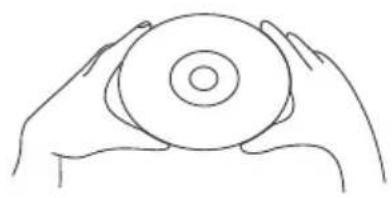
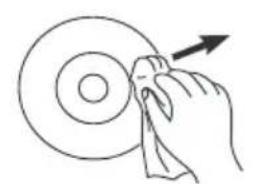
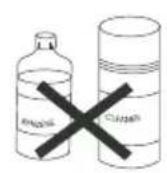
- Clean the disc periodically with a soft, lint-free, dry cloth. Never use detergents or abrasive cleaners to clean the disc. If necessary, use a CD cleaning kit.
- Never write on or affix labels to the surface of compact discs.
TECHNICALSPECIFICATIONS
RECYCLING ELECTRICAL PRODUCTS
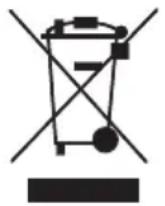
You should now recycle your waste electrical goods and in doing so help the environment.
This symbol means an electrical product should not be disposed of with normal household waste. Please ensure it is taken to a suitable facility for disposal when finished with.
GUARANTEE
Lenco offers service and warranty in accordance with the European law, which means that in case of repairs (both during and after the warranty period) you should contact your local dealer.
Important note: It is not possible to send products that need repairs to Lenco directly.
Important note: If this unit is opened or accessed by a non-official service center in any way, the warranty expires.
This device is not suitable for professional use. In case of professional use, all warranty obligations of the manufacturer will be voided.
DISCLAIMER
Updates to Firmware and/or hardware components are made regularly. Therefore some of the instruction, specifications and pictures in this documentation may differ slightly from your particular situation. All items described in this guide for illustration purposes only and may not apply to particular situation. No legal right or entitlements may be obtained from the description made in this manual.
DISPOSAL OF THE OLD DEVICE
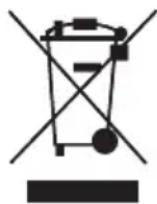
This symbol indicates that the relevant electrical product or battery should not be disposed of as general household waste in Europe. To ensure the correct waste treatment of the product and battery, please dispose them in accordance to any applicable local laws of requirement for disposal of electrical equipment or batteries. In so doing, you will help to conserve natural resources and improve standards of environmental protection in treatment and disposal of electrical waste (Waste Electrical and Electronic Equipment Directive).
SERVICE
For more information and helpdesk support, please visit www.lenco.com
Lenco Benelux BV, Thermiekstraat 1a, 6361 HB Nuth, The Netherlands.
MILIEUBESCHERMING