Get Together EMJA019 - Speaker HOUSE OF MARLEY - Free user manual and instructions
Find the device manual for free Get Together EMJA019 HOUSE OF MARLEY in PDF.


| Brand | House of Marley |
| Model | Get Together EMJA019 |
| Product type | Portable stereo Bluetooth speaker |
| Dimensions (approx) | 61 x 20.3 x 20.3 cm |
| Weight (approx) | 5.5 kg |
| Materials | Crafted bamboo and REWIND fabric (recycled hemp, organic cotton, RPET) |
| Speakers | 2 x 89 mm (3.5 in) woofers + 2 x 25 mm (1 in) tweeters |
| Amplifier | Built-in powerful amplifier |
| Wireless connectivity | Bluetooth |
| Wired connectivity | Auxiliary input (3.5 mm jack) |
| USB charging port | Yes, for charging external devices |
| Power supply | 100-240 V AC power adapter included |
| Battery | Built-in rechargeable |
| LED indicator | Blue (Bluetooth connected), red (charging) |
| Controls | On/Off, Volume +/-, Play/Pause |
| Cleaning | Dry cloth only |
| Safety | Do not expose to water or moisture; do not block ventilation outlets |
| Compliance | Industry Canada RSS, Directive 1999/5/EC |
| Recycling | Follow WEEE directive and battery recycling |
| After-sales service | For repair or battery replacement, contact House of Marley support |
Frequently Asked Questions - Get Together EMJA019 HOUSE OF MARLEY
User questions about Get Together EMJA019 HOUSE OF MARLEY
0 question about this device. Answer the ones you know or ask your own.
Ask a new question about this device
Download the instructions for your Speaker in PDF format for free! Find your manual Get Together EMJA019 - HOUSE OF MARLEY and take your electronic device back in hand. On this page are published all the documents necessary for the use of your device. Get Together EMJA019 by HOUSE OF MARLEY.
USER MANUAL Get Together EMJA019 HOUSE OF MARLEY
Greetings and Welcome to the House of Marley
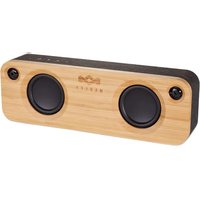
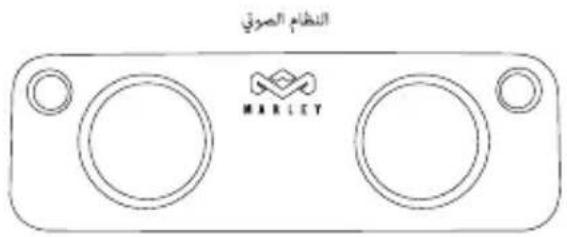
We are honored you have selected Get Together to become part of your music experience. Get Together is a portable stereo sound system which works with Bluetooth® devices connected wirelessly and hundreds of other devices via the auxiliary input. The system uses two high-output, long-throw 3.5" (89mm) woofers in a ported enclosure, two 1" (25mm) tweeters and a powerful amplifier. The system uses custom-milled bamboo front and rear sections and is wrapped in REWIND™ fabric composed of reclaimed hemp, organic cotton, and recycled plastic bottles (RPET).
Everything You Need to Jam
The Get Together comes with the following items:
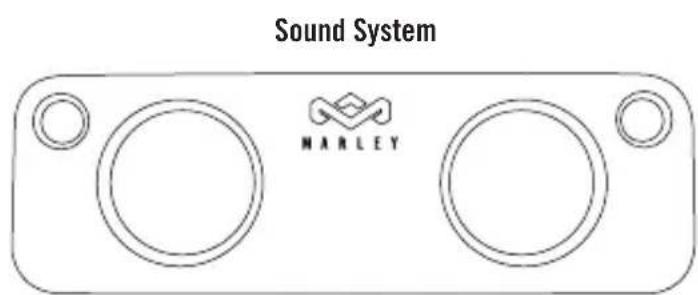
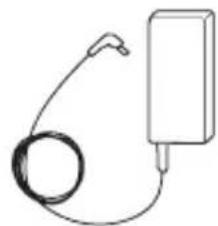
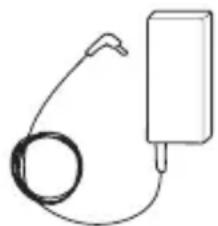
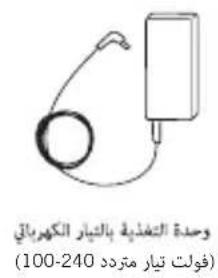
AC Power Supply (100-240 VAC)
Powering Your Get Together
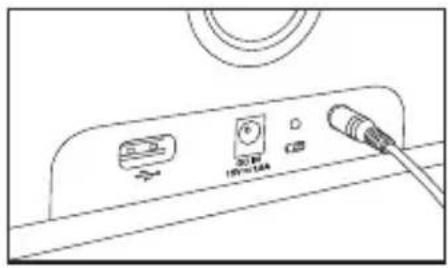
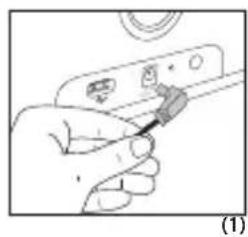
Get Together includes a built-in rechargeable battery that is charged by the included power supply. The LED by the power port will glow RED when the system is charging and turn off once the battery is full.
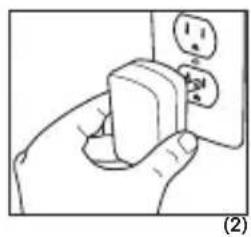
Using a Wall Outlet
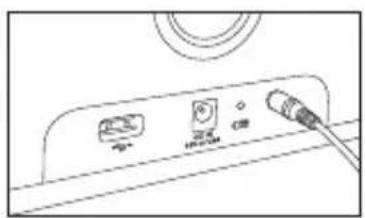
- Insert the AC power supply cord into the Get Together.
- Insert wall plug into an appropriate wall outlet.
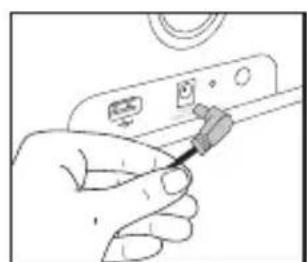
(1)
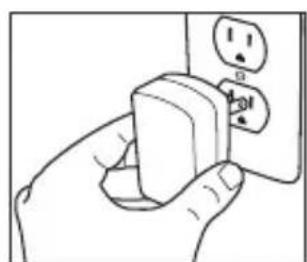
(2)
Connecting Your Music Device(s)
Pairing Mode (Flashing Blue LED)
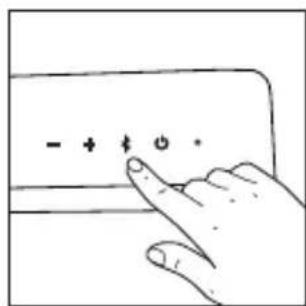
Get Together automatically goes into reconnect mode for 5 seconds as soon as you turn it on (flashing BLUE led). It then switches to auxiliary mode (RED led). You can pair a new device to Get Together by holding the × for 3 seconds.
Note: Holding the for 3 seconds will kick off the device currently connected to Get Together and go into Pairing Mode.
Connected Mode (Solid Blue LED)
Use your Bluetooth-enabled device to pair to Get Together. Get Together does not require a pairing password. Once paired, the LED will glow solid blue.
Note: Get Together will automatically pair with the last device connected to it when turned ON (when possible).
Connecting other devices
The auxiliary input on the back of Get Together allows you to connect other audio devices to the system.
Easy To Use
When the system is powered and a device is connected, you are ready to enjoy your Get Together.
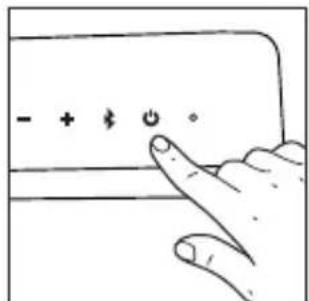
- Press the power button to turn Get Together on. Press the power button again to turn Get Together off.
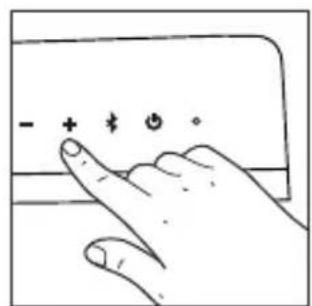
- Increase or decrease the volume on Get Together by pressing or holding the - and + buttons until the desired volume is reached. You can also adjust the system volume using the controls on your music source.
- Quickly press the while music is playing to pause and resume playback directly from Get Together.
(1) (2) (3)
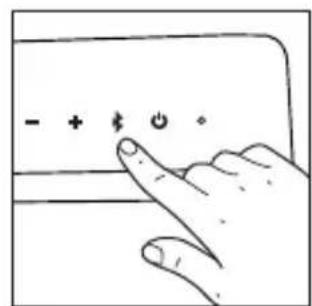
Charging Your Device
A convenient USB port is available on the back of Get Together to charge your devices while it is on. Use the cable that came with your device to charge.
NOTE: Not all devices are compatible with the USB port. If your device does not charge, use the power adapter that came with it.
Battery Replacement
Your Get Together includes a rechargeable battery designed to last the lifetime of the product. In the unlikely event that you should require a replacement battery please contact Customer Services who will supply details of the warranty and out-of-warranty replacement battery service.
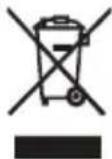
WEEE EXPLANATION
This marking indicates that this product should not be disposed with other household wastes throughout the EU. To prevent possible harm to the environment or human health from uncontrolled waste disposal, recycle it responsibly to promote the sustainable reuse of material resources. To return your used device, please use the return and collection systems or contact the retailer where the product was purchased. They can take this product for environmental safe recycling.
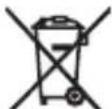
BATTERY DIRECTIVE
This symbol indicates that batteries must not be disposed of in the domestic waste as they contain substances which can be damaging to the environment and health. Please dispose of batteries in designated collection points.
- Warning: To reduce the risk of electric shock, do not remove cover (or back) as there are no user-serviceable parts inside. Refer servicing to qualified personnel.
- The exclamation point within an equilateral triangle is intended to alert the user to the presence of important operating and maintenance instructions in the literature accompanying the appliance.
Important Safety Information
- Follow and keep these instructions.
- Heed all warnings.
- Do not use this apparatus near water.
- Clean only with a dry cloth.
- Do not block any ventilation openings. Install in accordance with the manufacturer's instructions.
- Do not install near any heat sources such as radiators, heat registers, stoves, or other apparatus (including amplifiers) that produce heat.
- Protect the power cord from being walked on or pinched particularly at plug, convenience receptacles, and the point where they exit from the apparatus.
- Only use attachments/accessories specified by the manufacturer.
- Unplug this apparatus during lightning storms or when unused for long periods of time.
- Refer all servicing to qualified service personnel. Servicing is required when the apparatus has been damaged in any way, such as power-supply cord or plug is damaged, liquid has been spilled or objects have fallen into the apparatus, the apparatus has been exposed to rain or moisture, does not operate normally, or has been dropped.
- To reduce the risk of fire or electric shock, do not expose this apparatus to rain or moisture.
- The apparatus should not be exposed to dripping or splashing and objects filled with liquids, such as vases, should not be placed on apparatus.
- The batteries (battery pack or batteries installed) shall not be exposed to excessive heat such as sunshine, fire or the like.
- WARNING: The direct plug-in adapter is used as disconnect device, the disconnect device shall remain readily operable.
- No naked flame sources, such as lighted candles, should be placed on the apparatus.
- Max. operation temperature is 45^
FCC Statement
This equipment has been tested and found to comply with the limits for a Class B digital device, pursuant to part 15 of the FCC Rules. These limits are designed to provide reasonable protection against harmful interference in a residential installation. This equipment generates uses and can radiate radio frequency energy and, if not installed and used in accordance with the instructions, may cause harmful interference to radio communications. However, there is no guarantee that interference will not occur in a particular installation. If this equipment does cause harmful interference to radio or television reception, which can be determined by turning the equipment off and on, the user is encouraged to try to correct the interference by one or more of the following measures:
—Reorient or relocate the receiving antenna.
—Increase the separation between the equipment and receiver.
—Connect the equipment into an outlet on a circuit different from that to which the receiver is connected.
—Consult the dealer or an experienced radio/TV technician for help.
This device complies with FCC radiation exposure limits set forth for an uncontrolled environment.
This device complies with Part 15 of the FCC Rules. Operation is subject to the following two conditions: (1) this device may not cause harmful interference, and (2) this device must accept any interference received, including interference that may cause undesired operation.
CAUTION!
Any changes or modifications not expressly approved by the party responsible for compliance could void the user's authority to operate the equipment.
CANADA STATEMENT
This device complies with Industry Canada licence-exempt RSS standard(s). Operation is subject to the following two conditions: (1) this device may not cause interference, and (2) this device must accept any interference, including interference that may cause undesired operation of the device.
The device meets the exemption from the routine evaluation limits in section 2.5 of RSS 102 and compliance with RSS-102 RF exposure, users can obtain Canadian information on RF exposure and compliance.
Udskifting at Batteri
Dó6po noXaIobatb B Mara3nH House of Marley
MblpaBbI,TO Bbl Bbl6pAln CnCTemy Get Together dIy npocnyuBaHnMy3bIKn. Get Together - 3TO nopTaTINBHaCtepeOncTeMa, cobMeCTmamc yctpoiCTBaMn c noDepKko Bluteoth® npi 6ecnpoBOdHom nOdKlIOUeHHN, a TaKHe CO MHOJKeCTBOM dpYrNX yCTpoiCTB npi NOkKIOUeHH NceP3 DOONHIneJIbHbI NOpT. B CtepeOncTeMe NCIOJIb3yOTcra DBA MOChbIX dINHHOXODOBix HIN3KOaCTOThbIX DNHAMKa DnAmEtPOM 3,5" (89 MM), DBA BBICOKOAcTOnHBIX DNAMnKa DnAmEtPOM 1" (25 MM) IN MOHbI YCNIIeIb - BCE 3TO BnopTaTINBHom KOpNyCe. B KaueCTBe MaTePnaIa Iry n3rotobJeHH NpeEdHeN 3aDHeN CeKzni KopnyCa CnCTeMbI npIMeHAnOCb I3MeJIbYeHHoe 6aM6yKOBoe BOJOKHO. Camn CeKznn OStaHytBI TkaHbIO REWINDTM, BblIOJIeHHoN I3 nepepa6oTaHHo NeHbKn, oprAHnuecko Xlonuato6ymaxHoN TKaHn, a TaKHe PnlaCTNKOBbIX 6yTbIok, npoWeDiX NOBToPHyIO o6pa6OtKy.
Bce Heo6xodnmoe Ira npocnyuBaHna My3bIKN
Komnlekt noctabkn ctepeocncTembl Get Together:
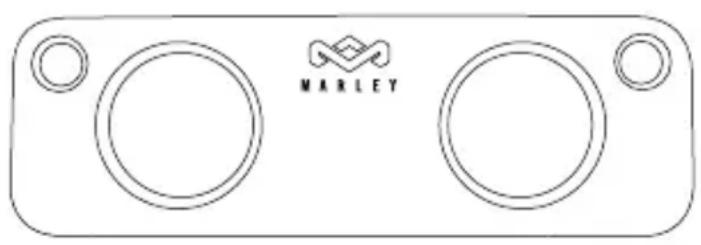
Ctepeocntema
Блok петань (100-240 B peMeHHoro TOI
a a a a a a a a a a a a a a a a a a a a a a a a a a a a a a a a a a a a a a a a a a a a
b1 = 2,b2 = - 4
a 1
i 1
:
JU USB.
Aa a a a a a a a a a a a a a a a a a a a a a a
jL81 jE 0e 0e
1.
.2
aall jy jll jai 2 .3
aillb0a 1
5
aLw) jg jg jg jg jg jg jg jg jg jg jg jg jg jg jg jg jg jg jg jg jg jg jg jg jg jg jg jg jg jg jg jg jg jg jg jg jg jg jg
.3jJgill (uall uSso
jai jai aai iie 1i jaiiaai ai gill jai jai jai jai jai jai jai jai jai jai jai jai jai jai jai jai jai jai jai jai jai jai jai jai jai jai jai jai jai jai jai jai jai jai jai jai jai jai jai jai jai jai jai jai jai jai jai jai jai jai jali jali jali jali jali jali jali jali jali jali jali jali jali jali
aannn aas annnnn nn nnnnnnnnnnnnnnnnnnnnnnnnnnnnnnnnnnnnnnnnnnnnnnnnnnnnnnnnnnnnnnnnnnnnnnnnnnnnnnnnnnnnnnnnnnnnnnnnnnnnnnnnnnnnnnn
a 9
Jus Jus Jus Jus Jus Jus Jus Jus Jus Jus Jus Jus Jus Jus Jus Jus Jus Jus Jus Jus Jus Jus Jus Jus Jus Jus Jus Jus Jus Jus Jus Jus Jus Jus Jus Jus Jus Jus Jus Jus Jus Jus Jus Jus Jus Jus Jus Jus Jus Jus Jus
dJ! CLOUoo lo JS
Get Together
Get Together
aiai jglal LED g aig. qgai yaiy iay aaiy aaiy aaiy Get Together ai
bilaJg
2^3 + 1 = 5
Get Together pblb jlljolll jgl 3 0d
Aoljoll 03
()
Oy. aJgJau 190a 20Get Together pblu y. Get Together pblu g aJgJau Bluetooth aai jol all jjglp
LLED
(a) (a)
s²y110j0011
PbBab. pblly s rA aag o jog Get Together pblu gall lgl y
Get Together
Bærbart Bluetooth® audiosystem
GradulerogvelkommentilHouseofMarley
Declaration of Conformity:
Hereby, House of Marley, declares that this audio device is in compliance with the essential requirements and other relevant provisions of Directive 1999/5/EC. A copy of the Declaration of Conformity can be obtained from House of Marley, Somerhill Business Park, Five Oak Green Road, Tonbridge, Kent TN11 0GP, CS@thehouseofmarley.co.uk
KoIGNy DeKlapaun COOTBETCTBnA MOxHNo NOLyuHTb NO 3JIeKTpOHOMy aDpeCy: House of Marley, Somerhill Business Park, Five Oak Green Road, Tonbridge, Kent TN11 OGP, CS@thehouseofmarley.co.uk
a + b + c = 13.
e 50
CS@thehouseofmarley.co.uk, Kent TN11 0GP, Tonbridge, Green Road
House of Marley erklærer hermed atijke audioenheten er i samsvar med nødvendige krav og andre relevante forskrifter ifolge direktiv 1999/5/EF.
En kopi av konformitetserklæringen er tilgengelig fra House of Marley, Somerhill Business Park, Five Oak Green Road, Tonbridge, Kent TN11 0GP, CS@thehouseofmarley.co.uk
CS@thehouseofmarley.co.uk