Telo Air 2 - Headphones Ooma - Free user manual and instructions
Find the device manual for free Telo Air 2 Ooma in PDF.

Document temporarily unavailable
The manual is currently being transferred to our new server. It will be accessible again in a few hours. Thank you for your patience.

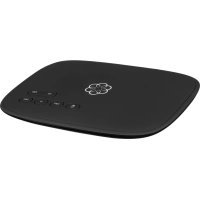
| Product Type | VoIP Phone Adapter (Voice over IP) |
| Brand | Ooma |
| Model | Telo Air 2 |
| Dimensions (L x W x H) | Approximately 12 x 12 x 3 cm |
| Weight | Approximately 200 g |
| Power Supply | AC power adapter (included) |
| Connectivity | Wi-Fi 802.11 b/g/n, Ethernet 10/100, RJ-11 phone port, USB port |
| Main Features | Phone calls via Internet, voicemail, call forwarding, telemarketer blocking, call waiting, virtual number, Ooma mobile app |
| Care and Cleaning | Clean with a soft, dry cloth. Avoid moisture and extreme temperatures. |
| Safety | Do not plug the PHONE port into a wall telephone jack connected to the telephone company network. Disconnect external wiring first. |
| Spare Parts and Repairability | Power adapter and Ethernet cable replaceable. No user-serviceable parts. |
| General Information | Compatible with Ooma HD2/HD3 handsets, Ooma Linx, and home security. Setup app available on iOS and Android. |
Frequently Asked Questions - Telo Air 2 Ooma
User questions about Telo Air 2 Ooma
0 question about this device. Answer the ones you know or ask your own.
Ask a new question about this device
Download the instructions for your Headphones in PDF format for free! Find your manual Telo Air 2 - Ooma and take your electronic device back in hand. On this page are published all the documents necessary for the use of your device. Telo Air 2 by Ooma.