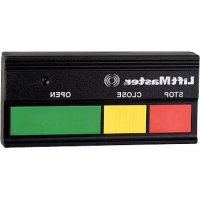
361LMC - Remote control LIFT-MASTER - Free user manual and instructions
Find the device manual for free 361LMC LIFT-MASTER in PDF.


| Product Type | Remote control for garage door/gate |
| Brand | LIFT-MASTER |
| Model | 361LMC |
| Power Supply | 12V battery (type 10A14) |
| Frequency | 315 MHz (fixed code) |
| Number of buttons | 1 button |
| Programming | By DIP switches (positions +, 0, -) and smart/learn button on the opener |
| Compatibility | LiftMaster commercial gate and door operators with fixed code 315 MHz |
| Range | Standard (approximately 30 meters in open field) |
| Maintenance | Annual battery replacement |
| Cleaning | With a dry, soft cloth |
| Safety | Keep out of reach of children; never allow them to play; operate only when door is visible and unobstructed |
| Replacement parts | Sun visor clip 29C128; 12V battery 10A14 |
| Technical support | 1-800-528-9131 (toll-free) |
| Website | www.liftmaster.com |
| Warning | Risk of serious injury or death; follow safety instructions |
Frequently Asked Questions - 361LMC LIFT-MASTER
User questions about 361LMC LIFT-MASTER
0 question about this device. Answer the ones you know or ask your own.
Ask a new question about this device
Download the instructions for your Remote control in PDF format for free! Find your manual 361LMC - LIFT-MASTER and take your electronic device back in hand. On this page are published all the documents necessary for the use of your device. 361LMC by LIFT-MASTER.
USER MANUAL 361LMC LIFT-MASTER
- ALWAYS keep remote controls out of reach of children. NEVER permit children to operate, or play with remote control transmitters.
- Activate gate or door ONLY when it can be seen clearly, is properly adjusted, and there are no obstructions to door travel.
- ALWAYS keep gate or garage door in sight until completely closed. NEVER permit anyone to cross path of moving gate or door.

WARNING: This product can expose you to chemicals including lead, which are known to the State of California to cause cancer or birth defects or other reproductive harm. For more information go to www.P65Warnings.ca.gov
INTRODUCTION
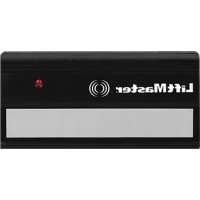
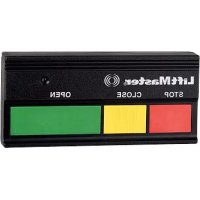
This product is for use with gate operators, commercial door operators and any LiftMaster® product that uses a 315 MHz fixed code. The single-button remote control will activate one device, the 2-button remote control will activate up to 2 devices, and the 3-button remote control will activate up to 3 devices.
BEFORE YOU BEGIN
Locate the Dip Switches on Your Remote Control
Single-Button and 3-Button
Remote Controls:
Slide the battery cover open to access the dip switches in the remote control.
2-Button Remote Control:
The 2-button remote control has two sets of dip switches.
Slide the battery cover open to access the dip switches for the smooth button. Remove the screw on the back of the remote control and remove the cover by pressing the tab. This will access the dip switches for the ribbed button.
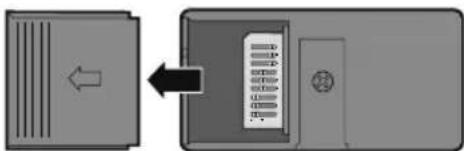
Single and 3-Button Remote Controls
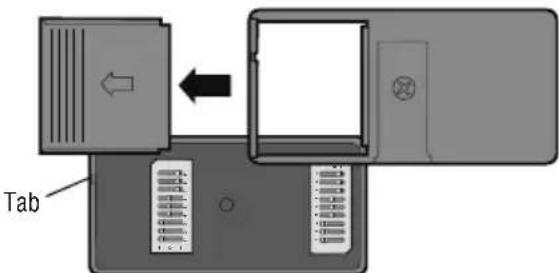
2-Button Remote Controls
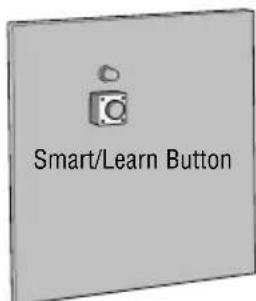
Locate the Smart/Learn Button for Your Product
NOTE: Your product may look different than the products illustrated.
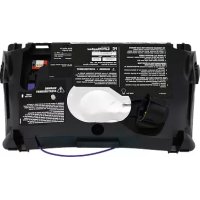
The Smart/Learn button is typically located on the logic board of the operator or external receiver. Refer to your product owner's manual for the exact location of the Smart/Learn button.
SET THE DIP SWITCHES
Use a pen or screwdriver to slide the dip switches.
Programming the remote control without an existing remote control
Set the dip switches in the remote controls to any position you want (+,0,-) .
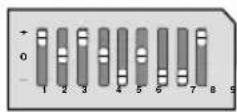
New Remote-Control
Programming the remote control to an existing remote control
Locate the dip switches in the new and old remote controls. Place remote controls side by side and set the dip switches in the remote controls to matching positions (+,0,-) .
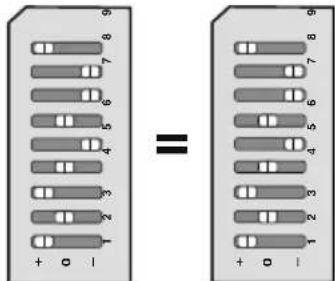
New Remote Control
Programming a 3-button remote control
When programming a single or 2-button remote control to a 3-button remote control it is very important to set dip switch #1 to the correct position. The dip switch in the single or 2-button remote control MUST correspond to the buttons on the 3-button remote control as shown.
Example: If you are programming a single-button remote control to the middle button on the 3-button remote control, dip switch #1 in the single-button remote control MUST be set to "0" in order for both buttons to work.
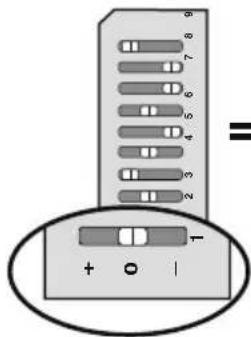
Single or 2-Button Remote Control
Dip switch #1 must correspond to the 3-button remote control buttons
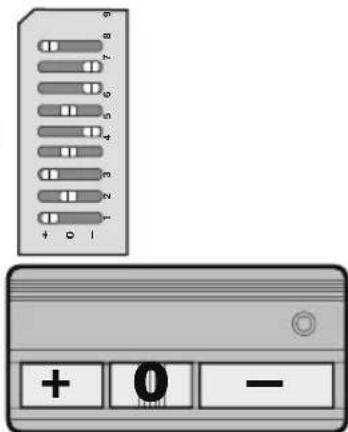
3-Button Remote Control
PROGRAMMING
1 Press and release the Smart/Learn button on your product. The LED will light.
2 Within 30 seconds press and hold the button on the remote control that you wish to activate your product.
Programming is complete.
Repeat the steps above for each button and/or remote control you would like to program.
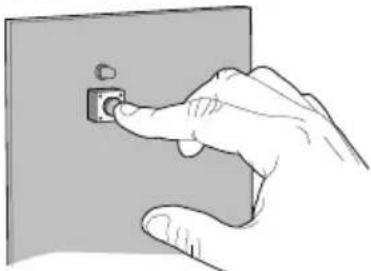
1 Smart/Learn Button
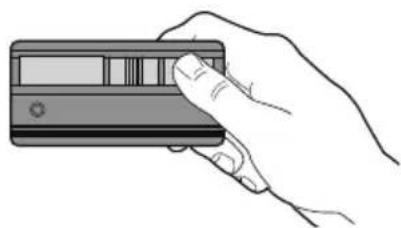
2
WARNING
Install the control station and receiver where the door is visible, but away from the door and its hardware. When a receiver is used to activate a commercial door opener, a reversing edge MUST be installed on the bottom of the door. Failure to install a reversing edge under these circumstances may result in SERIOUS INJURY or DEATH to persons trapped beneath the door.
Model 333LM 3-button remote controls can also be used with a 323LM 3-channel receiver and a 3-button door control to activate a commercial door operator in OPEN, CLOSE, and STOP mode.
1 Use a screwdriver to pry open the receiver cover.
2 Verify that the slide switch on receiver is set to the N.C. position (other wise the commercial door operator will not operate).
3 Press and release the Smart/Learn button labeled "A" on the receiver. The adjacent LED will flash.
4 Within 30 seconds press and release the red button on the remote control. The red button is now programmed for CLOSE mode.
NOTE: If the remote control button is not pressed within 30 seconds, the LED next to the selected Smart/Learn button will turn OFF. In that case, press the Smart/Learn button again to repeat programming.
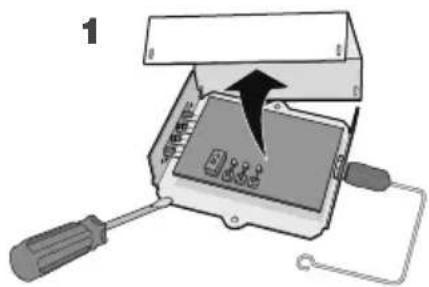
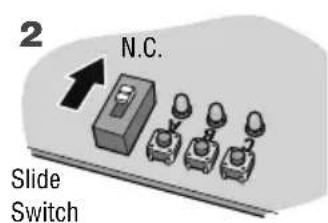
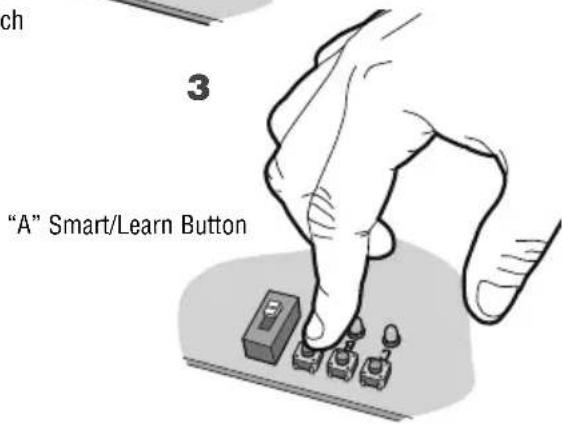
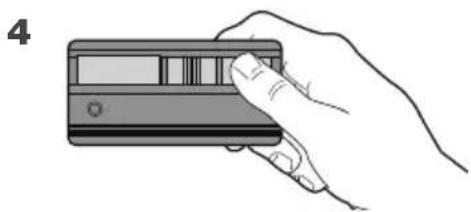
Repeat the steps 3-4 above with the yellow button on the remote control and the receiver Smart/Learn button "B" to program the CLOSE mode; and again with the green button on the remote control and the receiver Smart/Learn button "C" to program the OPEN mode.
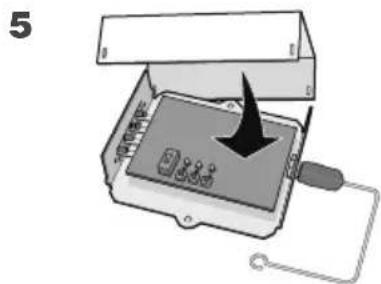
5 Replace the receiver cover.
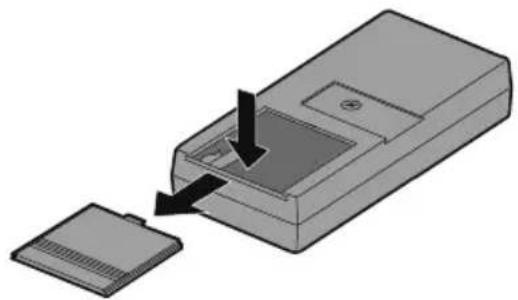
THE REMOTE CONTROL BATTERY
WARNING
To prevent possible SERIOUS INJURY or DEATH:
- NEVER allow small children near batteries.
- If battery is swallowed, immediately notify doctor.
The 12 volt battery should produce power for 1 year.
Dispose of old batteries properly.
NOTICE: To comply with FCC and or Industry Canada rules (IC), adjustment or modifications of this receiver and/or remote control are prohibited, except for changing the code setting or replacing the battery. THERE ARE NO OTHER USER SERVICEABLE PARTS.
Tested to Comply with FCC Standards FOR HOME OR OFFICE USE. Operation is subject to the following two conditions: (1) this device may not cause harmful interference, and (2) this device must accept any interference received, including interference that may cause undesired operation.
REPLACEMENT PARTS
Visor clip 29C128
12V battery 10A14
FOR TECHNICAL SUPPORT DIAL OUR TOLL FREE NUMBER:
1-800-528-9131
www.liftmaster.com