Cloud Pro - Headphones HYPERX - Free user manual and instructions
Find the device manual for free Cloud Pro HYPERX in PDF.


| Product Type | Closed-back circum-aural gaming headset |
| Brand | HyperX |
| Model | Cloud Pro |
| Frequency Response | 15 Hz – 25,000 Hz |
| Impedance | 60 Ω |
| Maximum Sound Pressure Level | 98 dB SPL/mW at 1 kHz |
| Total Harmonic Distortion (THD) | < 2 % |
| Rated / Maximum Power | 150 mW / 300 mW |
| Weight (without mic) | 309 g |
| Weight (with mic) | 322 g |
| Driver Type | Dynamic, 53 mm with neodymium magnet |
| Microphone | Electret condenser, unidirectional with noise reduction |
| Microphone Frequency Response | 50 Hz – 18,000 Hz |
| Microphone Sensitivity | -39 dBV (0 dB = 1 V/Pa, 1 kHz) |
| Cable Length | 1.3 m (headset) + 2 m (PC extension) |
| Connectors | 3.5 mm 4-pole jack (headset); PC extension: 3.5 mm mic and stereo jacks |
| Materials | Leather headband, memory foam ear pads, aluminum frame |
| Compatibility | PS4, Xbox One (adapter required), PC, mobile, Wii U |
| Care and Cleaning | Wipe with a soft, dry cloth; do not use liquids or abrasive cleaners |
| Safety | Avoid prolonged listening at high volume to prevent hearing damage |
| Spare Parts and Repairability | Ear pads are replaceable; contact HyperX support for parts |
Frequently Asked Questions - Cloud Pro HYPERX
User questions about Cloud Pro HYPERX
0 question about this device. Answer the ones you know or ask your own.
Ask a new question about this device
Download the instructions for your Headphones in PDF format for free! Find your manual Cloud Pro - HYPERX and take your electronic device back in hand. On this page are published all the documents necessary for the use of your device. Cloud Pro by HYPERX.
USER MANUAL Cloud Pro HYPERX
HyperX Cloud Silver Headset
Find the language and latest documentation for your HyperX Cloud Silver Headset here.
HyperX Cloud Silver Headset Installation Guide
For instructions in English, Spanish, German, French, Italian, Portuguese, Polish, Russian, Turkish, Japanese, Korean, Thai, Vietnamese, Simplified Chinese, and Traditional Chinese.
HyperX Cloud - Silver Headset
with In-Line Audio Control
Part Numbers: HX-HSCL-SR/NA
Introduction
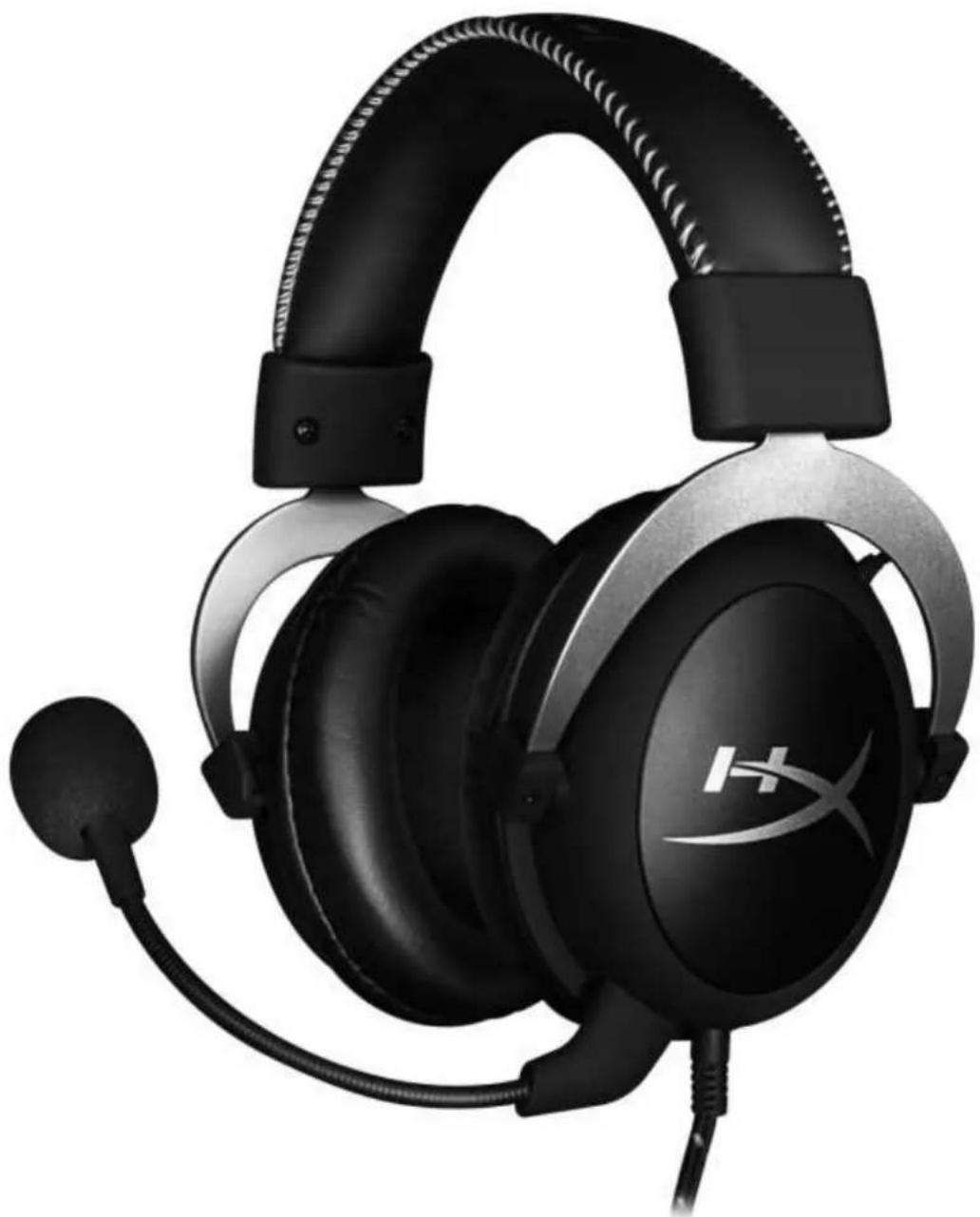
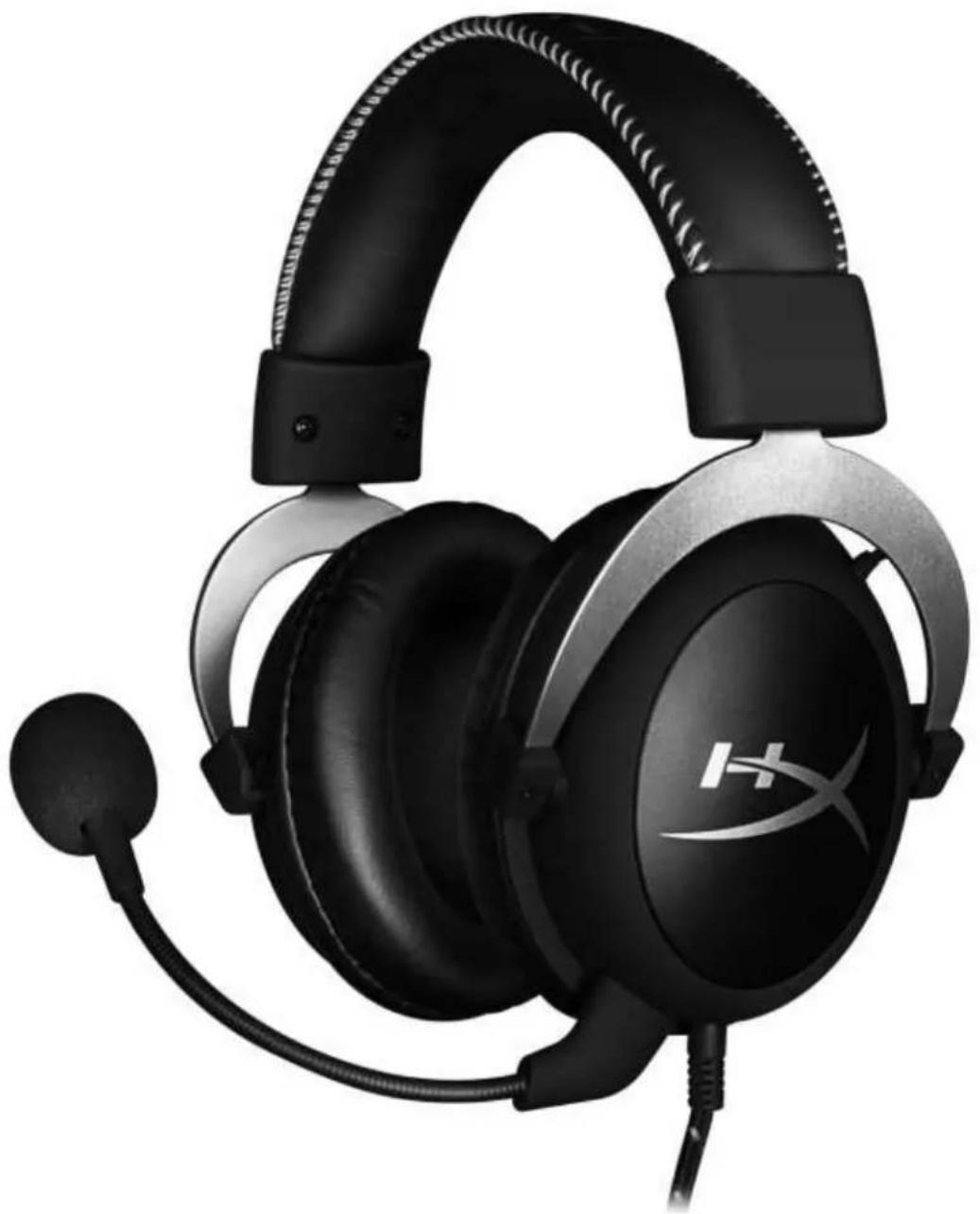
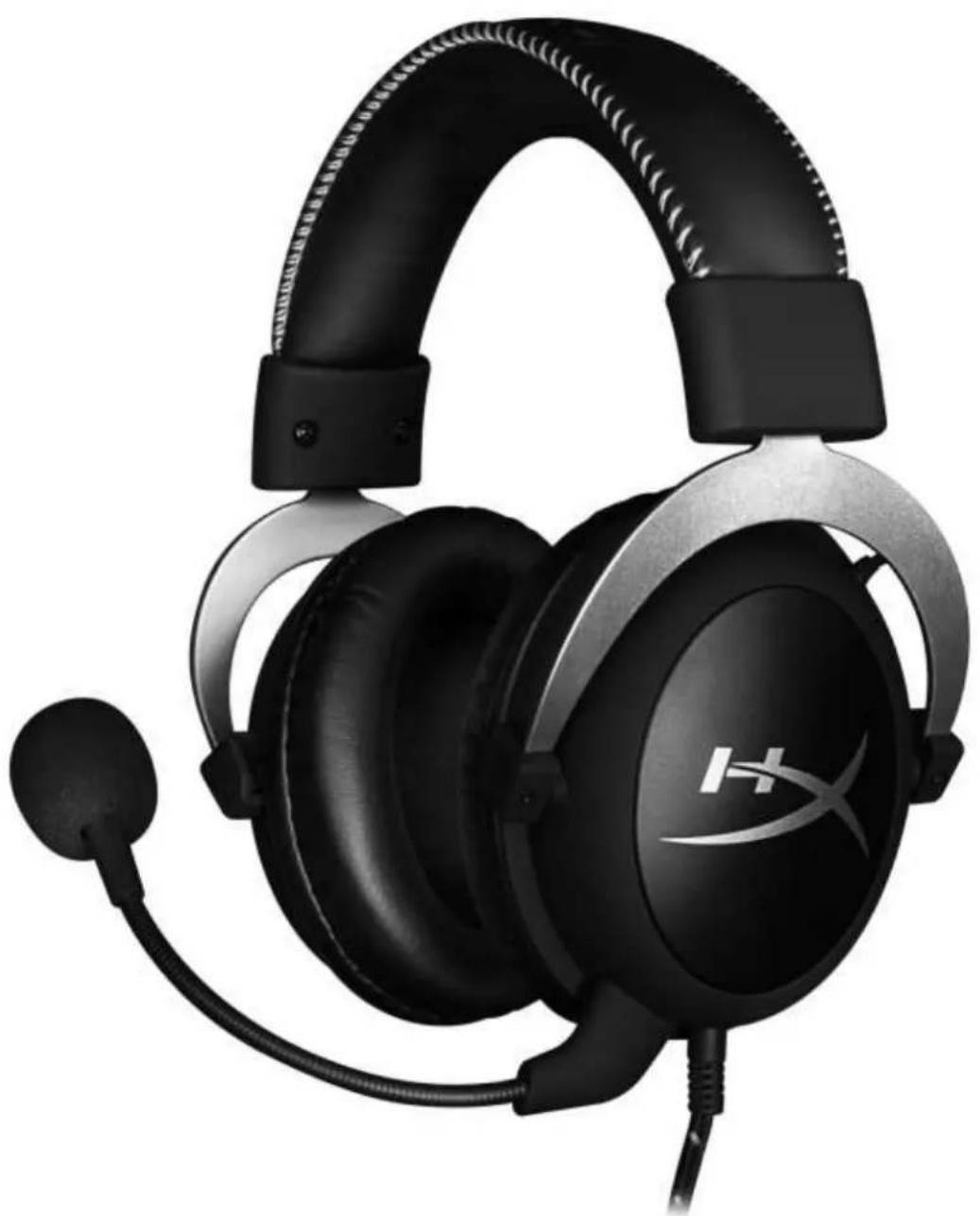
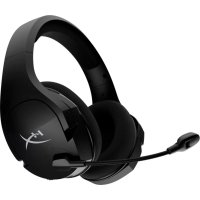
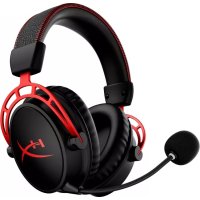
HyperX Cloud™ is designed for serious console gamers. Cloud in silver with in-line audio control puts power at your fingertips, not menus. The durable aluminium frame endures daily usage while the memory foam ear cushions and padded headband deliver award-winning comfort. Hi-Fi capable 53mm drivers bump crystal-clear audio and the noise-cancelling, adjustable microphone eliminates background noise so that you're clearly heard.
What's included:
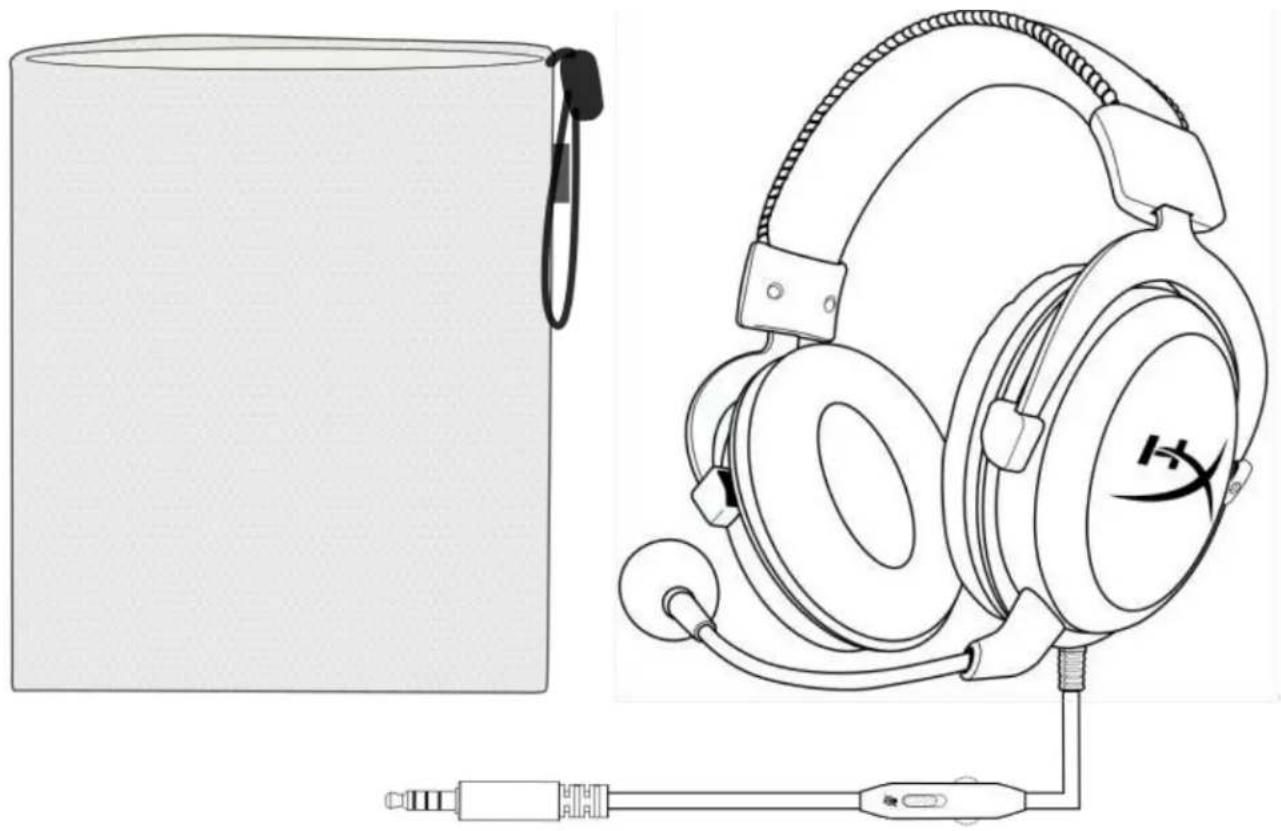
• HyperX Cloud - Silver Headset - Detachable microphone - Mesh carry bag - PC extension cable

Features:
• In-line audio control • Durable aluminium frame - Award-winning comfort • Immersive in-game audio - Detachable noise-cancellation microphone • Multi-platform compatibility
Technical specifications:
Headphone:
- Driver: Dynamic, 53mm with neodymium magnets • Type: Circumaural, closed back • Frequency response: 15Hz–25,000 Hz
- Impedance: 60 Ω • Sound pressure level: 98dBSPL/mW at 1kHz
THD: < 2%
Input power: Rated 150mW, maximum 300mW
Weight: 309g
Weight w/ mic: 322g
Cable length and type: Headset (1.3m) + PC extension cable (2m)
Connection: Headset - 3.5mm plug (4 pole) + PC extension cable - 3.5mm stereo and mic plugs
Microphone:
Element: Electret condenser microphone - Polar pattern: Uni-directional, noise-cancelling • Frequency response: 50Hz-18,000 Hz • Sensitivity: -39dBV (0dB=1V/Pa,1kHz)
Overview
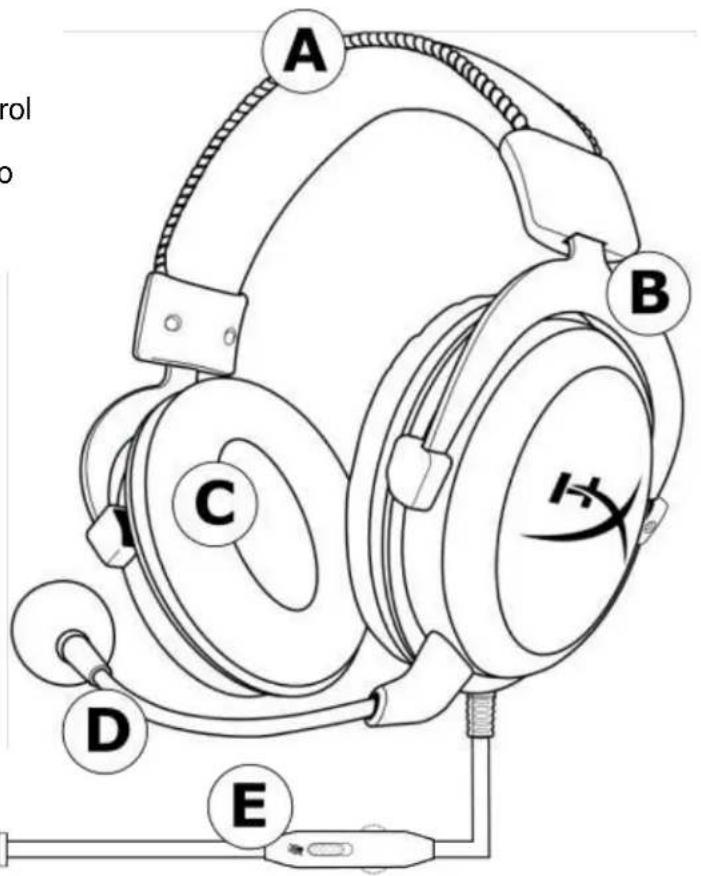
A. Leatherette headband B. Headband adjustment slider C. Leatherette ear cushions D. Detachable noise cancellation mic E. Attached cable with in-line audio control F. PC extension cable with 3.5mm stereo and mic plugs

In-line audio control operation
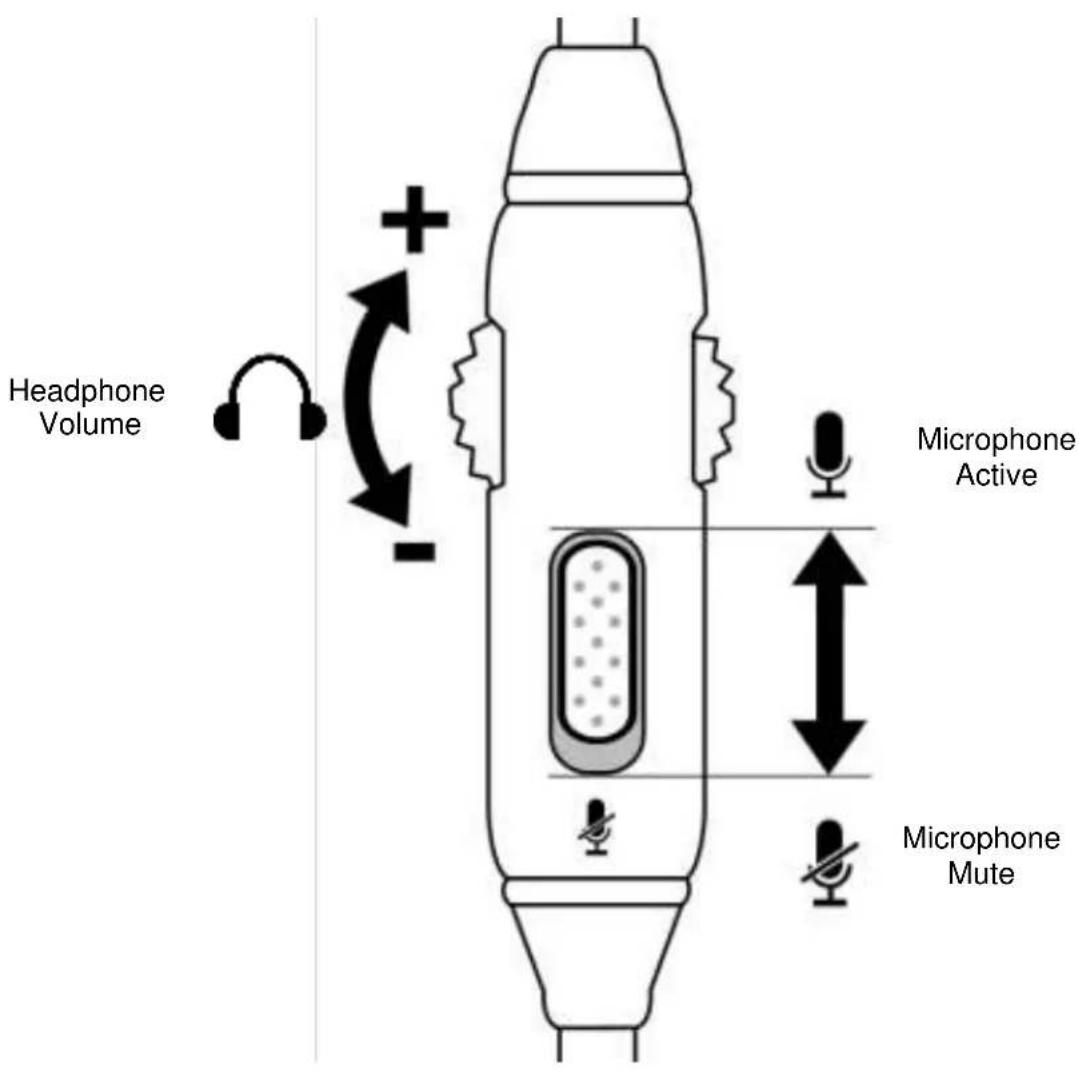
The in-line audio control contains a volume wheel to adjust the headphone output volume and a microphone mute slider to mute the microphone.
To increase the headset volume rotate the volume wheel clockwise (towards the + sign). To reduce the volume, rotate the volume wheel anticlockwise (towards the - sign).
To mute the microphone, slide the microphone mute button to the down position. To activate the microphone, slide the microphone mute button to the up position.
Usage (PlayStation 4)
To use the headset with PlayStation 4 (PS4), connect the 3.5mm plug on the headset directly to the PS4 game controller and follow these steps:
- Turn on your PS4 game console.
- Navigate to the 'Settings' menu and select it.
- Highlight the 'Devices' menu option and select it.
- Scroll down to 'Audio Devices' and select it.
- Choose 'Output to Headphones' and select 'All Audio'.
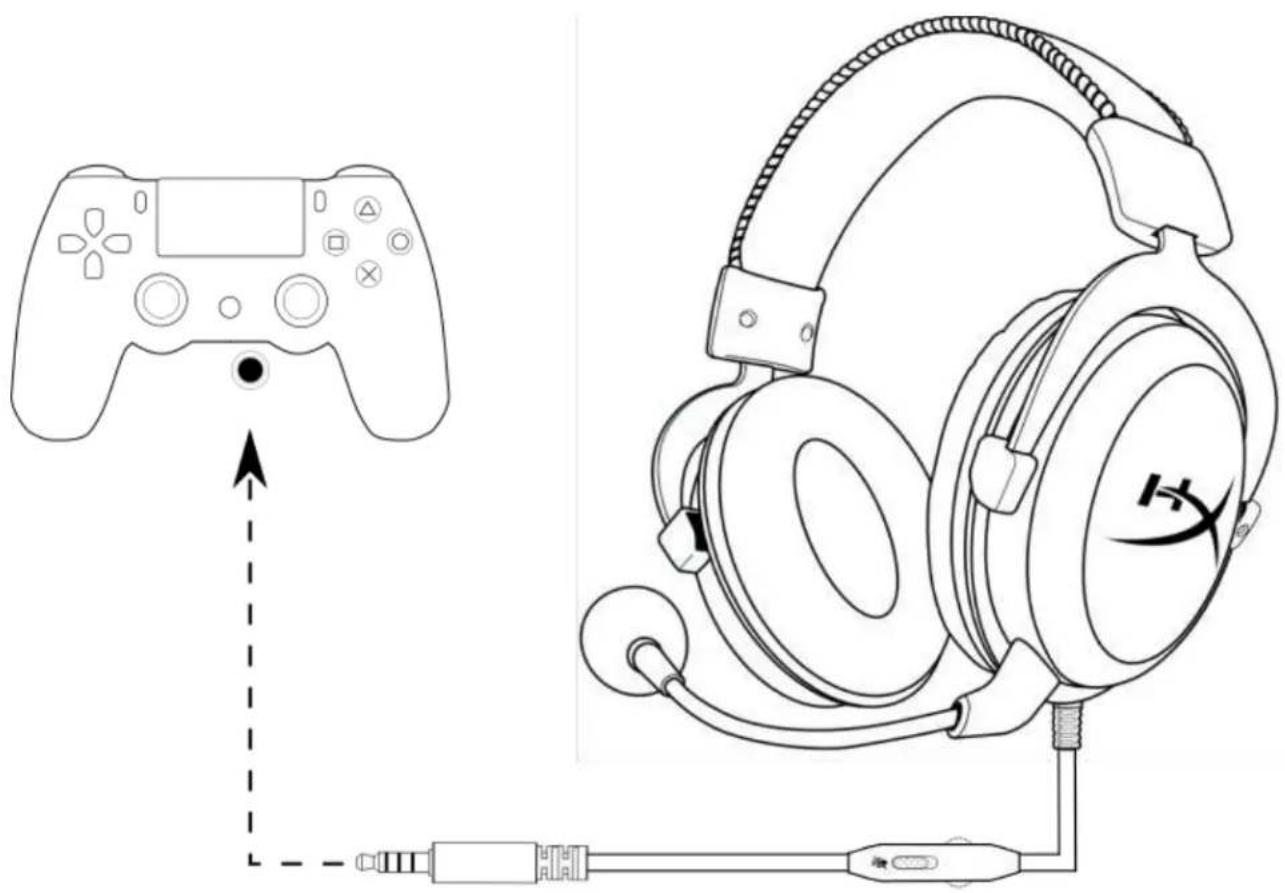
Using with PS4
Usage (Xbox One)
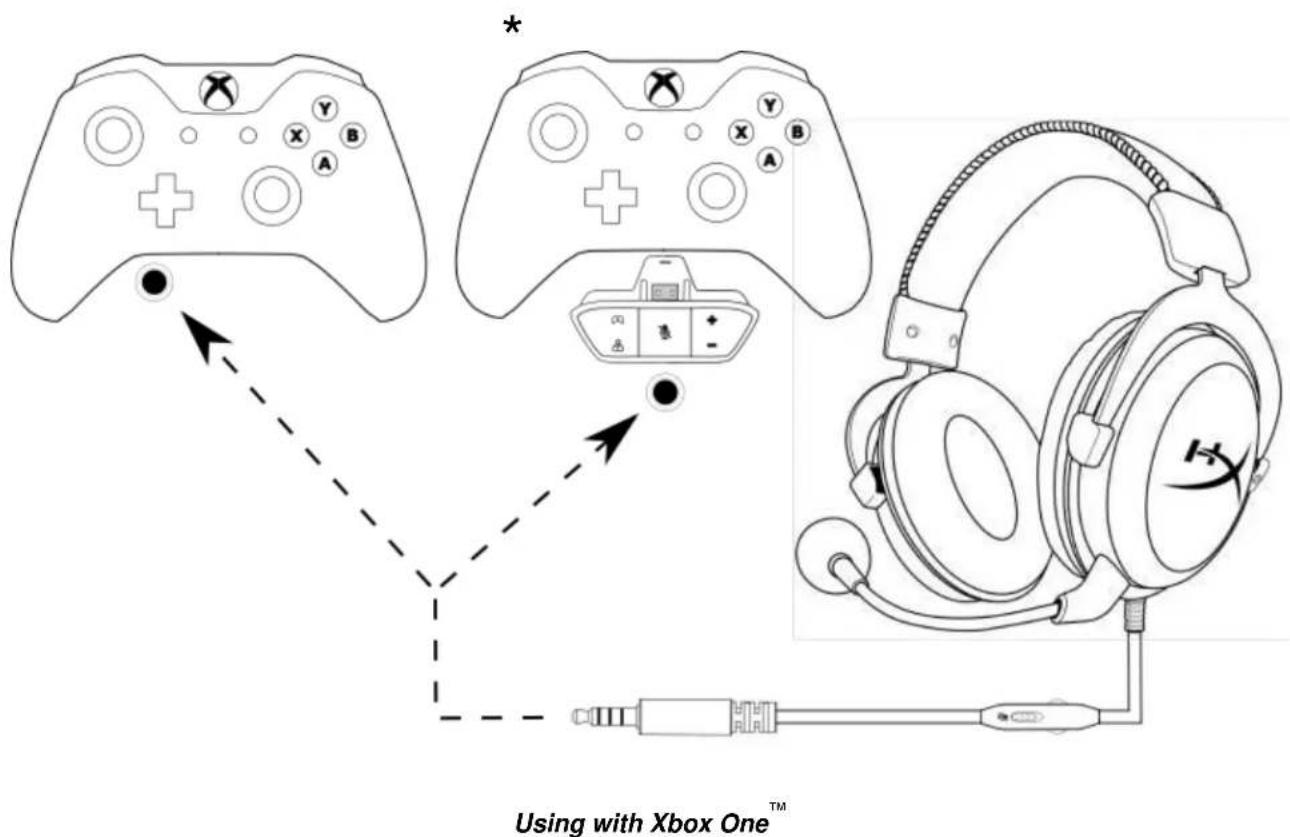
To use the headset with Xbox One, connect the 3.5mm plug on the headset directly to the 3.5mm jack on the Xbox One controller.
* If your Xbox One controller does not have a 3.5mm jack, you will need the Xbox One Stereo Headset adapter (sold separately) that plugs into the Xbox One controller (pictured below).
Usage (PC)
To connect the headset to your computer (or other device) that has both a headphone jack and a microphone jack, connect the headset's 3.5mm plug to the female jack on the PC extension cable. The PC extension cable has two 3.5mm jacks. The audio plug, which has green stripes, plugs into the port signified by a green input or headphone symbol. The microphone plug, which has pink stripes, plugs into the port signified by a pink input or a microphone symbol.
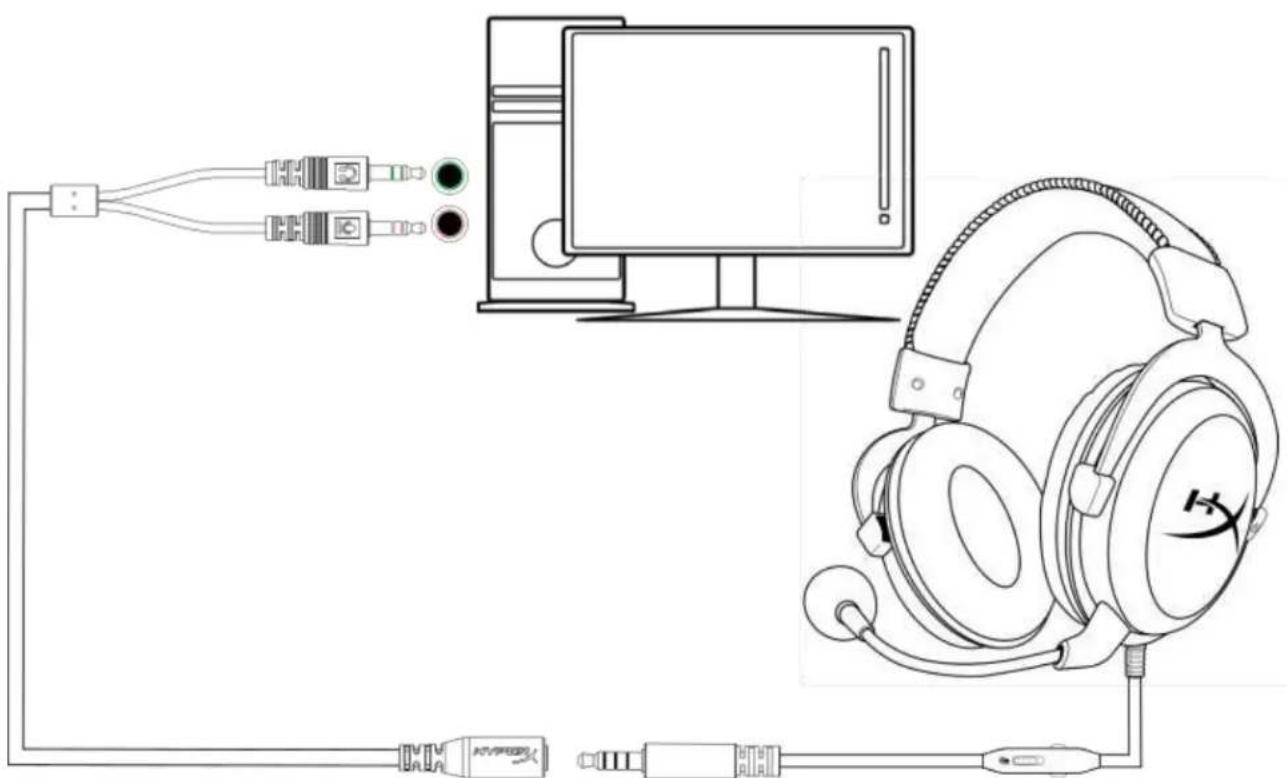
Using with PC extension cable
Usage (mobile device)
To use the headset with a mobile device (or other device) with a headset jack (4 pole CTIA), connect the 3.5mm plug directly into the headset jack on your device.
![graph TD A["Laptop"] -->|Signal| B["Tablet"] B -->|Signal| C["Smartphone"] C -->|Signal| D["Headphones"] D -->|Signal| A](/content/2026/04/593251/images/a2b743c50e35b1760edca69bfeabeb37d497119a53bad0c64f881cbdbfd030cc.jpg)
Using with mobile device (phone, tablet or notebook)
Usage (Wii U™)
To use the headset with Wii U™, connect the 3.5mm plug on the headset directly to the Wii U™ gamepad controller.
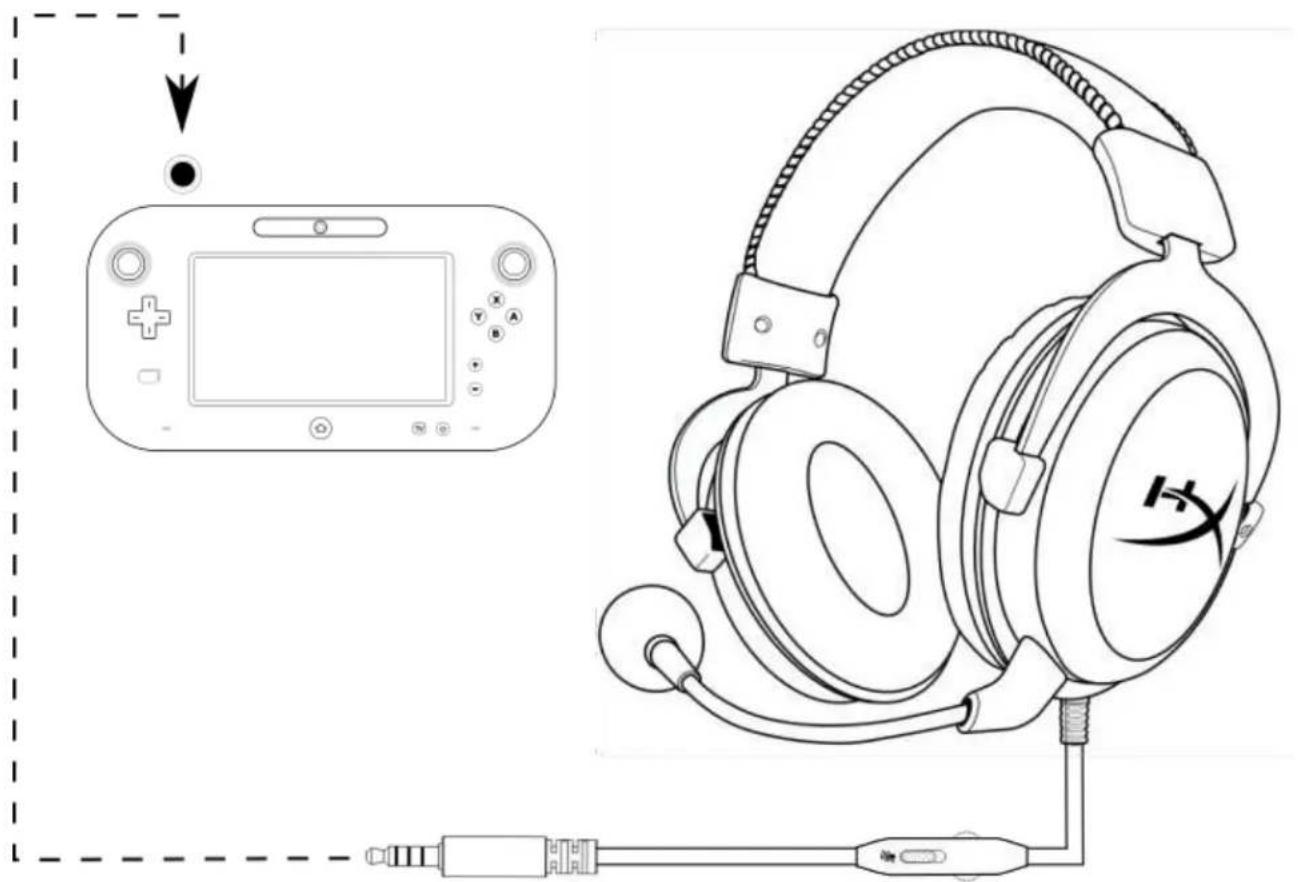
Using with Wii U™
HyperX Cloud Silver Headset

Features:
Usage with PS4™
Usage (Xbox One™)
Usage with Xbox One™
Usage (PC)
Part numbers: HX-HSCL-SR/NA
Introduction

Features:
Features:

Features:
Use with the PS4 TM console

Features:
Using with the PS4 TM
Use (Xbox One TM )
To use the headset with the Xbox One ™ , connect the headset's 3.5mm plug directly into the 3.5mm input on the Xbox ™ One controller
Part numbers: HX-HSCL-SR/NA
Introduction

Features:
Features:
HyperX Cloud - Silver Headset

Features:
Part number: HX-HSCL-SR/NA
Product Description

Product Features:
Inline Audio Control Operation
Connecting to PS4™
For Use with Xbox One™
Using the PC Extension Cable
For Use with Mobile Devices
Connecting to Wii U™
HyperX Cloud - Silver Headset
Inline Audio Control

Features:
Inline Audio Control Operation
Use with PS4™
Use with Xbox One™
Use with Xbox One™
Use with PC
Using the PC extension cable
Use (mobile device)
For use with Wii U™

Features:
Explore with PS4™

Features:
Use with PS4™
Use (Xbox One™)
Use with Wii U™
HyperX Cloud - Silver headset
In-line audio controls
Part number: HX-HSCL-SR/NA
Introduction

Features:
In-line audio control operation
Use with PS4TM
Use with PC extension cable
Use (mobile device)
Model number: HX-HSCL-SR/NA
Introduction

Product features:
In-line audio control operation
Use with PS4TM
Use with PC extension cable
Usage (mobile device)
Use with Wii UTM

- HYPERX CLOUD SILVER HEADSET
- HYPERX CLOUD SILVER HEADSET INSTALLATION GUIDE
- HYPERX CLOUD - SILVER HEADSET
- INTRODUCTION
- WHAT'S INCLUDED
- FEATURES
- TECHNICAL SPECIFICATIONS
- HEADPHONE
- MICROPHONE
- OVERVIEW
- IN-LINE AUDIO CONTROL OPERATION
- USAGE (PLAYSTATION 4)
- USAGE (XBOX ONE)
- USAGE (PC)
- USAGE (MOBILE DEVICE)
- USAGE (WII U™)
- USAGE (XBOX ONE™)
- USE (XBOX ONE TM )
- PRODUCT DESCRIPTION
- PRODUCT FEATURES
- INLINE AUDIO CONTROL OPERATION
- FOR USE WITH XBOX ONE™
- FOR USE WITH MOBILE DEVICES
- USE WITH XBOX ONE™
- USE WITH PC
- USE (MOBILE DEVICE)
- USE (XBOX ONE™)
Brand : HYPERX
Model : Cloud Pro
Category : Headphones