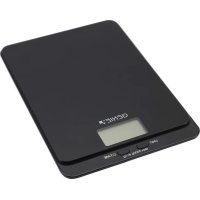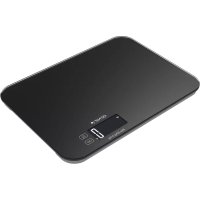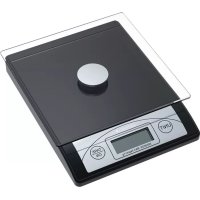
3623 EDS - Scale Genie - Free user manual and instructions
Find the device manual for free 3623 EDS Genie in PDF.



| Product type | Electronic letter scale |
| Maximum capacity | 5 kg / 176 oz |
| Graduation | 1 g / 0.05 oz |
| Display | LCD |
| Power supply | 2 lithium CR2032 batteries (3V) |
| Main functions | On/Off, Tare, g/oz conversion |
| Automatic standby | After about 1 minute |
| Operating temperature | 0°C to +40°C |
| Weighing platform | Glass |
| Tare capacity | Yes, up to the maximum capacity |
| Overload indication | Display "EEEE" |
| Cleaning | Soft damp cloth, without aggressive detergents |
| Safety | Do not immerse in water, avoid shocks and heat sources |
| Battery type | Lithium CR2032 non-rechargeable |
| Warranty | Return to store with original packaging and receipt |
| Compliance | CE, UKCA |
| Manufacturer | GO Europe GmbH, Germany |
| Dimensions | Not specified in the manual |
Frequently Asked Questions - 3623 EDS Genie
User questions about 3623 EDS Genie
0 question about this device. Answer the ones you know or ask your own.
Ask a new question about this device
Download the instructions for your Scale in PDF format for free! Find your manual 3623 EDS - Genie and take your electronic device back in hand. On this page are published all the documents necessary for the use of your device. 3623 EDS by Genie.
USER MANUAL 3623 EDS Genie
natural_image
Digital kitchen scale with digital display and control buttons (no visible text or symbols)UK Authorised Representative
(for authorities only)
ProductIP (UK) Ltd.
Congratulations on your purchase of the GENIE Digital Scale. This is a precision instrument designed specifically to provide reliability, durability, and outstanding performance. In order to ensure the scale continues to deliver peak performance, please read these operation instructions carefully and thoroughly prior to initial usage.
Important
- Place the scale on an even surface for a secure stand.
- The manufacturer does not warrant this unit to be waterproof. Do not expose this product to rain or moisture.
- Avoid contact with too much dirt and dust as well as impacts.
- Do not use the scale under sun or keep it away from heating appliances such as oven, stove, etc.
- Be aware of the correct polarity (+/-) when changing the battery.
- If you do not use the device for a longer period, we suggest taking out the batteries.
- Use the scale for its intended purpose only.
Safety information regarding handling batteries
Warning! Risk of suffocation through batteries.
- Keep batteries out of reach of children.
- Seek medical attention immediately if one is swallowed.
Caution! There are different risks involved when dealing with batteries.
- Never attempt to recharge standard batteries, never short circuit batteries and/or open batteries. Doing so leads to a potential risk of overheating, fire or explosion.
-
Improper handling of batteries/rechargeable batteries can endanger your health and the environment. Batteries/rechargeable batteries may contain toxic and environmentally harmful heavy metals (Cd = cadmium, Hg = mercury, Pb = lead). Therefore, hand in used batteries at a municipal collection point. Therefore, separate disposal and recycling of spent batteries is essential for the environment and health.
-
Ensure the connection terminals are not short-circuited.
- Never throw batteries into a fire or water.
- Never expose batteries to any mechanical loads.
- Leaking batteries could cause damage to the device. If a battery should start to leak, remove it from the device immediately to prevent any further damage. Take the utmost care when handling damaged or leaking batteries and always wear protective gloves.
- Avoid any contact with the skin, eyes and mucous membranes. Rinse any parts of the body which have come into contact with battery acid with plenty of clean water and contact a doctor immediately. Avoid extreme conditions and temperatures which could affect the batteries, e.g. by placing them on radiators or exposing them to direct sunlight.
- Only use batteries of the type specified.
• Never use batteries of different types or new and old batteries together. - Ensure batteries are inserted with the correct polarity.
- If the device will not be used for a longer period, switch the device off and remove the batteries.
- Remove empty batteries from the device and dispose of them according to the applicable directives.
• The batteries must be removed from the device before its disposal. - You are legally obliged to dispose of batteries at your dealer or at the collection points provided by the responsible waste disposal authority.
Note:
The display value may be affected by electromagnetic influences, e.g., when a radio is operated in the immediate vicinity of the device. The product can be used for its intended purpose again when the interference is discontinued but may need to be switched on again to re-start.
Battery Installation
Attention: Important technical advice for first use!
Please tear off the battery protection.
- Turn the entire scale upside down and reset it securely on a firm, flat surface.
- Remove the battery door.
- Install one "CR2032" battery in the battery compartment, ensuring that the positive side faces upward.
- Close the battery door.
Battery Status
When the low battery symbol appears on the LCD screen, it indicates that the battery is low. Open the battery compartment and replace the old batteries with new ones. Used batteries must not be disposed of as household waste. Do not incinerate batteries because they might explode at high temperature. Contact your local authority for information concerning reclamation and disposal of batteries. When replacing batteries, always use brand new batteries of the same type.
Remove batteries
Follow these steps to remove the batteries.
Remove the battery cover.
Caution! Danger of short circuit.
- Remove batteries only with a non-conductive object, e.g. a wooden or plastic spatula.
Remove the batteries.
Replace the battery compartment cover.
Part and Key Description
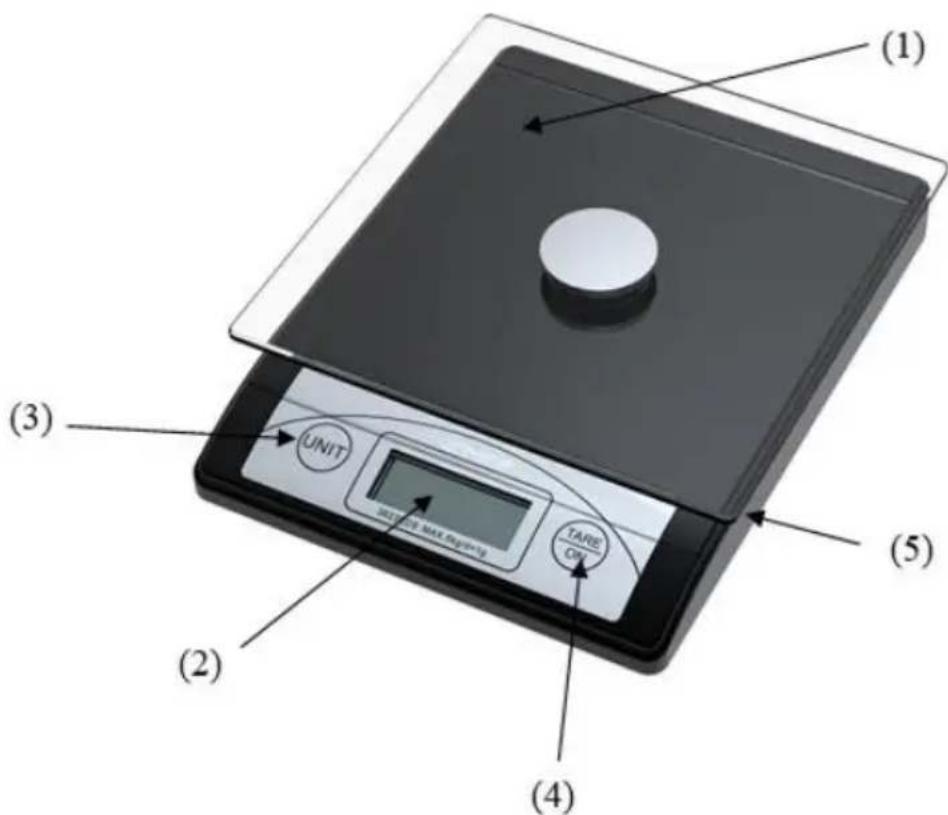
- Scale Platform
- Liquid Crystal Display (LCD) Panel
- g/oz Unit Conversion Key
- On/Tare/Off Key
- Battery Door and Compartment
Operation
Activating the Scale
- Turn the scale on by pressing "TARE/ON" key
- The LCD screen will show all characters for a few seconds and then 0g or 0.0oz will be shown on the display.
- The scale turns off automatically after being idle for one minute.
Weighing an Item
- Turn on the scale.
- Place an item on the platform and the exact weight of item will be displayed.
Selecting Weight Unit
When the scale is power on, press the "UNIT" key repeatedly to change weight unit according to following sequence: g - oz
Using the tare mode:
- Turn the scale on.
- "0g/0.0oz" will be shown on the display.
- Place an item on the weighing platform and read the value accordingly.
- Press the "TARE/ON" again. The weight of this item will be eliminated and the reading will change to "0g/0.0oz".
- Place next item on the weighing platform and get the reading.
Note: The scale will display a negative reading when you remove all items. Press the "TARE/ON" key once and the negative reading will disappear.
Overload
When the loading capacity exceeds the maximum capacity (176 oz or 5 kg) of the Digital Scale, “EEEE” will be displayed on the LCD screen. Remove the item(s) from the scale platform to avoid damage to the scale.
Power Off
- The scale can be power off manually by pressing the "TARE/ON" key for 2 seconds
- The scale turns off automatically after being idle for one minute.
Maintenance
Clean with a soft cloth. Do not immerse directly into water or detergent, scrub with abrasive material or use corrosive cleanser.
Technical Specifications
Maximum Capacity: 5 kg or 176 oz
Graduation: 1 g or 0.05 oz
Operating Temperature: 0^ C \~ +40°C
Power Source: "CR2032" 3V Battery
Warranty
Dear customer,
We are delighted that you have chosen this equipment.
In the case of a defect, please return the device together with the receipt and original packing material to the point of sale.
Disposal



natural_image
Symbolic illustration of a recycling symbol and a trash bin, both without any text or labels.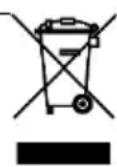
Packaging materials must be disposed of according to local regulations.
The device and packaging materials can be recycled; sort them for disposal to simplify waste management. The Triman logo is only relevant for France.
The packaging is made of environmentally friendly materials that you can dispose of at local recycling points. Advice on the options with which to dispose of your old device can be obtained from your municipal or local administration offices.
The adjacent symbol indicates laws dictate that electrical and electronic apparatus no longer required must be disposed of separate from domestic waste. Dispose of your device at a collection point provided by your local public waste authority. Packaging materials must be disposed of according to local regulations.
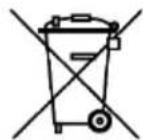
Defective or empty batteries must be recycled in accordance with Directive 2006/66/EC and its amendments. Return batteries and the device via the collection points provided.
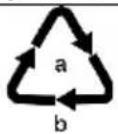
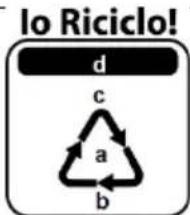
Observe the identification on the packaging materials during the waste sorting process; they are identified by abbreviations (b) and numbers (a) which have the following significance: 1–7: plastic/20–22: paper and cardboard/80–98: composite materials.
The device and the packaging material can be recycled, so sort them prior to disposal for better waste management. Contact your local authorities for information on the various options available to ensure correct disposal. Observe the following identifications of the packaging materials: (a) numbers, (b) abbreviations and (c) materials which have the following significance: 1–7: plastics / 20–22: paper and cardboard / 80–98: composite materials and (d) type of packaging. The logo is only applicable to Italy.

natural_image
Simple black circular icon with a lowercase 'i' in the center, no text or symbols beyond the icon itself.Find out about the possibilities of taking back old appliances and used batteries free of charge from your dealer.
Declaration of conformity

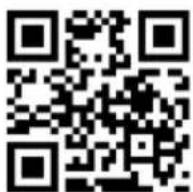
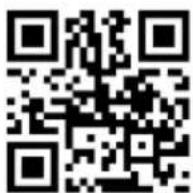
The CE Mark on the device confirms conformity. The Declaration of Conformity can be read online at http://productip.com/?f=157201

The UKCA mark on the device confirms its conformity. The full UKCA Declaration of Conformity is available online at the following website http://productip.com/?f=15fe4d
Manufacturer
GO Europe GmbH
Zum Kraftwerk 1
45527 Hattingen
Germany
www.go-europe.com
UK Authorised Representative
(for authorities only)
ProductIP (UK) Ltd.
UK Authorised Representative
(for authorities only)
ProductIP (UK) Ltd.
UK Authorised Representative
(for authorities only)
ProductIP (UK) Ltd.
UK Authorised Representative
(for authorities only)
ProductIP (UK) Ltd.