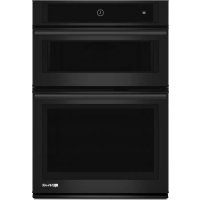
JENN-AIR JMC2430LL - Oven

JMC2430LL - Oven JENN-AIR - Free user manual and instructions

Find the device manual for free JMC2430LL JENN-AIR in PDF.

English EN Download 💬 AI Question 10 questions ⚙️ Specs
📄

Document temporarily unavailable

The manual is currently being transferred to our new server. It will be accessible again in a few hours. Thank you for your patience.

View the manual : Français FR English EN Español ES
Pick your language and provide your email: we'll send you a specifically translated version.
BrandJENN-AIR
ModelJMC2430LL
Product typeCombined microwave oven (grill, convection, microwave, steam)
ColorStainless steel (estimated)
Power supply120 V, 20 A, 60 Hz
Line fuse20 A
Microwave power1000 W (estimated)
Grill powerGrill heating element (9 Ω)
Convection powerConvection heating element (12 Ω)
CapacityApproximately 1.5 cu ft (estimated)
Main functionsMicrowave, grill, convection, steam, combination, defrost, reheat
Touch screenYes, with diagnostic menu
SafetyDoor interlock switches, safety fuse, cavity thermostat
CleaningWipe with a damp cloth; avoid abrasive cleaners
WeightApproximately 25 kg (estimated)
Dimensions (W x H x D)Approximately 60 x 40 x 50 cm (estimated)
Available spare partsMagnetron, inverter, controller, thermistors, motors, heating elements
RepairabilityParts accessible from top; diagnostics via service mode

Frequently Asked Questions - JMC2430LL JENN-AIR

How to access the diagnostic mode of the JMC2430LL oven?
Press KITCHEN TIMER > TOOLS > KITCHEN TIMER three times. All keys light up when diagnostic mode is active.
What does error code F1 E4 mean?
It indicates a microwave oven relay 4903 error. Check the door switch and the relay on the controller.
How to clear error code history?
In diagnostic mode, select Error Diagnostics then press Clear History.
Why does the oven no longer heat in microwave mode?
Check that the door closes properly, the interlock switch works, and a load (cup of water) is present. Check error code via diagnostics.
How to test the humidity sensor?
Disconnect connector P23 on the controller and measure resistance between pins 1-3 and 2-3: should be approximately 2.8 kΩ at room temperature.
How to clean this microwave oven?
Use a soft, damp cloth. Do not use abrasive cleaners. Clean the turntable with soapy water.
What to do if the touch screen no longer responds?
Unplug the oven for 10 seconds, then plug back in. If problem persists, replace the control board.
How to change the interior light?
Unplug the oven, remove the top panel. The halogen lamp is at the top of the cavity. Replace with an identical part (approximately 3 Ω).
Can metal be used in this oven?
No, unless otherwise indicated in the manual. Metal can cause arcing and damage the appliance.
Where to find the serial number?
It is displayed in diagnostic mode under System Information > Serial #.

User questions about JMC2430LL JENN-AIR

0 question about this device. Answer the ones you know or ask your own.

Ask a new question about this device

The email remains private: it is only used to notify you if someone responds to your question.

No questions yet. Be the first to ask one.

Download the instructions for your Oven in PDF format for free! Find your manual JMC2430LL - JENN-AIR and take your electronic device back in hand. On this page are published all the documents necessary for the use of your device. JMC2430LL by JENN-AIR.
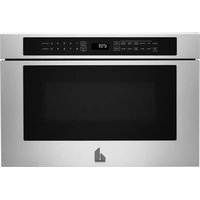
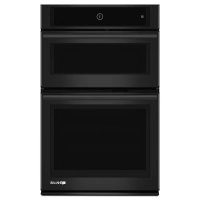
USER MANUAL JMC2430LL JENN-AIR

Manual assistant
Powered by Anthropic
Waiting for your message
Product information

Brand : JENN-AIR

Model : JMC2430LL

Category : Oven