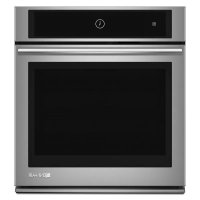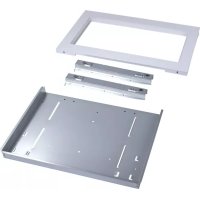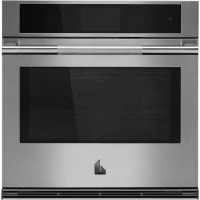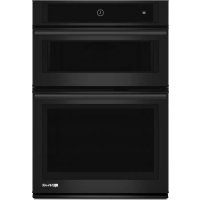
JENN-AIR JMW2430DB - Oven

JMW2430DB - Oven JENN-AIR - Free user manual and instructions

Find the device manual for free JMW2430DB JENN-AIR in PDF.

English EN Download 💬 AI Question 10 questions ⚙️ Specs
📄

Document temporarily unavailable

The manual is currently being transferred to our new server. It will be accessible again in a few hours. Thank you for your patience.

View the manual : Français FR English EN
Pick your language and provide your email: we'll send you a specifically translated version.
Product Type Single or double built-in electric oven
Brand JENN-AIR
Model JMW2430DB
Dimensions (approx.) Width: 30" (76 cm), Height: 27" (69 cm), Depth: 24" (61 cm)
Weight (approx.) 150 lb (68 kg) for single oven, 200 lb (91 kg) for double oven
Electrical Supply 240 V, 40 A, single phase, 60 Hz
Capacity 4.8 cu. ft. (136 L) per cavity
Cavity Material Porcelain-enameled steel
Cooking Functions Bake, Broil, Convection, Convection Roast, Convection Broil, Bread Proof, Keep Warm, Probe Cooking
Automatic Programs Timed Cook, Delay Start, Kitchen Timer, Self-Clean
Cleaning Self-cleaning pyrolytic cycle
Safety Control lock, Door lock during self-clean, Sabbath mode
Display Color touch screen with menu
Racks Flat racks and sliding rollout rack (depending on model)
Lighting 40 W max halogen bulbs, touch-activated
Included Accessories Broiler pan and grid, meat probe
Meat Probe Yes, for meats and poultry
Timer Up to 23h59m59s, independent of cooking
Warranty 2 years parts and labor (limited warranty)

Frequently Asked Questions - JMW2430DB JENN-AIR

How to preheat the oven?
Press the desired cooking mode (e.g. Bake), set the temperature, then press Start. The oven beeps when preheating is complete. Only open the door after this signal.
How to set the kitchen timer?
Press the Kitchen Timer key, then set hours, minutes, and seconds using the columns. Press Start to begin the countdown. The timer does not control the oven.
How to use the meat probe?
Insert the probe into the thickest part of the meat, plug it into the oven socket. Select Probe Cooking mode, choose the cooking mode, oven temperature, and desired internal temperature, then press Start.
How to program a delay start?
Select cooking mode and temperature, press Delay, set the start time and stop time, then press Set. The oven will turn on and off automatically.
How to activate Sabbath mode?
Press Power, then Tools, select Sabbath, press On then Setup. Set the temperature and optionally a timer, then press Start. In Sabbath mode, display and sounds are modified.
How to clean the oven with the self-clean cycle?
Remove all racks and accessories, manually clean the door gasket and non-self-cleaning areas. Press Self Clean, choose duration (3-5h), follow on-screen instructions. The door locks automatically. After cooling, wipe up ashes.
Why is my oven not heating?
Check that the circuit breaker has not tripped. Ensure no delay start is programmed. If control lock is active, disable it. For double models, check the other cavity is not in self-clean.
How to calibrate the oven temperature?
Press Tools, select Calib temp. (Temperature Calibration). Adjust from -35°F to +35°F (-20°C to +20°C) in increments. A negative adjustment makes the oven cooler, positive makes it warmer.
What to do if the display shows an error code?
Note the code, turn off the oven (press Power), wait 10 seconds then turn on again. If the code reappears, contact customer service.
How to replace the oven light bulb?
Ensure the oven is off and cool. Unplug the power. Pull the glass cover to remove it, unscrew the halogen bulb (max 40W). Replace it holding with a dry cloth, then replace the cover and restore power.

User questions about JMW2430DB JENN-AIR

0 question about this device. Answer the ones you know or ask your own.

Ask a new question about this device

The email remains private: it is only used to notify you if someone responds to your question.

No questions yet. Be the first to ask one.

Download the instructions for your Oven in PDF format for free! Find your manual JMW2430DB - JENN-AIR and take your electronic device back in hand. On this page are published all the documents necessary for the use of your device. JMW2430DB by JENN-AIR.
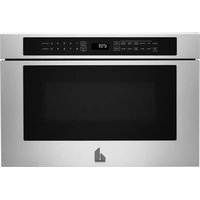
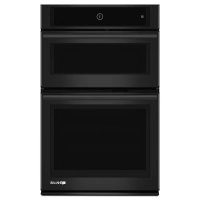
USER MANUAL JMW2430DB JENN-AIR

Manual assistant
Powered by Anthropic
Waiting for your message
Product information

Brand : JENN-AIR

Model : JMW2430DB

Category : Oven