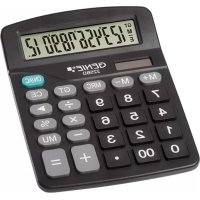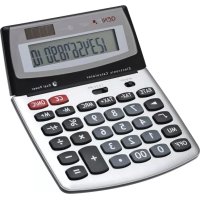
560 T - Calculator Genie - Free user manual and instructions
Find the device manual for free 560 T Genie in PDF.

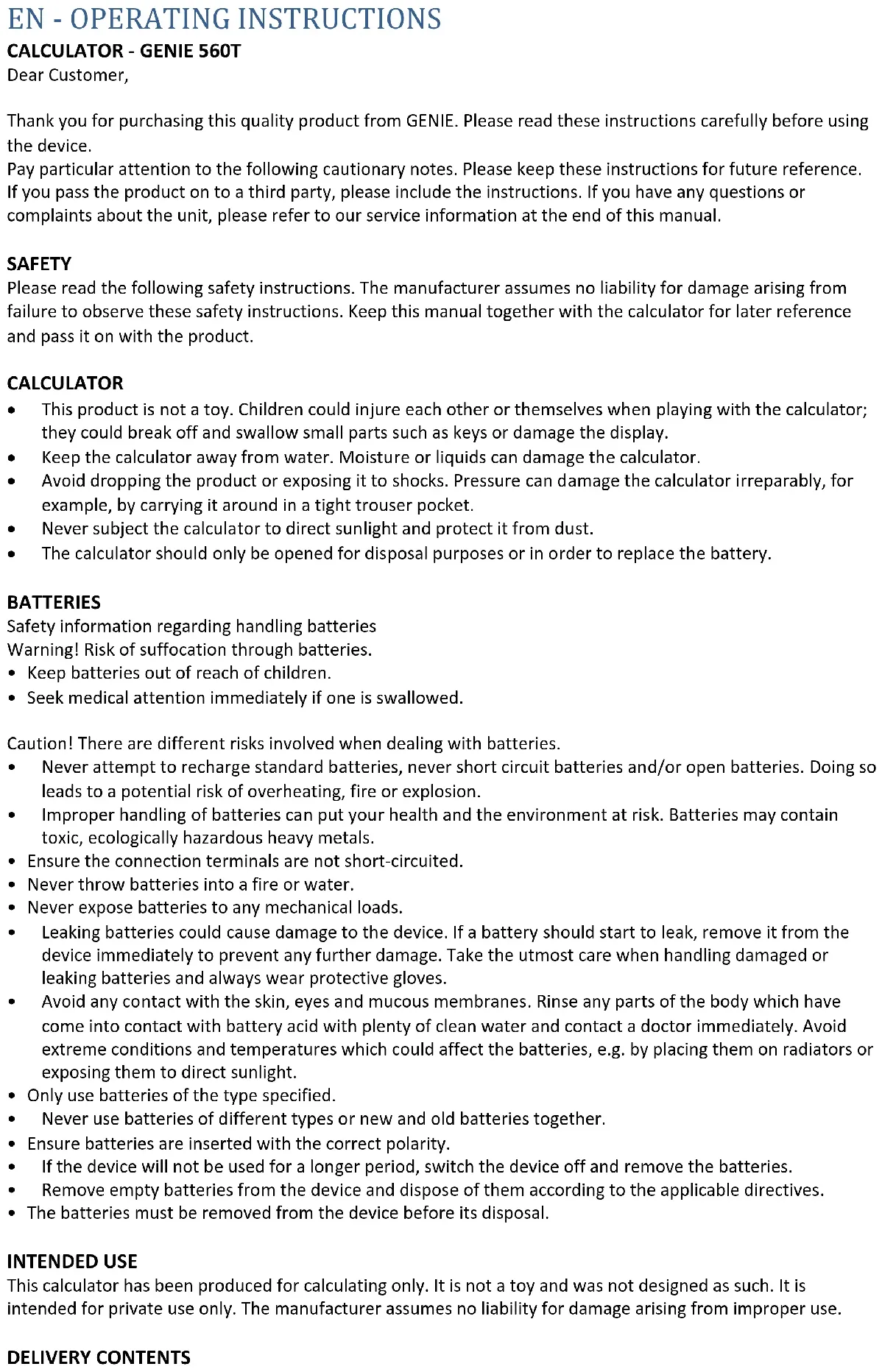


| Brand | Genie |
| Model | 560 T |
| Type | Electronic desktop calculator |
| Calculation capacity | 10 digits |
| Power supply | LR54 (L1130) battery and solar cell |
| Automatic shutdown | After 8 to 10 minutes |
| Operating temperature | 0 °C to 40 °C |
| Memory keys | M+, M-, MRC |
| Rounding presets | UP, 5/4, CUT |
| Package contents | Calculator with LR54 battery, instruction manual |
| Maintenance | Cleaning with a dry cloth |
| Safety | Do not expose to water, shocks, direct sunlight |
| Battery type | LR54 (L1130) only |
| Battery replacement | Open the compartment with a screwdriver |
| Warranty | Return to store with packaging and receipt |
| Manufacturer | GO Europe GmbH, Zum Kraftwerk 1, 45527 Hattingen, Germany |
Frequently Asked Questions - 560 T Genie
User questions about 560 T Genie
0 question about this device. Answer the ones you know or ask your own.
Ask a new question about this device
Download the instructions for your Calculator in PDF format for free! Find your manual 560 T - Genie and take your electronic device back in hand. On this page are published all the documents necessary for the use of your device. 560 T by Genie.
USER MANUAL 560 T Genie
Thank you for purchasing this quality product from GENIE. Please read these instructions carefully before using the device.
Pay particular attention to the following cautionary notes. Please keep these instructions for future reference. If you pass the product on to a third party, please include the instructions. If you have any questions or complaints about the unit, please refer to our service information at the end of this manual.
SAFETY
Please read the following safety instructions. The manufacturer assumes no liability for damage arising from failure to observe these safety instructions. Keep this manual together with the calculator for later reference and pass it on with the product.
CALCULATOR
- This product is not a toy. Children could injure each other or themselves when playing with the calculator; they could break off and swallow small parts such as keys or damage the display.
- Keep the calculator away from water. Moisture or liquids can damage the calculator.
- Avoid dropping the product or exposing it to shocks. Pressure can damage the calculator irreparably, for example, by carrying it around in a tight trouser pocket.
- Never subject the calculator to direct sunlight and protect it from dust.
- The calculator should only be opened for disposal purposes or in order to replace the battery.
BATTERIES
Safety information regarding handling batteries
Warning! Risk of suffocation through batteries.
- Keep batteries out of reach of children.
- Seek medical attention immediately if one is swallowed.
Caution! There are different risks involved when dealing with batteries.
- Never attempt to recharge standard batteries, never short circuit batteries and/or open batteries. Doing so leads to a potential risk of overheating, fire or explosion.
- Improper handling of batteries can put your health and the environment at risk. Batteries may contain toxic, ecologically hazardous heavy metals.
- Ensure the connection terminals are not short-circuited.
- Never throw batteries into a fire or water.
- Never expose batteries to any mechanical loads.
- Leaking batteries could cause damage to the device. If a battery should start to leak, remove it from the device immediately to prevent any further damage. Take the utmost care when handling damaged or leaking batteries and always wear protective gloves.
- Avoid any contact with the skin, eyes and mucous membranes. Rinse any parts of the body which have come into contact with battery acid with plenty of clean water and contact a doctor immediately. Avoid extreme conditions and temperatures which could affect the batteries, e.g. by placing them on radiators or exposing them to direct sunlight.
- Only use batteries of the type specified.
- Never use batteries of different types or new and old batteries together.
- Ensure batteries are inserted with the correct polarity.
• If the device will not be used for a longer period, switch the device off and remove the batteries.
- Remove empty batteries from the device and dispose of them according to the applicable directives.
- The batteries must be removed from the device before its disposal.
INTENDED USE
This calculator has been produced for calculating only. It is not a toy and was not designed as such. It is intended for private use only. The manufacturer assumes no liability for damage arising from improper use.
DELIVERY CONTENTS
Calculator including 1x battery LR54 (L1130).
Operating instructions
BEFORE USING THE FIRST TIME
- Please check that everything is included.
- Check if there are any signs of damage.
- If the calculator is damaged or incomplete, please return it to the place of purchase.
OPERATION
Switching Calculator on/off
Switch on: Press the ON/C key to switch the product on. A zero will be displayed.
Turn off the calculator
Switching off: Press the OFF key, otherwise the computer will switch off automatically after a few minutes. The device is mainly operated by the solar cell if the lighting conditions from daylight or artificial light are sufficient. In unfavorable lighting conditions, it is operated by the battery.
FUNCTIONAL DECLARATIONS
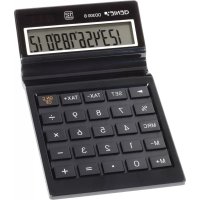
ON / C: Switches the computer on & deletes the entire calculation process.
OFF: Turns off the computer.
M +; M-: memory buttons
MRC: Calling up the memory content / deleting the memory
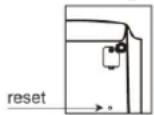
If the device does not work properly, please press the reset button on the back of the device.
Rounding Selector
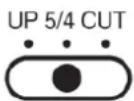
5/4 Round-off mode
Cut-off mode
Decimal Place Selector
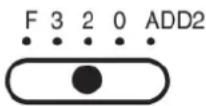
TECHNICAL DATA:
• Type: electronic desktop calculator
- Operating capacity: 10 digits
• Rating: Battery, Solar Cell
• Power supply: including LR54 (L1130) battery
• Automatic power-off: after 8 - 10 minutes
- Operating temperature: 0 - 40^
CARE & MAINTENANCE
- Clean the calculator only with a dry cloth.
- Open the battery compartment with a proper screwdriver and change the battery.
- Close the compartment firmly after changing the battery.
WARRANTY
Dear customer,
We are delighted that you have chosen this equipment.
In the case of a defect, please return the device together with the receipt and original packing material to the point of sale.
STORAGE
- Avoid storage in areas subjected humidity and dust. Take care never to leave the calculator where it might be splashed by water. Such elements can damage internal circuitry.
- Store out of reach of children.
- Remove battery if not in use for longer period of time.
- Store in dark place (not in direct sunlight).
DISPOSAL INSTRUCTION
| Packaging materials must be disposed of according to local regulations. | |
| The device and packaging materials can be recycled; sort them for disposal to simplify waste management. The Triman logo is only relevant for France. | |
| The packaging is made of environmentally friendly materials that you can dispose of at local recycling points. Advice on the options with which to dispose of your old device can be obtained from your municipal or local administration offices. | |
| The adjacent symbol indicates laws dictate that electrical and electronic apparatus no longer required must be disposed of separate from domestic waste. Dispose of your device at a collection point provided by your local public waste authority. Packaging materials must be disposed of according to local regulations. | |
| Defective or empty batteries must be recycled in accordance with Directive 2006/66/EC and its amendments. Return batteries and the device via the collection points provided. | |
| Observe the identification on the packaging materials during the waste sorting process; they are identified by abbreviations (b) and numbers (a) which have the following significance: 1–7: plastic/20–22: paper and cardboard/80–98: composite materials. | |
| The device and the packaging material can be recycled, so sort them prior to disposal for better waste management. Contact your local authorities for information on the various options available to ensure correct disposal. Observe the following identifications of the packaging materials: (a) numbers, (b) abbreviations and (c) materials which have the following significance: 1–7: plastics / 20–22: paper and cardboard / 80–98: composite materials and (d) type of packaging. The logo is only applicable to Italy. |
DECLARATION OF CONFORMITY

We declare that this appliance has been manufactured in accordance with the applicable rules and regulations.
If the item is damaged, please return it to the dealer.
MANUFACTURER
GO Europe GmbH
Zum Kraftwerk 1
45527 Hattingen
Germany
www.go-europe.com
FR - INSTRUCTIONS D'UTILISATION
CALCULATRICE - GENIE 560T
Chère cliente, cher client,
DÉCLARATION DE CONFORMITÉ

| PROBLEM | INPUT | RESULT |
| 30 x 5% = | 30 x 5% | 1.5 |
| [(6 + 4) x 2 - 8] ÷ 5 = | 6 + 4 x 2 - 8 + 5 = | 2.4 |
| 1234 x 2 = | 1 2 3 5 ▶ 4 x 2 = | 2'468 |
| 2^6 = | 2 x = = x = | 64 |
| (5 x 0.25) + (6 x 0.75) - (2 x 0.15) = | 5 x · 2 5 M+6 x · 7 5 M+2 x · 1 5 M-MRC | M 1.25M 4.5M 0.3M 5.45 |
| 4 x 3 =4 x 5 = | 4 x 3 =5 = | 1220 |
| 6 ÷ 2 =8 ÷ 2 = | 6 ÷ 2 =8 = | 34 |
| Tax calculation :Setting the Tax Rate as 17% | 1 7 RATE TAX+ | % 17 |
| Checking the Tax rate | RATE TAX- | % 17 |
| Price at 200 plus 17% Tax | 2 00 TAX+TAX+ | Tax+ 234Tax 34 |
| Price after Tax is 58.5, then the price and the TAX are | 5 8 · 5 TAX-TAX- | Tax- 50Tax 8.5 |
| Mark up:Cost = 100, Profit = 20%, Selling Price =? (125) | 1 0 0 ÷2 0 MUMU | 12525 |
| Cost = 175, Selling price =200 , Profit = ? (12.5%) | 1 7 5 -2 0 0 MU | -12.5 |
| Mark down:Selling price = 2'400, profit = 20%, Cost =? (2'000) | 2 4 0 0 ÷ 2 0+/- MUMU | 2'000400 |