EasyManual
KCO275 - Oven KITCHENAID - Free user manual and instructions
Find the device manual for free KCO275 KITCHENAID in PDF.



Download the instructions for your Oven in PDF format for free! Find your manual KCO275 - KITCHENAID and take your electronic device back in hand. On this page are published all the documents necessary for the use of your device. KCO275 by KITCHENAID.
USER MANUAL KCO275 KITCHENAID
USA: 1.800.541.6390 Canada: 1.800.807.6777 WELCOME TO THE WORLD OF KITCHENAID. We’re committed to helping you create a lifetime of delicious meals for family and friends. To help ensure the longevity and performance of your appliance, keep this guide handy. It will empower you with the best way to use and care for your product. Your satisfaction is our #1 goal. Remember to register your product online at www.kitchenaid.com or by mail using the enclosed Product Registration Card. Join us in the kitchen at www.kitchenaid.com. KitchenAid.com KitchenAid.ca W10760897C_ENv02.indd 2 5/12/15 11:32 AM3 English
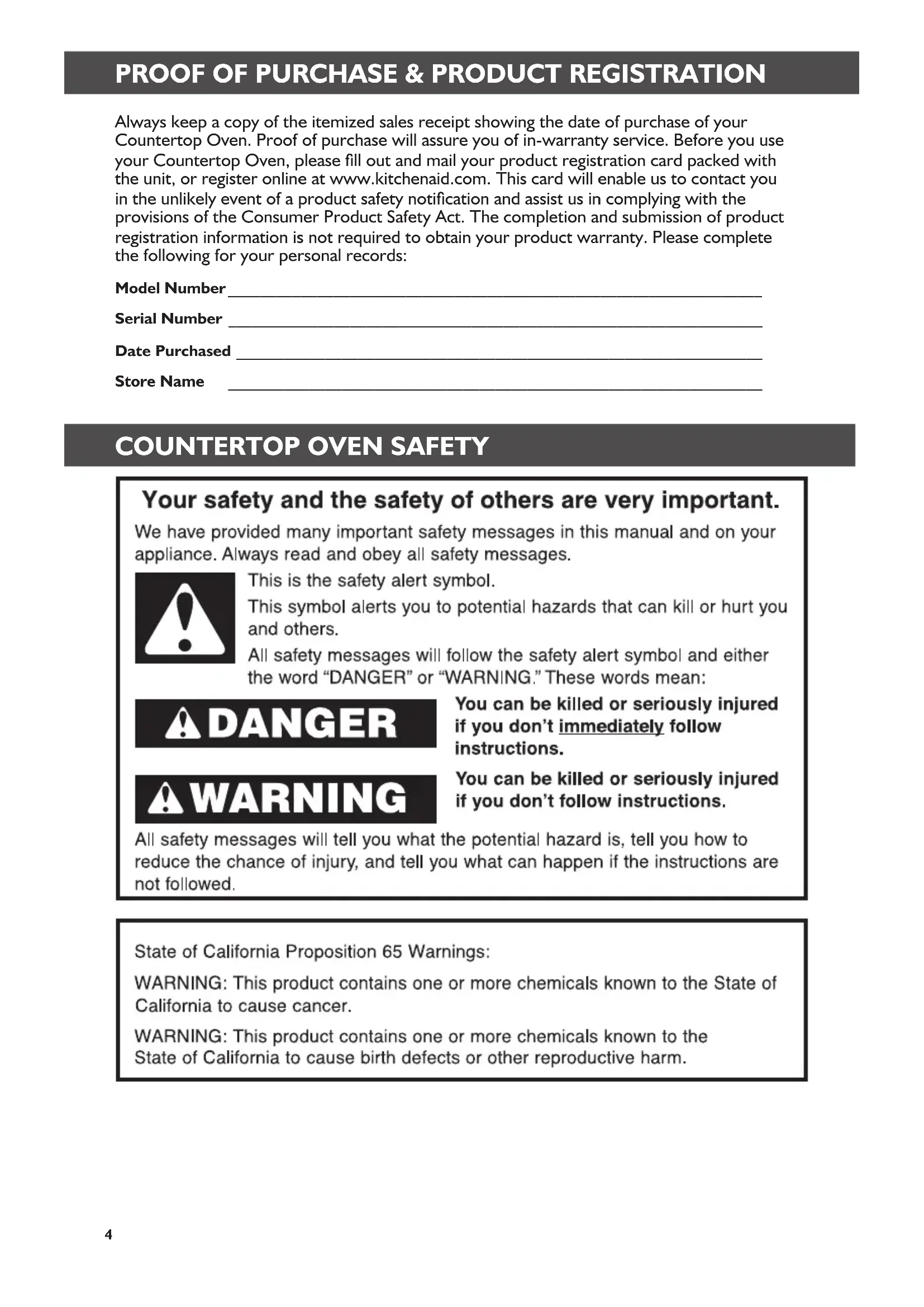
Model Number __________________________________________________________________ Serial Number __________________________________________________________________ Date Purchased _________________________________________________________________ Store Name __________________________________________________________________ Always keep a copy of the itemized sales receipt showing the date of purchase of your Countertop Oven. Proof of purchase will assure you of in-warranty service. Before you use your Countertop Oven, please ll out and mail your product registration card packed with the unit, or register online at www.kitchenaid.com. This card will enable us to contact you in the unlikely event of a product safety notication and assist us in complying with the provisions of the Consumer Product Safety Act. The completion and submission of product registration information is not required to obtain your product warranty. Please complete the following for your personal records: W10760897C_ENv02.indd 4 5/12/15 11:32 AM5 English
IMPORTANT SAFEGUARDS When using electrical appliances, basic safety precautions should always be followed, including the following:
1. Read all instructions prior to rst use.
2. Do not touch hot surfaces. Use handles or knobs.
3. To protect against electrical shock, do not immerse cord, plugs, or any parts of the
oven in water or other liquid.
4. Close supervision is necessary when any appliance is used by or near children.
5. Unplug from outlet when not in use and before cleaning. Allow to cool before putting
on or taking off parts.
6. Do not operate any appliance with a damaged cord or plug, or after the appliance
malfunctions, or is dropped or damaged in any manner. Return appliance to the nearest Authorized Service Facility for examination, repair, or adjustment.
7. The use of accessory attachments not recommended by the appliance manufacturer
9. Do not place on or near a hot gas or electric burner, or in a heated oven.
10. Extreme caution must be used when moving an appliance containing hot oil or other
11. Use extreme caution when removing broiler pan tray or disposing of hot grease.
12. Oversize foods or metal utensils must not be inserted in a Countertop Oven as they
may create a re or risk of electric shock.
13. A re may occur if Countertop Oven is covered or touching ammable material,
including curtains, draperies, walls and the like, when in operation. Do not store any item on top of the appliance when in operation.
14. Do not clean with metal scouring pads. Pieces can break off the pad and touch
electrical parts, creating a risk of electric shock.
15. Extreme caution should be exercised when using containers constructed of materials
other than metal or glass.
16. Do not store any materials, other than manufacturer’s recommended accessories,
in this oven when not in use.
17. Do not place any of the following materials in the oven: paper, cardboard, plastic, or
18. Do not cover crumb drawer or any part of the oven with metal foil. This will cause
overheating of the oven. Foil is permitted in the multipurpose pan to catch grease.
19. To disconnect, turn oven off by pressing Start/Cancel button, then remove plug from
20. Do not use outdoors.
21. Do not use appliance for other than intended use.
22. This product is designed for household use only.
SAVE THESE INSTRUCTIONS
COUNTERTOP OVEN SAFETY PARTS AND FEATURES
Electrical requirements Voltage: 120 VAC Frequency: 60 Hz Wattage: 1800 Watts NOTE: This countertop oven has a 3 prong grounded plug. To reduce the risk of electrical shock, this plug will fit in an outlet only one way. If the plug does not fit in the outlet, contact a qualified electrician. Do not modify the plug in any way. Do not use an extension cord. If the power supply cord is too short, have a qualified electrician or technician install an outlet near the appliance. A short power supply cord (or detachable power supply cord) should be used to reduce the risk resulting from becoming entangled in or tripping over a longer cord. Longer detachable power supply cords or extension cords are available and may be used if attention is exercised in their use. If a longer detachable power supply cord or extension cord is used:
- The marked electrical rating of the cord set or extension cord should be at least as great as the electrical rating of the appliance.
- The cord should be arranged so that it will not drape over the countertop or tabletop where it can be pulled on by children or tripped over unintentionally. If the appliance is of the grounded type, the extension cord should be a grounding-type 3-wire cord. W10760897C_ENv02.indd 6 5/12/15 11:32 AM7 English
COUNTERTOP OVEN SAFETY
Parts and accessories Removable crumb tray (not shown) CeramaShield™ non-stick surfaces High-contrast LCD display
Controls with die-cast knobs Built-in lifting handles (not shown) Chrome-plated steel oven rack Nonstick multipurpose pan Chrome-plated steel broiling rack Cool down surface for removable oven rack W10760897C_ENv02.indd 7 5/12/15 11:32 AM8
COOKING MODES GUIDEPARTS AND FEATURES
Temperature Adjustable in 5° Fahrenheit or Celsius* increments in most cooking modes. Time Adjustable in 1 minute increments in most cooking modes. Cooking mode selector Temperature/Time control knob (press to select) Frozen button Convection button The convection fan circulates air faster and more evenly, for better surface browning and crisping. Start/Cancel button Selecting oven rack positions Follow these guidelines to position rack: 1 (Top) Use for broiling most meats. 2 (Middle) Optimal for most baking and cooking operations, including pizza, reheating, general cooking, and convection baking. Must use this setting for toast. Suitable for broiling some taller items. 3 (Bottom) The bottom rack position leaves plenty of height for cooking taller items. Use this position for Asado Roast mode, and for reheating and warming.
- Hold convection button and frozen button down at the same time for 3 seconds to change temperature to Celsius mode. Control panel features W10760897C_ENv02.indd 8 5/12/15 11:32 AM9 English
COOKING MODES GUIDEPARTS AND FEATURES
Your Countertop Oven features 9 cooking modes specially designed for a variety of cooking tasks. Each uses the KitchenAid
Even-Heat™ system to control a combination of elements, applying heat where it’s needed for optimal results. Memory settings allow you to customize the time and temperature in each mode to fit your specific needs. The Countertop Oven will remember all your settings for the next use (until unplugged). The additional Convection and Frozen functions (available on certain cooking modes) allow you to take countertop cooking to a whole new level. Refer to the quick guide below for Cooking Mode options, or see detailed explanations and tips for each cooking mode on the following pages. COOKING MODES Preheat is not required for Keep Warm, Reheat, Broil modes. Cooking Mode Rack Position Preset Temp. in °F (°C) Temp. Range in °F (°C) Preset Time (in minutes) Convection Available? Bake 2 or 3 350°F (177°C) 150–450°F (66–232°C) 30 Yes Asado Roast Stage 1 Stage 2
Broil mode allows selection between 350°F (177°C) and 450°F (232°C) options only.
When using Convection with Cookie mode, cooking temperature is automatically adjusted down by 25°F.
Pizza mode includes a 30 second Broil time at the end of the cooking cycle to brown cheese.
TOAST AND BAGEL MODES
Preheat is not required for Toast or Bagel modes. Cooking Mode Rack Pos. Preset Shade Shade range (light to dark) Preset Slices Range (Number of Slices) Toast 2 4 1–8 2 1–6 Bagel 2 4 1–8 2 1–6 W10760897C_ENv02.indd 9 5/12/15 11:32 AM10 COOKING MODES Bake Asado Roast The Asado Roast mode uses staged cooking to allow larger items like whole chickens or pork roasts to develop a crispy crust while slowly cooking the interior. The Even-Heat™ system distributes power to the top and bottom heating elements to maintain the desired oven temperature. The convection fan will operate in the rst stage to assist with crisping the roast exterior, and will then turn off to prevent over-drying. Temperature & time information In Asado Roast mode, the time and temperature is set in 2 stages. Stage 1 (Crisping) During Stage 1, the outer layer of your roast will crisp as the interior begins to warm. The convection fan will default to ON to assist with crisping the roast exterior, but may be turned off, if desired. Smaller cuts of meat may require less crisping than larger roasts; please consult your recipe. Stage 2 (Roasting) Temperature is reduced in Stage 2 to allow heat to slowly and evenly reach the center of your food until it arrives at the desired finish temperature. The convection fan will turn OFF to prevent overdrying the outside. NOTE: For temperature and time settings and options in Asado Roast mode, see the “Cooking modes” chart. COOKING MODES In Bake mode, the Even-Heat™ system distributes power to the top and bottom heating elements to maintain the desired oven temperature. The top center element will be off. Bake mode tip
- Food may nish cooking up to 30% faster when using Convection mode. Check baked goods such as cakes, mufns, and pastries before the expected nish time to avoid over-cooking. NOTE: For temperature and time settings and options in Bake mode, see the “Cooking modes” chart. What is Even-Heat™ technology? The KitchenAid
Even-Heat™ system helps provide consistent cooking results, without cold spots or overcooking. By cycling different heating elements on and off, and using certain elements for only part of the cooking cycle, Even-Heat™ allows tender, juicy roasts or pizzas with deliciously browned cheese—automatically. Bottom elements Convection (shown on) Top elements Off
W10760897C_ENv02.indd 10 5/12/15 11:32 AM11 English COOKING MODES Broil Broiling uses direct radiant heat to cook food from above. The Even-Heat™ system will distribute power to all three top heating elements to deliver two levels of efficient broiling. The bottom elements will not be on. Convection mode can be used with thin cuts of fish, eliminating the need for flipping. Broil mode tips
- For best results, use the 12" (30 cm) multipurpose pan and rack. It is designed to drain juices and help avoid spatter and smoke.
- For proper draining, do not cover the rack with foil. Instead, the bottom of the multipurpose pan may be lined with aluminum foil for easier cleaning.
- Foods cooked under the broiler will burn very quickly if not monitored near the end of their cooking times. Keep Warm In Keep Warm mode, the Even-Heat™ system distributes power to the top and bottom elements to keep food warm before serving. Keep Warm Tips
- The preset temperature is 170°F (77°C), but you may wish to adjust this depending on the item being warmed. IMPORTANT: Food must be at serving temperature before it is placed in the oven to keep warm.
- Pull oven rack out before turning or removing food. Use tongs to turn food to avoid the loss of juices. Very thin cuts of sh, poultry, or meat may not need to be turned.
- After broiling, remove the pan and food from the oven. Drippings will bake on the pan if left in the heated oven, making cleaning more difcult. NOTE: For temperature and time settings and options in Broil mode, see the “Cooking modes” chart. COOKING MODES NOTE: For temperature and time settings and options in Keep Warm mode, see the “Cooking modes” chart. Reheat The Even-Heat™ system distributes power to the top and bottom elements to bring food to serving temperature. (The top center element is off.) Reheat mode tips
- The preset suggested temperature is 300°F (149°C), but you may need to adjust this depending on the item being reheated.
- Reheating too long may over-cook or dry out food. NOTE: For temperature and time settings and options in Reheat mode, see the “Cooking modes” chart. W10760897C_ENv02.indd 11 5/12/15 11:32 AM12 COOKING MODES Cookie In Cookie mode, the Even-Heat™ system distributes power to the top and bottom heating elements to maintain the desired oven temperature. The top center element will be off. When using Convection in Cookie mode, EasyConvect™ Conversion automatically reduces oven temperature by 25°F (14°C) to prevent overcooking. Convection tips for Cookie mode
- Cookies will cook faster and more efciently in Convection Mode because their surface area is relatively small.
- Keep heat loss to a minimum by opening the oven door only when necessary. NOTE: For temperature and time settings and options in Cookie mode, see the “Cooking modes” chart.
- Cookies may finish cooking up to 30% faster when using Convection Mode. Check cookies before the expected finish time to avoid overcooking. Pizza In Pizza mode, the Even-Heat™ system distributes power to the top and bottom heating elements to maintain the desired oven temperature. The top center element is off until the end of this mode. The last stage of this mode will nish off the cheese by browning with high heat. Frozen Mode Pizza setting will default to frozen mode. You may use the Frozen button to provide extra time for frozen pizzas to cook, or deselect it when cooking freshly prepared pizzas. Pizza mode tips
- For frozen pizzas, it is recommended to follow time and temperature directions included on the food packaging.
- Thin crust pizzas will cook faster and more efciently in Convection Mode because their surface area is relatively small. Place thin crust pizzas directly on the oven rack for crispier crust. Please keep in mind that convection can speed up cooking time by up to 30%. You should check pizza often in the nal minutes to ensure optimal results with this feature. Once you determine optimal time, reset your memory setting to the new desired time. Cooking stage Browning stage NOTE: For temperature and time settings and options in Pizza mode, see the “Cooking modes” chart. TOASTING MODES
- Thick crust, self-rising, or deep-dish pizzas will require longer cooking times. Use the 12" (30 cm) nonstick pan for fresh or deep-dish pizzas to maintain shape and keep sauce contained.
- Pizzas may need to be rotated during cooking to ensure even results. W10760897C_ENv02.indd 12 5/12/15 11:32 AM13 English
COOKING MODES TOASTING MODES
Toast In Toast mode, the Even-Heat™ system distributes power between the top and bottom heating elements to deliver fast and even toasting. Use the Toast mode for bread, toaster pastries, frozen wafes. If reheating pastries, use the Reheat function. Toast mode tips
- Place bread directly on the middle position. It does not need to be ipped during the toasting cycle.
- Select the Frozen option to allow frozen bread or similar items extra time to thaw while cooking. Bagel In Bagel mode, the Even-Heat™ system distributes power between the top and bottom heating elements to nicely brown the top of cut bagels while gently warming the outside. Bagel mode tips
- Place bagels directly on the oven rack with the cut sides facing UP. Bagels do not need to be ipped during the Bagel cycle.
- Select the Frozen option to allow frozen bagels extra time to thaw while cooking. NOTE: For temperature and time settings and options in Bagel mode, see the “Toast and bagel modes” chart. NOTE: For temperature and time settings and options in Toast mode, see the “Toast and bagel modes” chart. W10760897C_ENv02.indd 13 5/12/15 11:32 AM14 Convection option Convection cooking uses a fan to circulate air inside the oven to provide faster, more even cooking. The Convection option is available on most cooking modes. On Reheat and Stage 1 of Asado Roast, Convection will default to ON automatically. Convection is NOT available on Toasting modes. When using Convection in Cookie mode, EasyConvect™ Conversion automatically reduces oven temperature by 25°F (14°C) to prevent overcooking. Convection Mode Tips
- Thinner foods will cook faster and more efciently in Convection Mode because their surface area is relatively small.
- Food may nish cooking up to 30% faster when using Convection Mode. Check baked goods such as cakes, mufns, and pastries before the expected nish time to avoid overcooking.
- Don’t cover foods with lids or aluminum foil so that surface areas remain exposed to the circulating air, allowing browning and crisping.
- Use pans with lower sides to promote better airow. Frozen option The Frozen option adds additional cycle time to the selected cooking mode to allow for thawing and proper cooking. The additional time varies depending on the selected cooking mode. NOTE: The Frozen option is NOT available on Broil, Asado Roast, Reheat, or Keep Warm. Changing between Fahrenheit and Celsius To change between degrees Fahrenheit and degrees Celsius, press and hold Convection and Frozen at the same time for about 3 seconds.
1. Place the Countertop oven on a dry,
flat, level surface such as a countertop or table.
2. Be sure the sides, back, and top of the
oven are at least 4" (10 cm) away from any walls, cabinets, or objects on the counter or table.
3. Remove all accessories and wash in hot,
sudsy water. Dry thoroughly before placing in the oven.
4. Remove all packaging materials and
labels, if present. NOTE: Upon first use, the oven may produce light smoke. This is normal. Using the Countertop Oven ADDITIONAL FUNCTIONS
(10 cm) 4" (10 cm) 4" (10 cm)
Plug into a grounded 3 prong outlet. The Countertop Oven should be the only appliance operating on the circuit. The Countertop Oven is now ready to use. W10760897C_ENv02.indd 15 5/12/15 11:32 AM16
OPERATING THE COUNTERTOP OVEN
Adjusting the rack position
Align the sides of the oven rack with the grooves for the desired position and slide straight in.
To adjust oven rack position, slide the oven rack out completely. Setting a cooking mode
Rotate the Mode knob to select the desired cooking mode. The preset temperature and time (shade and number of slices for Bagel and Toast mode) will be displayed.
Make sure there will be enough clearance between the top of the food item to be cooked and the top elements. If necessary, adjust oven rack position. Close the door.
Adjust the Temperature/Time control knob, if desired (See “Cooking Modes” and “Toast and Bagel Modes” charts for options). Press the knob to change between temperature and time. The selected field will blink in the display.
Select CONVECTION or FROZEN options, if desired. NOTE: Options not available with all Cooking Modes. See “Cooking Modes” chart and “Toast and Bagel Modes” chart for more information. W10760897C_ENv02.indd 16 5/12/15 11:32 AM17 English OPERATING THE COUNTERTOP OVEN OPERATING THE COUNTERTOP OVEN Preheating Preheating your Countertop Oven is important for consistent and even results. Once you select your desired cooking mode and any other settings, and press START, Even-Heat™ Preheat saturates the oven walls and cooking racks above the oven’s set temperature to remove cold spots that draw heat away from food. This also helps the oven stay at the desired temperature when the door is opened for short periods of time.
To preheat the oven, press START/ CANCEL. Once the oven reaches the desired temperature, a tone will sound.
Open the door, place the food to be cooked in the oven, and close the door. Press START/CANCEL again and the timer will begin counting down.
When the cooking cycle is complete, a tone will sound. NOTE: Preheating is not available on Broil, Keep Warm, Reheat, Toast, or Bagel modes. NOTE: If START/CANCEL is not pressed within 5 minutes of the Preheating complete tone, the oven will automatically turn off. During preheating, the light ring around the Start/Cancel button will be on, and the Preheat indicator will show on the LCD. Once the oven has reached the set temperature, a tone will sound to let you know you can insert food and begin cooking. Preheating is NOT necessary in all cooking modes. W10760897C_ENv02.indd 17 5/12/15 11:32 AM18
TIPS FOR GREAT RESULTS
Countertop Oven use tips Are guesstimates for Toast Mode OK? Experience will teach you how much time to use for toasting various kinds of bread. Frozen, dark, or whole-grain breads require a longer time. Rye breads are the most susceptible to over-toasting and spot charring. Fresh, soft, or white breads require a shorter time. For foods that melt When cooking small pieces of food or foods that will melt, use the multipurpose pan. This will keep food from falling onto the cooking elements. To minimize cleanup Spray the multipurpose pan with nonstick cooking spray for easier cleanup when cooking wet or sticky foods. Wash pan thoroughly after each use to avoid buildup of cooking spray. Size limits for food and cooking containers For best results, food and/or oven-safe containers (see “Food Cooking Tips” section) must t into the Countertop Oven without touching the cooking elements or inside walls of the Countertop Oven. The door must close completely. This allows air to circulate around the food, helping ensure consistent cooking temperature. For extended use When cooking for a long time at high temperatures, you may detect a slight odor from the Countertop Oven insulation materials. This is normal. Food cooking tips
- Check food cooking progress through the clear, tempered glass door window. Your Countertop Oven wiII perform better and be more energy efcient if you open the door less often.
- If top of food item browns too fast, lower the oven rack position or reduce temperature. If bottom of food item browns too fast, raise rack position or reduce temperature. Please remember that adding the convection option could reduce the needed cooking time by up to 30%.
- Remove all plastic and/or paper wrappers from foods before cooking.
- Use only loosely covered oven-safe containers. Airtight containers may cause food to boil over or splatter.
- Although more energy efcient and faster than traditional ovens, countertop oven surfaces can become hot during cooking. Touch only the door handle and knobs during oven operation.
- Do not place items on top or near Countertop Oven while in use. Only use the included cooling rack to gently cool food on the top of this oven.
- Replace cardboard, glass, or plastic lids with aluminum foil for use in the Countertop Oven. Choosing bakeware for Countertop Oven use
- The nonstick multipurpose pan included with the Countertop Oven is suitable for items such as cookies, rolls, biscuits, nachos, and pork chops.
- A variety of standard baking dishes, such as a 9" (23 cm) round or square cake pan, a 6-cup (1.5 L) mufn pan, small baking sheets, and 1 and 2 qt (0.95 mL and 1.9 L) round, square, and rectangular casserole dishes, may be used. The door must close completely.
- Choose bakeware made of metal, ovensafe glass, ceramic, or silicone.
- Use lowest oven rack position when using deep, oven-safe glass or ceramic containers and allow at least 1" (2.5 cm) clearance between the top of the container and the upper cooking elements.
- Do not use glass lids. If a cover is desired, use a loosely tted sheet of aluminum foil shiny side up or down.
- Many convenience foods are packaged in nonmetallic containers only suitable for use in microwave ovens. Check package directions to determine whether the container is suitable for use in a regular oven.
W10760897C_ENv02.indd 18 5/12/15 11:32 AM19 English TIPS FOR GREAT RESULTS CARE AND CLEANING Cleaning your Countertop Oven Unplug your Countertop Oven from the wall socket before cleaning.
- Allow Countertop Oven and accessories to cool completely before cleaning. Interior:
- For easy cleaning, the inside walls of the Countertop Oven feature Ceramashield™, a nonstick ceramic coating. Remove heavy spatter after use with a nylon or polyester mesh pad, sponge, or cloth dampened with warm water. Dry with a paper towel or soft, dry cloth. IMPORTANT: Do not use cleaning agents, cleansers, or metal scouring pads on the inner oven coating as they may reduce its effectiveness. The ceramic nonstick coating inside the oven is scratch-resistant. However, dropping or hard impacts can chip or crack the ceramic coating.
- Hand washing is recommended for racks and pan. Remove all items from the Countertop Oven. Wash the oven rack, broiling rack, and multipurpose pan in hot, sudsy water. Rinse and dry thoroughly. NOTE: The oven rack, multipurpose pan, and broiling rack are dishwasher safe, but hand washing is recommended. Exterior:
- Do not use abrasive cleaners or metal scouring pads. They could scratch the surface.
- For painted surfaces: Wipe the outside of the Countertop Oven with a clean, damp cloth and dry thoroughly.
- For stainless steel surfaces: Wipe the outside of the Countertop Oven with a clean, damp cloth and dry thoroughly. A nonabrasive liquid cleaner may be used for stubborn stains. KitchenAid recommends the use of affresh
stainless steel cleaner for all stainless steel surfaces. affresh
cooktop cleaner and scrubbing pads are also recommended for cleaning the toughest baked-on residue on stainless steel and glass surfaces. Ensure all surfaces are completely dry before using your oven. Please visit www.affresh.com to learn more. Removing and cleaning the crumb tray
To remove the crumb tray, grasp the grip underneath and slide straight out. The crumb tray should be emptied and cleaned at least after every few cooking cycles, or after any spills.
Empty and wash in warm, soapy water, if needed. Dry with a soft cloth and slide back into place. W10760897C_ENv02.indd 19 5/12/15 11:32 AM20 TROUBLESHOOTING
- Is the Countertop Oven plugged into a grounded 3 prong outlet? Plug the Countertop Oven into a grounded 3 prong outlet.
- Is the fuse in the circuit to the Countertop Oven in working order? If you have a circuit breaker box, make sure the circuit is closed. Try unplugging the Countertop Oven, then plug it back in.
- Upper cooking elements visibly glow, but bottom cooking elements do not. The upper cooking elements use higher power for better browning performance. The lower cooking elements are on, but may not visibly glow like the upper cooking elements. This is normal and your Countertop Oven is working properly.
- Power on light is ashing rapidly. The Countertop Oven has a 2-hour auto shutoff feature. If the constant on feature is being used, the Countertop Oven will automatically shut off after 2-hours and the power on indicator light will ash rapidly.
- If the problem cannot be corrected: See the “KitchenAid Warranty and Service” sections. Do not return the Countertop Oven to the retailer – retailers do not provide service. If your Countertop Oven malfunctions or fails to operate WARRANTY W10760897C_ENv02.indd 20 5/12/15 11:32 AM21 English TROUBLESHOOTING WARRANTY KitchenAid
Countertop Oven Warranty for the 50 United States, the District of Columbia, Puerto Rico, and Canada This warranty extends to the purchaser and any succeeding owner for Countertop Ovens operated in the 50 United States, the District of Columbia, Puerto Rico, and Canada. Length of Warranty: One Year Full Warranty from date of purchase. KitchenAid Will Pay Hassle-Free Replacement of your Countertop Oven. for Your Choice of: See the next page for details on how to arrange for service, or call the Customer eXperience Center toll-free at 1-800-541-6390.
The replacement parts and repair labor costs to correct defects in materials and workmanship. Service must be provided by an Authorized KitchenAid Service Center. KitchenAid Will A. Repairs when Countertop Oven is used in other than Not Pay for: normal single family home use. B. Damage resulting from accident, alteration, misuse or abuse. C. Any shipping or handling costs to deliver your Countertop Oven to an Authorized Service Center. D. Replacement parts or repair labor costs for Countertop Ovens operated outside the 50 United States, District of Columbia, Puerto Rico, and Canada. DISCLAIMER OF IMPLIED WARRANTIES; LIMITATION OF REMEDIES IMPLIED WARRANTIES, INCLUDING TO THE EXTENT APPLICABLE WARRANTIES OF MERCHANTABILITY OR FITNESS FOR A PARTICULAR PURPOSE, ARE EXCLUDED TO THE EXTENT LEGALLY PERMISSIBLE. ANY IMPLIED WARRANTIES THAT MAY BE IMPOSED BY LAW ARE LIMITED TO ONE YEAR, OR THE SHORTEST PERIOD ALLOWED BY LAW. SOME STATES AND PROVINCES DO NOT ALLOW LIMITATIONS OR EXCLUSIONS ON HOW LONG AN IMPLIED WARRANTY OF MERCHANTABILITY OR FITNESS LASTS, SO THE ABOVE LIMITATIONS OR EXCLUSIONS MAY NOT APPLY TO YOU. IF THIS PRODUCT FAILS TO WORK AS WARRANTED, CUSTOMER’S SOLE AND EXCLUSIVE REMEDY SHALL BE REPAIR OR REPLACEMENT ACCORDING TO THE TERMS OF THIS LIMITED WARRANTY. KITCHENAID AND KITCHENAID CANADA DO NOT ASSUME ANY RESPONSIBILITY FOR INCIDENTAL OR CONSEQUENTIAL DAMAGES. This warranty gives you specic legal rights and you may also have other rights which vary from state to state or province to province. W10760897C_ENv02.indd 21 5/12/15 11:32 AM22 WARRANTY ®/™ © 2015. All rights reserved. Used under license in Canada. Arranging for Service after the Warranty Expires, or Ordering Accessories and Replacement Parts In the United States and Puerto Rico: For service information, or to order accessories or replacement parts, call toll-free at 1-800-541-6390 or write to: Customer eXperience Center, KitchenAid Small Appliances, P.O. Box 218, St. Joseph, MI 49085-0218 Outside the United States and Puerto Rico: Consult your local KitchenAid dealer or the store where you purchased the Countertop Oven for information on how to obtain service. For service information in Canada: Call toll-free 1-800-807-6777. For service information in Mexico: Call toll-free 01-800-0022-767. Hassle-Free Replacement Warranty – 50 United States, District of Columbia, and Puerto Rico We’re so condent the quality of our products meets the exacting standards of KitchenAid that, if your Countertop Oven should fail within the rst year of ownership, KitchenAid will arrange to deliver an identical or comparable replacement to your door free of charge and arrange to have your original Countertop Oven returned to us. Your replacement unit will also be covered by our one year limited warranty. If your Countertop Oven should fail within the rst year of ownership, simply call our toll-free Customer eXperience Center at 1-800-541-6390 Monday through Friday. Please have your original sales receipt available when you call. Proof of purchase will be required to initiate the claim. Give the consultant your complete shipping address. (No P.O. Box numbers, please.) When you receive your replacement Countertop Oven, use the carton, packing materials, and prepaid shipping label to pack up your original Countertop Oven and send it back to KitchenAid. Hassle-Free Replacement Warranty – Canada We’re so condent the quality of our products meets the exacting standards of the KitchenAid brand that, if your Countertop Oven should fail within the rst year of ownership, we will replace your Countertop Oven with an identical or comparable replacement. Your replacement unit will also be covered by our one year limited warranty. If your Countertop Oven should fail within the rst year of ownership, simply call our toll-free Customer eXperience Center at 1-800-807-6777 Monday through Friday. Please have your original sales receipt available when you call. Proof of purchase will be required to initiate the claim. Give the consultant your complete shipping address. When you receive your replacement Countertop Oven, use the carton, packing materials, and prepaid shipping label to pack up your original Countertop Oven and send it back to KitchenAid. W10760897C_ENv02.indd 22 5/12/15 11:32 AM23 Français BIENVENUE DANS LE MONDE DE KITCHENAID. Nous nous engageons à vous aider à créer de délicieux repas pour votre famille et vos amis, et ce durant toute la vie. Pour contribuer à la longévité et à une bonne performance de votre appareil, conserver ce guide à portée de main. Il vous permettra d’utiliser et d’entretenir votre produit de la meilleure manière qui soit. Votre satisfaction est notre objectif numéro 1. Ne pas oublier d’enregistrer votre produit en ligne sur www.kitchenaid.ca ou par courrier à l’aide de la carte d’enregistrement du produit incluse. KitchenAid.com KitchenAid.ca É.-U. : 1.800.541.6390 Canada : 1.800.807.6777 W10760897C_FRv02.indd 23 5/12/15 11:46 AM24
(10 cm) 4" (10 cm) 4" (10 cm)
(10 cm) 4" (10 cm) 4" (10 cm)