B127A4X1BH - Video adapter Tripp Lite - Free user manual and instructions
Find the device manual for free B127A4X1BH Tripp Lite in PDF.



| Product Type | HDMI over CAT6 4x1 Switch Extender Kit |
| Brand | Tripp Lite |
| Model | B127A-4X1-BH |
| Category | Video Adapter |
| HDMI Inputs | 4 (HDMI female jacks) |
| Display Output | 1 HDMI via remote receiver |
| Maximum Resolution | 4K @ 60 Hz (3840 x 2160) with 4:4:4 chroma subsampling |
| Maximum Distance | 70.1 m (230 ft) over Cat6 cable |
| HDR Support | Yes, High Dynamic Range |
| HDCP Compliance | HDCP 2.2 and EDID |
| Switching | Pushbutton or included IR remote |
| Switch Power Supply | External power supply 24 V DC / 1 A (input 100-240 V AC, 50/60 Hz, 0.6 A) |
| Receiver Power Supply | Via PoC (Power over Cable) technology over Cat6 cable |
| Mounting | Switch: metal dual-gang wall plate, removable brackets; receiver: wall, pole, or 19-inch rack mount |
| Housing Material | Metal (switch), plastic or metal (receiver) |
| Care and Cleaning | Wipe with a dry cloth; do not use liquids or abrasives |
| Warranty | 1-year limited |
| Package Contents | Switch, receiver, IR adapter, IR remote, external power supply with 4 international plug adapters, mounting hardware, manual |
Frequently Asked Questions - B127A4X1BH Tripp Lite
User questions about B127A4X1BH Tripp Lite
0 question about this device. Answer the ones you know or ask your own.
Ask a new question about this device
Download the instructions for your Video adapter in PDF format for free! Find your manual B127A4X1BH - Tripp Lite and take your electronic device back in hand. On this page are published all the documents necessary for the use of your device. B127A4X1BH by Tripp Lite.
USER MANUAL B127A4X1BH Tripp Lite
4x1 HDMI over Cat6 Switch Extender Kit, 4K @ 60 Hz, Up to 230 ft.
Model: B127A-4X1-BH
Español 9 • Français 17 • Русский 25 • Deutsch 33
WARRANTY REGISTRATION
Register your product today and be automatically entered to win an ISOBAR ^® surge protector in our monthly drawing!
tripplite.com/warranty


Manufacturing Excellence.
HDMI ^TM
HIGH DEFINITION MULTIBEIDA INTERFACE
1111 W. 35th Street, Chicago, IL 60609 USA • tripplite.com/support
Copyright © 2021 Tripp Lite. All rights reserved.
Package Contents
- Switch
- Receiver
- IR Adapter
- IR Remote Control
- External Power Supply (Input: 100–240V, 50/60 Hz, 0.6A; Output: 24V 1A)
• (4x) International Plug Adapters (North America, Europe, U.K. and Australia) - Mounting Hardware
- Owner's Manual
Optional Accessories
• N202-Series Cat6 24 AWG Solid-Wire Patch Cables
- P569-XXX-CERT or P568-XXX-2A Series High-Speed HDMI 2.0 Cables
Product Features
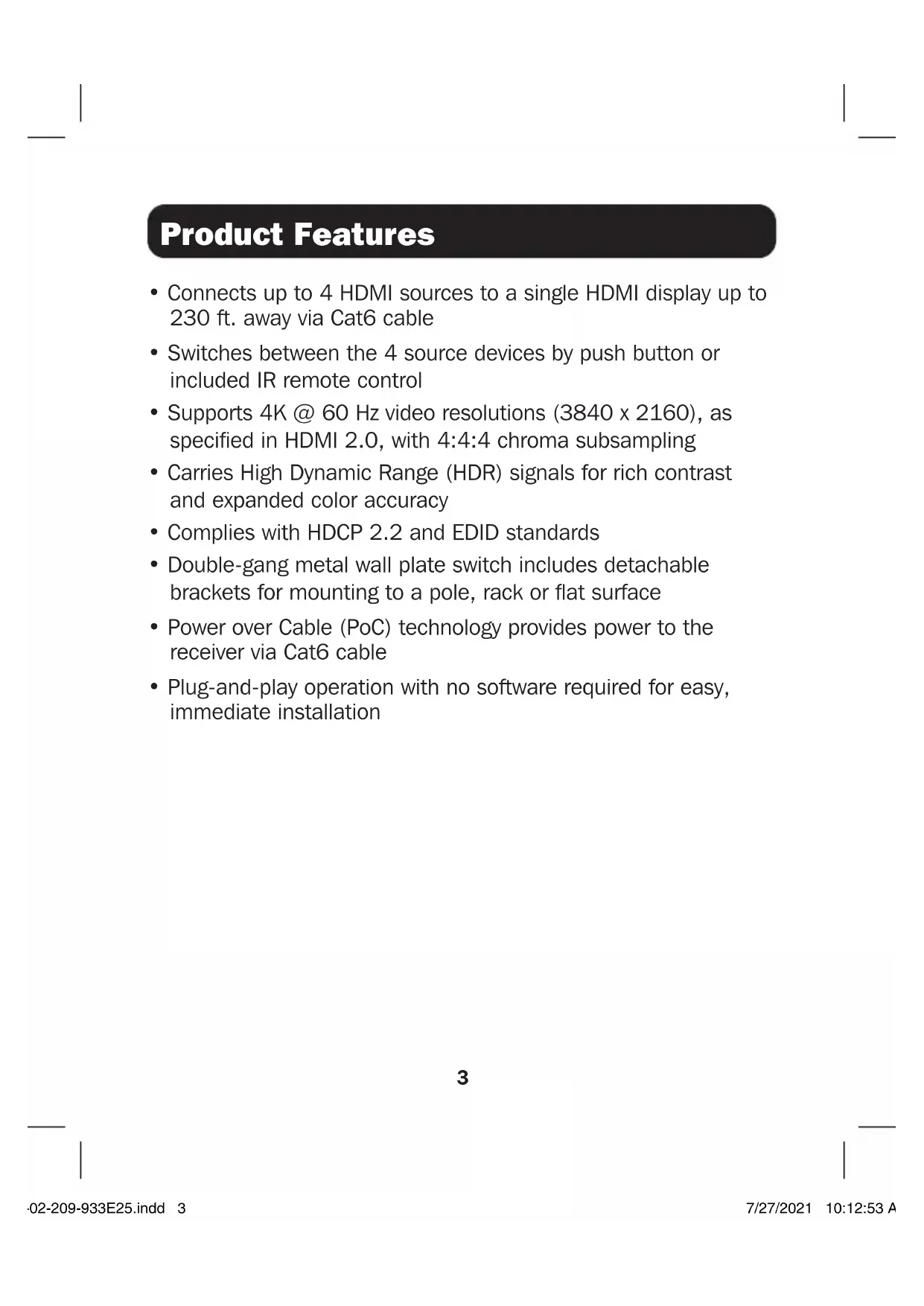
- Connects up to 4 HDMI sources to a single HDMI display up to 230 ft. away via Cat6 cable
- Switches between the 4 source devices by push button or included IR remote control
- Supports 4K @ 60 Hz video resolutions (3840 x 2160), as specified in HDMI 2.0, with 4:4:4 chroma subsampling
- Carries High Dynamic Range (HDR) signals for rich contrast and expanded color accuracy
- Complies with HDCP 2.2 and EDID standards
- Double-gang metal wall plate switch includes detachable brackets for mounting to a pole, rack or flat surface
- Power over Cable (PoC) technology provides power to the receiver via Cat6 cable
- Plug-and-play operation with no software required for easy, immediate installation
Mounting Instructions
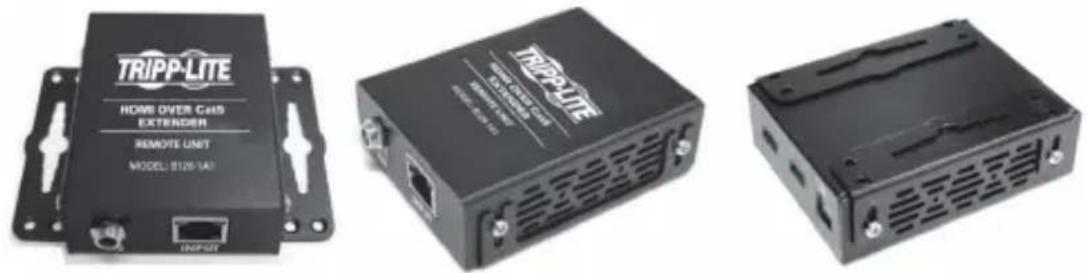
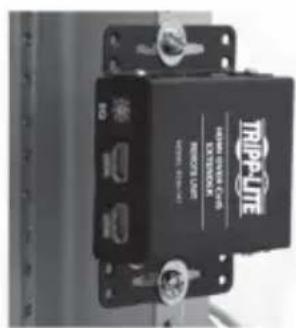
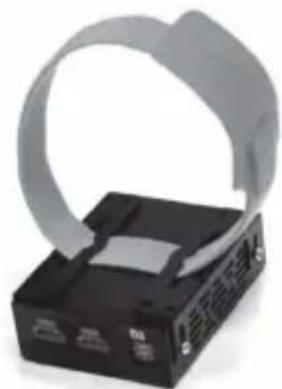
The B127A-4X1-BH includes mounting hardware that allows for a variety of mounting methods. The following images illustrate how the included mounting brackets can be attached for different installations.
Notes:
- The model shown in the below images is for illustrative purposes only. Your product may vary by model number, size or port orientation. The mounting options for all Over Cat6 units are the same.
- The wall plate switch unit includes screws for mounting to a wall or ceiling. The receiver unit includes mounting brackets for mounting the unit to a wall, pole or rack.
Wall-Mount
19" Rack-Mount Pole-Mount
natural_image
Black electronic device with a gray ribbon cable attached to its side (no visible text or symbols)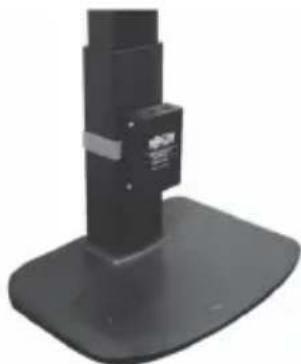
natural_image
Black mechanical support base with a small rectangular component on top (no visible text or symbols)Installation
Before installation, please check the following settings of your source(s) and TV/monitor(s):
- Set display to 60 Hz. Double-check factory settings, as default can be set to a lower frequency (Hz) than advertised.
- Ensure the input setting of your monitor is set at HDMI 2.0. Some displays may have default setting at HDMI 1.4.
- Verify your monitor has the HDR feature enabled. Some displays may have this feature disabled as a factory setting.
- Check if the Ultra HD (UHD) Deep Color setting is enabled on your TV/monitor. Confirm with your TV/monitor manufacturer which HDMI ports support UHD Deep Color.
Standard Switch Kit Installation
Notes:
- Test to ensure the entire installation works properly before pulling cables through ceilings/walls.
- To achieve maximum distance and performance, use 24 AWG solid-wire Cat6 cable. Using stranded-wire Cat6 cable or cable with a gauge (AWG) size higher than 24 AWG will result in shorter extension distance. Higher-gauge cabling, such as 26 AWG, has more limited transmission capability than lower-gauge cabling. All Tripp Lite N202-Series Cat6 cables are made with 24 AWG solid-wire cabling.
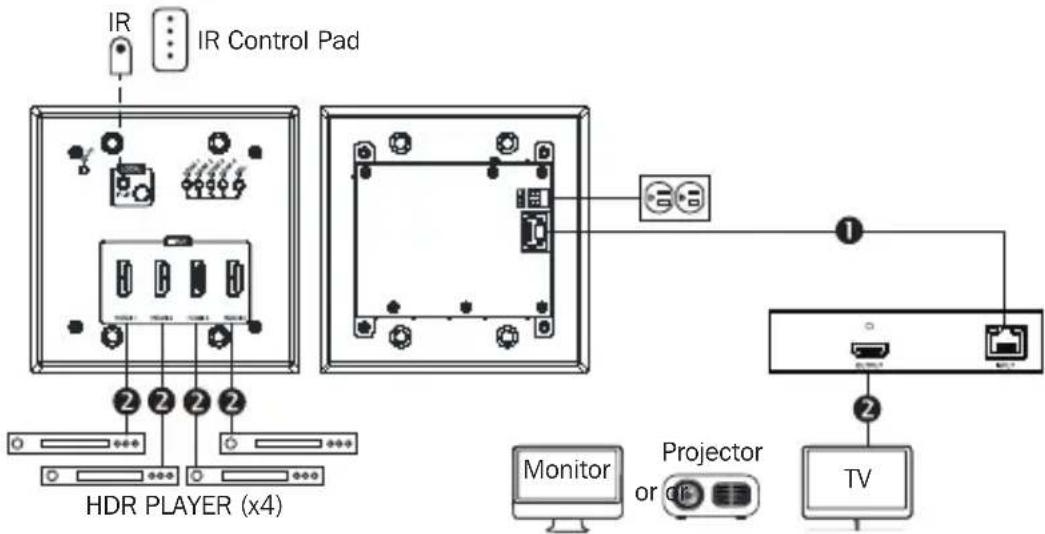
- The installation diagram shows a B127A-4X1-BH switch and receiver kit.
- External power is not required for the remote receiver due to PoC technology incorporated in the switch.
Installation
B127A-4X1-BH
1 Up to 230 ft. (70 m) Cat6 cable at 4K/60 Hz
② Up to 15 ft. (4.5 m) HDMI 2.0 cable at 4K/60 Hz
flowchart
graph TD
    A["IR"] --> B["IR Control Pad"]
    B --> C["HDR PLAYER (x4)"]
    C --> D["Monitor"]
    C --> E["Projector or TV"]
    D --> F["TV"]
    E --> F
    style A fill:#f9f,stroke:#333
    style B fill:#ccf,stroke:#333
    style C fill:#cfc,stroke:#333
    style D fill:#fcc,stroke:#333
    style E fill:#cff,stroke:#333
    style F fill:#ffc,stroke:#333
SWITCH RECEIVER
- Make sure all equipment in the installation, such as televisions, Blu-ray players and the transmitter, is powered off.
- Using an HDMI 2.0 cable (such as Tripp Lite P569-XXX-CERT or P568-XXX-2A Series cables), connect the HDMI source(s) to the INPUT ports on the switch. Up to 4 HDMI sources can be connected to the switch.
Installation
- Optional: For extended range, connect a B127A-010-H signal repeater (sold separately) between the switch's RJ45 output port and receiver using a Cat6 cable. See B127A-010-H product features on tripplite.com for more information.
- Using Cat6 cable, connect the RJ45 port on the switch to the RJ45 port on the receiver.
- Using an HDMI 2.0 cable, connect the receiver's HDMI port to a monitor.
- Turn on the power to your connected TV/monitor.
- Connect the external power supply to the switch. Plug it into an available wall outlet or a Tripp Lite surge protector, power distribution unit (PDU) or uninterruptible power supply (UPS). The DATA (green) LED on the switch will illuminate to indicate the unit is receiving power from the external power supply. The POWER (green) LED on the receiver will illuminate to indicate the unit is receiving power from the switch.
- Turn on the power to the HDMI source(s). The numeric HDMI (orange) LEDs on the switch will illuminate to indicate a signal is being received from the desired source. Use the push button on the switch or the included remote control to choose between sources.
- The (orange) RJ45 LED will illuminate on the receiver and the DATA (green) LED on the switch will flash to indicate a signal is being received from the source to the display. The selected image should now display on the connected monitor(s).
Warranty and Product Registration
1-Year Limited Warranty
Seller warrants this product, if used in accordance with all applicable instructions, to be free from original defects in material and workmanship for a period of one (1) year from the date of initial purchase. If the product should prove defective in material or workmanship within that period, Seller will repair or replace the product, at its sole discretion.
THIS WARRANTY DOES NOT APPLY TO NORMAL WEAR OR TO DAMAGE RESULTING FROM ACCIDENT, MISUSE, ABUSE OR NEGLECT. SELLER MAKES NO EXPRESS WARRANTIES OTHER THAN THE WARRANTY EXPRESSLY SET FORTH HEREIN. EXCEPT TO THE EXTENT PROHIBITED BY APPLICABLE LAW, ALL IMPLIED WARRANTIES, INCLUDING ALL WARRANTIES OF MERCHANTABILITY OR FITNESS, ARE LIMITED IN DURATION TO THE WARRANTY PERIOD SET FORTH ABOVE; AND THIS WARRANTY EXPRESSLY EXCLUDES ALL INCIDENTAL AND CONSEQUENTIAL DAMAGES. (Some states do not allow limitations on how long an implied warranty lasts, and some states do not allow the exclusion or limitation of incidental or consequential damages, so the above limitations or exclusions may not apply to you. This warranty gives you specific legal rights, and you may have other rights which vary from jurisdiction to jurisdiction.)
WARNING: The individual user should take care to determine prior to use whether this device is suitable, adequate or safe for the use intended. Since individual applications are subject to great variation, the manufacturer makes no representation or warranty as to the suitability or fitness of these devices for any specific application.
Product Registration
Visit tripplite.com/warranty today to register your new Tripp Lite product. You'll be automatically entered into a drawing for a chance to win a FREE Tripp Lite product!*
*No purchase necessary. Void where prohibited. Some restrictions apply. See website for details.
WEEE Compliance Information for Tripp Lite Customers and Recyclers (European Union)
Under the Waste Electrical and Electronic Equipment (WEEE) Directive and implementing regulations, when customers buy new electrical and electronic equipment from Tripp Lite, they are entitled to:
- Send old equipment for recycling on a one-for-one, like-for-like basis (this varies depending on the country)
- Send the new equipment back for recycling when this ultimately becomes waste
Use of this equipment in life support applications where failure of this equipment can reasonably be expected to cause the failure of the life support equipment or to significantly affect its safety or effectiveness is not recommended.
Tripp Lite has a policy of continuous improvement. Specifications are subject to change without notice. Photos and illustrations may differ slightly from actual products.


1111 W. 35th Street, Chicago, IL 60609 USA • tripplite.com/support
21-02-209 • 93-3E25 RevA
1111 W. 35th Street, Chicago, IL 60609 EE UU • tripplite.com/support
21-02-209 • 93-3E25 RevA
1111 W. 35th Street, Chicago, IL 60609 USA • tripplite.com/support
1111 W. 35th Street, Chicago, IL 60609 USA • tripplite.com/support
21-02-209 • 93-3E25 RevA
1111 W. 35th Street, Chicago, IL 60609 USA • tripplite.com/support
natural_image
Black electronic device with a gray ribbon and two ports, no visible text or symbols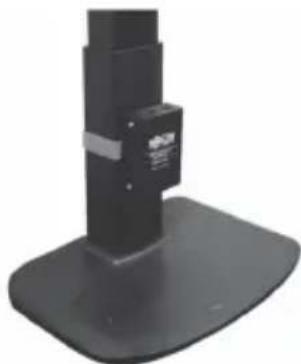
natural_image
Black mechanical support base with a small rectangular component and a small label on the top (no visible text or symbols)Установка
1111 W. 35th Street, Chicago, IL 60609 USA • tripplite.com/support
21-02-209·93-3E25_RevA
Bedienungsanleitung
Manufacturing Excellence.
HDMI ^TM
HIGH DEFINITION MULTIBEIDA INTERFACE
1111 W. 35th Street, Chicago, IL 60609 USA • tripplite.com/support
natural_image
Black electronic device with a gray ribbon strap and control buttons (no visible text or symbols)
natural_image
Close-up of a black mechanical support base with a small rectangular component and a label (no visible text or symbols)Installation

Manufacturing
Excellence
1111 W. 35th Street, Chicago, IL 60609 USA • tripplite.com/support
21-02-209 • 93-3E25 RevA