EasyManual
JJW2430WW - Oven JENN-AIR - Free user manual and instructions
Find the device manual for free JJW2430WW JENN-AIR in PDF.


Questions des utilisateurs sur JJW2430WW JENN-AIR
0 question sur cet appareil. Repondez a celles que vous connaissez ou posez la votre.
Poser une nouvelle question sur cet appareil
Download the instructions for your Oven in PDF format for free! Find your manual JJW2430WW - JENN-AIR and take your electronic device back in hand. On this page are published all the documents necessary for the use of your device. JJW2430WW by JENN-AIR.
USER MANUAL JJW2430WW JENN-AIR
JJW2427, JJW2330, JJW2327
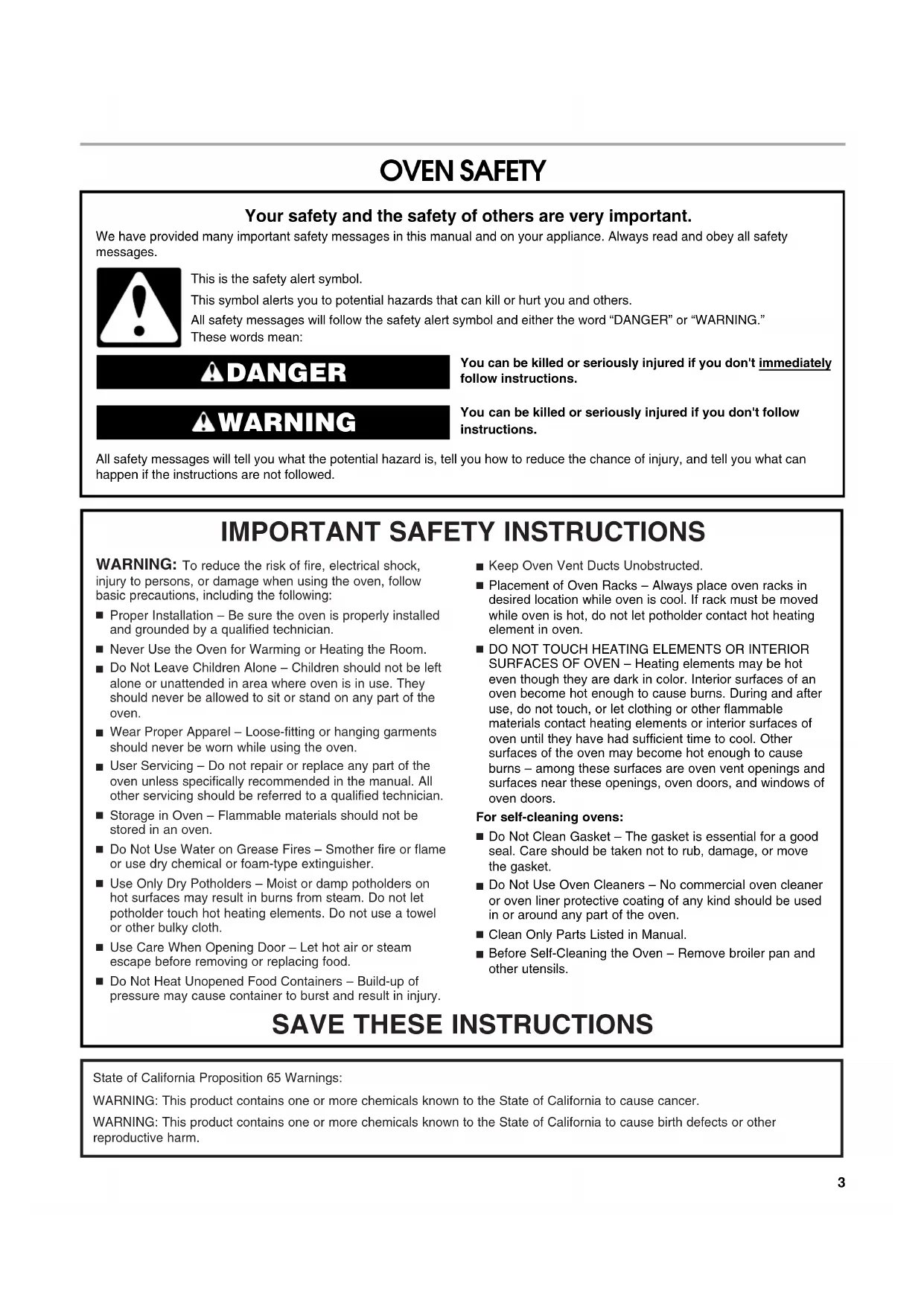
Au Canada..................................................................................56 GARANTIE.....................................................................................573 OVEN SAFETY You can be killed or seriously injured if you don't immediately You can be killed or seriously injured if you don'tfollow All safety messages will tell you what the potential hazard is, tell you how to reduce the chance of injury, and tell you what can happen if the instructions are not followed. Your safety and the safety of others are very important. We have provided many important safety messages in this manual and on your appliance. Always read and obey all safety messages.This is the safety alert symbol.This symbol alerts you to potential hazards that can kill or hurt you and others.All safety messages will follow the safety alert symbol and either the word “DANGER” or “WARNING.”These words mean:follow instructions.instructions. DANGER WARNING
SAVE THESE INSTRUCTIONS
To reduce the risk of fire, electrical shock, injury to persons, or damage when using the oven, follow basic precautions, including the following: Proper Installation – Be sure the oven is properly installed and grounded by a qualified technician. Never Use the Oven for Warming or Heating the Room. Do Not Leave Children Alone – Children should not be left alone or unattended in area where oven is in use. They should never be allowed to sit or stand on any part of the oven. Wear Proper Apparel – Loose-fitting or hanging garments should never be worn while using the oven. User Servicing – Do not repair or replace any part of the oven unless specifically recommended in the manual. All other servicing should be referred to a qualified technician. Storage in Oven – Flammable materials should not be stored in an oven. Do Not Use Water on Grease Fires – Smother fire or flame or use dry chemical or foam-type extinguisher. Use Only Dry Potholders – Moist or damp potholders on hot surfaces may result in burns from steam. Do not let potholder touch hot heating elements. Do not use a towel or other bulky cloth. Use Care When Opening Door – Let hot air or steam escape before removing or replacing food. Do Not Heat Unopened Food Containers – Build-up of pressure may cause container to burst and result in injury. Keep Oven Vent Ducts Unobstructed. Placement of Oven Racks – Always place oven racks in desired location while oven is cool. If rack must be moved while oven is hot, do not let potholder contact hot heating element in oven. DO NOT TOUCH HEATING ELEMENTS OR INTERIOR SURFACES OF OVEN – Heating elements may be hot even though they are dark in color. Interior surfaces of an oven become hot enough to cause burns. During and after use, do not touch, or let clothing or other flammable materials contact heating elements or interior surfaces of oven until they have had sufficient time to cool. Other surfaces of the oven may become hot enough to cause burns – among these surfaces are oven vent openings and surfaces near these openings, oven doors, and windows of oven doors.For self-cleaning ovens: Do Not Clean Gasket – The gasket is essential for a good seal. Care should be taken not to rub, damage, or move the gasket. Do Not Use Oven Cleaners – No commercial oven cleaner or oven liner protective coating of any kind should be used in or around any part of the oven. Clean Only Parts Listed in Manual. Before Self-Cleaning the Oven – Remove broiler pan and other utensils. State of California Proposition 65 Warnings:WARNING: This product contains one or more chemicals known to the State of California to cause cancer.WARNING: This product contains one or more chemicals known to the State of California to cause birth defects or other reproductive harm.4
This manual covers different models. The oven you have purchased may have some or all of the items listed. The locations and appearances of the features shown here may not match those of your model. A. Electronic oven control B. Oven vent C. Model and serial number plate (on center vent under control panel) D. Broil element E. Gasket F. Bottom vent G. Lower oven (on double oven models) H. Hidden bake element
This manual covers different models. The oven you have purchased may have some or all of the items listed. The locations and appearances of the items shown here may not match those of your model. The oven's controls are accessed through its control panel. NOTE: Due to the sensitivity of the control panel, we have provided special instructions for cleaning. See “General Cleaning” section for cleaning instructions. Single Oven Control Panel Double Oven Control Panel A. Touch panel B. Light C. Display D. Number keypad E. Kitchen timer F. Quickset pads G. More H. Start
Control Panel The control panel houses the control menu and function controls. The control pads are very sensitive, and require only a light touch to activate. For more information about the individual controls, see their respective sections in this manual. Welcome Guide This appears on your display the first time the oven is powered up. The Welcome Guide allows you to set up your new oven. After every selection, a single beep will sound.
1. Select your language by pressing the quickset pad next to
2. Select the temperature units by pressing the quickset pad
next to Fahrenheit or Celsius.
3. Select the clock units by pressing the quickset pad next to
AM/PM or 24 Hour (Military Time).
4. Choose Yes or No to have the daylight saving time
choose AM or PM by pressing the quickset pad next to the desired choice. Select Next to move to next screen.
6. Enter current date (MM/DD/YYYY) using the number keypad,
and press the quickset pad next to the Next option.
7. Select a screen appearance to match your oven. Press the
quickset pad next to Dark/Blue, Light/Blue, Dark/Orange, Bronze/White.
8. Review your settings and press the quickset pad next to Save
option. A message will show: “You have selected a new theme. The oven will reset momentarily. Please wait....” It will take 1 minute to restart with the new settings set.
9. See the “Setup Menu” section for more detailed information.
Display When the oven is in use (active mode), the display shows the time, mode, oven temperature and timer, if set. If the timer is not set, the Set Timer Option will also be displayed. After approximately 2 minutes of inactivity, the display will go into standby (sleep) mode, and the backlight of the display will dim. When the oven is in operation, the display will remain active. During programming, the display shows menus and the appropriate selections for the respective cooking function. Display Screen The LCD display screen is used to make menu selections, adjust settings and input commands. Menu selections and input adjustments are made in the center portion of the screen, and the command inputs (Back, More or Start) are made by the bottom buttons. Screen titles and descriptions are displayed in the top portion of the screen. A light to medium pressure touch of the fingertip will activate the menu selection. A. Title/description region B. Menu and selection/settings input region C. Command input region Select mode: Bake BroilAuto ConvectionMultiModeBack Start More1 of 3
ConversionConvection7 Main Menus From the Main Menu, all automatic cooking programs can be activated; all manual cooking can be programmed; settings can be programmed; settings can be adjusted; and instructions, preparation and tips can be accessed. Convection Model Non-convection Model Menu Demonstration The following demonstrates a sequence showing how to cook from the Main Menu using a timed bake cycle. This manual covers different models. The locations and appearances of the features shown may not match those of your model.
1. Touch the START button or touch UPPER/LOWER OVEN
button (on double oven models).
2. From the Select Mode menu, touch the quickset pad next to
desired cooking temperature. Select mode: Bake BroilAuto ConvectionMultiMode Back Start More Select mode:Convect Bake Back Start More Select mode:Convect Slow RoastConvect Pastry Convect Frozen Pizza Back Start More Select mode:ProofRapid ProofKeep WarmProbe Back Start MoreSelect mode:My CreationsSelf CleanButton Lock Back Start More 1 of 3Convect RoastConvect Broil1 of 2Convect Bake2 of 22 of 3Setup Menu3 of 3Conversion(Rapid Preheat)ConvectionSelect mode: Bake BroilKeep WarmMy CreationsBack Start More Select mode:Self CleanButton LockSetup Menu Back Start More 1 of 2 2 of 2 Select mode: Bake Broil Auto Convection Multimode Back Start More 1 of 3 Conversion Convection Temperature Range: 170-550
4. Press the quickset pad next to Set Cook Timer. Enter cooking time using the number keypad to set a timer to alert you when cooking ends. The oven will turn off when the cook time expires. See “Cook Timer” section for additional information. 5. If desired, the Keep Warm and Delay Start options can be programmed from the Cook Timer screen. See the “Keep Warm” and “Delay Start” sections for additional information.6. Press START to begin preheating oven.7. Place food in oven when the preheat signal sounds. The screen will also prompt you when to insert food. If a delay start is programmed, place food in oven when setting the mode.NOTE: Do not use Delay Start for items that require a preheated oven, such as cakes, cookies and breads. If food is in the oven during preheat, it may become overcooked. 8. To change the temperature or cook time while the oven is active, touch the appropriate quickset pad, make the adjustment, and select Start.9. Press CANCEL OVEN (CANCEL UPPER or CANCEL LOWER on double models) to turn off the oven. Setup Menu Your oven provides you with the ability to control several of the default settings and access information through the on screen display. These include: Clock, Sound, Screen Appearance, Language, Temp Units, Service Info, Sabbath Mode, Oven Calibration and Restore Defaults. To Access Setup Menu: 1. Press START or Oven.2. From the Select Mode menu, press the MORE button until you see the Setup Menu choice.3. Touch the quickset pad next to the Setup Menu choice. Clock This clock can be used in 12-hour or 24-hour format. At any time desired, press BACK to return to the Setup Menu.1. From the Setup menu, touch the quickset pad next to Clock.2. From the Clock menu, touch the quickset pad next to Time.3. Enter current time (--:--). Choose AM or PM.4. Select SAVE. This will return you to the Clock settings menu.5. From the Clock menu, touch the quickset pad next to DATE.6. Enter current date (MM/DD/YYYY). Select ON or OFF for Daylight Savings Adjust.7. Select SAVE. This will return you to the Clock settings menu.8. From the Clock menu, touch the quickset pad next to Format.9. Select time format: AM/PM or 24 hour (Military Time).
10. Select SAVE. This will return you to the clock display screen.
11. From the Setup Menu, touch the quickset pad next to Clock.12. From the Clock menu, touch the quickset pad next to Clock Style.13. Select clock style on idle screen: Analog or Digital.
14. Select SAVE. This will return you to the clock display screen.
Sound 1. From the Setup menu, touch the quickset pad next to Sound.2. From the Sound menu, touch the quickset pad next to Timer Volume.3. Adjust the Timer Volume by touching the left quickset pad to decrease the volume, or the right quickset pad to increase the volume. To turn Timer Volume off, touch the left quickset pad until Off is reached.4. Select SAVE. This will return you to the Sound settings menu.5. From the Sound menu, touch the quickset pad next to Button Volume.6. Adjust Button volume by touching the left quickset pad to decrease the volume and the right quickset pad to increase the volume. To turn Button Volume off, touch the left quickset pad until Off is reached.7. Select SAVE. This will return you to the Sound menu.8. From the Sound menu, select ON or OFF on Startup/Shutdown Sounds.9. Press BACK to return to the Setup menu. Screen Appearance 1. From the Setup menu, touch the quickset pad next to Screen Appearance.2. From the Appearance menu, touch the quickset pad next to Brightness.3. Adjust the screen brightness by touching the left quickset pad to select dimmer and the right quickset pad to select brighter.4. Select SAVE. This will return you to the Screen Appearance settings menu.5. From the Screen Appearance menu, select ON or OFF on Animation. When on, the animation (gradient and heat waves) are shown while the oven is heating. 6. From the Screen Appearance Menu, touch the quickset pad next to Theme.7. Select an appearance to match your oven: Dark/Blue, Light/Blue, Dark/Orange, Bronze/White.8. After selecting a theme, a message will show: “You have selected a new theme. The oven will reset momentarily. Please wait....” It will take 1 minute to restart with the new settings set. HR: MIN: SECBake Cook TimerDelay StartBack StartKeep Warmwhen done: Off :00 00 :00 WARNING Food Poisoning Hazard Do not let food sit in oven more than one hour before or after cooking. Doing so can result in food poisoning or sickness.9 Language
2. From the Language menu, select your language: English or
French. This will return you to the clock display screen. Temperature Units
1. From the Setup Menu, touch the MORE button until Temp
2. Touch the quickset pad next to Temp Units.
1. From the Setup Menu, touch the MORE button until Service
2. Touch the quickset pad next to Service Info.
3. The Jenn-Air service phone number and website are
displayed in the screen.
4. Depending on the oven model, a Demo Mode is available.
This mode will allow you to make selections with various options without heating the oven. Select ON/OFF to activate or deactivate the function. When On, it will be indicated at the bottom of the screen.
5. See “Assistance or Service” section for additional
6. Select SAVE to exit the screen and return to the Setup Menu.
Sabbath Mode The Sabbath Mode sets the oven to remain in a Bake setting until turned off. A timed Sabbath Mode can also be set to keep the oven on for only part of the Sabbath. When the Sabbath Mode is set, only the number and Start keys will function, no tones will sound, and the displays will not show messages or temperature changes. When the oven door is opened or closed, the oven light will not turn on or off, and the heating elements will not turn on or off immediately. If a power failure occurs when the Sabbath Mode is set, the oven(s) will remain in Sabbath Mode but will no longer be actively cooking. When power returns, the display will initially show the Jenn-Air start-up screen. After a short delay, the display will return to the Sabbath Mode enable screen. Touch the quickset pad next to “On” to return to the Sabbath Mode setup screen or touch the quickset pad next to “Off” to disable Sabbath Mode and return to the clock display screen. To Use Sabbath Mode:
1. From the Select mode screen, touch the MORE button until
the Setup Menu appears.
2. From the Setup Menu, touch the MORE button until Sabbath
Mode appears. Press the quickset pad next to Sabbath Mode.
3. From the Sabbath Mode menu, read the instructions on the
screen and press the quickset pad next to On to turn Sabbath Mode on. NOTE: Sabbath Mode disables the 12-hour shutoff. All lights and displays are disabled, so that no visible activity takes place when the oven door is opened.
4. On double ovens, select the cavity to set up by pressing the
quickset pad next to Upper or Lower.
5. Select Oven Temperature. Use the numbered keypad to enter
a desired cooking temperature. The temperature must be between 170°F (77°C) and 550°F (288°C) or the default temperature appears on the screen.
6. Select Next by pressing the quickset pad next to it.
7. If a programmed Cook Time is desired, enter a Cook Time by
using the number keypad. The time length may not exceed 12:00:00. When the timer ends, the oven cavity will stop heating.
8. Select Next by pressing the quickset pad next to it.
9. On double ovens, repeat steps 1-8 to set the second cavity, if
desired. NOTE: Do not use Delay Start for items that require a preheated oven, such as cakes, cookies and breads. If food is in the oven during preheat, it may become overcooked.
10. To set a Delayed Start, press the quickset pad next to Delay
Start. See the “Delay Start” section for additional information.
11. Press START to begin heating the oven.
12. Press CANCEL OVEN (CANCEL UPPER or CANCEL LOWER
on double oven models) to turn off the oven. To Disable Sabbath Mode: When a cook time ends, the Sabbath Mode enable screen will be displayed. You can also return to the Sabbath Mode enable screen at any time while using Sabbath Mode by pressing CANCEL. Touch SABBATH MODE: OFF to disable Sabbath Mode and return to the Clock display screen. To program a new cycle, follow steps 1-12 in the “To Use Sabbath Mode” section. Temperature Change: The oven temperature can be changed when the oven is in Sabbath Mode. No tones will sound, and the display will not change. While the oven is running, pressing a number keypad and the Start button will change the temperature after a random delay of between 25 and 40 seconds. Number keys 1 through 0 represent temperatures. Use the following chart as a guide. Number Keypad Oven Temperature 1 170°F (77°C) 2 200°F (93°C) 3 225°F (121°C) 4 250°F (135°C) 5 300°F (149°C) 6 325°F (163°C) 7 350°F (177°C) 8 375°F (191°C) 9 400°F (204°C) 0 450°F (232°C) WARNING Food Poisoning Hazard Do not let food sit in oven more than one hour before or after cooking. Doing so can result in food poisoning or sickness.10 To Change Temperature:
1. Touch the number keypad for the desired temperature from
NOTE: On double ovens, the temperature of both ovens will change to the new setting if both ovens are operating in Sabbath Mode. Oven Calibration
1. From the Setup menu, touch the More button until Oven
Calibration appears.
2. Touch the quickset pad next to Oven Calibration.
3. On double models, touch UPPER OVEN or LOWER OVEN to
choose the oven cavity to be checked or calibrated.
4. Adjust the calibration of the oven by choosing the
temperature offset: -1° (if oven is too hot) or +1° (if oven is too cool).
5. Select Save after entering the desired value.
Factory Defaults appears.
2. Touch the quickset pad next to Restore Factory Defaults.
3. The following settings will be lost: Language, Temperature
Units, Clock Settings, Date and Screen Appearance. The Welcome Guide will appear to help you reset these settings. See the “Welcome Guide” section for additional information. Kitchen Timer This is an independent timer not associated with the cook timers.
1. Press the Kitchen Timer button anytime needed.
2. Enter the desired time (00:00:00) using the number keypad.
3. Press the quickset pad next to Cancel Timer to cancel the
function or press Start.
4. While the Kitchen Timer is running, the timer is minimized to
the bar at the bottom of the screen.
5. To adjust the Kitchen Timer, press the Kitchen Timer button
and choose between Cancel Timer, Hide, or Reset by pressing the quickset pads next to them.
6. If Cancel Timer is pressed, the timer is canceled and the
7. If Hide is pressed, the panel is lowered to the appropriate
position. Pressing the Kitchen Timer button will also hide the panel.
8. If Reset is pressed, the Kitchen Timer is kept open but resets
to (00:00:00); a new value can now be entered.
9. When the Kitchen Timer is complete, a beep will sound.
10. When time expires, it is possible to add extra time by
pressing the quickset pad next to Add More Time or to cancel the function by pressing the quickset pad next to Cancel Timer.
OVEN USE Odors and smoke are normal when the oven is used the first few times, or when it is heavily soiled. During oven use, the heating elements will not remain on, but will cycle on and off throughout oven operation. IMPORTANT: The health of some birds is extremely sensitive to the fumes given off. Exposure to the fumes may result in death to certain birds. Always move birds to another closed and well- ventilated room. Aluminum Foil IMPORTANT: To avoid permanent damage to the oven bottom finish, do not line the oven bottom with any type of foil or liner. ■ For best cooking results, do not cover entire rack with foil because air must be able to move freely. ■ To catch spills, place foil on rack below dish. Make sure foil is at least ½" (1.3 cm) larger than the dish and that it is turned up at the edges. Positioning Racks and Bakeware IMPORTANT: To avoid permanent damage to the porcelain finish, do not place food or bakeware directly on the oven door or bottom. RACKS ■ Position racks before turning on the oven. ■ Do not position racks with bakeware on them. ■ Make sure racks are level. Depending on the oven model, you could have flat, offset and/or roll-out racks. If “f” is after the rack position, the flat rack should be used. An “o” after the rack position indicates the offset rack should be used. An “r” indicates the roll-out rack should be used. For example: 1o, 3f, 5r indicates the use of the offset rack in rack position 1, the flat rack in position 3, and the roll-out rack in position 5. Refer to the section for the mode you are using for specific rack recommendations. 27" (68.6 cm) Rack Positions 30" (76.2 cm) Rack Positions BAKEWARE To cook food evenly, hot air must be able to circulate. Allow 2" (5.0 cm) of space around bakeware and oven walls.
Roll-Out Rack The roll-out rack allows easy access to position and remove food in the oven. The roll-out rack will fit in all positions. Open Position Closed and Engaged Position To Insert Roll-Out Rack
1. Angle the rack assembly up and insert the back edge into the
“V” cutout in the rack guides of the oven cavity.
2. Keep the rack lifted at an angle and push in until the back
edge of the sliding rails (A) bypass the lower “V” cutout.
3. Angle the rack downward and continue to gently slide the
assembly in until the center brace (C) bypasses the “V” cutout.
4. Raise rack assembly to flat position and gently push to the
back of the oven until the back edge of the sliding rail drops.
5. Pull the rack assembly slightly forward until the front edge
drops and the sliding rails are on the rack guide.
1. Push the sliding shelf in completely so that it is closed and
engaged with the slide rails.
2. Using 2 hands, lift up on the front edge of the rack assembly.
Slowly push the rack assembly to the back wall of the oven so the front edge of the sliding shelf sits on the rack guides on the side of the oven cavity. The front edge of the rack should be higher than the back edge.
3. Using 2 hands, lift up the back of the rack assembly so that
the front and back are level on the rack guides.
4. Pull the rack assembly out.
To avoid damage to the sliding shelves, do not place more than 25 lbs (11.4 kg) on the rack. Do not clean the roll-out rack in a dishwasher. It may remove the rack’s lubricant and affect its ability to slide. See the “General Cleaning” section for more information. A. Slide rails B. Sliding shelf C. Center brace
C12 Meat Thermometer On models without a temperature probe, use a meat thermometer to determine whether meat, poultry and fish are cooked to the desired degree of doneness. The internal temperature, not appearance, should be used to determine doneness. A meat thermometer is not supplied with this appliance. Follow manufacturer's directions for using a meat thermometer. Oven Vent(s) The oven vent(s) should not be blocked or covered since they allow the inlet of fresh air into the cooling system. Also, the bottom vent should not be blocked or covered since it allows the inlet of fresh air into the cooling system and the outlet of hot air from the cooling system. Blocking or covering vents will cause poor air circulation, affecting cooking, cleaning and cooling results. Cooking Functions
1. From the Select Mode menu, select one of the following
options: Bake, Broil, Auto Convection Conversion, MultiMode
Convection, Proof, Rapid Proof, Keep Warm, Probe or My Creations for convection models; or Bake, Broil, Keep Warm or My Creations for non-convection models.
2. If Convection is desired, select Auto Convection Conversion
Convection. By selecting Auto Convection Conversion, you will be able to select between Bake, Broil, Roast and Pastry, then enter temperature and time according to your recipe or package. When necessary, the oven will convert the time and/or temperature you entered. The MultiMode
Convection allows you to select Convect Bake, Convect Bake (Rapid Preheat), Convect Roast, Convect Broil, Convect Slow Roast, Convect Pastry or Convect Frozen Pizza.
3. Select the temperature. The default temperature and its range
is shown in the following table.
5. For cook timer, press the quickset pad next to Set Cook
Timer. Enter a cooking length using the number keypad to set a timer to alert you when cooking ends. The time length may not exceed 12 hours. See the “Cook Timer” section for additional information. The oven will turn off when the cook time expires.
6. (Optional) To keep food warm after a programmed cooking
cycle ends, select ON for Keep Warm when done. See the “Keep Warm™ Option” section for additional information.
7. (Optional) To set a delayed start, press the quickset pad next
to Delay Start and set the desired time. See the “Delay Start” section for additional information.
8. Press START to begin cooking.
9. Press CANCEL OVEN (CANCEL UPPER or CANCEL LOWER
on double oven models) to turn off the oven. Auto Convection Conversion Convection temperature and/or times can differ from those of standard cooking. When necessary, the oven automatically reduces standard recipe temperature and/or times.
1. From the Select Mode menu, touch the quickset pad next to
Auto Convection Conversion.
2. Select a recipe conversion mode: Bake (casseroles, baked
goods), Broil (steaks, fillets), Roast (meats, vegetables), Pastry (frozen pie, puff pastry). NOTE: The temperature probe cannot be used during any auto convection conversion modes.
3. Enter standard cooking temperature. The temperature must
be 170°F (77°C) or above and may not exceed 550°F (288°C). If a temperature outside of the available range is entered, the Start and Set Timer options will be unavailable.
4. The standard cooking temperature will be converted to a
convection temperature if necessary.
5. Press START to begin, or select Set Timer to set a cook time.
6. For timer, enter the standard cooking time. The standard
cooking time cannot exceed 12 hours. Single and Double Oven A. Control panel B. Oven vent C. Single oven or upper double oven G. Bottom vent Double Oven D. Upper oven E. Oven vent F. Lower oven G. Bottom vent
Mode Default Temperature Range Bake 350°F (177°C) 170-550°F (77-288°C) Broil 550°F (288°C) 450-550°F (232-238°C) K. Warm 170°F (77°C) 150-200°F (66-93°C) Cvt. Bake 325°F (163°C) 170-550°F (77-288°C) Cvt. Bake (Rapid Preheat) 325°F (163°C) 170-550°F (77-288°C) Cvt. Roast 325°F (163°C) 170-550°F (77-288°C) Cvt. Broil 550°F (288°C) 450-550°F (232-238°C) Cvt. S. Roast 4h 275°F (135°C) 250-300°F (120-150°C) Cvt. S. Roast 8h 225°F (107°C) 200-250°F (93-120°C) Cvt. S. Roast 12h 185°F (85°C) 170-225°F (77-107°C) Cvt. Frozen Pizza 375°F (190°C) 170-550°F (77-288°C) Cvt. Pastry 325°F (163°C) 170-550°F (77-288°C) Proof 100°F (38°C) Rapid Proof 200°F (93°C) 170-200°F (77-93°C)13 7. The standard cooking time will be converted to a convection time if necessary.NOTE: The converted cooking temperature and time may vary between modes. Each mode adjusts the appropriate temperature and time, when necessary. 8. Press START to begin preheating or cooking, or select Delay Start and set desired time. See the “Delay Start” section for additional information.9. When the timer is set and time expires, you can select Exit Timer to add more time. The oven will turn off when the cook time expires. My Creations My Creations allows the customization of cooking processes. When My Creations is selected from the main menu, a list of previously created settings are presented along with the ability to create more. To create a new setting: 1. From the Select Mode menu, touch the MORE button until My Creations is shown. Press the quickset pad next to it.2. Press the quickset pad next to ADD NEW CREATION to customize your cooking process.3. Select cook mode.4. Select cook temperature.5. Select NEXT.6. Select how to monitor cooking: Cook timer, probe or no alerts. Probe is not available in non-convection models.7. If Cook Timer is selected, enter cook timer length.8. Select NEXT.9. On Bake, Convect Bake or Convect Roast, the probe is available. If the probe is desired, select Probe and enter the target probe internal temperature.10. Select NEXT.11. Review your settings and select ADD STAGE or SAVE. If Add Stage is selected, repeat steps 3-10 and select SAVE.12. Select a name for the new creation. To use a previously created setting: 1. From the Select Mode Menu, touch the MORE button until My Creations is shown. Press the quickset pad next to it.2. Press the quickset pad next to the desired setting.3. Select START to begin preheating the oven or DELAY START to set desired start time.NOTE: You may also delete a setting from this screen. Select DELETE then Yes. Bake The appropriate heating elements will cycle on and off in intervals to maintain the oven temperature. Depending on your model, the convection fan may cycle on and off.If the oven door is opened during baking, the heating elements will turn off approximately 30 seconds after the door is opened. They will turn on again approximately 30 seconds after the door is closed. If used, the convection fan turns off immediately when the door is opened and turns on immediately when door is closed. Before Using Bake: Before using Bake, see the “Positioning Racks and Bakeware” section and the following tips for rack positions.NOTE: An “o” after the rack position number indicates that the offset rack should be used. An “f” indicates that the flat rack should be used, and an “r” indicates that the roll-out rack should be used.Rack positions for 27" (68.6 cm) Convection ovens1-rack baking: 2o, 2f or 3f2-rack baking: 2o and 3rFor meat and poultry: 2oFor best results when baking cakes on 2 racks, use racks 2o and 3r for baking. Place the cakes on the racks as shown. WARNING Burn HazardUse an oven mitt to remove temperature probe.Do not touch broil element.Failure to follow these instructions can result in burns.Convection Ovens Non-Convection OvensA. Broil elementB. Convection elementC. Convection fanD. Bake elementA. Broil elementB. Bake element
B14 Rack positions for 27" (68.6 cm) Non-Convection ovens1-rack baking: 2f2-rack baking: 1f and 3f or 2f and 4fFor meat and poultry: 1fFor best results when baking cakes on 2 racks, use racks 1f and 3f for baking. Place the cakes on the racks as shown.Rack positions for 30" (76.2 cm) Convection ovens1-rack baking: 2f2-rack baking: 2f and 4r or 2o and 4rFor meat and poultry: 2fFor best results when baking cakes on 2 racks, use racks 2f and 4r for baking. Place the cakes on the racks as shown.Rack positions for 30" (76.2 cm) Non-Convection ovens1-rack baking: 2f or 3f2-rack baking: 2f and 5f or 3f and 5fFor meat and poultry: 2fFor best results when baking cakes on 2 racks, use racks 2f and 5f for baking. Place the cakes on the racks as shown. To Use Bake: 1. From the Select Mode menu, touch the quickset pad next to the Bake option.2. From the Temperature screen, use the number keypad to enter a desired cooking temperature. The temperature must be between 170ºF (77ºC) and 550ºF (288ºC) or an invalid key alert occurs and the default temperature appears on the screen.3. Press START to begin preheating oven or select Set Cook Timer to set cook time and access Keep Warm (when used with the Cook Timer) and Delay Start.4. For cook timer, enter a cooking length using the number keypad to set a timer to alert you when cooking ends. The time length cannot exceed 12 hours. See “Cook Timer” section for additional information. The oven will turn off when the cook time expires.5. (Optional) To keep food warm after a programmed cooking cycle ends, select ON for Keep Warm when done. See the “Keep Warm™ Option” section for additional information.6. (Optional) To set a delayed start, press the quickset pad next to Delay Start and set the desired time. See the “Delay Start” section for additional information.7. Press START to begin preheating the oven or to start the countdown for Delay Start. 8. Place food in oven when preheat signal sounds. The screen will also prompt you when to insert food. If a Delay Start is programmed, place food in oven when setting the mode.NOTE: Do not use Delay Start for items that require a preheated oven, such as cakes, cookies and breads. If food is in the oven during preheat, it may become overcooked.9. Press CANCEL OVEN (CANCEL UPPER or CANCEL LOWER, on double models) to turn off the oven. Broil Broiling uses direct radiant heat to cook food. The door must be closed for the broil element to operate.The element cycles on and off in intervals to maintain the oven temperature. The oven door must be closed for the broil element to operate.If the oven door is opened during broiling, the broil elementwill turn off in approximately 30 seconds. When the oven door is closed, the elements will come back on approximately 30 seconds after the door is closed.A. Broil element WARNING Food Poisoning Hazard Do not let food sit in oven more than one hour before or after cooking. Doing so can result in food poisoning or sickness. A15 ■ For best results, use a broiler pan and grid. It is designed to drain juices and help avoid spatter and smoke. If you would like to purchase a Broiler Pan Kit, it may be ordered. See “Assistance or Service” section to order. Ask for Part Number W10123240. ■ For proper draining, do not cover the grid with foil. The bottom of the broiler pan may be lined with aluminum foil for easier cleaning. ■ Trim excess fat to reduce spattering. Slit the remaining fat on the edges to avoid curling. ■ Pull out oven rack to stop position before turning or removing food. Use tongs to turn food to avoid the loss of juices. Very thin cuts of fish, poultry or meat may not need to be turned. ■ After broiling, remove the pan and food from the oven. Drippings will bake on the pan if left in the heated oven, making cleaning more difficult. To Use Broil: Before using Broil, position rack according to the Broiling Chart. When broiling, changing the temperature allows more precise control. The lower the temperature, the slower the cooking. Thicker cuts and unevenly shaped pieces of meat, fish and poultry may cook better at lower broiling temperatures. Position food on the grid on the broiler pan, then place it in the center of the oven rack with the longest side parallel to the door. Close the door.
2. From the Temperature screen, use the number keypad to
enter a desired cooking temperature. The temperature must be between 450ºF (232ºC) and 550ºF (288ºC) or an invalid key alert occurs and the default temperature appears on the screen.
3. Press START to begin cooking or select Set Cook Timer to
set cook time and access Keep Warm (when used with the Cook Timer) and Delay Start.
4. For cook timer, enter a cooking length using the number
keypad to set a timer to alert you when cooking ends. The time length cannot exceed 12 hours. See “Cook Timer” section for additional information. The oven will turn off when the cook time expires
5. (Optional) To keep food warm after a programmed cooking
cycle ends, select ON for Keep Warm when done. See “Keep Warm™ Option” section for additional information.
6. (Optional) To set a delayed start, press the quickset pad next
to Delay Start and set the desired time. See the “Delay Start” section for additional information.
7. Press CANCEL OVEN (CANCEL UPPER or CANCEL LOWER
on double models) to turn off the oven. BROILING CHART For best results, follow the chart below. For diagram, see the “Positioning Racks and Bakeware” section. A temperature setting of 550°F (288°C) is recommended. Times are guidelines only and may need to be adjusted for individual foods and tastes. Preheat is not needed for broiling. *Place up to 12 patties, equally spaced, on broiler grid. An “o” after the rack position number indicates that the offset rack should be used. An “f” indicates that the flat rack should be used, and an “r” indicates that the roll-out rack should be used. Convection (on some models) In a convection oven, the fan-circulated hot air distributes heat more evenly than the natural movement of air in a standard thermal oven. This movement of hot air helps maintain a temperature throughout the oven, cooking foods more evenly, while sealing in moisture. Most foods, using Convect Baking modes, can be cooked by lowering cooking temperatures 25°F (14°C). The cooking time can be shortened by as much as 30 percent when using Convect Roast, especially for large turkeys and roasts. ■ It is important not to cover foods with lids or aluminum foil so that surface areas remain exposed to the circulating air, allowing browning and crisping. ■ Keep heat loss to a minimum by opening the oven door only when necessary. FOOD 27" Rack Position 30" Rack Position COOK TIME (in minutes) Beef Steak 1" to 1¹⁄₄" (2.5 cm to 3cm) thick medium-rare medium well-done
10-12 11-13 Ground Meats Ground beef, pork or lamb patties* ³⁄₄" (2 cm) thick well-done 3f 4f 15-18 Chicken Chicken bone-in pieces (2" to 2¹⁄₂" [5 cm to 6.3 cm]) boneless pieces (4 oz [113 g])
20-40 12-15 Fish Fish ¹₂" to ³⁄₄" (1.25 to 2 cm) thick 3f 4f 6-1516 ■ Choose cookie sheets without sides and roasting pans with lower sides to allow air to move freely around the food.■ Use a meat thermometer or the temperature probe to determine the doneness of meats and poultry. Check the temperature of pork and poultry in 2 or 3 places. Convect Bake (on some models) The convection element is hidden in the rear panel of the oven cavity, and, assisted by the convection fan, provides balanced, efficient heating.Convection baking can be used for baking up to 2 racks of cakes and up to 3 racks of food such as cookies. If the oven is full, extra cooking time may be needed.When cooking an oven meal with several different types of foods, be sure to select recipes that require similar temperatures. Cookware should sit in the oven with at least 1" (2.5 cm) of space between the cookware and the sides of the oven.During convection baking preheat, the convection (depending on the model), bake and broil elements all heat the oven cavity while the fan (depending on model) circulates the hot air. After preheat, the convection element (depending on the model), bake element, broil element and fan (depending on model) will cycle on and off in intervals to maintain oven temperature.If the oven door is opened during convection baking, the fan turns off immediately and turns on immediately when the door is closed. Convection, Bake and Broil elements will turn off approximately 30 seconds after the door is opened. They will turn on again approximately 30 seconds after the door is closed.■ Reduce recipe temperature 25°F (14°C). To Use Convect Bake: Before using Convect Bake, see the “Positioning Racks and Bakeware” section and the following tips for rack positions.NOTE: An “o” after the rack position number indicates that the offset rack should be used. An “f” indicates that the flat rack should be used, and an “r” indicates that the roll-out rack should be used.Rack positions for 27" (68.6 cm) ovens1-rack baking: 2o2-rack baking: 2o and 3r3-rack baking: 1o, 2r and 4fFor best results when baking cakes on 2 racks, use racks 2o and 3r for baking. Place the cakes on the racks as shown.Rack positions for 30" (76.2 cm) ovens1-rack baking: 3o2-rack baking: 2o and 3r or 2o and 4r3-rack baking: 1o, 3f and 5rFor best results when baking cakes on 2 racks, use racks 2o and 4r for baking. Place the cakes on the racks as shown.1. From the Select Mode menu, press the quickset pad next to the MultiMode Convection option.2. From the MultiMode Convection menu, press the quickset pad next to Convect Bake.3. From the Temperature screen, use the number keypad to enter a desired cooking temperature. The temperature must be between 170°F (77°C) and 550°F (288°C) or an invalid key alert occurs and the default temperature appears on the screen.4. Press START to begin preheating oven or select Set Cook Timer to set cook time and access Keep Warm (when used with the Cook Timer) and Delay Start.5. For cook timer, enter a cooking length using the number keypad to set a timer to alert you when cooking ends. The time length cannot exceed 12 hours. See the “Cook Timer” section for additional information. The oven will turn off when the cook time expires.6. (Optional) To keep food warm after a programmed cooking cycle ends, select ON for Keep Warm when done. See the “Keep Warm™ Option” section for additional information.7. (Optional) To set delayed start, press the quickset pad next to Delay Start and set the desired time. See the “Delay Start” section for additional information.8. Press START to begin preheating the oven or to start the countdown for Delay Start.A. Broil elementB. Convection elementC. Convection fanD. Bake element WARNING Burn HazardUse an oven mitt to remove temperature probe.Do not touch broil element.Failure to follow these instructions can result in burns.
D17 9. Place food in oven when preheat signal sounds. The screen will also prompt you when to insert food. If a Delay Start is programmed, place food in oven when setting the mode.NOTE: Do not use Delay Start for items that require a preheated oven, such as cakes, cookies and breads. If food is in the oven during preheat, it may become overcooked.10. Press CANCEL OVEN (CANCEL UPPER or CANCEL LOWER, on double models) to turn off the oven. Convect Bake (Rapid Preheat) (on some models) The convection element is hidden in the rear panel of the oven cavity, and, assisted by the convection fan, provides balanced, efficient heating.The Convect Bake (Rapid Preheat) mode will preheat the oven faster than other modes. During Convect Bake (Rapid Preheat), the broil, convect and bake elements cycle on and off to maintain oven temperature.The convection fan will run continuously during preheat and will cycle on and off in intervals after preheat. This mode can be used for one- and two-rack baking of items such as cakes, cookies and biscuits. If the oven door is opened during convection baking, the fan turns off immediately and then turns on immediately when the door is closed. The Convection, Bake and Broil elements will turn off approximately 30 seconds after the door is opened. They will turn on again approximately 30 seconds after the door is closed.NOTE: Reduce recipe temperature by 25°F (14°C) for this cycle. To Use Convect Bake (Rapid Preheat): Before using Convect Bake (Rapid Preheat), see the “Positioning Racks and Bakeware” section and the following tips for rack positions.NOTE: An “o” after the rack position number indicates that the offset rack should be used. An “f” indicates that the flat rack should be used, and an “r” indicates that the roll-out rack should be used.Rack positions for 27" (68.6 cm) ovens1-rack baking: 2o2-rack baking: 2o and 3rFor best results when baking cakes on 2 racks, use racks 2o and 3r for baking. Place the cakes on the racks as shown.Rack positions for 30" (76.2 cm) ovens1-rack baking: 2f2-rack baking: 2f and 4rFor best results when baking cakes on 2 racks, use racks 2f and 4r for baking. Place the cakes on the racks as shown.1. From the Select Mode Menu, touch the quickset pad next to MultiMode Convection option.2. From the menu, press the quickset pad next to Convect Bake (Rapid Preheat).3. From the Temperature Screen, use the number keypad to enter the desired cooking temperature. The temperature must be between 170°F (77°C) and 550°F (288°C) or an invalid key alert occurs and the default temperature appears on the screen.4. Press START to begin preheating oven or select Set Cook Timer to set cook time and access Keep Warm (when used with the Cook Timer) and Delay Start.5. For cook timer, enter a cooking length using the number keypad to set a timer to alert you when cooking ends. The time length cannot exceed 12 hours. See “Cook Timer” section for additional information. The oven will turn off when the cook time expires.6. (Optional) To keep food warm after a programmed cooking cycle ends, select ON for Keep Warm when done. See the “Keep Warm™ Option” section for additional information.7. (Optional) To set delayed start, press the quickset pad next to Delay Start and set the desired time. See the “Delay Start” section for additional information.8. Press START to begin preheating the oven or to start the countdown for Delay Start.A. Broil elementB. Convection elementC. Convection fanD. Bake element WARNING Food Poisoning HazardDo not let food sit in oven more than one hour before or after cooking.Doing so can result in food poisoning or sickness.
D18 9. Place food in oven when preheat signal sounds. The screen will also prompt you when to insert food. If a Delay Start is programmed, place food in oven when setting the mode.NOTE: Do not use Delay Start for items that require a preheated oven, such as cakes, cookies and breads. If food is in the oven during preheat, it may become overcooked.10. Press CANCEL OVEN (CANCEL UPPER or CANCEL LOWER, on double models) to turn off the oven. Convect Roast (on some models) Convection roasting can be used for roasting meats, poultry and vegetables. During convection roasting, the broil, convect, and bake elements will cycle on and off in intervals to maintain oven temperature, while the fan circulates the hot air.If the oven door is opened during convection roasting, the fan turns off immediately and turns on immediately when the door is closed. Bake, broil, and convect elements will turn off approximately 30 seconds after the door is opened. They will turn on again approximately 30 seconds after the door is closed.■ The cook time will be reduced 15-30%.■ For best results, use a broiler pan and grid designed to drain juices and help avoid spatter and smoke.■ It is not necessary to reduce recipe temperature.■ If you would like to purchase a Broiler Pan Kit, it may be ordered. See “Assistance or Service” section to order. Ask for Part Number W10123240. To Use Convect Roast: Before using Convect Roast, see the “Positioning Racks and Bakeware” section.It is not necessary to wait for the oven to preheat before putting food in, unless recommended in the recipe.1. Place food in oven. Preheating the oven is not necessary.2. From the Select Mode menu, touch the quickset pad next to the MultiMode Convection option.3. From the menu, press the quickset pad next to Convect Roast.4. From the Temperature Screen, use the number keypad to enter the desired temperature. The temperature must be between 170°F (77°C) and 550°F (288°C) or an invalid key alert occurs and the default temperature appears in the screen.5. Press START to begin cooking, or select Set Cook Timer to set the cook time and access Keep Warm (when used with the Cook Timer) and Delay Start.6. For the cook timer, enter a cooking length using the number keypad to set a timer to alert you when cooking ends. The time length cannot exceed 12 hours. See “Cook Timer” section for additional information. The oven will turn off when the cook time expires.7. (Optional) To keep food warm after a programmed cooking cycle ends, select ON for Keep Warm when done. See the “Keep Warm™ Option” section for additional information.8. (Optional) To set a delayed start, press the quickset pad next to Delay Start and set the desired time. See the “Delay Start” section for additional information.9. Press START to begin cooking or to start the countdown for Delay Start.
10. Press CANCEL OVEN (CANCEL UPPER or CANCEL LOWER,
on double models) to turn off the oven. Convect Broil (on some models) During convection broiling, the broil element will cycle on and off in intervals to maintain oven temperature, while the fan circulates the hot air. The oven door must be closed for the broil element to operate.The temperature is preset at 550°F (288°C), but can be changed to a different temperature. Cooking times will vary depending on the rack position and temperature and may need to be adjusted.The fan turns off immediately when door is opened and turns on again immediately when door is closed. The broil element will turn off approximately 30 seconds after the door is opened. They will turn on again approximately 30 seconds after the door is closed. To Use Convect Broil: Before using Convect Broil, see “Broil” section for general broiling guidelines. Position food on the broiler pan grid and place it in the center of the oven rack with the longest side parallel to the door. It is not necessary to wait for the oven to preheat before putting in food unless recommended in the recipe. Close the door.1. From the Select Mode menu, press the quickset pad next to the MultiMode Convection option.2. From the MultiMode Convection menu, press the quickset pad next to Convect Broil.3. From the Temperature screen, use the number keypad to enter a desired cooking temperature. The temperature must be between 450°F (232°C) and 550°F (288°C) or an invalid key alert occurs and the default temperature appears on screen.A. Broil elementB. Convection elementC. Convection fanD. Bake element WARNING Food Poisoning HazardDo not let food sit in oven more than one hour before or after cooking.Doing so can result in food poisoning or sickness.
4. Press START to begin cooking or select Set Cook Timer to
set cook time and access Keep Warm (when used with the Cook Timer) and Delay Start.
5. For cook timer, enter a cooking length using the number
keypad to set a timer to alert you when cooking ends. The time length cannot exceed 12 hours. See “Cook Timer” section for additional information. The oven will turn off when the cook time expires.
6. (Optional) To keep food warm after a programmed cooking
cycle ends, select ON for Keep Warm when done. See the “Keep Warm™ Option” section for additional information.
7. (Optional) To set a delayed start, press the quickset pad next
to Delay Start and set the desired time. See the “Delay Start” section for additional information.
8. Press CANCEL OVEN (CANCEL UPPER or CANCEL LOWER
on double models) to turn off the oven. Convect Slow Roast (on some models) Convect Slow Roast is best for food items such as beef, poultry and pork. This cycle cooks food at low temperatures for long periods of time. Food can be cooked up to 12 hours. Depending on the time chosen, there is a range of temperatures to select. See the following chart. ■ Food should be completely thawed.■ Cover foods to keep food moist.■ Prior to slow roasting, meat can be pan seared or broiled on sides to enhance browning, flavor and tenderness. To Use Convect Slow Roast: Before using Convect Slow Roast, see the “Positioning Racks and Bakeware” section. NOTE: For 27" (68.6 cm) ovens, use rack 2o (offset rack). For 30" (76.2 cm) ovens, use rack 2f (flat rack). It is not necessary to wait for the oven to preheat before putting food in, unless recommended in the recipe.
1. Place food in oven. Preheating the oven is not necessary.
2. From the Select Mode menu, touch quickset pad next to the
Roast appears, Press the quickset pad next to it.
4. Choose a cooking length. Press the quickset pad next to
Temperature. Use the number keypad to enter desired cooking temperature.
6. To return to the timer selections, touch quickset pad next to
7. Press START to begin cooking.
8. Press CANCEL OVEN (CANCEL UPPER or CANCEL LOWER,
on double models) to turn off the oven. Convect Frozen Pizza (on some models) The Convect Frozen Pizza Mode is used to cook a variety of thick and thin crust pizzas using one rack at a time. ■ Follow package directions for time and temperature. To Use Convect Frozen Pizza: Before using Convect Frozen Pizza, see the “Positioning Racks and Bakeware” section. NOTE: For 27" (68.6 cm) ovens, use rack 2o (offset rack). For 30" (76.2 cm) ovens, use rack 2f (flat rack).
2. From the MultiMode
Convection menu, touch the MORE button until Convect Frozen Pizza appears. Press the quickset pad next to it.
3. From the Temperature screen, use the number keypad to
enter a desired cooking temperature. The temperature must be between 170°F (77°C) and 550°F (288°C) or an invalid key alert sounds and the default temperature appears on the screen.
4. Press Start to begin preheating oven or select Set Cook
Timer to set a cook time and access Keep Warm (when used with the Cook Timer) and Delay Start.
5. For cook timer, enter a cooking length using the number
keypad to set a timer to alert you when cooking ends. The time length cannot exceed 12 hours. See the “Cook Timer” section for additional information. The oven will turn off when the cook time expires.
6. (Optional) To keep food warm after a programmed cooking
cycle ends, select ON for Keep Warm when done. See the “Keep Warm™ Option” section for additional information.
7. (Optional) To set a delayed start, press the quickset pad next
to Delay Start and set the desired time. See the “Delay Start” section for additional information.
8. Press START to begin preheating the oven or to start the
D20 9. Place food in oven when preheat signal sounds. The screen will also prompt you when to insert food. If a Delay Start is programmed, place food in oven when setting the mode.NOTE: Do not use Delay Start for items that require a preheated oven, such as cakes, cookies and breads. If food is in the oven during preheat, it may become overcooked.10. Press CANCEL OVEN (CANCEL UPPER or CANCEL LOWER on double models) to turn off the oven. Convect Pastry (on some models) The Convect Pastry cycle is best for one-, two- or three-rack baking of foods such as cream puffs, turnovers and croissants.■ The recipe temperature should not be reduced when using this mode. To Use Convect Pastry: Before using Convect Pastry, see the “Positioning Racks and Bakeware” section and the following tips for rack positions.NOTE: An “o” after the rack position number indicates that the offset rack should be used. An “f” indicates that the flat rack should be used, and an “r” indicates that the roll-out rack should be used.Rack positions for 27" (68.6cm) ovens1-rack baking: 2o2-rack baking: 2o and 3r3-rack baking: 1f, 3o and 4rRack positions for 30" (76.2 cm) ovens1-rack baking: 3f2-rack baking: 2f and 4r3-rack baking: 1o, 3f and 5r1. From the Select Mode menu, press the quickset pad next to the MultiMode Convection option.2. From the MultiMode Convection menu, touch the MORE button until Convect Pastry appears. Press the quickset pad next to it.3. From the Temperature screen, use the number keypad to enter a desired cooking temperature. The temperature must be between 170°F (77°C) and 550°F (288°C) or an invalid key alert occurs and the default temperature appears on screen.4. Press START to begin preheating oven or select Set Cook Timer to set the cook time and access Keep Warm (when used with the Cook Timer) and Delay Start.5. For cook timer, enter a cooking length using the number keypad to set a timer to alert you when cooking ends. The time length cannot exceed 12 hours. See the “Cook Timer” section for additional information. The oven will turn off when the cook time expires.6. (Optional) To keep food warm after a programmed cooking cycle ends, select ON for Keep Warm when done. See “Keep Warm™ Option” section for additional information.7. (Optional) To set a delayed start, press the quickset pad next to Delay Start and set the desired time. See the “Delay Start” section for additional information.8. Press START to begin preheating the oven or to start the countdown for Delay Start.9. Place food in oven when preheat signal sounds. The screen will also prompt you when to insert food. If a Delay Start is programmed, place food in oven when setting the mode.NOTE: Do not use Delay Start for items that require a preheated oven, such as cakes, cookies and breads. If food is in the oven during preheat, it may become overcooked.
10. Press CANCEL OVEN (CANCEL UPPER or CANCEL LOWER,
on double models) to turn off the oven. Proof Proof prepares dough for baking by activating the yeast. Dough should be fresh or thawed. To Proof: Before first proofing, place dough in a lightly greased bowl and cover loosely. Use rack 2f (flat rack).1. Place food in oven and close the door.2. From the Select Mode menu, touch the MORE button until Proof appears. Press the quickset pad next to it.3. The oven is set to 100ºF (36ºC). It is not possible to change the temperature in Proof mode.4. Press START to begin proofing, or select Set Cook Timer to set cook time and access the Delay Start function.5. For cook timer, enter a proofing length using the number keypad to set a timer to alert you when proofing ends. The time length cannot exceed 12 hours. See “Cook Timer” section for additional information. The oven will turn off when the cook time expires.A. Broil elementB. Convection elementC. Convection fanD. Bake element WARNING Food Poisoning HazardDo not let food sit in oven more than one hour before or after cooking.Doing so can result in food poisoning or sickness.
A. Broil elementB. Convection elementC. Convection fanD. Bake element WARNING Food Poisoning HazardDo not let food sit in oven more than one hour before or after cooking.Doing so can result in food poisoning or sickness.
D21 6. (Optional) To set a delayed start, press the quickset pad next to Delay Start and set the desired time. See the “Delay Start” section for additional information.7. Press CANCEL OVEN (CANCEL UPPER or CANCEL LOWER on double models) to turn off the oven. Before second proofing, shape dough, place in baking pan(s) and cover loosely. Follow steps 1-7. Rapid Proof Rapid Proof is used for frozen or formed dough. A preheat is required for this mode. To Use Rapid Proof: 1. From the Select Mode menu, touch the MORE button until Rapid Proof appears. Press the quickset pad next to it2. The oven will heat to a default temperature of 200ºF (93ºC). The temperature can be changed by using the number keypad to enter a desired temperature. The temperature must be between 170ºF (77ºC) and 200ºF (93ºC) or an invalid key alert occurs and the default temperature appears on the screen.3. Press START to begin preheating the oven, or select Set Cook Timer to set cook timer and access the Delay Start function.4. For cook timer, enter a proofing length using the number keypad to set a timer to alert you when proofing ends. The time length cannot exceed 12 hours. See “Cook Timer” section for additional information.5. (Optional) To set a delayed start, press the quickset pad next to Delay Start and set the desired time. See the “Delay Start” section for additional information.6. Press START to begin preheating the oven or to start countdown for Delay Start.7. Place food in oven when the preheat signal sounds. The screen will also prompt you when to insert food. If a delay start is programmed, place food in oven when setting the mode.NOTE: Do not use Delay Start for items that require a preheated oven, such as cakes, cookies and breads. If food is in the oven during preheat, it may become overcooked.8. Press CANCEL OVEN (CANCEL UPPER or CANCEL LOWER, on double models) to turn off the oven. Keep Warm™ Option IMPORTANT: Food must be at serving temperature before it is placed in the oven. Food should not be held for more than 1 hour; however, breads and casseroles may become too dry during the Keep Warm function.The Keep Warm™ option allows hot cooked food to stay at serving temperature. It can be used as an independent option or at the end of a Timed Cook cycle.1. If selecting Keep Warm as an independent cycle, from the Select Mode menu, press the MORE button until the Keep Warm option appears. Press the quickset pad next to Keep Warm.2. Use the number keypad to enter the desired temperature between 150ºF (66ºC) and 200ºF (93ºC).3. Press START to begin warming the oven. Place food in oven at appropriate time.4. If selecting Keep Warm as an option within a cycle, select Set Cook Timer and set desired cook time. Use the quickset pad next to Keep Warm When Done to select ON for Keep warm. When “On,” the oven will automatically go into warm mode when the programmed cook timer ends. The temperature must be between 150°F (66°C) and 200°F (93°C).5. (Optional) To set a delayed start, press the quickset pad next to Delay Start and set the desired time. See the “Delay Start” sections for more information.6. Press CANCEL OVEN (CANCEL UPPER or CANCEL LOWER, on double models) to turn off the oven. Cook Timer The Cook Timer allows the oven to cook for a programmed length of time. The Cook Timer can be accessed by touching the quickset pad next to Set Cook Timer whenever available. The Cook Timer countdown is started several ways:■ Selecting Start Timer starts the countdown immediately.■ Opening then closing the door before preheat is complete starts the countdown as soon as preheat is complete.■ Opening then closing the door when preheat is complete starts the countdown immediately.A. Broil elementB. Convection elementC. Convection fanD. Bake element
WARNING Food Poisoning HazardDo not let food sit in oven more than one hour before or after cooking.Doing so can result in food poisoning or sickness.A. Broil elementB. Bake element WARNING Food Poisoning HazardDo not let food sit in oven more than one hour before or after cooking.Doing so can result in food poisoning or sickness.
B22 If the Cook Timer is set during preheat, as soon as Start is selected, the Cook Timer will begin counting down and you will return to the previous status screen. The control will signal when 20% of the cook time remains. The oven will turn off when the cook time expires. To Use Cook Timer:
1. Select the quickset pad next to Set Cook Timer from the
Temperature screen after selecting desired mode.
2. Enter desired cook time using the number keypad. The time
length may not exceed 12:00:00.
3. (Optional) To keep food warm after a programmed cooking
cycle ends, turn Keep Warm On. See the “Keep Warm™ Option” section for additional information.
4. (Optional) To set a delayed start, press the quickset pad next
to Delay Start and set the desired time. See the “Delay Start” section for additional information.
5. Select Start to begin preheating the oven.
6. Place food in oven when the preheat signal sounds. The
screen will also prompt you when to insert food. If a delay start is programmed, place food in oven when setting the mode. NOTE: Do not use Delay Start for items that require a preheated oven, such as cakes, cookies and breads. If food is in the oven during preheat, it may become overcooked.
7. When Cook Timer ends, if additional cook time is desired,
select the quickset pad next to Exit Timer. Select the quickset pad next to Add More Time, then use the number keypad to enter time. You can also use the quickset pad to reset the previously set time or to add time in 1-minute increments. Temperature Probe NOTE: In double oven models, the temperature probe is only in the upper oven. The probe jack is located inside the oven, on the top of the cavity in the left front area. The temperature probe measures the internal temperature of meat, poultry and casseroles and should be used in determining the doneness of meat and poultry. It can be used only during bake, convect bake, convect roast and food temperature guide cycles. The oven will beep when the food has reached the target temperature. Always unplug and remove the temperature probe from the oven when removing food. When using the probe, be sure there are no racks in the oven above the rack in use. To Use Temperature Probe:
1. Insert the probe into the food item. For meats, the probe tip
should be located in the center of the thickest part of the meat and not into the fat or touching the bone.
2. Place food in oven.
3. Connect the temperature probe to the jack inside the oven.
Keep probe as far away from the heat source as possible.
4. Close the oven door.
5. From the Select Mode menu, touch the MORE button until
Probe is shown. Press the quickset pad next to Probe.
6. From the Probe Cooking menu, select Bake, Convect Bake,
Convect Roast or Food Temperature Guide by touching the quickset pad next to the chosen mode.
7. Set the Probe temperature for Bake, Convect Bake or
Convect Roast. The temperature must be between 130°F (54°C) and 185°F (85°C). The default value is 160ºF (71ºC).
8. Choose the default oven temperature or set the desired
temperature by selecting the Oven Temp option and then entering the desired temperature.
9. If Food Temperature Guide is selected, select the type of
food: beef, fresh; chicken; ham, precooked; lamb; pork; turkey or veal. NOTE: Some foods may require additional selections.
10. Select the doneness level: medium rare, medium or well-
done, or set the probe temperature if available. NOTE: An appropriate probe temperature has been set as the default temperature for your selected doneness. Food should be removed from the oven when the probe notifies you, covered and allowed to stand for 10-15 minutes. The 10-15 minutes rest allows the temperature of the food to increase to your desired doneness level.
11. To set a desired cooking temperature, select the Oven Temp
option and enter the desired temperature. The temperature must be set between 170°F (77°C) and 550°F (288°C).
12. (Optional) To set a delayed start, press the quickset pad next
to Delay Start and set desired time. See “Delay Start” for additional information.
13. Press START to begin cooking.
14. Press CANCEL OVEN (CANCEL UPPER or CANCEL LOWER,
on double models) to turn off the oven. Delay Start Delay Start allows the oven(s) to be set to turn on at a certain time of day. This feature can be set to use with the Cook Timer, while using the probe, or as a delayed start with no Cook Timer. Delay Start should not be used for food such as breads and cakes because they may not bake properly. WARNING Food Poisoning Hazard Do not let food sit in oven more than one hour before or after cooking. Doing so can result in food poisoning or sickness. WARNING Burn Hazard Use an oven mitt to remove temperature probe. Do not touch broil element. Failure to follow these instructions can result in burns. WARNING Food Poisoning Hazard Do not let food sit in oven more than one hour before or after cooking. Doing so can result in food poisoning or sickness.23 Delay Start is available in any cycle that has a Delay Start button. You may need to select Set Cook Timer to access the Delay Start option. The Set Cook Timer option is available on the Temperature screen. To Set a Delay Start: 1. From any cycle with the Delay Start button available, press the quickset pad next to Delay Start and set start time.2. Set time by touching the quickset pads.3. Press START.NOTE: When no cook timer is set, the oven will automatically turn off after cooking 12 hours. The Sabbath Mode disables the 12-hour shutoff.Delay with Cook Timer:1. After programming the cook timer, select Delay Start and use the quickset pads to select the desired start time. The end time should equal the start time plus the Cook Timer.2. Press START.NOTE: When the cook timer ends, the oven will turn off.Delay with Probe:1. If Delay with Probe is chosen, use the quickset pads to select the desired start time. Because the probe controls the end time, an end time will not be displayed. 2. The oven will automatically keep the food warm when the probe reaches the target temperature.3. Press START. Button Lock The Button Lock allows all the buttons to be locked. To Activate the Button Lock: 1. From the Select Mode menu, touch the MORE button until Button Lock appears. Press the quickset pad next to it.2. While the buttons are locked, there is a “locked” icon on the idle screen. To Deactivate the Button Lock: 1. If any button was pressed, an unlock message will appear on the screen.2. To unlock, press and hold the START button for 3 seconds. OVEN CARE CustomClean™ Self-Cleaning with Adjustable Levels and Auto Lock IMPORTANT: The health of some birds is extremely sensitive to the fumes given off during the Self-Clean cycle. Exposure to the fumes may result in death to certain birds. Always move birds to another closed and well-ventilated room.Self-clean the oven before it becomes heavily soiled. Heavy soil results in longer cleaning and more smoke.Keep the kitchen well-ventilated during the Self-Clean cycle to help get rid of heat, odors, and smoke.Do not block the oven vent(s) during the Self-Clean cycle. Air must be able to move freely. Depending on your model, see “Oven Vent” or “Oven Vents” section.Do not clean, rub, damage or move the oven door gasket. The door gasket is essential for a good seal. Prepare Oven: ■ Remove the broiler pan, grid, cookware and bakeware and, on some models, the temperature probe from the oven. ■ Remove oven racks to keep them shiny and easy to slide. See “General Cleaning” section for more information.■ Remove any foil from the oven because it may burn or melt, damaging the oven.■ Hand clean inside door edge and the 1½" (3.8 cm) area around the inside oven cavity frame, being certain not to move or bend the gasket. This area does not get hot enough during self-clean to remove soil. Do not let water, cleaner, etc., enter slots on door frame. Use a damp cloth to clean this area.■ Wipe out any loose soil to reduce smoke and avoid damage. At high temperatures, foods react with porcelain. Staining, etching, pitting or faint white spots can result. This will not affect cooking performance. WARNING Burn Hazard Use an oven mitt to remove temperature probe. Do not touch broil element. Failure to follow these instructions can result in burns. WARNING Burn HazardDo not touch the oven during the Self-Cleaning cycle.Keep children away from oven during Self-Cleaning cycle.Failure to follow these instructions can result in burns.24 How the Cycle Works: IMPORTANT: The heating and cooling of porcelain on steel in the oven may result in discoloring, loss of gloss, hairline cracks and popping sounds. The CustomClean™ Self Cleaning cycle uses very high temperatures to clean, burning residue to a powdery ash. Once the oven has completely cooled, remove ash with a damp cloth. To avoid breaking the glass, do not apply a cool damp cloth to the inner door glass before it has completely cooled. The oven lights will not work during the Self-Clean cycle. On double oven models, only one oven can self-clean at a time. If one oven is self-cleaning, the other oven cannot be set or turned on. NOTE: During self-clean, the cooling fan motor(s) will operate at its highest speed to increase airflow to better exhaust the air through the oven vent(s). An increase of noise may be noticeable during and after the self-clean cycle until the oven cools. To Self-Clean:
2. Two messages appear on the screen:
■ Remove all oven racks and pans from the oven. ■ Clean oven frame and door frame with a nonabrasive cleaning agent. Do not clean gasket.
4. Select the cleaning level by pressing the buttons:
Light (2 hrs), Medium (3 hrs) or Heavy (4 hrs). NOTE: The oven will cool for an additional hour after cleaning is completed.
5. To set a delayed start, touch DELAY START and set a desired
time. See the “Delay Start” section for additional information.
To Stop Self-Clean anytime: Touch CANCEL OVEN (CANCEL UPPER or CANCEL LOWER on double oven models). If the oven temperature is too high, the door will remain locked. It will not unlock until the oven cools. General Cleaning IMPORTANT: Before cleaning, make sure all controls are off and the oven is cool. Always follow label instructions on cleaning products. Soap, water and a soft cloth or sponge are suggested first unless otherwise noted. STAINLESS STEEL (on some models) To avoid damage to stainless steel surfaces, do not use soap- filled scouring pads, abrasive cleaners, Cooktop Cleaner, steel- wool pads, gritty washcloths or abrasive paper towels. Cleaning Method: Rub in direction of grain to avoid damage. ■ Liquid detergent or all-purpose cleaner: Rinse with clean water and dry with soft, lint-free cloth. ■ Vinegar for hard water spots.
Cleaning Method: ■ Glass cleaner and a soft cloth or sponge: Apply glass cleaner to soft cloth or sponge, not directly on panel.
Cleaning Method: ■ Self-Clean cycle: For optimal door cleaning result, wipe away any deposits with a damp sponge before running cycle. CONTROL PANEL Activate the Button Lock to avoid touch screen activation during cleaning. See “Button Lock” section. To avoid damage to the control panel, do not use abrasive cleaners, steel-wool pads, gritty washcloths or abrasive paper towels. Cleaning Method: ■ Glass cleaner and soft cloth or sponge: Apply glass cleaner to soft cloth or sponge, not directly on panel. OVEN CAVITY Do not use oven cleaners. Food spills should be cleaned when oven cools. At high temperatures, foods react with porcelain and staining, etching, pitting or faint white spots can result. Cleaning Method: ■ Self-Clean cycle: See “CustomClean™ Self-Cleaning with Adjustable Levels and Auto Lock” first. OVEN RACKS Cleaning Method: ■ Self-Clean cycle: See “CustomClean™ Self-Cleaning with Adjustable Levels and Auto Lock” first. Remove racks, or they will discolor and become difficult to slide. If this happens, a light coating of vegetable oil applied to the rack guides will help them slide. ■ Steel-wool pad25 Oven Lights The oven lights are 120-volt, 25-watt maximum halogen bulbs. They will come on when the oven door is opened. On double oven models, both upper and lower lights will come on when either door is opened. The oven lights will not work during the Self-Cleaning cycle. When the oven door is closed, touch LIGHT to turn light on or off. To Replace: Before replacing the bulb, make sure the oven is off and cool.1. Disconnect power.2. Remove glass light cover by grasping the front edge and pulling away from oven.3. Remove bulb from socket.4. Replace bulb, using tissue or wearing cotton gloves to handle bulb. To avoid damage or decreasing the life of the new bulb, do not touch bulb with bare fingers. 5. Replace bulb cover by snapping back into wall.6. Reconnect power. Oven Door IMPORTANT:To avoid oven door glass breakage:■ Do not close the oven door if the racks are not fully inserted into the oven cavity or when bakeware extends past the front edge of an oven rack.■ Do not set objects on the glass surface of the oven door.■ Do not hit glass surfaces with bakeware or other objects.■ Do not wipe down glass surfaces until the oven has completely cooled.For normal oven use, it is not suggested to remove the oven door. However, if removal is necessary, make sure the oven is off and cool. Then, follow these instructions. The oven door is heavy. To Remove: 1. Open oven door to the fully open position2. Locate the oven door latches in both corners of the oven door and rotate the latches forward to the unlocked position.3. Grasp the edges of the oven door with both hands and close the oven door until it will no longer close. Lift and pull oven door toward you and remove.4. Set the oven door(s) aside on a covered work surface. To Replace: 1. Insert both hanger arms into the door.2. Open the oven door.You should hear a “click” as the door is set into place.3. Move the latches back to the locked position. Check that the door is free to open and close. If it is not, repeat the removal and installation procedures. WARNING Excessive Weight Hazard Use two or more people to move and install oven doors. Failure to do so can result in back or other injury. A. Oven door latch in locked positionB. Oven door latch in unlocked position
B26 TROUBLESHOOTING Try the solutions suggested here first in order to avoid the cost of an unnecessary service call. Nothing will operate ■ Has a household fuse blown, or has a circuit breaker tripped? Replace the fuse or reset the circuit breaker. If the problem continues, call an electrician. ■ Is the appliance wired properly? See Installation Instructions. Oven will not operate ■ Is the electronic oven control set correctly? See “Electronic Oven Control” section. ■ Has a delay start been set? See “Delay Start” section. ■ Is the Button Lock set? See “Button Lock” section. ■ Is the Sabbath Mode set? See “Sabbath Mode” in the “Setup Menu” section. ■ On double oven models, is one oven self-cleaning? When one oven is self-cleaning the other oven cannot be set or turned on. ■ On double oven models, is the correct oven control being used? The lower control is for the lower oven, the upper control is for the upper oven. Oven temperature too high or too low ■ Does the oven temperature calibration need adjustment? See “Oven Calibration” in the “Setup Menu” section. Display shows messages ■ Is the display showing a letter followed by a number? Clear the display. If a letter followed by a number reappears, write down the letter followed by the number and call for service. See “Assistance or Service” section. Self-Clean cycle will not operate ■ Is the oven door open? Close the oven door all the way. ■ Has the function been entered? See “CustomClean™ Self-Cleaning with Adjustable Levels and Auto Lock” section. ■ On some models, has a delay start Self-Clean cycle been set? See “CustomClean™ Self-Cleaning with Adjustable Levels and Auto Lock” section. ■ Has a delay start been set? See “Delay Start” section. Oven cooking results not what expected ■ Is the proper temperature set? Double-check the recipe in a reliable cookbook. ■ Is the proper oven temperature calibration set? See “Cooking Functions” section. ■ Was the oven preheated? See “Cooking Functions” section. ■ Are the racks positioned properly? See “Positioning Racks and Bakeware” section. ■ Is there proper air circulation around bakeware? See “Positioning Racks and Bakeware” section. ■ Is the batter evenly distributed in the pan? Check that batter is level in the pan. ■ Is the proper length of time being used? Adjust cooking time. ■ Has the oven door been opened while cooking? Oven peeking releases oven heat and can result in longer cooking times. ■ Are baked items too brown on the bottom? Move rack to higher position in the oven. ■ Are pie crust edges browning early? Use aluminum foil to cover the edge of the crust and/or reduce baking temperature.27
ASSISTANCE OR SERVICE
Before calling for assistance or service, please check “Troubleshooting.” It may save you the cost of a service call. If you still need help, follow the instructions below. When calling, please know the purchase date and the complete model and serial number of your appliance. This information will help us to better respond to your request. If you need replacement parts If you need to order replacement parts, we recommend that you use only factory specified parts. These factory specified parts will fit right and work right because they are made with the same precision used to build every new JENN-AIR
appliance. To locate factory specified parts in your area, call us or your nearest JENN-AIR designated service center. In the U.S.A. Call the Jenn-Air Customer eXperience Center toll free: 1-800-JENNAIR (1-800-536-6247) Our consultants provide assistance with: ■ Features and specification on our full line of appliances. ■ Installation information. ■ Use and maintenance procedures. ■ Repair parts sales. ■ Specialized customer assistance (Spanish speaking, hearing impaired, limited vision, etc.). ■ Referrals to local dealers, repair parts distributors and service companies. Jenn-Air designated service technicians are trained to fulfill the product warranty and provide after- warranty service, anywhere in the United States. To locate the Jenn-Air designated service company in your area, you can also look in your telephone directory Yellow Pages. For further assistance: If you need further assistance, you can write to Jenn-Air with any questions or concerns at: Jenn-Air Brand Home Appliances Customer eXperience Center 553 Benson Road Benton Harbor, MI 49022-2692 Web address: www.jennair.com Please include a daytime phone number in your correspondence. In Canada Call the Jenn-Air Customer eXperience Centre toll free: 1-800-807-6777 Our consultants provide assistance with: ■ Use and maintenance procedures. ■ Repair parts sales. ■ Referrals to local dealers, repair parts distributors and service companies. Jenn-Air designated service technicians are trained to fulfill the product warranty and provide after- warranty service, anywhere in Canada. For further assistance: If you need further assistance, you can write to: Jenn-Air Brand Home Appliances Customer eXperience Centre
200 - 6750 Century Ave.
Mississauga, Ontario L5N 0B7 Web address: www.jennair.ca Please include a daytime phone number in your correspondence.28 JENN-AIR
COOKING APPLIANCE WARRANTY
LIMITED WARRANTY For one year from the date of purchase, when this major appliance is operated and maintained according to instructions attached to or furnished with the product, Jenn-Air brand of Whirlpool Corporation or Whirlpool Canada LP (hereafter “Jenn-Air”) will pay for factory specified parts and repair labor to correct defects in materials or workmanship. Service must be provided by a Jenn-Air designated service company. This limited warranty is valid only in the United States or Canada and applies only when the major appliance is used in the country in which it was purchased. Outside the 50 United States and Canada, this limited warranty does not apply. Proof of original purchase date is required to obtain service under this limited warranty. SECOND THROUGH FIFTH YEAR LIMITED WARRANTY ON CERTAIN COMPONENT PARTS In the second through fifth years from the date of purchase, when this appliance is operated and maintained according to instructions attached to or furnished with the product, Jenn-Air will pay for factory specified parts for the following components (if applicable to the product) if defective in materials or workmanship:
ITEMS EXCLUDED FROM WARRANTY
This limited warranty does not cover: 1. Service calls to correct the installation of your major appliance, to instruct you on how to use your major appliance, to replace or repair house fuses, or to correct house wiring or plumbing. 2. Service calls to repair or replace appliance light bulbs, air filters or water filters. Consumable parts are excluded from warranty coverage. 3. Repairs when your major appliance is used for other than normal, single-family household use or when it is used in a manner that is contrary to published user or operator instructions and/or installation instructions. 4. Damage resulting from accident, alteration, misuse, abuse, fire, flood, acts of God, improper installation, installation not in accordance with electrical or plumbing codes, or use of consumables or cleaning products not approved by Jenn-Air. 5. Cosmetic damage, including scratches, dents, chips or other damage to the finish of your major appliance, unless such damage results from defects in materials or workmanship and is reported to Jenn-Air within 30 days from the date of purchase.
6. Any food loss due to refrigerator or freezer product failures.
7. Costs associated with the removal from your home of your major appliance for repairs. This major appliance is designed to be repaired in the home and only in-home service is covered by this warranty.
8. Repairs to parts or systems resulting from unauthorized modifications made to the appliance.
9. Expenses for travel and transportation for product service if your major appliance is located in a remote area where service by an authorized Jenn-Air servicer is not available. 10. The removal and reinstallation of your major appliance if it is installed in an inaccessible location or is not installed in accordance with published installation instructions. 11. Major appliances with original model/serial numbers that have been removed, altered or cannot be easily determined. This warranty is void if the factory applied serial number has been altered or removed from your major appliance. The cost of repair or replacement under these excluded circumstances shall be borne by the customer. DISCLAIMER OF IMPLIED WARRANTIES; LIMITATION OF REMEDIES CUSTOMER'S SOLE AND EXCLUSIVE REMEDY UNDER THIS LIMITED WARRANTY SHALL BE PRODUCT REPAIR AS PROVIDED HEREIN. IMPLIED WARRANTIES, INCLUDING WARRANTIES OF MERCHANTABILITY OR FITNESS FOR A PARTICULAR PURPOSE, ARE LIMITED TO ONE YEAR OR THE SHORTEST PERIOD ALLOWED BY LAW. JENN-AIR SHALL NOT BE LIABLE FOR INCIDENTAL OR CONSEQUENTIAL DAMAGES. SOME STATES AND PROVINCES DO NOT ALLOW THE EXCLUSION OR LIMITATION OF INCIDENTAL OR CONSEQUENTIAL DAMAGES, OR LIMITATIONS ON THE DURATION OF IMPLIED WARRANTIES OF MERCHANTABILITY OR FITNESS, SO THESE EXCLUSIONS OR LIMITATIONS MAY NOT APPLY TO YOU. THIS WARRANTY GIVES YOU SPECIFIC LEGAL RIGHTS, AND YOU MAY ALSO HAVE OTHER RIGHTS WHICH VARY FROM STATE TO STATE OR PROVINCE TO PROVINCE. If outside the 50 United States and Canada, contact your authorized Jenn-Air dealer to determine if another warranty applies. If you need service, first see the “Troubleshooting” section of the Use & Care Guide. After checking “Troubleshooting,” you may find additional help by checking the “Assistance or Service” section or by calling Jenn-Air. In the U.S.A., call 1-800-536-6247. In Canada, call 1-800-807-6777. 6/09 Keep this book and your sales slip together for future reference. You must provide proof of purchase or installation date for in-warranty service. Write down the following information about your major appliance to better help you obtain assistance or service if you ever need it. You will need to know your complete model number and serial number. You can find this information on the model and serial number label located on the product. Dealer name____________________________________________________ Address ________________________________________________________ Phone number__________________________________________________ Model number __________________________________________________ Serial number __________________________________________________ Purchase date __________________________________________________ ■ Electric element ■ Touch Pad and microprocessor ■ Glass ceramic cooktop: if due to thermal breakage ■ Electronic controls ■ Magnetron tube ■ Sealed gas burners29