TMS2002B - Microwave Oven Tomado - Free user manual and instructions
Find the device manual for free TMS2002B Tomado in PDF.

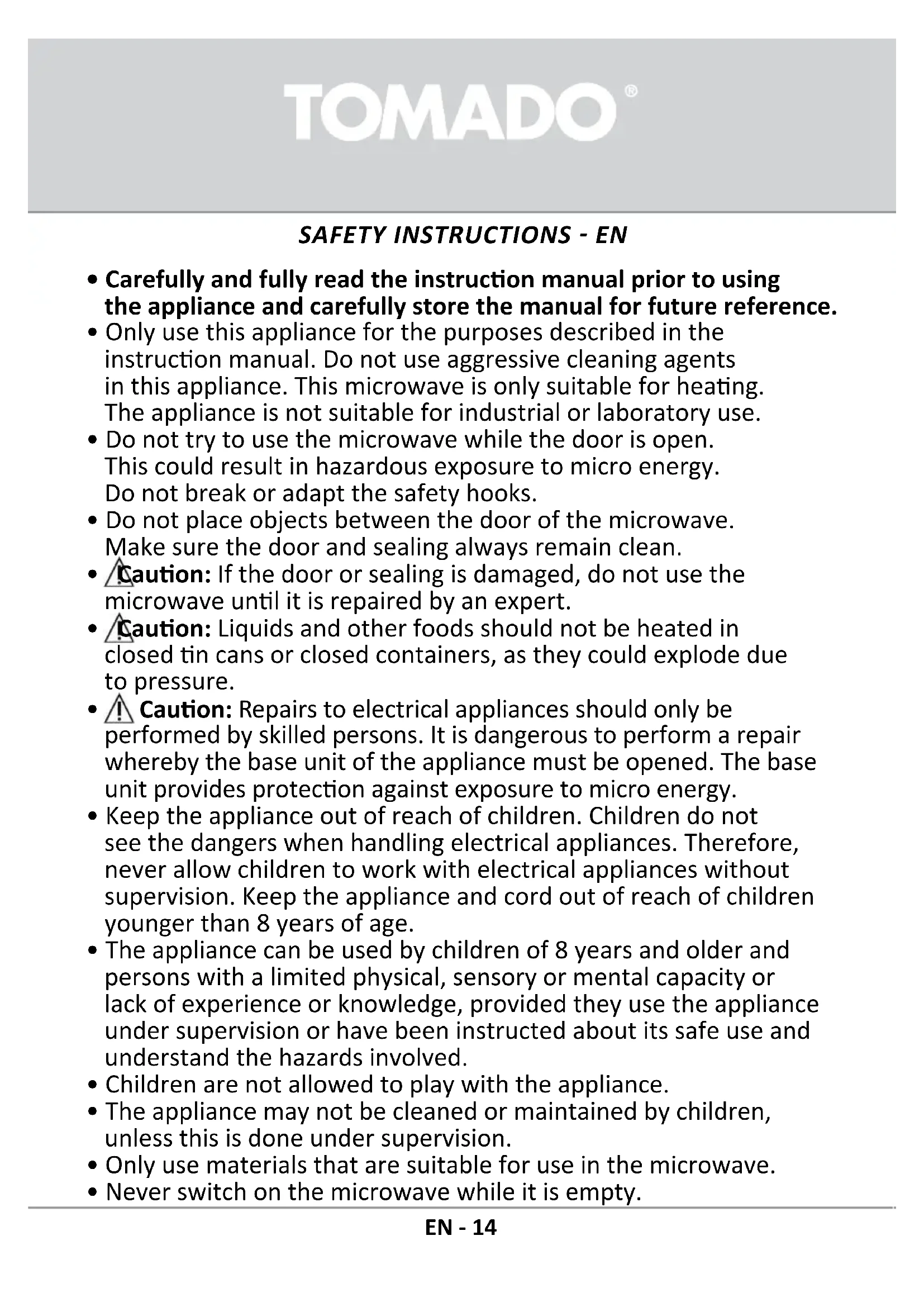


| Brand | Tomado |
| Model | TMS2002B |
| Category | Microwave oven |
| Product type | Microwave oven |
| Microwave power | 700 W |
| Connected power | 1050 W |
| Capacity | 20 liters |
| Turntable diameter | 255 mm |
| External dimensions (W×D×H) | 440 × 359 × 259 mm |
| Internal dimensions (W×D×H) | 306 × 304 × 206 mm |
| Net weight | 10.25 kg |
| Power supply | 230 V ~ 50 Hz |
| Maximum timer | 95 minutes |
| Main functions | Microwave cooking, defrost (by weight or time), quick start, preset menus (8), delayed cooking, clock, child lock |
| Power levels | 5 levels: P100 (700 W), P80 (560 W), P50 (350 W), P30 (210 W), P10 (70 W) |
| Display | LED digital |
| Compatible materials | Glass, ceramic, heat-resistant plastic, paper (non-decorated), aluminum foil (small pieces) |
| Safety | Child lock, automatic stop when door opened, overheating protection |
| Care and cleaning | Clean interior after each use with a damp cloth; turntable and ring dishwasher safe; exterior with a soft cloth |
| Mounting options | Free-standing on stable surface; minimum height 85 cm, free space 30 cm above, 20 cm on sides |
| Included accessories | Glass turntable, turntable ring, instruction manual |
| Spare parts and repairability | Visit www.tomado.com/support for accessories; repairs by specialized technician only |
| Warranty | 24 months, subject to proper use and presentation of proof of purchase |
| Recycling | Do not dispose with household waste; follow selective collection rules (2012/19/EU) |
Frequently Asked Questions - TMS2002B Tomado
User questions about TMS2002B Tomado
0 question about this device. Answer the ones you know or ask your own.
Ask a new question about this device
Download the instructions for your Microwave Oven in PDF format for free! Find your manual TMS2002B - Tomado and take your electronic device back in hand. On this page are published all the documents necessary for the use of your device. TMS2002B by Tomado.
USER MANUAL TMS2002B Tomado
natural_image
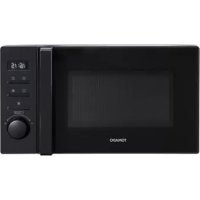
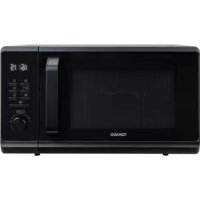
Black TOMADO microwave oven with digital display and control panel (no visible text or symbols on main body)EN Safety instructions
EN Safety instructions
KOKEN MET MEERDERE FUNCTIONS
- Carefully and fully read the instruction manual prior to using the appliance and carefully store the manual for future reference.
- Only use this appliance for the purposes described in the instruction manual. Do not use aggressive cleaning agents in this appliance. This microwave is only suitable for heating. The appliance is not suitable for industrial or laboratory use.
- Do not try to use the microwave while the door is open. This could result in hazardous exposure to micro energy. Do not break or adapt the safety hooks.
- Do not place objects between the door of the microwave. Make sure the door and sealing always remain clean.
- Caution: If the door or sealing is damaged, do not use the microwave until it is repaired by an expert.
- Caution: Liquids and other foods should not be heated in closed tin cans or closed containers, as they could explode due to pressure.
- Caution: Repairs to electrical appliances should only be performed by skilled persons. It is dangerous to perform a repair whereby the base unit of the appliance must be opened. The base unit provides protection against exposure to micro energy.
- Keep the appliance out of reach of children. Children do not see the dangers when handling electrical appliances. Therefore, never allow children to work with electrical appliances without supervision. Keep the appliance and cord out of reach of children younger than 8 years of age.
- The appliance can be used by children of 8 years and older and persons with a limited physical, sensory or mental capacity or lack of experience or knowledge, provided they use the appliance under supervision or have been instructed about its safe use and understand the hazards involved.
- Children are not allowed to play with the appliance.
- The appliance may not be cleaned or maintained by children, unless this is done under supervision.
- Only use materials that are suitable for use in the microwave.
- Never switch on the microwave while it is empty.
TOMADO®
- Regularly clean the microwave and remove food residues.
- Keep an eye on the microwave when heating food in a plastic or paper container. It could combust spontaneously.
- In case of smoke, switch off the microwave and remove the plug from the socket. Keep the door closed to smother the flames.
- Do not overcook the food.
- Do not use the interior of the microwave as storage room. Do not store any biscuits, bread, etc. in the appliance.
- Remove metal sealing strips and metal handles from paper or plastic containers/bags, before placing them in the microwave.
- Only install the microwave in accordance with the instructions.
- Eggs in their shells and hard boiled eggs should not be heated in the microwave, as they could explode. Even after the microwave has been switched off.
- Do not use the appliance if the plug, cord or appliance are damaged, or if the appliance no longer functions properly or if it is damaged in any other way. If this is the case, consult the shop or our technical service. Never replace the plug or cord yourself.
- Only use and store the appliance indoors.
- Do not use the microwave near water, in a damp basement/garage or near a swimming pool.
- Avoid contact with hot surfaces when the appliance is switched on. The exterior becomes hot!
- Never cover the ventilation holes.
- Never bend the power cord sharply or allow it to run across hot parts.
- Not keeping the microwave clean could lead to wear and tear which, in its turn, will have an effect on the life span and could result in dangerous situations.
- The contents of baby bottles and jars of baby food should be stirred or shaken prior to consumption. Check the temperature to prevent burns.
- Caution: Heating liquids could result in explosive boiling over of the liquid. Also after the microwave has been switched off. Be careful when removing the cup or container from the microwave. Therefore, always place a plastic or ceramic spoon in the cup when heating.
TOMADO®
- The microwave cannot be used with a timer or a separate remote control.
- Always make sure the appliance is placed on an sturdy, flat heat-resistant surface.
- Only connect the appliance to alternate current, to an earthed wall socket, with a mains voltage that corresponds with the information provided on the information plate of the appliance.
- Do not leave the appliance unsupervised if the appliance is operational.
- If you want to move the appliance, make sure the appliance is switched off. Use both hands when moving the appliance.
- Never use the appliance with parts that are not recommended or supplied by the manufacturer.
- Do not pull the cord and/or appliance to remove the plug from the wall socket. Never touch the appliance with wet or moist hands.
- If you decide not to use the appliance any more due to a defect, we recommend cutting off the cord after removing the plug from the wall socket. Take the appliance to the waste processing department concerned of your municipality.
- If the appliance does not function after it has been switched on, it is possible that the fuse or earth leakage circuit breaker has been activated in the electrical distribution box. The group can be overloaded or an earth leakage current may have occurred.
- In case of a breakdown, never make repairs yourself; a blown safety device in the appliance could indicate a defect that cannot be remedied by removing or replacing this safety device. Only original parts should ever be used.
- Never submerge the appliance, cord or plug in water.
- This appliance is only suitable for household use. If the appliance is not used as intended, no compensation can be claimed in case of defects or accidents and the warranty will be invalidated.
- This appliance is intended for household and similar use, such as: - in staff kitchens, in shops, offices and other work environments; - by guests of hotels, motels and other residential environments; - in Bed&Breakfast type environments; - farms.
TOMADO®
- The microwave is only suitable for heating food and drink.
Drying of food or clothes and heating of heating pads, slippers, sponges, damp cloths, etc., could pose a hazard that could lead to injury, combustion or fire. - Never clean the microwave with a high pressure cleaner or steam cleaner.
-
Be careful with the following materials and make sure that they may be used in the microwave:
-
aluminium foil yes*
- paper yes**
- cling film yes
- aluminium container no
- microwave crockery yes
- heat-resistant plastic yes
- unglazed pottery no
- metal cookware no
- ovenproof glass and ceramics yes
- normal glass yes
- metal closing strip no
- plate with metal decorative rim no
- mercury thermometer no
- closed jar no***
- bottle with narrow neck no
- oven bag yes
* Use small pieces to prevent thinner parts of the chicken, for example, from being cooked too quickly.
** Use non-decorated kitchen paper to cover food and absorb fat.
*** Remove the cover and make sure the jar is not heated too long. The glass may burst.
TOMADO®
PRODUCT DESCRIPTION

- Display
- Control panel
- Turntable ring assembly
- Glass tray
- Door
- Safety interlock system
- Observation window
2.1 Button for microwave setting
2.2 Button for defrost setting
2.3 Button for time
2.4 STOP/ reset-button
2.5 START/+30 SEC-button
2.6 Turn knob for adjusting or choosing auto menu
PRIOR TO FIRST USE
Before using the appliance for the first time, please proceed as follows: carefully unpack the microwave and remove all packaging material. Keep the packaging (plastic bags and cardboard) out of the reach of children. After unpacking the appliance, check it for external damage that may have occurred during transport. Place the appliance on a sturdy, flat heat-resistant
surface and make sure there is enough space all around for sufficient ventilation.
The minimum installation height is 85 cm. There must be 30 cm of free space at the top side and minimum 20 cm of free space between the microwave and any adjacent wall. Do not remove the adjustable feet from the microwave. Do not cover the ventilation holes.
Use of the microwave could interfere with your television and radio signals. Therefore do not place the microwave near such equipment. Do not place the microwave near heat sources such as heating or cooker.

Clean the microwave and accessories with a slightly damp cloth. The machine is now ready for use. It is possible that the microwave smells "new" when used for the first time,
this is entirely normal, will do no harm and the smell will disappear automatically.
Check that the voltage corresponds with what is stated on the information plate and insert the plug in an earthed socket.
Attention! The silver plate on the right side in the microwave ensures distribution of the microwaves in the appliance. This should never be removed.
SETTING THE CLOCK
As soon as the microwave oven is plugged in, it will display 0:00 and the buzzer will ring once.
- Press the button CLOCK once. The display shows 00:00.
- Turn 🔔 to adjust the hour. The input should be between 0-23 (24 hour).
- Press the button CLOCK again and the minutes will flash.
- Turn to adjust the minutes. The input should be between - 0-59.
-
Press the button CLOCK again to confirm the time. The colon ":" will blink.
-
If the clock is not set, it would not function when powered. The display will show 0:00.
- If you press STOP during the process of setting the clock the microwave oven will return to the previous setting.
- Press the button MICROWAVE and the display will show P100. Press the button MICROWAVE repeatedly to change the power or use 📋 - P100-P80-P50-P30-P10.
- Press the button START/+30 SEC. to confirm the power.
- Turn to adjust the cooking time. The cooking time can be set from 0:05 to 95:00.
- Press the button START/+30 SEC. again to confirm the cooking time and start the microwave.
| Microwave power Application | |
| P10 = 70 Watt Softening | butter or ice cream |
| P30 = 210 Watt Soup, hotchpot or defrosting | |
| P50 = 350 Watt Hotchpot, fish | |
| P80 = 560 Watt Rice, fish, chicken, grounded meat | |
| P100 = 700 Watt Heating, milk, boiling water, vegetables, heating beverages | |
The step quantities for adjusting the time are as follows:
0-1 minute : 5 seconds
1-5 minutes : 10 seconds
5-10 minutes : 30 seconds
10-30 minutes : 1 minute
30-95 minutes : 5 minutes
QUICKSTART
- Press the button START/+30 SEC. to cook with full power (700 Watt) for 30 seconds. Each press on the same button increases the time with 30 seconds. The maximum is 95 minutes.
or - Turn 📋 to the left to set the cooking time instantly and press START/+ 30 SEC. to heat the microwave to full power (700 Watt).
- During the microwave and time defrost process, press the button START/+30 SEC. to increase the cooking time with 30 seconds. When pressed repeatedly on the same button the time increases with 30 seconds.
DEFROSTING
DEFROST BY WEIGHT
- Press the button DEFROST once to defrost by weight. The display shows dEF1.
- Turn to select the weight of the food. The weight should be between 100 and 2000 gram.
- Press the button START/+30 SEC. to start defrosting.
Note: if half the defrost time passes, the microwave oven sounds twice, this is normal. In order to have a better effect of defrosting, you should turn the food over, close the door, and press START/+30 SEC. again to continue defrosting. If no operation, the microwave oven will continue working.
DEFROST BY TIME
- Press the button DEFROST twice to defrost by time. In the display appears dEF2.
- Turn 📋 to select the desired defrosting time. The maximum time is 95 minutes.
- Press the button START/+30 SEC. to start defrosting.
MULTI-STAGE COOKING
You can set a maximum of two stages at once with the microwave oven. If one stage is defrosting, it should be put as the first stage. The buzzer will ring once after each stage and when the next stage will begin.
EXAMPLE: if you want to defrost the food for 5 minutes and then cook it with 80% microwave power for 7 minutes follow the next steps:
- Press the button DEFROST twice and the display shows dEF2.
- Turn to adjust the defrosting time to 5 minutes.
- Press the button MICROWAVE and use to set the microwave power to 80% - P80.
- Press the button START/+30 SEC. to confirm the setting.
- Turn 🔍 to adjust the cooking time to 7 minutes.
- Press the button START/+30 SEC. to start cooking.
PRE-SET COOKING
Make sure the clock is set for this function. (Consult the instruction chapter 4 on how to set the clock.) Input the cooking program. Two stages can be set at most. Defrosting should not be set in preset cooking.
EXAMPLE: if you want to cook with 80% microwave power for 7 minutes, follow the next steps:
- Press MICROWAVE once and turn 📋 to choose 80% microwave power till P80 is displayed.
- Press START/+30 SEC. to confirm.
- Turn 🔍 to adjust the cooking time of 7 minutes. Do NOT press START/+30 SEC., but follow the next steps.
- Press once on the button CLOCK. The hour figures flash.
- Turn to adjust the hour figures, the input time should be within 0-23.
- Press the button CLOCK again, the minute figures will flash.
- Turn 🔍 to adjust the minute figures, the input time should be within 0-59.
- Press START/+30 SEC. to finish setting. The clock will light. The buzzer will ring twice when the time arrives, then cooking will start automatically.
PARENTAL CONTROL
This microwave oven has parental control. You can block the control panel so your child can not accidentally activate the microwave oven.
ACTIVATING THE LOCK-OUT:
Press the button STOP for 3 seconds. A long beep will sound and the display will show ____.
DE-ACTIVATING THE LOCK OUT:
To deactivate the lock out, press the button STOP for 3 seconds. A long beep will sound.
AUTO MENU
- Turn 📋 to the right to select the desired menu and A-1, A-2, A-3..... A-8 will be displayed.
- Press the button START/+30 SEC. to confirm the menu.
- Turn 🔍 to select the desired weight and the display will show g.
- Press the button START/+30 SEC. to start the menu.
• After cooking finishes, the buzzer will sound five times.
OVERVIEW AUTO MENU
| Menu Weight (g) Display Power | |||
| A-1 REHEAT | 200 200 | 100%400 400 | |
| 600 600 | |||
| A-2 VEGETABLE | 200 200 | 100%300 300 | |
| 400 400 | |||
| A-3 FISH | 250 250 | 80%350 350 | |
| 450 450 | |||
| A-4 MEAT | 250 250 | 100%350 350 | |
| 450 450 | |||
| A-5 PASTA | 50 (with 450 ml. water) 50 | 80% | |
| 100 (with 800 ml. water) 100 | |||
| A-6 POTATO | 200 200 | 100%400 400 | |
| 600 600 | |||
| A-7 PIZZA | 200 200 | 100% | |
| 400 400 | |||
| A-8 SOUP | 200 200 | 80% | |
| 400 400 | |||
EXTRA
- When using the microwave oven, press CLOCK to see the current time for 2-3 seconds.
- While using a function of the microwave oven, you can check the setting by the button MICROWAVE. The power will be displayed for 2-3 seconds.
- The buzzer will ring once when turning 🔍 at the beginning.
- START/+30 SEC. must be pressed again to continue cooking after the door has been openend.
- On the program is set, but not activated within 1 minute, the setting will be canceled and the current time will be displayed (when set)
- The buzzer will only sound once by sufficient pressing the button. If you do not press the button correctly there will be no soundsignal and the function will not activate.
- The buzzer will ring five times to remind you when the cooking has ended.
CLEANING AND MAINTENANCE
Before cleaning the microwave be sure to switch it off and unplug it. Leave the microwave to cool down completely.
Interior
Clean the inside of the appliance after every use. Use a damp cloth. For a thorough cleaning use warm soapy water and dry the interior.
Accessories
Clean the separate accessories such as the turntable and roller stay with warm soapy water. These accessories can also be cleaned in the dishwasher. Thoroughly dry everything before using them again.
Exterior
Clean the exterior of the appliance with a damp cloth or sponge. If necessary use a mild detergent. Also clean the door and the door seal.
PROBLEMS AND SOLUTIONS
Check the solutions below before contacting your supplier or our technical department in case of a problem.
| Problem Solution | |
| The microwave does not start Is the power cord plugged in?Is the fuse or circuit breaker blown? | |
| The microwave does not heat | Did the door close correctly? Open the door and shut it well again. |
| The turntable makes noise | Clean the roller ring for the turntable and the bottom of the microwave. |
| The food is not well defrosted | Has the power and time been set correctly? Did you stir or turn the food at least once whilst defrosting? |
TECHNICAL DATA
Type number TMS2002B
Voltage 230Volt \~50Hz
Input power 1050 Watt
Microwave power 700 Watt
Timer 95 minutes
Capacity 20 litres
Rotating platform diameter ∅ 255 mm
Dimensions exterior - wxdxh 440 x 359 x 259 mm
Dimensions interior - wxdxh 306 x 304 x 206 mm
Nett weight 10,25 kg
RECYCLING
This symbol means that this product should not be disposed of with regular household waste (2012/19/EU).
Observe the applicable rules in your country for the separate collection of electric and electronic products.
By disposing of the product correctly, you prevent negative consequences for the environment and for public health.
The packaging material of this product can be recycled 100%, return packaging material separately.
TOMADO®
INDSTILLING AF KLOKKESLÆT
TILBEREDNING MED UDSKUDT START
2.5 Przycisk START/+30 SEC

PROBLEMY I ROZWIĄZANIA
Go to www.tomado.com/support to purchase accessories or spare parts.
WARRANTY CONDITIONS
A 24 month warranty is provided for this product. Your warranty is valid if the product has been used in accordance with the instruction manual and for the purpose for which it was made. Also the original proof of purchase must be submitted, stating the date of purchase, the name of the retailer and the item number of the product. For extensive warranty information you are referred to our website: www.tomado.com/support
CONDITIONS DE LA GARANTIE
- KOKEN MET MEERDERE FUNCTIONS
- TOMADO®
- PRODUCT DESCRIPTION
- PRIOR TO FIRST USE
- SETTING THE CLOCK
- QUICKSTART
- DEFROSTING
- DEFROST BY WEIGHT
- DEFROST BY TIME
- MULTI-STAGE COOKING
- PRE-SET COOKING
- PARENTAL CONTROL
- ACTIVATING THE LOCK-OUT:
- DE-ACTIVATING THE LOCK OUT:
- AUTO MENU
- EXTRA
- CLEANING AND MAINTENANCE
- Interior
- Accessories
- Exterior
- PROBLEMS AND SOLUTIONS
- TECHNICAL DATA
- RECYCLING
- INDSTILLING AF KLOKKESLÆT
- TILBEREDNING MED UDSKUDT START
- PROBLEMY I ROZWIĄZANIA
- WARRANTY CONDITIONS
- CONDITIONS DE LA GARANTIE
Brand : Tomado
Model : TMS2002B
Category : Microwave Oven