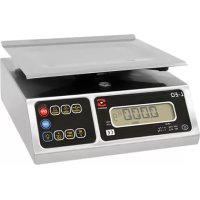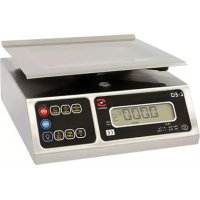
340026 - Scale Sammic - Free user manual and instructions
Find the device manual for free 340026 Sammic in PDF.



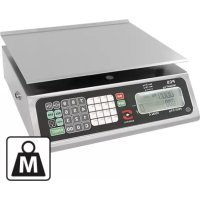
| Product type | Counter scale |
| Brand | Sammic |
| Model | 340026 |
| Maximum capacity | 20 kg / 35 kg depending on version |
| Division (scale interval) | 0.005 kg / 0.010 kg depending on version |
| Maximum tare | 9.995 kg / 17.50 kg depending on version |
| Maximum price | 999.99 € |
| Display | LCD screen with backlight, weight, price, total display |
| Keyboard | Membrane keyboard with numeric keys and functions (TARE, FIXED PRICE, MEMORY, PRINT, etc.) |
| Price memories | 100 memories (00 to 99) + direct access keys M1-M15 |
| Power supply | AC/DC 9 V, 500 mA or built-in rechargeable battery 6 V |
| Battery life | Up to 30 hours of continuous operation |
| Serial port | RS-232 optional for printing or PC connection |
| Main functions | Weighing, tare, fixed price, zero reference, printing, price memory, backlight, auto-off |
| Housing material | Corrosion-resistant stainless steel |
| Platform material | Stainless steel with sloping, rounded edges |
| Operating temperature | -10 °C to 40 °C (14 °F to 104 °F) |
| Storage temperature | -20 °C to 50 °C (-4 °F to 122 °F) |
| Dimensions | Consult the manual for exact dimensions |
| Weight | Estimated: approximately 4 to 6 kg depending on version |
| Maintenance | Clean with a damp cloth, no water on the scale, use insecticide at the base |
| Safety | Do not open, use only original parts, dedicated 220 V power supply |
Frequently Asked Questions - 340026 Sammic
User questions about 340026 Sammic
0 question about this device. Answer the ones you know or ask your own.
Ask a new question about this device
Download the instructions for your Scale in PDF format for free! Find your manual 340026 - Sammic and take your electronic device back in hand. On this page are published all the documents necessary for the use of your device. 340026 by Sammic.
USER MANUAL 340026 Sammic
VASTE PRIJS FUNC TIE
SAMMIC PROBLEEMOPLOSSING
OUTPUT 9 Vd.c. 500 mA. APPROVED BY
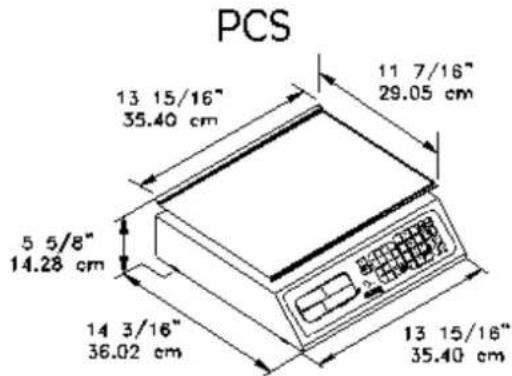
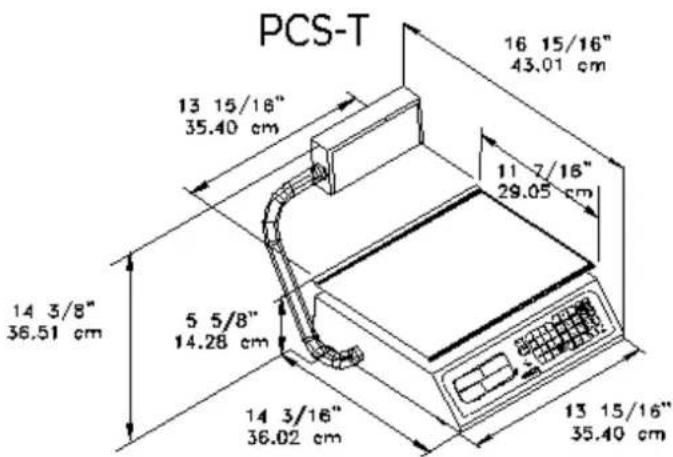
WEEGSCHAAL AFMETINGEN
INDEX
Important warnings 3
Introduction 5
Instructions for installation 5
Name and location of important parts 6
Keyboard 7
General view finder (Icd display) 8
Operations description 8
How to weight a product 8
How to enter prices 9
How to clear wrong prices 9
Use of the " fixed price" 9
Use of the "tare" 9
How to use the "reference to zero" 10
How to print 11
How to save memories 11
How to load a memory
How to turn on the backlight 11
Power off timer function 12
Use of the battery 12
Battery recharge 12
Life time of the rechargeable battery 12
Low battery indicator 12
Other important messages that appear on the scale 13
Maintenance and cleaning 14
Troubleshooting 15
Technical specifications 15
Scale dimensions 16

WARNING
!!Do not openii
Risk of short circuit
Caution: To reduce the risk of short circuit in your scale, do not remove the cover or substitute any of the parts for others that are not original only authorized distributor

IMPORTANT WARNINGS
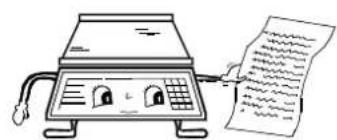
- In case you have a problem with the scale, first read the warranty conditions.
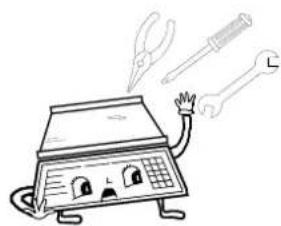
- Do not open the scale on your own. Your warranty will be canceled.
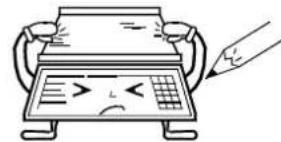
- "Never" press the keyboard with objects such as pencils, pens, knives, etc.
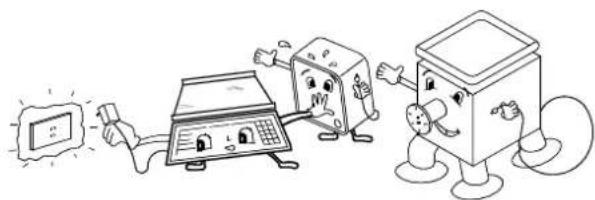
- Use a 220 v ac outlet exclusive for the scale avoiding overload or voltage variations.
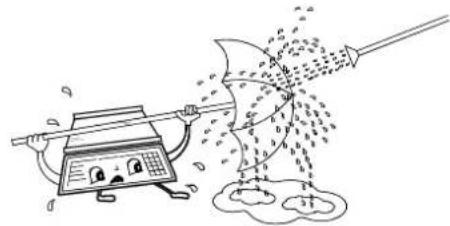
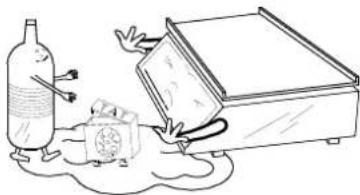
- "Never" wash the scale using a flow of water .this can damage the electronic components. For more information read "maintenance and cleaning" section.
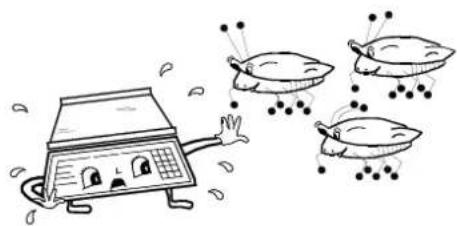
- Protect the scale from insects (mainly from roaches) they can seriously damage the electronic components. Use solid products against roaches.
- Do not drop or hit the scale with the product to be weighted because as time goes by it will damage the weight sensor.

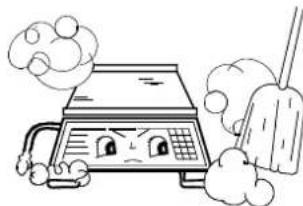
- Do not use solvents or detergents for cleaning only use a damp rag.
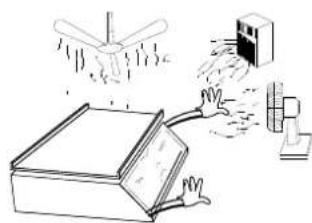
- Do not place fans or heaters directed towards the scale.
- Do not place the scale where there is a lot of moisture and/or dust.
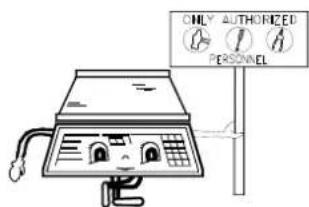
- Only authorized and qualified personnel should check and repair your scale.
sammic INTRODUCTION
DEAR CUSTOMER:
We appreciate that you have chosen this product and we assure that you will get the maximum satisfaction of the new acquisition for your busses. The scale has been designed to give you a great deal saving time and money, avoiding losses by human mistakes of interpretation and calculation, offering you more fluency and security in your commercial tasks.
To make your equipment a long lasting investment, we suggest to read carefully this manual and make sure to keep it at hand for later consultations. In this manual we indicate the necessary steps to benefit and prolong your appliances availability.
INSTRUCTIONS FOR INSTALLATION
-
Unpack the scale and check the conditions of the product. If it is damaged report it immediately to your authorized distributor.
-
Place the scale where there is not any movement or vibration, make sure it is leveled adequately checking that the four leveling bases are supporting the scale over the surface were it has been placed and if the level bubble (under the plate) is centered, to adjust, tighten or loosen the leveling bases until the bubble is in the center of the circle.
-
Connect the AC/DC power supply (if you use it) to 220 V A.C. outlet.
-
Turn the scale on after the countdown sequence your scale will display zeroes and will be ready to use.
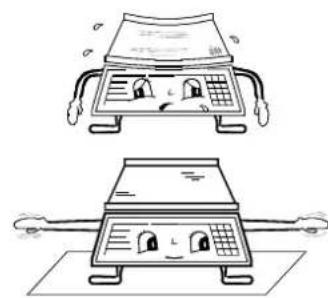
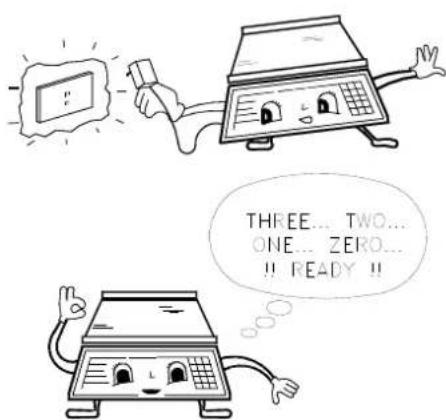
IMPORTANT NOTE: If your scale displays "HELP" after you followed the previous steps and after the initial countdown, it means that it was handled roughly and/or got hit during the shipment, which cause irreversible damage in its operation. Call your authorized distributor. Is possible that the scale displays "HELP" when you turn it on with weight on the plate, when this happens, remove the weight and turn the scale off and then turn it on
NAME AND LOCATION OF IMPORTANT PARTS
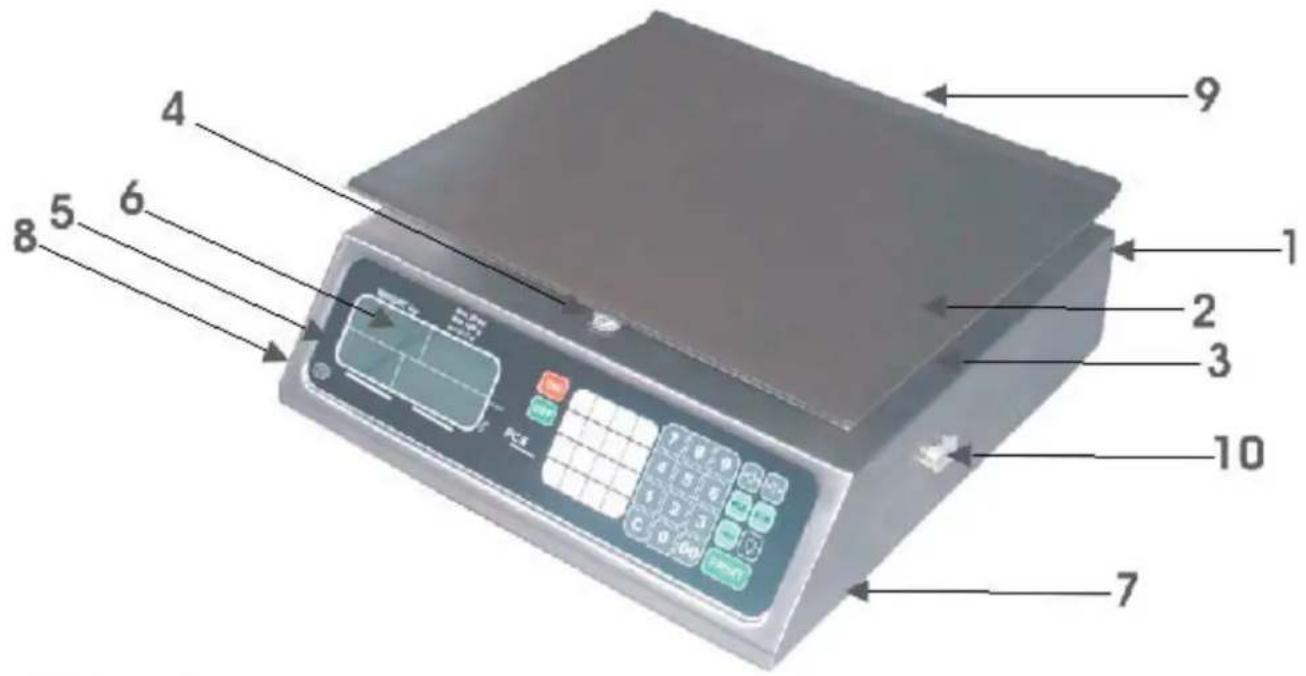
| 1. CABINET: Manufactured in stainless steel and resistant to corrosion and strokes. | |
| 2. PLATE: | Also manufactured in stainless steel with the border bent and rounded. |
| 3. PLATE HOLDER: | Manufactured in aluminum that provides resistance to corrosion. |
| 4. LEVEL BUBBLE: | Inserted in the cabinet. It is used to level the scale. |
| 5. MEMBRANE KEYBOARD: | It has multifunctions, with big and readable keys. |
| 6. GENERAL VIEW FINDER: | It shows the necessary information it has individual indicators upper left indicator, alphanumeric ("MODE") indicator, "PRICE" indicator, "TOTAL" indicator. |
| 7. LEVELING BASES: | They level the scale tightening or loosening them. |
| 8. JACK: | Connects the AC/DC power supply to the scale. |
| 9.- CUSTOMER VIEW FINDER: Customer display. | |
| 10. RS-232 PORT(OPTIONAL) | Serial communication port |
KEYBOARD
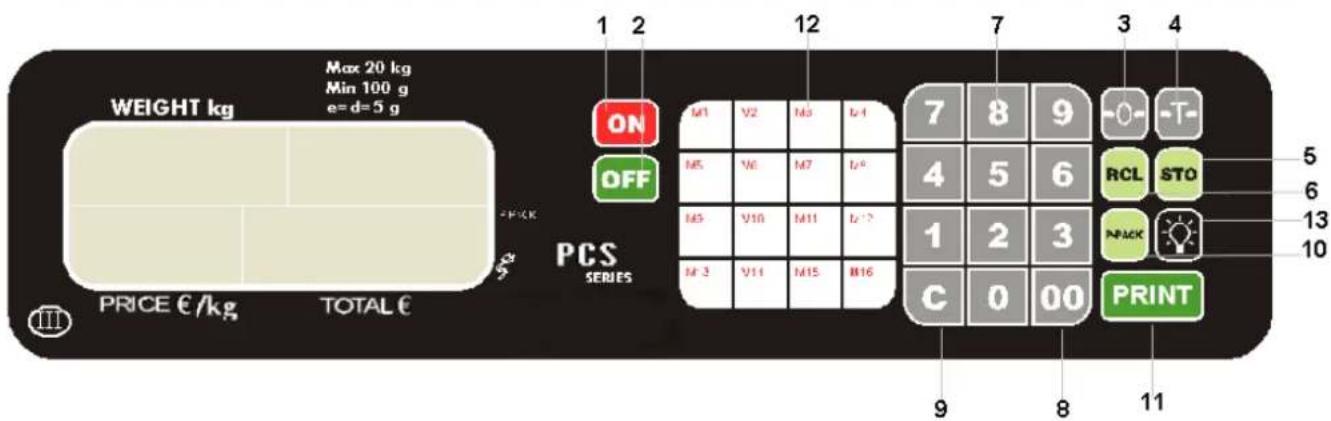
ON 1) Key used to turn on the scale.
2) When this key is pressed the appliance turns off.
3) This key is used to start with zero on the weight.
4) This key is used to eliminate any containers weight that you do not wish to consider during a transaction (for example: boxes, bags, bottles, etc).
5) It is used to store prices in a memory location of the scale.
It is used to load a PLU price from memory.
7) Numerical section: it is useful to enter data into the scale such as price per kilogram.
8) Enter two zeroes.
9) Key used to clear wrong data that has been entered with the keyboard. It is also used to eliminate the "FIXED PRICE" function.
10) It enables the function "FIXED PRICE".
11) This function allow the print of the weight information shown in the display.
12) M1, PLU's direct access keys.
13) Key used to turn on/off the backlight.
GENERAL VIEW FINDER ( LCD DISPLAY )
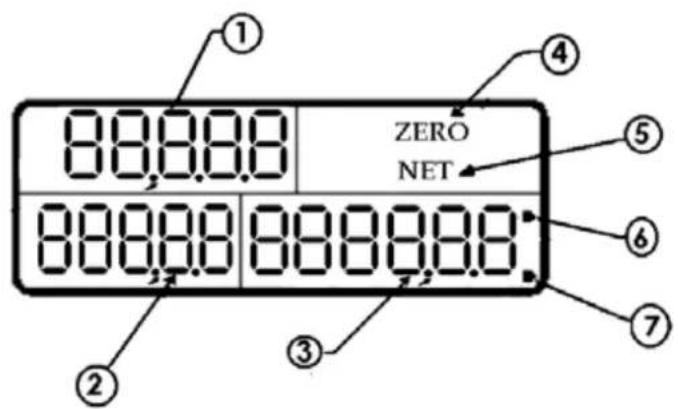
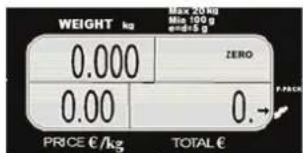
① - UPPER-LEFT indicator: shows the products weight in KILOGRAMs.
②. - PRICE indicator: shows the price per KILOGRAM of the product. This price can have up to 5 digits.
③ - Total amount to pay indicator ("TOTAL"): shows the partial or total sale during a commercial transaction.
(4). - ZERO indicator: this reference to ZERO indicates that the scale is ready to start weighing products. The indicators disappear when a weight is placed on the scale.
⑤. - NET indicator: indicates that the TARE function has been activated. This indicator disappears
when you press the key.
-
- FIXED PRICE indicator: when it is activated, indicates the price per KILOGRAM that is shown in the indicator will not be cleared automatically when the product is removed from the scale (it is fixed).
⑦ .- AC/DC POWER SUPPLY indicator: it means that the scale was connected to the AC/DC power supply.
- FIXED PRICE indicator: when it is activated, indicates the price per KILOGRAM that is shown in the indicator will not be cleared automatically when the product is removed from the scale (it is fixed).
OPERATIONS DESCRIPTION
HOW TO WEIGHT A PRODUCT
At the end of this countdown sequence, zeroes will appear in the view finder, indicating that the scale is ready to use.
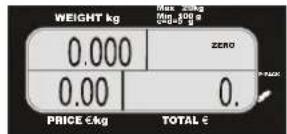
If not, see reference to zero section. Then place the product to be weighed on the plate and you will see the weight in the corresponding indicator.
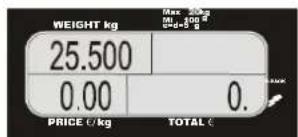
HOW TO ENTER PRICES
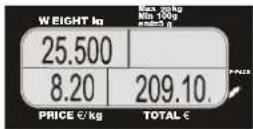
The products price per kilogram are entered pressing the numbers of the keyboard to indicate the desired value. This value will appear in the "PRICE" indicator and the total amount to pay will be calculated automatically being shown in the "TOTAL" indicator. For example, if the product price per
kilogram in the previous examples is (8.20, just press 8 2 0 and the following display will appear:
HOW TO CLEAR WRONG PRICES
When a mistaken price is entered, you can clear it in two ways:
a) Manually: Simply press the clear key and enter the correct price.
b) Automatically: The price is automatically cleared removing the product from the plate, except if it's not enabled the fixed price function.
FIXED PRICE FUNCTION
When it is necessary to constantly be weighing the same kind of product, which don't change its price, you can use the "FIXED PRICE" function. It is used to keep the price "FIXED" in the "PRICE" indicator avoiding it to be automatically cleared when the weight is removed from the scale.
To fix a price, follow these steps:
1.- Place the product on the plate.
2.- Enter the product price per kilogram.
3.- Press

After these steps, a small arrow will light up in the upper right corner of the "TOTAL" indicator, pointing to the label "P-PACK" (fixed price). As an example, suppose that the product is ham, the weight is 4 kilograms, and the price is $2.70 per kilogram after entering the fixed price, the view finder will look like this:
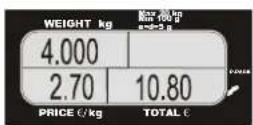
To clear the fixed price function, just press the

key.
USE OF THE "TARE"
When you wish to weight a product in a container but you do not want to consider the containers weight during the operation, you can use the TARE function. To use this function follow these steps:
Suppose you are going to weight 15 kilograms of sugar in a plastic container that weights 3.5 kilograms and that the price per kg is $1.80
1.- Place the empty container on the scale.
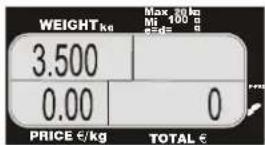
2.- Press the key. After some seconds the view finder will display:
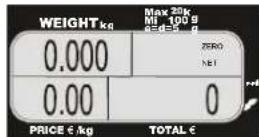
3.- Remove the container and put the sugar inside it. When you remove the container, a negative number (weight of the container) appears in the UPPER-LEFT indicator.
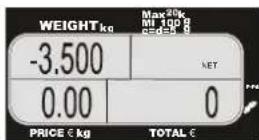
4.- Place the container on the scale and put sugar in the container until you have 15kg . Then enter
the price per kilogram press
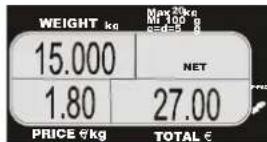
To clear this function, just press the key again. It is important to mention that this function is subtractive from the scale maximum capacity. For example if you have a container that weights 7 kg, The scale only will be able to weight up to 33kg of product to complete the maximum capacity.
HOW TO USE THE REFERENCE TO ZERO
This function has two uses:
a) Permanent tare: when you wish to weigh some products over a same container several times, you should use this function , and to eliminate it, just remove the container from the plate and
press key again. As in the bare function this function is also subtractive from the scale capacity, for example: if you reference to 10kg , the scale only will be able to weight up to 30 kg.
b) Due to voltage variance or some other factor, it is possible that without having any weight over
the plate, the view finder shows some weight, or the zero flag is not on, then press the key and the scale will be referenced to zero, turning the zero flag on.
HOW TO PRINT
This function sends through the serial port the weight to be printed.
10 ENGLISH
HOW TO SAVE MEMORIES
Your scale has 100 memories to store the prices of 100 products that are sold more frequently. The memories are numbered from 00 to 99.
To save a price in a memory location:
1) Type the price you wish to save.
2) Press key.
3) Type the memory address (00-99) in wich you wish to save the price, or you also can press any of the direct access keys M1 M15
NOTE: We suggest to use an adhesive label to mark the direct access keys.
HOW TO LOAD A MEMORY:
1) Press the key and then the memory address (00-99) you wish to load or just press any of the direct access keys, ...
Example:
If you wish to save $26.60 in the memory address 6, follow these steps:
2 6 6 0
2) Press STO 3) Type 6 or just press the direct access key M6
With this sequence the price is saved in the memory address 06. If you wish to load the memory of this example just type RCL 0 6 or just M6 and in the "PRICE" indicator will be displayed the price stored in memory, in this case will be $26.60.
To change the price stored in a memory just type the new price and store it in the memory address you want to change according the procedure described above. These keys are very useful to avoid the same price constantly typing. To use of these memories we suggest to have at hand the list product that are saved in each memory address.
To delete all the memories that are stored, turn the scale on and during the countdown type


and all the memories will be deleted to zero.
HOW TO TURN ON THE BACKLIGHT
This scale model has a backlight that helps you to see the display information better. It can be turned on in two ways:
1) Automatically: when an AC adaptor is connected to the scale.
2) Manually: It can be performed by pressing the key.
And can be turned off in two ways:
sammic
1) Automatically: when the scale is powered only by battery and the battery is low the backlight is turned off.
2) Manually: It can be performed by pressing the key.
Note: Using the backlight and only powering the scale with the battery, the charge of the battery will last less hours
This function is permanently enabled when the scale is on, and only when you do not have the AC/DC power supply connected to the scale. When the scale is not use for a period of time greater than 15 minutes, it will be automatically turn off and therefore all the information of the transaction
you were doing will be lost. To turn on the scale again, just press the ON key, and repeat your customers operations. The power off timer function permit you to save electricity and avoids constant battery recharges.
USE OF THE BATTERY
As mentioned before, the scale can operate with a 6 volt built in battery or with an AC/DC power supply. The battery is rechargeable using the AC/DC power supply.
BATTERY RECHARGE
To make this operation, just connect the AC/DC power supply to the scale for 10 HOURS making sure that the scale was turned off. The energy stored in the battery during a recharge can last up to 30 hours of continuous operation. When you recharge the battery for some hours, but the battery can not get enough charge to turn on the scale, then you must have to charge the battery, in this case contact to your authorized distributor.
LIFE TIME OF THE RECHARGEABLE BATTERY
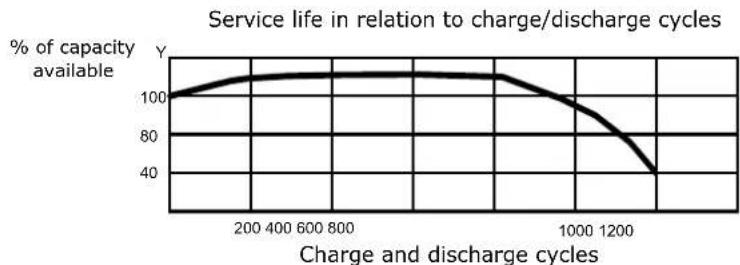
The charging capacity of the rechargeable battery in this scale decreases according to the number of charge/discharge cycles, this causes the service life is reduced to 1000 cycles. For this reason the warranty period of the battery is limited to six months after the purchase date of the scale.
LOW BATTERY INDICATOR
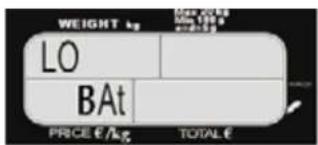
If the battery does not have enough energy to keep the scale operating a long time, appears "LO bAt" in the "WEIGHT" indicators and "PRICE" indicators, the scale stops itself and does not respond to the instructions until the battery be recharged or be connected to the AC main.
12 ENGLISH
OTHER IMPORTANT MESSAGES THAT APPEAR ON THE SCALE
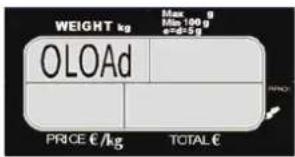
This message indicates that a weight that exceeds the maximum capacity has been placed on the scale. To correct it simply, remove the over weight.
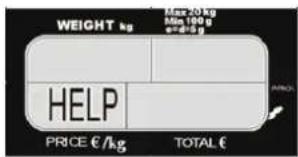
This message appears in two different situations:
a) When the scale is turned on with an excessive weight on the plate (near to the half capacity of the scale). To correct this situation remove the weight that is on the scale, turn off the scale, and then turn it on again.
b) When the scale was handled roughly and/or got hitted during the shipment, wich caused irreversible damages in its operation. In this case call your authorized distributor.
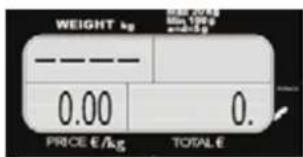
This message indicates a negative weight, this could happen if you lift or remove the scales plate to correct this put the plate back in its place and press the key or turn the scale off and then turn it on again.
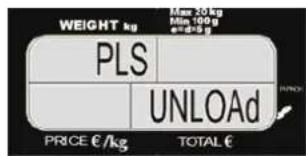
This message appears when: If we turn on the scale with a product on the plate, to eliminate this message simply remove the product that is on the scale, turn off the scale and then turn it on again.
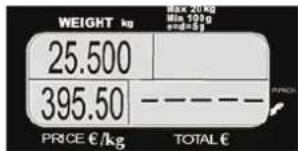
This message indicates that the total was exceeded when the multiplication price per weight exceeded 999999 then appear lines in the "TOTAL" indicator.
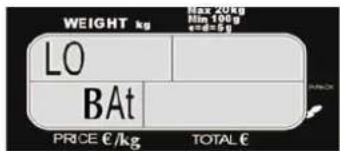
If this message appears in the display, indicates that the scale needs to be recharged. Even with this advise the scale can continue working during a time of 30 min. If this appears and after some seconds the scale turns off, this indicates that the scale is completely discharged. In this point the scale doesn't work and all of the operations performed at that time will be lost. To correct this problem connect the AC/DC adaptor for a period of time of 10 hrs. and keeping the scale off. In case of using the scale during this period, there's no problem to use it, only the recharge time will be higher.
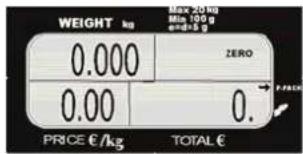
This arrow indicates that the scale is working under the "FIXED PRICE" mode.
This arrow indicates that the scale AC adaptor is connected to the 220 VCA
MAINTENANCE AND CLEANING
-- Do not use a flow of water to clean your scale. Use a damp rag and clean each of these components daily: plate, cover, keyboard.
-- To remove oil and greasy substances, use a dry and clean rag, rubbing the dirty area several times.
-- Periodically check the jack (where the AC/DC power supply is inserted) to make sure it is in good condition, there are no signs of strokes or detachments.
- Periodically check the AC/DC power supply to make sure the ends are in good condition and the cable is not twisted or tangled.
-- Regularly check the scale to assuring it of it's correctly leveled with its four bases well supported.
-- When you clean the scale make sure there are not any papers, or any other kind of material under the plate or under the plate-holder that could obstruct the adequate operation of your scale.
-- Periodically place some type of insecticide on the scales base to avoid insects (especially roaches) that can dirty the interior and alter its adequate operation.
-- Do not use detergents nor corrosive liquids while cleaning.
-- Do not expose your scale to temperatures below -10 °C (14 °F) or above 40 °C (104 °F).
14 ENGLISH
TROUBLESHOOTING
Before you call for service to your authorized distributor because of a malfunction in your scale, we suggest you first check this manual again to avoid a misunderstanding of the operation and use of the functions. If everything is correct, then try to correct the problem according to the following list since a simple checkup or a small adjustment could eliminate it. If you do not find the problem, contact your authorized distributor.
| Problem Possib | le cause Solution | |
| It does not operate. | There is not electric current. AC/DC Power supply cable has a false contact. Low battery. | With a multimeter check if there is electric current in the outlets. Check that the AC/DC power supply terminals, if it is possible, check with another AC/DC power supply. Connect the AC/DC power supply if the scale operates, then recharge the battery. |
| The scale shows different weights when the same product is weighed several times. | Material under the plate holder is obstructing the correct movement. | Check that there are not materials under the plate holder. If there are, remove them and check the operation again. |
| The message "PLS. UnLOAD" appears in the view finder. | The scale was turned on with a weight on the plate or without the plate. | Remove the weight or put back the plate in its place. Turn off the scale and then turn it on again. |
| The word "HELP" appears in the "PRICE" indicator. | The scale was turned on with a big weight on the plate. | Remove the weight and turn off the scale and then turn it on again. |
TECHNICAL SPECIFICATIONS
| Max. Capacity 20 kg / 35 kg | |
| Min. Division 0.005 kg / 0.010 kg | |
| Max. Tare 9.995 kg / 17.50 kg | |
| Max. Price $999.99 | |
| Range of operation temp. 14 to 104 °F (-10 to 40 °C) | |
| Range of storage temp. -4 to 122 °F (-20 to 50 °C) | |
AC/DC POWER SUPPLY:
OUTPUT 9 Vd.c. 500 mA. APPROVED BY
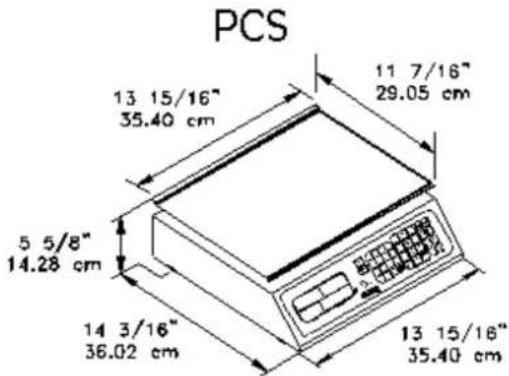
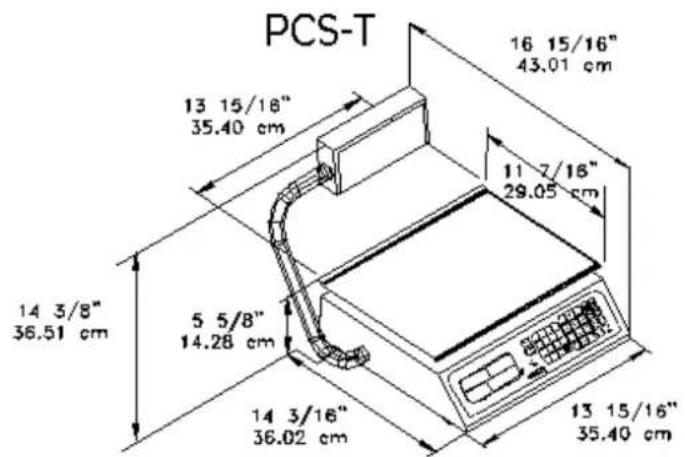
SCALE DIMENSIONS
Avertissements importants 3
Introduction 5
COMMENT PESER UN PRODUIT