EY3099 - Laser pointer IFM - Free user manual and instructions
Find the device manual for free EY3099 IFM in PDF.



| Product type | Laser alignment aid |
| Brand | IFM |
| Model | EY3099 |
| Laser class | 2 |
| Maximum power | 1 mW |
| Wavelength | 650 nm (red) |
| Power supply | 2 AAA batteries (included) |
| Estimated battery life | Approximately 8 hours |
| Dimensions (L x W x H) | 150 x 30 x 30 mm (estimated) |
| Weight (with batteries) | 80 g (estimated) |
| Material | Plastic |
| Color | Black/yellow (typical IFM) |
| Main function | Alignment of safety laser barriers |
| Applications | Safety light curtains, multi-beam barriers |
| Intended use | Quick adjustment of transmitter and receiver |
| Mounting | Positioning on the barrier transmitter |
| Safety | Do not look into the beam. Class 2. |
| Maintenance | No maintenance in normal operation |
| Cleaning | Dry cloth if necessary |
| Repairability | Repair by manufacturer only |
| Included accessories | AAA batteries |
| Package contents | Laser pointer, batteries, user manual |
Frequently Asked Questions - EY3099 IFM
User questions about EY3099 IFM
0 question about this device. Answer the ones you know or ask your own.
Ask a new question about this device
Download the instructions for your Laser pointer in PDF format for free! Find your manual EY3099 - IFM and take your electronic device back in hand. On this page are published all the documents necessary for the use of your device. EY3099 by IFM.
USER MANUAL EY3099 IFM
Operating instructions
Laser adjustment aid for
safety light curtains / light grids
natural_image
Simple line drawing of a mechanical device with a circular top and rectangular base (no text or symbols)Inhalt
natural_image
Technical line drawing of a mechanical device with internal components and an open lid (no text or symbols)1 Preliminary note....2
1.1 Symbols used ....2
1.2 Warning signs used ....2
2 Safety instructions ....2
3 Functions and features .... 3
4 Installation .... 4
5 Maintenance, repair and disposal....5
5.1 Battery replacement ....5
Preliminary note1
Symbols used1.1
▶ Instruction
→ Cross-reference
Warning signs used1.2

WARNING
Warning of serious personal injury.
Death or serious irreversible injuries may result.
Safety instructions2

WARNING
Visible laser light; laser protection class 2.
Use of controls or adjustments other than those specified herein may result in hazardous radiation exposure. Damage to the retina is possible.
Do not stare into the laser beam! ▶
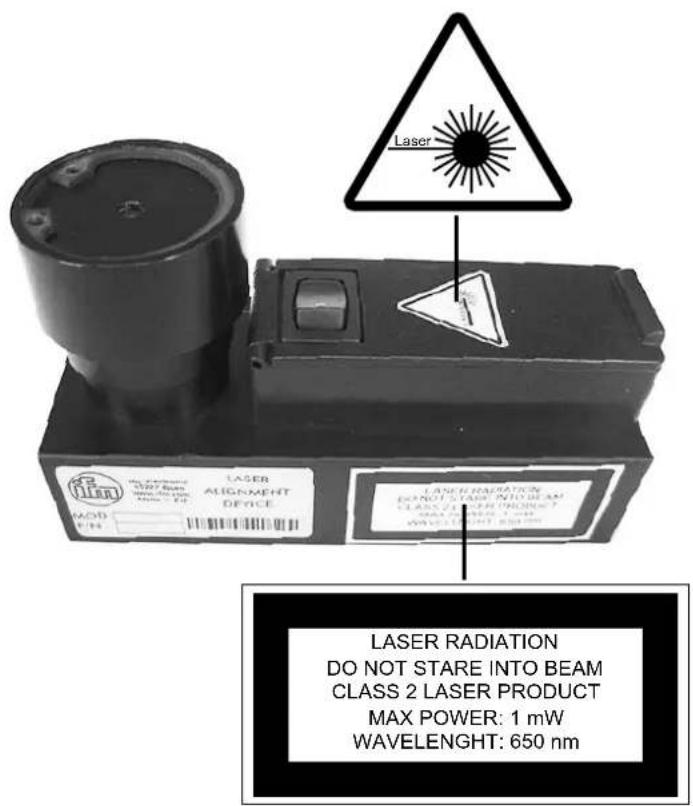
Adhere to the caution and warning notes on the product label.
Switch on the unit for adjustment only.
▶ If you do not use the unit for a longer period of time, remove the batteries.
Product label
text_image
Laser Laser RADIATION DO NOT STARE INTO BEAM CLASS 2 LASER PRODUCT MAX POWER: 1 mW WAVELENGHT: 650 nmUK
Functions and features3
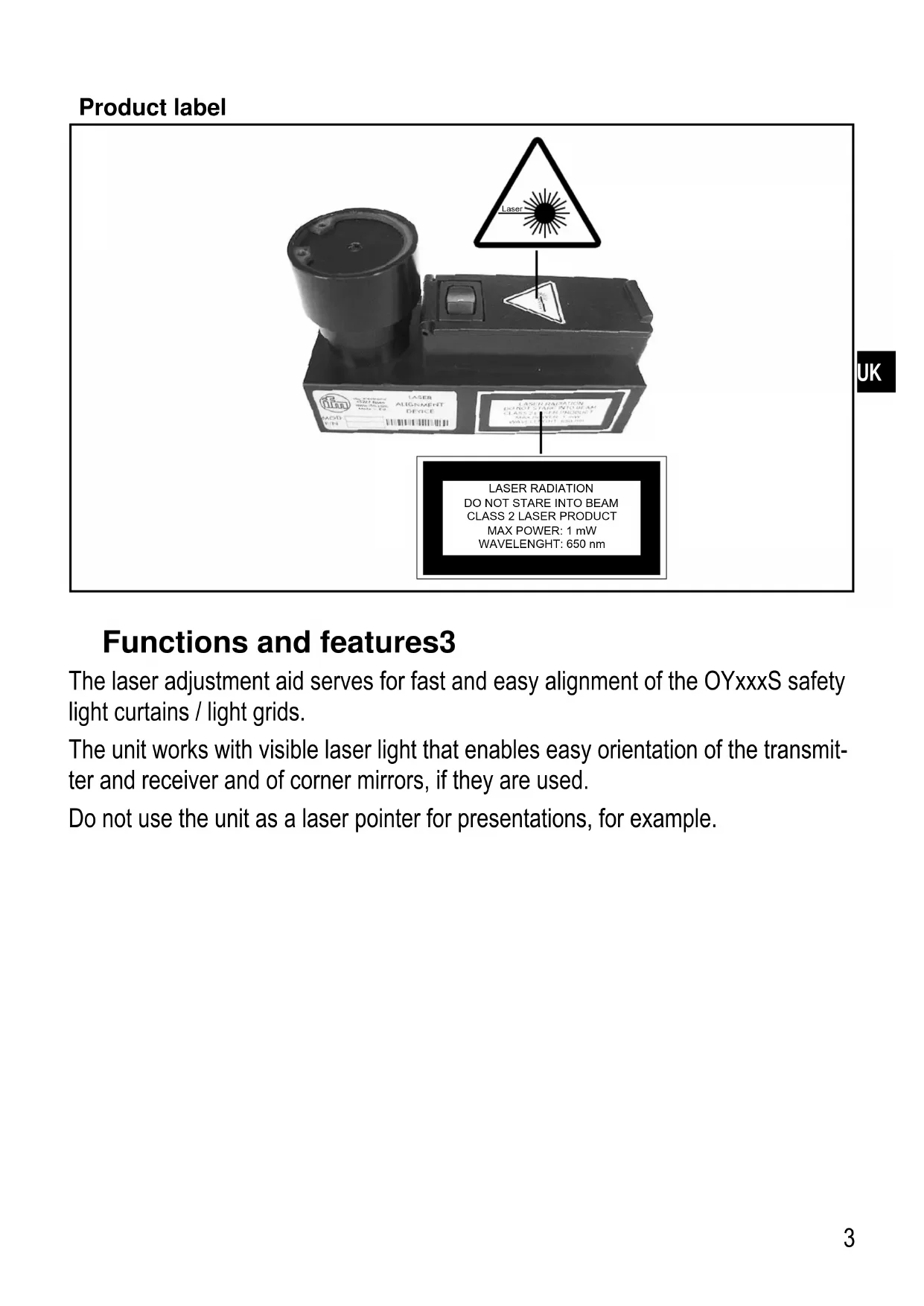
The laser adjustment aid serves for fast and easy alignment of the OYxxxS safety light curtains / light grids.
The unit works with visible laser light that enables easy orientation of the transmitter and receiver and of corner mirrors, if they are used.
Do not use the unit as a laser pointer for presentations, for example.
Installation4
First of all align the safety light curtains / light grids and any mirrors without the laser adjustment aid.
Insert the supplied batteries into the unit. → 5.1 Insert batteries ▶
▶ Attach the laser adjustment aid onto the transmitter ( Figure 1). Ensure the correct position.
Make sure that there are no people in the range of the laser beams.
Switch on the laser adjustment aid ( Figure 2). ▶
Adjust the transmitter, receiver and any mirrors until the laser beam on the receiver is in the same position as on the transmitter.
For exact adjustment the process has to be repeated for the top, the middle ▶ and the bottom of the safety light curtain / safety light grid.
| Figure 1 Figure 2 | |
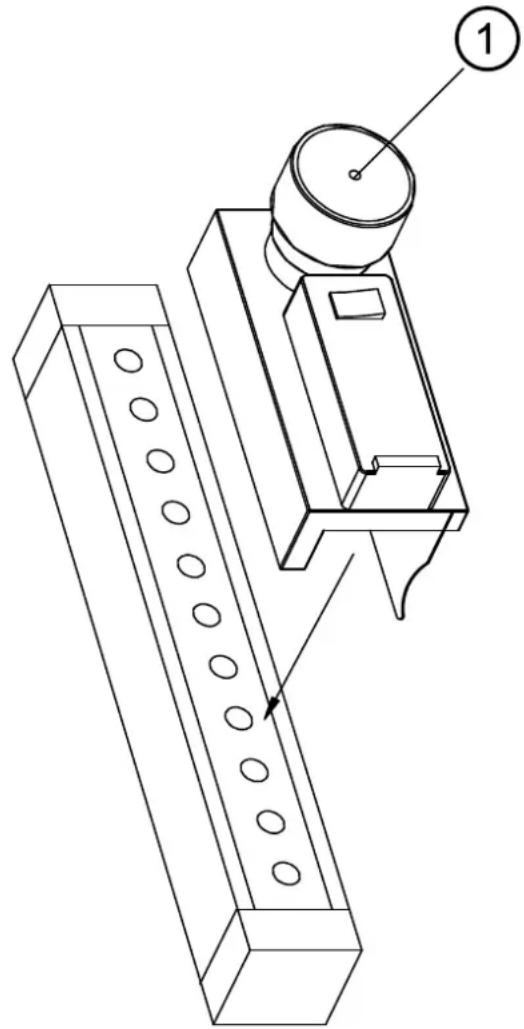 | 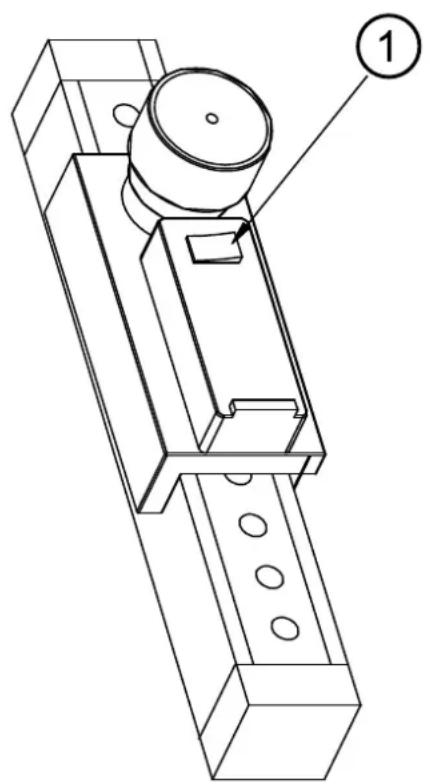 |
| 1: Exit laser light 1: On/off switch |
Maintenance, repair and disposal5
If used correctly no maintenance and repair measures are necessary.
Only the manufacturer is allowed to repair the unit.
After use dispose of the unit in an environmentally friendly way in accordance with the applicable national regulations.
Replace batteries5.1
natural_image
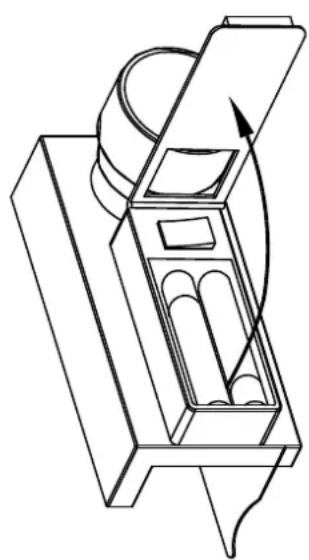
Technical line drawing of a mechanical device with internal components and an open lid (no text or symbols)Open the lid of the battery compartment ( Figure). ▶
Remove all flat batteries and replace them with new ones of type AAA. Do not use rechargeable batteries.
Note the indicated polarity when inserting the batteries.
Close the lid of the battery compartment. ▶
Dispose of the flat batteries in an environmentally friendly way.
If you do not use the unit for a longer period of time, remove the batteries. ▶
Technical data and further information at www.ifm.com → Select your country → Data sheet direct: