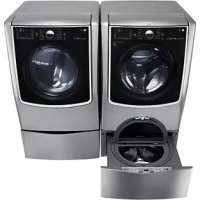
LWP277V - Washing machine LG - Free user manual and instructions
Find the device manual for free LWP277V LG in PDF.



| Product type | Front-loading washing machine |
| Brand | LG |
| Model | LWP277V |
| Width | 68.6 cm (27 inches) |
| Height | 85 cm (without base) |
| Depth | 70 cm |
| Net weight | 75 kg (approx.) |
| Washing capacity | 7 kg |
| Maximum spin speed | 1400 rpm |
| Power supply | 220-240 V, 50 Hz |
| Wash programs | Cotton, Synthetic, Delicate, Rinse+Spin, etc. |
| Features | Delayed start, Child lock, Balance control |
| Noise level (spin) | 72 dB (approx.) |
| Energy efficiency class | A+++ |
| Water consumption per cycle | 50 L (approx.) |
| Type of installation | On base (optional) or on floor |
| Included accessories | Fixation brackets, screws, installation manuals |
| Routine maintenance | Filter cleaning, drain hose emptying, door seal cleaning |
| Safety | Child safety, automatic stop in case of imbalance |
| Repairability | Spare parts available within 15 days |
| User manual | Included, 40 pages |
Frequently Asked Questions - LWP277V LG
User questions about LWP277V LG
0 question about this device. Answer the ones you know or ask your own.
Ask a new question about this device
Download the instructions for your Washing machine in PDF format for free! Find your manual LWP277V - LG and take your electronic device back in hand. On this page are published all the documents necessary for the use of your device. LWP277V by LG.
USER MANUAL LWP277V LG
Installation Instructions Pedestal
For washer, dryer, and combo
LG 27" 2p
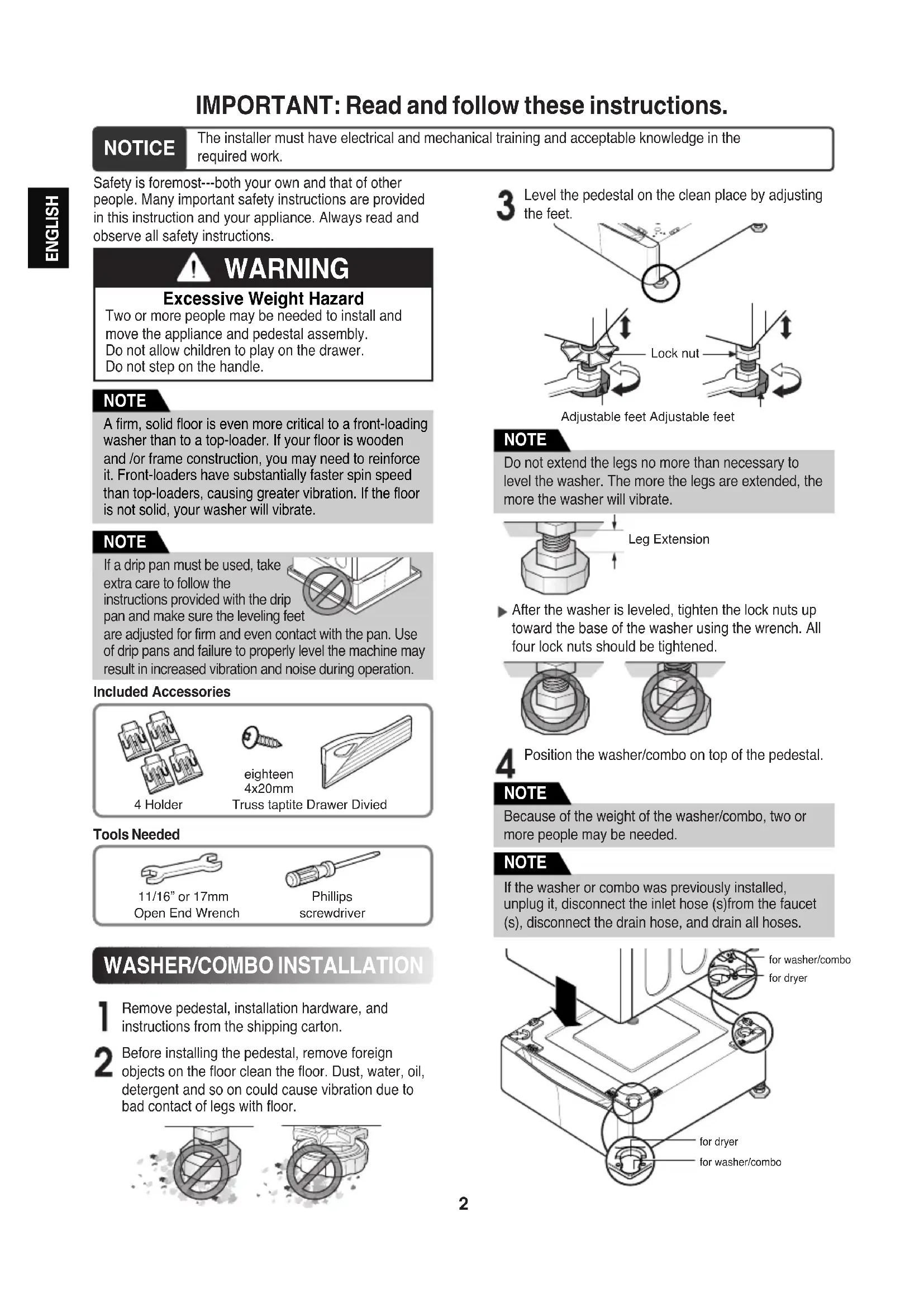
IMPORTANT: Read and follow these instructions.
NOTICE
The installer must have electrical and mechanical training and acceptable knowledge in the required work.
Safety is foremost---both your own and that of other people. Many important safety instructions are provided in this instruction and your appliance. Always read and observe all safety instructions.

WARNING
Excessive Weight Hazard
Two or more people may be needed to install and move the appliance and pedestal assembly. Do not allow children to play on the drawer. Do not step on the handle.
NOTE
A firm, solid floor is even more critical to a front-loading washer than to a top-loader. If your floor is wooden and /or frame construction, you may need to reinforce it. Front-loaders have substantially faster spin speed than top-loaders, causing greater vibration. If the floor is not solid, your washer will vibrate.
NOTE
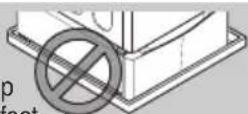
If a drip pan must be used, take extra care to follow the
instructions provided with the drip pan and make sure the leveling feet
are adjusted for firm and even contact with the pan. Use of drip pans and failure to properly level the machine may result in increased vibration and noise during operation.
Included Accessories
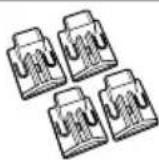
4 Holder

eighteen 4x20mm
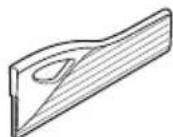
Truss taptite Drawer Divied
Tools Needed
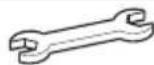
11/16" or 17mm Open End Wrench
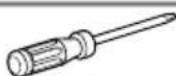
Phillips
screwdriver
WASHER/COMBO INSTALLATION
1 Remove pedestal, installation hardware, and instructions from the shipping carton.
2 Before installing the pedestal, remove foreign objects on the floor clean the floor. Dust, water, oil, detergent and so on could cause vibration due to bad contact of legs with floor.
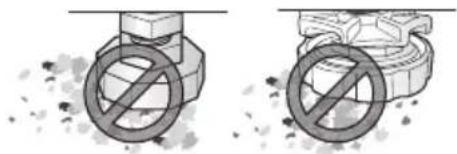
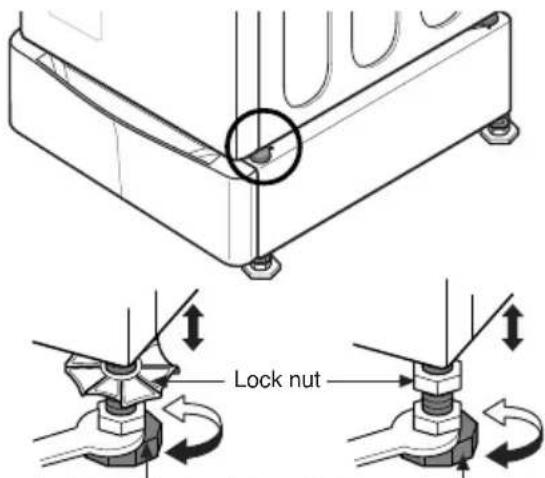
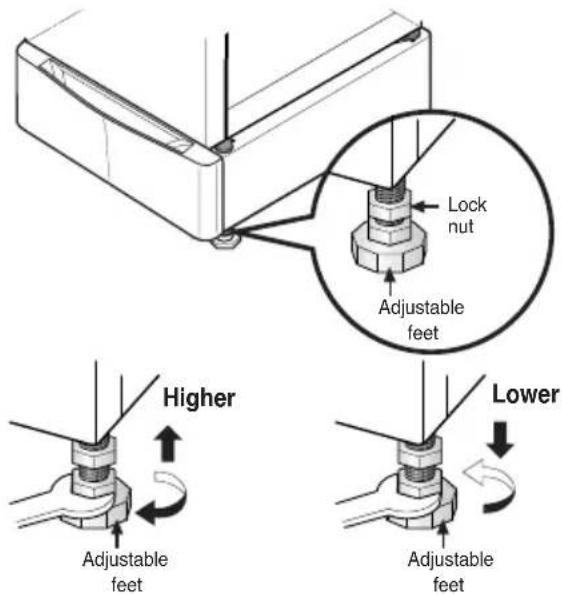
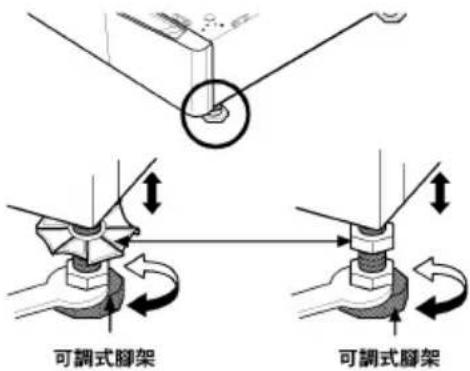
3 Level the pedestal on the clean place by adjusting the feet.
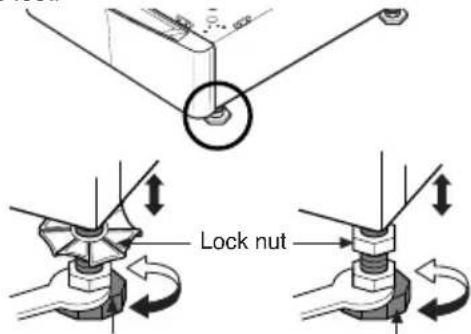
Adjustable feet Adjustable feet
NOTE
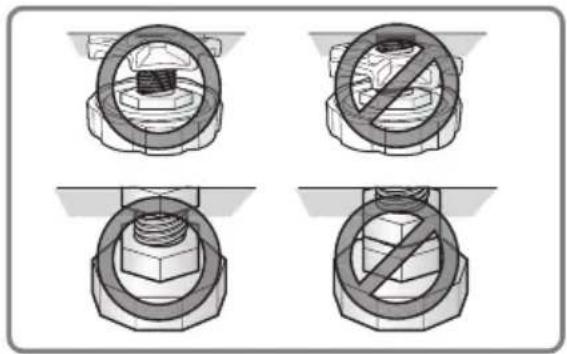
Do not extend the legs no more than necessary to level the washer. The more the legs are extended, the more the washer will vibrate.
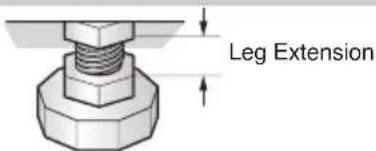
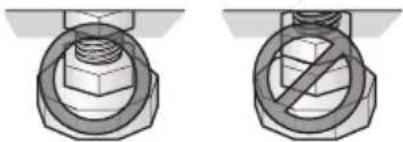
▶ After the washer is leveled, tighten the lock nuts up toward the base of the washer using the wrench. All four lock nuts should be tightened.
4 Position the washer/combo on top of the pedestal.
NOTE
Because of the weight of the washer/combo, two or more people may be needed.
NOTE
If the washer or combo was previously installed, unplug it, disconnect the inlet hose (s) from the faucet (s), disconnect the drain hose, and drain all hoses.
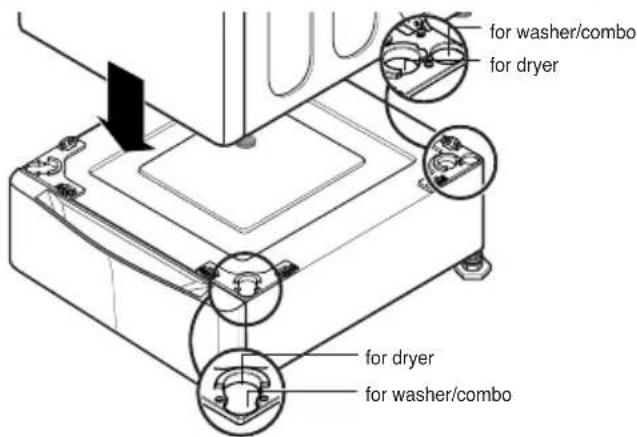
5 Level the washer/combo on the pedestal by adjusting the feet.
Adjustable feet Adjustable feet
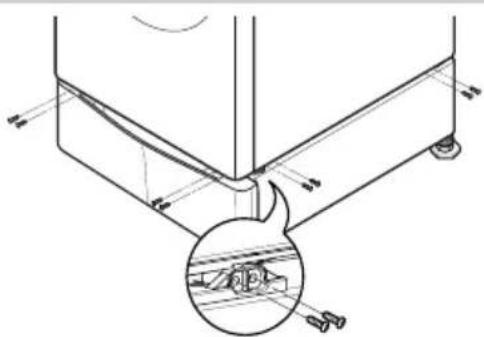
6 Make sure the holes on the pedestal align with the holes in the appliance, then install 4 screws at each corner to securely attach the appliance to the pedestal.
NOTE
If the screws are not installed properly, noise and vibration may result.
For WASHER: 16 SCREWS
For DRYER: 8 SCREWS
7 Move the washer/combo to the desired place.
NOTE
The appliance and pedestal assembly must be placed on a solid and level floor for proper operation. Adjust the legs of the appliance and pedestal by turning with a wrench. Then, adjust the lock nut toward the pedestal while holding the pedestal leg using a wrench.
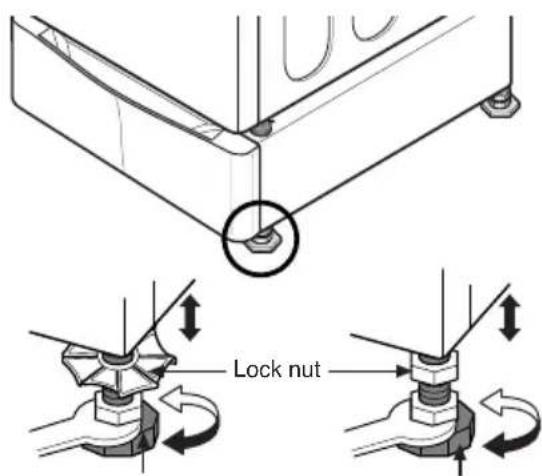
Adjustable feet Adjustable feet
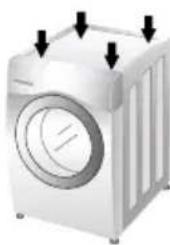
NOTE
Diagonal Check
When pushing down the edges of the washing machine top plate diagonally, the machine should not move up and down at all. (Please check both directions.) If the machine rocks when pushing the machine top plate diagonally, adjust the feet again.
NOTE
To make sure that the washer is properly level, run the washer with a test load: place approximately 6 Pound/2.7Kg of laundry in the machine. Then press POWER, press RINSE+SPIN, and then press the START/PAUSE button. See the following sections for additional information on cycle selection and operation. Verify that the washer does not rock or vibrate excessively during the spin cycle. If the washer vibrates or shakes, adjust the leveling feet until the washer is stable and retest.
DRYER INSTALLATION
1 Remove pedestal, installation hardware, and instructions from the shipping carton.
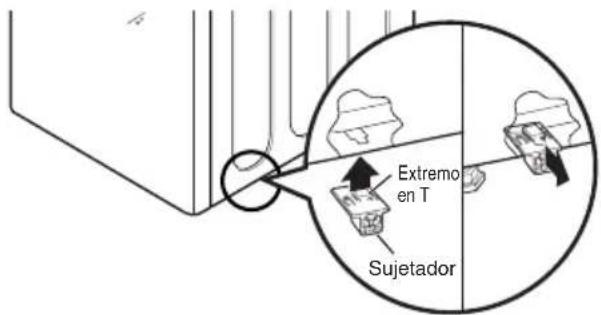
2 Insert the T-clip of the 4 retainers into the dryer base as shown. Press up on the back of the clip and pull outward to lock into place.
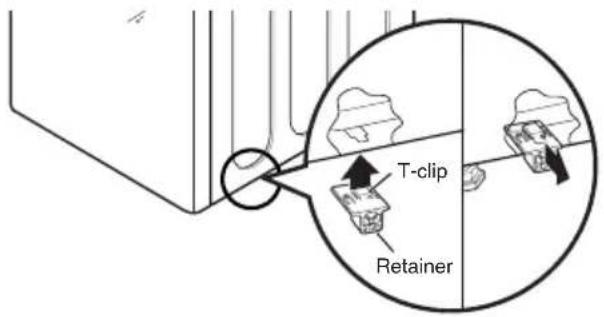
3 Position dryer on top of the pedestal.
NOTE
Because of the weight of the dryer, two or more people may be needed.
NOTE
If dryer was previously installed, uninstall it as follows:
A. Uninstalling an electric dryer:
1) Unplug the power supply cord,
2) Pull the dryer away from the wall enough to loosen the vent clamp. Loosen the clamp and carefully remove the exhaust vent from the dryer exhaust outlet.
B. Uninstalling a gas dryer:
1) Unplug power supply cord.
2) Turn off the gas supply.
3) Pull the dryer away from the wall enough to loosen the vent clamp. Loosen the clamp and carefully remove the exhaust vent from the dryer exhaust outlet.
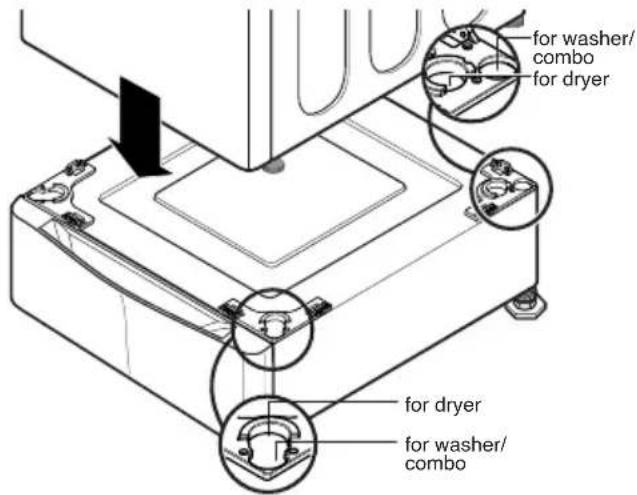
4 Make sure the holes on the pedestal align with the holes in the appliance, then install 2 screws at each corner to securely attach the appliance to the pedestal.
NOTE
If the screws are not installed properly, noise and vibration may result.
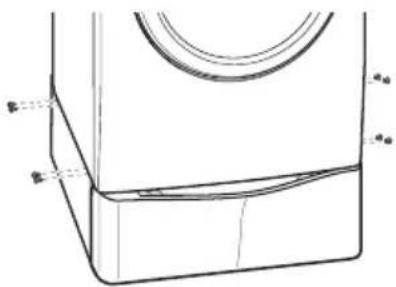
5 Move the dryer to the desired place.
NOTE
The appliance and pedestal assembly must be placed on a solid and level floor for proper operation. Adjust the legs of the appliance and pedestal by turning with a wrench. Then, adjust the lock unt toward the pedestal while holding the pedestal leg using a wrench.
REMARQUE
Verification diagonale
4 Coloque la lavadora/combo encima del pedestal.
NOTA
NOTA
Verificacion Diagonal
2 Insert the T-clip of the 4 retainers into the dryer base as shown. Press up on the back of the clip and pull outward to lock into place.
3
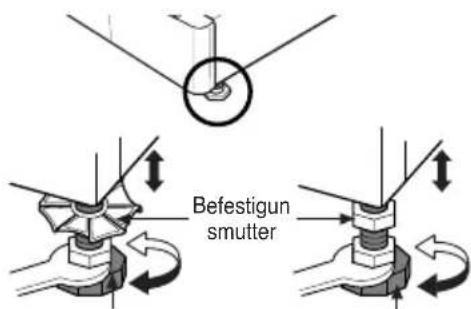
Richten Sie sockel.
HINWEIS
Diagonalprüfung
OBS
Diagonalkontroll
5 Placera torktumlaren på önskad plats.
OBS
1 Remove pedestal, installation hardware, and instructions from the shipping carton.
3
Juster bena sokkel.
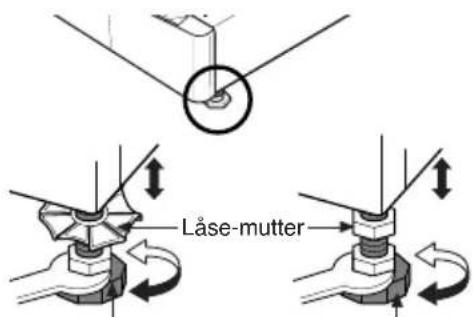
Justerbare ben Justerbare ben
MERK
4
Plasser vaskemaskinen/kombimaskinen på sokkelen.
MERK
Grunnet vaskemaskinens/kombimaskinens vekt, kan det være at det behøves to personer.
MERK
MERK
Diagonal kontroll
3 Position dryer on top of the pedestal.
MERK
5 Flytt tørketrommelen dit den skal stå.
MERK
1 Remove pedestal, installation hardware, and instructions from the shipping carton.
HUOMIO
IMPORTANT: Read and follow these instructions.
NOTICE
The installer must have electrical and mechanical training and acceptable knowledge in the required work.
Safety is foremost---both your own and that of other people. Many important safety instructions are provided in this instruction and your appliance. Always read and observe all safety instructions.

WARNING
Excessive Weight Hazard
Two or more people may be needed to install and move the appliance and pedestal assembly. Do not allow children to play on the drawer. Do not step on the handle.
BEMÆRK
1 Remove pedestal, installation hardware, and instructions from the shipping carton.
BEMÆRK
Diagonal kontrol
5 Anbring den tørretumbler det ønskede sted.
BEMAERK
3 用扳手調整機器和基座的腳架。
4 將洗衣機/複合機置於基座上。
注意
7 將洗衣機/複合機搬至理想位置。
注意
注意
对角检查
NOTA
1 Remove pedestal, installation hardware, and instructions from the shipping carton.
LET OP
Overdwar controleren
주의
대각선 점검 방법
세탁기 월 면을 대각선 방향으로
잡고 누른 후 반대 방향도 눌러서
세탁기의 흔들림을 확인하세요.
흔들림이 생기는 쪽의 수평조절
다리를 조절하면서 대각선 방향으로
놀러보세요.수평이 완전히 맞춰질
때 까지 반복해 주세요.
주의
*Specifications are subject to change by manufacturer.
*Las especificaciones son sujetas a cambio por el fabricante
* Données techniques sujettes à changement sans préavis

MEMO

LG
Life's Good
- INSTALLATION INSTRUCTIONS PEDESTAL
- IMPORTANT: READ AND FOLLOW THESE INSTRUCTIONS
- NOTICE
- WARNING
- EXCESSIVE WEIGHT HAZARD
- NOTE
- INCLUDED ACCESSORIES
- TOOLS NEEDED
- WASHER/COMBO INSTALLATION
- DIAGONAL CHECK
- DRYER INSTALLATION
- UNINSTALLING AN ELECTRIC DRYER
- UNINSTALLING A GAS DRYER
- REMARQUE
- NOTA
- VERIFICACION DIAGONAL
- HINWEIS
- DIAGONALPRÜFUNG
- OBS
- DIAGONALKONTROLL
- 3
- MERK
- 4
- DIAGONAL KONTROLL
- HUOMIO
- BEMÆRK
- DIAGONAL KONTROL
- BEMAERK
- 注意
- 7 將洗衣機/複合機搬至理想位置。
- 对角检查
- LET OP
- OVERDWAR CONTROLEREN
- 주의
- LG
Brand : LG
Model : LWP277V
Category : Washing machine