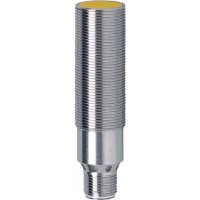
IF5792 - Inductive sensor IFM - Free user manual and instructions
Find the device manual for free IF5792 IFM in PDF.



| Product type | Inductive sensor |
| Brand | IFM |
| Model | IF5792 |
| Main function | Contactless detection of metals |
| Nominal sensing range (Sn) | See the label (value defined with steel 37) |
| Mounting | Flush or non-flush depending on label |
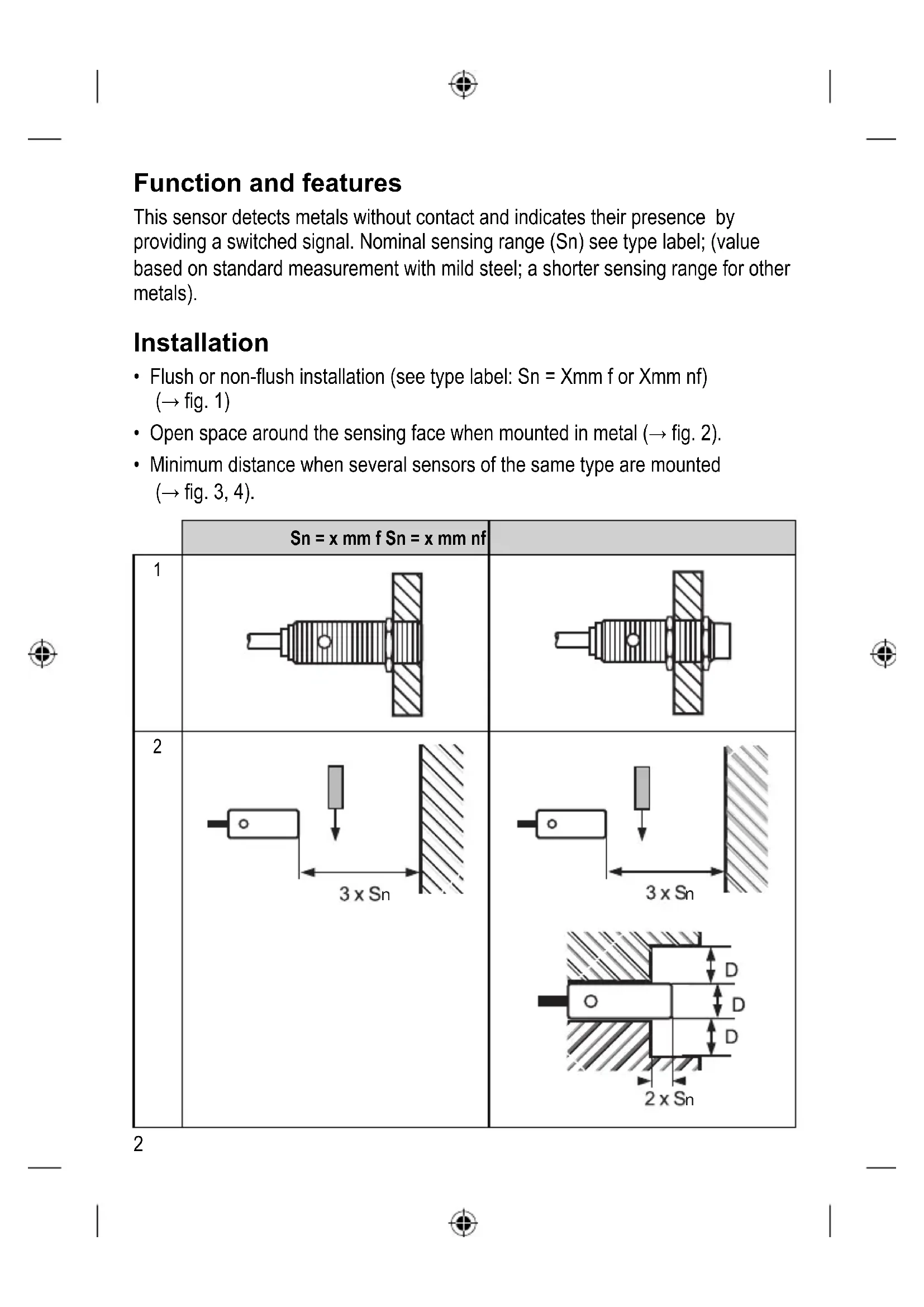
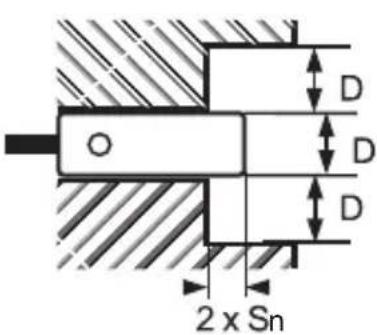
| Free zone | Respect minimum distances for mounting on metal support (see fig. 2) |
| Power supply | DC voltage according to label; example: 24 V DC with 1000 μF capacitor if not stabilized |
| Electrical connection | Disconnect power before connection; cable >30 m and >0.5 mm² install separate from interference sources |
| Output current | Respect min/max values; avoid capacitive loads without precaution |
| Inductive loads | Connect an RC circuit in parallel |
| 2-wire detectors | Load too low requires parallel resistor |
| Series/parallel connection | Avoid parallel for 2-wire; series possible considering voltage drop |
| Maintenance | No special maintenance required |
| Cleaning | Clean with a soft dry cloth |
| Safety | Disconnect power before any intervention |
| Spare parts | Not applicable (sensor not repairable) |
| Repairability | Not repairable by user; replace the device if faulty |
| General information | User manual available as PDF on notice-facile.com |
Frequently Asked Questions - IF5792 IFM
User questions about IF5792 IFM
0 question about this device. Answer the ones you know or ask your own.
Ask a new question about this device
Download the instructions for your Inductive sensor in PDF format for free! Find your manual IF5792 - IFM and take your electronic device back in hand. On this page are published all the documents necessary for the use of your device. IF5792 by IFM.
USER MANUAL IF5792 IFM
Installation Instructions
Inductive sensor
DC / unipolar
Notice de Montage
Détecteur inductif
DC / non polarisé
取扱説明書
高周波誘導式近接スイッチ
直流2線式/無極性型
efector100

人体の保護を目的とした安全回
路に組込むことを禁止します。

Function and features
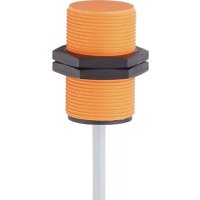
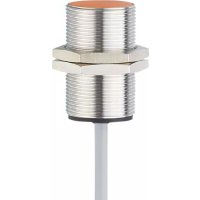
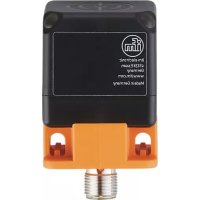
This sensor detects metals without contact and indicates their presence by providing a switched signal. Nominal sensing range (Sn) see type label; (value based on standard measurement with mild steel; a shorter sensing range for other metals).
Installation
- Flush or non-flush installation (see type label: Sn = Xmm f or Xmm nf) (→ fig. 1)
- Open space around the sensing face when mounted in metal (→ fig. 2).
- Minimum distance when several sensors of the same type are mounted ( fig. 3, 4).
| Sn = x mm f Sn = x mm nf | ||
| 1 | 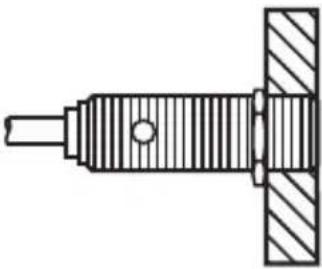 | 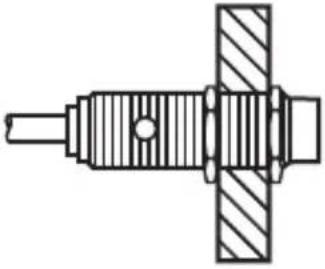 |
| 2 | 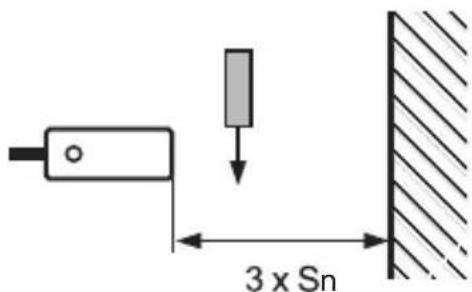 | 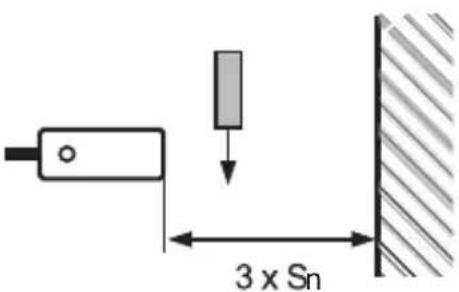 |
 | ||
| 3 | 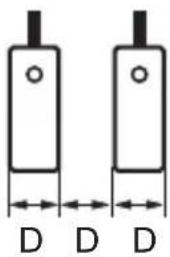 | 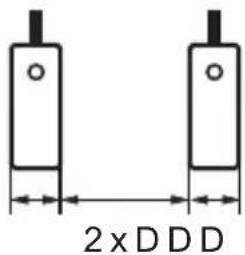 |
| 4 | 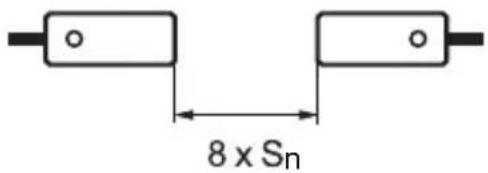 |  |
Electrical connection
▶ Disconnect power before connecting the proximity switch; connection: → fig. 5).
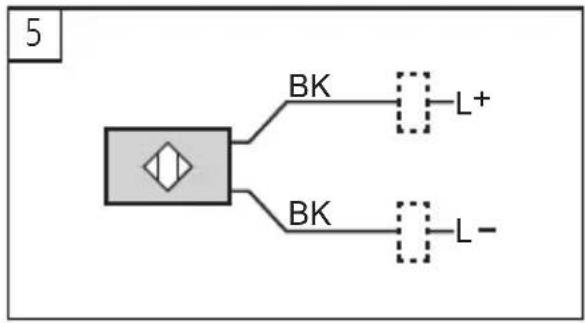
flowchart
graph TD
    A["Block with diamond shape"] --> B["BK"]
    A --> C["BK"]
    B --> D["L+"]
    C --> E["L-"]
- For cables longer than 30 ~m and wires greater than 0.5 ~mm^2 the cable should be laid separately from sources of interference (at a distance of about 50 ~cm ) or a screened cable should be used.
- Connect the load before applying the operating voltage.
- Observe the values for current rating and minimum load current.
- If capacitive loads are used, ensure that the peak current rating is not exceeded.
▶ Do not connect loads of low resistance (e.g. lamps) directly to the sensor. Switch these loads via a relay ( fig. 6):
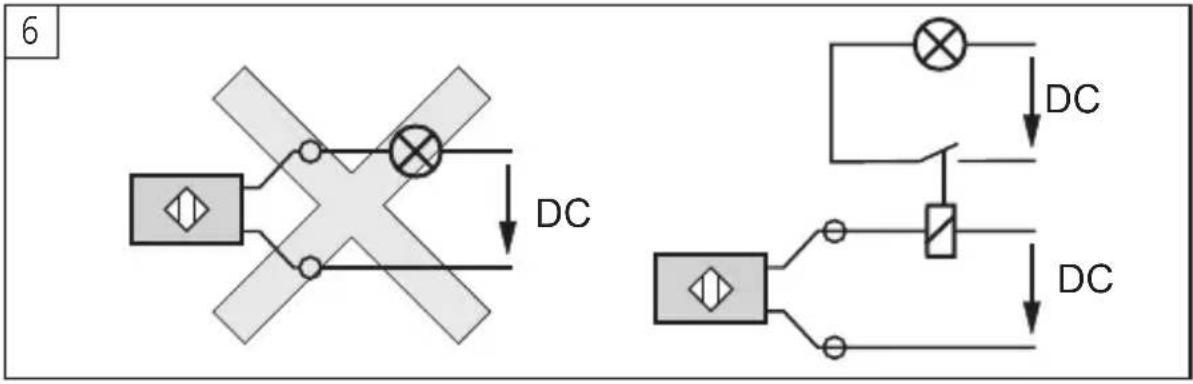
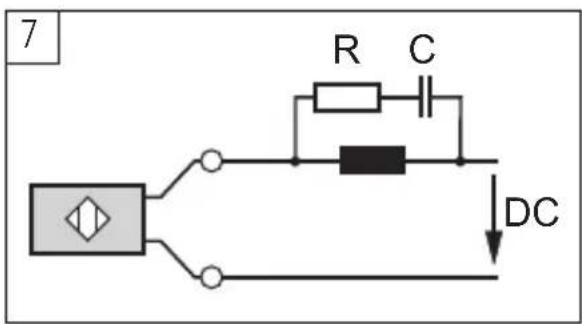
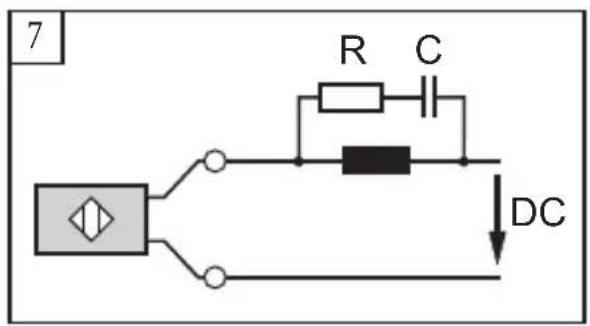
▶ For inductive loads a RC circuit should be connected in parallel to the load ( fig. 7).
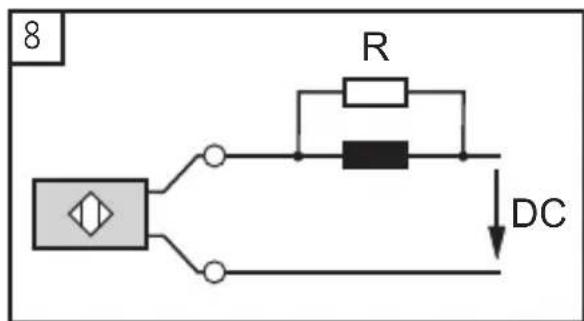
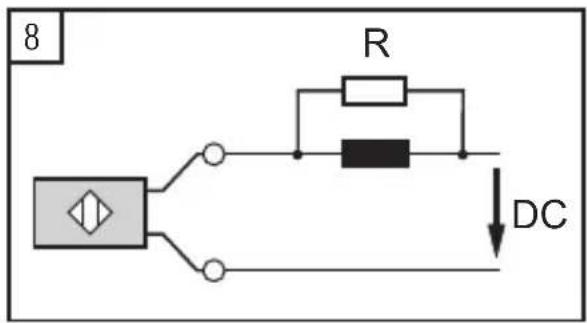
▶ A load which is too low for 2-wire sensors may lead to malfunction. In such a case a resistor should be connected in parallel to the load ( fig. 8).
- For series connection consider the voltage drop of each unit.
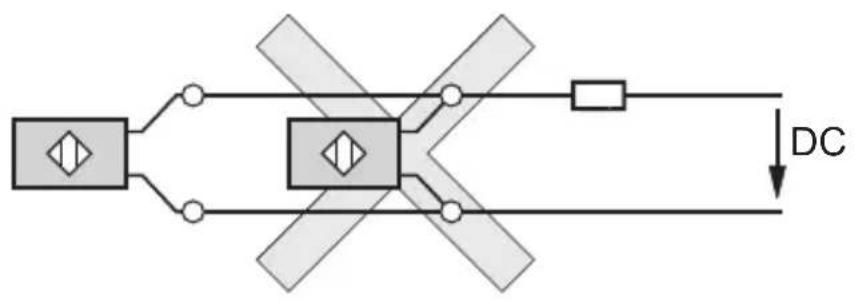
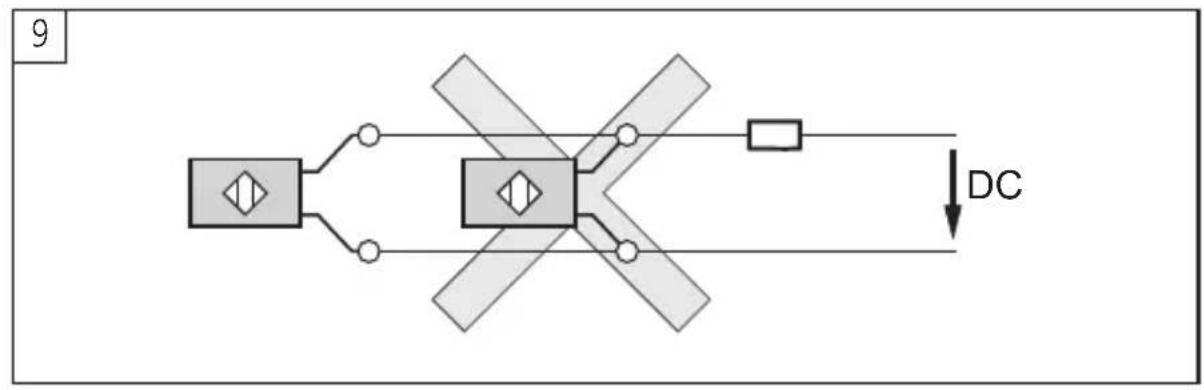
▶ As a rule avoid connecting 2-wire units in parallel (only in exceptional cases, check the safe function, → fig. 9):
9
flowchart
graph TD
    A["Device"] --> B["Switch"]
    A --> C["Switch"]
    B --> D["Load DC"]
    C --> D
    D --> E["Ground"]
UK
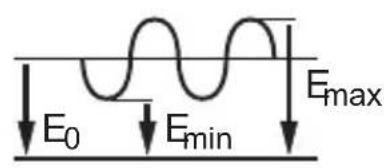
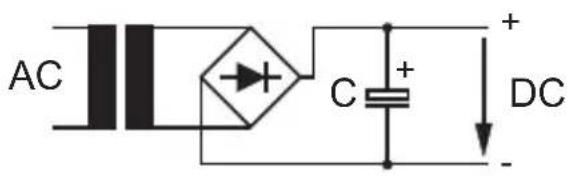
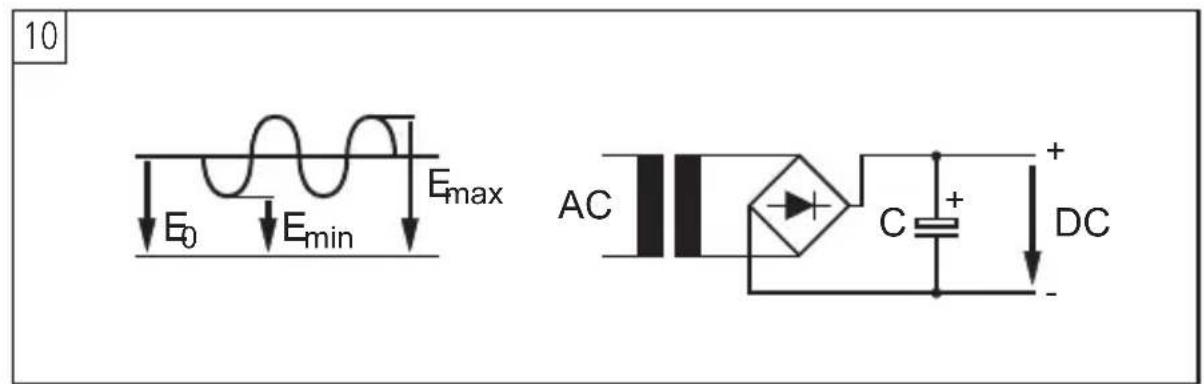
The supply voltage must correspond to the values indicated on the label. If it is not stabilised, a capacitor should be connected (at 24 V and 1 A for example a capacitor of 1000 μF, 50 WV → fig. 10):
10

flowchart
graph TD
    A["Device"] --> B["Switch"]
    B --> C["DC"]
    style A fill:#f9f,stroke:#333
    style C fill:#ccf,stroke:#333

JP

Brand : IFM
Model : IF5792
Category : Inductive sensor