FinoCompact - Kitchen scales CASO - Free user manual and instructions
Find the device manual for free FinoCompact CASO in PDF.



| Brand | CASO |
| Model | FinoCompact |
| Product type | Kitchen scale |
| Max capacity | 500 g |
| Precision | 0.1 g |
| Measurement units | Milliliter (ml), Gram (g), Ounce (oz) |
| Measurement range | 0.1-500 g / ml / 0.01-17.7 oz |
| Tolerance | +/- 0.4% |
| Power supply | 2 AAA batteries (1.5 V) not included |
| Tray material | Stainless steel |
| Functions | Weighing, tare, unit change, auto-off |
| Display | LED |
| Auto-off | After 2 minutes of inactivity |
| Care and cleaning | Clean with a soft, damp cloth. Do not immerse in water. |
| Warranty | 24 months |
| Supplied accessories | Stainless steel weighing tray, fixing strap, instruction manual |
| Dimensions (approx.) | Not specified. Approximately 20 x 15 x 3 cm. |
| Weight (approx.) | Not specified. Approximately 300 g. |
Frequently Asked Questions - FinoCompact CASO
User questions about FinoCompact CASO
0 question about this device. Answer the ones you know or ask your own.
Ask a new question about this device
Download the instructions for your Kitchen scales in PDF format for free! Find your manual FinoCompact - CASO and take your electronic device back in hand. On this page are published all the documents necessary for the use of your device. FinoCompact by CASO.
USER MANUAL FinoCompact CASO
natural_image
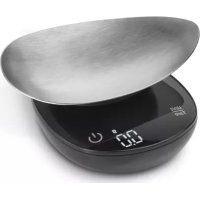
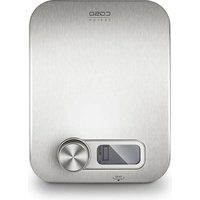
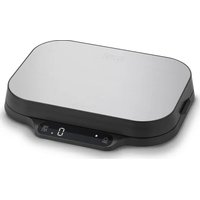
Close-up of a black digital kitchen scale with a metallic lid and digital display (no visible text or symbols)
Artikel-Nr.: 3201
TechnischeDaten
| Gerät,Device,Appareil,Apparecchio | Feinwaage,Precision weighing scale,Balance de précision,Bilancia di precisione |
| Name, Name, Nom,Nome | CASOFinoCompact |
| Artikel-Nr., Item No.,N°. d'article, N. Articolo | 03201 |
| Batterie, Battery, Piles,Batteria | 2x 1,5 V Batterien (AAA)(Nicht im Lieferumfang enthalten / Not included in the scope of delivery / non inclus dans la livraison / non inclusa nel volume di consegna) |
| Wiegebereich,Capacity,Capacité, Capacité | 0,1-500 g / 0,1-500 ml / 0,01-17,7 oz |
| Außenabmessungen(B/H/T)Dimensions,Dimensions,Misure esterne | 8 cm x 3,3 cm x 11,5 cm / 3,2 inch x 1,3 inch x 4,5 inch |
| Nettogewicht,Net weight , Poids net,Peso netto | 127 g / 4,5 oz |
| Stand, Current as of,Position, Posizionamento | 13-07-2022 |
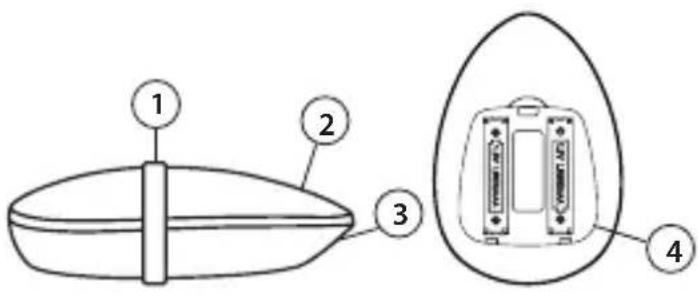
Ansicht: geschlossenes Gerät View: Closed device Vue: appareil fermé Visione: apparecchio chiuso
Ansicht: Unterseite View: Base Vue: face inférieure Visione: lato inferiore
8 General 9
9 Safety....10
10 Getting Started....10
11 Operation and handling 11
12 Cleaning and Maintenance....12
13 Disposal of the Old Device....13
14 Warranty 13
Table des matières
FR
Please read this manual carefully before using your new scale to familiarize yourself with all its features. In the following pages, you'll learn to properly care for and safely operate your scale, helping it to perform at peak efficiency for years to come.
Use of this manual
This manual provides important information on the initial setup, safe operation, intended use, care and cleaning of the scale.
Please store this manual in a safe place near the scale for easy reference
Warning notices
Please pay special attention to the following alerts and notices found throughout the manual:

WARNING
This alert indicates a possible dangerous situation.
If the dangerous situation is not avoided, this can lead to serious injuries.
▶ Observe the instructions in this alert to avoid personal injury.

ATTENTION
This alert indicates a possible dangerous situation.
If the dangerous situation is not avoided, this can lead to serious injuries.
▶ Observe the instructions in this alert to avoid personal injury.
PLEASE NOTE
This notice precedes additional tips and helpful information
that will help you get the most out of your appliance.
Limitation of liability
All the technical information, data and notices with regard to the installation, operation and care are completely up-to-date at the time of printing and are compiled to the best of our knowledge and belief, taking our past experience and findings into consideration.
No claims can be derived from the information provided, the illustrations or descriptions in this manual. The manufacturer does not assume any liability for damages arising as a result of the following:
• Non-observance of the manual
• Uses for non-intended purposes
- Improper repairs
• Technical alterations, modifications of the device
- Use of unauthorized spare parts
Modifi cations of the device are not recommended and are not covered by the guarantee.
All translations are carried out to the best of our knowledge. We do not assume any liability for translation errors, not even if the translation was carried out by us or on our instructions. The original German text remains solely binding.
Copyrightprotection
This document is copyright protected.
Braukmann GmbH reserves all the rights, including those for photomechanical reproduction, duplication and distribution using special processes (e.g. data processing, data carriers, data networks), even partially. Subject to content and technical changes.
EN
9 Safety
This chapter provides you with important safety notices when handling the device. The device corresponds with the required safety regulations. Improper use can result in personal or property damages.
Intended use
This device is only intended for non-commercial use, for weighing food.

WARNING
Danger due to unintended use and/or other types of
application! The User bears the sole risk.
General Safety information
PLEASE NOTE
Please observe the following general safety rules
to prevent possible injury:
▶ Examine the device for any damages prior to using it. Do not use the unit if it appears damaged.
▶ Children shall not play with the appliance.
▶ Cleaning and user maintenance shall not be made by children without supervision.
▶ Only customer service departments authorized by the manufacturer may carry out repairs on the device during the guarantee period, as otherwise the guaratee entitlements will be null and void in the event of any subsequent damages.
▶ Defective components must always be replaced with original replacement parts. Only such parts will guarantee that the safety requirements are fulfilled.
10 Getting Started
This chapter will guide you through safely unpacking and setting up your new unit.
Packaging Safety information

WARNING
Packaging materials are not toys and should be disposed of properly!
▶ Do not allow children to play with packaging materials due to risk of suffocation
What's included
The kitchen scale L20 includes the following components:
- CASO FinoCompact
- Stainless steel weighing bowl (Cover)
- Fixing tape
• Instruction Manual
PLEASE NOTE
▶ Examine the shipment to ensure the unit and manual
are included and inspect the unit for any visible damage.
▶ Immediately notify the carrier and/or supplier about any incomplete shipment or damages as a result of inadequate packaging or mishandling.
▶ You will need to 2 batteries to use the scales (1.5V/ AAA – not included).
Unpacking
Carefully remove the packaging material and unit from the carton.
Disposal of the packaging
Caso believes in the importance of recycling and has selected packaging materials that not only protect your unit from damage during transit, but can be recycled to minimize ecological impact. Recycling the packaging materials preserves raw materials and reduces waste. Take any packaging materials that are no longer required to a recycling collection point for proper disposal.
PLEASE NOTE
▶ If possible, keep the original packaging for the device for
the duration of the guarantee period in the event a return in necessary.
Setup
Setup location requirements
In order to ensure the safe and trouble-free operation of the device, the setup location must fulfil the following prerequisites:
- The device must be set up on a fi rm, fl at and horizontal surface with sufficient load-bearing capacity for the scale and the maximum weight of the food that should be weighed.
- Do not set up the device in a hot, wet or extremely damp environment or near fl ammable material.
Ratingplate
The rating plate with the performance data can be found in the battery compartment on the bottom of the scales.

11 Operation and handling
This chapter provides you with important notices with regard to operating the device. Observe the following notices to avoid dangers and damages.
Batteries
- Open the battery cover.
-
Put in 2 neuwertige batteries.
(1,5V/ AAA – not included in delivery scope) Make sure that you insert the batteries correctly (+/- terminals). -
Close the battery cover.
Replacing the batteries
When the batteries are low, the display will show the error "Lo" and the scales will turn themselves off after a short time. Change the batteries as described in the "Replacing the batteries" section below. Remove the batteries from the battery compartment if you are not planning to use the scales for a longer period of time.
Operation
Weighing
- Remove the fixing tape from the device, then remove the weighing bowl / cover.
- Place the scales on a hard, fl at surface.
- Place the weighing bowl on the weighing surface.
- Press the "On/Off" button to switch the scales on. The scales will be set to the last unit of measurement you used and the display will show 0.
- Place the object to be weighed on the scale surface.
- The weight will appear on the display.
EN
Tare-Function
- Place the object to be weighed in the weighing bowl.
- The LED display will show the weight.
- Hold the "Unit/Tare" button for a few seconds.
- The word TARE will flash twice on the display and it will show the weight 0.
- Place any further objects to be weighed on the scales to add their weight to the total.
- When you remove the object/s to be weighed, the scales will show the negative weight.
- Repeat Step 3 and the display will show 0.
PLEASE NOTE
▶ You can also place other suitable containers on the scale surface to weigh them.
▶ If the display alternates between two numbers, press the "Unit/Tare" button.
Weighing units (Unit function)
| Units:Millilitres (ml) Gramms (g) Ounces (oz) | |||
| Measuring ranges: | 0.1-500 | 0.1-500 | 0.01-17.7 |
| Tolerance: +/-0.4% | |||
Briefly press the "Unit/Tare" button to change the weighing unit.
Switchingoff
The scales switch off automatically after 2 minutes. You can also turn them off manually by pressing the "On/Off" button.
Errorcodes
Overload indicator:
The display will show the error code "EEEE" if the scales are overloaded.
Remove some of the object to be weighed.
The scales are not on a stable surface:
The display will show the error code "unSt". Place the scales on a hard surface.
The scales cannot identify the weight:
The display will show the error code "out2". A weight exceeding 100 g / 100 ml or 3.5274 oz is on the scales when they are turned on. Remove the weight from the scales, turn the scales on again and then place the object to be weighed on the scales.
12 Cleaning and Maintenance
This chapter provides important information on properly cleaning and maintaining your scale.
Safety information

ATTENTION
Please observe the following safety notices, before cleaning the scale:
▶ Clean the unit after every use.
▶ Never immerse the scale into water or other liquid. Do not put it in the dishwasher.
If moisture penetrates the unit's housing, it can damage the electronic components. Please ensure that no moisture enters the device.
▶ Do not use any hard or abrasive cleaning agents
▶ Do not attempt to scrape off stubborn grime with hard or abrasive tools
Cleaning the housing, the display and the weighing bowl
Clean the housing, the display and the weighing bowl with a soft, damp cloth.
13 Disposal of the Old Device
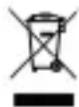
To protect the environment, it's important to dispose of old electronic devices properly. Do not place your old unit in the non-recyclable v under any circumstances.
PLEASE NOTE
▶ Please take your old unit to the nearest recycling center for safe disposal.
▶ Until it can disposed of properly, store your old unit away from children.
14 Warranty
We provide a 24 month guarantee for this product, commencing from the date of sale, for faults which are attributable to production or material faults. The guarantee does not include damages, which were incurred as a result of improper handling or use, as well as malfunctions which only have a minor effect on the function or the value of the device. Consumables, transit damages, inasmuch as we are not responsible for these, as well as damages, which were incurred as a result of any repairs that were not performed by us, are also excluded from the guarantee entitlements. This device is designed for use in domestic situations and has the appropriate performance levels.
Any use in commercial situations is only covered under the guarantee to the extent that it would be comparable with the stresses of being used in a domestic situation. It is not intended for any additional, commercial use. In the event of justifi ed complaints, we will repair the faulty device at our discretion or replace it with a trouble-free device. Any pending faults must be reported within 14 days of delivery. All further claims are excluded. To enforce a guarantee claim, please contact us prior to returning the device (always provide us with proof of purchase)
15 Généralités
FR
- Table des matières
- FR
- Use of this manual
- Warning notices
- WARNING
- ATTENTION
- PLEASE NOTE
- Limitation of liability
- Copyrightprotection
- EN
- Safety
- Intended use
- General Safety information
- to prevent possible injury:
- Getting Started
- Packaging Safety information
- What's included
- Unpacking
- Disposal of the packaging
- Setup
- Setup location requirements
- Ratingplate
- Operation and handling
- Batteries
- Replacing the batteries
- Operation
- Weighing
- Tare-Function
- Switchingoff
- Errorcodes
- Overload indicator:
- The scales are not on a stable surface:
- The scales cannot identify the weight:
- Cleaning and Maintenance
- Safety information
- Cleaning the housing, the display and the weighing bowl
- Disposal of the Old Device
- Warranty
- Généralités
Brand : CASO
Model : FinoCompact
Category : Kitchen scales