secuENTRY 5702 - Smart Home Burg Wächter - Free user manual and instructions
Find the device manual for free secuENTRY 5702 Burg Wächter in PDF.


| Product type | Smart electronic door lock |
| Brand | Burg Wächter |
| Model | secuENTRY 5702 |
| Category | Smart Home |
| Keyboard power supply | 2 MIGNON LR6 AA alkaline batteries |
| Cylinder power supply | 1 CR123A lithium battery |
| Max. number of users | 50 users |
| Opening media | PIN code, transponder, fingerprint, sE Key, KeyApp |
| Protection type (PINCODE keypad) | IP65 |
| Protection type (FINGERPRINT keypad) | IP55 |
| Protection type (cylinder) | IP65 |
| Operating temperature | -15°C to +50°C |
| Relative humidity | Up to 95% (non-condensing) |
| Display | 12 languages available |
| Blocking time after 3 errors | 1 minute, then 3 minutes per subsequent error |
| Transponder range | Max. 1 cm |
| Compatible door thickness | Up to 130 mm (measured from the fixing screw) |
| Max. number of fingerprints | 24 fingerprints |
| Maintenance and cleaning | Clean with a damp cloth; do not use alcohol-based or aggressive cleaning products |
| Security | Administrator code, QR code, temporary blocking after errors |
| Spare parts and repairability | Adapters, screws, batteries, transponders, covers available; batteries can be replaced |
| Warranty | Legal warranty; keep admin code and proof of purchase |
Frequently Asked Questions - secuENTRY 5702 Burg Wächter
User questions about secuENTRY 5702 Burg Wächter
0 question about this device. Answer the ones you know or ask your own.
Ask a new question about this device
Download the instructions for your Smart Home in PDF format for free! Find your manual secuENTRY 5702 - Burg Wächter and take your electronic device back in hand. On this page are published all the documents necessary for the use of your device. secuENTRY 5702 by Burg Wächter.
USER MANUAL secuENTRY 5702 Burg Wächter
natural_image
Mechanical component with cylindrical shaft and flange, no visible text or symbolswww.burg.biz www.burg.biz
Language
de Deutsch....5
en English 26
fr. Français: 48
nl Nederlands 70
it Download: www.burg.biz
es Descarga: www.burg.biz
pt Download: www.burg.biz
se Download: www.burg.biz
no Download: www.burg.biz
dk Download: www.burg.biz
fi Ladattava tiedosto: www.burg.biz
e1 λήψη: www.burg.biz
tr Indir: www.burg.biz
ro Descărcare: www.burg.biz
p1 Pobieranie pliku: www.burg.biz
α Stähnout: www.burg.biz
hu Letölthetö: www.burg.biz
sl Download: www.burg.biz
sk Download: www.burg.biz
hr Download: www.burg.biz
ru загрузка: www.burg.biz
bg Download (зареди): www.burg.biz
et Download: www.burg.biz
Structure
text_image
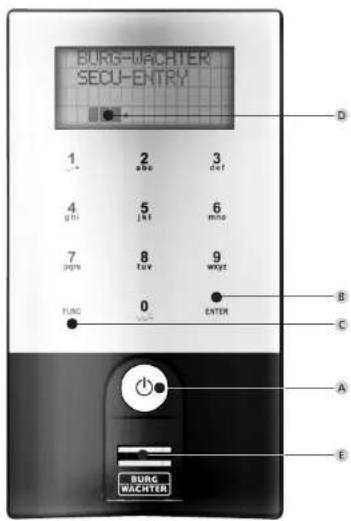
BURG-MACHTER SECU-ENTRY 1 2 3 ghi 5 jki 6 min 7 8 9 min 0 trans wnzt FUNG 0 ENTER B C A E BURG WACHTERsecuENTRY Keypad FP
Abbildung
A On Taste
1 Tastatur (SN; MAC; AES; Type)
2 Zylinder (SN; MAC; AES; ADM)
3 Transponder (UID; BW; Type)
text_image
Diagram of a mobile phone with labeled buttons and keypad, showing status indicators and function buttons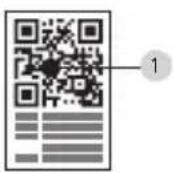
text_image
14 3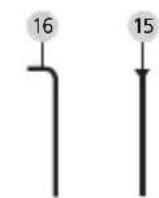
natural_image
Solid gray rectangular shape with a small black dot at the bottom center (no text or symbols)
17
natural_image
Technical diagram of a mechanical component with labeled part '19' (no readable text or symbols beyond label)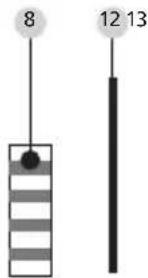
text_image
8 12 13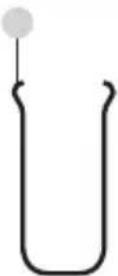
7 10
text_image
Image showing a QR code and a shield-shaped object with labeled points 5 and 6.ENTRY Fingerprint
Allgemeines
text_image
Diagram of a digital payment terminal with labeled button and control knob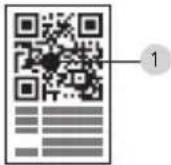
text_image
14 3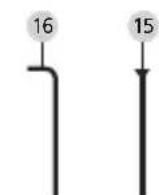
natural_image
Solid gray rectangular shape with a small black dot at the bottom center (no text or symbols)
17

natural_image
Pure vertical line pattern with circular nodes, no text or symbols present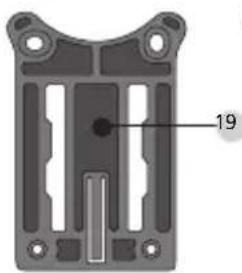
natural_image
Technical diagram of a mechanical component with labeled part 19 (no text or symbols beyond label)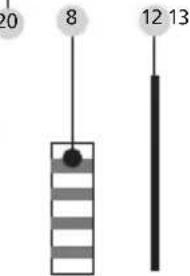
text_image
20 8 12 13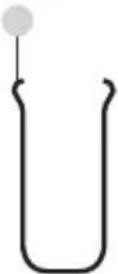
7 10
6
ENTRY Basic
Allgemeines
text_image
Diagram showing 15 labeled components of a device or sensor system with QR codes and connector pin labelsnatural_image
Close-up of a mechanical component with a black cylindrical body and a metallic housing, showing an upward arrow (no text or symbols visible)natural_image
Close-up of a mechanical component with metal parts and a circular base (no visible text or symbols)natural_image
Close-up of a mechanical component with a metallic shaft and flange, showing no visible text or symbols.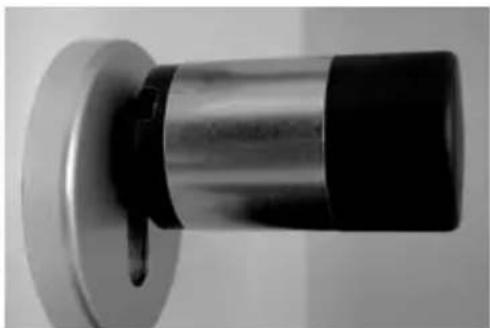
natural_image
Close-up of a metallic cylindrical object with a black base and a small protruding knob (no text or symbols visible)natural_image
Close-up of a hand holding a metallic cylindrical object with a black clip, no visible text or symbols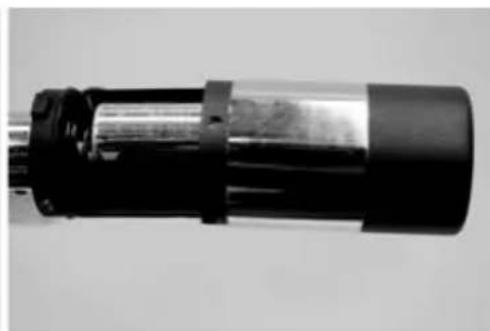
natural_image
Close-up of a cylindrical mechanical component with black and metallic casing (no visible text or symbols)natural_image
Close-up of a hand holding a tool with wires, no visible text or symbolsnatural_image
Close-up of a hand holding a black cylindrical mechanical component with a metallic rod (no visible text or symbols)natural_image
Close-up of hands using a soldering iron on a mechanical component (no visible text or symbols)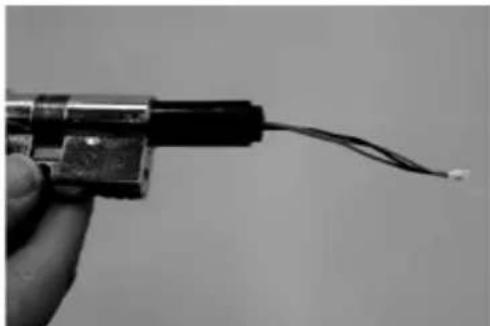
natural_image
Close-up of a hand holding a small electronic component with wires extending outward (no visible text or symbols)natural_image
Close-up of a black cable with a left-pointing arrow indicating a measurement or direction (no text or symbols)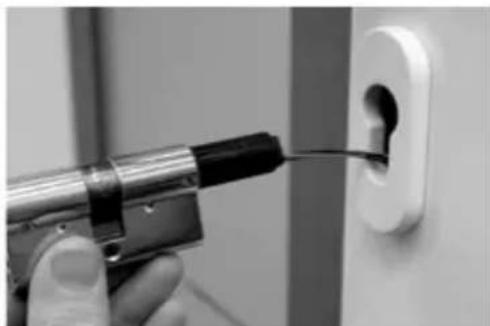
natural_image
Close-up of a hand using a power tool to insert or install a small component into a white electrical outlet (no text or symbols visible)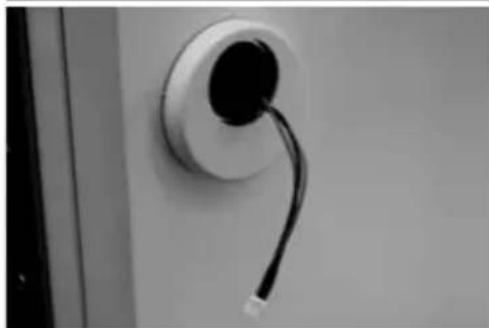
natural_image
Close-up of a wall-mounted cable or wire cable attached to a circular socket (no text or symbols visible)natural_image
Close-up of a screwdriver inserted into a wall socket (no text or symbols visible)natural_image
Close-up of a black electric motor mounted on a wall, with visible wiring and a small component (no text or symbols)natural_image
Close-up of a mechanical device with a magnified inset showing internal components (no visible text or symbols)natural_image
Close-up of a mechanical component with visible springs and a curved shaft (no text or symbols)natural_image
Close-up of a black cylindrical object mounted on a white wall, with a curved handle attached (no text or symbols visible)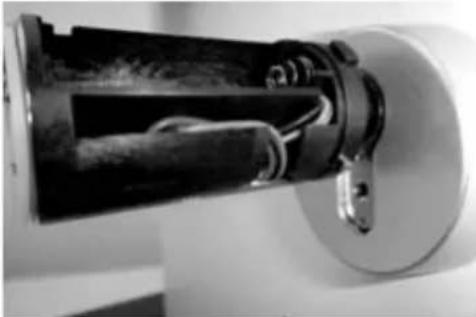
natural_image
Close-up of a mechanical device with internal components and mounting bracket (no visible text or symbols)natural_image
Close-up of a cylindrical battery with a metallic internal component, mounted on a wall (no visible text or symbols)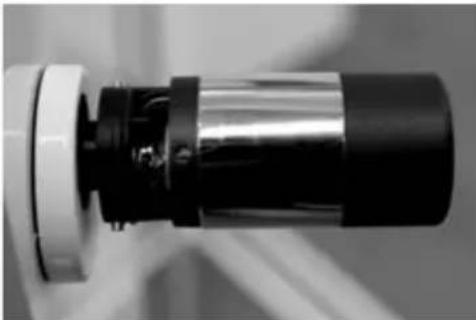
natural_image
Close-up of a mechanical component with metallic and black sections (no visible text or symbols)natural_image
Close-up of a hand holding a screwdriver with an arrow indicating direction (no text or symbols visible)natural_image
Two views of a handheld electronic device: one held in hand, the other showing internal components (no visible text or symbols)natural_image
Black and white photo of a handheld electronic device with a vertical arrow indicating measurement or direction (no visible text or symbols)Batteriewechsel secuENTRY Tastatur
natural_image
Close-up of a graduation cap on a wall, no visible text or symbolsnatural_image
Black-and-white photo of a compact hard drive with a curved arrow indicating rotation (no visible text or symbols)natural_image
Black triangular object with stepped edges and a curved arrow at the bottom right (no text or symbols)natural_image
Close-up of a black and white object mounted on a wall, possibly a device or tool, with no visible text or symbols.natural_image
Close-up of a hand holding a cylindrical mechanical component with black and metallic parts (no visible text or symbols)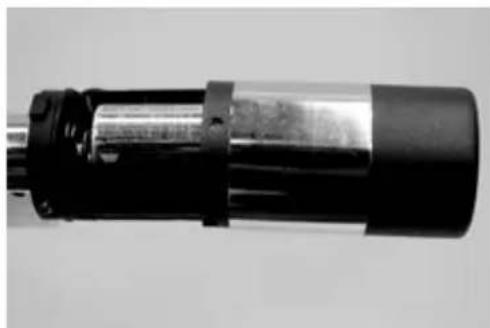
natural_image
Close-up of a cylindrical mechanical component with black and metallic sections (no visible text or symbols)natural_image
Close-up of a black cylindrical device mounted on a white circular base, with no visible text or symbols.natural_image
Close-up of a cylindrical mechanical component with black and metallic sections (no visible text or symbols)natural_image
Close-up of a mechanical component with a cylindrical shaft and flange (no visible text or symbols)natural_image
Close-up of a black graduation cap on a wall, no visible text or symbolsnatural_image
Stacked hard drives with a curved arrow indicating rotation (no visible text or symbols)natural_image
Close-up of a black plastic electrical connector with a screwdriver inserted (no visible text or symbols)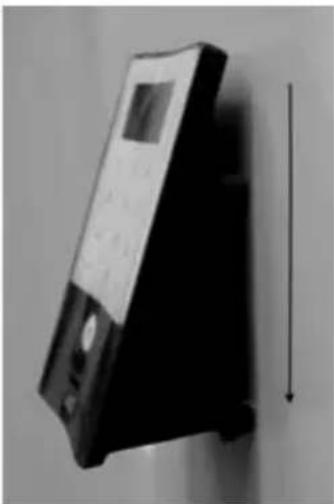
natural_image
Black and white photo of a handheld electronic device with a vertical arrow indicating measurement or alignment (no visible text or symbols)Activation of the keypad for the entry of the opening code.
B Enter key
Selection of a menu item.
c Function key
The function key provides for a variety of actions depending on the current status of the keypad. The display indicates, which function is active.
1) Access to the menu for programming
When the "Func:M" symbol is displayed, the menu can be reached by pressing the "Func" key. In the menu, the keys "1" and "2" can be used as a scroll function to navigate through its structure.
2) Deleting an entry action
When the "Func:C" symbol is displayed, the last entry can be cancelled by pressing the "FUNC" key.
3) Entry to previous programming level / Back
When you are in the menu, the symbol "Func:<" is displayed. By pressing the "FUNC" key, you return into the menu structure on the next higher level.
D Battery indicator
■■■. Battery full Battery empty
The display indicates battery statuses of the cylinder unit and the keypad unit. The indication on the display concerns the batteries with the lowest status. In case a battery is empty, the display indicates as follows:
Replace battery in keypad or replace battery in knob.
When the battery has been replaced and then the opening code entered twice, the currently lowest battery status is displayed. When only a single battery set is replaced, the display can still indicate an "incomplete" status, despite the replacement. In case you do not replace the batteries in spite of the replacement indication, you will have to enter the valid opening code once more in order to open the door. At the same time, the inner knob LED flashes 5 x 5 times. You can still open the door in this way approx. 50 times. Then it can only be opened using the administrator code. Now the batteries must be replaced, otherwise the door cannot be opened any more.
E Fingerscan sensor
To open or register the particular finger.
Dear customer,
Thank you very much for your decision for the secuENTRY electronic lock system manufactured by BURG-WÄCHTER.
This system has been developed and manufactured using the latest technical potential and satisfies high security requirements.
The electronic cylinder can be used easily without any drilling in any door prepared for profile cylinder up to a door thickness of 130 mm (67.5 / 62.5), measured at the central detent bolt, and is perfectly appropriate for new installation as well as for retrofitting.
Depending on the specific system, various opening media are available. With systems containing a keypad, user administration is additionally integrated.
You can find out more on the following pages.
Attention! Just a light pressure by your finger is required to operate the keypad, similarly to modern high quality touchscreen mobile phones!
Important: Please read the entire User Manual before you start programming. We hope you enjoy your new locking system.
General information about secuENTRY
secuENTRY is available in three versions:
- ENTRY BASIC
- ENTRY PINCODE
- ENTRY FINGERPRINT
In the set configurations ENTRY PINCODE and ENTRY FINGERPRINT, the keypad is already registered in the cylinder. Similarly, the attached transponders are already registered in the cylinder and can be applied immediately.
Administrator code / QR code
The QR Code is required for both the setup of opening options using the BURG-WÄCHTER KeyApp and for the subsequent attaching and registration of a keypad or a cylinder. In ENTRY Pincode and ENTRY Fingerprint, the administrator code is factory-set to 1-2-3-4-5-6 (please never forget to change it).
Attention! In case you lose your administrator code and / or your QR code, any reprogramming and any use of administrator functions becomes impossible. Please store it carefully!
Our hint: The QR code can also be stored in an electronic form as a scanned file or a photograph on a protected data carrier.
Examples of additional functions using the optional ENTRY 5750 software:
- User administration
- Assignment of authorisations
- History function
Power supply
- 2 x MIGNON LR6 AA ALKALINE for the keypad
• lithium battery (CR123A) for the cylinder
Optical signalling
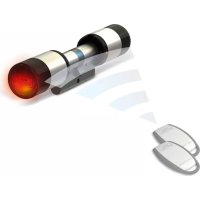
Optical signalling in the form of a LED is incorporated in the knob on the outer side of the door.
This LED informs you on the following:
• 1 x brief: cylinder coupled
- 2 x brief: cylinder uncoupled
- 1 x brief, 1 x long, 2 sec pause, repeating: lock in programming mode
- 5 × briefly, 2 sec pause, repeating at 20 sec: battery in cylinder empty
Technical data
| Blocking times After | 3 × wrong codeis entered 1 minute,then always 3 minutes |
| Display Adjustable to | 12 languages |
| Permissible ambient conditions* | -15 °C / +50 °C/ up to 95 % rel. air humidity (noncondensing); as a result of extreme temperature changes, the display can react slowly or darken. |
| Protection class Protection | ction class keypad PINCODE IP65Protection class keypad Fingerprint IP55Protection class cylinder IP65 |
In case the temperature exceeds the specified range, a corresponding warning message is indicated on the display. Provide for an appropriate corrective action!
These are the different QR codes:
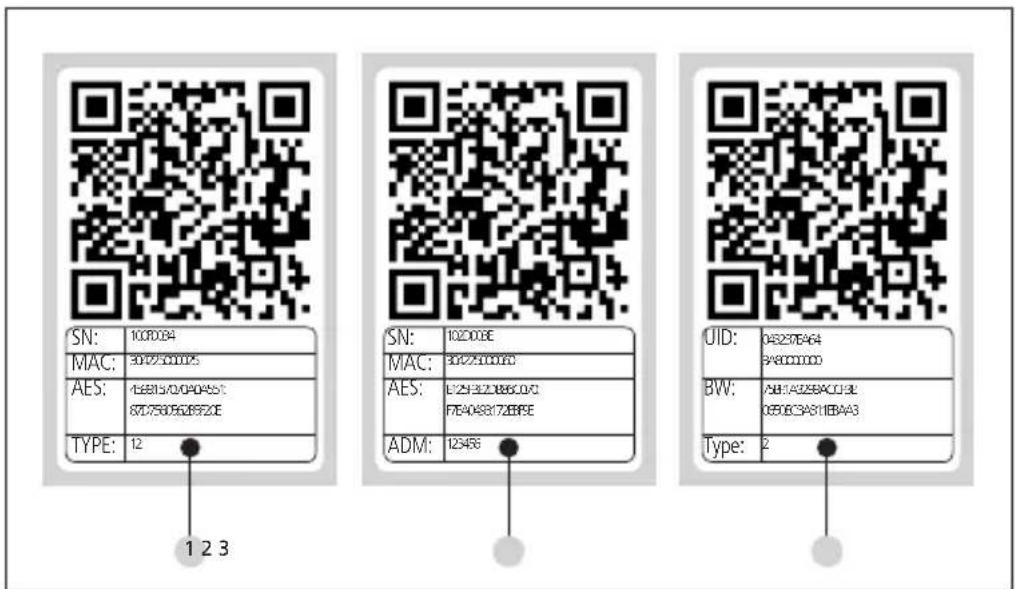
text_image
SN: 1000084 MAC: 9025100005 AES: 158815/0/040455: 87D75B05628F2CE TYPE: 12 1 2 3 SN: 102008E MAC: 3042510000C AES: L725F3ZJ8B6C0/C FTE404817ZEBFE ADM: 123456 UID: 045237B464 BW: 58H5AG25BACU3L 085063A811B4A3 Type: 21 Keypad (SN; MAC; AES; Type)
2 Cylinder (SN; MAC; AES; ADM)
3 Transponder (UID; BW; Type)
Attention! If you have purchased the ENTRY Basic set, the "Type" field contains the number of the corresponding transponder.
Opening
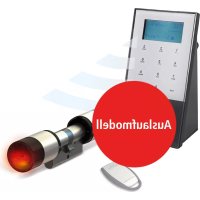
Depending on the equipment configuration, secuENTRY can be operated using a 6-digit numerical code, the BURG-WÄCHTER KeyApp, with a fingerprint, the sE key, or a transponder.
Opening with PIN code
- Press the Key
- Enter the 6 digit PIN code (factory-set to 1-2-3-4-5-6). The display indicates "Please use rotating knob!" and the LED integrated in the cylinder flashes once when the opening is successful.
- Turn the cylinder knob
Opening with transponder
- Hold the transponder from the front at no more than 1 cm from the cylinder knob. The LED integrated in the cylinder flashes once when the opening is successful.
- Turn the cylinder knob
When using the opening procedure with a transponder, please note that the keypad should not be previously activated using the ⏻key!
Opening with fingerprint
- Press the Key
- Move the registered finger from the top to the bottom centrally over the sensor. The display indicates "Please use rotating knob!" and the LED integrated in the cylinder flashes once when the opening is successful.
- Turn the cylinder knob
Opening with the sE key
- Hold your sE key in front of the cylinder knob and press the button. The LED integrated in the cylinder flashes once when the opening is successful.
- Turn the cylinder knob
Opening with Burg-Wächter KeyApp
- Hold your smart device in front of the cylinder knob and press the opening button of the KeyApp.
- The LED integrated in the cylinder flashes once when the opening is successful.
- Turn the cylinder knob
BURG-WÄCHTER KeyApp
You can download the BURG-WÄCHTER KeyApp from the App Store or the Google Play Store. For this purpose, simply enter the search item "secuENTRY" or "KeyApp".
Compatible with Samsung Galaxy S4, S4 mini, S5 and S5 mini from Android 4.3 KitKat or 5.0 Lollipop, Apple iPhone 4S, 5, 5S, 6, 6P from IOS 8.1.3.
Please check under:
https://www.burg.biz/international
whether other Smartphones are compatible with the app.
ENTRY Pincode
General information
The electronic cylinder is operated by entering a PIN code. Additionally, the lock can also be operated using the BURG-WÄCHTER KeyApp or a transponder.
Contents of the delivery
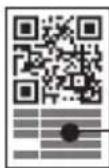
1 QR code keypad
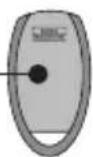
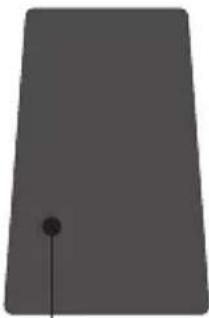
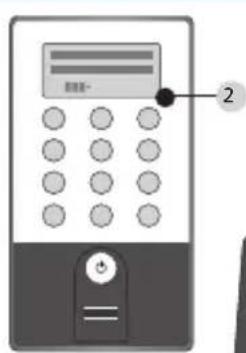
2 Keypad
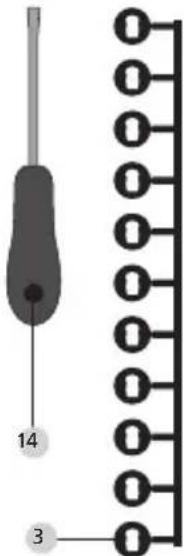
3 Adapter set
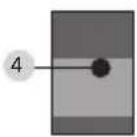
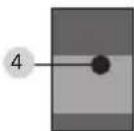
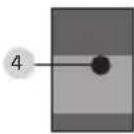
4 Inner knob
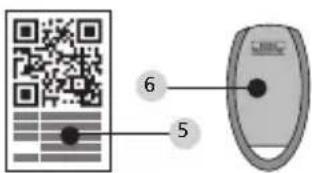
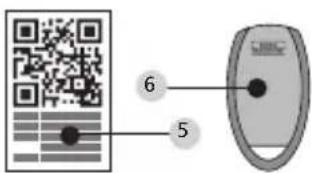
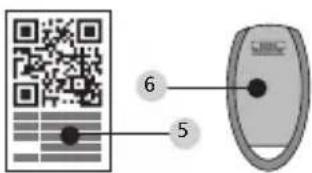
5 QR code transponder
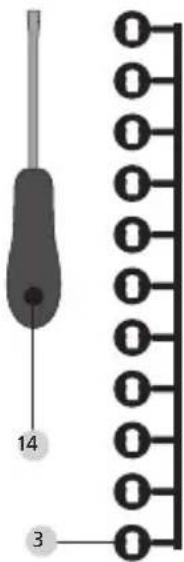
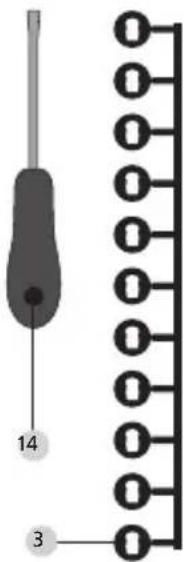
6 Transponder
7 Fixing materials 1 keypad
8 Fixing materials 2 keypad (adhesive pads)
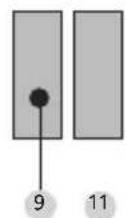
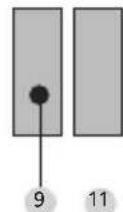
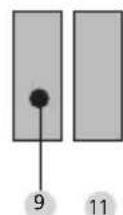
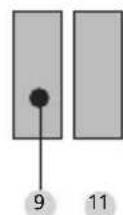
9 Cylinder extension
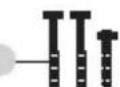
10 Adapter screws
11 Rubber shell
12 Assembly aid
13 Disconnecting pliers
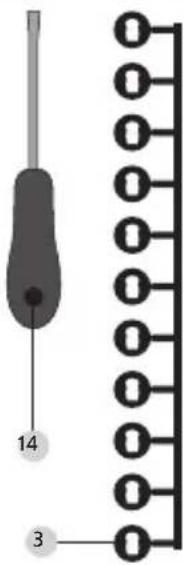
14 Tx (size 8)
15 Forend screw
16 Allen key (size 3)
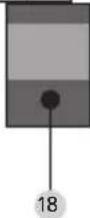
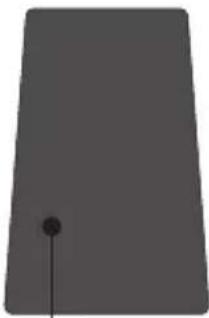
17 QR code cylinder
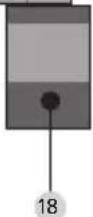
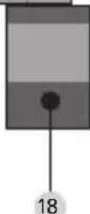
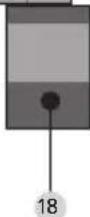
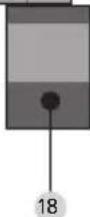
18 Cylinder
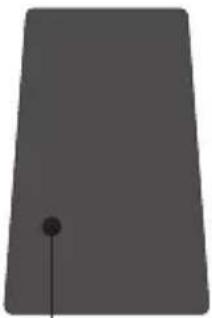
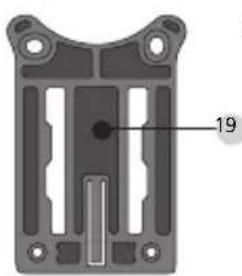
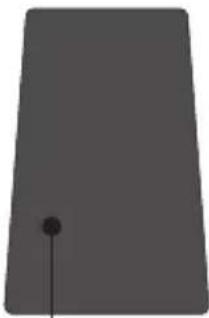
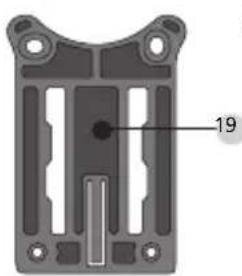
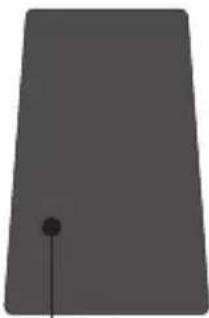
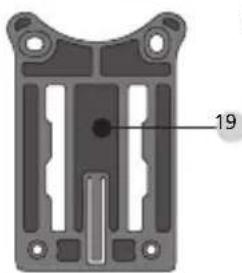
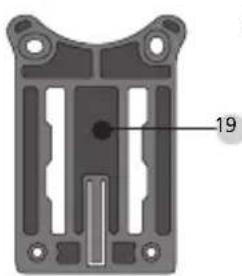
19 Wall mounting plat
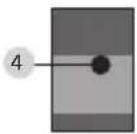
20 Sight protection film
Functions:
• Total number of users: up to 50
- A transponder can also be assigned to every PIN code user (except administrator)
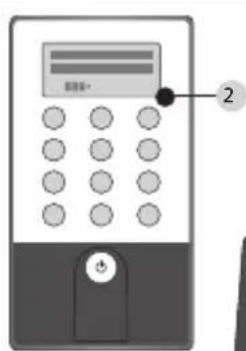
text_image
Diagram of a digital payment terminal with labeled buttons and keypad
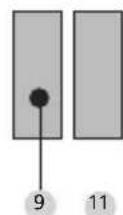
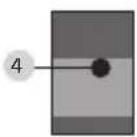
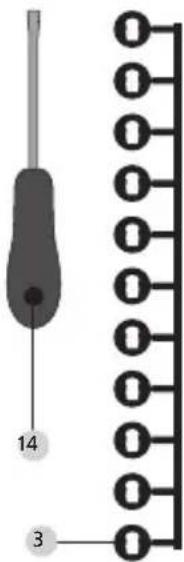
text_image
14 3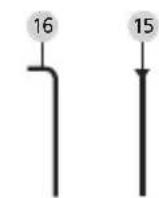
natural_image
Solid gray rectangular shape with a small black dot at the bottom center (no text or symbols)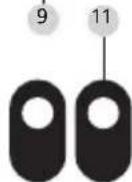
17
natural_image
Technical diagram of a mechanical component with labeled part '19' (no other text or symbols)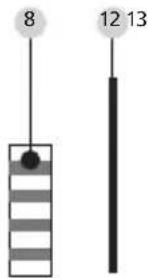
text_image
8 12 13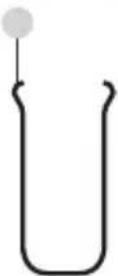
7 10
text_image
Image showing a QR code and a shield-shaped object with labeled points 5 and 6ENTRY Fingerprint
General information
The electronic cylinder is operated using a scanned finger. Up to 24 fingers can be programmed using the keypad. The users are created separately (USER XXX_FP). If a code and / or an transponder should be additionally assigned to a user, it is to be created separately.
Contents of the delivery
1 QR code keypad
2 Keypad
3 Adapter set
4 Inner knob
5 QR code transponder
6 Transponder
7 Fixing materials 1 keypad
8 Fixing materials 2 keypad (adhesive pads)
9 Cylinder extension
10 Adapter screws
11 Rubber shell
12 Assembly aid
13 Disconnecting pliers
14 Tx (size 8)
15 Forend screw
16 Allen key (size 3)
17 QR code cylinder
18 Cylinder
19 Wall mounting plate
20 Sight protection film
Attention! The fingerprint sensor must not be cleaned with detergents. Please use a slightly moistened cloth for this purpose.
Functions:
- Total number of users: up to 50, out of whom number of fingerprints: up to 24
- A transponder can also be assigned to every PIN code user (except administrator)
text_image
Diagram of a digital payment terminal with labeled button and control buttons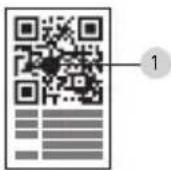
text_image
14 3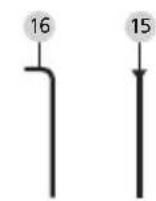
natural_image
Solid gray rectangular shape with a small black dot at the bottom center (no text or symbols)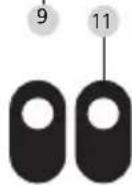
17
natural_image
Technical diagram of a mechanical component with labeled part '19' (no readable text or symbols beyond label)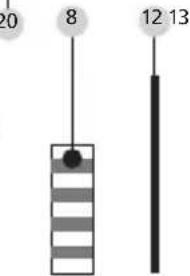
text_image
20 8 12 13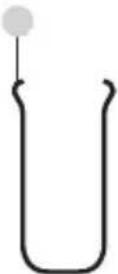
7 10
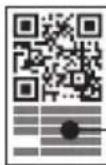
6
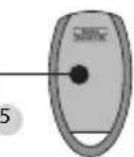
ENTRY Basic
General information
The electronic cylinder is operated using a transponder. The transponder should be positioned in front of the cylinder knob.
Subsequent programming of additional transponders can be done using a secuENTRY keypad or the ENTRY software. The operating range of a transponder is up to 1 cm.
Contents of the delivery
1 Adapter set
2 Inner knob
3 QR code transponder 1
4 Transponder 1
5 QR code transponder 2
^6 Transponder 2
7 Cylinder extension
8 Adapter screws
9 Allen key
10 Forend screw
11 Assembly aid
12 Disconnecting pliers
13 Rubber shell
14 QR code cylinder
15 Cylinder
Functions:
• Total number of users: up to 50
Optional locking media:
- ENTRY KP PIN
- ENTRY KP FP (up to 24 fingerprints possible)
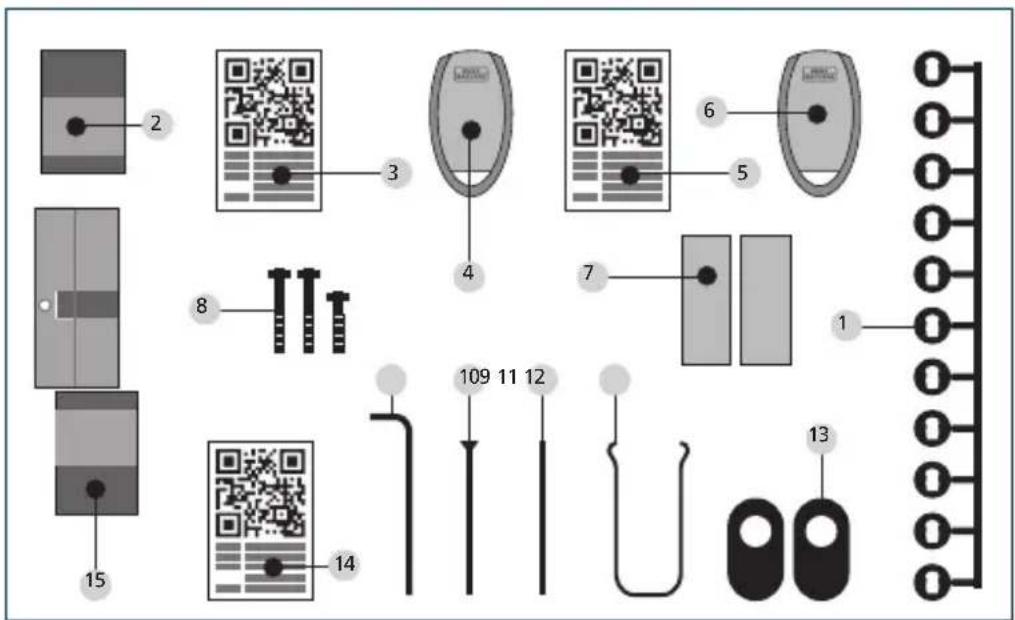
text_image
Diagram showing 15 labeled components of a device or sensor system with QR codes and connector pin layoutBasic indication of the menu functions
When the "Func:M" symbol is displayed, the menu can be reached by pressing the "FUNC" key. In the menu, the keys "1" and "2" can be used as a scroll function to navigate through the menu structure. The ←(Enter) key can be used to reach the next menu level.
Setting up menu structure
Code Change menu
Language menu
Administrator menu
Create User menu
Create: Code
Create sE key
Create: Transponder 1,2
Create: Fingerprint:
Assign User menu
Create: Code
Create sE key
Create: Transponder 1,2
Create: Fingerprint:
Delete menu
Time Functions menu
Setting the time 2,3
Setting the date 2.3
Setup menu
Register
Reorganize
Transmission power
Firmware update
Display contrast
Programming
FP Reset menu 1,2
Info menu
EE version and serial number info
AE version and serial number info
Running time info
Opening counter info
Start-up date info
The functions for the products are described below
Pincode ENTRY and Fingerprint ENTRY.
Menu Code change
Changing the administrator code and the user codes
- Activate the keypad using the ⏻
- Then press FUNC ,Menu / Code Change' is displayed
- Confirm your selection using
-
Now you can use the keys 1 or 2 to scroll until the administrator / user, whose user code should be changed, is displayed
-
Confirm with
- Enter the code valid so far (existing code) and press
- Enter the new code and confirm it with
- Repeat your entry and confirm it again with
"Code change accomplished" is displayed after a correct entry
Note: When a cylinder is first started up, additional information on the current date and time are requested: - Enter the day (2 digits) and confirm your selection using
- Enter the month (2 digits) and confirm your selection using
- Enter the year (2 digits) and confirm your selection using
- Enter the hour (2 digits) and confirm your selection using
- Enter the minutes (2 digits) and confirm your selection using
"Code change accomplished" is displayed after a correct entry
Sprache / Language menu Language set up
- Activate the keypad using the ⚫key
- Then press FUNC, ,Menu / Code Change' is displayed
- Scroll using the 2 key till reaching the above menu item
- Confirm with
- Use the keys 1 or 2 to scroll until the required language is displayed
- Confirm with
Menu administrator
Various submenus are available under the Administrator menu
Submenu create user with code
- Activate the keypad using the ⏻ key
- Then press FUNC, 'Menu / Code Change' is displayed
- Scroll using the 2 key till reaching the ,Administrator menu'
- Confirm with ←. The "Create User" menu item appears
- Confirm with
- Scroll using the 2 key till reaching the "Create User: Code" item
- Confirm with
- Enter the administrator code in order to acquire the authorisation for programming
- The next free memory cell is displayed (e.g. USER.0003 CD)
- Enter the 6 digit code and confirm it 2 × with
- "Data has been saved" is displayed
Submenu create user with transponder
- Activate the keypad using the key
- Then press FUNC, 'Menu / Code Change' is displayed
- Scroll using the 2 key till reaching the 'Administrator menu'
- Confirm with The "Create User" menu item appears
- Confirm with
- Scroll using the 2 key till reaching the "Create User: Transponder" item
- Confirm with
- Enter the administrator code in order to acquire the authorisation for programming
- Hold the transponder in front of the knob
- "User.xxxx.TR successfully programmed" appears in the display
Submenu create user with Fingerprint
(This function is only active with ENTRY Fingerprint and with the ENTRY KP FP keypad)
- Activate the keypad using the ⏻ key
- Then press FUNC, ,Menu / Code Change' is displayed
- Scroll using the 2 key till reaching the ,Administrator menu'
- Confirm with The "Create User" menu item appears
- Confirm with
- Scroll using the 2 key till reaching the "Create User: Fingerprint" item
- Confirm with
- Enter the administrator code in order to acquire the authorisation for programming
- "Register finger" is displayed
- Move the finger to be registered several times centrally over the sensor (the number of moves is indicated on the display)
- "User.xxxx.FP successfully programmed" appears in the display
Create User with sE key submenu:
- Switch on the keypad using the key ⏻
- Then press FUNC; "Menu / Code Change" appears
- Scroll using the 2 key until the Administrator menu appears
- Confirm your selection using
- The "Create User" menu item appears
- Confirm your selection using
- Scroll using the 2 key until "Create: sE key" appears
- Confirm your selection using
- Enter the administrator code in order to acquire the authorisation for programming
- Manipulate the sE Key in the vicinity of the cylinder
- "User.xxxx.KY created" appears in the display
Assigning a Code submenu
Using this function, you have the option to subsequently assign a code to an already existing user. For this purpose, proceed as follows:
- Switch on the keypad using the key
- Then press FUNC – "Menu/Code Change" appears
- Scroll using the 2 key until the Administrator menu appears
- Confirm your selection using
- Scroll with the 2 key until "Assign" appears
- Confirm your selection using
- Scroll with the 2 key until "Create User: Code" appears
- Confirm your selection using
- Enter the administrator code in order to acquire the authorisation for programming
- Scroll to the user to whom you want to assign a code and confirm using
- Enter a 6-digit code and confirm 2 × using
- "Data has been saved" appears in the display
Assigning an sE key submenu
Using this function, you have the option to subsequently assign an sE to an already existing user. For this purpose, proceed as follows:
- Switch on the keypad using the key
- Then press FUNC – "Menu/Code Change" appears
- Scroll using the 2 key until the Administrator menu appears
- Confirm your selection using
- Scroll with the 2 key until "Assign" appears
- Confirm your selection using
- Scroll using the 2 key until "Create User: sE key" appears
- Confirm your selection using
- Enter the administrator code in order to acquire the authorisation for programming
- Scroll to the user to whom you want to assign an sE and confirm using
- Manipulate the sE Key in the vicinity of the cylinder
- "User.xxxx.KY successfully created" appears in the display
Assigning a transponder submenu
Using this function, you have the option to subsequently assign a transponder to an already existing user. For this purpose, proceed as follows:
- Switch on the keypad using the key
- Then press FUNC – "Menu/Code Change" appears
- Scroll using the 2 key until the Administrator menu appears
- Confirm your selection using
- Scroll with the 2 key until "Assign" appears
- Confirm your selection using
- Scroll with the 2 key until "Create User: Transponder" appears
- Confirm your selection using
- Enter the administrator code in order to acquire the authorisation for programming
- Scroll to the user to whom you want to assign a transponder and confirm using
- Hold the face of the transponder directly in front of the knob and confirm on the keypad using
- "User.xxxx.TR successfully created" appears in the display
Assigning a finger submenu
Using this function, you have the option to subsequently assign a finger to an already existing user. For this purpose, proceed as follows:
- Switch on the keypad using the key
- Then press FUNC – "Menu/Code Change" appears
- Scroll using the 2 key until the Administrator menu appears
- Confirm your selection using
- Scroll with the 2 key until "Assign" appears
- Confirm your selection using
- Scroll with the 2 key until "Create User: Fingerprint" appears
- Confirm your selection using
- Enter the administrator code in order to acquire the authorisation for programming
- Scroll to the user to whom you want to assign a finger and confirm using
- "User.xxxx.FP successfully created" appears in the display
- Move the finger to be registered several times centrally over the sensor (the number of moves is indicated on the display)
Delete submenu
- Switch on the keypad using the key
- Then press FUNC – "Menu/Code Change" appears
- Scroll using the 2 key until the Administrator menu appears
- Confirm your selection using
- Scroll with the 2 key until "Delete Admin. setting" appears
- Confirm your selection using
- Enter the administrator code in order to acquire the authorisation for programming
- Scroll to the identification medium that you want to delete and confirm 2x using
• "Data deleted" appears in the display
Time Functions submenu (Premium only)
This is intended for setting the time and date
Setting the time:
Not available as a standard function.
Setting the date:
Not available as a standard function.
Setup submenu
General system settings
Register
After a replacement of the cylinder or the keypad, the two units have to be newly aligned, so that they can resume communication. Attention! Before registering a keypad, the ENTRY cylinder must be awakened. This is done by opening the lock once with a transponder. Then you have 1min time for the login process.
Registration of a keypad
- Activate the keypad using the key
- Then press FUNC, ,Menu / Code Change' is displayed
- Scroll using the 1 or 2 key till reaching the 'Administrator menu'
- Confirm with
- Scroll using the 1 or 2 key until reaching the "Setup" menu item
- Confirm with
- Enter the admin code of the unit to be registered
- "Data has been saved" is displayed after a successful registration
Attention! Make sure that no other powered secuENTRY unit is placed within a direct reach of the device when registering a new keypad or a new cylinder, as such unit could be mistakenly addressed instead of the intended one. When in doubt, disconnect such units from power before the registration (remove batteries).
Reorganise
The use of this function is recommended when several users have been deleted.
- Activate the keypad using the ⏻ key
- Then press FUNC, ,Menu / Code Change' is displayed
- Scroll using the 2 key till reaching the ,Administrator menu'
- Confirm with
- Scroll using the 2 key until reaching the "Setup" menu item
- Confirm with
- The "Reorganise" menu item appears
- Confirm with
- Enter the administrator code in order to acquire the authorisation for programming
- "Reorganisation in progress" is displayed
Transmission power
The system or current consumption is optimised via the transmission power and the wireless range of the cylinder and keyboard is expanded or reduced. In delivery condition, a low transmission power is set in order to obtain the longest possible battery life. The transmission power should only be increased if repeated transmission problems occur. The setting does not usually have to be adjusted.
Firmware update
The seuEntry keyboard can be sequentially updated via the Burg-Wächter ConfigApp. Please refer to the instructions for the ConfigApp for the exact procedure.
Display contrast
- Switch on the keypad using the key ⏻
- Then press FUNC – "Menu/Code Change" appears
- Scroll using the 2 key until the Administrator menu appears
- Confirm your selection using
- Scroll with the 2 key until "Setup" appears
- Confirm your selection using
- Scroll with the 2 key until "Display contrast" appears
- Confirm your selection using
- Select the desire contrast level using the 1 key (weaker) or the 2 key (stronger)
Programming
You can input into the keypad a data set created with the PC software via Programming.
The data set can be programmed using the PC software as well as the secuENTRY ConfigApp.
- Switch on the keypad using the key
- Then press FUNC – "Menu/Code Change" appears
- Scroll using the 2 key until the Administrator menu appears
- Confirm your selection with
- Scroll with the 2 key until "Setup" appears
- Confirm your selection with
- Scroll with the 2 key until "Programming" appears
- Confirm your selection with
- Enter the administrator code in order to acquire the authorisation for
programming
- The message "Start the file transmission" appears in the display. The keypad is now in programming mod and can be programmed using the PC software or the ConfigApp.
Submenu FP Reset
(This function is only active with ENTRY Fingerprint and with the ENTRY KP FP keypad) All the stored fingerprints are deleted, however, the corresponding users are retained. Please select this menu and follow the instructions on the display in case of repeated error functions related to the use of fingerprints.
Info menu
Using this function, you can have several pieces of information of the system displayed.
- Switch on the keypad using the key
- Then press FUNC – "Menu/Code Change" appears
- Scroll using the 2 key until "Info menu" appears
- Confirm your selection using
- Using key 1 or 2, you can scroll between the following information:
- Version and serial number of the keypad
- Version and serial number of the cylinder
- Operating time of the cylinder
- Opening procedures of the cylinder
- Start-up date and time of the cylinder
Note: For security reasons, complete information about the cylinder is only displayed after entering a valid administrator code.
Installation instructions for the secuENTRY cylinder
Please read these Installation Instructions carefully before the assembly and then store them at a safe place.
Remark:
The base size of the cylinder is 30 mm per side. When shipped, the cylinder has, on its inner side, the base length of 30mm, with the outer knob already mounted. The cylinder is provided with an adapter set allowing for adaptation of the cylinder to door thicknesses of up to 130 mm (67.5 / 62.5) measured at the central detent bolt). The adapter set provides appropriate screws for different adapter lengths.
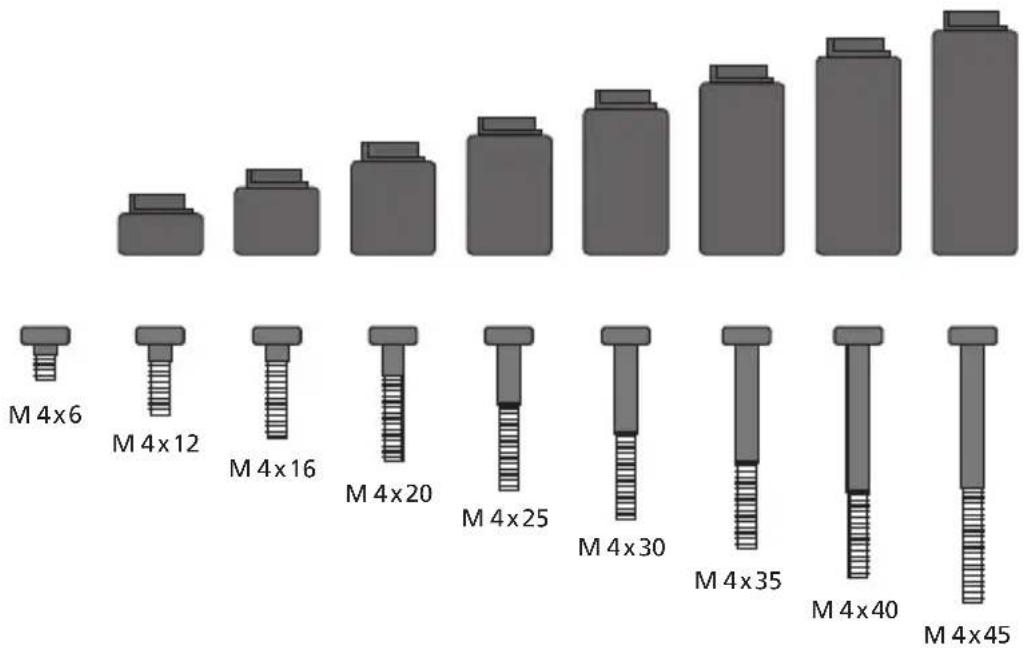
bar
| Configuration | Value | | ------------- | ----- | | M 4x6 | 1 | | M 4x12 | 2 | | M 4x16 | 3 | | M 4x20 | 4 | | M 4x25 | 5 | | M 4x30 | 6 | | M 4x35 | 7 | | M 4x40 | 8 | | M 4x45 | 9 |Fig. 1: Illustration of the adapter and corresponding screws (1:1 illustration on a separate sheet)
text_image
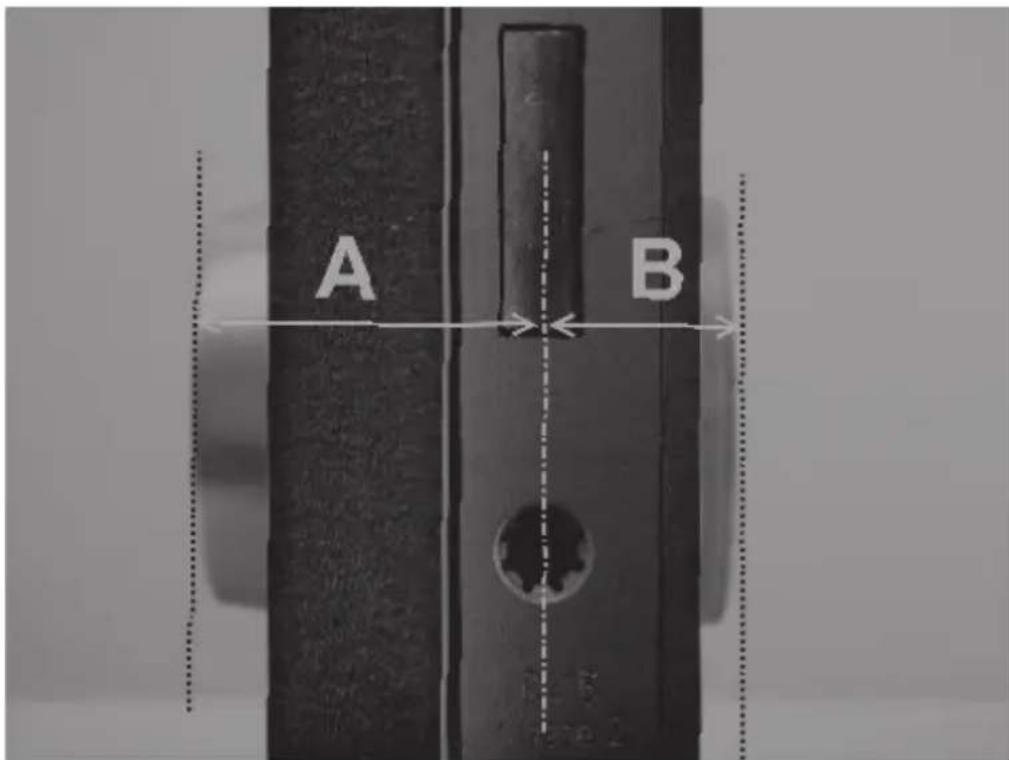
A B| Adapter No | adapter | 1 2 3 4 | |||
| Dimension A; B <= | 29mm | 29,5 – 34mm | 34,5 – 38,5mm | 39 – 42,5mm | 43 – 47,5mm |
| Screw M4 x 6 M4 | x 12 M4 x 1 | 6 M4 x 20 | M4 x 25 | ||
| Adapter 5 6 7 8 | |||||
| Dimension A; B 48 – 52,5mm | 53 – 57,5mm | 58 – 62,5mm | 63 – 67,5mm | ||
| Screw M4 x 30 M4 | x 35 M4 x | 40 M4 x 45 | |||
Tab.1: Required adapters
Attention! Attention shall be paid to prevent the inner knob from being bumped, as the knob can break in such case. The lock shall not be greased or oiled.
Proceed as follows to assemble the system:
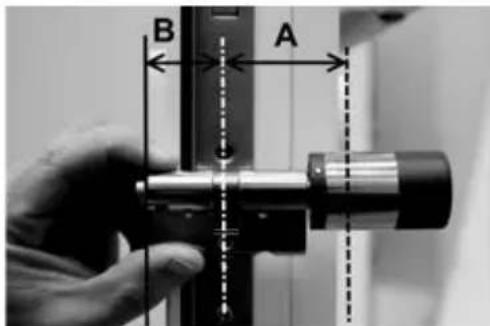
Attach the cylinder to the door in order to determine whether an adapter is required. Alternatively, the door incl. fittings can be measured (dimensions A; B). When using rubber shells for profile cylinder holes, you should always add 2mm to the actual size.
text_image
B AMounting for doors with thickness incl. ttings which are less than 29mm per side and for which the cylinder can be moved from outside to inside through the pro-le cylinder hole.
1 Slide the cylinder from outside to inside through the pro le cylinder hole.
natural_image
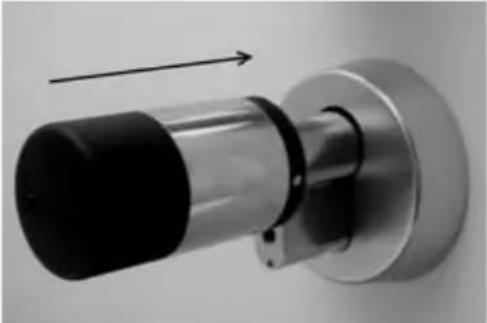
Close-up of a metallic cylindrical mechanical component with black top and black side, mounted on a flanged base (no text or symbols visible)2 Fix the cylinder using the forend screw.
3 Put the inner knob on the cylinder or on the appropriate adapter and fasten it with the corresponding screw. Table 1 provides the required dimensions.
natural_image
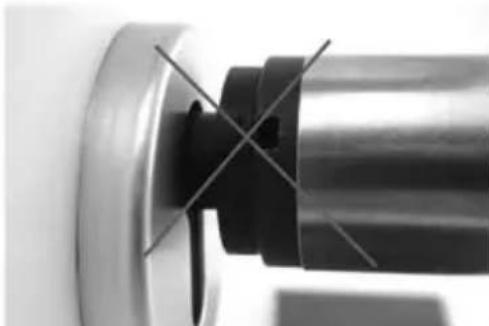
Close-up of mechanical components with wires and a circular base (no visible text or symbols)4 Push the sleeve on the inner knob and snap it in.
natural_image
Close-up of a mechanical component with a metallic rim and black clamped parts, no visible text or symbols.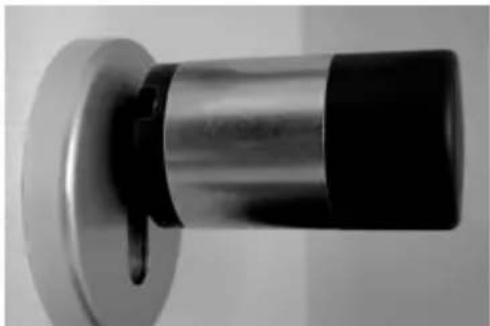
natural_image
Close-up of a metallic cylindrical object with black and white sections, mounted on a flanged base (no visible text or symbols)Mounting for doors which thickness incl. ttings exceeds 29mm per side.
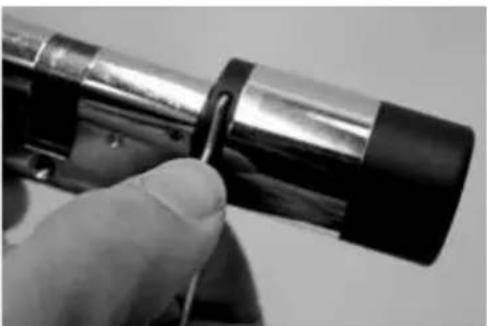
1 Use the disconnecting pliers to push the knob latches together and pull the sleeve off.
natural_image
Close-up of a hand holding a cylindrical device with black and metallic casing (no visible text or symbols)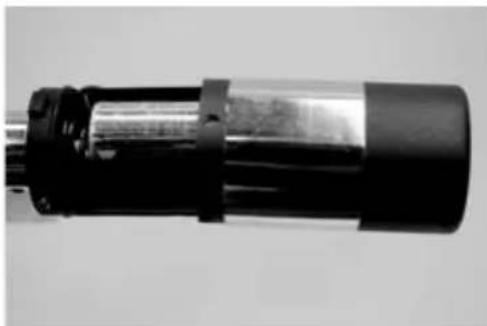
natural_image
Close-up of a cylindrical mechanical component with black and metallic sections (no visible text or symbols)2 Carefully pull off the plug.
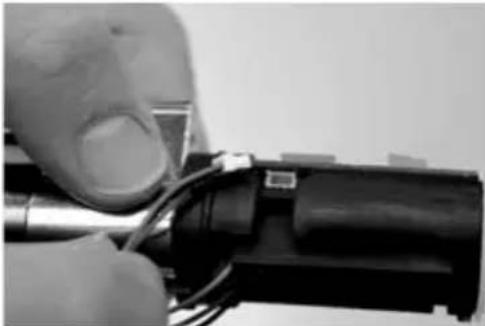
natural_image
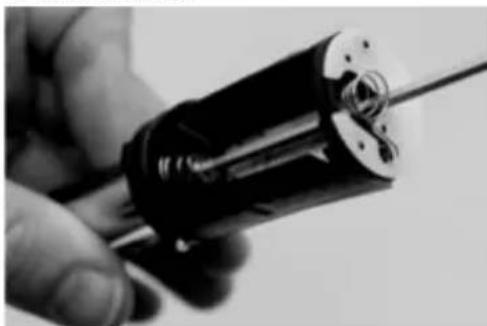
Close-up of a hand holding a tool with wires inserted into a cylindrical device (no visible text or symbols)3 Remove the screw.
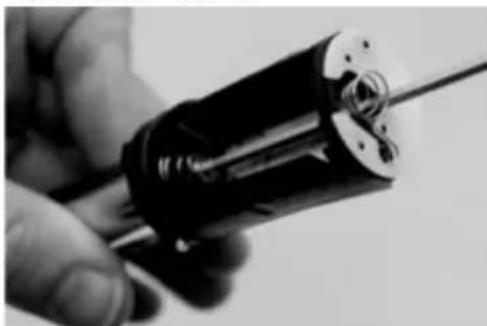
natural_image
Close-up of a hand holding a cylindrical mechanical component with a metallic rod (no visible text or symbols)Attention! Be careful not to damage the circuit board or the cable!
4 Pull the knob from the cylinder and slide the cable from the sleeve.
5 Choose the appropriate adapter for the outside and snap it on. Table 1 provides the required dimensions.
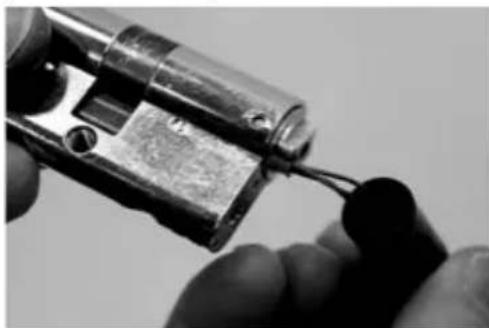
natural_image
Close-up of hands holding a small electronic component with wires inserted (no visible text or symbols)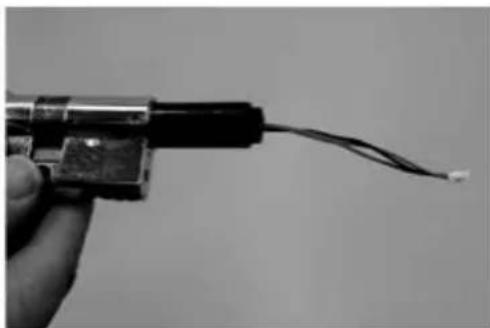
natural_image
Close-up of a hand holding a small electronic component with wires extending outward (no visible text or symbols)6 Slide the assembly aid on the plug and, together with the cylinder and the adapter, slide it from inside into the mortise lock.

natural_image
Close-up of a black cable with a separate rectangular component, no text or symbols visible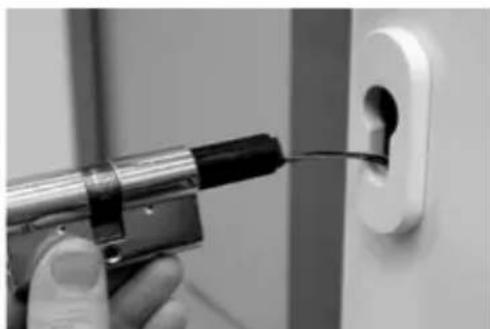
natural_image
Close-up of a hand using a power tool to apply black material into a white electrical outlet (no text or symbols visible)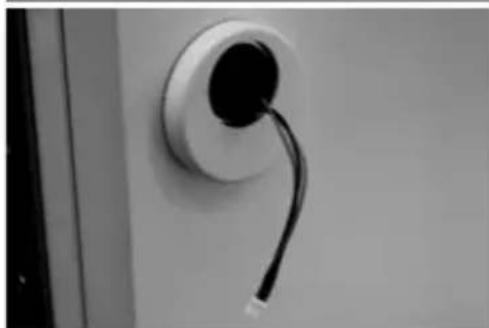
natural_image
Close-up of a wall-mounted electrical plug with a black cable inserted, no visible text or symbolsAttention! Do not pinch or damage the cable!
7 Fix the cylinder using the forend screw.
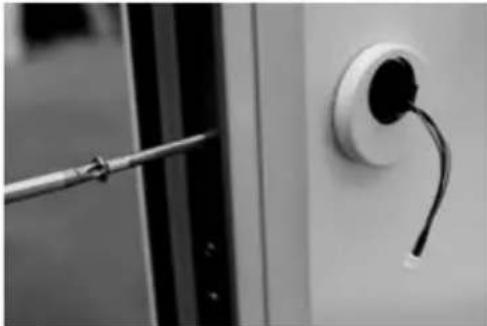
natural_image
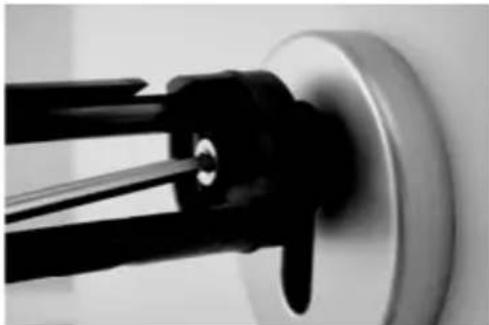
Close-up of a screwdriver inserted into a wall socket (no text or symbols visible)8 If required, install the cylinder extension (inside / outside) and mark it where aligned with the fitting. The cylinder extension prevents a stress on the cylinder.
9Remove the cylinder extension, use a saw to shorten it to the required length and mount it back finally.
10 Use the assembly aid to slide the cable through the outer knob.
Attention! Do not pinch or damage the cable!
11 Snap the adapter onto the cylinder.
natural_image
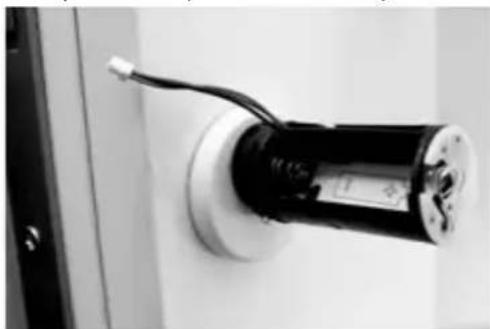
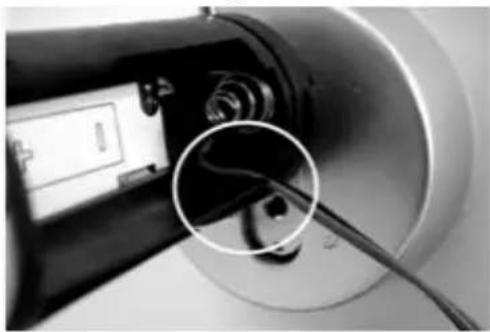
Close-up of a black cylindrical device mounted on a wall, with wires attached (no visible text or symbols)12 Hold the cable tight and lead it through the nut.
natural_image
Close-up of a mechanical component with a magnified inset showing internal cable and a small electronic device (no visible text or symbols)Attention! The cable must not overlap and must be completely stowed in the pocket!
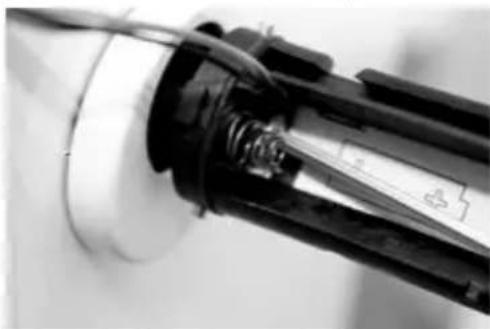
13 Use the attached Allen key to fasten the appropriate screw.
natural_image
Close-up of a mechanical component with wires and a circular base (no visible text or symbols)Attention! Do not pinch or damage the cable!
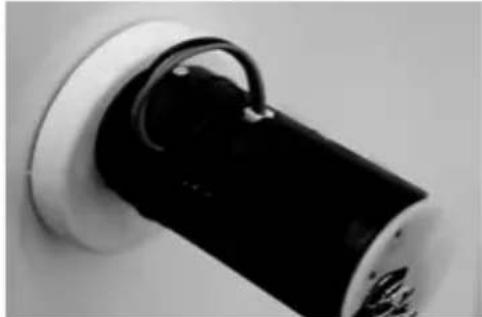
14 Connect the cable with the plate using the plug and stow the remaining cable in the side pocket intended for this purpose.
natural_image
Close-up of a black cylindrical object mounted on a white wall, with a curved handle attached (no visible text or symbols)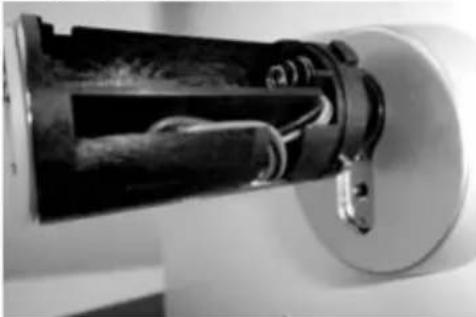
natural_image
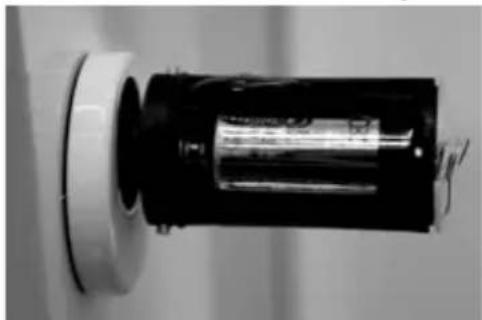
Close-up of a mechanical device with internal components and mounting base (no visible text or symbols)15 Inset the battery with the correct polarity and snap on the sleeve. Please remember: The fixing is possible in just one position!
natural_image
Close-up of a cylindrical battery with a black casing and metallic casing, mounted on a white base (no visible text or symbols)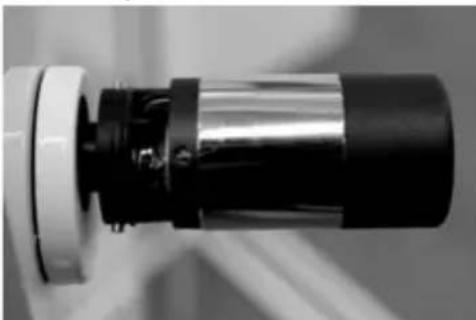
natural_image
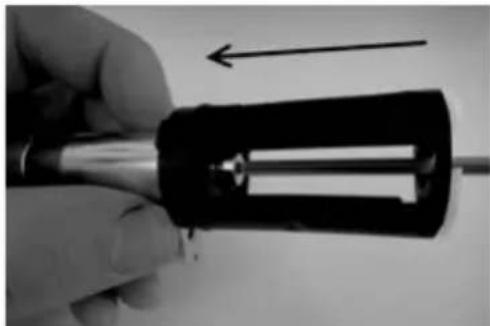
Close-up of a mechanical component with black and metallic sections, no visible text or symbols16 Put the inner knob on the cylinder or on the appropriate adapter and fasten it with the corresponding screw. Table 1 provides the required dimensions.
natural_image
Close-up of a hand holding a soldering iron with a black plastic cover and an arrow indicating direction (no text or symbols)17 Place the sleeve and snap it in.
Installation instructions for secuENTRY keypad
The keypad is only included in ENTRY Pincode and ENTRY Fingerprint sets.
Attention! Please remember that the keypad should not be attached to the door itself, otherwise it would transmit shocks when the door is being shut. The membrane affixed to the keypad rear side should not be sealed with glue and / or any other substance under any circumstances! Exchange of air must also be possible after the installation!
- Determine the installation place for the keypad. For that purpose, enter the opening code (e.g. PIN code, fingerprint, ...) at the desired mounting place and check whether the lock opens.
- Place the keypad correspondingly.
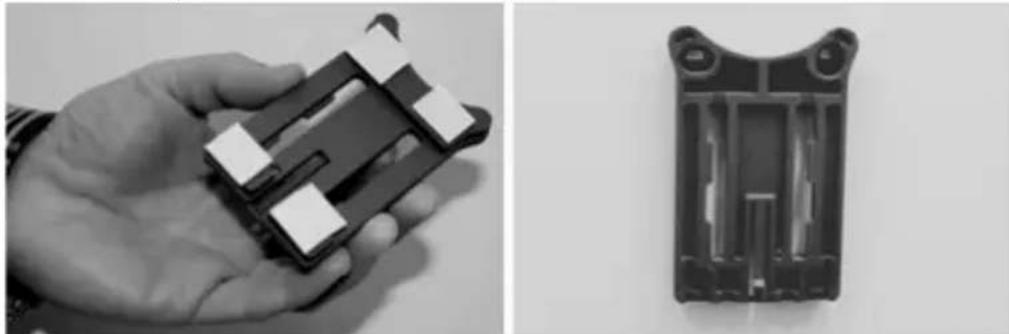
You can then decide whether you want to glue the wall holder directly on the wall or whether you prefer having it screwed on. The slotted holes in the wall holder provide for an exact alignment.
If you decide for gluing the wall holder, please be sure to provide for clean surfaces free from fat, oil and silicon films and any other impurities. Remove completely the protective film from the included adhesive pads, attach all the pads on the wall holder and then press it firmly to the required position. When mounting in colder temperatures, please remember that the full adhesive force cannot be achieved before 72 hours in 20°C, with warmth accelerating the process (e.g. in 65°C, the full adhesive force will be achieved in one hour).
When attaching the holder plate on the coloured sight protection film, the above described conditions relating to cleanliness of surfaces and firmness of the adhesive pad should be observed.
natural_image
Two black-and-white photos: one showing a hand holding a small electronic device, the other showing its internal structure (no text or symbols visible)To provide for a bubble-free application of the colour sight protection film, please proceed as follows:
- Pour some water with a couple of drops of dishwashing detergent into a glass, stir it cautiously free of foam, and then use it to moisture gently the surface, on which the film is to be applied.
- Start pulling off the white protective sheet from 1 cm of film and straighten it out. To change the position, lift this surface carefully and attach it again as required.
- Then swipe the adhesive film, e. g. with a plastic spatula, out from the contact surface in the direction of protective sheet still attached.
Attention! Do not use more liquid than absolutely necessary.
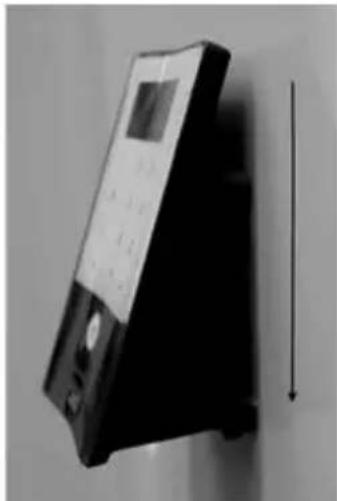
- Slide the keypad in from above until the locking peg of the mounting plate engages into the keypad housing. In this way, the keypad is protected against undesired removal.
- Perform a function test of the unit with the door open. For this purpose, enter repeatedly a valid opening code (e.g. PIN code, fingerprint, ...).
natural_image
Black-and-white photo of a handheld electronic device with a vertical arrow indicating measurement or direction (no visible text or symbols)Battery replacement for secuENTRY keypad
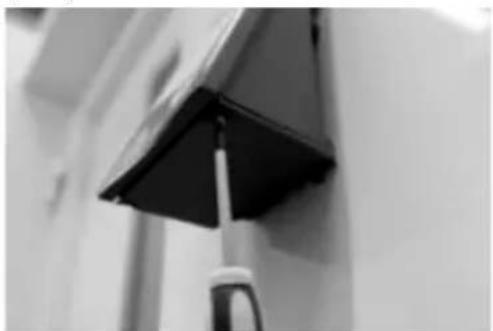
- Remove the housing cover on the bottom side by loosening the 2 screws (Tx 8).
natural_image
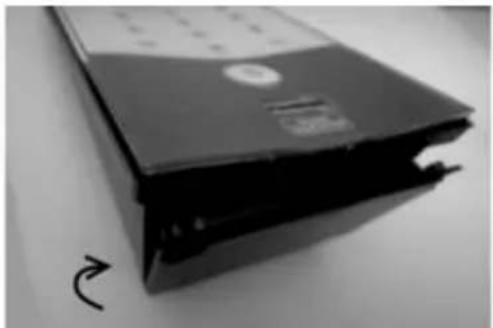
Close-up of a graduation cap on a wall, no visible text or symbols- Pull the battery compartment lid downwards until it disengages and replace the batteries.
natural_image
Black-and-white photo of a CD-ROM drive with a curved arrow indicating rotation (no visible text or symbols)When inserting the new batteries, be careful to observe the correct polarity as indicated on the housing.
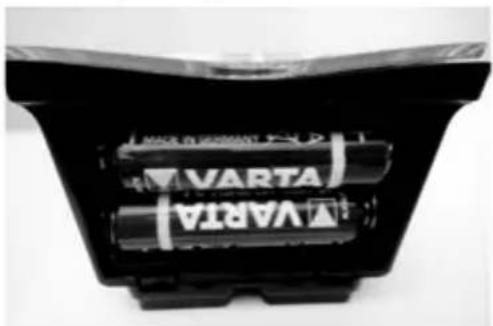
natural_image
Close-up of a black VARTA battery pack with two cylindrical batteries (no visible text or symbols)- To close the battery compartment, first press the battery compartment lid close to the screw holes to make them slide into the recesses, then snap the bottom side into position by pressing on it.
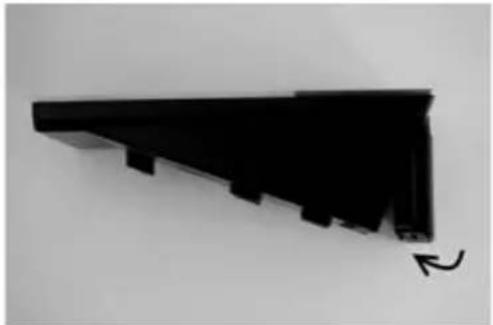
natural_image
Black triangular object with stepped edges and a curved arrow at the bottom right (no text or symbols)- Fasten the battery compartment lid with screws.
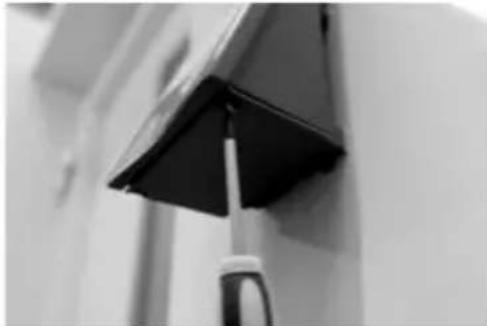
natural_image
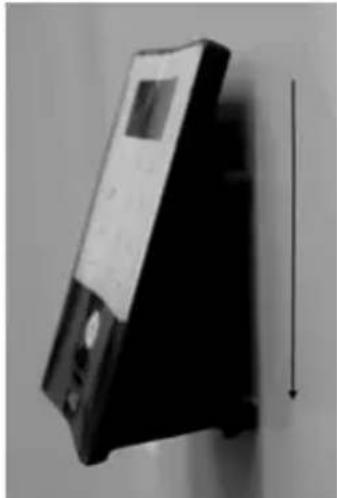
Close-up of a black triangular object mounted on a vertical pole against a plain wall (no text or symbols visible)Attention! Make sure that no moisture enters the keypad when replacing the battery.
Cleaning instruction for secuENTRY keypad
The surface finish of the keypad prevents adherence of impurities. Dust or dirt can be removed from the surfaces using a damp cloth. No alcohol-based detergents (spirit, SIDOLIN® etc.) or aggressive detergents (acetone etc.) may be used, as they can damage the surface or the sensor.
Battery replacement for secuENTRY cylinder
- Use the included tool to push the knob latches together and pull the knob sleeve off.
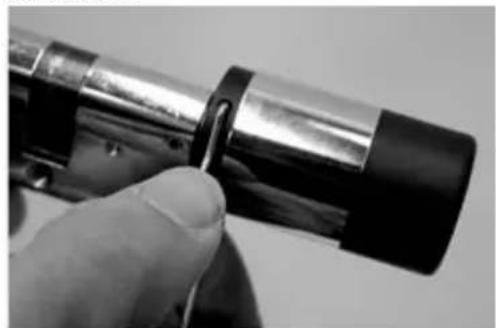
natural_image
Close-up of a hand holding a cylindrical mechanical component with a knob inserted (no visible text or symbols)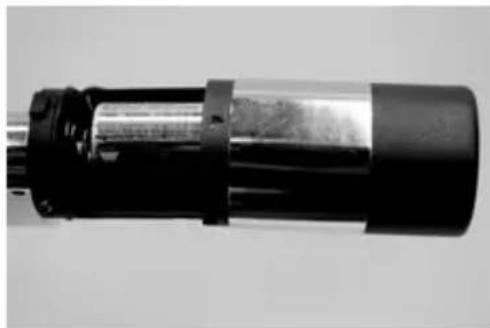
natural_image
Close-up of a cylindrical mechanical component with black and metallic sections (no visible text or symbols)- Replace the battery while carefully adhering to correct polarity.
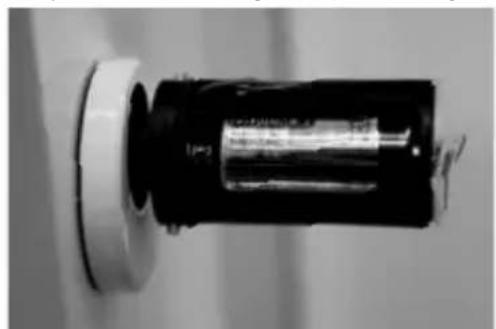
natural_image
Close-up of a black cylindrical object with a white circular top, mounted on a wall (no visible text or symbols)- Slide the knob sleeve carefully back to the position. Please remember: The fixing is possible in just one position!
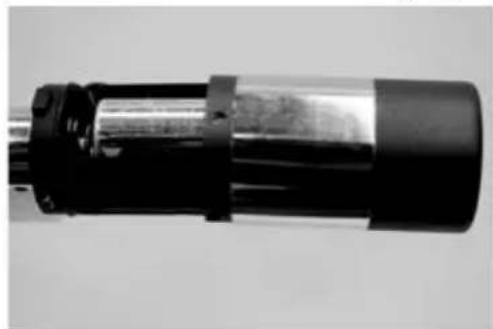
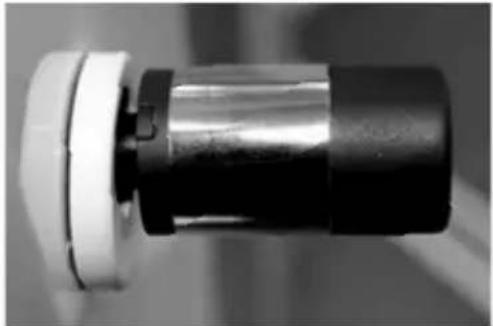
natural_image
Close-up of a cylindrical mechanical component with black and gray sections (no visible text or symbols)Attention! Make sure that the cable is not squeezed. Make sure that the O-ring sits in the correct position.
- Let the sleeve snap back into place.
natural_image
Close-up of a mechanical component with a cylindrical shaft and flange (no visible text or symbols)Dismantling of the secuENTRY keypad from the wall holder
- Remove the housing lid on the bottom side by loosening the 2 screws (Tx 8).
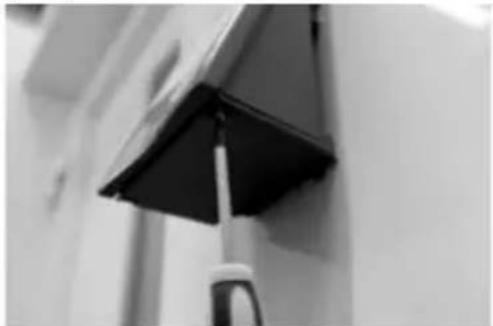
natural_image
Close-up of a black graduation cap attached to a wall, with a small tool visible (no text or symbols)- Pull the battery compartment lid downwards until it disengages.
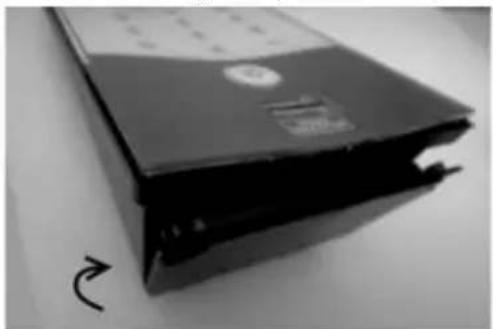
natural_image
Stacked hard drives with a curved arrow indicating rotation (no visible text or symbols)- Press the latch using a narrow tool (e.g. flat-bladed screwdriver) downwards and slide the keypad upwards.
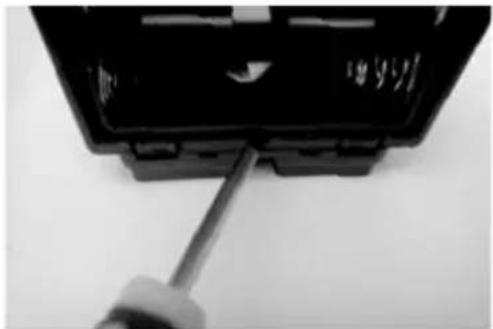
natural_image
Close-up of a black plastic electronic component with a screwdriver inserted, showing internal wiring (no text or symbols visible)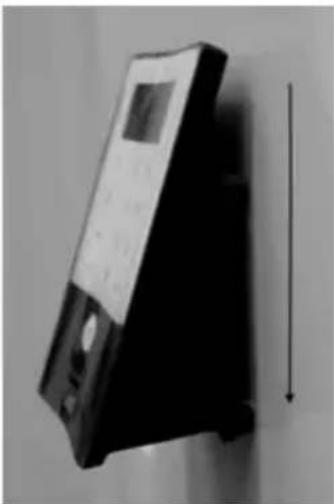
natural_image
Black-and-white photo of a vintage portable electronic device with a vertical arrow indicating measurement direction (no visible text or symbols)Interference with Bluetooth devices
Bluetooth devices use the same frequency band (2.4 GHz) as WiFi devices. This can cause interference leading to errors or even to communication failure. In such case, any devices not required should be kept disconnected from power.
Radio specification
Transmission power and frequency range: Bluetooth Low Energy Maximum Transmit Output Power 7,5dBm Frequency usage range 2,402GHz ... 2,483 GHz
Warranty
In order to be able to provide you with perfectly flawless and high quality products and an optimal support when you need servicing or repair, we need you to present faulty or defective devices to your vendor together with a valid administrator code and the QR code(s), with the original purchase document attached.
When you return a device component based on your right of withdrawal from the purchase agreement, such component must be adjusted to factory settings and the seal on the cylinder and on the knob must be intact. In case of noncompliance with this, the warranty becomes invalid.
Disposal of the device
Dear customer, Please help us avoid unnecessary waste. Should you intend to dispose of this device at any time, please remember that many components of this device contain valuable materials, which can be recycled.
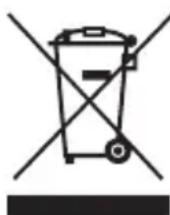
Please be aware that electrical and electronic equipment and batteries shall not be disposed of as household waste, but rather collected separately. Please obtain information on the collecting points for electrical waste from the responsible authority of you municipality.

BURG-WÄCHTER KG hereby declares that this device complies with Directive 2014/53/EU, (RED) 2014/30/EU, (EMC) and 2011/65/EU (RoHS). The full text of the EU Declaration of Conformity can be found on www.burg.biz.
Mistakes and changes reserved.
Illustration
1 Clavier (SN; MAC; AES; Type)
2 Cylindre (SN; MAC; AES; ADM)
3 Transpondeur (UID; BW; Type)
text_image
Diagram showing various electronic components with numbered labels and corresponding QR codes, likely for product or device identification.ENTRY Fingerprint
Généralités
text_image
Diagram showing 15 labeled components of a device or sensor system with QR codes and connector pin labelsnatural_image
Close-up of a metallic mechanical component with black and black cap, showing a curved arrow indicating direction (no text or symbols visible)natural_image
Close-up of a mechanical component with metal parts and a circular base (no visible text or symbols)natural_image
Close-up of a mechanical component with intersecting black lines indicating alignment or repair (no visible text or symbols)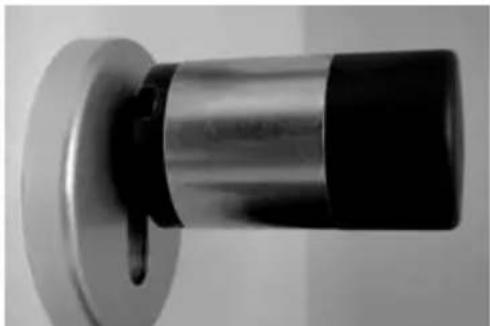
natural_image
Close-up of a metallic cylindrical object with black and white segments, mounted on a circular base (no visible text or symbols)natural_image
Close-up of a hand holding a metallic cylindrical device with a black clip, no visible text or symbols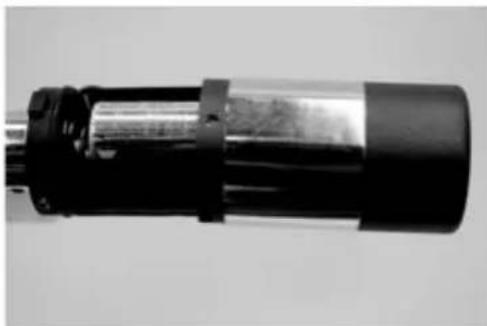
natural_image
Close-up of a cylindrical mechanical component with black and metallic bands (no visible text or symbols)2 Retirez prudemment la prise.
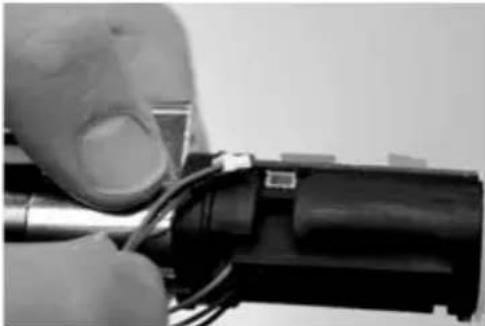
natural_image
Close-up of hands holding a tool with wires and a small component (no visible text or symbols)3 Dévissez la vis.
natural_image
Close-up of a hand holding a black cylindrical mechanical component with a metallic rod (no visible text or symbols)natural_image
Close-up of hands holding a small electronic component with wires inserted (no visible text or symbols)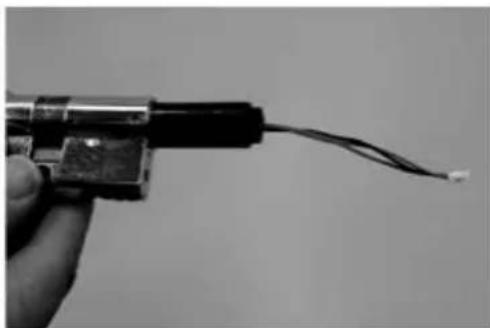
natural_image
Close-up of a hand holding a small electronic component with wires extending outward (no visible text or symbols)natural_image
Close-up of a black cable with a separate connector, no text or symbols visible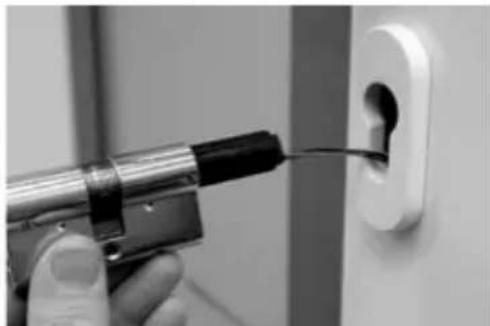
natural_image
Close-up of a hand using a power tool to insert or install a small component into a white electrical outlet (no text or symbols visible)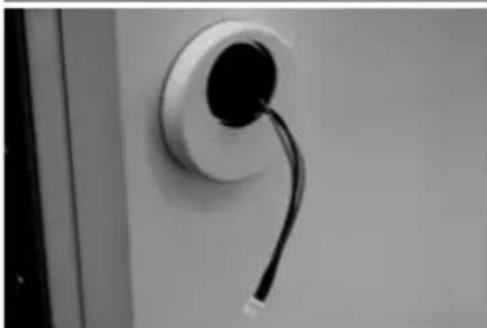
natural_image
Close-up of a wall-mounted electrical plug with a black cable inserted, no visible text or symbolsnatural_image
Close-up of a screwdriver inserted into a wall socket (no text or symbols visible)natural_image
Close-up of a black cylindrical device mounted on a wall, with wires attached (no visible text or symbols)natural_image
Close-up of a mechanical component with a magnified inset showing internal cable and a small electronic device (no visible text or symbols)natural_image
Close-up of a mechanical component with wires and a circular base (no visible text or symbols)natural_image
Close-up of a black cylindrical object mounted on a white wall, with a curved handle attached (no text or symbols visible)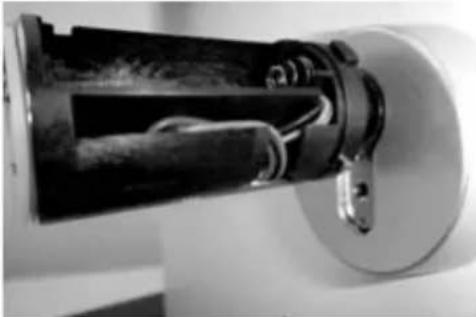
natural_image
Close-up of a mechanical device with internal components and mounting bracket (no visible text or symbols)natural_image
Close-up of a cylindrical battery with a metallic internal component, mounted on a wall (no visible text or symbols)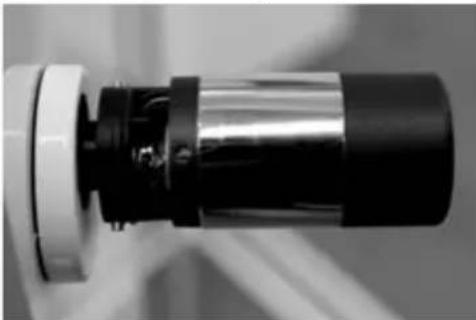
natural_image
Close-up of a mechanical component with metallic and black sections (no visible text or symbols)natural_image
Close-up of a hand holding a screwdriver with an arrow indicating direction (no text or symbols visible)natural_image
Two black-and-white photos: one showing a hand holding a small electronic device, the other showing its internal structure (no text or symbols visible)natural_image
Black-and-white photo of a handheld electronic device with a vertical arrow indicating measurement or direction (no visible text or symbols)natural_image
Close-up of a graduation cap on a wall, no visible text or symbolsnatural_image
Black-and-white photo of a compact hard drive with a curved arrow indicating rotation (no visible text or symbols)natural_image
Close-up of a black VARTA battery pack with two cylindrical batteries (no visible text or symbols)natural_image
Black triangular object with stepped edges and a curved arrow at the bottom right (no text or symbols)natural_image
Close-up of a black triangular object mounted on a wall, possibly a device or tool, with no visible text or symbols.natural_image
Close-up of a hand holding a metallic cylindrical object with a black handle, no visible text or symbols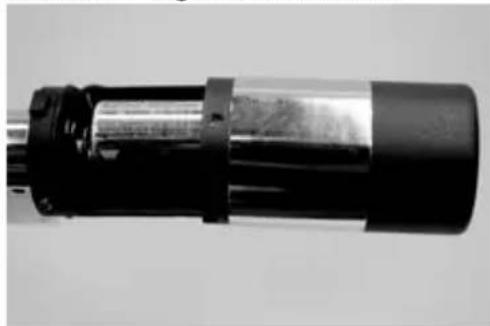
natural_image
Close-up of a cylindrical mechanical component with black and metallic sections (no visible text or symbols)natural_image
Close-up of a cylindrical battery with a metallic cap, mounted on a wall (no visible text or symbols)natural_image
Close-up of a cylindrical mechanical component with black and metallic sections (no visible text or symbols)natural_image
Close-up of a metallic cylindrical component with a flange, no visible text or symbolsnatural_image
Close-up of a black-and-white photo of a ceiling-mounted tool with a pointed tip, mounted on a wall (no visible text or symbols)natural_image
Black-and-white photo of a CD-ROM drive with a circular arrow indicating rotation (no visible text or symbols)natural_image
Close-up of a screwdriver inserted into a black plastic component (no visible text or symbols)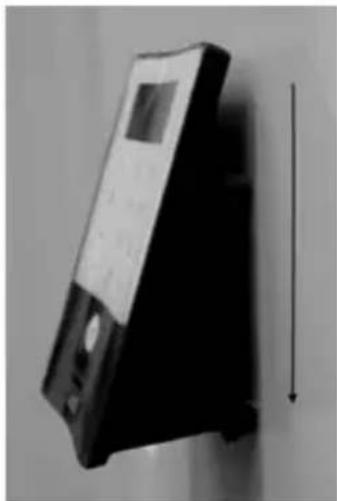
natural_image
Black-and-white photo of a vintage portable electronic device with a vertical arrow indicating measurement or alignment (no visible text or symbols)text_image
Diagram of a digital payment terminal with labeled buttons and keypad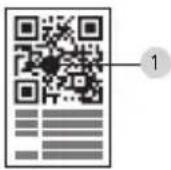
text_image
14 3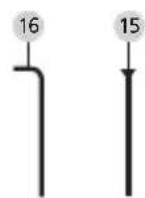
natural_image
Solid gray rectangular shape with a small black dot at the bottom center (no text or symbols)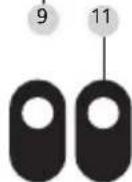
17
natural_image
Technical diagram of a mechanical component with labeled part '19' (no readable text or symbols beyond label)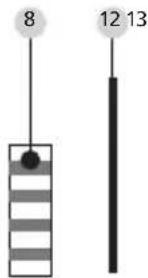
text_image
8 12 13
7 10
text_image
Image showing a QR code and a shield-shaped object with labeled points 5 and 6.ENTRY Fingerprint
Algemeen
text_image
Diagram showing 15 labeled QR codes and corresponding device pin connections, likely for digital scanning or authentication.| Adapter Geen | Adapter | 1 2 3 4 | |||
| Afmeeting A; B | <=29mm | 29,5 –34mm | 34,5 –38,5mm | 39 –42,5mm | 43 –47,5mm |
| Schroef M4 x 6 | M4 x 12 M4 | x 16 M4 x 20 | M4 x 25 | ||
| Adapter 5 6 7 8 | |||||
| Afmeeting A; B | 48 –52,5mm | 53 –57,5mm | 58 –62,5mm | 63 –67,5mm | |
| Schroef M4 x 30 | M4 x 35 M4 | x 40 M4 x 45 |
Tab.1: Benodigde adapters
natural_image
Close-up of a metallic mechanical component with a black cylindrical body and a black arrow indicating direction (no text or symbols visible)natural_image
Close-up of a mechanical component with metal parts and a circular base (no visible text or symbols)natural_image
Close-up of a mechanical component with a circular base and central shaft, showing no visible text or symbols.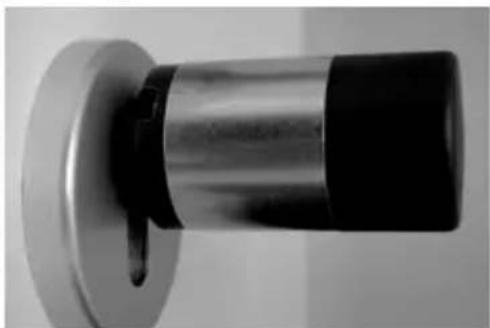
natural_image
Close-up of a metallic cylindrical object with a black base and a small protruding knob (no text or symbols visible)natural_image
Close-up of a hand holding a flashlight with a black clip, no visible text or symbols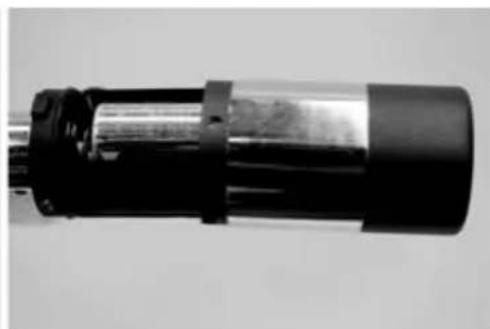
natural_image
Close-up of a cylindrical mechanical component with black and metallic sections (no visible text or symbols)natural_image
Close-up of hands holding a tool with wires and a small component (no visible text or symbols)natural_image
Close-up of a hand holding a black cylindrical mechanical component with a metallic rod (no visible text or symbols)natural_image
Close-up of hands holding a small electronic component with wires inserted (no visible text or symbols)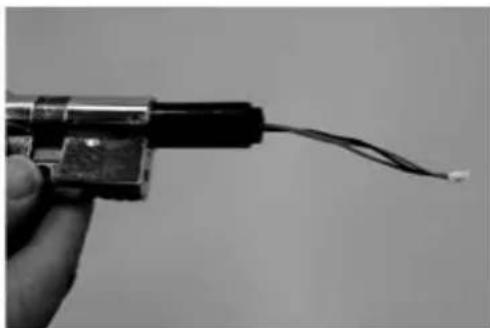
natural_image
Close-up of a hand holding a small electronic component with wires extending outward (no visible text or symbols)natural_image
Close-up of a black cable with a separate rectangular component, no text or symbols visible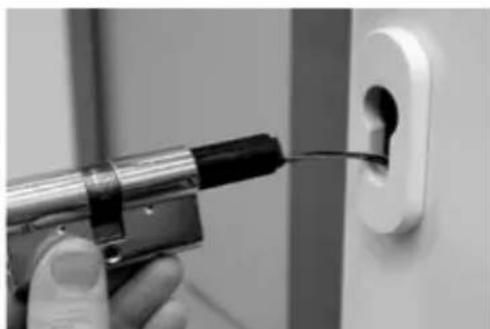
natural_image
Close-up of a hand using a power tool to apply black material into a white electrical outlet (no text or symbols visible)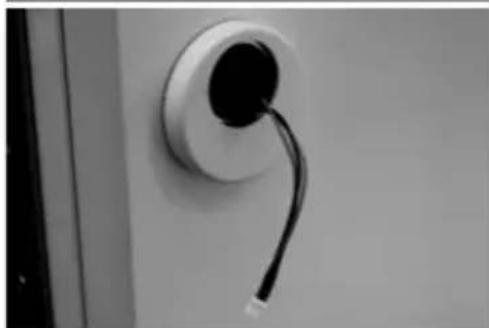
natural_image
Close-up of a wall-mounted electrical plug with a black cable inserted, no visible text or symbolsnatural_image
Close-up of a screwdriver inserted into a wall socket (no text or symbols visible)natural_image
Close-up of a black cylindrical device mounted on a wall, with wires attached (no visible text or symbols)natural_image
Close-up of a mechanical component with a magnified inset showing internal cable and a small electronic device (no visible text or symbols)natural_image
Close-up of a mechanical component with wires and a circular base (no visible text or symbols)natural_image
Close-up of a black cylindrical object mounted on a white wall, no visible text or symbols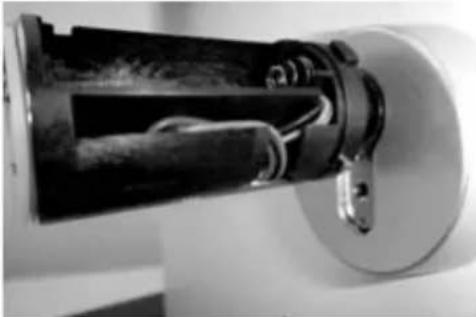
natural_image
Close-up of a mechanical device with internal components and mounting bracket (no visible text or symbols)natural_image
Close-up of a cylindrical battery with a metallic internal component, mounted on a wall (no visible text or symbols)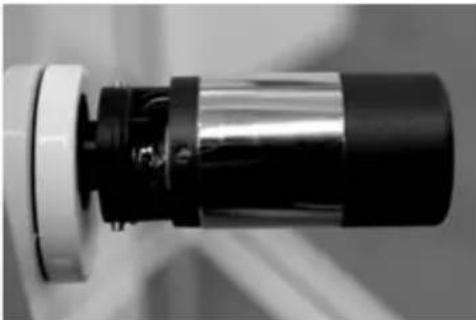
natural_image
Close-up of a mechanical component with metallic and black sections (no visible text or symbols)natural_image
Close-up of a hand holding a screwdriver with an arrow indicating direction (no text or symbols visible)natural_image
Two black-and-white photos: one showing a hand holding a small electronic device, the other showing a closed mechanical housing with internal components (no text or symbols visible)natural_image
Black-and-white photo of a handheld electronic device with a vertical arrow pointing downward (no visible text or symbols)natural_image
Close-up of a graduation cap with a pointed tip, mounted on a pole against a wall (no visible text or symbols)natural_image
Black-and-white photo of a CD-ROM drive with a curved arrow indicating rotation (no visible text or symbols)natural_image
Close-up of a black VARTA battery pack with visible internal components (no text or symbols on body)natural_image
Black triangular mechanical component with stepped edges and a curved arrow indicating rotation (no text or symbols)natural_image
Close-up of a black triangular object mounted on a wall, possibly a device or fixture (no visible text or symbols)natural_image
Close-up of a hand holding a metallic cylindrical device with black clamps (no visible text or symbols)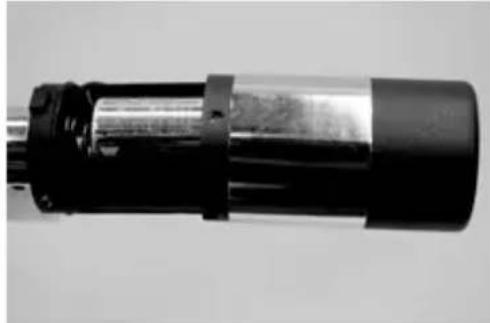
natural_image
Close-up of a cylindrical mechanical component with black and metallic sections (no visible text or symbols)natural_image
Close-up of a cylindrical battery with a metallic internal component, mounted on a white base (no visible text or symbols)natural_image
Close-up of a cylindrical mechanical component with black and gray sections (no visible text or symbols)natural_image
Close-up of a mechanical component with a cylindrical shaft and flange (no visible text or symbols)natural_image
Close-up of a black-and-white photo of a hand holding a small object, possibly a tool or device, against a wall (no visible text or symbols)natural_image
Black-and-white photo of a CD-ROM resting on a surface, with a curved arrow indicating rotation (no visible text or symbols)natural_image
Close-up of a black electronic component with a screwdriver inserted, showing internal wiring (no visible text or symbols)