10119 - Coffee machine KORONA - Free user manual and instructions
Find the device manual for free 10119 KORONA in PDF.



User questions about 10119 KORONA
0 question about this device. Answer the ones you know or ask your own.
Ask a new question about this device
Download the instructions for your Coffee machine in PDF format for free! Find your manual 10119 - KORONA and take your electronic device back in hand. On this page are published all the documents necessary for the use of your device. 10119 by KORONA.
USER MANUAL 10119 KORONA
natural_image
Black and white photo of a white ceramic cup filled with coffee beans, no text or symbols visible.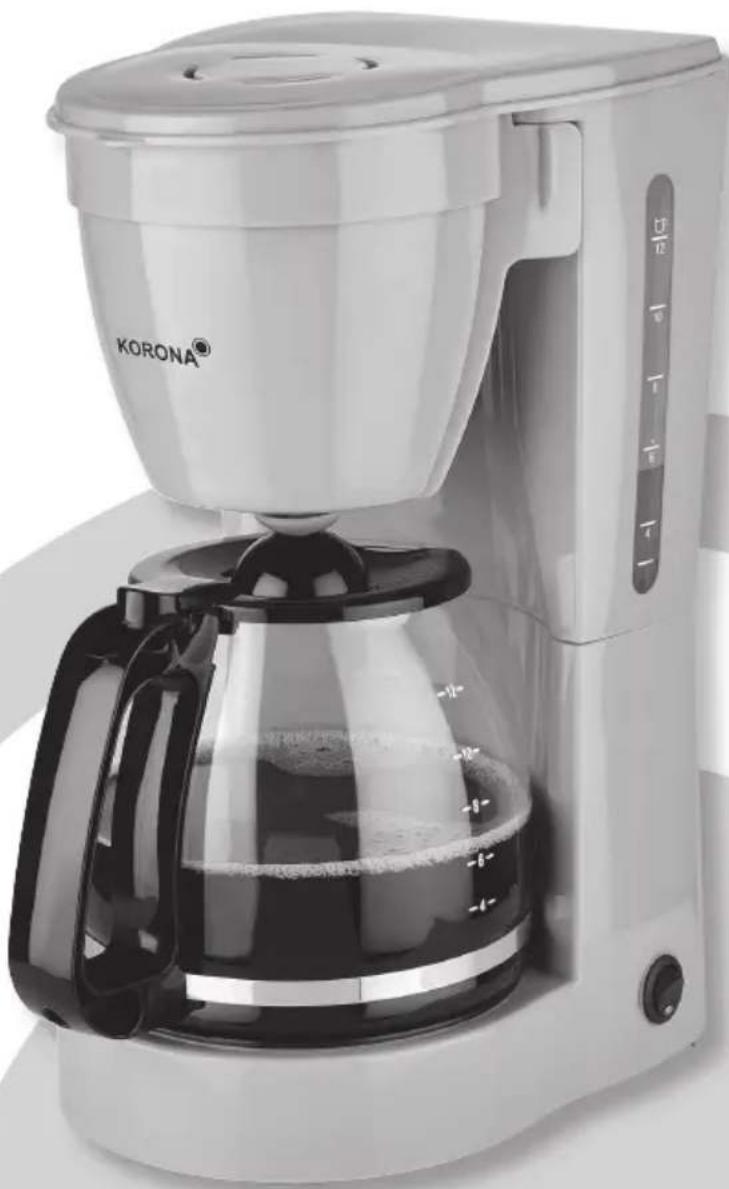
natural_image
Exterior view of a Korona coffee maker with clear glass and black handle (no visible text or symbols on the device itself)CE
Before use, please read these instructions carefully and keep them in a safe place for future reference. When passing on the appliance to a third party, make sure to include these instructions for use.
This appliance is only intended for making coffee. Never attempt to heat any other liquids in it. This appliance is only intended for private household use!
Safety:

This symbol identifies hazards which may cause injuries!

This symbol warns of hot surfaces. Risk of burns!

This symbol identifies electric shock hazards!

General Safety Instructions
- Manufacturer takes no responsibility for any damage caused by incorrect use.
- Incorrect or improper use can damage the appliance and cause injuries to the user.
- Before connecting this appliance to the mains, make sure your local voltage matches the technical data of the appliance. Otherwise the appliance may overheat and get damaged.
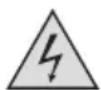
Caution! Danger of electric shock!
- Never put the appliance, cord or plug into water or any other liquid.
- Do not use the appliance near a sink or wash basin.
- Do not use the appliance with wet hands.
- Do not use the appliance outdoors.
An electric appliance is not a toy!
- Never leave the appliance unattended during use.
- This appliance can be used by children aged from 8 years and above and persons with reduced physical, sensory or mental capabilities or lack of experience and knowledge if they have been given supervision or instruction concerning the use of the appliance in a safe way and understand the hazards involved. Children shall not play with the appliance. Cleaning and user maintenance shall not be made by children unless they are older than 8 and supervised.
- Keep the appliance and its cord out of reach of children less than 8 years.
- Always unplug your appliance when it is not in use, and before cleaning.
- Always pull the plug – not the cord.
- Keep the appliance and the cord well away from any hot surfaces to avoid any damage to the appliance.
- Make sure the cord may not inadvertently be pulled or cause anyone to trip when in use. Do not allow the cord to hang over sharp edges.
- Do not bend the cord or wind it round the appliance.
Do not use the appliance,
- if the cord is damaged.
- in case of malfunction.
- if the appliance was dropped or is damaged otherwise.
Have it checked and, if necessary, repaired by a qualified person/Customer Service. Never attempt to make any modifications to or repair the appliance yourself.
- Only use accessories evaluated for use with this appliance.
- Never attempt to drive any objects into the appliance.
- Never attempt to open the housing yourself!
- The appliance is not intended to be operated by means of an external timer or separate remote-control system.
Special Safety Instructions

Warning! To avoid the possibility of injury/damage to the appliance, electric shock and risk of burns.
- Your coffee maker is only intended for making coffee.
- Place the appliance on an even and heat-resistant surface.
- Attention: The temperature of accessible surfaces may be high during operation. Therefore, do not touch the appliance during and/or immediately after operation. Only use the handle. Danger of serious burns!
- Never open the filter cover or the filter holder respectively during operation, hot steam evaporates. Danger of serious burns!
- Never operate the appliance without water.
- Never exceed the Max. filling level to avoid any boiling water from spilling. Danger of serious burns!
- Do not leave the carafe on the hotplate.
- Do not use the carafe if it shows any damages.
- Do not move the appliance during operation.
- Do not place the appliance near any inflammable objects.
- Always unplug the appliance after use and let it completely cool down before cleaning.
text_image
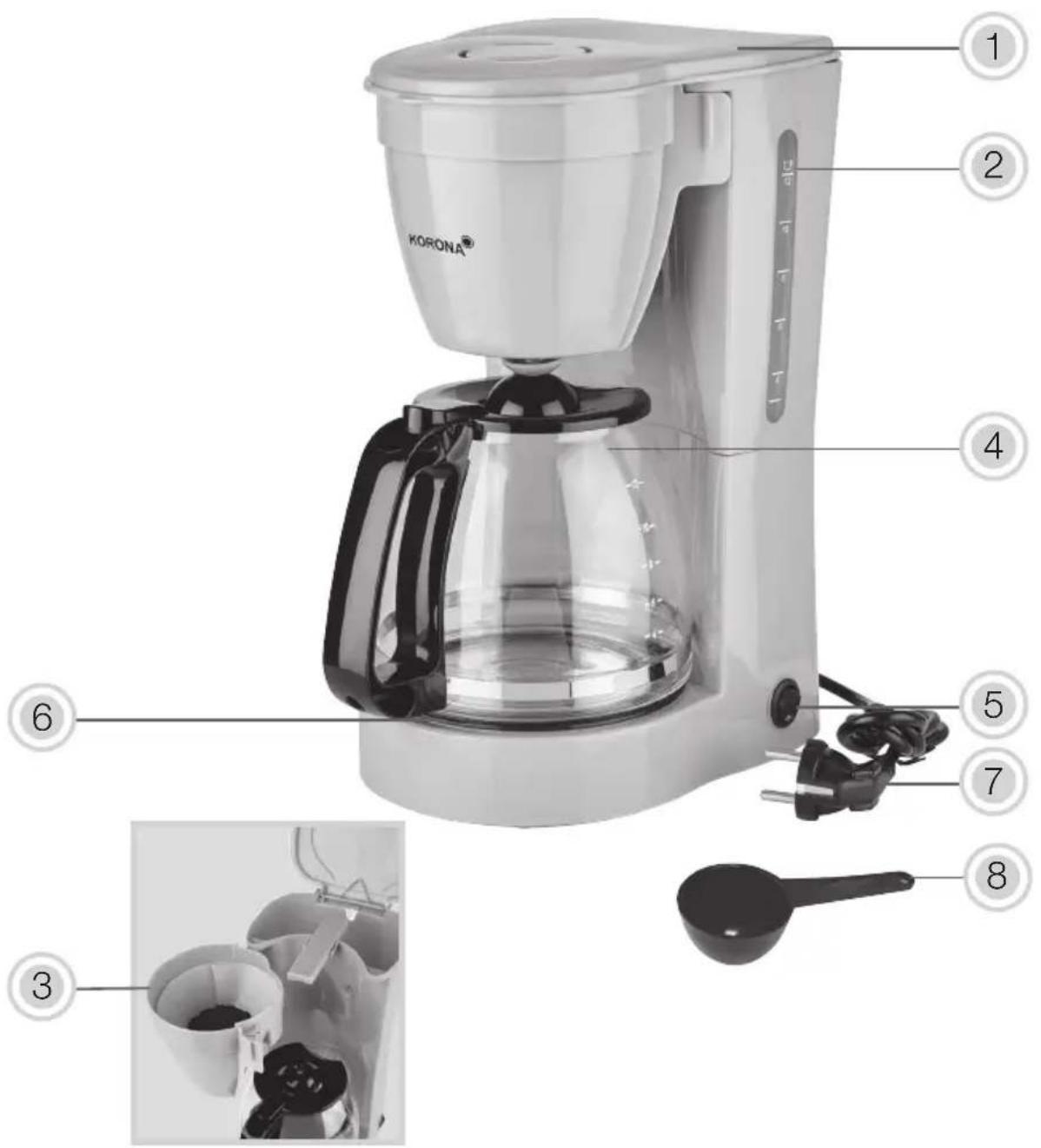
KORONA® ① ② ④ ⑤ ⑥ ⑦ ⑧ ③Product Description
- Appliance lid
- Water tank with water level indicator
- Detachable swing-out filter
- Carafe
- On / Off switch with indicator light
- Hot plate
- Power cord and plug
- Measuring Spoon
Before First Use
- Remove all packaging material and check whether the appliance is complete.
- Fully unwind the power cord.
- Clean the detachable parts as described under Cleaning and Care.
- Place the appliance on an even and heat resistant surface and connect it to a properly installed wall socket.
- Before making your first coffee, rinse the unit by filling the water tank (2) up to the Max. marking and operate it 2-3 times without coffee. After that your coffee maker is ready for operation.
Note: After each rinse cycle, the appliance has to be switched off for approx. 5 minutes, in order to cool down.

Warning: Plastic bags are a danger to toddlers and es, therefore keep them away to avoid suffocation.
Operation
Brewing Coffee
- Place the appliance on an even and heat resistant surface and connect it to a properly installed wall socket.
- Open the lid (1) of the water tank and fill the water tank (2) with cold, fresh tap water. The markings on the water tank (2) indicate the required water level to brew the desired number of cups. Do not exceed the Max. filling level (12 cups).
- Close the lid (1) of the water tank.
-
Swing out the filter holder (3) and insert a standard paper filter 1 x 4 into the filter holder (3). Make sure to fold the edges of the paper filter and push it slightly down.
-
For each cup of coffee, use one leveled measuring spoon of grounded coffee. For stronger or milder coffee, adjust the amount of coffee!
- Close the filter holder (3) by pushing it back into its original position, make sure it's properly locked in place.
- Place the carafe (4) into the appliance.
- Press the On/Off button (5) to switch on the appliance. The integrated indicator light indicates that the appliance is in operation.
The brewing process can be interrupted at any time by pressing the On/Off button (5). Once the unit is switched on again the appliance will continue with the brewing process.
Note: If you wish to have a cup of coffee before the brewing cycle is completed, remove the carafe (4) from the appliance. Due to the automatic drip stop, dripping will automatically cease. Put the carafe (4) back within 30 seconds, dripping process will automatically resume.
- After the brewing cycle is completed (no more water is dripping through the filter), the carafe (4) can be removed. When serving coffee do not remove the lid in order to preserve the proper serving temperature.

Note: Never open the swing out filter (3) during operation – hot water could spill – Danger of serious burns!
- As long as the appliance is switched on, you can keep the coffee hot, by returning the carafe (4) to the hotplate (6) after serving. The hotplate (6) will automatically cycle on and off to maintain the ideal serving temperature as long as the coffee maker is switched on.

Attention: The appliance will automatically shut-off within 40 minutes and the indicator light will go OFF as well. Once the appliance has automatically shut-off, the keeping
warm function is also deactivated.11. To switch off the appliance before the automatic shut-off, press the On/Off button (5).

Note: If you wish to prepare more than one pot of the appliance has to be switched off for approx. 5 times, in order to cool down.
Always disconnect the appliance from the mains if you are not using it!
Cleaning and Care

Before cleaning, always switch off the appliance and disconnect it from the mains. Let it completely cool down.
Never immerse the appliance in water. Danger! Electric Shock!
Clean the body of the appliance with a moistened soft cloth.
Do not use any aggressive cleaning agents and/or other hard objects to clean the appliance.
All detachable parts can be cleaned in warm water using some dishwashing detergent, rinse them afterwards and dry them thoroughly.
The movable swing-out filter can be removed for cleaning. Properly reattach the swing-out filter, after cleaning.
Carafe and swing-out filter are dishwasher safe.
DESCALING
Depending on the water quality and usage, calcification can occur. Therefore, to keep your coffee maker operating efficiently, you should descale it on a regular basis.
Never use any sharp, pointed or metal objects to remove limescale built up in the appliance.
To remove limescale, use a common gentle descaler, which is suitable for your appliance. Follow the manufacturer's instructions.
After descaling, always rinse your appliance as described under Before First Use.
Note: Descaler mixtures should not be poured down enamel coated sinks.
Storage
Disconnect the appliance from the mains and let it completely cool down.
Keep the appliance away from children and store it in a clean and dry place.
Disposal Instructions
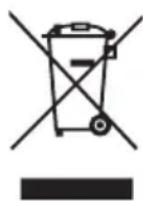
Waste electrical devices marked with this sign must not be disposed of with your household waste, but are to be collected separately. Therefore, please return this device at the end of its life cycle to special on points for disposal or your local dealer.
Your Coffee Maker 10119 is packed in a retail box. Such boxes are recyclable waste, i.e. they are reusable or recyclable.
Technical Data:
Voltage: 220 - 240 V \~ 50 / 60 Hz
Rated Power: 800 W
Protection Class: I
Technical data subject to change!

Guarantee:
This product is guaranteed against defects in materials and workmanship for a period of 2 years.
This guarantee is not valid:
- if the appliance has not been used in accordance to the instructions
• for damages due to wear and tear (batteries, etc.)
• for damages known by customer at time of purchase
• for damages caused by owner
This guarantee does not affect your statutory right, nor any legal right you may have as a costumer under applicable national legislation governing the purchase of goods.
In order to assert his/her right in a guarantee case during the guaranteed period, the customer must provide evidence of the date of purchase (receipt).
The guarantee is to be asserted against
KORONA electric GmbH, Sundern/Germany.
Service Address:
KORONA Service, Am Steinbach 9, 59872 Meschede, Germany
Telephone Hotline: 02933 90284-80
Mail: service@korona-electric.de
web: www.korona-electric.de
within 2 years after the date of purchase. In case of guarantee the customer is given the right to get the appliance repaired at our own or at an authorized shop. Further rights (due to guarantee case) are not given to the customer.