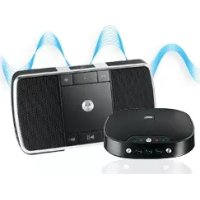
Sphere - Docking station MOTOROLA - Free user manual and instructions
Find the device manual for free Sphere MOTOROLA in PDF.


User questions about Sphere MOTOROLA
0 question about this device. Answer the ones you know or ask your own.
Ask a new question about this device
Download the instructions for your Docking station in PDF format for free! Find your manual Sphere - MOTOROLA and take your electronic device back in hand. On this page are published all the documents necessary for the use of your device. Sphere by MOTOROLA.
USER MANUAL Sphere MOTOROLA
natural_image
Abstract black and white logo with stylized letter M (no text or symbols)EN
motorola
natural_image
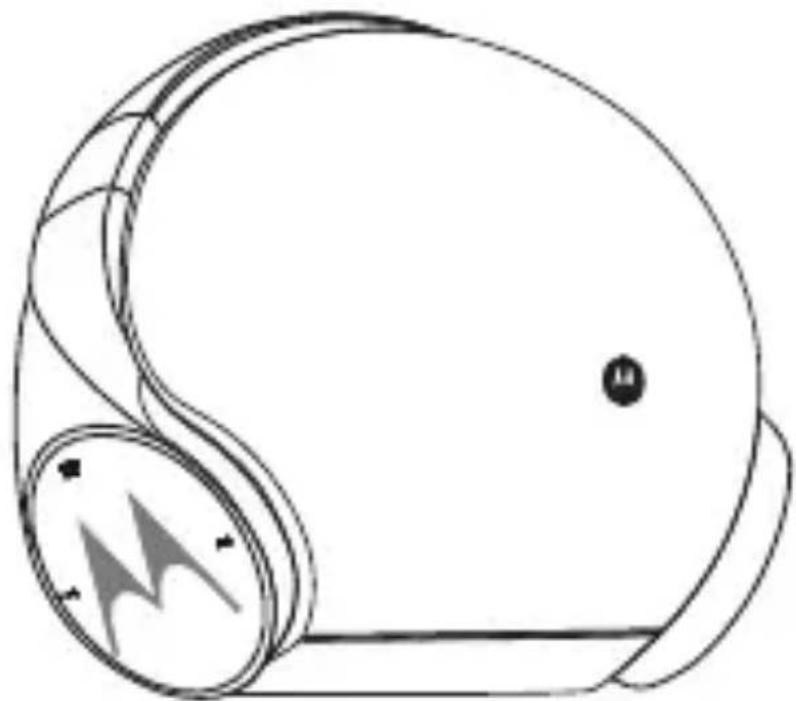
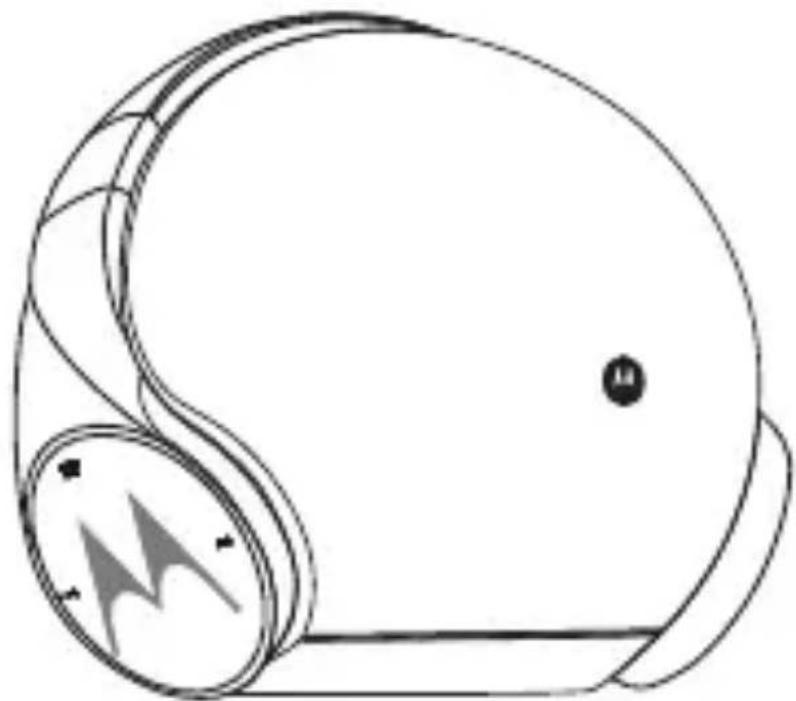
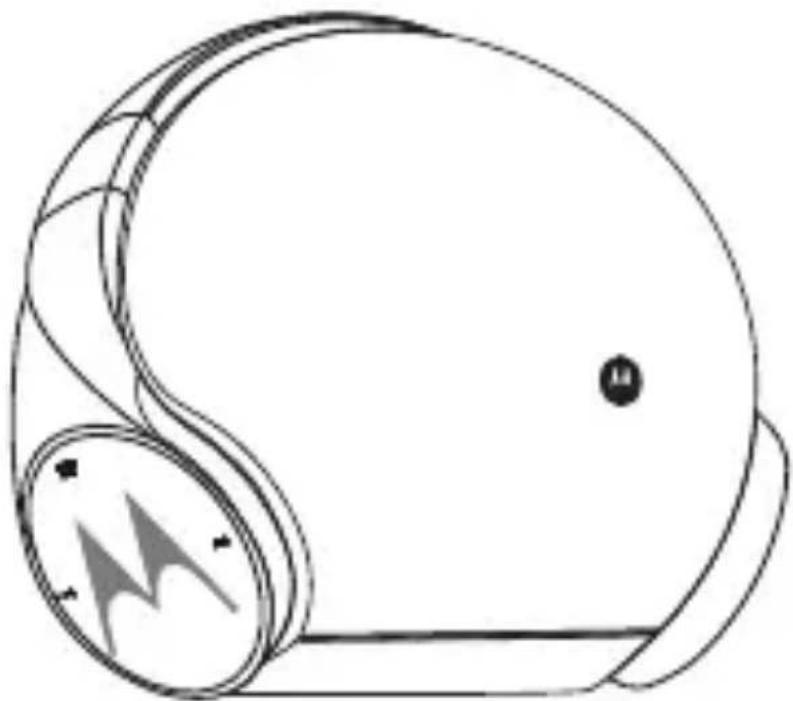
Line drawing of a helmet with a circular head and a triangular button, no text or symbols presentSphere/Sphere+ Quick Start Guide
MODELS:
SPHERE / SPHERE+
Frequency Band:
2.402 - 2.480 GHz
Maximum RF power:
6 dBm
Working temperature:
0^ C 45^ C
Product ID: SP003
Bluetooth ID:
D036169
FCC ID: VLJ-SP003
IC: 4522A-SP003
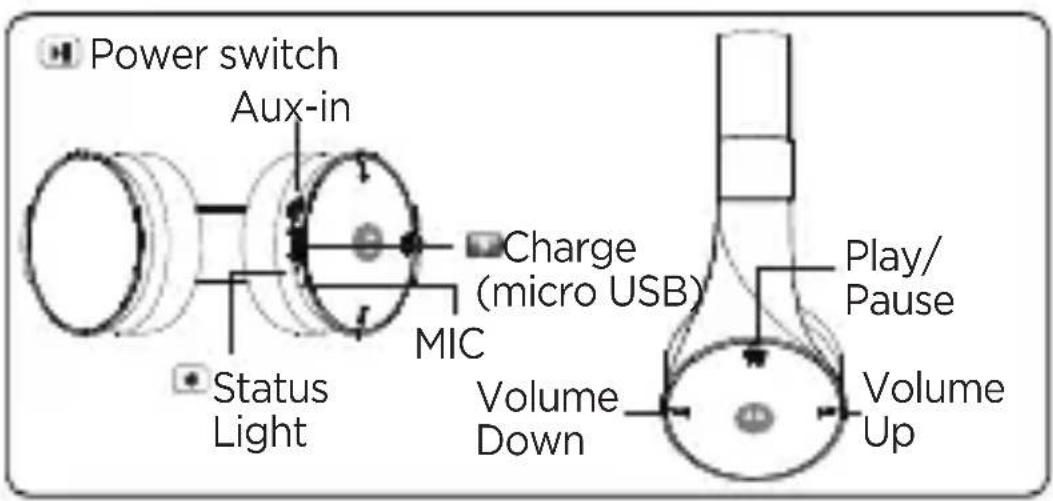
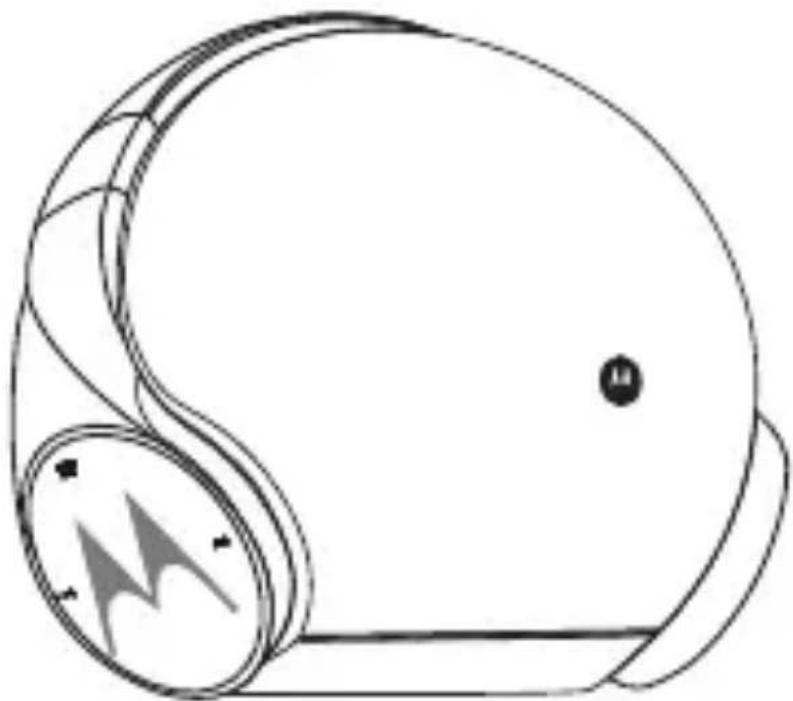
- At a Glance
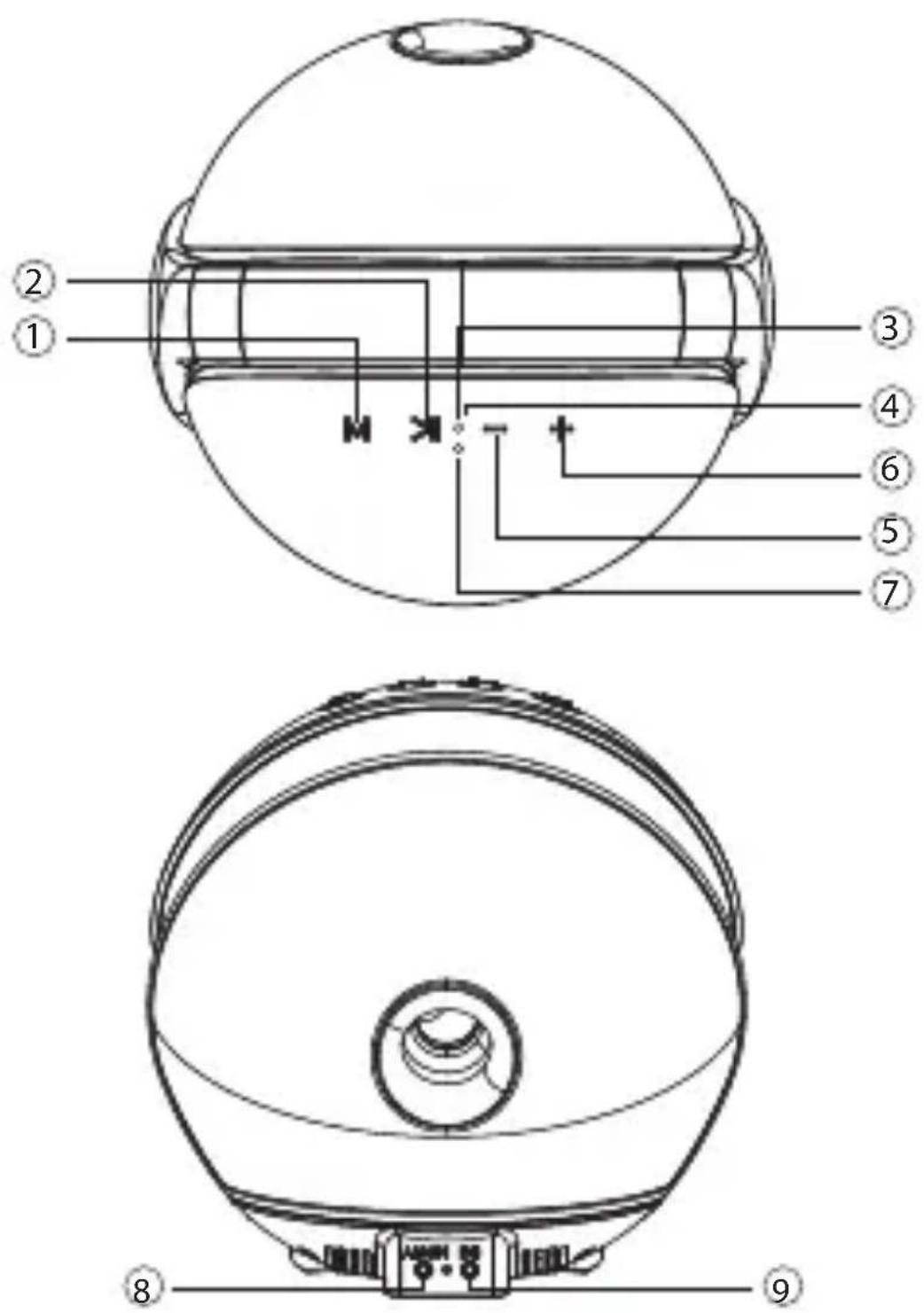
① Mode (change between Bluetooth & Aux-in input)
② Play/Pause
③ LED Indicator (Bluetooth)
④ Microphone
⑤ Volume Down/Last Track
⑥ Volume Up/Next Track
⑦ Charging Indicator (Headphones)
⑧ Aux-in Port
⑨ Power Port
2. Pairing
| 1 |  | Plug in power supply to the speaker power portSpeaker will enter into pairing mode automatically with LED flashes blue and red.Pair your phone with the speakerSelect “Sphere” / “Sphere+” from the list |
| 2 |  | Take out the headphones from the speaker dockThe headphones will enter into pairing mode automatically with LED flashes blue and red.Pair your phone with the headphonesSelect “Sphere Headphones” / “Sphere+ Headphones” from the list |
| 3 |  | The pairing is now successful. You may listen to the music either from the speaker or the headphones |
3. Audio Transfer
You may enjoy seamless audio transfer when you listen to music between the headphones and speaker. Make sure your phone can support simultaneously Bluetooth connection with two Bluetooth devices by checking your phone Bluetooth “paired list”. If both Speaker
and Headphones are shown “connected” from the list, it means it is supported.
| 1 | 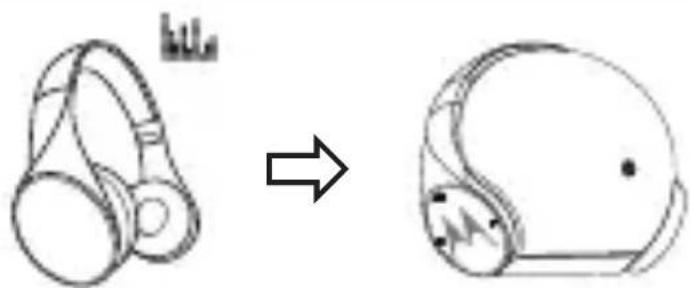 |
| 1. Place the headphones to the speaker2. Music will stop playing from headphones and it will be charged by the speaker. Make sure the headphones is placed properly onto the speaker dock, the LED will show orange when it is successfully charging3. Speaker will automatically connect with the phone*4. Press Play once, music will automatically play from the speaker without the need of any operation from your phone. | |
| 2 | 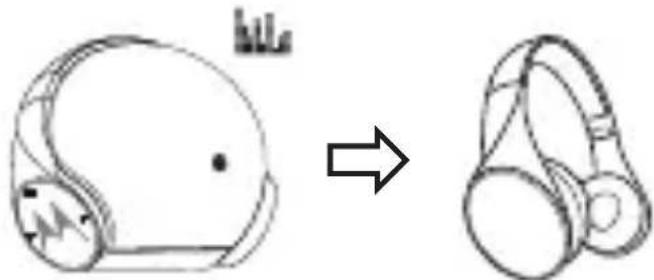 |
| 1. Take out the headphones from the speaker2. Music will stop playing from the speaker3. The headphones will automatically connect with the phone*4. Press Play once, music will automatically play from the headphones without the need of any operation from your phone. |
* The reconnection time varies from phone to phone
4. Buttons Operation
Speaker & Headphones
| Music | |
| Play/Pause Press | ▶ |
| Volume Down/Up Press - / + | |
| Next Track Long Press + | |
| Previous Track Long Press - | |
| Calls | |
| Answer/ end call Press | ▶ |
| Reject a call | Long Press ▶ |
| Mute during call Long Press - | |
| Re-dial last call Double press | ▶ |
| Call waiting | |
| Receive incoming call and end ongoing call | Press ▶ |
| Receive incoming and on hold ongoing call | Long Press ▶ |
| Pair | |
| Enter pairing mode (first time) | Press ▶ |
| Enter pairing mode Long Press | ▶ |
| Voice | |
| To issue a voice command during idle mode, then say the command | Double Press + |
5. LED Indicators
| Speaker | |
| Pairing Red-blue flash | |
| Standby Blue flash | |
| Charging (Headphones) Orange steady | |
| Headphones | |
| Pairing Red-blue flash | |
| Standby Blue flash | |
| Charging Red steady | |
| Fully charged Blue steady | |
| Battery low Red flash | |
General information
Safety, Regulatory & Legal
If your product is not working properly, read this Quick Start Guide or the User's Guide of one of the models listed on page 1.
Contact Customer Service:
US and Canada 1-888-331-3383
Email: support@motorolahome.com
On the Web: www.motorolahome.com/support
Consumer Products and Accessories Limited Warranty (“Warranty”)
Thank you for purchasing this Motorola branded product manufactured under license by Binatone Electronics International LTD (“BINATONE”).
What Does this Warranty Cover?
Subject to the exclusions contained below, BINATONE warrants that this Motorola branded product (“Product”) or certified accessory (“Accessory”) sold for use with this product that it manufactured to be free from defects in materials and workmanship under normal consumer usage for the period outlined below. This Warranty is your exclusive warranty and is not transferable.
Who is covered?
This Warranty extends only to the first consumer purchaser, and is not transferable.
What will BINATONE do?
BINATONE or its authorized distributor at its option and within a commercially reasonable time, will at no charge repair or replace any Products or Accessories that does not conform to this Warranty. We may use functionally equivalent reconditioned / refurbished / pre-owned or new Products, Accessories or parts.
What Other Limitations Are There?
ANY IMPLIED WARRANTIES, INCLUDING WITHOUT LIMITATION THE IMPLIED WARRANTIES OF MERCHANTABILITY AND FITNESS FOR A PARTICULAR PURPOSE, SHALL BE LIMITED TO THE DURATION OF THIS LIMITED WARRANTY, OTHERWISE THE REPAIR OR REPLACEMENT PROVIDED UNDER THIS EXPRESS LIMITED WARRANTY IS THE
EXCLUSIVE REMEDY OF THE CONSUMER, AND IS PROVIDED IN LIEU OF ALL OTHER WARRANTIES, EXPRESS OR IMPLIED. IN NO EVENT SHALL MOTOROLA OR BINATONE BE LIABLE, WHETHER IN CONTRACT OR TORT (INCLUDING NEGLIGENCE) FOR DAMAGES IN EXCESS OF THE PURCHASE PRICE OF THE PRODUCT OR ACCESSORY, OR FOR ANY INDIRECT, INCIDENTAL, SPECIAL OR CONSEQUENTIAL DAMAGES OF ANY KIND, OR LOSS OF REVENUE OR PROFITS, LOSS OF BUSINESS, LOSS OF INFORMATION OR OTHER FINANCIAL LOSS ARISING OUT OF OR IN CONNECTION WITH THE ABILITY OR INABILITY TO USE THE PRODUCTS OR ACCESSORIES TO THE FULL EXTENT THESE DAMAGES MAY BE DISCLAIMED BY LAW. Some jurisdictions do not allow the limitation or exclusion of incidental or consequential damages, or limitation on the length of an implied warranty, so the above limitations or exclusions may not apply to you. This Warranty gives you specific legal rights, and you may also have other rights that vary from one jurisdiction to another.
| Consumer Products | One (1) year from the date of the products original purchase by the first consumer purchaser of the product |
| Consumer Accessories | Ninety (90) days from the date of the accessories original purchase by the first consumer purchaser of the product |
| Consumer Accessories that are Repaired or Replaced | The balance of the original warranty or for Ninety (90) days from the date returned to the consumer, whichever is longer. |
Exclusions. Normal Wear and Tear. Periodic maintenance, repair and replacement of parts due to normal wear and tear are excluded from coverage. Batteries. Only batteries whose fully charged capacity falls below 80% of their rated
capacity and batteries that leak are covered by this Warranty.
Abuse & Misuse. Defects or damage that result from: (a) improper operation, storage, misuse or abuse, accident or neglect, such as physical damage (cracks, scratches, etc.) to the surface of the product resulting from misuse; (b) contact with liquid, water, rain, extreme humidity or heavy perspiration, sand, dirt or the like, extreme heat, or food; (c) use of the Products or Accessories for commercial purposes or subjecting the Product or Accessory to abnormal usage or conditions; or (d) other acts which are not the fault of MOTOROLA or BINATONE, are excluded from coverage.
Use of Non-Motorola branded Products and Accessories. Defects or damage that result from the use of Non-Motorola branded or certified Products or Accessories or other peripheral equipment are excluded from coverage.
Unauthorized Service or Modification.
Defects or damages resulting from service, testing, adjustment, installation, maintenance, alteration, or modification in any way by someone other than MOTOROLA, BINATONE or its authorized service centers, are excluded from coverage.
Altered Products. Products or Accessories with (a) serial numbers or date tags that have been removed, altered or obliterated; (b) broken seals or that show evidence of tampering; (c) mismatched board serial numbers; or (d) nonconforming or non-Motorola branded housings, or parts, are excluded from coverage.
Communication Services. Defects, damages, or the failure of Products or Accessories due to any communication service or signal you may subscribe to or use with the Products or Accessories is excluded from coverage. How to Obtain Warranty Service or Other Information? To obtain service or information, please call: US and Canada 1-888-331-3383 Email: support@motorolahome.com On the Web: www.motorolahome.com/support You will receive
instructions on how to ship the Products or Accessories at your expense and risk, to a BINATONE Authorized Repair Center. To obtain service, you must include: (a) the Product or Accessory; (b) the original proof of purchase (receipt) which includes the date, place and seller of the Product; (c) if a warranty card was included in your box, a completed warranty card showing the serial number of the Product; (d) a written description of the problem; and, most importantly; (e) your address and telephone number.
European Union Directives Conformance Statement
The following CE compliance information is applicable to Motorola products that carry one of the following CE marks:
CE
Hereby, Binatone declares that this product is in compliance with:
- The essential requirements and other relevant provisions of Directive 1999/5/EC
• All other relevant EU Directives - The Declaration of Conformity can be obtained from the full user guide at www.motorolahome.com
FCC Notice to Users
The following statement applies to all products that bear the FCC logo and/or FCC ID on the product label.
This equipment has been tested and found to comply with the limits for a Class B digital device, pursuant to part 15 of the FCC Rules. See 47 CFR Sec. 15.105(b). These limits are designed to provide reasonable protection against harmful interference in a residential installation. This equipment generates, uses and can radiate radio frequency energy and, if not installed and used in accordance with the instructions, may cause harmful interference to radio communications. However, there is no guarantee that interference will not occur in a
particular installation. If this equipment does cause harmful interference to radio or television reception, which can be determined by turning the equipment o and on, the user is encouraged to try to correct the interference by one or more of the following measures:
- Reorient or relocate the receiving antenna.
- Increase the separation between the equipment and the receiver.
- Connect the equipment to an outlet on a circuit dierent from that to which the receiver is connected.
- Consult the dealer or an experienced radio/TV technician for help.
This device complies with part 15 of the FCC Rules. Operation is subject to the following two conditions: (1) This device may not cause harmful interference, and (2) this device must accept any interference received, including interference that may cause undesired operation. See 47 CFR Sec. 15.19(a)(3). Motorola has not approved any changes or modifications to this device by the user. Any changes or modifications could void the user's authority to operate the equipment. See 47 CFR Sec. 15.21.
Industry Canada Notice to Users
This device complies with Industry Canada license-exempt RSS standard(s). Operation is subject to the following two conditions: (1) This device may not cause interference and (2) This device must accept any interference, including interference that may cause undesired operation of the device. See RSS-Gen, Section 8.4. This device complies with ICES-003 requirements for Class B ITE (Information Technology Equipment). CAN ICES-3 (B)/NMB-3(B)
This device meets the IC requirements.
EN\_us Version 1.0

motorola
Printed in China

Manufactured, distributed, or sold by Binatone Electronics International LTD., official licensee for this product. MOTOROLA and the Stylized M Logo are trademarks or registered trademarks of Motorola Trademark Holdings, LLC. and are used under license. Apple logo is a trademark of Apple Inc., registered in the U.S. and other countries. App Store is a service mark of Apple Inc. Google Play and Android are trademarks of Google Inc. All other trademarks are the property of their respective owners. © 2017 Motorola Mobility LLC. All rights reserved.
natural_image
Abstract black and white logo with stylized letter M (no text or symbols)FR
motorola
natural_image
Line drawing of a helmet with a circular head and a triangular button, no text or symbols presentnatural_image
Abstract black and white logo with stylized letter M (no text or symbols)ES
motorola
natural_image
Line drawing of a helmet with a circular head and a triangular button, no text or symbols presentnatural_image
Abstract black and white logo with stylized letter M (no text or symbols)PT
motorola
natural_image
Line drawing of a helmet with a circular head and a triangular button, no text or symbols presentSphere/Sphere+
Guia de Início
Rápido
MODELOS:
SPHERE / SPHERE+
Na Web: www.motorolahome.com/support