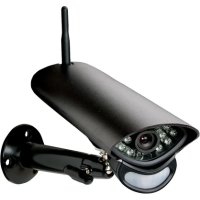
CA 2000 - Surveillance Camera SWITEL - Free user manual and instructions
Find the device manual for free CA 2000 SWITEL in PDF.



| Product type | Surveillance camera |
| Brand | Switel |
| Model | CA 2000 |
| Transmission frequency | 2.400 – 2.483 GHz |
| Maximum range (open field) | Up to 300 m |
| Image sensor | 1/4" CMOS MEG pixel |
| PIR detection angle (horizontal) | 70° |
| PIR detection range | 6 m |
| Night vision | Yes, with infrared LED and automatic IR-cut filter |
| Protection rating | IP54 (weather resistant) |
| Operating temperature | -10°C to +50°C |
| Power supply | 9.0 V DC 600 mA (adapter included) |
| Built-in microphone | Yes |
| Built-in speaker | Yes |
| Motion detection | Yes |
| Mounting | Wall or ceiling mount (bracket included) |
| Recording format (on monitor) | ASF |
| Warranty | 24 months |
Frequently Asked Questions - CA 2000 SWITEL
User questions about CA 2000 SWITEL
0 question about this device. Answer the ones you know or ask your own.
Ask a new question about this device
Download the instructions for your Surveillance Camera in PDF format for free! Find your manual CA 2000 - SWITEL and take your electronic device back in hand. On this page are published all the documents necessary for the use of your device. CA 2000 by SWITEL.
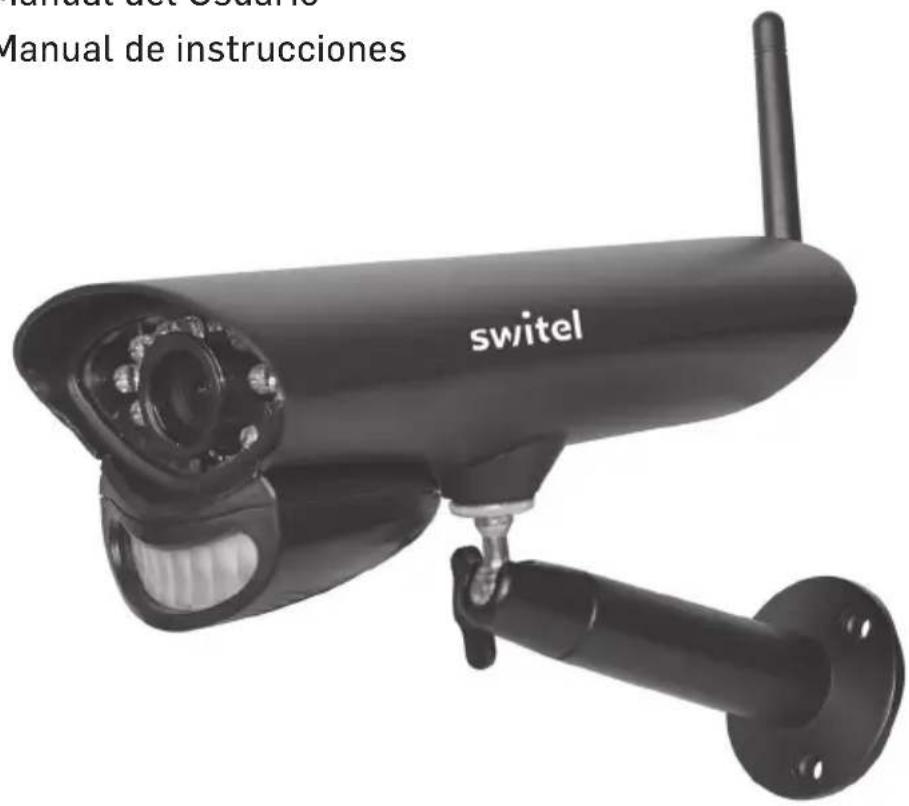
USER MANUAL CA 2000 SWITEL
CA 2000 Home Monitoring
Additional HD Camera
Bedienungsanleitung
User's Manual
Manuel de l'utilisteur
Manual del Nombre
Manual de instrucciones
DEUTSCH ENGLISH FRANÇAIS ITALIANO ESPÁNOL
Please read carefully before using this equipment.
ÜBERSICHT
Telgo AG, Route d'Agy 16, 1763 Granges-Paccot, Switzerland

Technische Daten
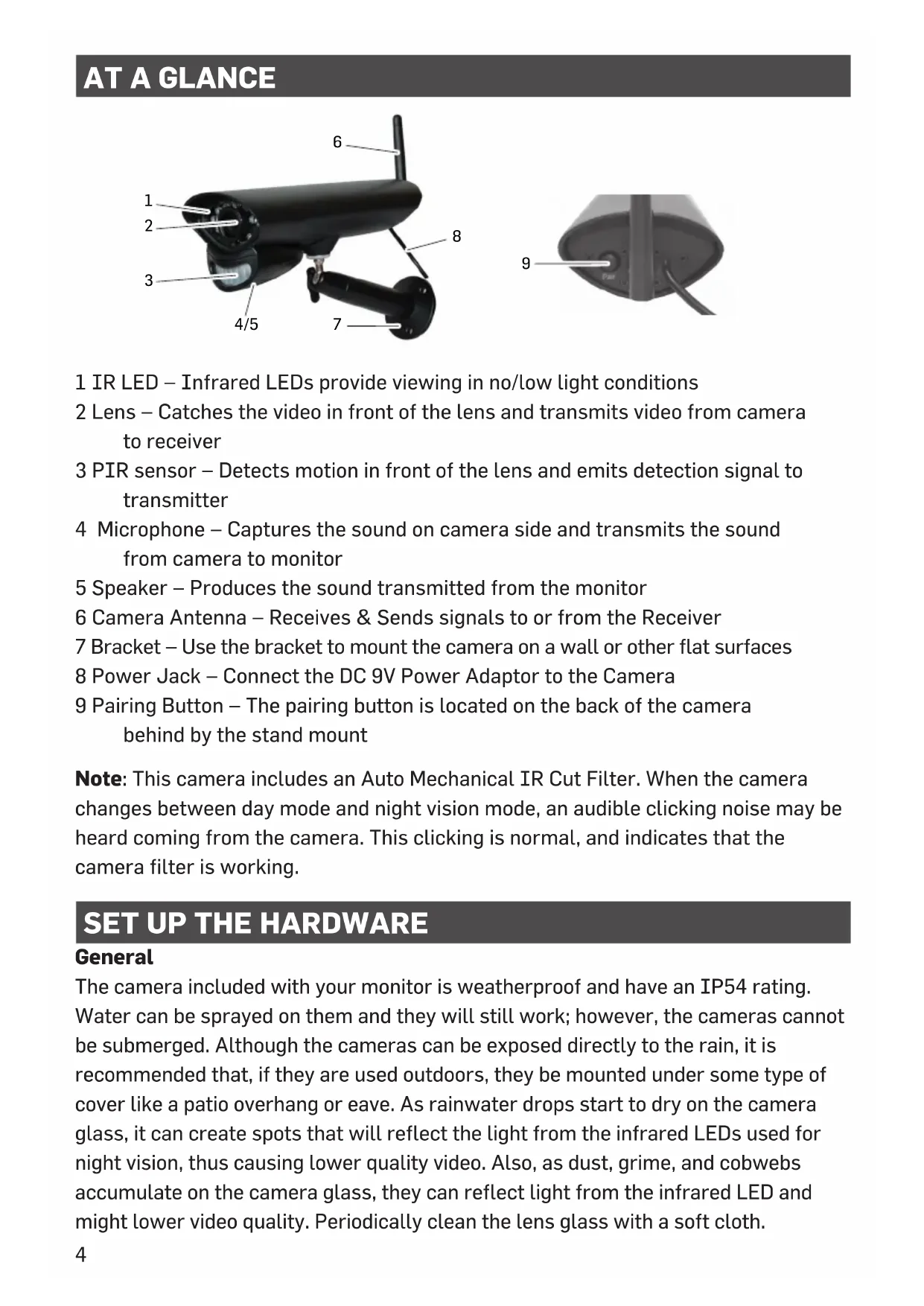
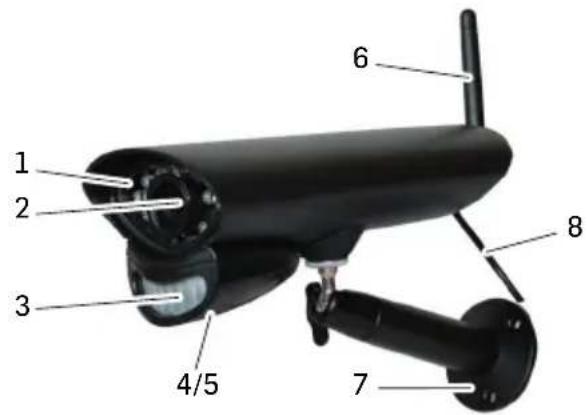
1 IR LED - Infrared LEDs provide viewing in no/low light conditions
2 Lens - Catches the video in front of the lens and transmits video from camera to receiver
3 PIR sensor - Detects motion in front of the lens and emits detection signal to transmitter
4 Microphone - Captures the sound on camera side and transmits the sound from camera to monitor
5 Speaker - Produces the sound transmitted from the monitor
6 Camera Antenna - Receives & Sends signals to or from the Receiver
7 Bracket – Use the bracket to mount the camera on a wall or other flat surfaces
8 Power Jack - Connect the DC 9V Power Adaptor to the Camera
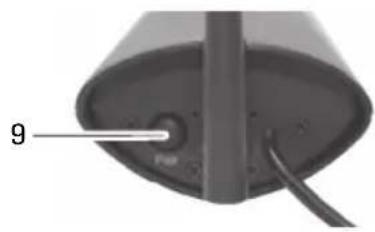
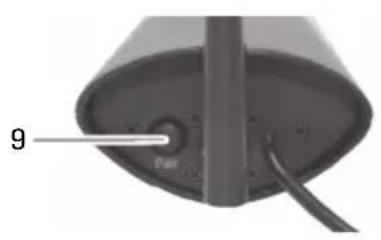
9 Pairing Button - The pairing button is located on the back of the camera behind by the stand mount
Note: This camera includes an Auto Mechanical IR Cut Filter. When the camera changes between day mode and night vision mode, an audible clicking noise may be heard coming from the camera. This clicking is normal, and indicates that the camera filter is working.
SET UP THE HARDWARE
General
The camera included with your monitor is weatherproof and have an IP54 rating. Water can be sprayed on them and they will still work; however, the cameras cannot be submerged. Although the cameras can be exposed directly to the rain, it is recommended that, if they are used outdoors, they be mounted under some type of cover like a patio overhang or eave. As rainwater drops start to dry on the camera glass, it can create spots that will reflect the light from the infrared LEDs used for night vision, thus causing lower quality video. Also, as dust, grime, and cobwebs accumulate on the camera glass, they can reflect light from the infrared LED and might lower video quality. Periodically clean the lens glass with a soft cloth.
Placement Considerations
Consider the following when placing cameras:
-
The clearest line-of-sight between the camera and monitor is best.
-
Walls, especially brick and concrete, shorten the transmission distance.
-
Placement next to windows allows better transmission.
-
Optimized motion detection range is 6 ... 18 feet for the camera. The farther away an object is, the less accurate the motion detection.
- Avoid having a direct light source in the view of the camera, including street lights, ceiling or floor lamps, spotlights in the driveway, etc.
- Rainfall, pool water ripples/Reflections, tree/shrub leaves blowing in the wind – and the shadows they create – can generate motion detection false alarms.
INSTALL CAMERAS
When you are positioning the camera, bring the monitor along; it's much easier to get the camera into the right position when you have the display handy.
1 Position the camera where you want it, plug it into power, and check video on the monitor. Move the camera if the view is not what you want.
2 Hold the base of the camera stand where you want to mount it and mark the location of the screw holes.
3 Use the included screws and anchors to attach the base to the wall or ceiling.
4 Tug gently on the stand to make sure it is securely in place.
ADDING NEW CAMERAS
You can pair the camera with a compatible surveillance system (for example, Switel HS2000 or Switel HSIP6000). Depending on the monitor used, the login procedures may differ slightly. Refer to the appropriate operating instructions for the system.
APPENDIX
Safety Information
- Please read this operating instruction manual thoroughly and keep it for further use.
- Prevent excessive exposure to smoke, dust, vibration, chemicals, moisture, heat and direct sunlight.
- Only use the power adapter plugs contained in the material supplied since other power adapter plugs could damage the devices.
- Ensure access to the power adapter plugs is not obstructed by furniture or such.
- Pay attention that the plug and cable are in perfect condition. Kinked or worn cable represents the risk of a fatal accident!
Power adapter plug
The power adapter plug supplied fulfils the ecodesign requirements of the European Union (Directive 2009/125/EC). This means that, both in an operating state and in an idling state, the power consumption is considerably lower compared to power adapter plugs with an older design.
Disposal
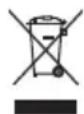
In order to dispose of your device, take it to a collection point provided by your local public waste authorities (e.g. recycling centre). According to laws on the disposal of electronic and electrical devices, owners are obliged to dispose of old electronic and electrical devices in a separate waste container. The adjacent symbol indicates that the device must not be disposed of in normal domestic waste!
Batteries represent a hazard to health and the environment!
Never open, damage or swallow batteries or allow them to pollute the environment. They may contain toxic, ecologically hazardous heavy

metals. You are legally obliged to dispose of power packs and batteries at the point of sale or in the corresponding containers provided at collection points provided by local public waste authorities. Disposal is free of charge. The adjacent symbols indicate that the batteries must not be disposed of in normal domestic waste and must be brought to collection points provided by local public waste authorities. Packaging materials must be disposed of according to local regulations.
Declaration of conformity
This device fulfils the requirements stipulated in the EU directive:
2014/53/EU.

Conformity with the above mentioned directive is confirmed by the CE symbol on the device. To view the complete Declaration of Conformity, please refer to the free download available on our website www.switel.com.
Telgo AG, Route d'Agy 16, 1763 Granges-Paccot, Switzerland
Technical data
Communication Range 300m line of sight
Frequency 2,400 ... 2,483 GHz
Recording format ASF
Camera sensor 1/4" Color CMOS MEG pixel Image sensor
PIR angle (horizontal) / range (25°C) 70° / 6m
Weather proof IP54
Operating Temperature -10°C ... +50°C
Power Requirement 9.0 VDC 600 mA +/-5%
Guarantee
SWITEL equipment is produced and tested according to the latest production methods. The implementation of carefully chosen materials and highly developed technologies ensure trouble free functioning and a long service life.
The terms of the guarantee do not apply to the rechargeable batteries or power packs used in the products. The period of guarantee is 24 months from the date of purchase.
All deficiencies resulting from material of production faults which occur during the period of guarantee will be eliminated free of charge. Rights to claims under the terms of guarantee are annulled following intervention by the purchaser or third parties. Damage caused as a result of improper handling or operation, incorrect positioning or storing, improper connection or installation, Acts of God or other external influence are not covered by the terms of guarantee.
In the case of complaints, we reserve the right to repair or replace defect parts or provide a replacement device. Replacement parts or devices become our property. Rights to compensation in the case of damage are excluded where there is no evidence or intent or gross negligence by the manufacturer.
If your equipment shows signs of defect during the period of guarantee, please return to the sales outlet in which you purchased the SWITEL equipment together with the purchase receipt. All rights to claims under the terms of guarantee in accordance with this agreement must be asserted exclusively with regard to your sales outlet.
Two years after the purchase of our products, claims under the terms of guarantee can no longer be asserted.
APERCU

Sensore telecamera 1/4" Color CMOS MEG pixel image sensor
Angolo PIR (orizzontale) / portata (25°C) 70° / 6m
Telgo AG, Route d'Agy 16, 1763 Granges-Paccot, Switzerland
In the case of technical questions, please use the service form on our website: http://www.switel.com/en/product-information-technical-support/


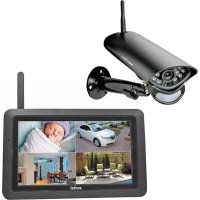
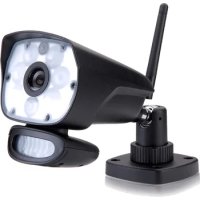
Brand : SWITEL
Model : CA 2000
Category : Surveillance Camera