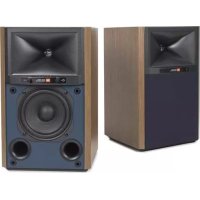
4305P - Loudspeaker JBL - Free user manual and instructions
Find the device manual for free 4305P JBL in PDF.

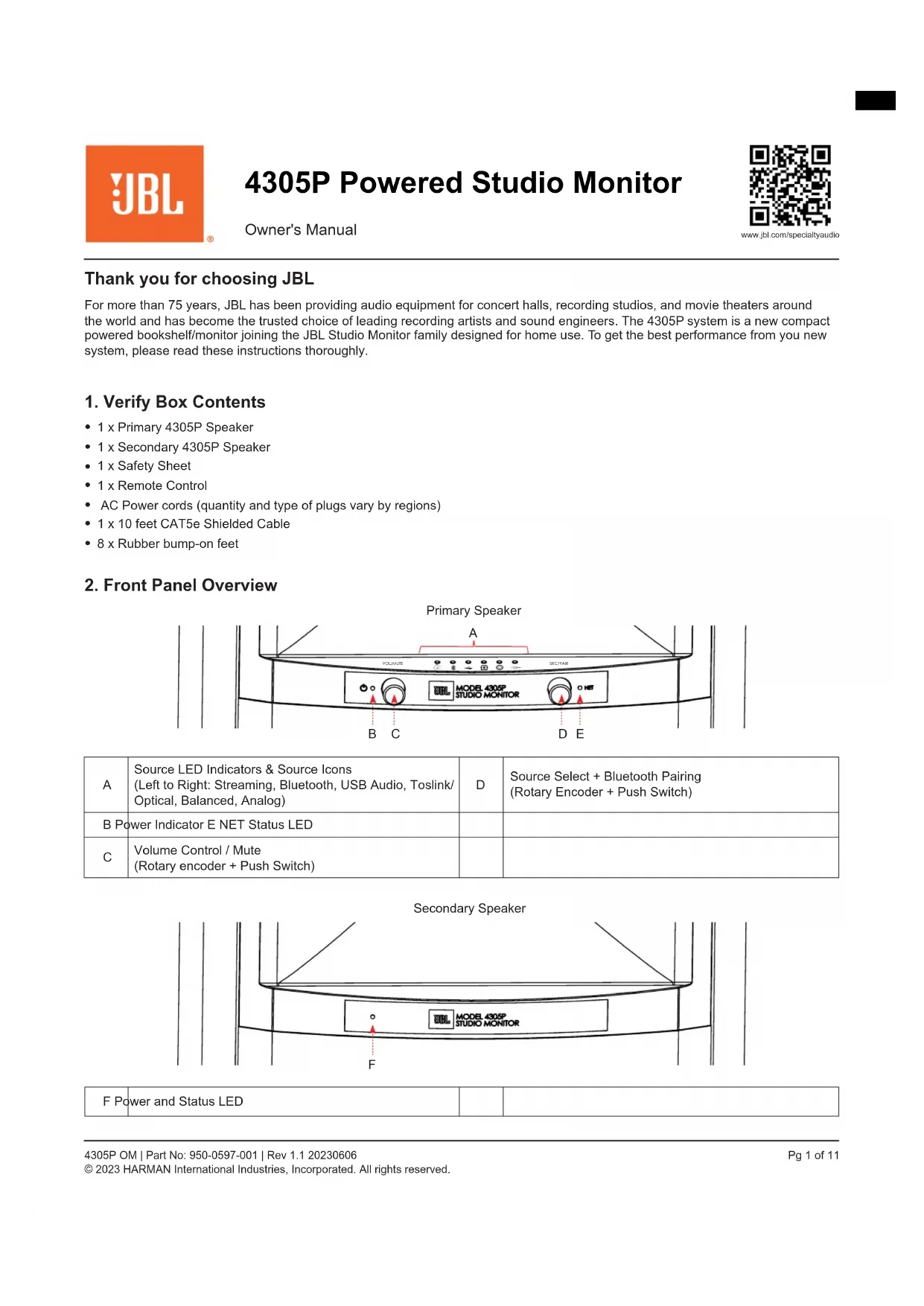


| Product Type | Compact active bookshelf speaker with integrated amplification, DSP, and wireless connectivity |
| Brand | JBL |
| Model | 4305P |
| Dimensions (with grille) | 336 mm H x 210 mm W x 223.3 mm D |
| Net weight (main speaker) | 6.6 kg |
| Net weight (secondary speaker) | 6.4 kg |
| Amplification | 300 W RMS total (2 x 150 W), Class D |
| Frequency response | 45 Hz – 25 kHz (-6 dB) |
| Crossover frequency | 750 Hz |
| Wireless connectivity | Wi-Fi (802.11 a/b/g/n/ac), Bluetooth 5.1, AirPlay 2, Chromecast built-in |
| Analog inputs | XLR/¼" balanced, 3.5 mm stereo aux |
| Digital inputs | USB-B asynchronous, Toslink/optical |
| Maximum audio resolution | 192 kHz / 24-bit (wired connection between speakers), 96 kHz / 24-bit (wireless) |
| Supported audio formats | MP3, AAC, FLAC, ALAC, WAV, AIFF, OGG, DSD, WMA, MQA |
| Subwoofer output | Yes (80 Hz high-pass filter automatically enabled) |
| Remote control | Bluetooth (range up to 12 m) |
| Power supply | 100-240 V AC, 50/60 Hz |
| Network standby power consumption | < 2.0 W |
| Cabinet material | 19 mm MDF with wood veneer finish (satin walnut, black walnut, or white ash) |
| Care and cleaning | Use a soft dry cloth. Do not use abrasive or solvent products. |
| Safety | Unplug before cleaning. Do not expose to water. Use only supplied accessories. |
| Spare parts and repairability | Contact JBL support or an authorized center. Automatic firmware updates. |
Frequently Asked Questions - 4305P JBL
User questions about 4305P JBL
0 question about this device. Answer the ones you know or ask your own.
Ask a new question about this device
Download the instructions for your Loudspeaker in PDF format for free! Find your manual 4305P - JBL and take your electronic device back in hand. On this page are published all the documents necessary for the use of your device. 4305P by JBL.
USER MANUAL 4305P JBL
Thank you for choosing JBL
For more than 75 years, JBL has been providing audio equipment for concert halls, recording studios, and movie theaters around the world and has become the trusted choice of leading recording artists and sound engineers. The 4305P system is a new compact powered bookshelf/monitor joining the JBL Studio Monitor family designed for home use. To get the best performance from you new system, please read these instructions thoroughly.
1. Verify Box Contents
1 x Primary 4305P Speaker
- 1 x Secondary 4305P Speaker
1xSafetySheet
1 x Remote Control
- AC Power cords (quantity and type of plugs vary by regions)
- 1 x 10 feet CAT5e Shielded Cable
- 8 x Rubber bump-on feet
2. Front Panel Overview
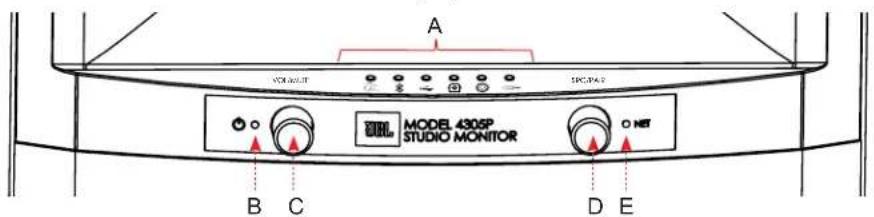
Primary Speaker
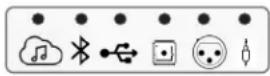
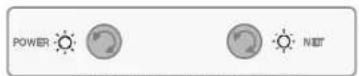
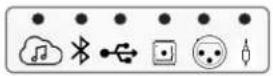
| A | Source LED Indicators & Source Icons (Left to Right: Streaming, Bluetooth, USB Audio, Toslink/ Optical, Balanced, Analog) | D | Source Select + Bluetooth Pairing (Rotary Encoder + Push Switch) |
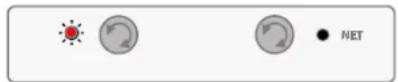
| B Power Indicator E NET Status LED | |||
| C | Volume Control / Mute (Rotary encoder + Push Switch) | ||
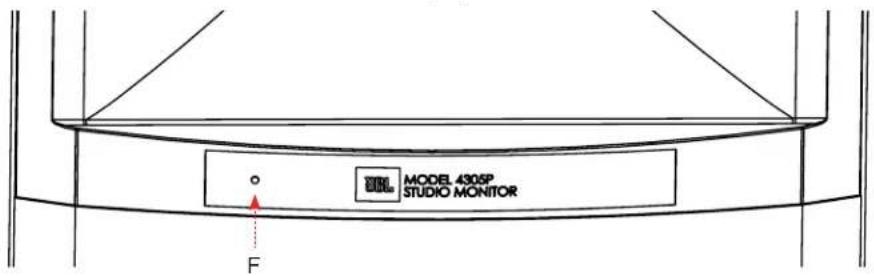
Secondary Speaker
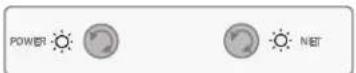
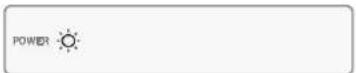
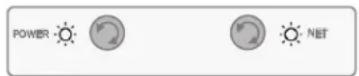
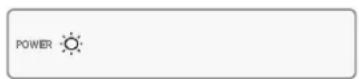
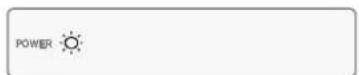
F Power and Status LED
3. Back Panel Overview
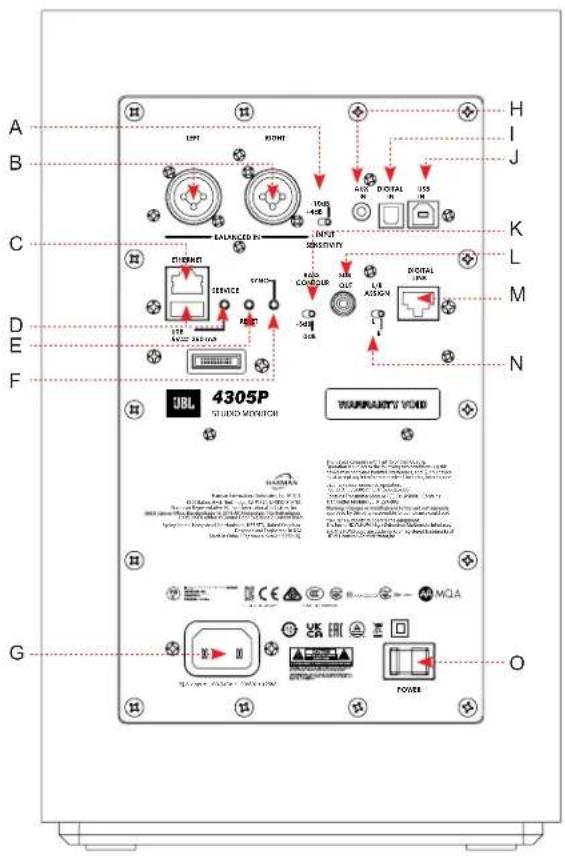
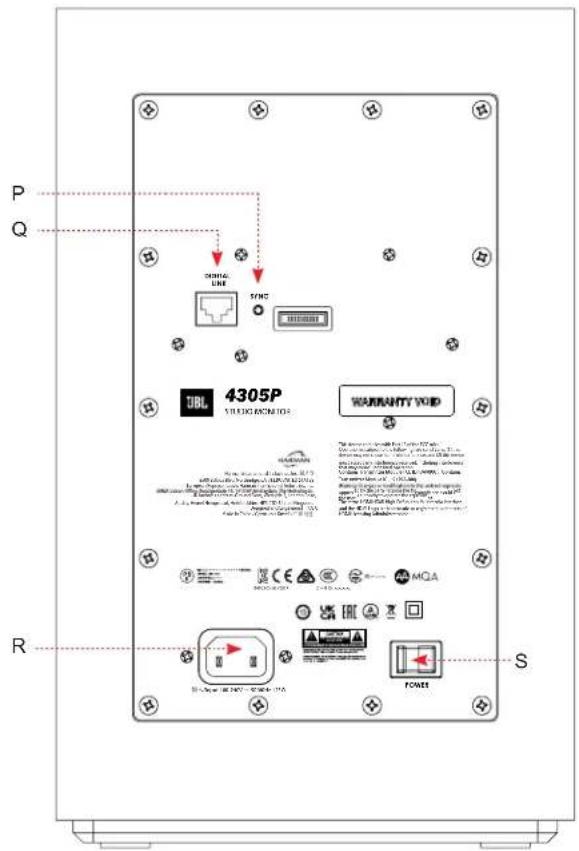
Primary Secondary
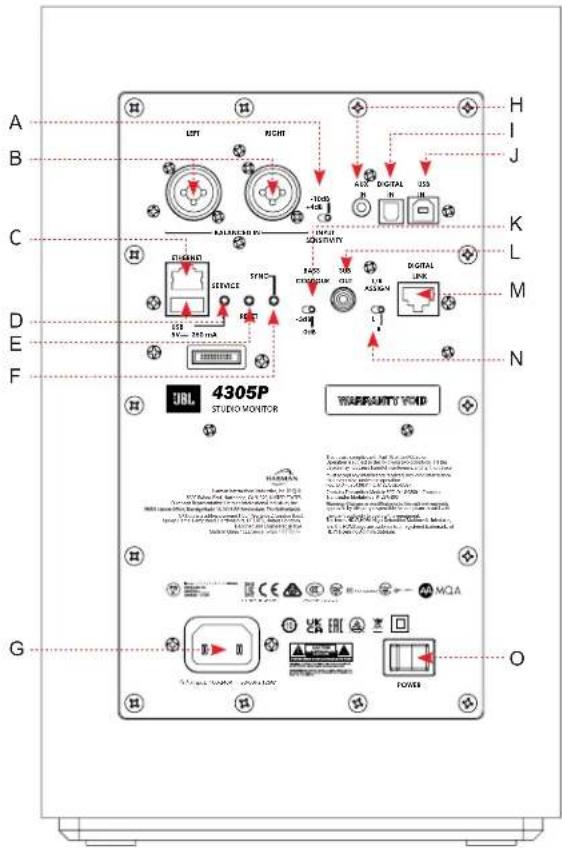
| A | XLR / 1¼" Balanced Input Sensitivity Selection – Select either; -10dB (High sensitivity mode) or +4dB (Low sensitivity / protects input front-end from overload) | K | Bass Contour switch: For boundary compensation adjustment |
| B Left & Right XLR / 1¼" Balanced Inputs L | Sub-Woofer Output: When utilized, an 80Hz high-pass filter is activated for system | ||
| C | Ethernet: Connect to available port on router for wired streaming | M | Primary Speaker Digital Link: To create wired connection between Primary and Secondary speaker via CAT5e or higher cable (Max length 6m) |
| D | USB-A + Service button: For service / firmware updates ONLY (Not for Audio or USB Charging) | N | L/R Assign Selector: Select L or R depending on the intended position for the Primary speaker |
| E | Reset: Factory Reset – press and hold until lights on the front panel begin to flash | O Primary Speaker Main Power switch - | |
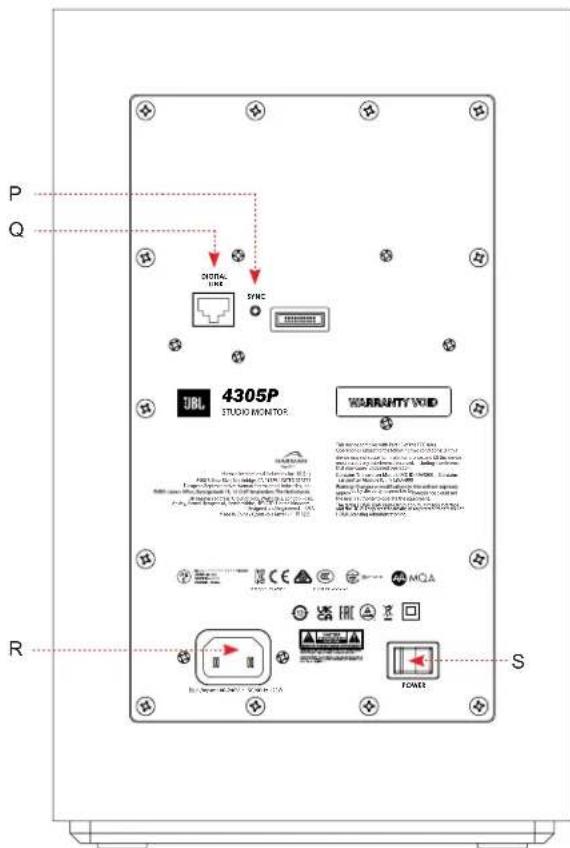
| F | Primary Speaker Sync Button: Use to connect wirelessly to Secondary speaker | P | Secondary Speaker Sync Button: Use to connect wirelessly to Primary speaker |
| G | Primary Speaker IEC Power connection – a universal power supply is incorporated allowing these to be used domestically and internationally. | Q | Secondary Speaker Digital Link: To create wired connection between Primary and Secondary speaker via CAT5e or higher cable (Max length 6m) |
| H 3.5mm analog stereo input R | Secondary Speaker IEC Power connection - a universal power supply is incorporated allowing these to be used domestically and internationally. | ||
| I Toslink / Optical digital input S Secondary Speaker Main Power switch | |||
| J | USB-B Digital Direct PCM input | ||
4. General Placement / Set-up
Room Placement
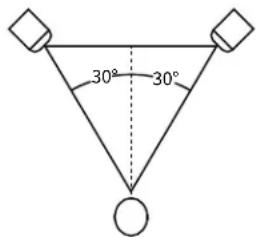
Position each speaker in a vertical orientation with the tweeter on the top. The speakers should be placed so the listening position and the two speakers form an equilateral triangle.
On the back of the Primary speaker, set the bass contour switch based on the speaker's proximity to side boundaries such as walls, inside a bookcase / cabinet, or on floor stands.
Recommended Bass Contour settings
When positioned away from side boundaries or on a stand set to 0dB.
When positioned close to side boundaries or when the speaker is inside of a cabinet or bookcase set to -3dB.
On the back of the Primary speaker, set the L/R Assign switch to identify the Primary speaker based on your selected positioning.
BASS ONTOUR
-3dB 0dB
BASS CONTOUR

-3dB 0dB
L/R ASSIGN
Speaker System Set-up
- Make sure AC Main switch is set to Off.
- Connect the provided AC cords between the AC Inlets on the back of both speakers and the other end to your home AC outlet.
- Connecting the Primary Speaker to the Secondary Speaker:
a. Hardwired: Attach one end of the supplied CAT6 cable to the Digital Link connector on the back of the Primary speaker and the other end to the Digital Link connector on the back of the Secondary speaker. Maximum CAT5 cable length 23^ (7m). This will deliver the highest level of audio quality at 192kHz / 32bit between the two speakers. Both speakers Power LEDs will illuminate solid Yellow when tethered together.
b. Wireless: Each pair of 4305P have been pre-paired for wireless connectivity at the factory. Maximum distance between speaker should be 30^ (9m) or less. Maximum audio quality through wireless connection is 96kHz 24bit. Both speakers Power LEDs will illuminate solid White when connected wirelessly.
i. Wireless Note: If for some reason the speakers in this system become un-associated from each other follow the following steps:
- Verify both speakers are On.
- On the back of the Secondary speaker, Press and Hold the Sync button for >3 seconds. The Power LED will illuminate and flash Yellow color.
- On the back of the Primary speaker, Press and Hold the Sync button for >3 seconds. The Power LED will illuminate and flash Yellow color.
-
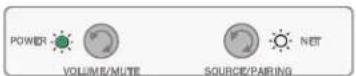
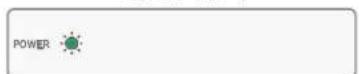
When association is successfully completed, both Primary and Secondary speaker Power LEDs will Illuminate solid Green.
-
Turn the volume down located on the Primary speaker.
- Set the AC main switch on the back of both speakers to On.
Note: When powered up, the system will boot-up, indicated by all LEDs on the front panels flashing White. Once the boot-up process is completed, the system automatically enters an initial network setup mode.
5. Connecting to a Network
For a Wired Connection
Connect the Ethernet port on the rear panel of the Primary speaker to the port on your router using a CAT-5e or higher cable. If wired network connection is detected, the Streaming LED will turn solid Amber color and the Net LED turns solid White color.
Once the connection is established, the Streaming LED will turn solid White.
For a Wireless Connection
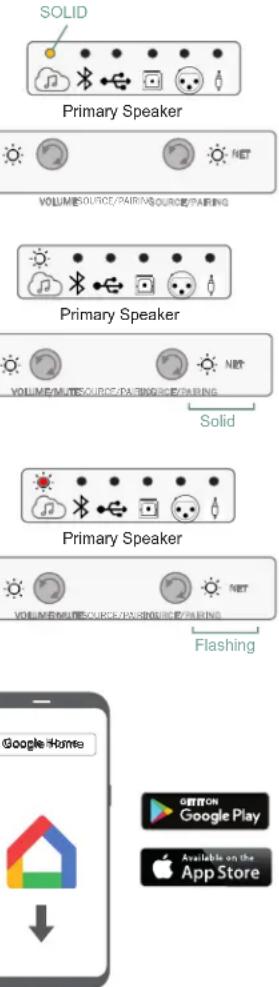
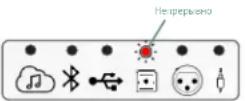
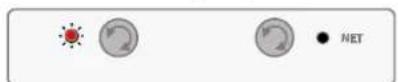
After the initial boot-up process and with no wired ethernet connection to the speaker, the Streaming LED will turn solid Red color and the Net LED will flash White color until connected to Google Home or AirPlay.
Connecting to Google Home
- On your mobile device, download and open the Google Home App.
- Follow Google Home instructions to add devices.
- Follow the prompts for adding devices.
- Once added, your 4305P system is ready for use.
NOTE: We recommend giving the speaker a common name so that it can be easily found for streaming later. If a name other than JBL4305P is selected during this step, write it down as it will be what is used to connect to the unit when streaming or using Bluetooth.
Connecting Wirelessly via AirPlay
- Select the wireless network settings on your iOS device.
- Go to Wi-Fi settings on your movile device and navigate to "Setup New Airplay Speaker".
- Select the speaker called "4305P-XXXXXX (XXXXXXXX corresponds to a MAC address)".
- Select the network you want the 4305P to connect and press "Next".
- Follow the on-screen instructions to complete the 4305P setup as an AirPlay speaker system.
Disabling & Enabling Network / Bluetooth Connectivity
Network / Bluetooth functionality can be turned Off should it be required.
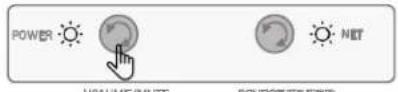
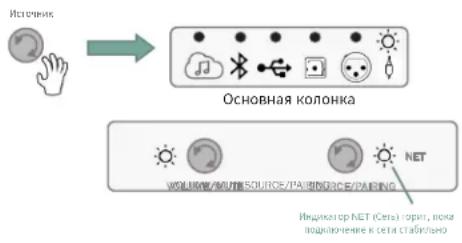
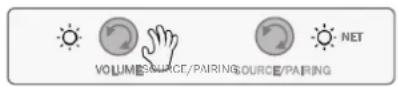
Disabling Network / BT Connectivity - On the front of the Primary Speaker, Press and Hold the Volume and Source buttons on the front panel for >3 seconds. The NET LED will turn RED.
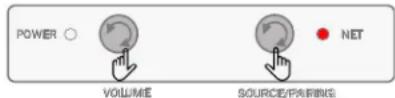
Enabling Network / BT Connectivity - Press and Hold the Volume and Source buttons on front panel for >3 seconds. The NET LED will turn WHITE.
Note: When Network / Bluetooth is Off the following conditions exist:
- Speaker cannot be used for Network or Bluetooth streaming when in or out of standby.
- Remote control is inactive in operation and during standby.
- When waking up from Standby mode in NET Off mode, allow @ 1 minute to restore functionality.
6. Audio Source Connections
Streaming Media Sources
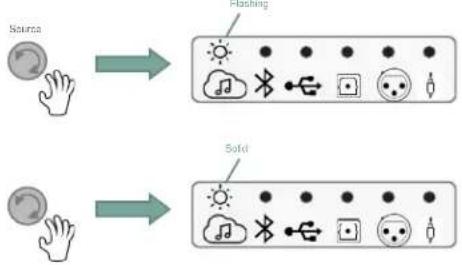
To select Streaming as a source, rotate source control on Primary speaker or from remote control and the Streaming icon will illuminate White.
Flashing White indicates connected to a network not playing or it is in pause.
Solid White indicates connected to a network and playing.
Chromecast
- Launch the streaming service app you wish to listen to on phone or tablet
- Press the Cast icon in that app (usually in upper right-hand corner of content app)
- Select the 4305P (Or name that you chose for the system)
- Start your streaming content

Apple Airplay
- To listen to audio via AirPlay on the system, ensure your Apple device is connected to the same network as the speaker system and select the Speaker as the AirPlay audio playback device.
- Select your streaming content and start playing

Spotify Note
Your phone or tablet may be used as a remote control. Visit Spotify.com/connect to for details.
Bluetooth Source
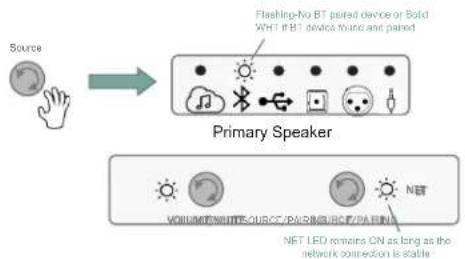
To select Bluetooth as a source, rotate the Source control until the Bluetooth icon is illuminated in White.
If the device has not been paired before, the Bluetooth icon will flash White.
- If previously paired, system will connect, and Bluetooth icon will illuminate solid White.
Pairing / Connecting a Bluetooth Device
With Bluetooth source selected,
- Press and Hold the Source control for >3 seconds.
- Bluetooth LED will start flashing - Speaker system will emit a sound prompt twice.
- Select 4305P under your device's Bluetooth settings, starting the pairing process.
- When connected, the Bluetooth icon will illuminate solid White color and speakers will emit sound prompt.
- Start your device content and streaming will begin.
USB-Audio Digital Direct
- Connect a USB-B cable to the Primary speaker's USB-B Audio Input and the USB-A end of the cable to your source device.
- Rotate the Source control to the USB Audio input, the USB Audio LED will illuminate solid White.
- Select 4305P from your sources device settings Bluetooth speaker options.
- Start your content.
Toslink / Optical Digital-in
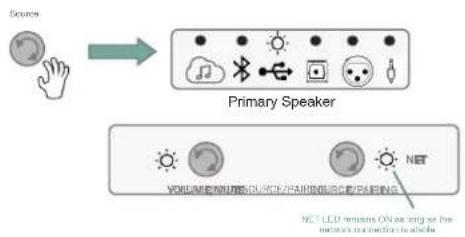
- Connect optical cable between source component and the Toslink / Optical Input on the back of the Primary Speaker.
- Rotate the Source control to the Optical Audio input, the Optical Audio LED will illuminate solid White.
- Start your content.
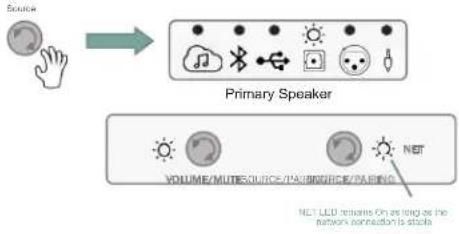
Balanced XLR / 1/4" Connection
- Connect Balanced Left & Right XLR or 14 cables between source component and the Balanced Left & Right Inputs on the back of the Primary Speaker.
- Rotate the Source control to the Balanced Audio input, the Balanced Audio LED will illuminate solid White.
- Start your content.
NOTE: Select appropriate Sensitivity level in support of content / source input - (-10dB / High sensitivity mode or +4dB / Low sensitivity mode).
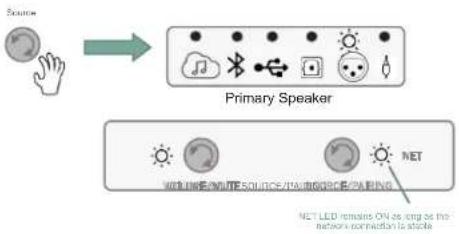
Analog Auxiliary (3.5mm Aux-in) Connection
- Connect analog Stereo cable between source component and the analog 3.5mm Stereo Auxiliary Input on the back of the Primary Speaker.
- Rotate the Source control to the Auxiliary input, the Auxiliary Audio LED will illuminate solid White.
- Start your content.
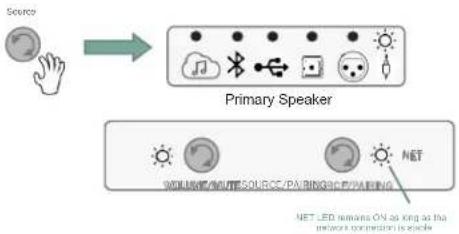
7. System Control
Volume Up / Down / Mute
The volume control on the Primary speaker will raise or lower the volume level for both speakers simultaneously.
- From the default volume level, turning the Volume control Clockwise will increase the volume in 1dB increments.
- LEDs will flash White when maximum volume has been reached.
- Turning the Volume control Counter-Clockwise will decrease the volume in 1dB increments.
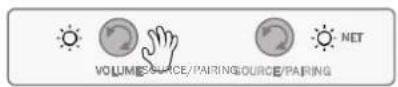
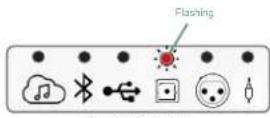
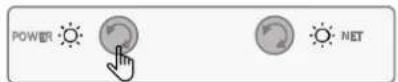
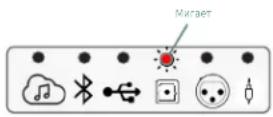
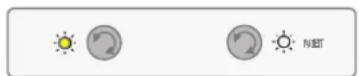
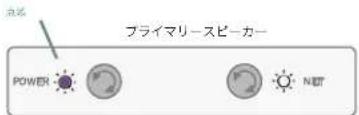
- Press the Volume Control to initiate Mute function. Selected Source LED will illuminate and flash Red while Mute function initiated. (Optical input is being exemplified in the graphic to the right)
- Press the Volume Control again will un-Mute, restoring volume to last setting.
Primary Speaker
Stand-by Mode
The 4305P system will enter low power standby mode automatically when no signal activity is detected at the active / selected source for >10 minutes.
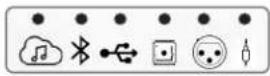
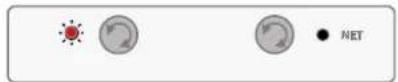
While the system is in stand-by, the Power LED on both the Primary speaker and Secondary speaker will illuminate solid Red color.
Primary Speaker
VOLUSSOURCE/PAIRINGSOURCE/PAIRING
Waking up the system from Stand-by mode and restoring it to normal operation can be achieved by:
- A short press of any button on the Primary speaker.
An Audio signal is detected through the last source selected (except USB or Optical), this includes Streaming and Bluetooth Streaming as long as Network is On
Remote Control
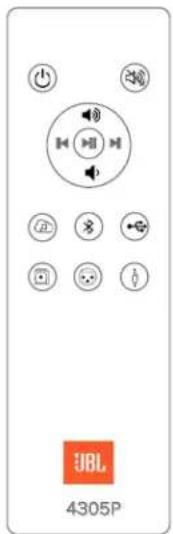
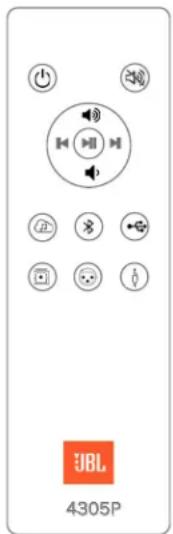
Included with the 4305P system is a Bluetooth hand-held remote control allowing for easy control of the primary operations of the system from up to 40^ (12m).
- Power
Mute - Transport Skip back
- Transport Pause/Play
-
Transport Skip forward
Volume Up
Volume Dn -
Streaming
- BT Source
USB Audion
Digital (Optical in)
Balanced input - Aux-in (3.5mm)
- LED (Feedback purposes) located adjacent to Power On/Off button
Pairing the Bluetooth Remote
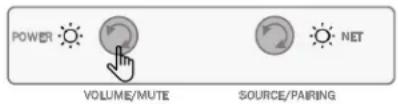
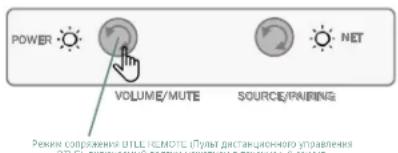
- On the 4305P Primary speaker, Press and hold the Volume/Mute button for >3 seconds.
- On the Remote control, Press the Streaming & Play/Pause/OK button simultaneously.
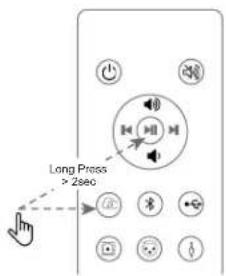
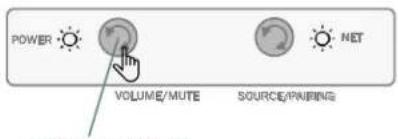
STYLEREMOTE pairing made happens by a long cross > 3 seconds
8. Other Modes
Protection Mode
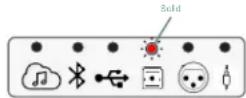
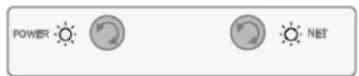
The 4305P system is provided with different levels of protection, in the rare event that the system detects and internal malfunction, it will be represented by the selected Source icon to illuminate solid Red color. The system will remain in that state for as long as the protection event is present. (The example to the right, an issue has resulted while the Optical input was selected.)
Primary Speaker
VOLUME/VOLUME-TEUME
SOURCE/PAIRING
Software Upgrades
- Software upgrades are automatic, as long as the system is connected to an active network.
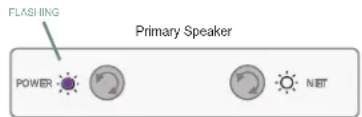
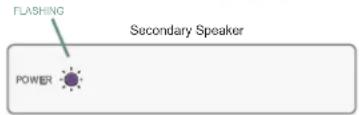
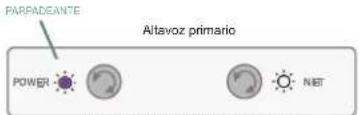
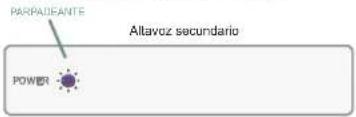
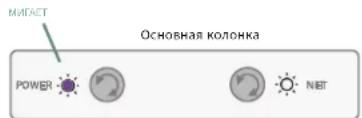
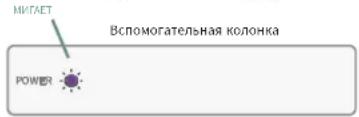
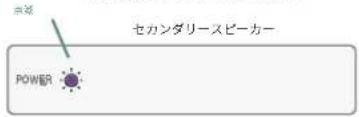
If a valid update is available, the unit will automatically start the update process which will be indicated by the Power LEDs to illuminate and flash Purple in color. - When completed, the Power LEDs will return to previous status and normal operation will resume.
VOLUINGSOURCE/PAIRINGSOURCE/PARTING
Primary Speaker
VOLUERSOURCE/PAIRINGSOURCE/PARING
Speaker Detection
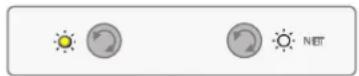
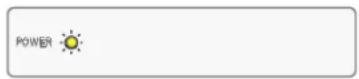
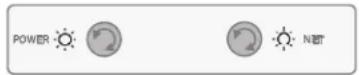
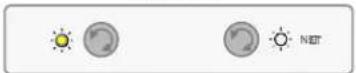
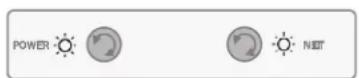
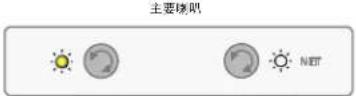
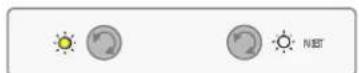
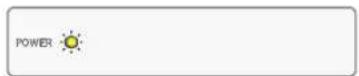
When powered, if the 4305P system does not detect wireless or wired connectivity between the Primary and Secondary speakers, Both Power LEDs will illuminate solid Yellow color.
Check your connections as outline in the Speaker System Set-up in Section 4.
(The example to the right shows no associated speaker detected and primary speaker connected to a network.)
Secondary Speaker
Primary Speaker
VOLUME SOURCE/PAIRINGSOURCE/PARING
Tethered High Resolution Audio Mode - 192kHz / 24bit Connection
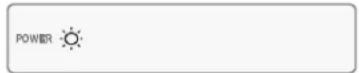
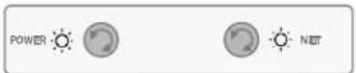
When a wired / tether connection via the Digital Link / Cat6 cable is detected between the Primary and Secondary speaker, Both Power LEDs will illuminate in solid White color.
Secondary Speaker
Wireless Audio Mode - 96kHz / 24bit Connection
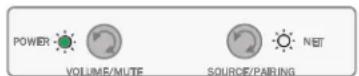
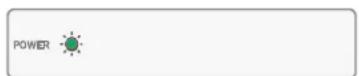
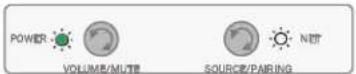
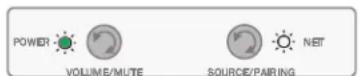
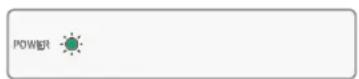
When the Primary and Secondary speaker are connected wirelessly, Both Power LEDs will illuminate in solid Green color.
Secondary Speaker
MQA Content
The 4305P system supports MQA (Master Quality Authenticated) technology, as such has the ability to playback MQA audio streams.
When Streaming source has been selected and an MQA file has been detected in playback, the Streaming source LED will indicate the type of MQA file being played back by the following color changes:
- Streaming Source LED illuminated in solid Green = Genuine MQA file
- Streaming Source LED illuminated in solid Blue = MQA Studio
- Streaming Source LED illuminated in solid Magenta = MQB and is only rendering.

MQA
- Specifications
| Type: | Compact, Bass-reflex Loudspeaker System with Built-in Amplification, DSP, and Wireless Connectivity |
| Low Frequency Drivers: | JW130P-4, 5.25-inch (130mm) Pure-pulp Black Paper Cone Woofers with Cast-frames |
| High Frequency Drivers: 2410 | H-2, 1-inch (25mm) Annular Ring, Teonex® Diaphragm Compression Drivers with Advanced HDI™ Geometry Horns |
| Amplifier Power: 300W Class | D System Power 150W RMS per Speaker (25W per HF Compression Driver + 125W per LFwoofer) |
| Audio Resolution: Up to 24-bit | 192kHz (Digital Link connection between spks) Up to 24-bit, 96kHz (Wireless connection between spks) |
| Frequency Response: 45Hz - | 25kHz (-6dB) |
| Crossover Frequency 1750Hz | |
| Dispersion | 90° Horizontal x 60° Vertical (2kHz to 20kHz) |
| Sound Controls: Front Panel: | Volume +/- and Source Selection Bluetooth Remote Boundary Compensation (Flat / -3dB) |
| Wireless Inputs: WiFi streaming | Bluetooth 5.1 |
| Wired Inputs: Analog: XLR/¼" | Combo and 3.5mm stereo Digital: Asynchronous USB-B and Toslink/Optical |
| Supported Digital Audio Sample Rates (PCM 2CH) | Streaming & Local Media: 32kHz/44.1kHz/48kHz/88.2kHz/96kHz/176.4kHz/192kHz SPDIF: Up to 192kHz Bluetooth: Up to 48kHz |
| Music Formats Supported (Local Media) | AAC / AIFF / ALAC / DSD (to PCM) / FLAC / MP3 / MP4 / OGG / WAV / WMA |
| Subwoofer Output: Autosensing | g w/ Auto-engage of 80Hz High Pass Filter |
| Remote Control Type: BTLE Wireless | |
| Bluetooth Audio Version 5.1 | Profiles: SPP (Serial Port Profile) A2DP (Advanced Audio Distribution Profile) AVRCP (Audio/Vido Remote Control Profile) |
| Enclosure: Bass-reflex Design | with Dual Front-facing Ports ¾" MDF Finished in Satin Walnut, Black Walnut, White Aspen Furniture-Grade Wood Veneer |
| Grille: | Dark Blue (with Walnut Cabinet), Black (with Black Cabinet), White (with Matte White Cabinet) Acoustically Transparent Cloth Grille |
| Net Speaker Dimensions with grille: | 13.2" H x 8.3" W x 8.8" D (336 mm x 210 mm x 223.3 mm) |
| Net Speaker Weight: | Primary: 14.6 lbs (6.6kg) Secondary: 14 lbs (6.4kg) |
| Shipping Units of Measure: | System Pairs |
| Gross Shipping Dimensions: | 18.13" H x 23.5" W x 11.38" D (460.4mm x 596.9mm x 288.9mm) |
| Gross Shipping Weight: 34.2 | lbs (15.5 kg) |
| AC Input Voltage: | 100 - 240 VAC (+/-10%), 50/60Hz |
10. Trademarks and Licenses
| Works with Apple AirPlay | Apple®, AirPlay® and the AirPlay Logo™, iPod®, iPhone® and iPad® are trademarks of Apple Inc., registered in the U.S. and other countries. App Store is a service mark of Apple Inc. AirPlay 2 works with iPhone®, iPad®, and iPod touch® with iOS 11.4 or later, Mac with OS X Mountain Lion or later, and PC with iTunes® 10.2.2 or later. |
| Spotify | The Spotify software is subject to third party licenses that can be found here: https://developer.spatify.com/legal/third-party-licenses/ |
| WiFi® | The Wi-Fi CERTIFIED™ logo is a registered trademark of Wi-Fi Alliance®. |
| Chromecast built-in | Google, Google Play, Chromecast, and other related marks are trademarks of Google LLC. The Google Assistant requires an internet connection and is not available in certain countries and languages. Availability and react of certain features and services are device, service, and network-dependent and may not be available in all areas. Controlling certain devices in your home requires compatible smart devices. Subscriptions for services and applications may be required and additional terms, conditions and/or charges may apply. |
| HDMI | HDMI, the HDMI logo and High-Definition Multimedia Interface are trademarks or registered trademarks of HDMI Licensing LLC. |
| AA MQA | MQA and the Sound Wave Device are registered trademarks of MQA Limited. © 2016 MQA (Master Quality Authenticated). MQA is an award-winning British technology that delivers the sound of the original master recording. The master MQA file is fully authenticated and is small enough to stream or download. Visit mqa.co.uk for more information. The [Product] includes MQA technology, which enables you to play back MQA audio files and streams, delivering the sound of the original master recording. MQA or MQA Studio indicates that the product is decoding and playing an MQA stream or file and denotes provenance to ensure that the sound is identical to that of the source material. MQA Studio indicates it is playing an MQA Studio file, which has either been approved in the studio by the artist/producer or has been verified by the copyright owner. |
| MP3 MPEG Layer-3 audio decoding technology licensed from Fraunhofer IIS and Thomson multimedia. | |
| Flac | FLAC Decoder Copyright © 2000, 2001, 2002, 2003, 2004, 2005, 2006, 2007, 2008 Josh Coalson Redistribution and use in source and binary forms, with or without modification, are permitted provided that the following conditions are met: • Redistributions of source code must retain the above copyright notice, this list of conditions and the following disclaimer. • Redistributions in binary form must reproduce the above copyright notice, this list of conditions and the following disclaimer in the documentation and/or other materials provided with the distribution. • Neither the name of the Xiph.org Foundation nor the names of its contributors may be used to endorse or promote products derived from this software without specific prior written permission. THIS SOFTWARE IS PROVIDED BY THE COPYRIGHT HOLDERS AND Contributors ‘AS IS’ AND ANY EXPRESS OR IMPLIED WARRANTY, INCLUDING, BUT NOT LIMITED TO, THE IMPLIED WARRANTY OF MERCHANTIBILITY AND FITNESS FOR A PARTICULAR PURPOSE ARE DISCLAIMED. IN NO EVENT SHALL THE FOUNDATION OR CONTRIBUTORS BE LIABLE FOR ANY DIRECT, INDIRECT, INCIDENTAL, SPECIAL, EXEMPLARY, OR CONSEQUENTIAL DAMAGES (INCLUDING, BUT NOT LIMITED TO, PROCEDURE OF SUBSTITUTE GOODS OR SERVICES; LOSS OF USE, DATA, OR PROFITS; OR BUSINESS INTERRUPTION) HOWEVER CAUSED AND ON ANY THEORY OF LIABILITY, WHETHER IN CONTRACT, STRICT LIABILITY, OR TORT (INCLUDING NEGLIGENCE OR OTHERWISE) ARISING IN ANY WAY OUT OF THE USE OF THIS SOFTWARE, EVEN IF ADVISED OF THE POSSIBILITY OF SUCH DAMAGE. |
11. Wireless specification:
Bluetooth
Bluetooth version: 5.1
Bluetooth transmitter frequency range: 2402 - 2480MHz
Bluetooth transmitter power: <13dBm
Bluetooth transmitter modulation: GFSK,π/4 DQPSK, 8DPSK
Wi-Fi network: 802.11a/b/g/n/ac (2.4GHz/5GHz)
2.4G Wi-Fi transmitter frequency range: 2412 - 2472MHz (2.4GHz ISM Band, USA 11 Channels, Europe and others 13 Channels)
2.4G Wi-Fi transmitter power: <20dBm
2.4G Wi-Fi modulation: DBPSK, DQPSK, CCK, QPSK, BPSK, 16QAM, 64QAM
5G Wi-Fi transmitter power: 5.15 - 5.25GHz < 23dBm; 5.25 - 5.35GHz < 20dBm; 5.470 - 5.725GHz < 20dBm;
5.725-5.825GHz<14dBm
5G Wi-Fi modulation: QPSK, BPSK, 16QAM,64QAM,256QAM
5G Wi-Fi transmitter frequency range: 5.15 - 5.35GHz, 5.470 - 5.725GHz, 5.725 - 5.825GHz
5G WISA transmitter power: ≤ 18 dBm(eirp)
5G WISA modulation: OFDM, BPSK, QPSK, 16QAM
5G WISA transmitter frequency range: 5.15 - 5.35GHz, 5.470 - 5.725GHz, 5.725 - 5.825GHz
MAX Operating temperature: 45^
The device is restricted to indoor use when operation in the 5150-5350Mhz frequency range in following countries:

| BE | B | CZ | DK | DE | ||
| EE | IE | EL | ES | FR | ||
| HR | IT | CY | LV | LT | ||
| LU | H | JMT | NL | AT | ||
| PL | PT | RO | SI | SK | ||
| FI | SE | IS | NO | CH | ||
| LI | UK (NI) |
Belgium (BE), Greece (EL), Lithuania (LT), Portugal (PT), Bulgaria (BG), Spain (ES), Luxembourg (LU), Romania (RO), Czech Republic (CZ), France (FR), Hungary (HU), Slovenia (SI), Denmark (DK), Croatia (HR), Malta (MT), Slovakia (SK), Germany (DE), Italy (IT), Netherlands (NL), Finland (FI), Estonia (EE), Cyprus (CY), Austria (AT), Sweden (SE), Ireland (IE), Latvia (LV), Poland (PL), Iceland (IS), Norway (NO), Switzerland (CH), Liechtenstein (LI) and Northern Ireland (UK).
Information on power consumption:
This equipment complies with European Commission Regulation (EC) No1275/2008 and (EU) No 801/2013.
Networked standby (WIFI/BT/ETHERNET) : < 2.0 W
产品中有害物质的名称及含量
| 部件名称 | 有害物质或元素 | |||||
| 铅(Pb) | 汞(Hg) | 镉(Cd) | 六价铬(Cr(VI)) | 多溴联苯(PBB) | 多溴二苯醚(PBDE) | |
| 外壳O O O O O O | ||||||
| 喇叭单元O O O O O O | ||||||
| 电路板组件X O O O O O | ||||||
| 附件(电源线,连接线)X O O | O O O | |||||
Manufacturer: Harman International Industries, Incorporated
Address: 8500 Balboa Blvd, Northridge, CA 91329, UNITED STATES
European Representative:
EMEA Liaison Office, Danzigerkade 16G, 1013 AP Amsterdam, The Netherlands
UK Business Address:
Ground Floor, Westside 2, London Road, Apsley, Hemel Hempstead,
Hertfordshire, HP3 9TD, United Kingdom
© 2023 HARMAN International Industries, Incorporated. All rights reserved.
JBL is a trademark of HARMAN International Industries, Incorporated, registered in the United States and/or other countries.
Features, specifications and appearance are subject to change without notice.
VOLUME/MUTE
SOURCPCPAHCH
Veille
Belgium (BE), Greece (EL), Lithuania (LT), Portugal (PT), Bulgaria (BG), Spain (ES), Luxembourg (LU), Romania (RO), Czech Republic (CZ), France (FR), Hungary (HU), Slovenia (SI), Denmark (DK), Croatia (HR), Malta (MT), Slovakia (SK), Germany (DE), Italy (IT), Netherlands (NL), Finland (FI), Estonia (EE), Cyprus (CY), Austria (AT), Sweden (SE), Ireland (IE), Latvia (LV), Poland (PL), Iceland (IS), Norway (NO), Switzerland (CH), Liechtenstein (LI) and Northern Ireland (UK).
Manufacturer: Harman International Industries, Incorporated
Address: 8500 Balboa Blvd, Northridge, CA 91329, UNITED STATES
European Representative:
EMEA Liaison Office, Danzigerkade 16G, 1013 AP Amsterdam, The Netherlands
UK Business Address:
Ground Floor, Westside 2, London Road, Apsley, Hemel Hempstead,
Hertfordshire, HP3 9TD, United Kingdom
© 2023 HARMAN International Industries, Incorporated. All rights reserved.
JBL is a trademark of HARMAN International Industries, Incorporated, registered in the United States and/or other countries.
Features, specifications and appearance are subject to change without notice.
Belgium (BE), Greece (EL), Lithuania (LT), Portugal (PT), Bulgaria (BG), Spain (ES), Luxembourg (LU), Romania (RO), Czech Republic (CZ), France (FR), Hungary (HU), Slovenia (SI), Denmark (DK), Croatia (HR), Malta (MT), Slovakia (SK), Germany (DE), Italy (IT), Netherlands (NL), Finland (FI), Estonia (EE), Cyprus (CY), Austria (AT), Sweden (SE), Ireland (IE), Latvia (LV), Poland (PL), Iceland (IS), Norway (NO), Switzerland (CH), Liechtenstein (LI) and Northern Ireland (UK).
Manufacturer: Harman International Industries, Incorporated
Address: 8500 Balboa Blvd, Northridge, CA 91329, UNITED STATES
European Representative:
EMEA Liaison Office, Danzigerkade 16G, 1013 AP Amsterdam, The Netherlands
UK Business Address:
Ground Floor, Westside 2, London Road, Apsley, Hemel Hempstead,
Hertfordshire, HP3 9TD, United Kingdom
© 2023 HARMAN International Industries, Incorporated. All rights reserved.
JBL is a trademark of HARMAN International Industries, Incorporated, registered in the United States and/or other countries.
Features, specifications and appearance are subject to change without notice.
JBL

www.jbl.com/specialtyaudio
VOLUMSOURCE/FAIRINGSOURCE/PARTING
Altavoz primario
VOLUMESOURCE/FAIRINGSOURCE/PARINO

Altavoz secundario
Altavoz primano
VOLUMESOURCE/PAIRINGSOURCE/PARTING
Altayoz secundario

Altavoz secundario

MQA
- Especillasiones
Belgium (BE), Greece (EL), Lithuania (LT), Portugal (PT), Bulgaria (BG), Spain (ES), Luxembourg (LU), Romania (RO), Czech Republic (CZ), France (FR), Hungary (HU), Slovenia (SI), Denmark (DK), Croatia (HR), Malta (MT), Slovakia (SK), Germany (DE), Italy (IT), Netherlands (NL), Finland (FI), Estonia (EE), Cyprus (CY), Austria (AT), Sweden (SE), Ireland (IE), Latvia (LV), Poland (PL), Iceland (IS), Norway (NO), Switzerland (CH), Liechtenstein (LI) and Northern Ireland (UK).
Manufacturer: Harman International Industries, Incorporated
Address: 8500 Balboa Blvd, Northridge, CA 91329, UNITED STATES
European Representative:
EMEA Liaison Office, Danzigerkade 16G, 1013 AP Amsterdam, The Netherlands
UK Business Address:
Ground Floor, Westside 2, London Road, Apsley, Hemel Hempstead,
Hertfordshire, HP3 9TD, United Kingdom
© 2023 HARMAN International Industries, Incorporated. All rights reserved.
JBL is a trademark of HARMAN International Industries, Incorporated, registered in the United States and/or other countries.
Features, specifications and appearance are subject to change without notice.
Belgium (BE), Greece (EL), Lithuania (LT), Portugal (PT), Bulgaria (BG), Spain (ES), Luxembourg (LU), Romania (RO), Czech Republic (CZ), France (FR), Hungary (HU), Slovenia (SI), Denmark (DK), Croatia (HR), Malta (MT), Slovakia (SK), Germany (DE), Italy (IT), Netherlands (NL), Finland (FI), Estonia (EE), Cyprus (CY), Austria (AT), Sweden (SE), Ireland (IE), Latvia (LV), Poland (PL), Iceland (IS), Norway (NO), Switzerland (CH), Liechtenstein (LI) and Northern Ireland (UK).
Manufacturer: Harman International Industries, Incorporated
Address: 8500 Balboa Blvd, Northridge, CA 91329, UNITED STATES
European Representative:
EMEA Liaison Office, Danzigerkade 16G, 1013 AP Amsterdam, The Netherlands
UK Business Address:
Ground Floor, Westside 2, London Road, Apsley, Hemel Hempstead,
Hertfordshire, HP3 9TD, United Kingdom
© 2023 HARMAN International Industries, Incorporated. All rights reserved.
JBL is a trademark of HARMAN International Industries, Incorporated, registered in the United States and/or other countries.
Features, specifications and appearance are subject to change without notice.
F INHdkaTop nHTaHn u coCToHHN
3.063op 3aHnei naHei
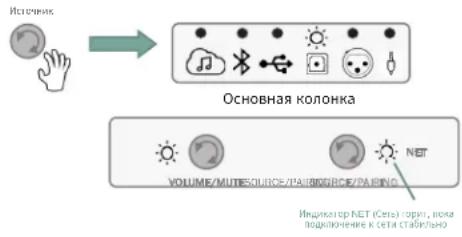
OchOBHb BcnoMOraTeIbHa
Hypothesis-test NET (Cort, robert, nova)
hypothesis-test K cct3 cct4 hypothesis
UΦpOBoB BxOa Toslink/onTnueckn
- Пдклочио ONTчeckn Ka6eь K yctpoiCTBy-ntOchNky Ko BXody Toslink / Optical (Toslink / ONTчeckn) Ha 3aHHe CTopoHE OCHOBHKOJOHKn.
- ПовернITE рergyларTop Источиka Ha Optical Audio input (OnTnueckn), Иndикагot Optical Audio 3aropntc HnpepbBHO 6eblm.
- HauHnTe BocpOuN3BedeHne KOHTeHTa.
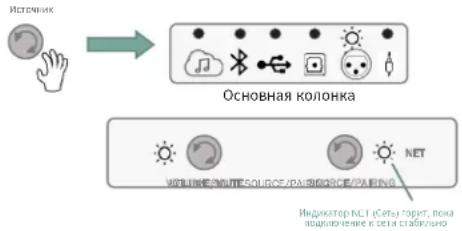
IopKnloueHne 6aJaanChbix Ka6eJe XLR / 14
- Пдклочпбаансьи паын leвькakebln XLR nln ¼" K yctpoiCTBy-ntOCHNY u BXoam Balanced Left & Right (baHchbI neBbI npaB)Ha 3aHne CTopoHe OCHOBHoi KOLOHKn.
- Повернite ретуларосточика Ha Balanced Audio input (Балансьи aydnoBxOD), Иndикатop 6аланchoro aydno 3aropntc HENpepbIBhIM 6eIbIM CBETOM.
- HauHnTe BOCpOn3BeDeHne KOHTeHTa.
PIMMEAHNE. Bb6epnte noxodn ypoBeHb YBCTBnTeNbHOCTn nIa NOpeKKn KOHTHa / BXoJa nCTOuHNka - (-10 d5 / peKm BBICOKo YBCTBnTeNbHOCTn 1N60 +4 d5 / peKm Hn3KoYyBCTBnTeNbHOCTn).
IopKnIOeHne aHaIOrOBoro IInHeuHoro Ka6eJra (Aux-in 3,5 MM)
1.ПОДКЛЮЧИТЕаHAJIOROBБIСTepeо-ka6eJB KуCTpoIcTBy-ИСTOHNYI K BCПOMORAteBJHOMY aHaJIOROBOMY CTepeOBxOdy 3,5 MM Ha 3aJHeI CTopoHc OCHOBHOKOLOHKN.
2.ПовернitepernyTOpИСТОУнkaHa BCNOMORAteBHyB BxOД,ИHДNKaTOp BCNOMORAteIbHOroaydIOVBXOda3arOpNTcHENpepbIBHO6JIbIM.
3. HauHnTe BocpOn3BedeHne KOHTeHTa.
7. Ynpablenne cncTeMoN
YBeJIuHHeHne/YMeHbUeHHe NrPOMKoCTN/OTKJIIOUeHHe 3ByKa
PeryIaTOp rpoMkoCTn Ha oCHOBHoi KOJIOHKe NOBbIaAe/TnoHnXaET ypOBeHb rpoMkoCTn Ha 06eHX KOnOHkax OndHOBpeMeHHo.
Haunha cypOBH rPOMKoCTn no yMOnuahHH, NOBOPrpeyIaTopa rPOMKoCTn no Yacobon cTpeNke NObIiAeT rPOMKoCTb Ha cnedyUuue uactOtbl n 1 d5.
- Ppi doCTnHexHm MaKcImaIbHOr rPOMKOcTn HndkaTopbHaCyHT MIRaTb 6eblM.
- Nobopot perylaTopa rpoMkoCTn npoTnb YacOBOn CTpeKNI NOHIXaet rpoMkoCTb Ha cIeNyUOJIne YacToTb I no 1 d5.
HaKMMTe Ha peryIaTOp rPOMKoCTn, YTO6bI OTKJIIOHTb 3Byk (Mute). Korda 3Byk OTKJIOUeH, INdNKaTOp BbIbpaHHoro NCTOCHNka 3aOpITcra N HaHuHT MURA Tb KpaChbIM. (Ha IIJIIOCTpauCn Cnpaba dIЯ npImepa BbIbpa HcTOOHNk Optical (OnTNueckn)).
HaKMMte Ha peryIaTOp rPOMKoCTn CHOBa, YTO6bI BKJIOuHTb 3ByK. YpOBeHb rPOMKOCTn 6yET COOTBETCTBOBaTb NocJIeDHe HAcTpoKe.
OCHOBHAR KOIOHKa
PexnOxuaHna
CnCTema 4305P aBtOMaTnueckn nepexoNT B peKIM OxuJaHna CO CHNKeHHbIM NOTpe6JIeHHeM 3Heprnn, eCNI OT aKTUBHO/Bl6paHHORO nCTouHnKa He NOcTyNaet ayDIOOCnIHaN B TeueHne >10 MNHyT.
Korda cnCTema HaxoNTcB Pexkme OxuaHn, HndkaTOpbl NtAHn Ha OCHBOH n BCNOMORAtebHO KOLOHkAX ropr HnpepbIBHO KpaChbIM.
OCHOBHAA KOIOHKA
VOLUERSOURCE/PAIRINGSOURCE/PARING
BbIXo n3 peKIMa OKnDaHn N Bo3Bpa K 06bUHO pa6Ote npocxOJT,ecN:
KpaTko HaKaTaB IIO6yKO HONky Ha OCHOBHO KOIONKe;
HaaybBocnpoun3BeHne Ha nocJeHem Bbl6paHHOM nctouHnke (Kpome USB n onTnueckoro), BKJIouaer cTpIMnHr nepeya y daHbix no Bluetooth, eCNn BkJIoueHa ceTb.
NytDnCTaHOnHOynpaBHeHn
B KOMnIeK T NocTbKn CnCTembl 4305P BXoIIT pyHOn nyIbT nCtAHcHNOHOrO ynpaBHeHn C nOdepKko Bluetooth Ira IerKoro ynpaBHeHn OCHOBHbIMn FyHKqIaMn CnCTembl C paccToHn Do 12 M (40 cyTOB).
Power (Ntahne)
Mute (OTKIOHHTb 3BYK)
Transport Skip back (PpebIyun TpeK)
- Transport Pause/Play (Паузa/ВорсponЗеведи)
- Transport Skip forward (Cleyuouu npn TpeK)
Volume Up (YBENHHTb rPOMKoCTb)
Volume Dn (YMeHbWntb rPOMKocTb)
- Streaming (CTpMmHr)
- BT Source (ИсторическаяBluetooth)
USB Audion (IcToHnK USB Audio)
Digital / Optical in (LHΦpoB/ ONTUeCKn BXoD)
Balanced input (BaIaHcHbI BxOa) - Aux-in (3,5 MM)
HdkaTopbI (nna o6paTHoCBA3n) pacnoJIOKeHbI pAOM C KhoKoi nTaHnOn/Off (BkJI./BbIKl.)
Conpexene no Bluetooth c nomoob nybta dV
Ha ochoBHOKOJIOHKe 4305P haxMnte u yepKnBaHTe KhoNky Volume/Mute (FpOMKocTb /OTKJIIOHHTb 3ByK)doJIbSe 3ceKyHd.
Ha npIbTe Dy haxMnte OndHOBpeMeHHo KhoNKn Streaming (Ctpmnnr) n Play/Pause/OK (Bocnpoun3BegeHne/nay3a/OK).
8.Дугп ржимbli
Pekm3aunTbI
CnCTema 4305P OcHauSeHa pa3JIuHbIMn yPOBnMn 3aunTbI. B peKnx Cnyaay, ecnn CnCTema o6HApYkNT BHyTpEHHIO HeNCnPpABHOCtB, B KaueCTBe CNrHana BbIbpaHbIM 3NaOH NcToHnKa 3aROpNTcH HeNpepbIBHO KpaCHbIM. CnCTema 6yDet HaxOJNTbcB 3TOM COCToHn Do Tex nop, noka npOnCxOJIT Co6blTne, aKTINBnPoBaBWee 3aunTHyo fynKcuHIO.
(Ha npimepe cnpaba npo6Iema BO3HnKJI npn BbIpaHHOM ONTueckOM nCTOHTNKe).
06HOBLeHne nporpamMHorO 06ecneueHn
- O6HOBJIeHne nporpaMMHOrO o6ecneueHnI pOnxCoNDt aBToMaTHueckn, ecNI cnCTema NpOKJIIOUeHa K aKTUBHOcTn.
EcniDocTyHNO COOTBeTCTBHyOuIe O6HOBJIeHne, yCTpOJcTBo ABTomaTHueckn HauHET npOceCC 6HOBJIeHn, INHdNKATOpbI NHTAHN Prn 3OM 6yDyT MmTaTb fnoJeTOBbIM. - Pocne 3aBepseHn8 o6HOBJIeHn HnIKaTOpb I nITaHn B ePhyTc B npexHee coCToHnE, n Bo3O6HOBHTc8 O6bUHa8 pa60Ta.
06HapyKeHne KOHOK
Ecn npn noeknuehen K cetn nntaan Cnctema 4305P He o6napyknBaet 6ecnpoBDHO nn npOBHOe nooknueHne MeJdy OCHBOH N BCNOMORAtehHO KOHOK, TO nHdkaTOpbl nHTAH Ha o6eHX KOHOkax 6dyT rpeTB HnpepbIBHO JeJIbIM.
IpoBepbTe noKJIIOUeHHe, KaK OINcAHO B rnaBe «HaCtpoNka CnCTeMbI KOLOHOK» B pa3dene 4.
(Ha npimpe cnpaba noka3aHc,HTo noKKnueHHa KOLOHka He o6hApyKeHa, a ochOBnKa KOJKNoueHa K cTeN).
OCHOBHAR KOLOHKA
VOLUME/VOLUME-TEUMC
SOURCE/PAIRING
VOLUSSOURCE/PAIRINGSOURCE/PAPNG
OCHOBHAR KOIOHKA
VOLUSSOURCE/PAIRINGSOURCE/PAIRNG

BCnOMoraTebHaKa KOHOHa Ka
Pexn 3Byka BbICOKo pa3peHn c nepeaey daHHbIX no Ka6eIIO - nOdkluoyenne 192 KU/24 6nta
EcnMekdy OCHOBHOn I BCNOMORAteIbHO K0JONHKaMn 6hApyKeHO NODKJIIOUeHne c nOmoIbIO Ka6eIgra Digital Link / Cat6, o6a INDNIKAToPA NITAHNA 6ydyr rpeT b6JIbIM CBETOM.
Aydnopexim c 6ecnpoBODH nopeaey daHHbIX - noeknoueHne 96 KtU /24 6nta
EcHIOCHOBHn BCNOMORAteNBHa KONOHKn NODKNIOeHb6ecnpoBOhBIM CnOCO6OM, 06a HnDnKaTopa NITAHN 6ydyT RopeT 3eNEHbIM CBETOM.
OCHOBHAR KONOHO
VOLUINGSOURCE/PAIRINGSOURCE/PAIRING
BCNOMORATENbHAR KOIOHKA
BcnoMoraTeNbHaKoNnKa
KoHTeHT MQA
CnCTema 4305P noIdepKnaeT texHONrMQA (Master Quality AuthENTICated, DOCTOBepHOe 3aIohHOe KaueCTBO) n CnOc6Ha BocpOn3BODnty aynonotOK MQA.
Iocne Bb6opa nctouHnka notoKOBo nepeaun daHHbix n o6hApyeHna faJna MQA B cnncke BOCpOu3BeHnna HndKaTOp nCTOuHnka cTpMmHra yKaXeT BOCpPOn3BODmbl TnnpaMQA npTe mCedeYUoSe cmHe bCBeTOB:
- INДИКАТОР ИСТОУніКа CTРUMINH RA HeNpepbIbHO ropNT ЗелЕнblm UBeTOM =файг Genuine MQA;
- INHdkaTOp IcTOUHnKa CTPMmHra HeNpepbBHO rOpNT CnHM ZBeTOM = faMl MQA Studio;
- INHdkaTOp nCTOuHnKa cTpumHra HEnpepbIBHO rOpnt npnypHbIM ZBeTOM = aMl MQB, TOnbKO peHepnHr.


- TexHnueckne xapaKTepeNCTnKN
Belgium (BE), Greece (EL), Lithuania (LT), Portugal (PT), Bulgaria (BG), Spain (ES), Luxembourg (LU), Romania (RO), Czech Republic (CZ), France (FR), Hungary (HU), Slovenia (SI), Denmark (DK), Croatia (HR), Malta (MT), Slovakia (SK), Germany (DE), Italy (IT), Netherlands (NL), Finland (FI), Estonia (EE), Cyprus (CY), Austria (AT), Sweden (SE), Ireland (IE), Latvia (LV), Poland (PL), Iceland (IS), Norway (NO), Switzerland (CH), Liechtenstein (LI) and Northern Ireland (UK).
HΦopmaizn o6 3neprnooTpe6JeHHn:
Hactoee o60pyobAHne cootBcTBye terpamenty EBPOKOMCCn N 1275/2008 n peramenty EC N 801/2013.
- Pekim oksi danha B ceTu (WIFI/BT/ETHERNET): < 2,0 BT
产品中有害物质的名称及含量
| 部件名称 | 有害物质或元素 | |||||
| 铅(Pb) | 汞(Hg) | 镉(Cd) | 六价铬(Cr(VI)) | 多溴联苯(PBB) | 多溴二苯醚(PBDE) | |
| 外壳O O O O O O | ||||||
| 喇叭单元O O O O O O | ||||||
| 电路板组件X O O O O O | ||||||
| 附件(电源线,连接线)X O O | O O O | |||||
Manufacturer: Harman International Industries, Incorporated
Address: 8500 Balboa Blvd, Northridge, CA 91329, UNITED STATES
European Representative:
EMEA Liaison Office, Danzigerkade 16G, 1013 AP Amsterdam, The Netherlands
UK Business Address:
Ground Floor, Westside 2, London Road, Apsley, Hemel Hempstead,
Hertfordshire, HP3 9TD, United Kingdom
© 2023 HARMAN International Industries, Incorporated. All rights reserved.
JBL is a trademark of HARMAN International Industries, Incorporated, registered in the United States and/or other countries.
Features, specifications and appearance are subject to change without notice.
感谢您选择 JBL
Belgium (BE), Greece (EL), Lithuania (LT), Portugal (PT), Bulgaria (BG), Spain (ES), Luxembourg (LU), Romania (RO), Czech Republic (CZ), France (FR), Hungary (HU), Slovenia (SI), Denmark (DK), Croatia (HR), Malta (MT), Slovakia (SK), Germany (DE), Italy (IT), Netherlands (NL), Finland (FI), Estonia (EE), Cyprus (CY), Austria (AT), Sweden (SE), Ireland (IE), Latvia (LV), Poland (PL), Iceland (IS), Norway (NO), Switzerland (CH), Liechtenstein (LI) and Northern Ireland (UK).
功耗信息:
Manufacturer: Harman International Industries, Incorporated
Address: 8500 Balboa Blvd, Northridge, CA 91329, UNITED STATES
European Representative:
EMEA Liaison Office, Danzigerkade 16G, 1013 AP Amsterdam, The Netherlands
UK Business Address:
Ground Floor, Westside 2, London Road, Apsley, Hemel Hempstead,
Hertfordshire, HP3 9TD, United Kingdom
© 2023 HARMAN International Industries, Incorporated. All rights reserved.
JBL is a trademark of HARMAN International Industries, Incorporated, registered in the United States and/or other countries.
Features, specifications and appearance are subject to change without notice.
感謝您選擇 JBL
VOLUMSOURCE/PAIRINGSOURCEPAIING

次要味则
主要刷肌
VOLUMESOURCE/PAIRINGSOURCE/PAIN
次要缘明
Belgium (BE), Greece (EL), Lithuania (LT), Portugal (PT), Bulgaria (BG), Spain (ES), Luxembourg (LU), Romania (RO), Czech Republic (CZ), France (FR), Hungary (HU), Slovenia (SI), Denmark (DK), Croatia (HR), Malta (MT), Slovakia (SK), Germany (DE), Italy (IT), Netherlands (NL), Finland (FI), Estonia (EE), Cyprus (CY), Austria (AT), Sweden (SE), Ireland (IE), Latvia (LV), Poland (PL), Iceland (IS), Norway (NO), Switzerland (CH), Liechtenstein (LI) and Northern Ireland (UK).
功耗資訊:
Declaration of the Presence Condition of the Restricted Substances Marking
| 單元 Unit | 限用物質及其化學符號 Restricted substances and its chemical symbols | |||||
| 鉛 Lead (Pb) | 汞 Mercury (Hg) | 鎘 Cadmium (Cd) | 六價鉻 Hexavalent chromium (Cr⁺⁶) | 多溴聯苯 Polybrominated biphenyls (PBB) | 多溴二苯醚 Polybrominated diphenyl ethers (PBDE) | |
| 壳体结构 ○ ○ | ○ ○ ○ ○ | |||||
| 电源线 ○ ○ | ○ ○ ○ ○ | |||||
| 喇叭单元 ○ ○ | ○ ○ ○ ○ | |||||
| PCBA 組件 - ○ | ○ ○ ○ ○ | |||||
| 包裝 ○ ○ | ○ ○ ○ ○ | |||||
| 備考1.「超出0.1wt%」及「超出0.01wt%」係指限用物質之百分比含量超出百分比含量基準值。 Note 1: "Exceeding 0.1 wt%" and "exceeding 0.01 wt%" indicate that the percentage content of the restricted substance exceeds the reference percentage value of presence condition. 備考2.「○」係指該項限用物質之百分比含量未超出百分比含量基準值。 Note 2: "○" indicates that the percentage content of the restricted substance does not exceed the percentage of reference value of presence. 備考3.「-」係指該項限用物質為排除項目。 Note 3: The "−" indicates that the restricted substance corresponds to the exemption. | ||||||

Manufacturer: Harman International Industries, Incorporated
Address: 8500 Balboa Blvd, Northridge, CA 91329, UNITED STATES
European Representative:
EMEA Liaison Office, Danzigerkade 16G, 1013 AP Amsterdam, The Netherlands
UK Business Address:
Ground Floor, Westside 2, London Road, Apsley, Hemel Hempstead, Hertfordshire, HP3 9TD, United Kingdom
© 2023 HARMAN International Industries, Incorporated. All rights reserved.
JBL is a trademark of HARMAN International Industries, Incorporated, registered in the United States and/or other countries.
Features, specifications and appearance are subject to change without notice.
JBLを選択了一份は、あがうごさい求
VOLUME SOURCE/PAIRINGSOURCE/PACING
FRAIMARUSB一力
VOLUMSOURCE, PAIRINGSOUREPAPIN
九力士夕一-一
FRAIMAR-SB-
VOLUMERENCE-PAHINGSOURCE/PAHING
九
九力一

MQA
9.仕樣
| Works withApple AirPlay | Apple®、AirPlay®およこAirPlay Logo™、iPod®、iPhone®およこiPad®はApple Inc.の商標のは、米国およこその他の国で登録いたします。App StoreはApple Inc.のサイバークです。AirPlay 2はiOS 11.4たはそに降のOS搭載のiPhone®、iPad®、およこiPod touch®、OS X®Mountain Lionたはそに降のOSを搭載のMac、iTunes®10.2.2たはそ以降を搭載のPCで作動いたします。 |
| Spotify® | SpotifyソフROMUアは次のサイトで見らる第三者のライSEPENSLに従うのはとしります:https://developer.spoity.com/legal/third-party-licenses/ |
| Wi-FiCERTIFIED | Wi-Fi CERTIFIED™ロゴはWi-Fi Alliance®の登録商標です。 |
| Chromecastbuilt-in | Google、Google Play、Chromecast、およこその他の関連するマーケはGoogle LLCの商標です。GoogleアスUbuntuを使用するにはイナーニル接続が必要です。特定の国や言语は使用,Noかいごはります。特定の機能およこサイBIUSの使用可能性対応はデバイス、サイBIUS、ねトフローはて決まり、全ての地域で使用uable的程度は必いには必い。家が特定のデバイスをコトローリリはには、対応するマーミトデバイスが必要です。サイBIUSやアリケーニ広には定期利用契約が必須な场合のは、追加条項、条件や料金が発生するごもみどりります。 |
| HDMI | HDMI、HDMIロゴはHigh-Definition Multimedia InterfaceはHDMI Licensing LLCの商標のはは登録商標です。 |
| MQA | MQAおよこSound Wave DeviceはMQA Limitedの登録商標です。©2016MQA(マス总冠军才リーツーナーフリーダー)。MQAは受賞歷のある英国の技は、オリジNutALのマス总冠军一音は再現します。マス总冠军MQA法兰ツルは完全認証得很好、Must be a テウロドーツーモすには十分なサイズです。詳細はmqa.co.ukにアケセスはくだい。[製品]はMQA技術を内蔵くださいます、MQA才一テリフローは再生およこSturUMが可能で、才リジNutALのマス总冠军一音は再現します。MQAはMQAStazILは本製品がMQAStURUMはマス总冠军一音はフィ�ILをデカーニング・再生しだるごと示し、Musta素材と同一のSturUMを保证する出所を示しります。MQAStazILはMQAStazIL才AFALを再生しだるごと示します。Oba才AFILはア一テISUT/FlDuetaherollは高さは承認たか、はは著作種所有者には効検证はいむ。 |
| MP3 | MPEG Layer-3才一テリドリDEUNGL技術はFraunhofer IISおよこThomson multimediaから使用許諾を受け;xは了。 |
| flauck | FLAC Decoderの著作種©2000、2001、2002、2003、2004、2005、2006、2007、2008 Josh Coalson変更:eADADADADADADADADADADADADADADADADADADADADADADADADADADADADADADADADADADADADADADADADADADADADADADADADADADADADADADADADADADADADADADADADADADADADADADADADADADADADADADADADADADADADADADADADADADADADADADADADADADADADAGDxは定目的に要請Please please please please please please please please please please please please please please please please please please please please please please please please please please please please please please please please please please please please please please please please please please please please please please please please please please please please please please please please please please please please please please please please please please please please please please please please please please please please please please please please please please please please please please please please please please please please please please please please please please please please please Please please please please please please please please please please please please please please please please please please please please please please please please please please please please please please please please please please please please please please please please please please please please please please please please please please please please please please please please please please please please please please please please please please please please please please please please please please please please please please please please please please please please please please please please please please please please please please please please please please please pleaseplease please please please please please please please please please please please please please please please please please please please please please please please please please please please please please please please please please please please please please please please please please please please please please please please please please please please please please please please please please please please please please please please please please please please please please please please please please please please please please please please please please please please please please please please please please please please please please please please please please please pleasePlease please please please please please please please please please please please please please please please please please please please please please please please please please please please please please please please please please please please please please please please please please please please please please please please please please please please please please please please please please please please please please please please please please please please please please please please please please please please please please please please please please please please please please please please please please please please please please please please please please please Please Please Please Please Please Please Please Please Please Please Please Please Please Please Please Please Please Please Please Please Please Please Please Please Please Please Please Please Please Please Please Please Please Please Please Please Please Please Please Please Please Please Please Please Please Please Please Please Please Please Please Please Please Please Please Please Please Please Please Please Please Please Please Please Please Please Please Please Please Please Please Please Please Please Please Please Please Please Please Please Please Please Please Please Please Please Please Please Please Please Please Please Please Please Please Please Please Please Please PleasePlease Please Please Please Please Please Please Please Please Please Please Please Please Please Please Please Please Please Please Please Please Please Please Please Please Please Please Please Please Please Please Please Please Please Please Please Please Please Please Please Please Please Please Please Please Please Please Please Please Please Please Please Please Please Please Please Please Please Please Please Please Please Please Please Please Please Please Please Please Please Please Please Please Please Please Please Please Please Please Please Please Please Please Please Please Please Please Please Please Please Please Please Please Please Please Please Please Please Please Please please Please Please Please Please Please Please Please Please Please Please Please Please Please Please Please Please Please Please Please Please Please Please Please Please Please Please Please Please Please Please Please Please Please Please Please Please Please Please Please Please Please Please Please Please Please Please Please Please Please Please Please Please Please Please Please Please Please Please Please Please Please Please Please Please Please Please Please Please Please Please Please Please Please Please Please Please Please Please Please Please Please Please Please Please Please Please Please Please Please Please Please Please Please Please Please Please Please PleasePleasePleasePleasePleasePleasePleasePleasePleasePleasePleasePleasePleasePleasePleasePleasePleasePleasePleasePleasePleasePleasePleasePleasePleasePleasePleasePleasePleasePleasePleasePleasePleasePleasePleasePleasePleasePleasePleasePleasePleasePleasePleasePleasePleasePleasePleasePleasePleasePleasePleasePleasePleasePleasePleasePleasePleasePleasePleasePleasePleasePleasePleasePleasePleasePleasePleasePleasePleasePleasePleasePleasePleasePleasePleasePleasePleasePleasePleasePleasePleasePleasePleasePleasePleasePleasePleasePleasePleasePleasePleasePleasePleasePleasePleasePleasePleasePleasePleasePleasePlease请等。 |
11. フイヤレス仕様:
Bluetooth
Bluetooth八一:5.1
Bluetooth对広トらスミツタ一周波数带域:2402-2480MHz
Belgium (BE), Greece (EL), Lithuania (LT), Portugal (PT), Bulgaria (BG), Spain (ES), Luxembourg (LU), Romania (RO), Czech Republic (CZ), France (FR), Hungary (HU), Slovenia (SI), Denmark (DK), Croatia (HR), Malta (MT), Slovakia (SK), Germany (DE), Italy (IT), Netherlands (NL), Finland (FI), Estonia (EE), Cyprus (CY), Austria (AT), Sweden (SE), Ireland (IE), Latvia (LV), Poland (PL), Iceland (IS), Norway (NO), Switzerland (CH), Liechtenstein (LI) and Northern Ireland (UK).
電力消費量の情報:
Manufacturer: Harman International Industries, Incorporated
Address: 8500 Balboa Blvd, Northridge, CA 91329, UNITED STATES
European Representative:
EMEA Liaison Office, Danzigerkade 16G, 1013 AP Amsterdam, The Netherlands
UK Business Address:
Ground Floor, Westside 2, London Road, Apsley, Hemel Hempstead,
Hertfordshire, HP3 9TD, United Kingdom
© 2023 HARMAN International Industries, Incorporated. All rights reserved.
JBL is a trademark of HARMAN International Industries, Incorporated, registered in the United States and/or other countries.
Features, specifications and appearance are subject to change without notice.
JBL将从他
| A | XLR/14" 發版LANS启用 风道端 - 10dB(高音量 MOI) +4dB(热加温/升温或热风干燥) 打开 | K | 버adium원신터어스워지: 버icht상품류용 | ||
| B 例如 | XLR/14" 發版LANS启用 L | 버드우터 此款:激活 同时 车声调制 80Hz 高音 伴音和 喷托机 激活性变 | |||
| C | Ethernet:라우터에어 유선 ス�트리enting을带上 useable on the device on the device on the device on the device on the device on the device on the device on the device on the device on the device on the device on the device on the device on the device on the device on the device on the device on the device on the device on the device on the device on the device on the device on the device on the device on the device on the device on the device on the device on the device on the device on the device on the device on the deviceon the device on the device on the device on the device on the device on the device on the device on the device on the device on the device on the device on the device on the device on the device on the device on the device on the device on the device on the device on the device on the device on the device on the device on the device on the device on the device on the device on the device on the device on the device on the device on the device on the device on USB-A + USB-B USB-C USB-D USB-E USB-F USB-G USB-H USB-I USB-J USB-K USB-L USB-M USB-N USB-P USB-R USB-S USB-T USB-V USB-W USB-X USB-Y USB-Z USB-3.5mm USB-2.5mm USB-1.5mm USB-0.5mm USB-0.25mm USB-0.15mm USB-0.125mm USB-0.1mm USB-0.05mm USB-0.025mm USB-0.015mm USB-0.005mm USB-0.0025mm USB-0.0015mm USB-0.0005mm USB-0.00015mm USB-0.00005mm USB-0.000015mm USB-0.000005mm USB-0.0000015mm USB-0.0000005mm USB-0.00000015mm USB-0.00000005mm USB-0.00000015mm USB-0.000000005mm USB-0.0000000005mm USB-0.00000000005mm USB-0.000000000005mm USB-0.000000000005mm USB-0.000000000005mm USB-0.000000000005mm USB-0.000000000005mm USB-0.000000000015mm USB-0.000000000015mm USB-0.000000000015mm USB-0.000000000015mm USB-0.000000000015mm USB-0.000000000015mm USB-0.0015mm USB-0.0015mm USB-0.0015mm USB-0.0015mm USB-0.0015mm USB-0.0015mm USB-0.0015mm USB-0.0015mm USB-0.0015mm USB-0.0015mm USB-0. USB-0.0015mm USB-0.0015mm USB-0.0015mm USB-0.0015mm USB-0.0015mm USB-0.0015mm USB-0.0015mm USB-0.0015mm USB-0.0015mm USB-0.0015mm USB-0.0015mm USB-0.0015mm USB-0.0015mm USB-0.0015mm USB-0.0015mm USB-0.0015mm USB-0.0015mm USB-0.0015mm USB-0.0015mm USB-0.0015mm | M | 기본 移elian Link: Digital Link: CAT5e 16x16 端口接通 移elian Link: Cat5e 16x16 端口接通 移elian Link: Cat5e 16x16 端口接通 移elian Link: Cat5e 16x16 端口接通 移elian Link: Cat5e 16x16 端口接通 移elian Link: Cat5e 16x16 端口接通 移elian Link:Cat5e 16x16 端口接通 移elian Link: Cat5e 16x16 端口接通 移elian Link: Cat5e 16x16 端口接通 移elian Link: Cat5e 16x16 端口接通 移elian Link: Cat5e 16x16 端口接通 移elian Link: cat5e 16x16 端口接通 移elian Link: Cat5e 16x16 端口接通 移elian Link: Cat5e 16x16 端口接通 移elian Link: Cat5e 16x16 端口接通 移elian Link: Cat5e 16x16 端口接通 移elian Link: CAT5e 16x16 端口接通 移elian Link: Cat5e 16x16 端口接通 移elian Link: Cat5e 16x16 端口接通 移elian Link: Cat5e 16x16 端口接通 移elian Link: Cat5e 16x16 端口接通 移ilian Link: Digital Link: Cat5e 16x16 端口接通 移ilian Link: Digital Link: Cat5e 16x16 端口接通 移ilian Link: Digital Link: Cat5e 16x16 端口接通 移ilian Link: Digital Link: Cat5e 16x16 端口接通 移ilian Link: Digital Link: Cat5e 1Gx16 端口接通 移ilian Link: Digital Link: Cat5e 16x16 端口接通 移ilian Link: Digital Link: Cat5e 16x16 端口接通 移ilian Link: Digital Link: Cat5e 16x16 端口接通 移ilian Link: Digital Link: Cat5e 16x16 端口 移ilian Link: Digital Link: Cat5e 16x16 端口 移ilian Link: Digital Link: Cat5e 16x16 端口 移ilian Link: Digital Link: Cat5e 16x16 端口 移ilian Link: Digital Link: Cat5e 16x16 端口 移ilian Link: Digital Link: Cat5e 16x1Gx16 端口 移ilian Link: Digital Link: Cat5e 16x16 端口 移ilian Link: Digital Link: Cat5e 16x16 端口 移ilian Link: Digital Link: Cat5e 16x16 端口 移ilian Link: Digital Link: Cat5e 16x16 端口 移ilian Link: Digital Link:Cat5e 16x16 端口 移ilian Link: Digital Link: Cat5e 16x16 端口 移ilian Link: Digital Link: Cat5e 16x16 端口 移ilian Link: Digital Link: Cat5e 16x16 端口 移ilian Link: Digital Link: Cat5e 16x16 端口 移ilianLink: Digital Link: Cat5e 16x16 端口 移ilian Link: Digital Link: Cat5e 16x16 端口 移ilian Link: Digital Link: Cat5e 16x16 端口 移ilian Link: Digital Link: Cat5e 16x16 端口 移ilian Link: Digital Link: Cat5e 16x16 竰口 移ilian Link: Digital Link: Cat5e 16x16 端口 移ilian Link: Digital Link: Cat5e 16x16 端口 移ilian Link: Digital Link: Cat5e 16x16 端口 移ilian Link: Digital Link: Cat5e 16x16 端口 移ilian Link: Digital Link: Cat5e 16 x16 端口 移ilian Link: Digital Link: Cat5e 16x16 端口 移ilian Link: Digital Link: Cat5e 16x16 端口 移ilian Link: Digital Link: Cat5e 16x16 端口 移ilian Link: Digital Link: Cat5e 16x16 端口 移ilian Link: Digital Link: Cat 5e 16x16 端口 移ilian Link: Digital Link: Cat5e 16x16 端口 移ilian Link: Digital Link: Cat5e 16x16 端口 移ilian Link: Digital Link: Cat5e 16x16 端口 移ilian Link: Digital Link: Cat5e 16x16 端口 移ilian(Link) | N | L/R 目标链接: 目标链接: 目标链接: 目标链接: 目标链接: 目标链接: 目标链接: 目标链接: 目标链接: 目标链接: 目标链接: 目标链接: 目标链接: 目标链接: 目标链接: 目标链接: 目标链接: 目标链接: 目标链接: 目标链接: 目标链接: 目标链接: 目标链接: 目标链接: 目标链接: 目标链接: 目标链接: 目标链接: 目标链接: 目标链接: 目标链接: 目标链接: 目标链接: 目标链接: 目标链接: 目标链接: 目标链接: 目标链接: 目标链接: 目标链接: 目标链接: 目标链接: 目标链接: 目标链接: 目标链接: 目标链接: 目标链接: 目标链接: 目标链接: 目标链接: 目标链接: |
4305P SISB = 演行/送默H H 10部NREKTHI KITJIGT JFJ FJFJFJFJFJFJFJFJFJFJFJFJFJFJFJFJFJFJFJFJFJFJFJFJFJFJFJFJFJFJFJFJFJFJFJFJFJFJFJFJFJFJFJFJFJFJFJFJFJFJFJ
S3T
VOLUIMSSOURCE/PAIRINGSOURCE/PAIRING
d音和音在的歌云思电也大如马上从,
Belgium (BE), Greece (EL), Lithuania (LT), Portugal (PT), Bulgaria (BG), Spain (ES), Luxembourg (LU), Romania (RO), Czech Republic (CZ), France (FR), Hungary (HU), Slovenia (SI), Denmark (DK), Croatia (HR), Malta (MT), Slovakia (SK), Germany (DE), Italy (IT), Netherlands (NL), Finland (FI), Estonia (EE), Cyprus (CY), Austria (AT), Sweden (SE), Ireland (IE), Latvia (LV), Poland (PL), Iceland (IS), Norway (NO), Switzerland (CH), Liechtenstein (LI) and Northern Ireland (UK).
Sbi 言 際 云
本页请勿以任何方式使用或复制。
- Néteur/wk3 大记(WIFI/BT/Ethernet):<2.0W
产品中有害物质的名称及含量
Manufacturer: Harman International Industries, Incorporated
Address: 8500 Balboa Blvd, Northridge, CA 91329, UNITED STATES
European Representative:
EMEA Liaison Office, Danzigerkade 16G, 1013 AP Amsterdam, The Netherlands
UK Business Address:
Ground Floor, Westside 2, London Road, Apsley, Hemel Hempstead,
Hertfordshire, HP3 9TD, United Kingdom
© 2023 HARMAN International Industries, Incorporated. All rights reserved.
JBL is a trademark of HARMAN International Industries, Incorporated, registered in the United States and/or other countries.
Features, specifications and appearance are subject to change without notice.
- Thank you for choosing JBL
- Verify Box Contents
- Front Panel Overview
- Back Panel Overview
- General Placement / Set-up
- Room Placement
- Recommended Bass Contour settings
- Speaker System Set-up
- Connecting to a Network
- For a Wired Connection
- For a Wireless Connection
- Connecting to Google Home
- Connecting Wirelessly via AirPlay
- Disabling & Enabling Network / Bluetooth Connectivity
- Audio Source Connections
- Streaming Media Sources
- Chromecast
- Apple Airplay
- Spotify Note
- Bluetooth Source
- Pairing / Connecting a Bluetooth Device
- USB-Audio Digital Direct
- Toslink / Optical Digital-in
- Balanced XLR / 1/4" Connection
- Analog Auxiliary (3.5mm Aux-in) Connection
- System Control
- Volume Up / Down / Mute
- Stand-by Mode
- Remote Control
- Pairing the Bluetooth Remote
- Other Modes
- Protection Mode
- Software Upgrades
- Speaker Detection
- Tethered High Resolution Audio Mode - 192kHz / 24bit Connection
- Wireless Audio Mode - 96kHz / 24bit Connection
- MQA Content
- Trademarks and Licenses
- Wireless specification:
- Bluetooth
- Veille
- 3.063op 3aHnei naHei
- UΦpOBoB BxOa Toslink/onTnueckn
- IopKnloueHne 6aJaanChbix Ka6eJe XLR / 14
- IopKnIOeHne aHaIOrOBoro IInHeuHoro Ka6eJra (Aux-in 3,5 MM)
- Ynpablenne cncTeMoN
- YBeJIuHHeHne/YMeHbUeHHe NrPOMKoCTN/OTKJIIOUeHHe 3ByKa
- PexnOxuaHna
- NytDnCTaHOnHOynpaBHeHn
- Conpexene no Bluetooth c nomoob nybta dV
- 8.Дугп ржимbli
- Pekm3aunTbI
- 06HOBLeHne nporpamMHorO 06ecneueHn
- 06HapyKeHne KOHOK
- Pexn 3Byka BbICOKo pa3peHn c nepeaey daHHbIX no Ka6eIIO - nOdkluoyenne 192 KU/24 6nta
- Aydnopexim c 6ecnpoBODH nopeaey daHHbIX - noeknoueHne 96 KtU /24 6nta
- KoHTeHT MQA
- 感谢您选择 JBL
- 感謝您選擇 JBL
- 功耗資訊:
- Declaration of the Presence Condition of the Restricted Substances Marking
- JBLを選択了一份は、あがうごさい求
- フイヤレス仕様:
- JBL将从他
Brand : JBL
Model : 4305P
Category : Loudspeaker