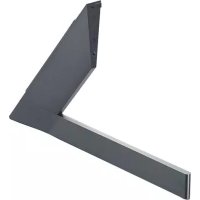
ANGXDV55 - TV Mount LG - Free user manual and instructions
Find the device manual for free ANGXDV55 LG in PDF.



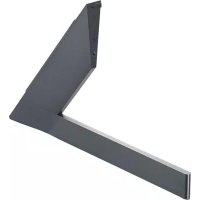
| Product Type | TV Stand |
| Brand | LG |
| Model | AN-GXDV55 |
| Compatible Models | LG OLED55/65GX (and other models with standard mounts) |
| Dimensions (W x H x D) | 21 x 177 x 271 mm |
| Weight | 0.7 kg |
| Material | Steel and plastic |
| Color | Black (estimated) |
| Number of people required for installation | Minimum 2 people |
| Mount Type | Stand base (detachable for wall mount) |
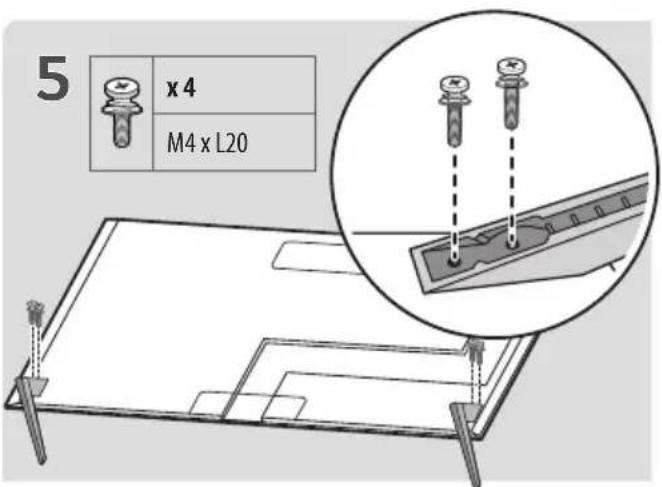
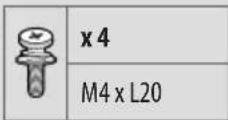
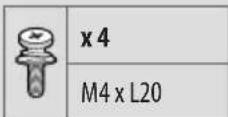
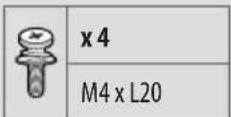
| Included Accessories | Screws M4 x L20 (x4) |
| Safety Instructions | Mandatory reading before installation |
| Cleaning | Wipe gently with a soft cloth, avoid excessive rubbing |
| Warranty | Not covered if non-approved accessories are used |
| Repairability | No user-serviceable parts |
| Serial Number | Indicated on the back and side of the product |
Frequently Asked Questions - ANGXDV55 LG
User questions about ANGXDV55 LG
0 question about this device. Answer the ones you know or ask your own.
Ask a new question about this device
Download the instructions for your TV Mount in PDF format for free! Find your manual ANGXDV55 - LG and take your electronic device back in hand. On this page are published all the documents necessary for the use of your device. ANGXDV55 by LG.
USER MANUAL ANGXDV55 LG
Please read this manual carefully before operating your set and retain it for future reference.
AN-GXDV55
AN-GXDV65
AN-GXDV77
* Image shown may differ from your product.
Safety instructions

This symbol is intended to alert the user to the presence of important operating and maintenance (servicing) instructions in the literature accompanying the appliance.
Please read these safety precautions carefully before using the product.

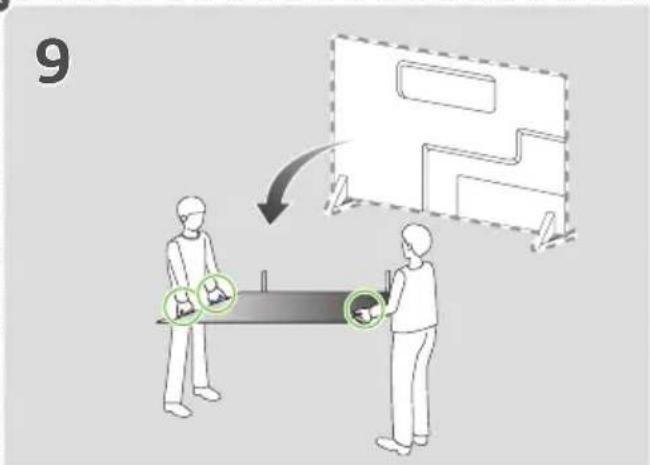
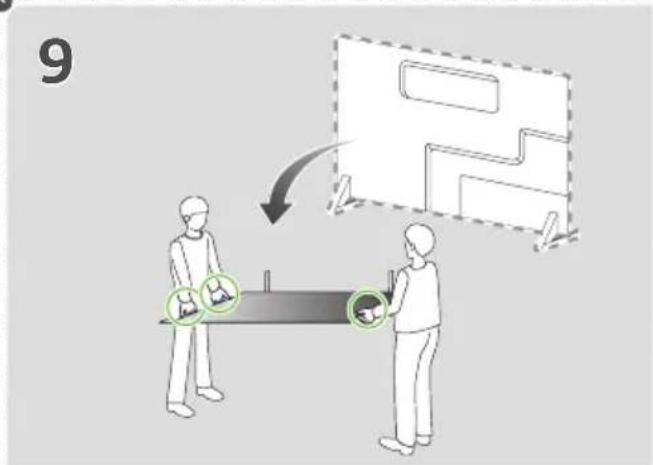
- When lifting or moving the product, at least two people are required due to the heavy weight of the product.
- The product may fall down, causing a malfunction or injury.
• Do not let children hang on or climb onto the product.
- The product may fall down, causing an injury or even death.
- Do not install the product in a place which is unstable or vibrating or a place where the product is not completely supported such as a shaky shelf or a tilted place.
- The product may fall down or overturn, causing an injury or malfunction.
• Put the product on a flat and firm floor.
- When moving or handling a product assembled with the Stand, be cautious about damaging the exterior of the product.
- When there is a stain or fingerprint left on the surface, wipe it off gently.
- When removing a stain, do not use excessive force. Wiping with excessive force may cause scratches or discoloration on the product.
Assembling and Preparing
Accessories

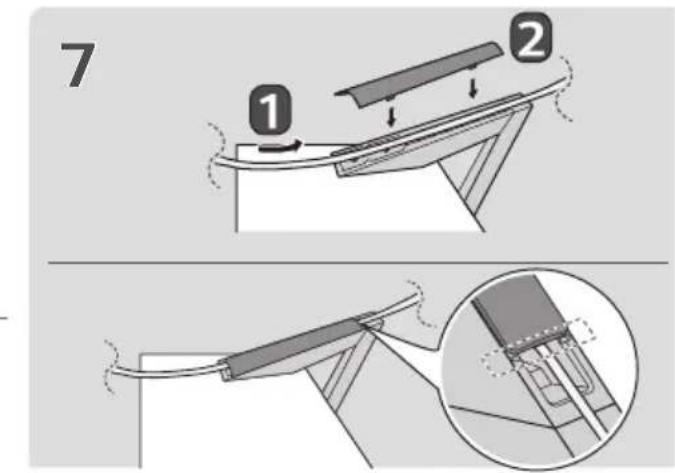
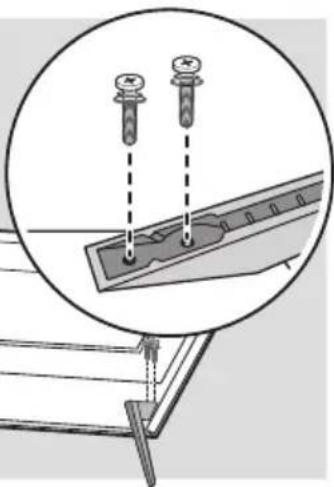
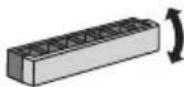
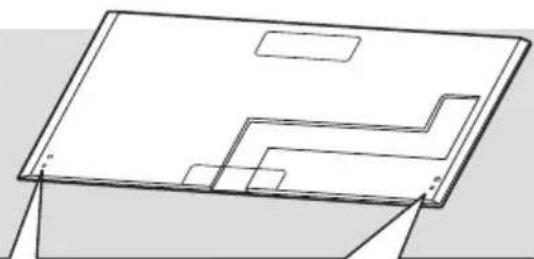
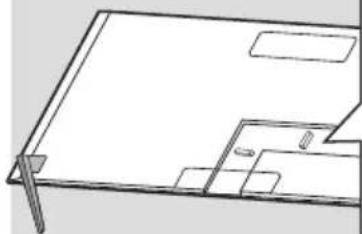
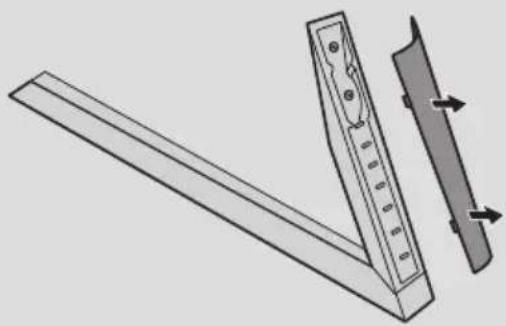
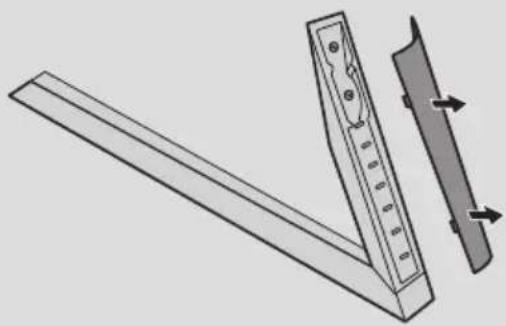
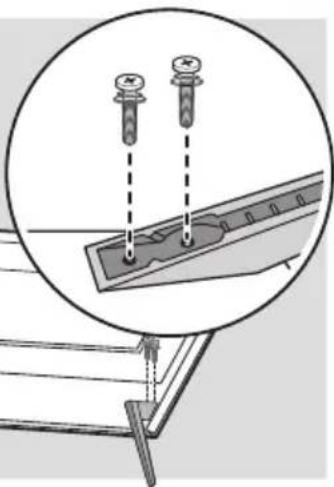
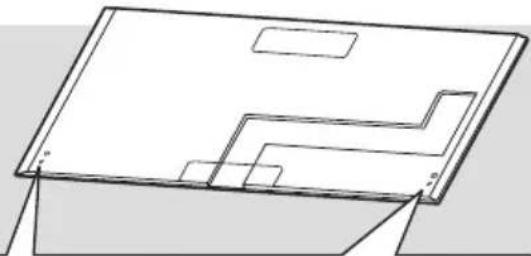
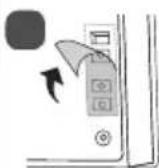
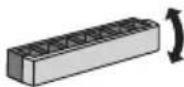
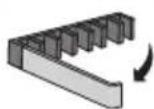
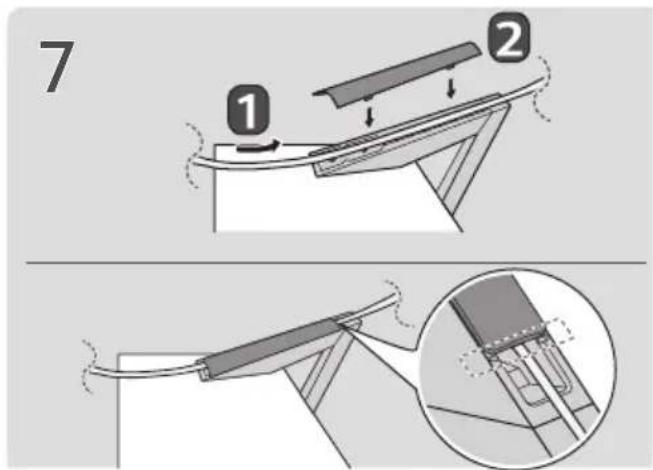
How to Assemble the Stand

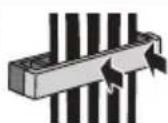
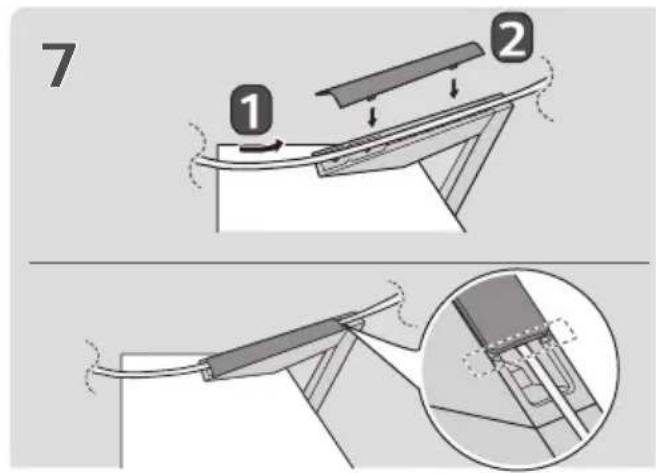
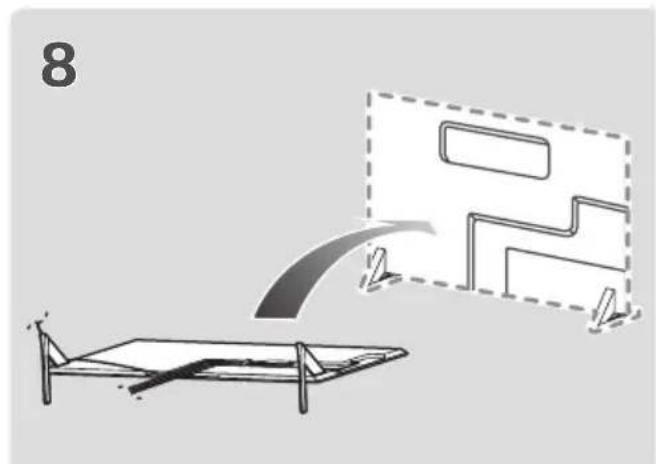
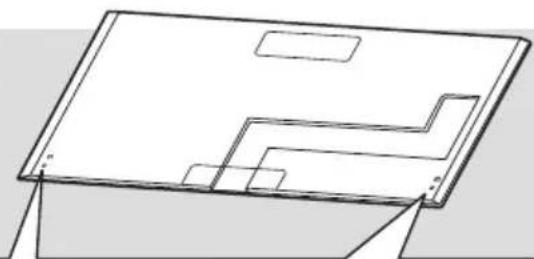
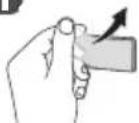
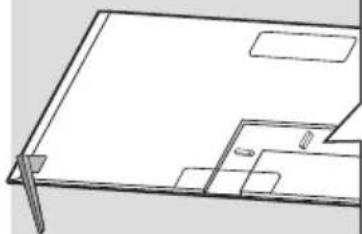
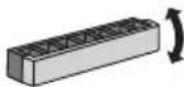
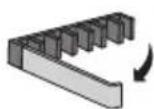
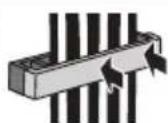
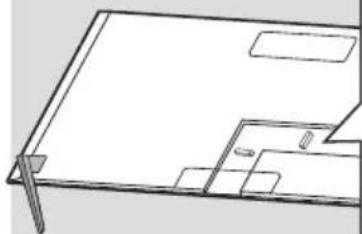
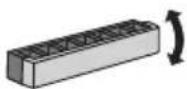
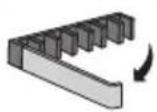
- When assembling the stand, put the product on a table or a flat floor with its screen facing downward. Here, first put a soft and fluffy cloth on the place, and then put the product on top of it to prevent the screen from being damaged.
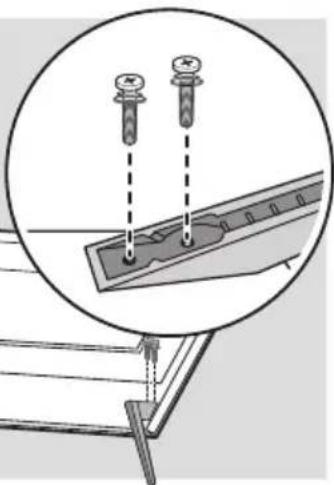
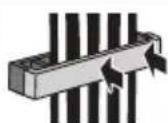
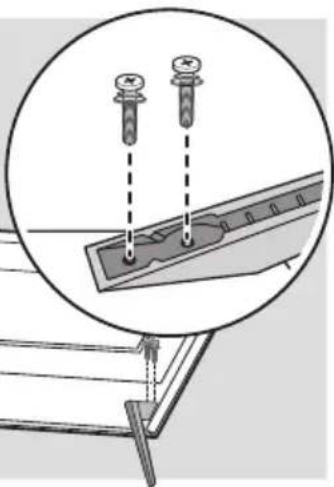
- When assembling the stand, check if the screws are completely fastened. (If they are not completely fastened, the product may lean forward after being installed.) Avoid fastening the screws with excessive force because otherwise the joint part of the screws may be worn out, and the screws might come off.
- When assembling the product, do not use foreign substances (oil, lubricant, etc.) on the screws.
- It may cause damage to the product.
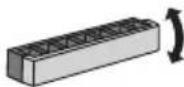
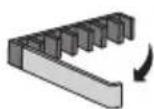
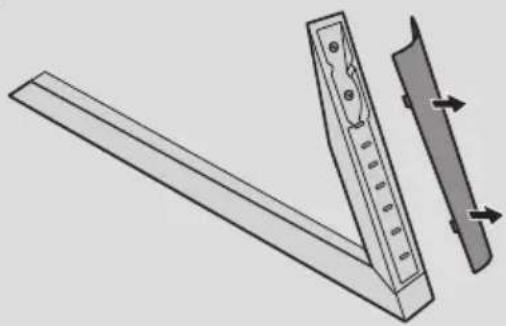
- Before installing a wall mount support, disassemble the Stand by conducting the method to assemble the stand in a reverse order.

1

natural_image
Illustration of two people interacting with a table under a ribbon, showing hand gestures (no text or symbols present)2

natural_image
Pure technical line drawing of a 3D rectangular object with internal cutouts and mounting holes (no text or symbols)1
□

3

natural_image
Technical illustration of a mechanical assembly with a ruler and a separate panel, showing alignment arrows (no text or symbols)

natural_image
Diagram showing two screws inserted into a mechanical component, with an inset magnified view of the assembly (no text or symbols)6

natural_image
Line drawing of a room layout with furniture and doorways (no text or symbols)1
2
3

natural_image
Diagram showing a bed with a ramp and a schematic layout, no text or symbols present
natural_image
Diagram of a monitor setup with a handle and panel, no text or symbols present
natural_image
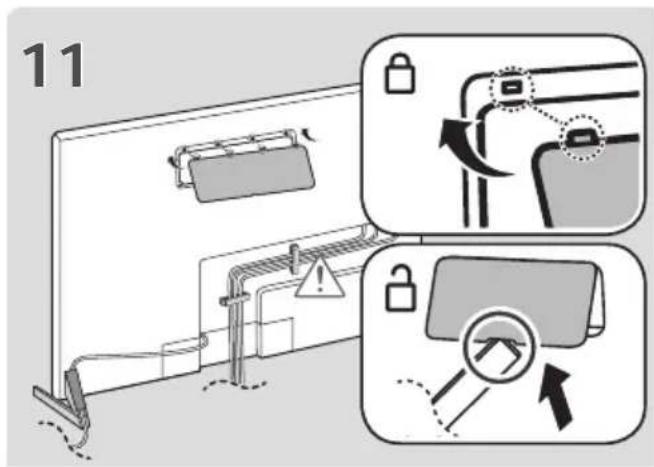
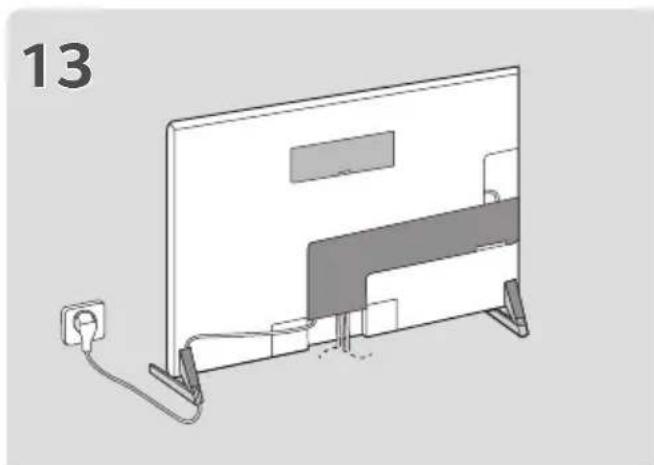
Diagram of a flat-screen TV with a power outlet and cable, no text or symbols present
Mounting on a Table
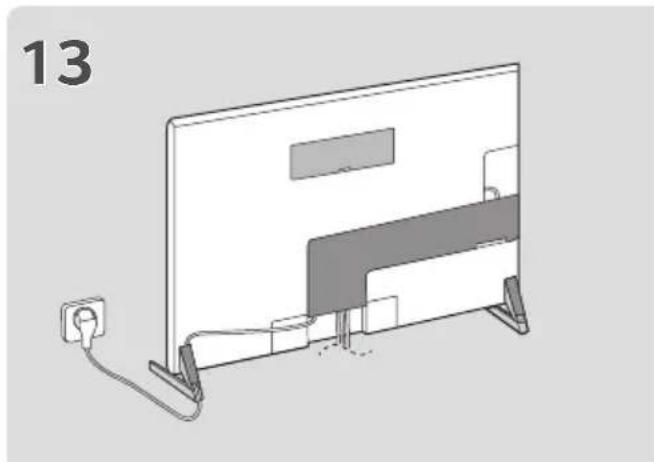
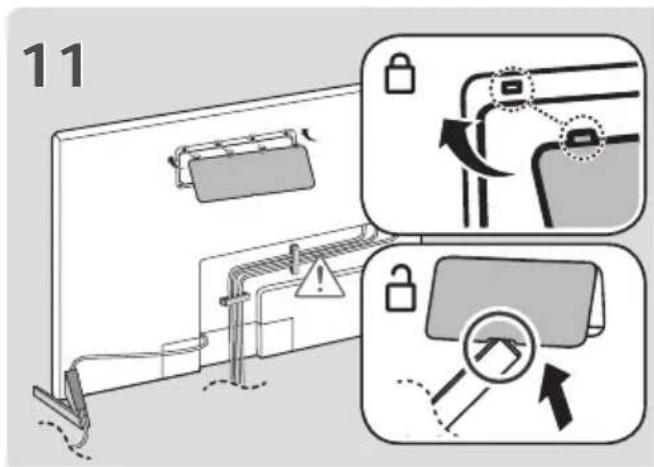
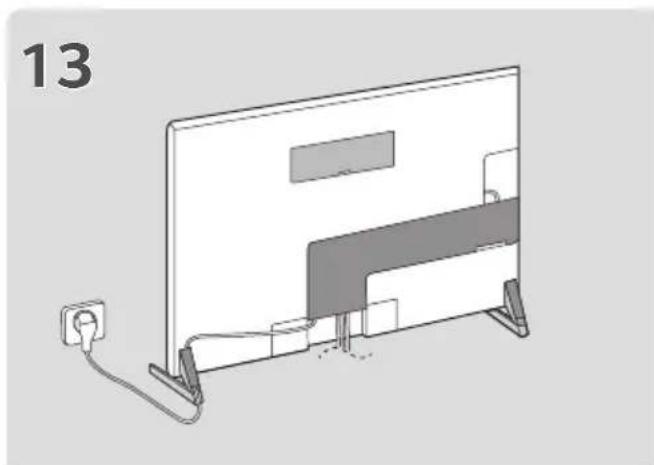
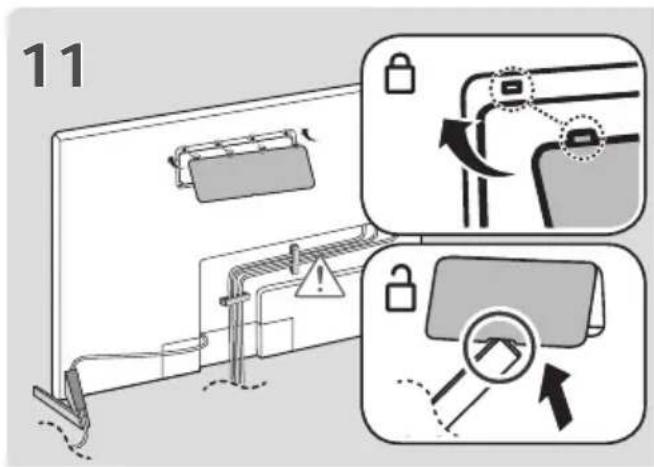
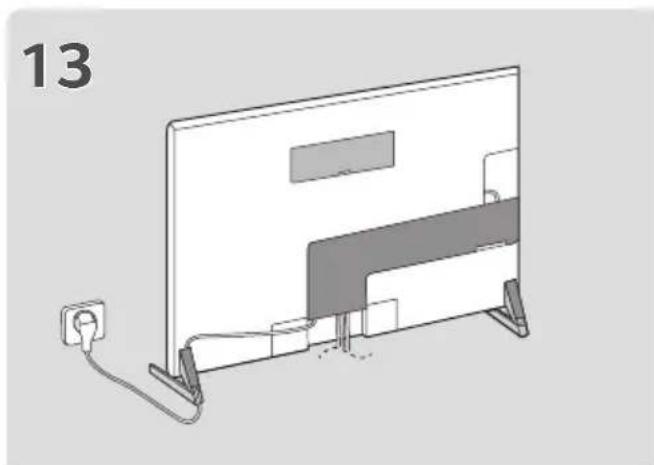
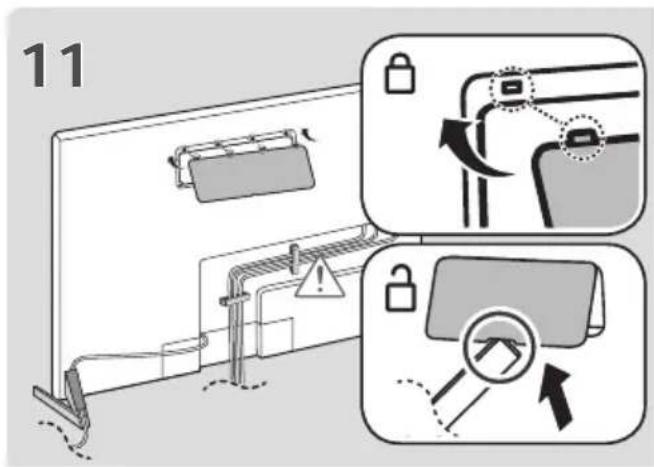
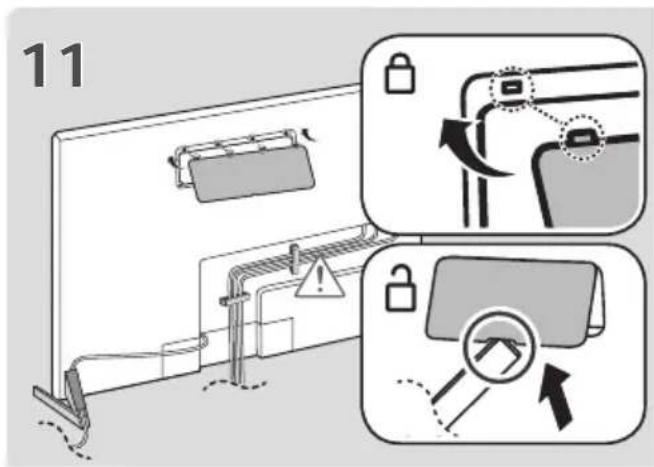
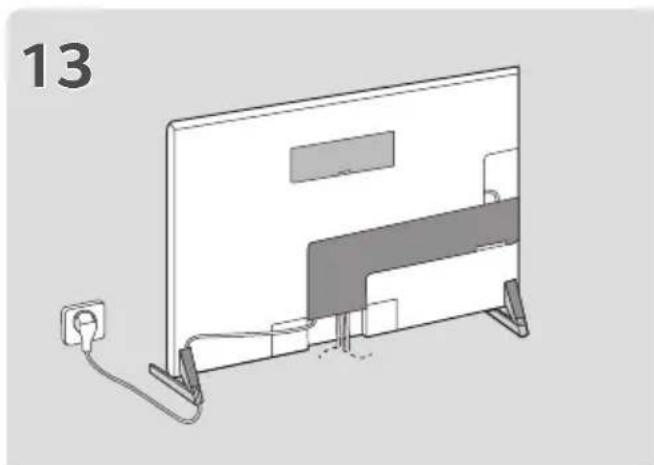
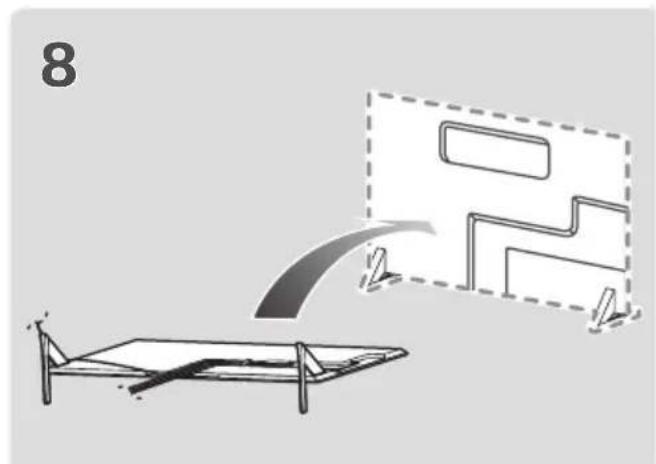
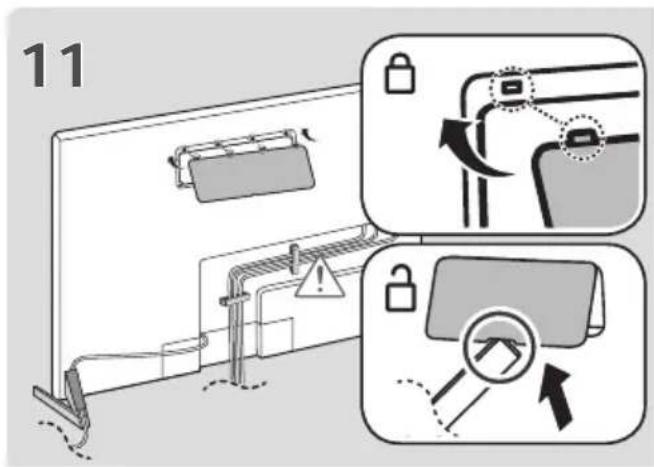
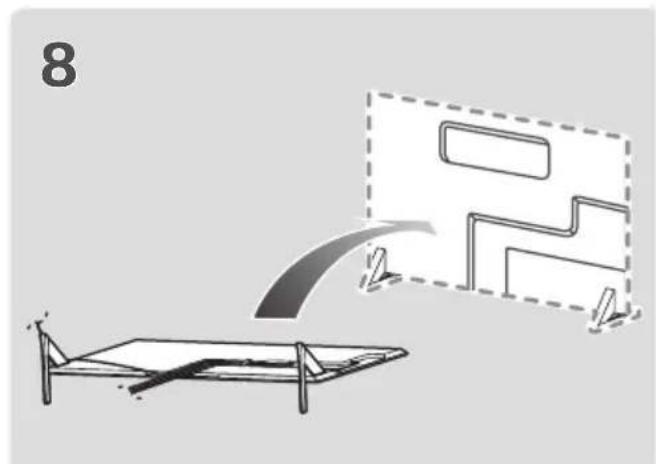
1 Lift and tilt the TV into its upright position on a table.
- Leave a 10 cm (minimum) space from the wall for proper ventilation.

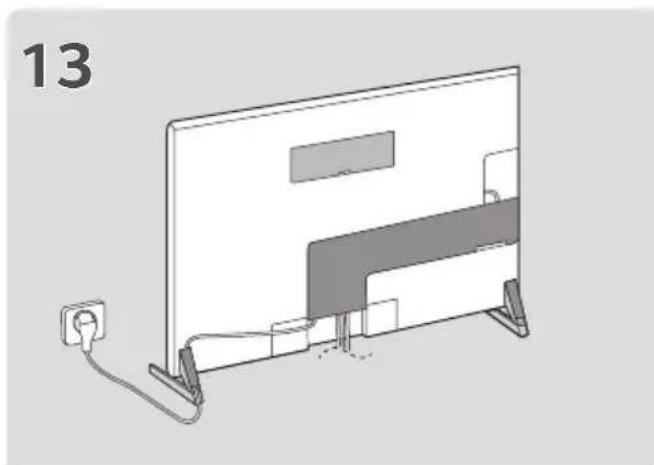
2 Connect the power cord to a wall outlet.

- Do not apply foreign substances (oils, lubricants, etc.) to the screw parts when assembling the product. (Doing so may damage the product.)
- If you install the TV on a stand, you need to take actions to prevent the product from overturning. Otherwise, the product may fall over, which may cause injury.
- Do not use any unapproved items to ensure the safety and product life span.
- Any damage or injuries caused by using unapproved items are not covered by the manufacturer's warranty.
- Make sure that the screws are inserted correctly and fastened securely. (If they are not fastened securely enough, the TV may tilt forward after being installed.) Do not use too much force and over tighten the screws; otherwise screw may be damaged and not tighten correctly.
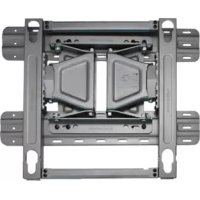
- Only use the authorized stand and wall mounting bracket made specifically for LG products.
- Pursuant to Consumer Protection Law, LG Electronics will not be held responsible for any product malfunction, material damage or injury caused by using products not authorized by LG Electronics.
Securing the TV to a Wall
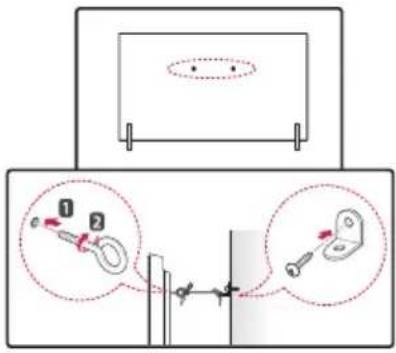
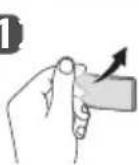
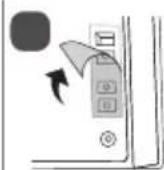
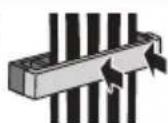
1 Insert and tighten the eye-bolts, or TV brackets and bolts on the back of the TV.
- If there are bolts inserted at the eye-bolts position, remove the bolts first.
2 Mount the wall brackets with the bolts to the wall.
Match the location of the wall bracket and the eye-bolts on the rear of the TV.
3 Connect the eye-bolts and wall brackets tightly with a sturdy rope. Make sure to keep the rope horizontal with the flat surface.
- Use a platform or cabinet that is strong and large enough to support the TV securely.
- Brackets, bolts and ropes are not provided. You can obtain additional accessories from your local dealer.
Specifications
| Model Name Width x Height x Depth (mm) Weight (kg) | ||
| AN-GXDV55 21 x | 177 x 271 0.7 | |
| AN-GXDV65 21 x | 177 x 284 0.8 | |
| AN-GXDV77 20 x | 179 x 323 0.8 | |

LG
Life's Good
The model and serial number of the product are located on the back and on one side of the product. Record them below in case you ever need service.
Model
Serial No. ____
MANUEL D'UTILISATION
Support
Comment assembler le support

2

natural_image
Pure technical line drawing of a rectangular panel or tray with internal compartments (no text or symbols)1

□

□

3

natural_image
Diagram of a ruler and its side panel assembly (no text or symbols)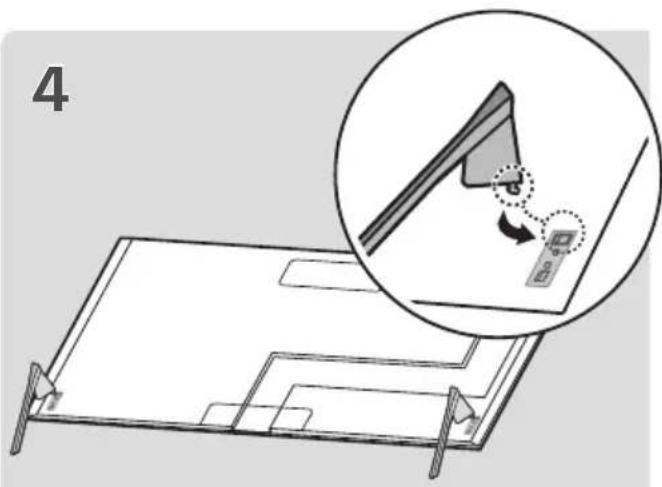
5
natural_image
Diagram showing two screws inserted into a mechanical component, with an inset magnified view of the assembly (no text or symbols)6

natural_image
Line drawing of a room layout with furniture and doorways (no text or symbols)1
2

3


natural_image
Diagram showing a bed with a ramp and a schematic diagram of a platform or device (no text or symbols present)
natural_image
Diagram of a monitor setup with a handle and panel, no text or symbols present※

natural_image
Diagram of a flat-screen TV with a power outlet and cable, no text or symbols present

2
natural_image
Pure technical line drawing of a rectangular component with internal cutouts and mounting holes (no text or symbols)1


□
3

natural_image
Diagram of a mechanical lever system with a wooden base and a vertical guide, showing motion arrows (no text or symbols)
5

natural_image
Diagram showing two screws inserted into a mechanical component, with an inset magnified view of the assembly (no text or symbols)6
natural_image
Line drawing of a room layout with furniture and doorways (no text or symbols)1

2

3

natural_image
Diagram showing a bed with a ramp and a schematic diagram of a platform or device (no text or symbols present)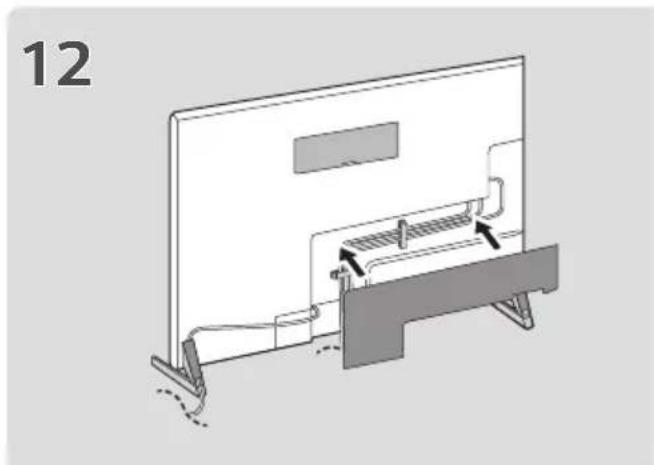
natural_image
Diagram of a monitor setup with a handle and panel, no text or symbols present
natural_image
Diagram of a flat-screen TV with a power outlet and cable, no text or symbols present
2

natural_image
Pure technical line drawing of a rectangular component with internal cutouts and mounting holes (no text or symbols)1


□
3

natural_image
Diagram of a mechanical lever system with a wooden base and a vertical guide, showing motion arrows (no text or symbols)
5


natural_image
Diagram showing two screws inserted into a mechanical component, with an inset magnified view of the component (no text or symbols present)6

natural_image
Line drawing of a room layout with furniture and doorways (no text or symbols)1

2

3

natural_image
Diagram showing a bed with a ramp and a schematic diagram of a platform or device (no text or symbols present)
natural_image
Diagram of a monitor setup with a handle and panel, no text or symbols present

natural_image
Diagram of a flat-screen TV with a power outlet and cable, no text or symbols present
3
natural_image
Diagram of a wooden ruler and its side panel with arrows indicating measurement or alignment (no text or symbols)
5
natural_image
Diagram showing two screws inserted into a mechanical component, with an inset magnified view of the component (no text or symbols present)PORTUGUÊS DO BRASIL
2
natural_image
Pure technical line drawing of a rectangular component with internal cutouts and mounting holes (no text or symbols)1


6
natural_image
Line drawing of a room layout with furniture and doorways (no text or symbols)1
2
3


natural_image
Diagram showing a bed with a ramp and a schematic diagram of a mechanical or architectural component (no text or symbols)
natural_image
Diagram of a monitor setup with a handle and panel, no text or symbols present※

natural_image
Diagram of a flat-screen TV with a power outlet and cable, no text or symbols present

: Apenas OLED55/65GX*
Montagem na mesa
3
natural_image
Diagram of a wooden ruler with an open lid and a separate side panel, showing alignment or adjustment (no text or symbols)
5

natural_image
Diagram showing two screws inserted into a mechanical component, with an inset magnified view of the assembly (no text or symbols)2
natural_image
Pure technical line drawing of a mechanical component or assembly (no text or symbols)1

□

6

natural_image
Line drawing of a room layout with furniture and doorways (no text or symbols)1
2
3


natural_image
Diagram showing a bed with a ramp and a schematic diagram of a platform or device (no text or symbols present)
natural_image
Diagram of a monitor setup with a handle and panel, no text or symbols present※
natural_image
Diagram of a flat-screen TV with a power outlet and cable, no text or symbols present

2

natural_image
Pure technical line drawing of a rectangular panel or tray with internal cutouts (no text or symbols)1
□

3

natural_image
Technical illustration of a mechanical assembly with a ruler and a separate panel, showing alignment arrows (no text or symbols)
5


natural_image
Diagram showing two screws inserted into a mechanical component, with an inset magnified view of the assembly (no text or symbols)6

natural_image
Line drawing of a room layout with furniture and doorways (no text or symbols)1

2

3

natural_image
Diagram showing a bed with a ramp and a schematic diagram of a mechanical or architectural component (no text or symbols)
natural_image
Diagram of a monitor setup with a handle and panel, no text or symbols present※
natural_image
Diagram of a flat-screen TV with a power outlet and cable, no text or symbols present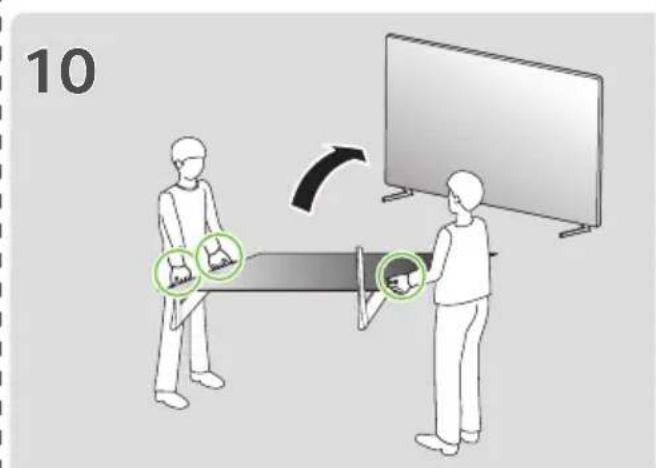

: Solo OLED55/65GX*
Montaje en una mesa
natural_image
Illustration of two people interacting with a table, showing hand gestures and abstract shapes (no text or symbols)2

natural_image
Pure technical line drawing of a rectangular panel or tray with internal cutouts and mounting holes (no text or symbols)1

□

3
natural_image
Technical illustration of a mechanical lever system with two components and directional arrows indicating motion (no text or symbols)
5


natural_image
Diagram showing two screws inserted into a mechanical component, with an arrow indicating force direction (no text or symbols)6
natural_image
Line drawing of a room layout with furniture and doorways (no text or symbols)1
2
3



natural_image
Diagram showing a bed with a ramp and a schematic diagram of a platform or device (no text or symbols present)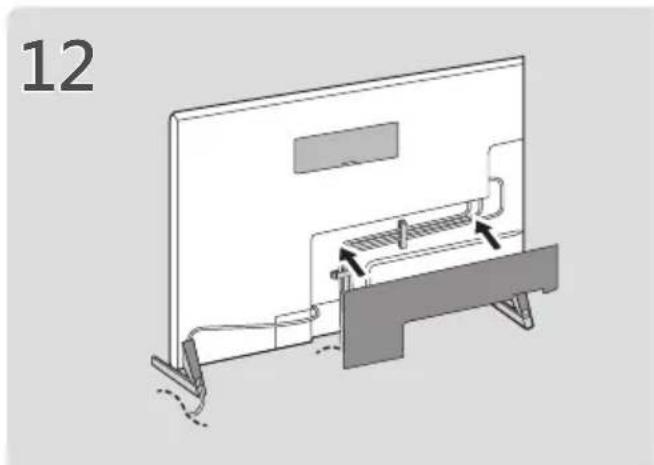
natural_image
Diagram of a monitor setup with a handle and panel, no text or symbols present※


natural_image
Diagram of a flat-screen TV with a power outlet and cable, no text or symbols present
※:僅限 OLED55/65GX*
將電視架設在桌面
Brand : LG
Model : ANGXDV55
Category : TV Mount