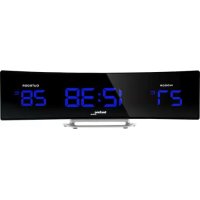
WS 6812 - Temperature Controller TECHNOLINE - Free user manual and instructions
Find the device manual for free WS 6812 TECHNOLINE in PDF.


| Product type | Weather station with clock and temperature controller |
| Model | WS 6812 |
| Brand | TECHNOLINE |
| Main power supply | 230 V AC mains adapter (included) with DC jack |
| Backup power supply | 1 lithium CR2032 battery (included) |
| Outdoor sensor power supply | 2 AAA batteries (not included) |
| Indoor temperature range | 0 °C to +50 °C |
| Outdoor temperature range | -40 °C to +70 °C |
| Temperature resolution | 1 °C |
| Out-of-range display | HH/LL |
| Radio-controlled time (DCF) reception | Yes, automatic (1am, 2am, 3am) and manual |
| Outdoor sensor range | Up to 30 m in open field |
| Number of supported sensors | 1 |
| Alarm functions | Daily alarm with adjustable snooze from 5 to 60 minutes |
| Ring duration | 2 minutes |
| Backlight | Yes, adjustable brightness |
| Time format | 24-hour |
| Indicators | Indoor/outdoor temperature, alarm active, DCF reception, signal strength |
| Cleaning and maintenance | Clean with a soft, dry cloth. Do not immerse in water. Avoid moisture and dust. |
| Safety | Do not open the device. Respect battery polarity. Remove used batteries. Use only non-rechargeable alkaline batteries. |
| Spare parts / Accessories | Outdoor sensor (wireless temperature probe), mains adapter, CR2032 battery |
Frequently Asked Questions - WS 6812 TECHNOLINE
User questions about WS 6812 TECHNOLINE
0 question about this device. Answer the ones you know or ask your own.
Ask a new question about this device
Download the instructions for your Temperature Controller in PDF format for free! Find your manual WS 6812 - TECHNOLINE and take your electronic device back in hand. On this page are published all the documents necessary for the use of your device. WS 6812 by TECHNOLINE.
USER MANUAL WS 6812 TECHNOLINE
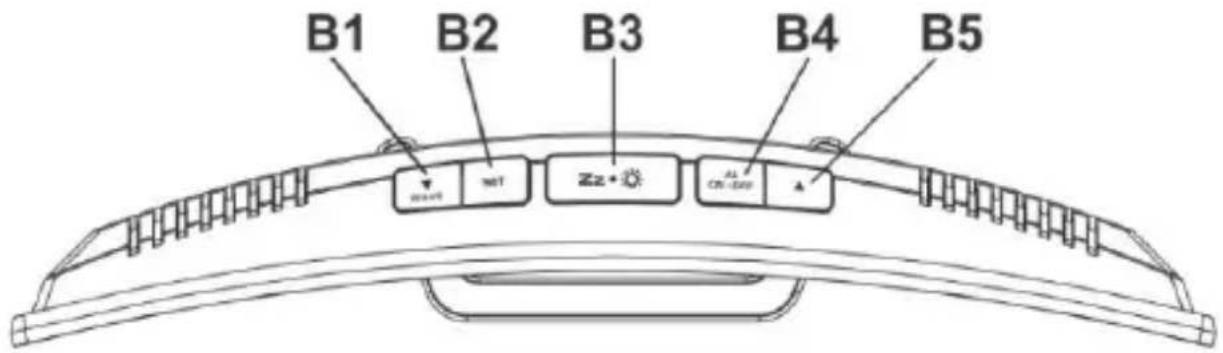
B2 – SET Taste B5 – UP Taste
B3 - SNOOZE / DIMMER Taste
C – Rückansicht
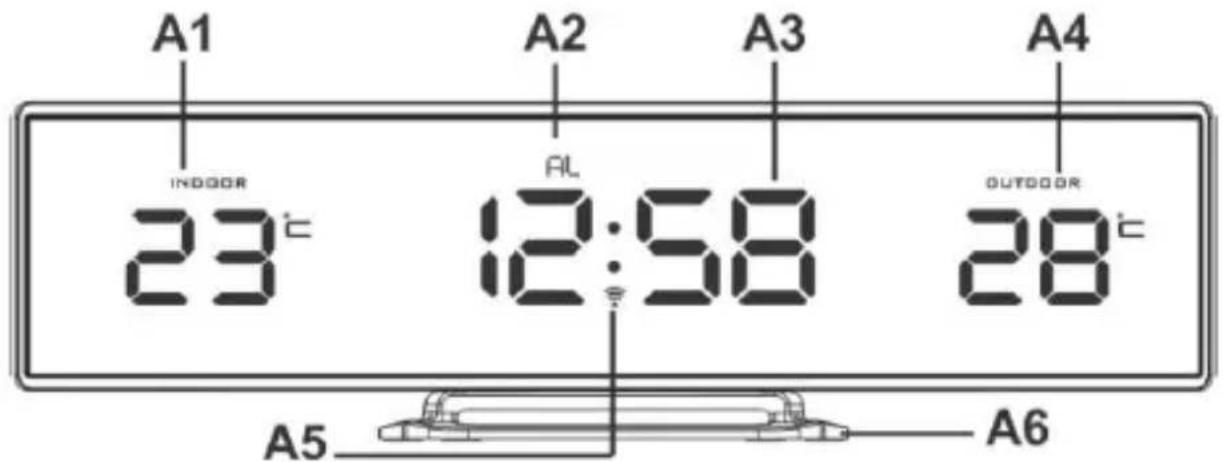
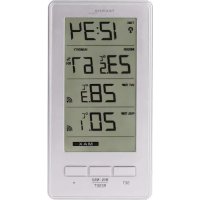
A1 – Indoor temperature A4 – Outdoor temperature
A2 – Alarm On A5 – RCC indicator
A3 - Time A6 - Stand
B - Top view
B1 - DOWN / WAVE button B4 - ALARM ON / OFF button
B2 – SET button B5 – UP button
B3 - SNOOZE / DIMMER button
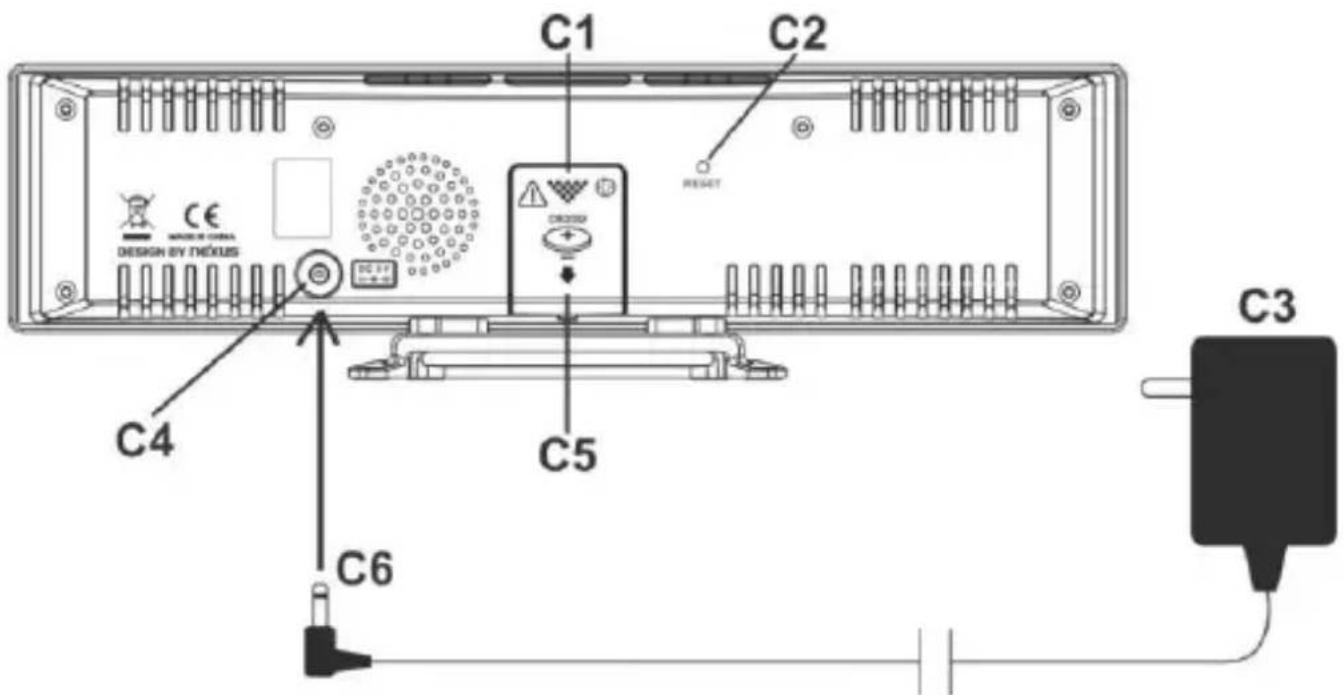
C - Back view
C1 – Battery compartment cover C4 – DC socket
C2-RESET button C5-Insert 1 x CR2032 battery
C3 - AC/DC adapter C6 - Insert adapter jack
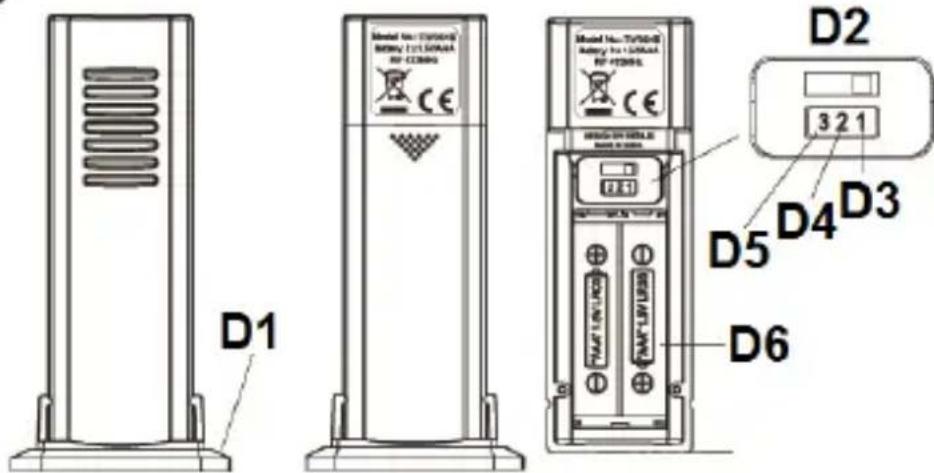
D – Outdoor temperature sensor
D1 – Stand D4 – Channel 2
D2 – Fix at channel 1 D5 – Channel 3
D3 – Channel 1 D6 – Insert 2 x AAA batteries
QUICK SETUP
1) Place your clock face down on a flat and soft surface. Use screw driver to open the backup battery compartment cover located on the back of the clock.
Slide open the battery cover at the back of your clock, then insert 1 x CR2032 Lithium battery to the battery compartment. Make sure +ve polarity of the battery is facing up. Then replace the battery cover and tighten the battery cover screw.
2) Insert the AC/DC adaptor to any 230V AC household outlet. Then insert the DC jack to the back case of your unit.
3) Keep your clock and wireless sensor next to each other. Slide open the battery cover at the back of your wireless outdoor sensor, make sure the channel selector is set at position
1 (top position), then insert 2 x AAA batteries (not included) into the outdoor sensor by observing the correct + / - polarity signs inside the battery compartment. Replace the battery door.
Your weather station will receive data signal from the outdoor sensor in few seconds. Then place your outdoor sensor in a dry and shaded area outdoor.
4) Peel off the protective label on the front. Your weather station is ready to work for you.
Remarks:
- Keep in mind that your outdoor sensor has a 100 feet open-air transmission with no obstructions. Actual transmission range will vary depending on what is in the path of the signal. Each obstruction (roof, walls, floors, ceilings, thick trees, etc.) will effectively cut signal range in half.
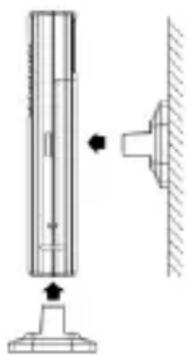
Insert the holder to the bottom of the outdoor transmitter for desktop or insert it to the back of the transmitter for wall mount purpose.
Battery Back Up
When the power supply is not in use, the station will be powered by the back-up batteries. The LED display is turned off, but time and alarm time remain stored (also in the event of a power failure).
DCF SIGNAL RECEPTION AND SIGNAL INDICATOR
After your clock is powered up, it starts to receive DCF signal. The icon flashes.
Receiving DCF signal ( icon flashing)
Successful Reception ( icon becomes static)
Failed Reception ( icon disappear)
During reception, press ▼ / WAVE once will display reception mode and signal strength Indication:-
When strong DCF signal is detected, display shows with 3 bars
When weak or no DCF signal is detected, display shows
During reception, the signal strength may move from 1 bar to 2 bars to 3 bars. This is normal since the clock is detecting DCF signal and other signals in the air at the same time. Press SET will return to the time display with icon flashing.
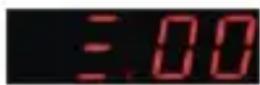
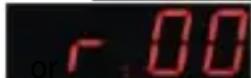
Successful reception or failed reception

icon becomes static (stop blinking) when reception is successful
icon disappears when reception is failed
Automatic reception and Manual Reception
Your clock starts automatic reception everyday at 1:00, 2:00, and 3:00. If it fails to receive the DCF
time signal at 3:00, it will start reception at 4:00. If it fails again, it will start reception at 5:00. If it fails again, it will start automatic reception at 1:00 again in the next day.
Manual reception: simply press and hold ▼ / WAVE, your clock will give a short beep and start manual reception. Press and hold ▼ WAVE to stop DCF reception.
During RCC reception, all buttons do not function and it does not take temperature measurement. The temperature reading will get stable and become more accurate after your weather station clock is powered up for around 30 minutes.
To cancel DCF reception permanently
Press and hold ▼ / WAVE and ▲ at the same time for 2 seconds, your clock will give 1 short beep and the radio controlled function is permanently disabled.
To resume the radio controlled function, press and hold ▼ / WAVE and ▲ at the same time for 2 seconds, your clock will give 1 short beep and will start DCF immediately.
TO SET TIME
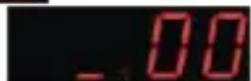
- Press and hold SET, 00 flash, press ▼ / ▲ to set the time zone : -01,00,01.
- Press SET again, hour digits flash. Press ▼ / ▲ to set the current hour. Press and hold ▼ or ▲ to accelerate setting at high speed.
- Press SET again, the minute digits flash. Press ▼/ ▲ to set minutes. Press and hold ▼ or ▲ to accelerate setting at high speed.
- Press SET again, display shows :05 and flash. Press ▼ / ▲ button to set snooze duration from 5 to 60 minutes
- Press SET to return to normal mode or it will return to normal mode in around 8 seconds if no further press of any other buttons.
Your clock is in 24-hour display format.
TO SET ALARM (Default alarm setting is 6:00 AM)
- Press and hold AL ON.OFF, the hour digits flash with "AL" icon appears. Press ▼/ ▲ to set your desired alarm hours. Press and hold ▼ or ▲ to accelerate setting at high speed.
- Press AL ON.OFF again, the minute digits flash. Press ▼/▲ to set your desired alarm minutes. Press and hold ▼or ▲ to accelerate setting at high speed.
- Press AL ON.OFF again or if no further press of any other buttons in around 8 seconds to exit alarm setting mode.
TO TURN ON OR OFF YOUR ALARM
Single press AL ON.OFF to turn on or off the alarm. When the alarm function is turned on, the AL icon appears on top of the time digits.
TO USE SNOOZE ALARM (Default snooze duration is 5 minutes)
When time reaches your set alarm time, your clock will sound to wake you up. The AL icon will flash.
Press Zonce to stop the alarm temporarily, AL icon keeps flashing. The alarm will beep again in 5 minutes or after your set snooze duration.
TO STOP AND RESET THE ALARM TO COME ON THE NEXT DAY
To stop the daily alarm, press any button EXCEPT the when alarm is beeping. The alarm will stop and AL icon becomes static; alarm will beep again same time next day.
IF YOU LOSE THE OUTDOOR TEMPERATURE
When the outdoor temperature digits show “--”, the wireless transmission is either interrupted or lost. At normal display, press and hold ▲ button of the clock, then take out and reinstall batteries to your outdoor transmitter. If you continue to lose the outdoor temperature display, try placing the transmitter in a different location until you have smooth transmission of temperature data.
TO USE THE DIMMER FUNCTION
Press Zonce to adjust the High / Low brightness of the display.
TROUBLE SHOOTING
In case your clock shows irrelevant information or digits, it may be affected by electrostatic discharge or interferences from other devices. Press the RESET button of the clock and then reinstall batteries of the outdoor transmitter.
ENVIRONMENTAL RECEPTION EFFECTS
Your radio controlled clock obtains the accurate time with wireless technology. Same as all wireless devices, the receiving ability maybe affected by, but not limited to, the following circumstances:
● Long transmitting distance
● Nearby mountains and valleys
- Among tall buildings
● Near railway, high voltage cable etc.
- Near freeway, airport, etc
● Near construction site
- Inside concrete buildings
● Near electrical appliances
- Near computers and TV's
● Inside moving vehicles
● Near metallic structures
Place your clock at a location with optimal signal, i.e. close to a window and away from metal surfaces or electrical appliances.
Precautions
- This main unit is intended to be used only indoors.
- Do not subject the unit to excessive force or shock.
- Do not expose the unit to extreme temperatures, direct sunlight, dust or humidity.
- Do not immerse in water.
- Avoid contact with any corrosive materials.
- Do not dispose this unit in a fire as it may explode.
- Do not open the inner back case or tamper with any components of this unit.
Batteries safety warnings
- Use only button cell batteries, not rechargeable batteries.
• Install batteries correctly by matching the polarities (+/-).
• Always replace a complete set of batteries. - Never mix used and new batteries.
- Remove exhausted batteries immediately.
- Remove batteries when not in use.
- Do not recharge and do not dispose of batteries in fire as the batteries may explode.
- Ensure batteries are stored away from metal objects as contact may cause a short circuit.
- Avoid exposing batteries to extreme temperature or humidity or direct sunlight.
- Keep all batteries out of reach from children. They are a choking hazard.
Use the product only for its intended purpose!
Consideration of duty according to the battery law
Old batteries do not belong to domestic waste because they could cause damages of health and environment. You can return used batteries free of charge to your dealer and collection points. As end-user you are committed by law to bring back needed batteries to distributors and other collecting points!
Consideration of duty according to the law of electrical devices,

This symbol means that you must dispose of electrical devices separated from the General household waste when it reaches the end of its useful life. Take your unit to your local waste collection point or recycling centre. This applies to all countries of the European Union, and to other European countries with a separate waste
collection system.
SPECIFICATIONS
Operation Temperature: 0°C to +45°C
Temperature measuring range
Indoor: 0° C to +50° C
Outdoor: -40°C to +70°C
Display shows HH / LL if out of this range
Temperature Resolution 1°C
Alarm Duration 2 minutes
Snooze Duration 5-60 minutes
A
B
©
D
APERÇU
A – Vue de face
A3 – Temps A6 – Supporter
B – Vue de dessus
B1 - Touche DOWN / WAVE B4 - Touche ALARM ON / OFF
B2 – Touche SET B5 – Touche UP
B3 - Touche SNOOZE / DIMMER
C – Vue arrière
D1 – Supporter D4 – Canal 2
D2 – Correction au canal 1 D5 – Canal 3
D3 - Canal 1
D6 – Insérer 2 x piles AAA
INSTALLATION RAPIDE
VISIÓN DE CONJUNTO
A – Vista frontal
A1 – Temperatura interior A4 – Temperatura exterior
A2 – Alarma encendida A5 – Indicador RCC
OVERZICHT
A – Vooraanzicht
PANORAMICA
A – Vista frontale
A1 – Temperatura interna A4 – Temperatura esterna
PŘEHLDED
A – Čelní pohled
D – Outdoor temperature sensor
D1 – Stojaté nohy D4 – Kanál 2
PRZEGLAD
A – Widok z przodu
- QUICK SETUP
- REMARKS
- BATTERY BACK UP
- DCF SIGNAL RECEPTION AND SIGNAL INDICATOR
- SUCCESSFUL RECEPTION OR FAILED RECEPTION
- AUTOMATIC RECEPTION AND MANUAL RECEPTION
- TO CANCEL DCF RECEPTION PERMANENTLY
- TO SET TIME
- TO SET ALARM (DEFAULT ALARM SETTING IS 6:00 AM)
- TO TURN ON OR OFF YOUR ALARM
- TO USE SNOOZE ALARM (DEFAULT SNOOZE DURATION IS 5 MINUTES)
- TO STOP AND RESET THE ALARM TO COME ON THE NEXT DAY
- IF YOU LOSE THE OUTDOOR TEMPERATURE
- TO USE THE DIMMER FUNCTION
- TROUBLE SHOOTING
- ENVIRONMENTAL RECEPTION EFFECTS
- PRECAUTIONS
- BATTERIES SAFETY WARNINGS
- CONSIDERATION OF DUTY ACCORDING TO THE BATTERY LAW
- CONSIDERATION OF DUTY ACCORDING TO THE LAW OF ELECTRICAL DEVICES
- SPECIFICATIONS
- APERÇU
- INSTALLATION RAPIDE
- VISIÓN DE CONJUNTO
- OVERZICHT
- PANORAMICA
- PŘEHLDED
- PRZEGLAD
Brand : TECHNOLINE
Model : WS 6812
Category : Temperature Controller