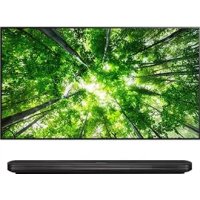
APHV400 - Television LG - Free user manual and instructions
Find the device manual for free APHV400 LG in PDF.



| Product type | ULTRA HD upgrade kit (upgrader) |
| Brand | LG |
| Model | AP-HV400 (APHV400) |
| Dimensions (L x H x D) | 128 x 99 x 23 mm |
| Weight | 200 g |
| Power | 4 W (via USB cable) |
| User interface | USB 2.0 |
| A/V Output | 1 HDMI port |
| Compatibility | LG ULTRA HD TVs |
| Main function | Play ULTRA HD (4K) video content on compatible LG TVs |
| Maximum supported resolution | 3840 x 2160 @ 30p |
| Supported video codecs | H.264/AVC, H.265/HEVC |
| Supported file formats | .mp4, .mkv, .ts |
| Supported audio formats | Dolby Digital, Dolby Digital Plus, AAC, HE-AAC |
| Content transfer | Via USB; compatible with SmartShare™ |
| Installation | Attach to the back of the TV with Velcro strap, HDMI and USB connections |
| Software update | Via supplied USB key, automatic TV update |
| Care and cleaning | Unplug before cleaning; use a soft, dry cloth |
| Safety | Follow the instructions in the manual; do not expose to moisture |
| Spare parts and repairability | Not provided; contact LG after-sales service in case of failure |
| General information | EU directives: 2004/108/EC (EMC), 2006/95/EC (low voltage) |
Frequently Asked Questions - APHV400 LG
User questions about APHV400 LG
0 question about this device. Answer the ones you know or ask your own.
Ask a new question about this device
Download the instructions for your Television in PDF format for free! Find your manual APHV400 - LG and take your electronic device back in hand. On this page are published all the documents necessary for the use of your device. APHV400 by LG.
USER MANUAL APHV400 LG
Please read this manual carefully before operating your set and retain it for future reference.
AP-HV400
P/No:MFL68005101 (1308-REVOO)
HSITDNE
TABLE OF CONTENTS
3 ABOUT UPGRADE KIT
3 PREPARATION
3 Unpacking
4 INSTALLATION
4 Updating TV software
4 Setting up the upgrade kit
5 Playing contents
5 SmartShare ^TM supporting file
6 Video Supported Codec
6 SPECIFICATION
ABOUT UPGRADE KIT
This ULTRA HD Upgrade Kit allows the playback of ULTRA HD Video content on LG ULTRA HD TV'S.
PREPARATION
Unpacking
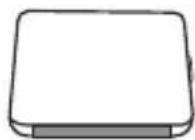
ULTRA HD Upgrader
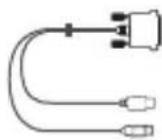
Y Cable Velcro sticker Owner's


manual
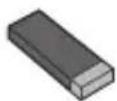
USB memory stick (TV Software file)
HSITDNE
INSTALLATION
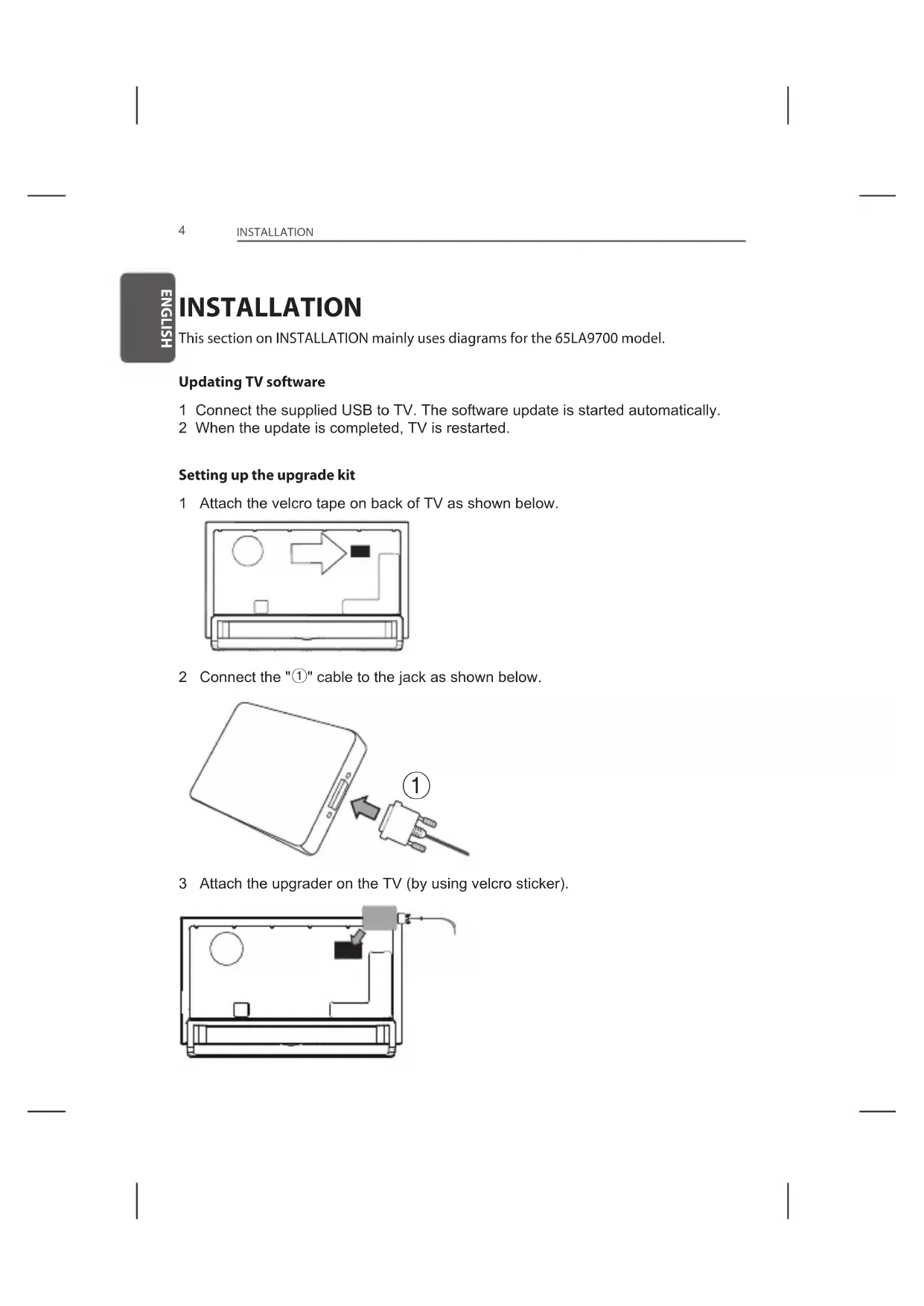
This section on INSTALLATION mainly uses diagrams for the 65LA9700 model.
Updating TV software
1 Connect the supplied USB to TV. The software update is started automatically.
2 When the update is completed, TV is restarted.
Setting up the upgrade kit
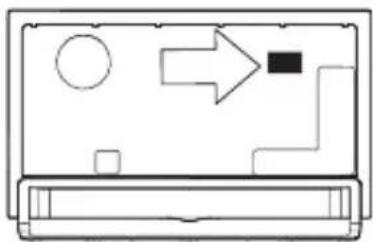
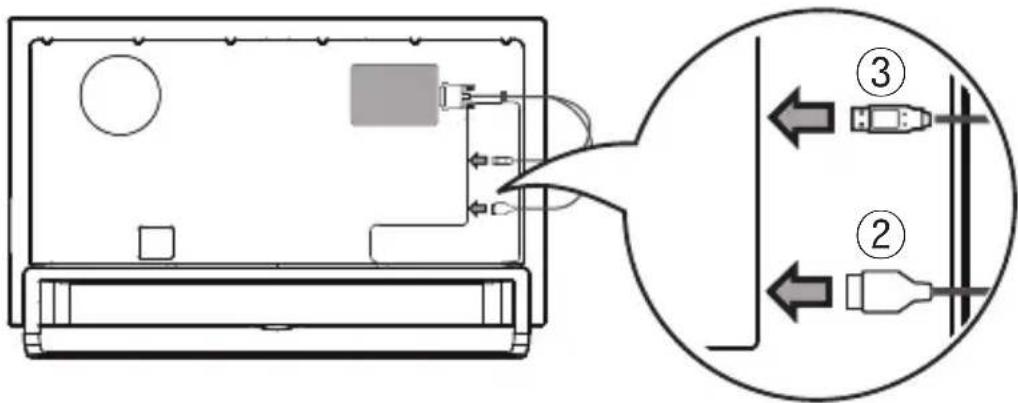
1 Attach the velcro tape on back of TV as shown below.
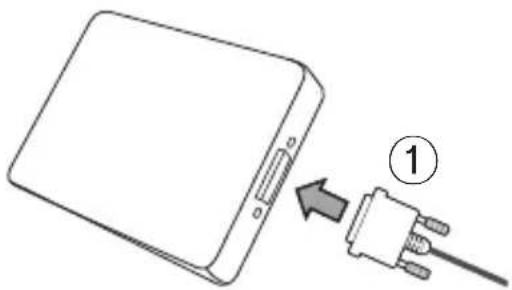
2 Connect the "①" cable to the jack as shown below.
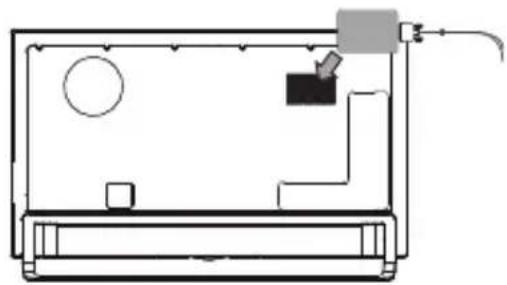
3 Attach the upgrader on the TV (by using velcro sticker).
4 Connect the "②" cable end connector to HDMI input jack on TV.
5 Connect the "③" cable end connector to USB input jack on TV.
Playing contents
1 Connect the USB (flash) device to TV to supply content. The [Linked device] appears in SmartShare List and when Pop Up appears press [YES].
2 When [ULTRA HD Upgrade Kit has been connected] Pop Up appears Select content/file and it will commence to play.
SmartShare™ supporting file
Maximum data transfer rate: ULTRA HD [Depending on model] -3840 X 2160 (H.264 L5.1):50Mbps (megabits per second) -3840 X 2160 (H.265 L5.0):25Mbps (megabits per second)
- Internal subtitle formats supported: ULTRA HD [Depending on model] - It does not support internal subtitles.
Video Supported Codec
Maximum: ULTRA HD [Depending on model] : 3840 x 2160 @ 30p
| Extension Codec | ||
| .mkv / .mp4 / .ts Video | H.264 / AVC | |
| Audio Dolby | Digital, Dolby Digital Plus, AAC, HE-AAC | |
| /ts Video H.265 (HEVC) | ||
| Audio Dolby | Digital, Dolby Digital Plus, AAC, HE-AAC | |
- The Video Supported Codec above can be changed afterward.
Warning
- Playing video
- It supports the playback through USB only.
- Only the .mp4, .mkv, .ts file extensions are supported.
-
ATTENTION: Your ULTRA HD TV may not support HEVC encoded contents that are not officially supplied by LG. -Unsupported codecs are only available after a software upgrade.
-
Note
- Updating TV software first before setting up the upgrade kit. Only one ULTRA HD Upgrade Kit is supported.
SPECIFICATION
| Model Name AP-HV400 | |
| Dimensions (mm) 128 | (W) x 99 (H) x 23 (D) |
| Weight (g) 200 | |
| Host interface USB 2.0 | |
| A/V Out 1 Port | |
| Power Consumption 4 | W |

LG
Life's Good
BENUTZERHANDBUCH
EU Conformity Notice:

LG Electronics hereby declares that this product is in compliance with the following Directives.
EMC Directive 2004/108/EC LOW VOLTAGE Directive 2006/95/EC
European representative: LG Electronics Inc. Krijgsman 1, 1186 DM Amstelveen, The Netherlands
[DEUTsCH]
Sernica EMC 2004/108/ES
Sernica o slaboprude 2006/95/ES
Europse zastupitelstvo: LG Electronics Krijgsman 1, 1186 DM Amstelveen, Holandsko
[ROMAN]
EMC-directivet 2004/108/EG
Lagspanningsdirektivet 2006/95/EG
Europeisk representant:
Disposal of your old appliance
1 When this crossed-out wheeled bin symbol is attached to a product it means the product is covered by the European Directive 2002/96/EC.
2 All electrical and electronic products should be disposed of separately from the municipal waste stream through designated collection facilities appointed by your government or your local authorities.
3 The correct disposal of your old appliance will help prevent potential negative consequences for the environment and human health.
4 For more detailed information about disposal of your old appliance, please contact your city office, waste disposal service or the shop where you purchased the product.