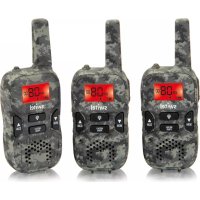
WTE2353 - Walkie-talkie SWITEL - Free user manual and instructions
Find the device manual for free WTE2353 SWITEL in PDF.



| Product type | PMR446 two-way radio |
| Brand | Switel |
| Model | WTE2353 |
| Dimensions (L x W x H) | 125 x 46 x 26 mm |
| Weight | 67.5 g |
| Power supply | 3 AAA alkaline batteries (3.6-4.5 V) |
| Frequency range | PMR446 (446.00625 - 446.09375 MHz) |
| Number of channels | 8 |
| Channel spacing | 12.5 kHz |
| RF power | 0.5 W |
| Range (open area) | 3-5 km |
| CTCSS/DCS | 38 CTCSS sub-channels / 83 DCS sub-channels |
| VOX function | Yes, 3 sensitivity levels |
| Auto scan | Yes |
| Monitor | Yes |
| Dual channel monitor (DCM) | Yes |
| Call tone | 10 ringtones available |
| Roger Beep | Yes, enable/disable |
| Transmission time limit | 30s or 60s, disablable |
| Key beep | Yes, enable/disable |
| Built-in flashlight | Yes |
| Antenna | Built-in, 50 ohms impedance |
| Operating temperature | -20°C to +50°C |
| Maintenance and cleaning | Soft lint-free cloth, no solvent or cleaner |
| Safety | Do not use near pacemakers (minimum distance 15 cm); turn off in hospitals and gas stations |
| Warranty | 24 months from purchase date (excluding batteries) |
| Compliance | CE (2014/53/EU, 2011/65/EU, 2012/19/EU) |
Frequently Asked Questions - WTE2353 SWITEL
User questions about WTE2353 SWITEL
0 question about this device. Answer the ones you know or ask your own.
Ask a new question about this device
Download the instructions for your Walkie-talkie in PDF format for free! Find your manual WTE2353 - SWITEL and take your electronic device back in hand. On this page are published all the documents necessary for the use of your device. WTE2353 by SWITEL.
USER MANUAL WTE2353 SWITEL
WTE2350 / WTE2353 / WTE2354
Walkie-Talkie
Bedienungsanleitung
User's Manual
TOT (Time-out Timer)

Telgo AG, Route d'Agy 16, 1763 Granges-Paccot, Switzerland
Technische Daten
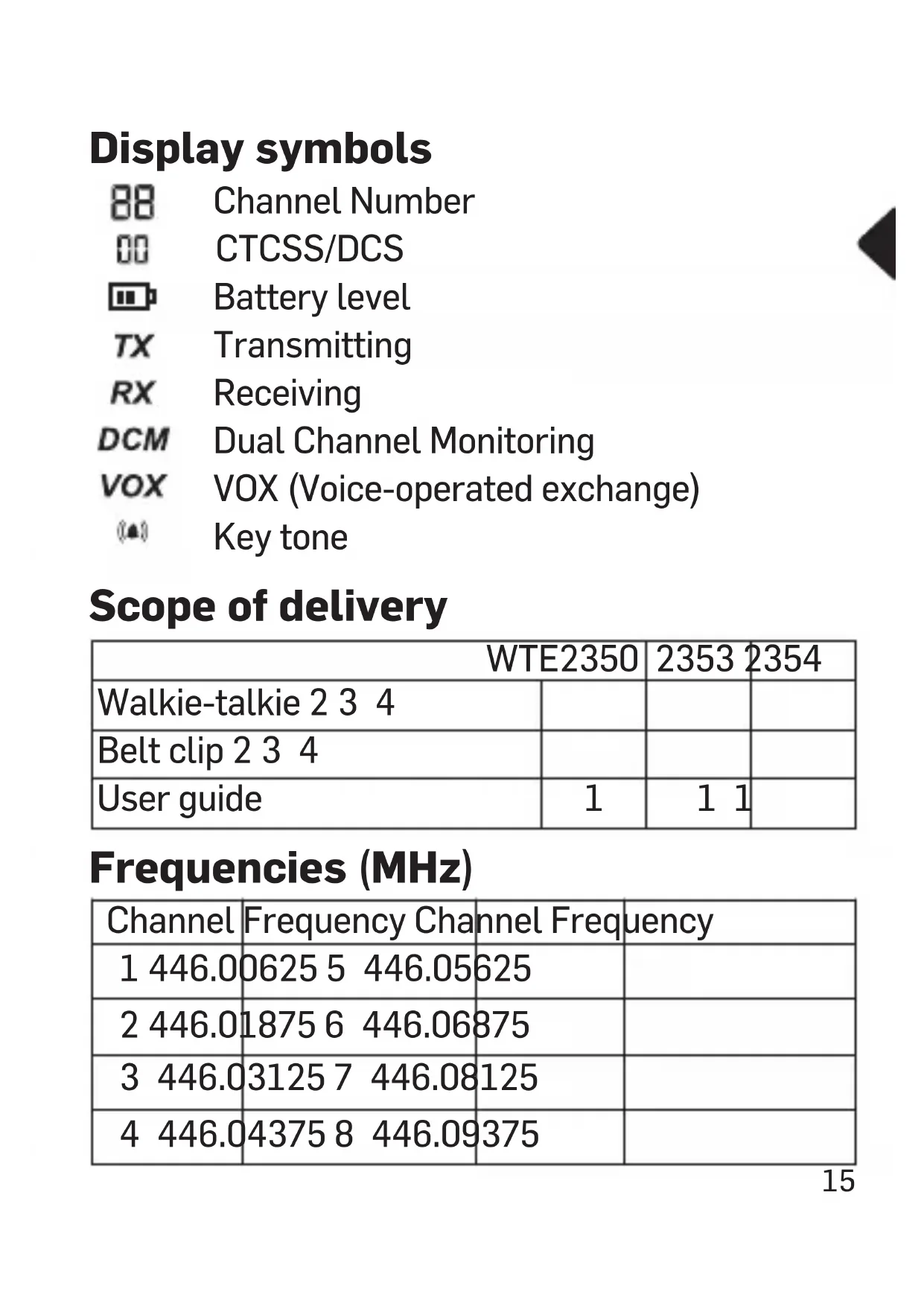
Dual Channel Monitoring

VOX (Voice-operated exchange)

Key tone
Scope of delivery
| WTE2350 | 2353 | 2354 | |
| Walkie-talkie 2 3 4 | |||
| Belt clip 2 3 4 | |||
| User guide | 1 | 1 | 1 |
Frequencies (MHz)
| Channel | Frequency Channel Frequency | |
| 1 446.0 | 0625 5 446.05 | 625 |
| 2 446.0 | 1875 6 446.06 | 875 |
| 3 446.0 | 3125 7 446.08 | 125 |
| 4 446.0 | 4375 8 446.09 | 375 |
Commissioning
Insert batteries
For operation, 3 pieces of alkaline AAA batteries are required per radio.
Open the battery compartment and insert the batteries (observe the polarity!).
Close the battery compartment again.
Operation
Power on/off
Press and hold down [MENU PWR] until the LCD lights up and you hear a beep at the same time.
Press and hold down [MENU] again to turn off the walkie talkie.
Volume adjustment
When the walkie talkie is in standby mode, press [ ] to adjust the volume.
Automatic scan function
Press and hold down [ ] seconds to activate the scan function.
Press [MENU PWR] stop this scanning.
Monitoring
Press and hold down [ ] MON seconds to turn on the monitor function.
Press and hold down [ ] MEN seconds again to turn off the monitor function.
Setting the channel
1 Press [ ] PWRMENU once; the channel number (e.g. 01) flashes.
2 Press [ ] or [ ] to set the desired channel.
3 Press the PTT button to confirm the setting.
This product provides one-way communication. In other words, it can not receive messages while transmitting.
Make sure the devices are on the same channel and CTCSS/DCS sub-channel if you want to talk to other people.
CTCSS/DCS
1 Press [ ] twice; the current CTCSS/DCS setting flashes.
2 Press [ ] or [ ] to change the setting.
3 Press the PTT button to confirm the setting.
The use of CTCSS (38 subchannels) or DCS (83 subchannels) can prevent the radio traffic from being disturbed by irrelevant signals.
VOX function
VOX = Voice operated transmission
1 Press [ ] three times; the VOX symbol lights up and "OF" flashes.
2 Press [ ] or [ ] to adjust the VOX sensitivity.
3 Press the PTT button to confirm the setting.
When VOX mode is on, your device sends as soon as it detects a sound. When you turn on the VOX mode, you adjust the sensitivity at the same time. The higher the displayed digit, the more sensitive the setting. In a noisy or windy environment, using the VOX mode is not recommended.
The device has 3 VOX stages. The VOX feature is disabled by default.
Call tone
1 Press [ ]MENU four times, "CA" lights up and the current setting "01" flashes.
2 Press [ ] or [ ] to set the desired call tone.
3 Press the PTT button to confirm the setting.
There are 10 different call tones.
TOT (Time-out timer)
1 Press [ ] MENU five times, "OF TO" lights up.
2 Press [ ] or [ ] to set the sending time (30s, 60s or OF).
3 Press the PTT button to confirm the setting.
If you set the sending time to 30 or 60 seconds, sending will be interrupted after this time.
Roger beep
1 Press [ ]MENU times, "ON RO" lights up.
2 Press [ ] or [ ] to deactivate or activate the function.
3 Press the PTT button to confirm the setting.
The Roger Beep means that the station has finished speaking. When the user releases the PTT button, the sound is sent automatically.
Key beep
1 Press [ ] PWRMENU seven times.
2 Press [ ] or [ ] to turn the key beep off or on.
3 Press the PTT button to confirm the setting.
Dual channel monitoring (DCM)
1 Press [ ] MENU night times., "DCM OF" lights up.
2 Press [ ] or [ ] to deactivate or activate the function.
3 Press the PTT button to confirm the setting.
The Dual Channel Monitor feature allows the user to monitor two channels simultaneously. In standby mode, two channels flash on the display.
Restore the factory settings
Remove one of the batteries for a short time. Press and hold [MENU PWR] while reinserting the battery. Release [MENU PWR]
Appendix
Safety Information
- Prevent exposure to smoke, dust, vibration, chemicals, moisture, heat and direct sunlight. The phone is not waterproof; therefore, keep it dry.
- Repairs to this device may only be completed by qualified service personnel.
- All mobile communication equipment is subject to interference which may impair its performance.
- Do not touch the antenna if the sheathing is damaged. Contact of the antenna with the skin may result in minor burn during transmission.
- Keep the phone and accessories out of the reach of children.
- Ensure that no safety-related functions are interfered with when operating the phone. It is essential to observe the applicable national laws and regulations.
• Always maintain a distance of at least 15 cm to implanted heart pacemakers to prevent any possible interference. Switch the device off immediately if you notice or suspect any adverse effects. - Ensure access to the power adapter plug is not obstructed by furniture or such.
Intended use
These two-way radios are suitable for communication with other radios of the same standard. Any other use is considered unintended use. Unauthorised modification or reconstruction is not permitted. Under no circumstances open the device or complete any repair work yourself.
Areas of use
- Do not use the device in prohibited areas.
- Switch the device off in the vicinity of medical equipment (e.g. in hospitals).
- Do not use the device in petrol stations or near fuels and chemicals.
Maintenance
Clean the housing surfaces with a soft, lint-free cloth. Do not use detergents or solvents.
Disposal
In order to dispose of your device, take it to a collection point provided by your local public waste authorities (e.g. recycling centre).
According to laws on the disposal of electronic and electrical devices, owners are obliged to dispose of old electronic and electrical devices in a separate waste container. The symbol indicates that the device must not be disposed of in normal domestic waste!
Batteries represent a hazard to health and the environment!
Never open, damage or swallow batteries or allow them to pollute the environment. They may contain toxic, ecologically hazardous heavy metals. You are legally obliged to dispose of power packs and batteries at the point of sale or in the corresponding containers provided at collection points by local public waste authorities. Disposal is free of charge. The symbols indicate that the batteries must not be disposed of in normal domestic waste and that they must be brought to collection points provided by local public waste authorities. Packaging materials must be disposed of according to local regulations.


Declaration of Conformity

This device fulfils the requirements stipulated in the EU directive: 2014/53/EU, 2011/65/EU and 2012/19/EU. Conformity with the above mentioned directive is confirmed by the CE mark on the device. To view the complete Declaration of Conformity, please refer to the free download available on our web site www.switel.com.
Telgo AG, Route d'Agy 16, 1763 Granges-Paccot, Switzerland
Technical data
Frequency range PMR446 Number of channels 8 Channel spacing 12.5 KHz Working voltage 3.6 - 4.5 V Frequency stability 2.5 ppm Operating temperature range -20°C - +50°C Antenna impedance 50 Ohm Overall dimensions 125 x 46 x 26 mm Weight 67.5 g Transmission power 0.5 W Communication Range 3 - 5 km in open space
Guarantee
SWITEL equipment is produced and tested according to the latest production methods. The implementation of carefully chosen materials and highly developed technologies ensure trouble-free functioning and a long service life.
The terms of guarantee do not apply to the batteries or power packs used in the products. The period of guarantee is 24 months from the date of purchase. All deficiencies related to material or manufacturing errors within the period of guarantee will be redressed free of charge.
Rights to claims under the terms of guarantee are annulled following tampering by the purchaser or third parties. Damage caused as a result of improper handling or operation, normal wear and tear, incorrect positioning or storage, improper connection or installation or Acts of Gods and other external influences are excluded from the terms of guarantee. In the case of complaints, we reserve the right to repair defective parts, replace them or replace the entire device. Replaced parts or devices become our property. Rights to compensation in the case of damage are excluded where there is no evidence of intent or gross negligence by the manufacturer. If your device shows signs of defect during the period of guarantee, please return it to the sales outlet in which you
purchased the SWITEL device together with the purchase receipt.
All claims under the terms of guarantee in accordance with this agreement can only be asserted at the sales outlet.
No claims under the terms of guarantee can be asserted after a period of two years from the date of purchase and hand-over of the product.
Notice succincte
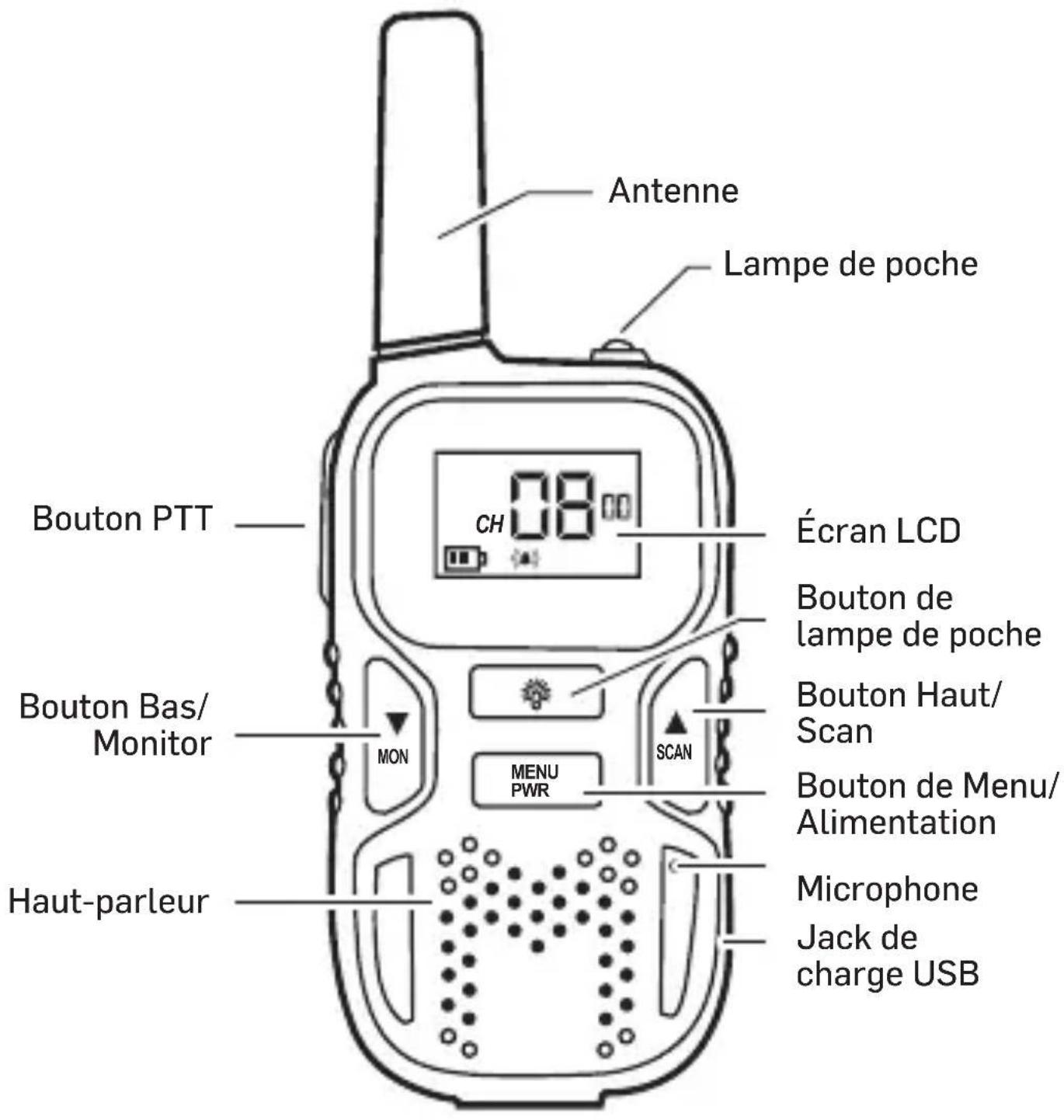
lcônes d'affichage

Affichage de canal

TOT (Time-out Timer)

Telgo AG, Route d'Agy 16, 1763 Granges-Paccot, Switzerland
Telgo AG, Route d'Agy 16, 1763 Granges-Paccot, Switzerland
Dati tecnici
TOT (Time-out Timer)

Telgo AG, Route d'Agy 16, 1763 Granges-Paccot, Switzerland

Datos técnicos
TOT (Time-out Timer)

website www.switel.com.
Telgo AG, Route d'Agy 16, 1763 Granges-Paccot,
Switzerland

Technische gegevens
In the case of technical questions, please use the service form on our website: http://www.switel.com/en/product-information-technical-support/

- WTE2350 / WTE2353 / WTE2354
- WALKIE-TALKIE
- TOT (TIME-OUT TIMER)
- TECHNISCHE DATEN
- COMMISSIONING
- INSERT BATTERIES
- OPERATION
- POWER ON/OFF
- VOLUME ADJUSTMENT
- AUTOMATIC SCAN FUNCTION
- MONITORING
- SETTING THE CHANNEL
- CTCSS/DCS
- VOX FUNCTION
- CALL TONE
- ROGER BEEP
- KEY BEEP
- DUAL CHANNEL MONITORING (DCM)
- RESTORE THE FACTORY SETTINGS
- APPENDIX
- SAFETY INFORMATION
- INTENDED USE
- AREAS OF USE
- MAINTENANCE
- DISPOSAL
- BATTERIES REPRESENT A HAZARD TO HEALTH AND THE ENVIRONMENT
- DECLARATION OF CONFORMITY
- TECHNICAL DATA
- GUARANTEE
- NOTICE SUCCINCTE
- LCÔNES D'AFFICHAGE
- DATI TECNICI
- DATOS TÉCNICOS
- TECHNISCHE GEGEVENS
Brand : SWITEL
Model : WTE2353
Category : Walkie-talkie