ManualGo.com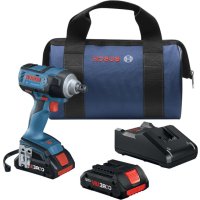
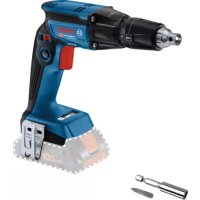
GDS 18V221 Professional - Screwdriver BOSCH - Free user manual and instructions
Find the device manual for free GDS 18V221 Professional BOSCH in PDF.



Download the instructions for your Screwdriver in PDF format for free! Find your manual GDS 18V221 Professional - BOSCH and take your electronic device back in hand. On this page are published all the documents necessary for the use of your device. GDS 18V221 Professional by BOSCH.
USER MANUAL GDS 18V221 Professional BOSCH
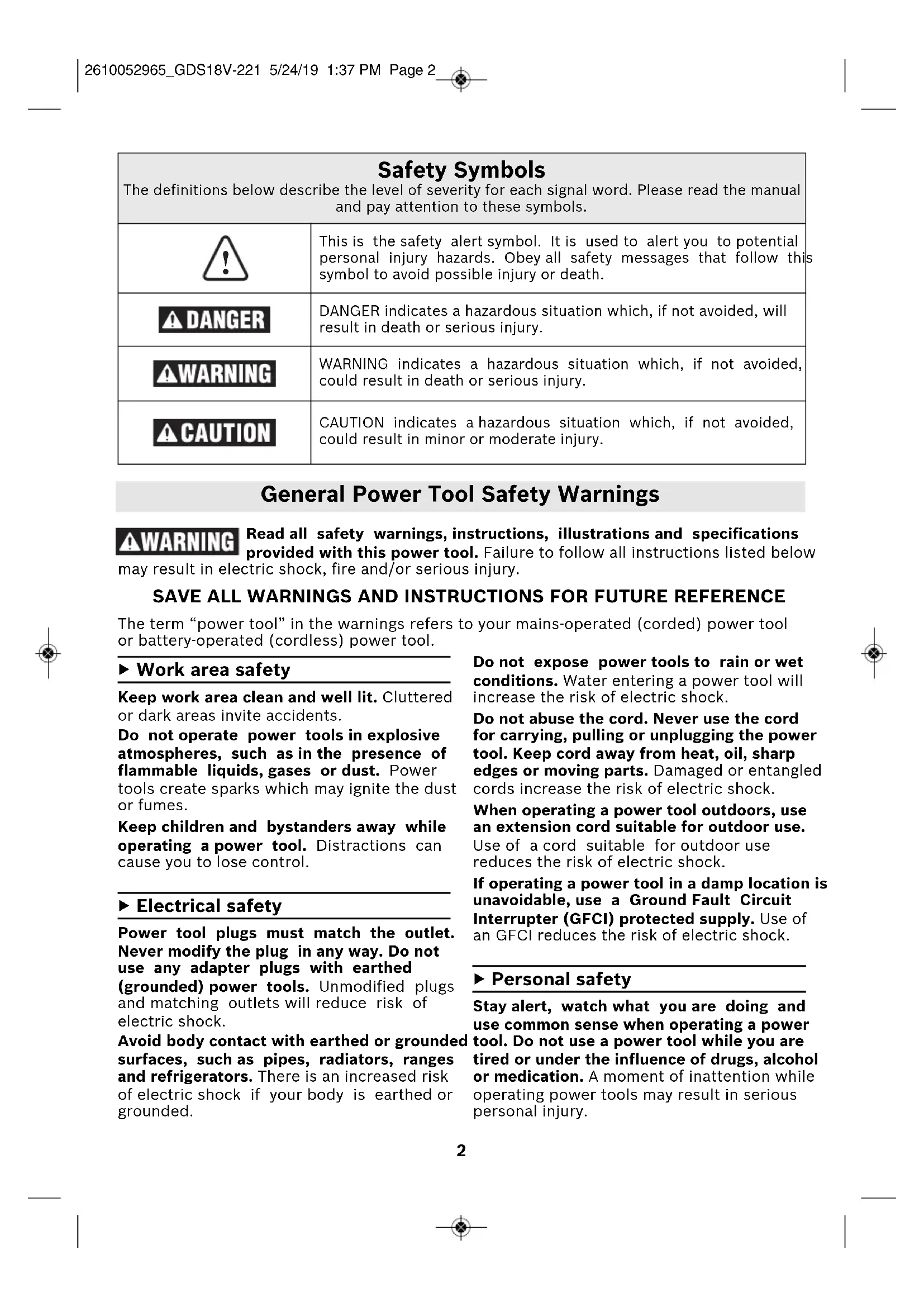
2610052965_GDS18V-221 5/24/19 1:37 PM Page 12 ▶ Work area safety Keep work area clean and well lit. Cluttered or dark areas invite accidents. Do not operate power tools in explosive atmospheres, such as in the presence of flammable liquids, gases or dust. Power tools create sparks which may ignite the dust or fumes. Keep children and bystanders away while operating a power tool. Distractions can cause you to lose control. ▶ Electrical safety Power tool plugs must match the outlet. Never modify the plug in any way. Do not use any adapter plugs with earthed (grounded) power tools. Unmodified plugs and matching outlets will reduce risk of electric shock. Avoid body contact with earthed or grounded surfaces, such as pipes, radiators, ranges and refrigerators. There is an increased risk of electric shock if your body is earthed or grounded. Do not expose power tools to rain or wet conditions. Water entering a power tool will increase the risk of electric shock. Do not abuse the cord. Never use the cord for carrying, pulling or unplugging the power tool. Keep cord away from heat, oil, sharp edges or moving parts. Damaged or entangled cords increase the risk of electric shock. When operating a power tool outdoors, use an extension cord suitable for outdoor use. Use of a cord suitable for outdoor use reduces the risk of electric shock. If operating a power tool in a damp location is unavoidable, use a Ground Fault Circuit Interrupter (GFCI) protected supply. Use of an GFCI reduces the risk of electric shock. ▶ Personal safety Stay alert, watch what you are doing and use common sense when operating a power tool. Do not use a power tool while you are tired or under the influence of drugs, alcohol or medication. A moment of inattention while operating power tools may result in serious personal injury. Read all safety warnings, instructions, illustrations and specifications provided with this power tool. Failure to follow all instructions listed below may result in electric shock, fire and/or serious injury. SAVE ALL WARNINGS AND INSTRUCTIONS FOR FUTURE REFERENCE The term “power tool” in the warnings refers to your mains-operated (corded) power tool or battery-operated (cordless) power tool. General Power Tool Safety Warnings Safety Symbols The definitions below describe the level of severity for each signal word. Please read the manual and pay attention to these symbols.
This is the safety alert symbol. It is used to alert you to potentialpersonal injury hazards. Obey all safety messages that follow thissymbol to avoid possible injury or death.DANGER indicates a hazardous situation which, if not avoided, willresult in death or serious injury.WARNING indicates a hazardous situation which, if not avoided,could result in death or serious injury.CAUTION indicates a hazardous situation which, if not avoided,could result in minor or moderate injury. 2610052965_GDS18V-221 5/24/19 1:37 PM Page 23 General Power Tool Safety Warnings Use personal protective equipment. Always
ear eye protection. Protective equipment such as dust mask, non-skid safety shoes, hard hat, or hearing protection used for appropriate conditions will reduce personal injuries. Prevent unintentional starting. Ensure the switch is in the off-position before connecting to power source and / or battery pack, picking up or carrying the tool. Carrying power tools with your finger on the switch or energizing power tools that have the switch on invites accidents. Remove any adjusting key or wrench before turning the power tool on. A wrench or a key left attached to a rotating part of the power tool may result in personal injury. Do not overreach. Keep proper footing and balance at all times. This enables better control of the power tool in unexpected situations. Dress properly. Do not wear loose clothing or jewelry. Keep your hair, clothing and gloves away from moving parts. Loose clothes, jewelry or long hair can be caught in moving parts. If devices are provided for the connection of dust extraction and collection facilities, ensure these are connected and properly used. Use of dust collection can reduce dust- related hazards. Do not let familiarity gained from frequent use of tools allow you to become complacent and ignore tool safety principles. A careless action can cause severe injury within a fraction of a second. ▶ Power tool use and care Do not force the power tool. Use the correct power tool for your application. The correct power tool will do the job better and safer at the rate for which it was designed. Do not use the power tool if the switch does not turn it on and off. Any power tool that cannot be controlled with the switch is dangerous and must be repaired. Disconnect the plug from the power source and/or remove the battery pack, if detachable, from the power tool before making any adjustments, changing accessories, or storing power tools. Such
reventive safety measures reduce the risk of starting the power tool accidentally. Store idle power tools out of the reach of children and do not allow persons unfamiliar with the power tool or these instructions to operate the power tool. Power tools are dangerous in the hands of untrained users. Maintain power tools and accessories. Check for misalignment or binding of moving parts, breakage of parts and any other condition that may affect the power tool’s operation. If damaged, have the power tool repaired before use. Many accidents are caused by poorly maintained power tools. Keep cutting tools sharp and clean. Properly maintained cutting tools with sharp cutting edges are less likely to bind and are easier to control. Use the power tool, accessories and tool bits etc. in accordance with these instructions, taking into account the working conditions and the work to be performed. Use of the power tool for operations different from those intended could result in a hazardous situation. Keep handles and grasping surfaces dry, clean and free from oil and grease. Slippery handles and grasping surfaces do not allow for safe handling and control of the tool in unexpected situations. ▶ Battery tool use and care Recharge only with the charger specified by the manufacturer. A charger that is suitable for one type of battery pack may create a risk of fire when used with another battery pack. Use power tools only with specifically designated battery packs. Use of any other battery packs may create a risk of injury and fire. When battery pack is not in use, keep it away from other metal objects like paper clips, coins, keys, nails, screws, or other small metal objects that can make a connection from one terminal to another. Shorting the battery terminals together may cause burns or a fire. Under abusive conditions, liquid may be 2610052965_GDS18V-221 5/24/19 1:37 PM Page 34 Hold the power tool by insulated gripping surfaces, when performing an operation where the fastener may contact hidden wiring. Fasteners contacting a “live” wire may make exposed metal parts of the power tool “live” and could give the operator an electric shock. Use clamps or another practical way to secure and support the workpiece to a stable platform. Holding the work by hand or against your body leaves it unstable and may lead to loss of control. Do not drive fasteners into existing walls or other blind areas where electrical wiring may exist. If this situation is unavoidable, disconnect all fuses or circuit breakers feeding this worksite. Use only sockets designed for power impact wrenches. Sockets designed for hand use may break under the load this tool generates. Be certain to seat the socket completely and securely on the output drive. Do not use worn or damaged sockets. Select the correct size sockets and keep the inside of the socket clean. Do not allow a loose fastener to spin freely with the socket. The fastener may be thrown out of the socket. Use thick cushioned gloves and limit the exposure time by taking frequent rest periods. Vibration caused by impact driver action may be harmful to your hands and arms. Remove battery pack before changing accessories. Accidental starting may occur because battery appliances with a battery inserted are in the operative condition. Be prepared for a reaction torque when “seating” or removing a fastener. The tool housing may tend to twist in the opposite direction of accessory rotation when “seating” or removing a fastener depending on the torque setting of the tool. Do not run the tool while carrying it at your side. The rotating drive could become entangled with clothing and injury may result. Place the tool onto the fastener only when the tool is switched off. Rotating driver tools can slide off the fastener. Safety Rules for Cordless Impact Drivers ejected from the battery, avoid contact. If
ontact accidentally occurs, flush with water. If liquid contacts eyes, additionally seek medical help. Liquid ejected from the battery may cause irritation or burns. Do not use a battery pack or tool that is damaged or modified. Damaged or modified batteries may exhibit unpredictable behaviour resulting in fire, explosion or risk of injury. Do not expose a battery pack or tool to fire or excessive temperature. Exposure to fire or temperature above 265 °F may cause explosion. Follow all charging instructions and do not charge the battery pack or tool outside the temperature range specified in the instructions. Charging improperly or at
emperatures outside the specified range may damage the battery and increase the risk of fire. ▶ Service Have your power tool serviced by a qualified repair person using only identical replacement parts. This will ensure that the safety of the power tool is maintained. Never service damaged battery packs. Service of battery packs should only be performed by the manufacturer or authorized service providers. General Power Tool Safety Warnings 2610052965_GDS18V-221 5/24/19 1:37 PM Page 45 Additional Safety Warnings GFCI and personal protection devices like
lectrician’s rubber gloves and footwear will further enhance your personal safety. Develop a periodic maintenance schedule for your tool. When cleaning a tool be careful not to disassemble any portion of the tool since internal wires may be misplaced or pinched or safety guard return springs may be improperly mounted. Certain cleaning agents such as gasoline, carbon tetrachloride, ammonia, etc. may damage plastic parts. Ensure the switch is in the off position before inserting battery pack. Inserting the battery pack into power tools that have the switch on invites accidents. Some dust created by
ower sanding, sawing, grinding, drilling, and other construction activities contains chemicals known to cause cancer, birth defects or other reproductive harm. Some examples of these chemicals are:
- Lead from lead-based paints,
- Crystalline silica from bricks and cement and other masonry products, and
- Arsenic and chromium from chemically- treated lumber. Your risk from these exposures varies, depending on how often you do this type of work. To reduce your exposure to these chemicals: work in a well ventilated area, and work with approved safety equipment, such as those dust masks that are specially designed to filter out microscopic particles. 2610052965_GDS18V-221 5/24/19 1:37 PM Page 56 Symbols Important: Some of the following symbols may be used on your tool. Please study them and learn their meaning. Proper interpretation of these symbols will allow you to operate the tool better and safer. Symbol Designation / Explanation V Volts (voltage) Ah Amp hour (measurement of battery capacity) A Amperes (current) Hz Hertz (frequency, cycles per second) W Watt (power) kg Kilograms (weight) min Minutes (time) s Seconds (time)
Diameter (size of drill bits, grinding wheels, etc.)
No load speed (rotational speed at no load) n Rated speed (maximum attainable speed) .../min Revolutions or reciprocation per minute (revolutions, strokes, surface speed, orbits etc. per minute) 0 Off position (zero speed, zero torque...) 1, 2, 3, ... I, II, III, Selector settings (speed, torque or position settings. Higher number means greater speed)
Infinitely variable selector with off (speed is increasing from 0 setting) Arrow (action in the direction of arrow) Alternating current (type or a characteristic of current) Direct current (type or a characteristic of current) Alternating or direct current (type or a characteristic of current) Class II construction (designates double insulated construction tools) Earthing terminal (grounding terminal) 2610052965_GDS18V-221 5/24/19 1:37 PM Page 67 Important: Some of the following symbols may be used on your tool. Please study them and learn their meaning. Proper interpretation of these symbols will allow you to operate the tool better and safer. Symbols Symbol Designation / Explanation Alerts user to read manual Alerts user to wear eye protection This symbol designates that this tool is listed by Underwriters Laboratories. This symbol designates that this component is recognized by Underwriters Laboratories. This symbol designates that this tool is listed by Underwriters Laboratories, to United States and Canadian Standards. This symbol designates that this tool is listed by the Canadian Standards Association. This symbol designates that this tool is listed by the Canadian Standards Association, to United States and Canadian Standards. This symbol designates that this tool is listed by the Intertek Testing Services, to United States and Canadian Standards. This symbol designates that this tool complies to NOM Mexican Standards. Designates Li-ion battery recycling program Designates Ni-Cad battery recycling program 2610052965_GDS18V-221 5/24/19 1:37 PM Page 714
Functional Description and Specifications Disconnect battery pack from tool before making any assembly, adjustments or changing accessories. Such preventive safety measures reduce the risk of starting the tool accidentally. Cordless Impact Driver GDS18V-221 Fig. 1 1 Output drive 2 Friction ring 3 Forward/reversing lever and trigger lock 4 Variable speed trigger switch 5 Through hole 6 “Auto Bolt Release (ABR)” Button 7 “Auto Bolt Release (ABR)” Indicator 8 LED Work light 9 Battery pack release button 10 Battery pack 11 Belt clip (sold separately) 12 Handle (insulated gripping surface) 13 Ventilation openings 14 Wrist strap 15 Socket*
0–2,400/min Impact rate 0-3,500/min Maximum torque 221 ft. lbs. Output drive 1/2" Square drive with Friction Ring and Through Hole Allowed ambient temperature – during charging – during operation – during storage 32...113 °F (0...+45 °C) –4...122 °F (–20...+50 °C) 32…122 °F (0…+50 °C) Battery Packs/Chargers Please refer to the battery/charger list, included with your tool. 2610052965_GDS18V-221 5/24/19 1:37 PM Page 910 Disconnect battery pack from tool before making any assembly, adjustments or changing accessories. Such preventive safety measures reduce the risk of starting the tool accidentally. ▶ Inserting and Releasing Battery Pack Set Forward/Reversing lever 3 to the center (locked position). Slide charged battery pack 10 into the housing until the battery pack locks into position (Fig. 2). Your tool is equipped with a secondary locking latch to prevent the battery pack from completely falling out of the handle, should it become loose due to vibration. To remove the battery pack, press the battery pack release button 9 and slide the battery pack 10 completely out of tool housing (Fig. 3). ▶ Inserting and Removing Accessories Attach only high quality impact ready accessories with the proper size square drive designed for use with impact wrenches. To install a socket 15, simply push completely onto output drive 1 (Fig. 4). ▼ BELT CLIP (Optional Accessory) When the tool is attached to the belt, position yourself to avoid entanglement with surrounding objects. Unexpected entanglement could cause the tool to fall resulting in injury to the operator or bystanders. The optional belt clip accessory will allow you to conveniently attach your tool to your belt. This feature will allow you to have both hands free when climbing a ladder or moving to another work area. The belt clip 12 can be attached to either side of the tool by securing it with a mounting screw. Always make sure you securely tighten the mounting screw before use (Fig.1). To use clip, turn tool upside down and attach to your belt. Assembly
Fig. 4 2610052965_GDS18V-221 5/24/19 1:37 PM Page 1011 ▼ INTENDED USE This tool is intended for the fastening and loosening of bolts, nuts and various threaded fasteners. This tool is not intended for use as a drill.
▼ VARIABLE SPEED CONTROLLED
TRIGGER SWITCH Your tool is equipped with a variable speed trigger switch. The tool can be turned "ON" or "OFF" by squeezing or releasing the trigger. The speed can be adjusted from the minimum to maximum nameplate RPM by the pressure you apply to the trigger. Apply more pressure to increase the speed and release pressure to decrease speed (Fig. 1). ▼ BRAKE When the trigger switch is released it activates the brake to stop the chuck quickly. This is especially useful in the repetitive driving and removal of screws.
▼ AUTOMATIC SHUTDOWN ABR*
- ABR = Auto Bolt Release The ABR function automatically shuts down the power tool when the bolt or nut is released. The automatic shutdown helps prevent the bolt or nut from falling down when released. You can use the “Auto Bolt Release (ABR)” button 6 to activate and deactivate ABR. The LED for “Auto Bolt Release (ABR)” 7 lights up when ABR is activated (Fig. 5). The previous setting is retained when the battery is changed. Note: The ABR function only works when tool is in reverse mode.
▼ FORWARD/REVERSING LEVER AND
TRIGGER LOCK After tool use, lock trigger in “OFF” position to help prevent accidental starts and accidental discharge. Your tool is equipped with a forward/ reversing lever and trigger lock 3 located above the trigger (Fig. 6). This lever was designed for changing rotation of the bit, and for locking the trigger in an “OFF” position. To lock the trigger, move the lever to the center. For forward rotation, (with chuck pointed away from you) move the lever to the far left. For reverse rotation move the lever to the far right. To activate trigger lock move lever to the center off position. Do not change direction of rotation until the tool comes to a complete stop. Shifting during rotation of the chuck can cause damage to the tool.
▼ BUILT IN WORK LIGHT
Your tool is also equipped with a work light 8 for better visibility when driving (Fig. 1). The lights turn on when the trigger is Operating Instructions
Fig. 5 2610052965_GDS18V-221 5/24/19 1:37 PM Page 1112 pulled. The light will automatically turn off when trigger is released. Operating Tips Use only sockets designed for power impact wrenches. Sockets designed for hand use may break under the load this tool generates. INSTALLING FASTENERS To fasten: Start the fastener by hand on to or in to its threaded counter part (e.g. nut on to bolt, bolt in to nut or threaded hole). Next, with the proper impact socket securely mounted to the wrench, slide the impact socket on to the nut or bolt head. Hold the tool securely with both hands and squeeze the trigger switch. The impact socket will turn the fastener and impacting will begin once the fastener encounters resistance. See the following chart to estimate the amount of impact time required to obtain a desired torque. To loosen: With the proper impact socket securely mounted to the wrench, slide the impact socket on to the bolt head (be sure the rotational direction is “reverse”). Hold the tool securely with both hands and squeeze the trigger switch. The tool will start to impact immediately. Once the fastener has “broken loose” it will start to unthread. Be careful that you do not allow a fastener to spin freely once it is no longer engaged with the other threaded part as it may be thrown out of the socket. TIGHTENING TORQUE The tightening torque depends on the duration of the impacting/tightening action. The largest tightening torque is achieved after approx. 6 to 10 Sec. impacting/tightening action. The torque build-up depends on the following factors:
- Hardness of the bolts/nuts.
- Type of washer (disk washer, spring washer, seal).
- Hardness of the material to be joined.
- Lubricating effect at the surfaces of the junction. This leads to the following application cases: Hard joining application: The joining of metal to metal with a disk washer. The maximum torque is reached after a relative short impacting/tightening action. Medium joining application: The joining of metal to metal when using spring ring washer, disk spring washer, stud bolts or bolts/nuts with conical seats. Soft joining application: The joining of e.g. metal to wood or insulation material. For middle or soft joining cases, the maximum tightening torque is less than for hard cases. Therefore, a longer impacting/ tightening action is necessary to arrive at the maximum tightening torque. COLD WEATHER USE (32°F) Due to the lubrication used in the impacting mechanism, the tool should be run for three minutes at no load prior to actual usage. This will warm the lubricant and provide better performance. Operating Instructions 2610052965_GDS18V-221 5/24/19 1:37 PM Page 1213 Accessories ▼ SERVICE
PARTS INSIDE. Preven - tive maintenance performed by un au - thorized personnel may result in misplacing of internal wires and components which could cause serious hazard. We recom mend that all tool service be performed by a Bosch Factory Service Center or Authorized Bosch Service Station. ▼ BATTERIES Be alert for battery packs that are nearing their end of life. If you notice decreased tool performance or significantly shorter running time between charges then it is time to replace the battery pack. Failure to do so can cause the tool to operate improperly or damage the charger. ▼ TOOL LUBRICATION Your Bosch tool has been properly lubricated and is ready for use.
L ’ I N T É R I E U R
IMITED WARRANTY OF BOSCH PORTABLE AND BENCHTOP POWER TOOLS Robert Bosch Tool Corporation (“Seller”) warrants to the original purchaser only, that all BOSCH portable and benchtop power tools will be free from defects in material or workmanship for a period of one year from date of purchase. SELLER’S SOLE OBLIGATION AND YOUR EXCLUSIVE REMEDY under this Limited Warranty and, to the extent
ermitted by law, any warranty or condition implied by law, shall be the repair or replacement of parts, without charge, which are defective in material or workmanship and which have not been misused, carelessly handled, or misrepaired by persons other than Seller or Authorized Service Station. To make a claim under this Limited Warranty, you must return the complete portable or benchtop power tool product, transportation prepaid, to any BOSCH Factory Service Center or Authorized Service Station. For Authorized BOSCH
ower Tool Service Stations, please refer to your phone directory. THIS LIMITED WARRANTY DOES NOT APPLY TO ACCESSORY ITEMS SUCH AS CIRCULAR SAW BLADES, DRILL BITS, ROUTER BITS, JIGSAW BLADES, SANDING BELTS, GRINDING WHEELS AND OTHER RELATED ITEMS. ANY IMPLIED WARRANTIES SHALL BE LIMITED IN DURATION TO ONE YEAR FROM DATE OF PURCHASE. SOME STATES IN THE U.S.,SOMECANADIAN PRO V INCESDO NOT ALLOW