EasyManual
Vind Mono - Fan Sonnenkönig - Free user manual and instructions
Find the device manual for free Vind Mono Sonnenkönig in PDF.


User questions about Vind Mono Sonnenkönig
0 question about this device. Answer the ones you know or ask your own.
Ask a new question about this device
Download the instructions for your Fan in PDF format for free! Find your manual Vind Mono - Sonnenkönig and take your electronic device back in hand. On this page are published all the documents necessary for the use of your device. Vind Mono by Sonnenkönig.
USER MANUAL Vind Mono Sonnenkönig
07 - GARANTIE / CONFORMITÉ / MISE AU REBUT
Please read before first commissioning the safety instructions carefully and observe the safety instructions to prevent damage due to misuse, improper operation, and improper environmental conditions to be avoided. Keep these for later reference. Check the device after removing the packaging for damage. Do not put the unit in case of suspected corrup- tion in operation and consult a specialist. The recyclable packaging material must not be stored or disposed accessible for young children, but must be disposed of properly. This appliance is only for the purpose for which it was explicitly developed. Any other use is regarded as im- proper and therefore dangerous. The supplier is not liable for damage to persons and / or property damage due to an improper or incorrect use. This appliance can be used by children aged from 8 years and above and persons with reduced physical, sensory or mental capabilities or lack of experience and knowledge if they have been given supervision or instruction concerning use of the appliance in a safe way and understand the hazards involved. Children shall not play with the appliance. Cleaning and user maintenance shall not be made by children without supervision. Please make sure to place the device on a suitable and waterproof surfaces, so that spilled liquids can not cause harm. Repairs to electrical appliances must only be carried out by trained personnel only . Improperly performed repairs and alterations to the equipment can have dangerous consequences for the user according to what the warranty will be rejected. The following basic precautions should always be followed when handling electrical equipment:
- Read all instructions carefully and keep this manual for future reference.
- Do not let the appliance touch any hot surfaces.
- To avoid electric shock, do not place the cord, the plug or the appliance in water or other liquids.
- Close supervision is necessary when the appliance is used by or near children.
- Plug out the appliance when not in use and before cleaning.
- Do not operate the appliance with a damaged cord or plug or after the appliance malfunctions or has been damaged in any manner. Return the appliance to our customer service centre for examination.
- Do not let the cord hang over the edge of a table or counter or touch hot surfaces. Do not place the appliance on an unsteady or cloth-covered surface.
- Please first check the power cord and the plug to see if they appear normal, and then check the body to see if there are any cracks or damages. If there is anything unusual, please call the customer service hotline for help .
- Before you move the fan or when it is not in use, please cut off the power supply and unplug the plug from the socket.
- Do not use the fan in an area with high humidity, at temperatures higher than 40° C or in a dusty area.
- Do not insert fingers or any objects into the fan during operation. Take special care of children.
- Please do not direct the fan towards the elderly, children or patients for a longer period of time.
- Do not spray any detergent such as bug or mosquito repellents into the fan to prevent damages to the plastic material.
- The appliance is for household use only. Do not use it outdoors or for any commercial or industrial purpose.
- Children should be supervised to ensure that they do not play with the appliance.
- Always disconnect the appliance from the mains before any maintenance work.EN
- If the supply cord is damaged, it must be replaced by the retailer, its service agent or similarly qualified persons in order to avoid a hazard.
- Please ensure that the fan is switched off from the mains before removing the guard.
- Do not operate if the fan housing is damaged.
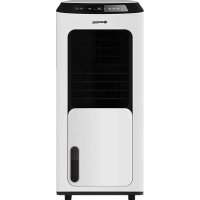
POWER Check the power voltage before commissioning to ensure that it corresponds to the appliance specifications. Only use AC - V, / Hz sockets. NOTE: After hours of continuous operation without pressing a button on the control panel or remote control, the appliance switches off automatically. ON/OFF After you have inserted the plug into the socket, you will hear a beeping sound. You can now press the ON/OFF button and the appliance will switch on at low speed. SPEED The appliance has three speed levels: low - medium - high. Illuminated symbols show the different levels. Low speed Medium speed High speed TIMER The timer can be set between one and seven hours. It has three corresponding lights: 1H / 2H / 4H. Each press of the timer button increases the set time by one hour. (Pressing once = 1 hour; pressing seven times = 7 hours.) The corresponding lights (1H / 2H / 4H) light up in different combinations according to the set time. For example: Setting the timer to one hour illuminates 1H. Setting the timer to seven hours illuminates 1H, 2H and 4H as 1+2+4=7. LOCK To lock the control panel, press and hold ‘Lock’ for 3 seconds. Press and hold the button again to cancel the lock function. OSC Press ‘OSC’ once: The fan starts to rotate automatically to the right and left. Pressing the OSC button a second time stops the oscillation. The vertical angle can be set manually.EN
Power Indicator Lightnig Indicator Speed ButtonPower Button Oscillation ButtonTimer Button Lock ButtonLightning Button Speed Indicator Timer Indicator Lock Indicator Oscillation Indicator LIGHT Press the ‘Light’ button and the LED light on the control panel switches off. Press the button again and the display lights up; if the device is switched on and the buttons on the control panel are not pressed within 30 seconds, the brightness of the light indicators drops to 50 %. BATTERY POLARITY Incorrect installation will lead to battery leakage, corrosion and damage to the remote control. Please observe the follo- wing precautions:
1. When replacing the battery, make sure you use a new battery.
2. Do not attempt to change, short-circuit or disassemble the battery to avoid danger.
3. Insert the battery according to the instructions for the + and - poles.
4. If you do not use the device for a long time, please remove the battery to avoid battery leakage.
5. Replace the battery professionally!EN
1. Before cleaning, make sure that the plug is unplugged.
2. First remove the three screws from the rear cover, then turn the front cover to the left and remove it.
3. Turn the fan blade to the right and remove it, then you can clean the blade.
4. Before reassembling the fan, make sure that it is completely dry.
Screw Control panel Housing Rear cover Base Remote receiver Front cover Fan blade
Warranty All products are checked from our company before the delivery. In case that there is a lack on your product, please contact the vendor. Please bring your proof of purchase for guarantees. Please save the packaging materials of the unit. Disposal Please remove the ASCHTRO 15 properly. You can bring the product to any specialist dealer fort he removal. CE declaration of Conformity This device complies with the following standards:
DISPOSAL INSTRUCTIONS FOR THE ELECTRICAL PART OF THE PRODUCT In accordance with Article 26 of the Decree-Law of 14 March 2014 implementing Directive 2012/19/EC, and the Law of 31 March 2015 implementing Directive 2015/863/EU on the reduction of the use of hazardous substances in electrical and electronic equipment and on waste management. The crossed-out dustbin symbol on the machine or packaging indicates that the waste generated at the end of its useful life must be collected separately from other waste. The user must therefore take the device to the appropriate collection points at the end of its service life. Sort electronic and electrical waste or send back to the retailer when purchasing new, equivalent devices in a one-to-one process. Appropriate separate collection for subsequent com- missioning of the equipment to be recycled, treatment and environmentally sound disposal helps to avoid possible adverse effects on the environment and health, and promote the reuse and/or recycling of the materials to which they belong. Misuse of this product by the user will result in the application of the administrative penalties provided for in the applicable legislation. Batteries contained in the device must be disposed of separately in the appropriate containers for the collection of used batteries.
DISPOSAL OF BATTERIES AND ACCUMULATORS
In accordance with Legislative Decree 188 of 20 November 2008 implementing Directive 2006/66/EC on batteries, accumulators and related waste, the symbol of the crossed-out waste bin on the battery indicates that the disposal of used batteries is prohibited in household waste. Single-use and rechargeable batteries contain substances that are highly polluting for the environment. The user is obliged to dispose of used batteries at collection points in the municipality or in appropriate containers. This service is free. In this way, legal requirements are adhered to and the environment protected. The symbols identifying hazardous materials that may be present in single-use and rechargeable batteries are as follows: Hg = Mercury, Cd = Cadmium, Pb = Lead.