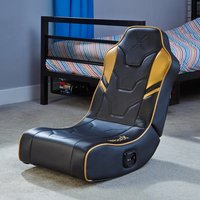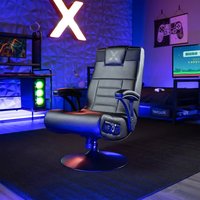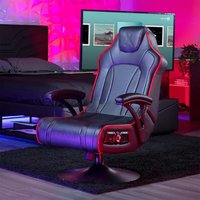
Chimera RGB 2.0 Neo Motion LED - Gaming chair X Rocker - Free user manual and instructions
Find the device manual for free Chimera RGB 2.0 Neo Motion LED X Rocker in PDF.



| Product type | Gaming chair |
| Brand | X Rocker |
| Model | Chimera RGB 2.0 Neo Motion LED |
| Maximum weight capacity | 120 kg |
| Power input | AC 100-240 V ~ 50/60 Hz, 0.5 A |
| Power output | DC 12 V, 1 A |
| Built-in speakers | Yes |
| RGB color modes | 30 modes |
| Control panel | Volume + on/off, color mode button, audio input/output jacks, power jack |
| Audio input | 3.5 mm jack |
| Audio output | 3.5 mm jack |
| Included cables | 3.5 mm audio cable (3 m), RCA female-female adapters, 3.5 mm to RCA audio cable (0.15 m), power cord |
| TV connection | Via TV headphone jack (Toslink adapter required if no headphone jack) |
| PS4 connection | Via PS4 controller headphone jack |
| Console compatibility | All consoles via TV, PS4 via controller |
| Upholstery material | Faux leather (estimated) |
| Cleaning and maintenance | Wipe with a damp cloth, no abrasive products |
| Safety - weight limit | Do not exceed 120 kg, do not stand on chair |
| Safety - use | Do not lean back excessively, do not force the base |
| Safety - volume | Do not use at high volume for prolonged periods to avoid hearing damage |
| Spare parts | Contact X Rocker support |
| Warranty | Void if unauthorized modifications |
Frequently Asked Questions - Chimera RGB 2.0 Neo Motion LED X Rocker
User questions about Chimera RGB 2.0 Neo Motion LED X Rocker
0 question about this device. Answer the ones you know or ask your own.
Ask a new question about this device
Download the instructions for your Gaming chair in PDF format for free! Find your manual Chimera RGB 2.0 Neo Motion LED - X Rocker and take your electronic device back in hand. On this page are published all the documents necessary for the use of your device. Chimera RGB 2.0 Neo Motion LED by X Rocker.
USER MANUAL Chimera RGB 2.0 Neo Motion LED X Rocker
Email: support@xrockergaming.com
www.xrockergaming.com
IMPORTANT: You must keep your original retail receipt as proof of purchase.
English 3
French 10
Spanish 17
Thank you for purchasing this X Rocker gaming chair. You are now close to enhancing your favourite games with glorious audio!
To get started, please assemble the chair using the assembly instructions on the separate leaflet and then follow the instructions in this manual to get rocking!
TABLE OF CONTENTS
4 Box contents and control panel overview
5 Wired Connection guide: TV (All consoles)
6 Connect by controller (PS4 only)
7 Troubleshooting tips
8 Health and safety information
9 Power supply safety information
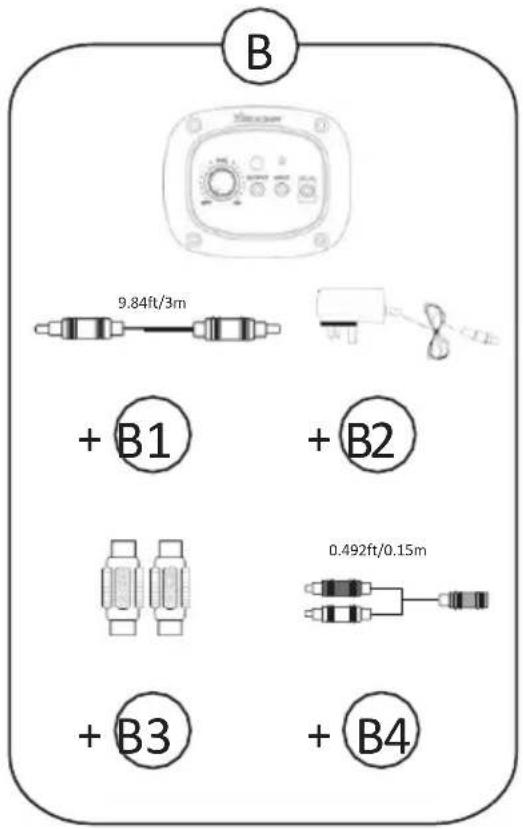
B1 - 3m RCA to RCA Audio cable
B2 - Power supply cable
B3 - RCA female to female adapters
B4 - 0.15m 3.5mm RCA to female audio cable
CONTROL PANEL OVERVIEW
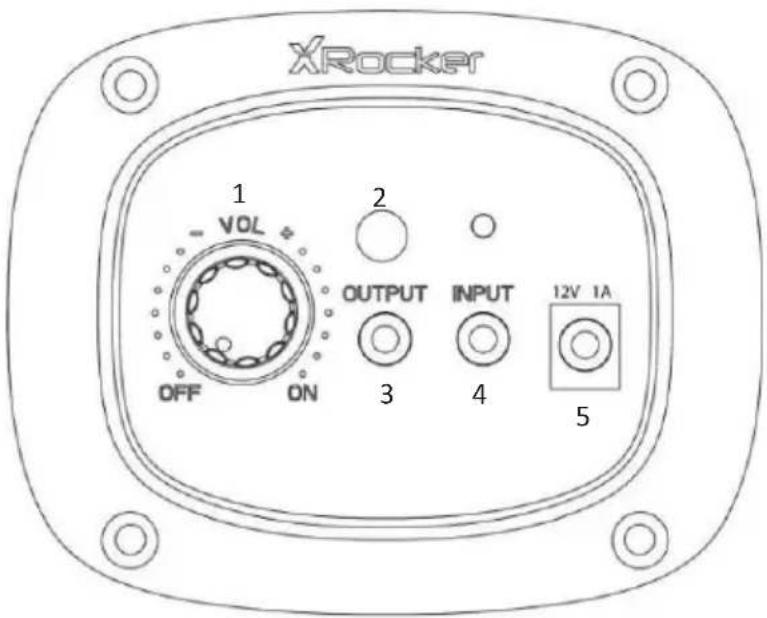
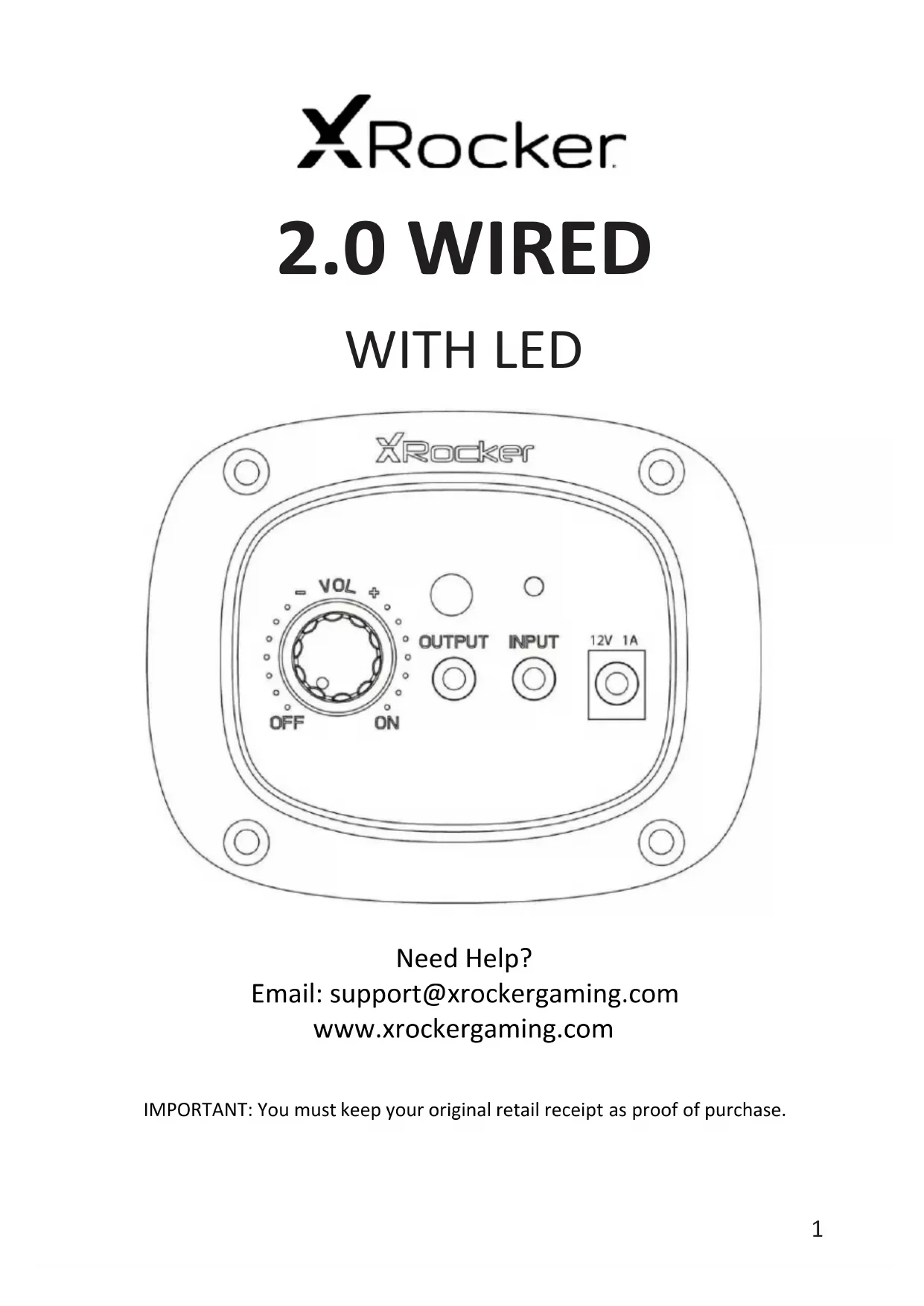
| 1. Volume + On/Off | Rotate this dial to switch the chair on/off and increase the speaker volume |
| 2. Colour Mode Button | Press this button to toggle between 30 different colour modes |
| 3. Output Socket | Allows you to connect multiple chairs or audio devices together |
| 4. Input Socket | Plug the 3.5mm cable into here for audio from your TV or your controller. |
| 5. Power Input | Plug your power supply into this socket |
Wired Connection Guide: TV (ALL CONSOLES)
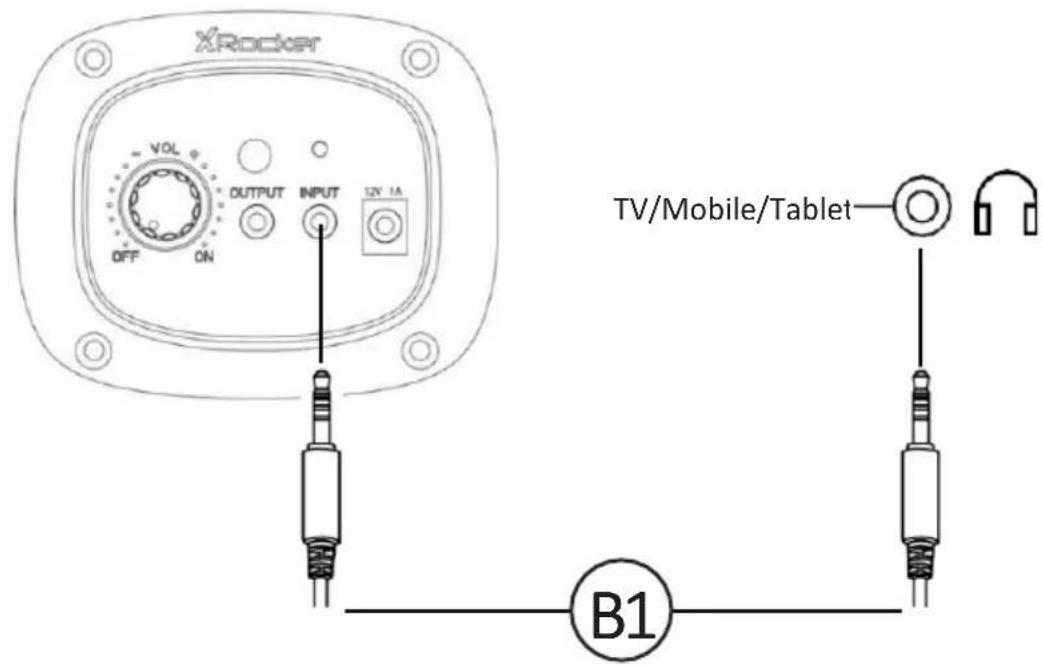
- Connect B1 Cable to X Rocker control panel 3.5mm INPUT socket
- Connect other end of the B1 cable to the TV headphone socket.
- Once connected to your TV, increase volume to 50% of the maximum for the best sound level.**
*N.B: If your TV does not feature a headphone socket then you may need to purchase an additional TOSlink adapter to get connected directly to a console for audio.
**Depending on your TV you may need to Increase the headphone volume separately in the TV sound settings.
- Connect the B1 cable to the bottom of the PS4 controller via the headset socket.
- Connect the other end of the B1 cable to the chair via the green port.
- With the PS4 turned on and in the main menu, press and hold the black PS button until the quick menu appears.
- In this menu select [Adjust sound and devices]
- Then select [output to headphones]
- Change the setting from [Chat Only] to [All audio]
- Make sure the volume in the previous menu is set to the maximum.
TROUBLESHOOTING TIPS
Issue Troubleshooting steps
| No power going to control panel | ·Make sure that the power cable is connected correctly. ·Make sure that the power supply at the power source is working correctly. ·With the chair turned to the ON position, give the power cable a slight wiggle in the port. If any lights flicker (or not) then please contact support (details below). |
| No sound | ·Connect a mobile phone to the X Rocker using the phone connection guidelines in the manual to test the chair for sound. ·Confirm that the device/system is correctly configured as per previous connection guide. ·Make sure that you indeed have a headphone socket on your TV. This will typically be marked with a headphone symbol or “H/P OUT” |
| Stereo speakers do not produce sound / sound is faint | ·Please make sure that the volume of the source device is at a higher level to strengthen the audio signal. |
| The cables connected to my X Rocker have been broken accidentally | ·Please contact X Rocker support regarding this issue. |
| Don’t have a headphone socket on your TV? | ·You may need to purchase a TOSlink adapter. |
HEALTH AND SAFETY INFORMATION
- For the first time use and installation of your X Rocker product, please ensure that cables and power supplies are handled by an adult to ensure safe and correct usage.
- Make sure to unplug the X Rocker Power supply from the mains socket before cleaning.
- Avoid direct contact with liquids. To clean, wipe with a damp cloth. If a spillage occurs, switch off the X Rocker and wait for the product to dry before reusing.
- Do not use any type of abrasive pad or abrasive cleaning solutions as these may damage the X Rocker surface material.
- Please consult X Rocker Support before unscrewing and disassembling any of the electrical components or undertaking any changes to the chair. If any unauthorised modifications or repairs are made before consultation, then this will void your warranty.
- To reduce potential trip hazards or entanglement hazards, arrange and secure any cables so that people and pets are not likely to trip over or accidentally pull on them as they move around or walk through the area.
- Please be careful when rotating and swivelling the X Rocker when in use. Cables and wires may be pulled or damaged in the process and cause damage to the X Rocker control panel or cabling.
- If any of the cables or electrical equipment become damaged in any way, stop using immediately and contact X Rocker for more details on how to replace the component.
- Do not stand on the chair at any time or exceed the 120kg weight limit via other means.
- Do not lean back on the chair or force the chair to the point in which the pedestal would lift off the ground as this will potentially cause damage to the product or injury to the user.
- X Rocker armrests are designed for support and comfort during gameplay, please do not stand or sit of the arms directly. Do not apply weight to the armrests when leaving the chair to ensure long term durability.
- Do not use the X Rocker speakers at high volume for any extended period. To avoid hearing damage, use your speaker at a comfortable, moderate volume level. Parents, please monitor your child's usage to avoid long term hearing loss or discomfort.
- When not in use, keep cables and power supplies out of reach of children, please also ensure that these are not subject to harsh impacts such as dropping or throwing the components.
- Never place any type of candle or naked flame on or near the X Rocker at any time. While X Rocker products are compliant with UK and European fire safety regulations, prolonged exposure to naked flames will result in damage to the product and other safety hazards.
POWER SUPPLY SAFETY INFORMATION
ATTENTION:
A. To reduce the risk of fire, electric shock or product damage, do not expose the X Rocker power supply to rain, moisture, dripping or splashing. No objects filled with liquids, such as vases, should be placed near the power supply. If you spill any liquid into the power supply, it can cause serious damage. Switch it off at the mains immediately. Withdraw the power supply and consult your dealer.
B. Always disconnect the power supply from the mains before connecting/ disconnecting other devices or moving the X Rocker.
c. Only use the supplied cables, power supplies and accessories specified by and manufactured by X Rocker.
D. Avoid extreme degrees of temperature, either hot or cold. Place the unit well away from heat sources such as radiators or gas/electric fires.
E. Avoid exposure to direct sunlight and other sources of heat.
F. Ensure that cables and power supplies are kept in a safe location, out of the reach of children to avoid any potential hazards that include; dropping, throwing, tripping over, cutting etc. If you encounter any visible notches or cuts in the power supply or other cables, avoid using the product and contact X Rocker Support for more assistance.
Power Supply unit trademark: BI Model name: BI12T-120100-BdU Input: AC 100-240V~50/60Hz 0.5A Output: DC 12V= = = 1A
Caution: The user is cautioned that changes or modifications not expressly approved by the party responsible for compliance could void the user's authority to operate the equipment.
FCC NOTE: This equipment has been tested and found to comply with the limits for a Class B digital device, pursuant to Part 15 of the FCC Rules. These limits are designed to provide reasonable protection against harmful interference in a residential installation. This equipment generates, uses and can radiate radio frequency energy and, if not installed and used in accordance with the instructions, may cause harmful interference to radio communications. However, there is no guarantee that interference will not occur in a particular installation.
If this equipment does cause harmful interference to radio or television reception, which can be determined by turning the equipment off and on, the user is encouraged to try to correct the interference by one or more of the following measures:
-- Reorient or relocate the receiving antenna.
-- Increase the separation between the equipment and receiver.
-- Connect the equipment into an outlet on a circuit different from that to which the receiver is connected.
-- Consult the dealer or an experienced radio/TV technician for help.
FCC Radiation Exposure Statement:
This equipment complies with FCC radiation exposure limits set forth for an uncontrolled environment.
This transmitter must not be co-located or operating in conjunction with any other antenna or transmitter. IC
This device complies with Industry Canada licence-exempt RSS standard(s). Operation is subject to the following two conditions:
(1) this device may not cause interference, and
(2) this device must accept any interference, including interference that may cause undesired operation of the device.
IC Radiation Exposure Statement:
This equipment complies with Canada radiation exposure limits set forth for uncontrolled environments.
This transmitter must not be co-located or operating in conjunction with any other antenna or transmitter.
Email: support@xrockergaming.com
www.xrockergaming.com
IMPORTANT: You must keep your original retail receipt as proof of purchase.