Athens - Wireless Earbuds Urbanista - Free user manual and instructions
Find the device manual for free Athens Urbanista in PDF.


| Product Type | True Wireless Earbuds |
| Brand | Urbanista |
| Model | Athens |
| Connectivity | Bluetooth |
| Touch Controls | Yes, on the logo (L and R) |
| Voice Assistant | Siri (double tap right earbud) |
| Battery Life (Earbuds) | Approximately 5 hours of playback |
| Total Battery Life with Case | Approximately 20 hours (estimated) |
| Weight per Earbud | Approximately 5 g (estimated) |
| Warranty | 1-year limited |
| Power On | Remove from case or press and hold logo for 2 seconds |
| Power Off | Place in case or press and hold logo for 5 seconds |
| Bluetooth Pairing | Select 'Urbanista Athens' in settings |
| Volume Control | Single tap on logo: right (+) / left (-) |
| Call Management | Double tap to answer/end, press and hold to reject |
| Safety | Do not use while driving; choking hazard (small parts) |
Frequently Asked Questions - Athens Urbanista
User questions about Athens Urbanista
0 question about this device. Answer the ones you know or ask your own.
Ask a new question about this device
Download the instructions for your Wireless Earbuds in PDF format for free! Find your manual Athens - Urbanista and take your electronic device back in hand. On this page are published all the documents necessary for the use of your device. Athens by Urbanista.
USER MANUAL Athens Urbanista
1.1 - Put the earphones into the charging case and remove them again. Indicator light will flash white quickly.
1.2 - Hold the earphones close to each other. Left and right earphones will pair automatically. Upon successful pairing, the indicator light on the left (L) earphone will stop flashing and the right (R) earphone will flash slowly.
1.3 - Open Bluetooth setting on your phone and Select "Urbanista Athens R".
1.4 - Pop out Bluetooth Pairing request for connect "Urbanista Athens L", CLICK "Pair".
2. RESET EARPHONES
2.1 - Put the earphones into the charging case.
2.2 - Long press 10 seconds on 2 earphones, till LED light quick flash white 3 times in both earbuds.
2.3 - Remove 2 earbuds from charging case, hold the earphones close to each other. Left and right earphones will pair automatically.
2.4 - Now you go back to top/First time pairing in step 2 for pairing your phone.
2. CONTROLS
Via the logo button

TURN ON - Remove earphones from the charging case OR hold the (L) or (R) logo button for 2 seconds. The indicator light will flash white three times.
TURN OFF - Place earphones in the charging case OR hold the (L) or (R) logo button for 5 seconds. The indicator light will flash white three times
PLAY - Press the logo on the left (L) earphone twice.
PAUSE - Press the logo on the left (L) earphone twice.
ADJUST THE VOLUME (+) - Press the logo on the right (R) earphone once.
ADJUST THE VOLUME (-) - Press the logo on the left (L) earphone once.
NEXT TRACK - Hold the logo on the right (R) earphone 2 seconds.
PREVIOUS TRACK – Hold the logo on the left (L) earphone 2 seconds.
ANSWER A CALL - Press the logo on left (L) or right (R) earphone twice.
END A CALL - Press the logo on left (L) or right (R) earphone twice.
REJECT A CALL - Hold the logo on left (L) or right (R) earphone for 2 seconds.
SIRI - Press the logo on the right (R) earphone twice.
URBANISTA ONE YEAR LIMITED WARRANTY
All Urbanista earphones are designed and manufactured to meet high expectations and to provide the best customer experience.
We are devoted to producing only high quality items featuring the latest technology. However, in exceptional cases, electronic products may have malfunctions due to manufacturing defects. That is why we offer a full one (1) year warranty from the date of original retail purchase, which covers defects in materials and workmanship.
Urbanista AB hereby warrants that, under normal use, this product will be free from defects in materials and workmanship for a period of one (1) year starting with the original retail purchase date. The replacement warranty is valid only if the original proof of purchase issued to the purchaser, specifying the date of purchase, is presented with the product to be replaced.
How does it work? If you believe this product is defective, carefully repack the unit and return the product to your authorized dealer within the warranty period, with the original proof of purchase. Your authorized dealer will replace the product, provided a defect in materials or workmanship is identified. Should your authorized dealer not have the equivalent product or color in stock, Urbanista AB will promptly provide you with a new product.
This limited replacement warranty does not apply in cases of abuse or misuse of the product, use contrary to the Urbanista AB instructions, ordinary wear and tear, incorrect connection, force majeure or unauthorized repair. Any lawsuit for breach of this limited warranty shall be commenced, if at all, within one (1) year of the date that the claim accrues.
Urbanista AB shall not be liable for special, indirect, incidental or consequential damages resulting from the use or the inability to use this product, regardless of the legal theory on which the claim is based.
This warranty gives you specific legal rights, and you may have other rights, which vary from country to country. This warranty does not restrict the rights of the consumer mandated under applicable laws. This product shall not be treated as household waste. Instead it shall be handed over to the applicable collection point for the recycling of electrical and electronic equipment. This product was produced after April 1st, 2019.
IMPORTANT SAFETY INSTRUCTIONS (ENG)
Please read and keep all safety and use instructions.
Important Safety Instructions
- Only use attachments / accessories specified by the manufacturer.
WARNINGS/CAUTIONS
To avoid accidental ingestion, keep the earbuds away from small children and pets. The earbuds contain a lithium-ion battery, and may be hazardous if swallowed. If ingested, seek immediate medical attention. When not in use, store the earbuds in the charging case with the lid closed, and keep out of reach of small children and pets.
Do NOT use the earbuds at a high volume for any extended period.
- To avoid hearing damage, use your earbuds at a comfortable, moderate volume level.
- Turn the volume down on your device before placing the earbuds in/on your ears, then turn the volume up gradually until you reach a comfortable listening level.
Use caution and follow applicable laws regarding mobile phone and headphone use if using the earbuds for phone calls while driving. Some jurisdictions impose specific limitations, such as single ear piece configuration, on the use of such products while driving. DON'T use the earbuds for any other purpose while driving.
Focus on your safety and that of others if you use the earbuds while engaging in any activity requiring your attention, e.g., while riding a bicycle or walking in or near traffic, a construction site or railroad and follow applicable laws regarding headphone use, etc. Remove the earbuds or adjust your volume to ensure you can hear surrounding sounds, including alarms and warning signals.
Do NOT allow small children to use the earbuds.
Do NOT submerge or expose the earbuds for extended period to water, or wear while participating in water sports, e.g., swimming, waterskiing, surfing, etc.
When using this product, basic precautions should always be followed, including the following:
- Read all the instructions before using the charging case.
- To reduce the risk of injury, close supervision is necessary when the charging case is used near children.
- Do not expose charging case to water, rain, liquids or snow.
- Use of a power supply or charger not recommended or sold by power pack manufacturer may result in a risk of fire or injury to persons.
- Do not use the charging case in excess of its output rating.
- Do not use a charging case that is damaged or modified. Damaged or modified batteries may exhibit unpredictable behavior resulting in fire, explosion or risk of injury to persons.
- Do not disassemble the charging case. Incorrect reassembly may result in risk of fire or injury to persons.
- Do not open, crush, or expose a charging case to fire, or excessive temperature.
Exposure to fire or temperature above 212^ F, 100^ C may cause explosion. - Have servicing performed by a qualified repair person using only identical replacement parts.
IMPORTANT SAFETY INSTRUCTIONS

Contains small parts which may be a choking hazard.
Not suitable for children under age 3.

This product contains magnetic material.
Consult your physician on whether this might affect your implantable medical device.
- Do NOT make unauthorized alterations to this product.
- Use this product only with an agency approved power supply which meets local regulatory requirements (e.g., UL, CSA, VDE, CCC).
- Do not expose products containing batteries to excessive heat (e.g. from storage in direct sunlight, fire or the like).
Wipe off sweat from the earbuds and the charging case before charging.
NOTE: This equipment has been tested and found to comply with the limits for a Class B digital device, pursuant to Part 15 of the FCC Rules. These limits are designed to provide reasonable protection against harmful interference in a residential installation. This equipment generates, uses and can radiate radio frequency energy and, if not installed and used in accordance with the instructions, may cause harmful interference to radio communications. However, there is no guarantee that interference will not occur in a particular installation. If this equipment does cause harmful interference to radio or television reception, which can be determined by turning the equipment off and on, the user is encouraged to try to correct the interference by one or more of the following measures:
– Reorient or relocate the receiving antenna.
– Increase the separation between the equipment and receiver.
- Connect the equipment into an outlet on a circuit different from that to which the receiver is connected.
- Consult the dealer or an experienced radio/TV technician for help.
Changes or modifications not expressly approved by Urbanista AB could void the user's authority to operate this equipment. This device complies with part 15 of the FCC Rules and with Industry Canada license-exempt RSS standard(s). Operation is subject to the following two conditions: (1) This device may not cause harmful interference, and (2) this device must accept any interference received, including interference that may cause undesired operation. This device complies with FCC and Industry Canada radiation exposure limits set forth for general population. It must not be co-located or be operating in conjunction with any other antennas or transmitters.
FCC ID: 2AJD8-ATHENS Model: Urbanista Athens
CAN ICES-3 (B)/NMB-3(B) Management Regulation for Low-power Radio-frequency Devices
This device complies with Industry Canada licence-exempt RSS standard(s). Operation is subject to the following two conditions: (1) this device may not cause interference, and (2) this device must accept any interference, including interference that may cause undesired operation of the device."
The digital apparatus complies with Canadian CAN ICES-3 (B)/NMB-3(B).
IC-ID: 26612-ATHENS
REGULATORY INFORMATION (ENG)
Article XII
According to “Management Regulation for Low-power Radio-frequency Devices” without permission granted by the NCC, any company, enterprise, or user is not allowed to change frequency, enhance transmitting power or alter original characteristic as well as performance to an approved low power radio-frequency devices.
Article XIV
The low power radio-frequency devices shall not influence aircraft security and interfere legal communications; if found, the user shall cease operating immediately until no interference is achieved. The said legal communications means radio communications operated in compliance with the Telecommunications Act. The low power radio-frequency devices must be susceptible with the interference from legal communications or ISM radio wave radiated devices.
Strax GmbH hereby declares that this product is in compliance with the essential requirements and other relevant provisions of Directive 2014/53/EU and all other applicable EU directive requirements.
The complete declaration of conformity can be found at: www.strax.com/compliance
For Europe: Frequency band of operation 2400 to 2483.5 MHz:
- Bluetooth: Maximum transmit power less than 20 dBm EIRP.
- Bluetooth Low Energy: Maximum power spectral density less than 10 dBm/MHz EIRP.
DON'T attempt to remove the rechargeable lithium-ion battery from this product. Contact your local Urbanista retailer or other qualified professional for removal.
Please dispose of used batteries properly, following local regulations. Do not incinerate.
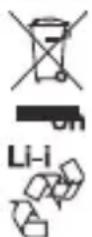
This symbol means the product must not be discarded as household waste, and should be delivered to an appropriate collection facility for recycling. Proper disposal and recycling helps protect natural resources, human health and the environment. For more information on disposal and recycling of this product, contact your local municipality, disposal service, or the shop where you bought this product. Removal of the rechargeable lithium-ion battery in this product should be conducted only by a qualified professional. Please contact your local Urbanista retailer or see www.urbanista.com/compliance for further information.
EU Importer: Strax GmbH, Belgische Allee 52 - 54, 53842 Troisdorf
The Bluetooth® word mark and logos are registered trademarks owned by Bluetooth SIG, Inc. and any use of such marks by Urbanista AB is under license.
Android, Google Play and the Google Play logo are trademarks of Google LLC.
Urbanista AB. No part of this work may be reproduced, modified, distributed or otherwise used without prior written permission.
FCC
FCC
Caution: The user is cautioned that changes or modifications not expressly approved by the party responsible for compliance could void the user's authority to operate the equipment.
This device complies with Part 15 of the FCC Rules. Operation is subject to the following two conditions: (1) this device may not cause harmful interference, and (2) this device must accept any interference received, including interference that may cause undesired operation.
NOTE: This equipment has been tested and found to comply with the limits for a Class B digital device, pursuant to Part 15 of the FCC Rules. These limits are designed to provide reasonable protection against harmful interference in a residential installation. This equipment generates, uses and can radiate radio frequency energy and, if not installed and used in accordance with the instructions, may cause harmful interference to radio communications. However, there is no guarantee that interference will not occur in a particular installation.
If this equipment does cause harmful interference to radio or television reception, which can be determined by turning the equipment off and on, the user is encouraged to try to correct the interference by one or more of the following measures:
- Reorient or relocate the receiving antenna.
- Increase the separation between the equipment and receiver.
- Connect the equipment into an outlet on a circuit different from that to which the receiver is connected.
- Consult the dealer or an experienced radio/TV technician for help.
When test standard is FCC section 15.247 or 15.407 (such Bluetooth, Wifi) Mobile Device
FCC Radiation Exposure Statement:
This equipment complies with FCC radiation exposure limits set forth for an uncontrolled environment. This equipment should be installed and operated with a minimum distance of 20cm between the radiator and your body. This transmitter must not be co-located or operating in conjunction with any other antenna or transmitter.
Portable Device:
A device designed to generally be used at a separation distance of within 20 centimeters is normally maintained between the transmitter's radiating structure(s) and the body of the user.
1. EMPAREJAMIENTO
For Europe: Frequency band of operation 2400 to 2483.5 MHz:
www.strax.com/compliance