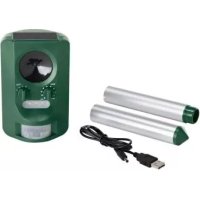
FTUS 3.6 A1 - Solar electronic repellent FLORABEST - Free user manual and instructions
Find the device manual for free FTUS 3.6 A1 FLORABEST in PDF.



| Product Type | Solar electronic animal repellent |
| Brand | Florabest |
| Model | FTUS 3.6 A1 |
| Power Supply | 3 rechargeable Ni-MH AA 1.2 V (800 mAh) batteries |
| Solar Charging | Integrated collector panel, charges batteries in 8 hours of direct sunlight |
| USB Charging | USB cable 5 V / 500 mA, charging time 5 to 10 h |
| Battery Status Indicator | Red LED on: batteries charged; flashing: batteries empty |
| Ultrasonic Frequencies | 13.5 kHz – 23.5 kHz (5 adjustable programs) |
| Programs | 0: off; 1: rodents (13.5-17.5 kHz); 2: dogs/foxes (15.5-19.5 kHz); 3: dogs/cats/birds (19.5-23.5 kHz); 4: flash; 5: all |
| Light Flash | Yes, usable in program 4 or combined |
| Motion Sensor | Range: approx. 8 m (depending on animal size); angle: approx. 110° |
| Sensor Adjustment | Sensitivity button (min for large animals, max for small) |
| Protection Rating | IP44 (protected against water splashes) |
| Protection Class | III |
| Installation | On a spike (2 interlocking elements) or wall mounting (plug and screw included) |
| Package Contents | Device, spike, USB cable, 3 AA Ni-MH batteries, plug, screw, instruction manual |
| Care and Cleaning | Clean with a soft dry cloth; solar panel with a damp cloth; lubricate battery compartment seal with Vaseline |
| Safety | Do not open the device; use only rechargeable batteries; keep out of reach of children; do not expose to fire |
| Spare Parts and Repairability | Lid seal replaceable via after-sales service; repairs exclusively by authorized service center |
| Warranty | 3 years (except wear, transport, improper use) |
| After-Sales Service France | 0800 919270 (toll-free), email: kompernass@lidl.fr, IAN 30865 |
| After-Sales Service Switzerland | 0842 665566 (0.08 CHF/min), email: kompernass@lidl.ch, IAN 30865 |
| General Information | Private use only; conforms to EU directives (electromagnetic compatibility, RoHS) |
Frequently Asked Questions - FTUS 3.6 A1 FLORABEST
User questions about FTUS 3.6 A1 FLORABEST
0 question about this device. Answer the ones you know or ask your own.
Ask a new question about this device
Download the instructions for your Solar electronic repellent in PDF format for free! Find your manual FTUS 3.6 A1 - FLORABEST and take your electronic device back in hand. On this page are published all the documents necessary for the use of your device. FTUS 3.6 A1 by FLORABEST.
USER MANUAL FTUS 3.6 A1 FLORABEST
SOLAR-TIERVERTREIBER FTUS 3.6 A1
DE AT CH
SOLAR-TIERVERTREIBER
Translation of original operation manual
DE AT CH
Before reading, unfold the page containing the illustrations and familiarise yourself with all functions of the device.
GB Translation of original operation manual Page 49
natural_image
Black octagonal object with a rectangular panel and a numbered label '10' pointing to it (no text or symbols on the object itself)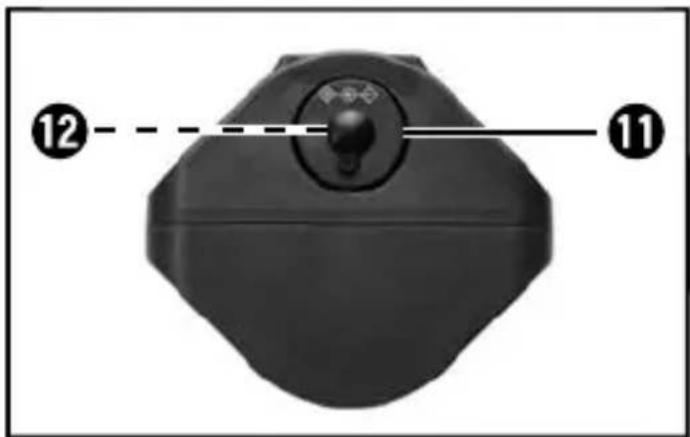
natural_image
Close-up of a black USB cable with two connectors, labeled with number 13 (no text or symbols on the cable itself)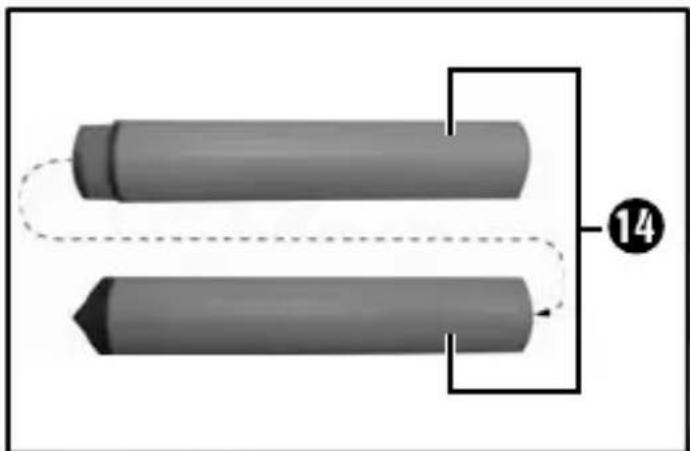
natural_image
Two cylindrical mechanical components with dashed lines indicating alignment or connection, labeled with number 14 (no text or symbols on the components themselves)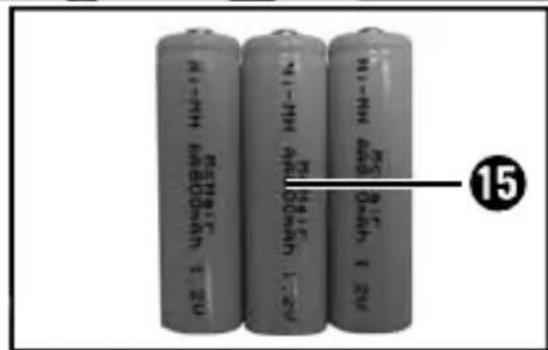
Inhaltsverzeichnis
Einleitung 2
KOMPERNASS HANDELS GMBH
BURGSTRASSE 21
44867 BOCHUM
GERMANY
www.kompernass.com
Table des matières
Introduction....18
KOMPERNASS HANDELS GMBH
BURGSTRASSE 21
44867 BOCHUM
GERMANY
www.kompernass.com
Indice
Introduzione 34
KOMPERNASS HANDELS GMBH
BURGSTRASSE 21
44867 BOCHUM
GERMANY
www.kompernass.com
Contents
Introduction 50
Information concerning these operating instructions ..... 50
Copyright 50
Proper use 50
Warnings used 51
Safety 52
Basic safety guidelines 52
Risk of injury if batteries are improperly handled .....53
Controls 54
Package contents ....54
Technical data....55
Initial operation....56
Inserting the batteries .....56
Battery charge level display 56
Charging the batteries with the USB charging cable .....57
Charging the batteries with the collector panel . . . . . . . . . . . . . 57
Set-up location requirements 57
Wall mounting 58
Handling and operation 58
Setting the movement sensor 58
Adjusting the frequency 59
Cleaning 59
Storage/disposal 60
Storage 60
Disposal of the device 60
Disposal of batteries....60
Appendix 61
Notes on the Declaration of Conformity 61
Warranty 61
Service 62
Importer 62
GB
Introduction
Information concerning these operating instructions
Congratulations on the purchase of your new device.
You have selected a high-quality product. The operating instructions are part of this product. They contain important information on safety, usage and disposal. Before using the product, familiarise yourself with all handling and safety guidelines. Use the product only as described and for the range of applications specified. Please pass on all documentation incl. these operating instructions on to any future owner(s) if you sell this product or give it away.
Copyright
This documentation is subject to copyright protection.
Any copying or reproduction, including extracts thereof, and the reproduction of images (even in a modified state), is permitted only with the written authorisation of the manufacturer.
Proper use
This device is only intended for the environmentally friendly repelling of animals using ultrasound and a flashing light. It is not intended for any other use. This device is not intended for use in commercial or industrial environments.
The manufacturer accepts no responsibility for damage caused by failure to observe these instructions, improper use, incompetent repairs, making unauthorised modifications or for using unapproved replacement parts. The operator bears the sole liability.
Warnings used
The following warnings are used in these operating instructions:

DANGER
A warning at this risk level indicates an imminently hazardous situation.
If the hazardous situation is not avoided, it could result in death or serious physical injury.
▶ Follow the instructions in this warning to prevent a fatality or serious personal injury.
CAUTION
A warning at this risk level indicates potential material damage.
Failure to avoid this situation could result in material damage.
▶ Follow the instructions in this warning to prevent material damage.
NOTE
▶ A note indicates additional information that eases device handling.
Safety
In this section, you will receive important safety advice relating to device handling.
The device complies with the statutory safety regulations. Improper use may result in personal injury and material damage.
Basic safety guidelines
To ensure safe handling of the device, follow the safety guidelines set out below
■ Prior to use, check the device for visible, external damage. Do not operate an device that has been damaged or dropped.
■ If the cables or connections are damaged, have them replaced by an authorised specialist or customer service.
■ People who, due to their physical, intellectual or motor abilities, are incapable of operating the device safely may only use the device under the supervision or direction of a responsible person.
■ Do not allow children to use the device unless they are being supervised. Children are not always able to correctly recognise potential dangers.
■ All repairs must be carried out by authorised specialist companies or by the Customer Service department. Failure to make proper repairs can put the user at risk. It will also invalidate any warranty claim. This device should not be used by children.
■ Repairs to the device during the warranty period may only be carried out by a customer service department authorised by the manufacturer. Otherwise no additional warranty claims can be considered for subsequent damage.
■ Defective components must always be replaced with original replacement parts. Compliance with safety requirements can only be guaranteed if original replacement parts are used.
■ Do not place any objects on the device.
■ Do not operate or place the device close to naked flames (e.g. candles).
■ The earth spike has a sharp pointed end. This could lead to injuries.
If you notice any unusual noises, smoke or similar unusual situations, remove the batteries and disconnect any attached USB charging cable from the power supply and contact Customer Service (see the chapter Service)
Risk of injury if batteries are improperly handled
- Keep batteries out of the reach of children. Children can put batteries into their mouth and swallow them. If a battery has been swallowed, seek medical assistance IMMEDIATELY.
■ Do not throw batteries into a fire. Never subject batteries to high temperatures.
Risk of explosion! Do not charge batteries unless they are explicitly labelled as "rechargeable".
■ Do not open the batteries or short-circuit them.
■ Do not mix different types of batteries. Due to increased risk of leakage, empty batteries should be removed. The batteries should also be removed from the device if it is not being used for long periods.
■ Battery acid leaking from a battery can cause skin irritation. In event of contact with the skin, rinse with copious amounts of water. If the liquid comes into contact with your eyes, rinse thoroughly with water, do not rub and immediately consult a doctor.
■ The chapter entitled "Initial start-up" describes how to correctly insert and remove batteries.
Controls
(For illustrations see the fold-out page)
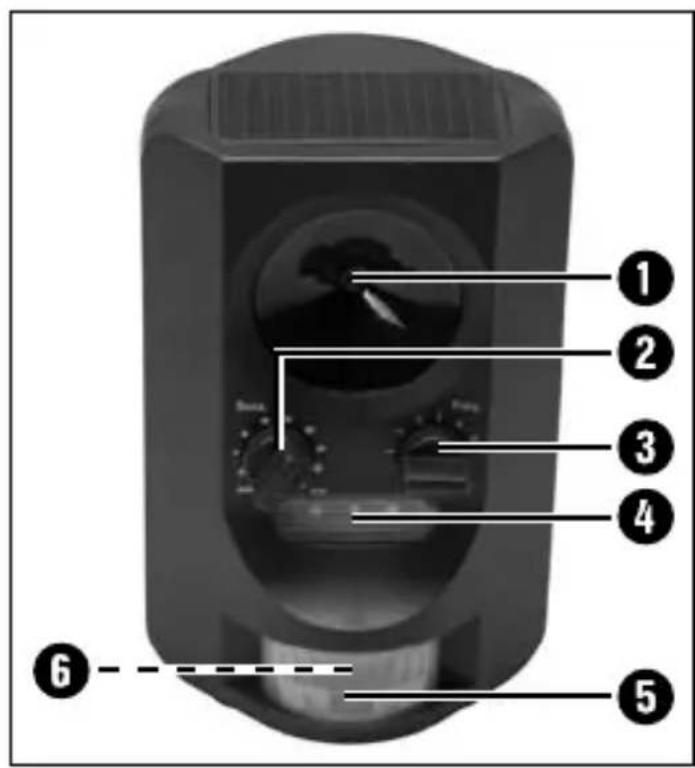
1 Loudspeaker
3 Frequency regulator
4 Flashing light
5 Movement sensor
6 LED battery condition display
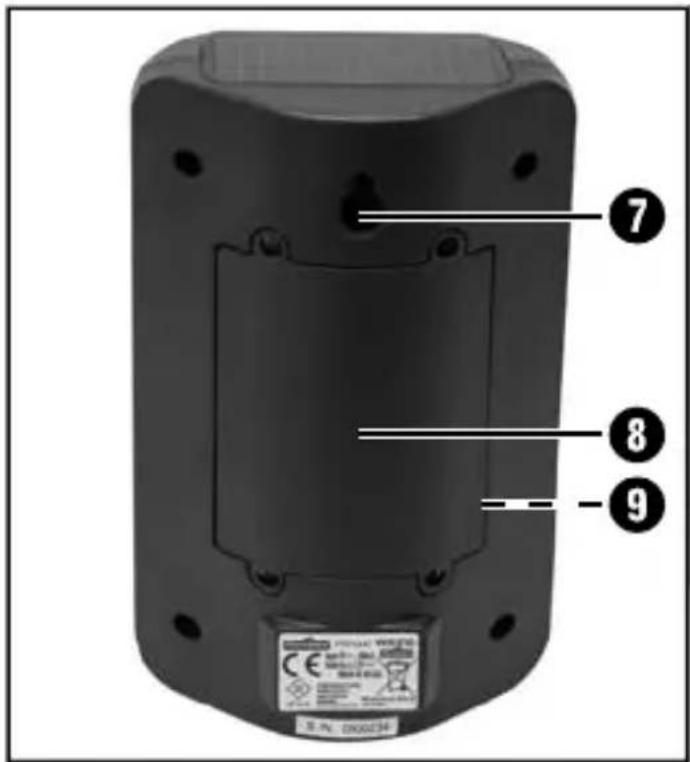
7 Fixing for wall mounting
8 Battery compartment lid
9 Seal
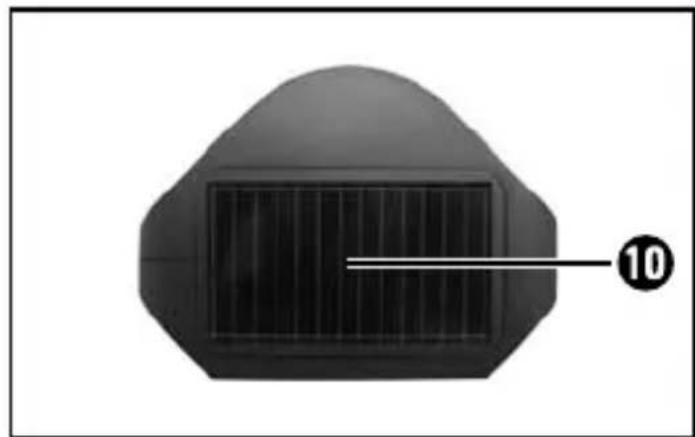
10 Collector panel (solar cell)
11 Fixing for earth spike
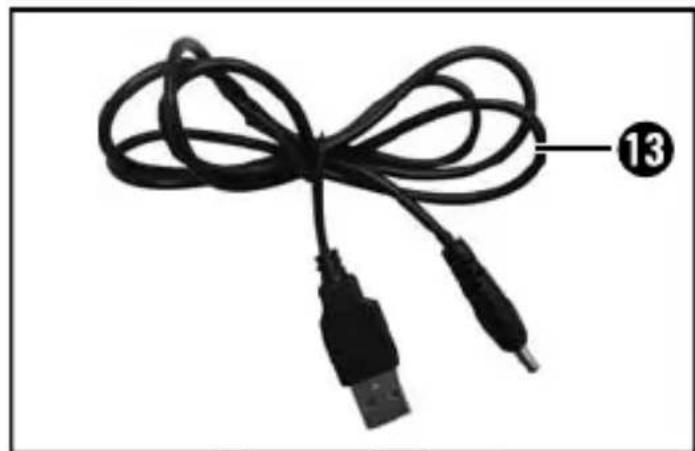
13 USB charging cable
14 Earth spike
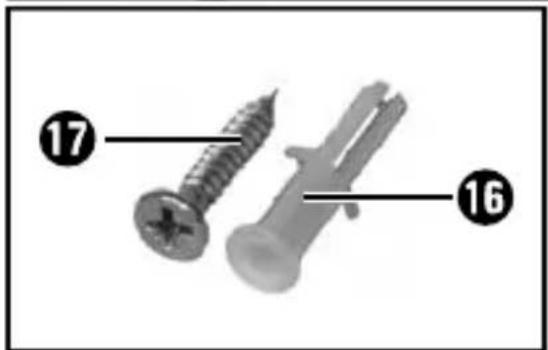
16 Wall plug
17 Screw
2 Sensitivity regulator for movement sensors
12 Connecting socket for USB charging cable (with inserted rubber plug)
15 3 x 1.2 V batteries type AA/Ni-MH/800mAh
Package contents
Please check the contents of the package (see fold-out page). The following components are included in delivery:
- USB charging cable ^13
- Earth spike ^14
- 3 x 1.2 V AA batteries ^15
- Wall plug16
- Screw17
- Operating instructions
● Solar animal repeller FTUS 3.6 A1
NOTE
▶ Check the consignment for completeness and for signs of visible damage.
▶ If the consignment is incomplete or damaged due to defective packaging or carriage, contact the Service hotline (see the chapter Service).
◆ Remove all parts of the device and the operating instructions from the box.
◆ Remove all packaging material.
Technical data
| Input voltage 5 V, 500 mA | --- |
| Batteries 3 x 1.2 V, 800 mAh/Ni-MH (AA) | |
| Protection class | III / ◇ |
| Protection type IP44 (splashproof) | |
| Frequencies approx. 13.5–23.5 kHz | |
| Detection range | approx. 8 m(dependent on animal size) |
| Detection angle approx. 110° | |
Initial operation
This section provides you with important information on handling and using the device.

DANGER
During the initial start-up of the device there is a risk of injury and/or damage to property!
To avoid risks, observe the following safety instructions:
▶ Packaging material must not be used as a plaything.
▶ Please follow the instructions regarding the electrical connection of the device to avoid damage to property.
Risk of suff ocation.
Inserting the batteries
NOTE
The batteries are preinstalled on delivery.
To insert the batteries 15 in the device, open the battery compartment cover by unscrewing the 4 Phillips screws in the battery compartment cover 8
◆ Insert 3 x 1.2 V batteries into the battery compartment. Please observe the polarity, which is marked in the battery compartment. Otherwise the device will not work and can be damaged.
◆ Close the battery compartment lid 8 and ensure that the seal is inserted.
Battery charge level display
The battery condition is displayed using a red illuminated or blinking LED ⑥ the movement sensor . ⑤
LED 6 lit: batteries full
LED 6 fl ashing: batteries empty
Charging the batteries with the USB charging cable
You can charge the supplied batteries 15 directly in the device using the USB charging cable 16 provided. First, remove the rubber plugs from the connection socket 12. Now insert the USB charging cable 13 into the connection socket 12nd connect the USB charging cable 13 with your computer or a USB adaptor. Charging takes between 5 and 10 hours depending on how much the batteries 15 have discharged.
NOTE
The red LED flashes during charging.
Charging the batteries with the collector panel
During the day, the solar cells convert sunlight into electricity and charge the batteries.
The number of operating hours depends on how long and intensively the sun shines on the collector panel 10. For the best results, place your solar lamp at a location where sunlight shines directly on to the collector panel 10. Direct sunshine of at least 8 hours duration is ideal for completely charging the batteries. The location must be free from shadow and shade.
◆ Ensure that the movement sensor 5 is not influenced by direct sunlight or other light sources. This can result in malfunctions.
Set-up location requirements
This device complies with protection class IP44. This means that the device is protected from dust and water spray, and can be used regardless of the weather conditions. However, proper protection from water spray is only provided if the device is correctly closed and all seals are intact and clean.
Please be aware that protection from water spray is only provided to a limited extent if the USB charging cable 13 is used.
CAUTION
▶ Never set the device up without the earth spike 14
■ The supplied earth spike ^14 comes in two parts. You can either use it with both components fixed together, or only use one component to achieve a lower height.
■ Insert the earth spike 14 into the fixing for the earth spike 11.
In order to guarantee optimum movement detection, the device must be located so that the movement sensor ⚙ pointing in the direction of the area to be monitored.
■ The movement sensor 5 may not be blocked by other objects.
Wall mounting
Drill a hole ( 6 mm) and insert the wall plug 16 supplied. When drilling, ensure that you do not inadvertently damage power, gas or water lines.
♦ Screw the supplied screw 17 into the wall plug 16 so that approximately 1 cm of the screw 17 protruding from the wall and then hang the device onto it.
Handling and operation
To start operating the device, please note the following points:
Setting the movement sensor
Turn the sensitivity regulator on the movement sensor ② clockwise. The sensitivity of the movement sensor ⑤ depends on the distance, range or size of the animals to be detected. The smaller the animal, the higher the preset sensitivity on the movement sensor needs to be (max.).
If a larger animal such as a dog is to be detected, turn the sensitivity regulator on the movement detector anticlockwise (min.).
NOTE
▶ Please note, that if a high sensitivity is set (max.), the appliance will also register larger animals (e.g. people/dogs, etc.).
Adjusting the frequency
The device is provided with 5 different programmes for frightening animals away.
■ Programme 0: The appliance is switched off.
■ Programme 1: 13.5 kHz–17.5 kHz (rodents, such as mice)
■ Programme 2: 15.5 kHz–19.5 kHz (dogs and foxes)
Programme 3: 19.5 kHz–23.5 kHz (dogs, cats and birds)
■ Programme 4: fl ashing light
■ Programme 5: all programmes are used
- Turn the frequency regulator ③ to the required programme to select it.
Cleaning
CAUTION
Damage to the device!
▶ To avoid irreparable damage, ensure that no moisture penetrates the device during cleaning.
■ Clean the surfaces of the device with a soft, dry cloth. Use a normal commercial detergent and water to remove stubborn residue. Ensure that no water gets into the device.
■ Clean the collector panel ^10 with a moist cloth.
- Clean the seal ⑨ regularly with a little Vaseline to keep it malleable. This is the only way to ensure that the seal ⑨ protects the inside of the device from moisture.
If you need to replace the seal ^9 please contact customer service (see chapter Service).
GB
Storage/disposal
Storage
If you decide not to use the device for a long period, remove the batteries and store it in a clean, dry place away from direct sunlight.
Disposal of the device
Under no circumstances should you dispose of the device in normal household waste. This product complies with the provisions of the WEEE Directive 2012/19/EU (Waste Electrical and Electronic Equipment).
Dispose of the device via an approved waste disposal company or your municipal waste disposal facility. Please observe applicable regulations. Please contact your waste disposal facility if you are in any doubt.
Disposal of batteries
Used batteries may not be disposed of in household waste. Batteries can contain poisons which are damaging to the environment. Therefore, dispose of the batteries/rechargeable batteries in accordance with statutory regulations.
All consumers are statutorily obliged to dispose of batteries at a collection site in their his community/city district or at a retail store. The purpose of this obligation is to ensure that batteries are disposed of in a non-polluting manner.
Only dispose of batteries when they are fully discharged.
Appendix
Notes on the Declaration of Conformity
This device complies with the basic requirements and other relevant provisions of the Electromagnetic Compatibility Directive 2004/108/EC and the RoHS Directive 2011/65/EU.
The complete Declaration of Conformity, in its original form, is available with the importer.

Warranty
You are provided a 3-year warranty on this device, valid from the date of purchase.
This device has been manufactured with care and inspected meticulously prior to delivery.
Please retain your receipt as proof of purchase. In the event of a warranty claim, please contact your Customer Service unit by telephone. This is the only way to guarantee free return of your goods.
NOTE
The warranty only covers claims for material and manufacturing defects, not for transport damage, worn parts or damage to fragile components such as buttons or batteries.
This device is intended solely for personal use and not for commercial deployment. The warranty shall be deemed void in the instance of misuse or improper handling, use of force and interventions which were not carried out by one of our authorised Service centres.
Your statutory rights are not restricted by this warranty. The warranty period is not prolonged by repairs effected under the warranty. This also applies to replaced and repaired components.
Any damage and defects present at the time of purchase must be reported immediately after unpacking, but no later than two days after the date of purchase.
Repairs eff ected after expiry of the warranty period shall be subject to charge.
Service

Service Great Britain
Tel.: 0871 5000 720 (£ 0.10/Min.)
E-Mail: kompernass@lidl.co.uk
IAN 30865
Hotline availability:
Monday to Friday from 8:00 a.m. to 8:00 p.m. (CET)
GB
Importer
KOMPERNASS HANDELS GMBH
BURGSTRASSE 21
44867 BOCHUM
GERMANY
www.kompernass.com
KOMPERNASS HANDELS GMBH
BURGSTRASSE 21
44867 BOCHUM
DEUTSCHLAND / GERMANY
www.kompernass.com



- SOLAR-TIERVERTREIBER FTUS 3.6 A1
- SOLAR-TIERVERTREIBER
- DE AT CH
- Inhaltsverzeichnis
- Einleitung 2
- Table des matières
- Introduction....18
- Indice
- Introduzione 34
- Contents
- Introduction 50
- Safety 52
- Controls 54
- Initial operation....56
- Handling and operation 58
- Cleaning 59
- Storage/disposal 60
- Appendix 61
- Introduction
- Information concerning these operating instructions
- Copyright
- Proper use
- Warnings used
- DANGER
- A warning at this risk level indicates an imminently hazardous situation.
- CAUTION
- A warning at this risk level indicates potential material damage.
- NOTE
- Safety
- Basic safety guidelines
- Risk of injury if batteries are improperly handled
- Controls
- (For illustrations see the fold-out page)
- Package contents
- Initial operation
- During the initial start-up of the device there is a risk of injury and/or damage to property!
- Risk of suff ocation.
- Inserting the batteries
- Battery charge level display
- Charging the batteries with the USB charging cable
- Charging the batteries with the collector panel
- Set-up location requirements
- Wall mounting
- Handling and operation
- Setting the movement sensor
- Adjusting the frequency
- Cleaning
- Damage to the device!
- Storage/disposal
- Storage
- Disposal of the device
- Disposal of batteries
- Appendix
- Notes on the Declaration of Conformity
- Warranty
- Service
- Service Great Britain
- Hotline availability:
- Importer
- KOMPERNASS HANDELS GMBH
Brand : FLORABEST
Model : FTUS 3.6 A1
Category : Solar electronic repellent