ManualGo.com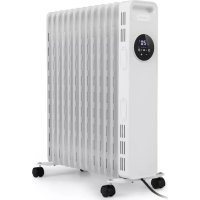
Thermaxx Heatstream - Heating Klarstein - Free user manual and instructions
Find the device manual for free Thermaxx Heatstream Klarstein in PDF.



Download the instructions for your Heating in PDF format for free! Find your manual Thermaxx Heatstream - Klarstein and take your electronic device back in hand. On this page are published all the documents necessary for the use of your device. Thermaxx Heatstream by Klarstein.
USER MANUAL Thermaxx Heatstream Klarstein
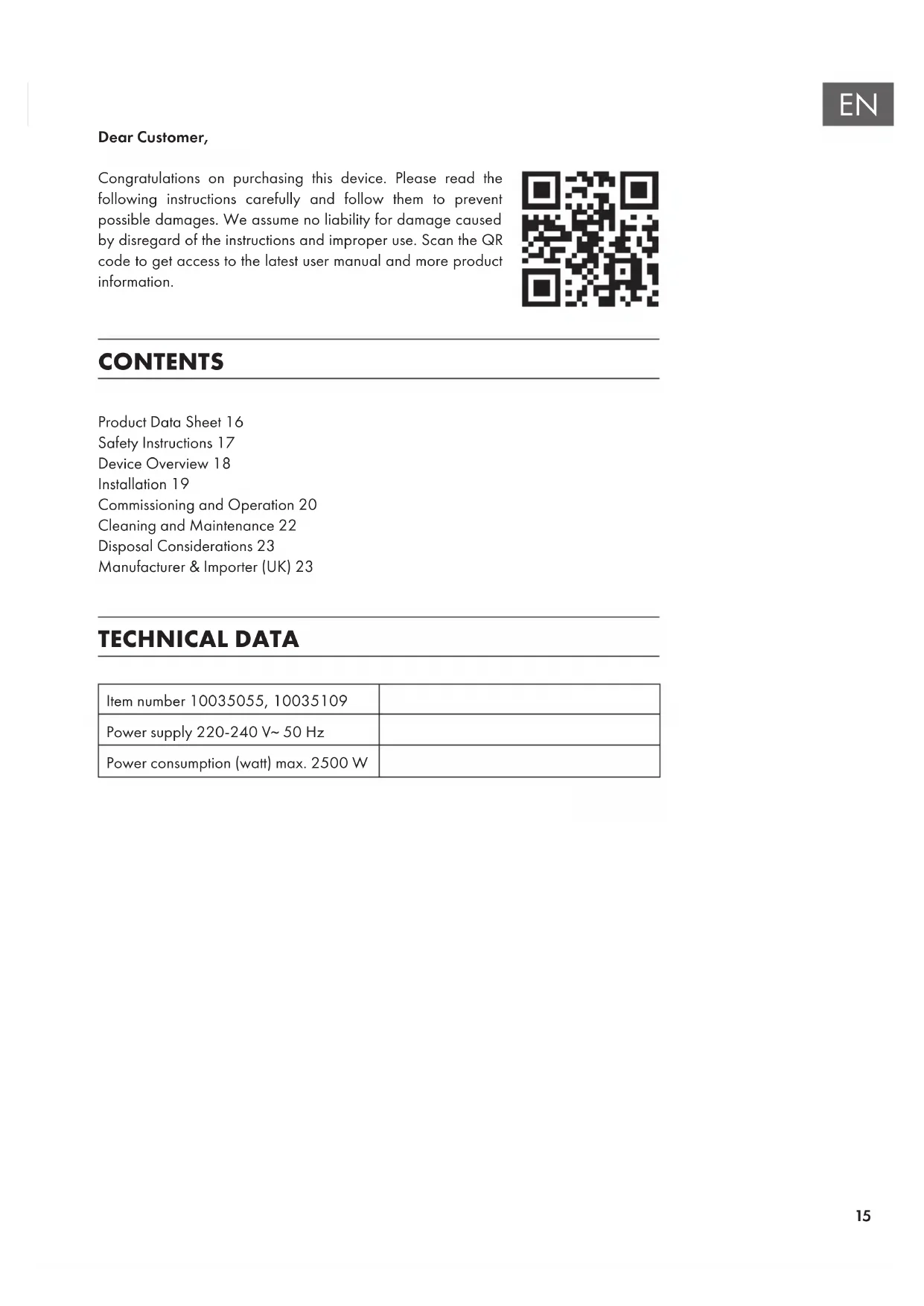
Dear Customer, Congratulations on purchasing this device. Please read the following instructions carefully and follow them to prevent possible damages. We assume no liability for damage caused by disregard of the instructions and improper use. Scan the QR code to get access to the latest user manual and more product information. CONTENTS TECHNICAL DATA Item number 10035055, 10035109 Power supply 220-240 V~ 50 Hz Power consumption (watt) max. 2500 W Product Data Sheet16 Safety Instructions17 Device Overview18 Installation19 Commissioning and Operation20 Cleaning and Maintenance22 Disposal Considerations23 Manufacturer & Importer (UK)2316
kW manual heat charge control, with integrated thermostat
Minimum heat output (indicative)
kW manual heat charge control with room and/or outdoor temperature feedback
Maximum continuous heat output
kW electronic heat charge control with room and/or outdoor temperature feedback
0.000 kW single stage heat output and no room
with mechanic thermostat room temperature control
with electronic room temperature control yes electronic room temperature control plus day timer
electronic room temperature control plus week timer
Other control options (multiple selections possible) room temperature control, with presence detection
room temperature control, with open window detection
with distance control option no with adaptive start control no with working time limitation yes with black bulb sensor no Contact details Chal-Tec GmbH, Wallstraße 16, 10179, Berlin, Germany17
- In order to avoid overheating, do not cover the appliance.
- If the supply cord is damaged, it must be replaced by the manufacturer or its service agent or a similarly quali ed person in order to avoid a hazard.
- Children over the age of 8 and persons with reduced physical, sensory or mental capabilities or those with a lack of experience and knowledge may only use the device if they are instructed on how to do so by a person responsible for their safety, or if they are supervised and understand the hazards associated with the use of the device.
- Children shall not play with the appliance. Cleaning and user maintenance shall not be made by children without supervision.
- Children of less than 3 years should be kept away unless continuously supervised.
- Children aged from 3 years and less than 8 years shall only switch on/off the appliance provided that it has been placed or installed in its intended normal operating position and they have been given supervision or instruction concerning use of the appliance in a safe way and understand the hazards involved. Children aged from 3 years and less than 8 years shall not plug in, regulate and clean the appliance or perform user maintenance.
- The appliance must not be located immediately below a socket outlet.
- Do not use this appliance in the immediate surroundings of a bath, a shower or a swimming pool. CAUTION Risk of burns! Some parts of this appliance can become very hot and cause burns. Particular attention has to be given where children and vulnerable people are present.
- This appliance is lled with a precise quantity of special oil. Repairs requiring opening of oil container are only to be made by the manufacturer or his service agent who should be contacted if there is an oil leak. When scrapping the appliance, follow the regulations concerning the disposal of oil.
- This appliance cannot achieve accurate temperature control of the environment, and thus cannot be used as insulation device for storage environment, items, animals and plants.18
decreaseTimer buttonNote: The button functions of the remote control basically correspond to the button functions of the control panel on the device housing, but no key combination can be called up with the remote control. INSTALLATION 1. Turn the appliance upside down.2. As shown in gure 1, align the mounting hole of a set of caster assembly and install it on the screw of the caster pad plate at the end of the radiator n, and the other caster assembly is aligned to the screws mounted at the bottom of the control box.3. As shown in gure 2, two sets of caster components are tightened with four butter y nuts. Install solid and then put the appliance in place, just put the wheels on the ground.Butter y nutsControl boxFigure 1 Figure 220
1. The power cord shall not be damaged or fractured.
2. Please verify the rated current of the power socket is in line with the requirements
of the appliance (see “Technical Data“) and is equipped with a safety grounding device before use. Otherwise, have an electrician replace the socket. Operating functions Work / Standby
- Plug in the power plug of the appliance into the socket. The buzzer will “beep” for a long time.
- Press the standby button to enter the high-grade heating working state, then press the standby button again to enter the standby state. Gear selection
- For work status, press mode button to select one of work modes such as high gear, medium gear, low gear and energy saving gear. Temperature settings
- Under the working status, press and hold the Plus or Minus button ( or ) to set the temperature, press and hold the Plus or Minus button ( or ) to quickly set the temperature.
- After setting the temperature, have non-operation for 5seconds, exit the temperature setting screen. Timer – Scheduled work
- Tap the timer button in standby mode to enter the scheduled work setting screen.
- Press the Plus or Minus button ( or ) to set the scheduled time. Press the Plus or Minus button ( or ) for a long time to quickly set the scheduled time, and the scheduled time will reach the working status of the machine. Timer – Scheduling standby
enter the scheduling standby setting screen.
- Press the Plus or Minus button ( or ) to set the scheduling time. Press the Plus or Minus button ( or ) for a long time to quickly set the scheduling time, and the scheduling time is in the standby state to the machine.21
- The scope of scheduling is for 0-24 hours, and press the Plus or Minus button ( or ) each time to increase or decrease 1 hour. When the set value is “0H”, press the Minus button to set the time for “24H”. When the set value is “24H”, press the Plus button , and the setting time is “0H”. When the set value is “0H”, the scheduling is canceled. When the set value is not “0H”, the scheduling is started.
- Set the appointment time, press the timer button
mode button , or without operation for 5 seconds, exit scheduling mode.
- Cancel timer: If the scheduling time is set, press the standby button to enter the standby state and cancel the scheduling.
- After the scheduling is started, press the timer button to check the remaining time of the appointment and reset the scheduling time.
- During the scheduled time, the machine is shut down or started up under temperature control, and the scheduled time is always normal, and free from down time. During the scheduled time, it is cleared in case of power failure. Memory function
- When started up the machine again and it will operate according to the status before the last standby. Safety protection function
- When the indoor ambient temperature Th exceeds 50°C under the standby or working state, all outputs are turned off, the buzzer prompts 10 long beeps, the digital screen displays „FF“ and ashes at 1 Hz for 75 seconds. As long as there is protection, even if the ambient temperature is less than 50 °C, the running or operation cannot be resumed, and the operation can only be performed after the power is turned off and on again. Shut down
- Under the working state, press the standby button on the control panel to enter the standby state.22
- Under the working state, press the standby button on the control panel to enter the standby state. Unplug the power cord, wait for the whole machine to cool, and place the appliance stably. Note: To use the machine for the rst time or to reinsert the power plug into the socket, please pay attention to check whether the plug and the socket are tted well. Inspection method
- Insert the power plug into the socket and start for use. After about half an hour, turn off and pull out the plug. Check whether the plug pins are hot. Replace the socket if so (more than about 50 °C) to avoid burning the plug or even causing a re caused by overheating of the socket due to poor contact.
CLEANING AND MAINTENANCE
- The appliance should be cleaned regularly to wipe out the dust on the surface of anges. As this may inuence the radiating efciency.
- Disconnect electricity supply and allow radiator to cool, wipe out dust with a soft damp cloth. Do not use detergent or abrasives.
- Do not scrap the surfaces of anges with sharp hard tools, to avoid surfaces getting rusty, because of damage of the paint coat.23
DISPOSAL CONSIDERATIONS If there is a legal regulation for the disposal of electrical and electronic devices in your country, this symbol on the product or on the packaging indicates that this product must not be disposed of with household waste. Instead, it must be taken to a collection point for the recycling of electrical and electronic equipment. By disposing of it in accordance with the rules, you are protecting the environment and the health of your fellow human beings from negative consequences. For information about the recycling and disposal of this product, please contact your local authority or your household waste disposal service. This product contains batteries. If there is a legal regulation for the disposal of batteries in your country, the batteries must not be disposed of with household waste. Find out about local regulations for disposing of batteries. By disposing of them in accordance with the rules, you are protecting the environment and the health of your fellow human beings from negative consequences. MANUFACTURER & IMPORTER (UK) Manufacturer: Chal-Tec GmbH, Wallstrasse 16, 10179 Berlin, Germany. Importer for Great Britain: Berlin Brands Group UK Ltd PO Box 1145 Oxford, OX1 9UW United Kingdom25