T1 - Air purifier Winix - Free user manual and instructions
Find the device manual for free T1 Winix in PDF.

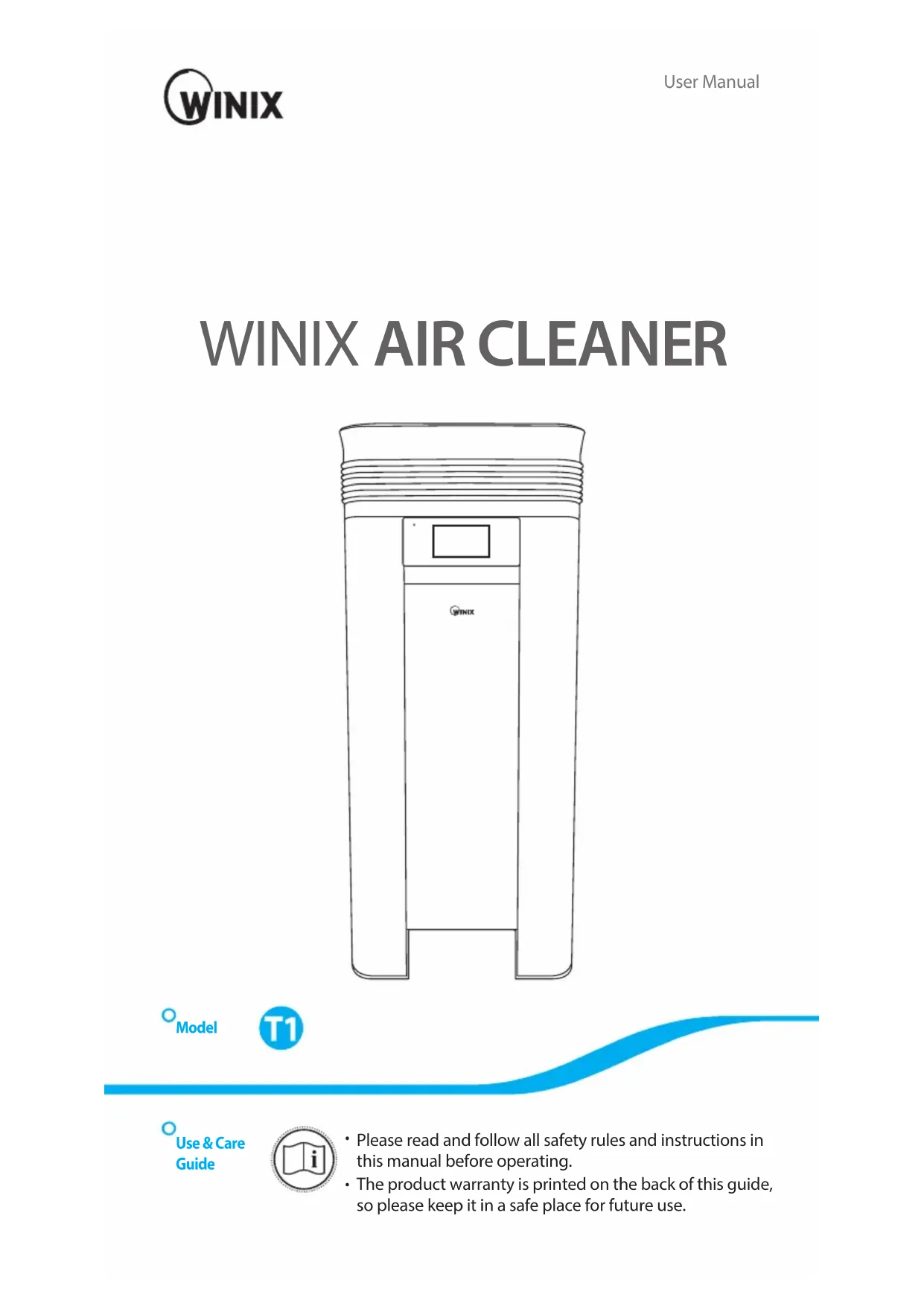


| Product Type | Air Purifier |
| Brand | Winix |
| Model | T1 |
| Dimensions (L x D x H) | 43,0 x 43,0 x 101,0 cm |
| Weight | 26 kg |
| Power Supply | 220-240 V ~ 60 Hz, 200 W |
| Recommended Room Size (AHAM) | 64,8 m² |
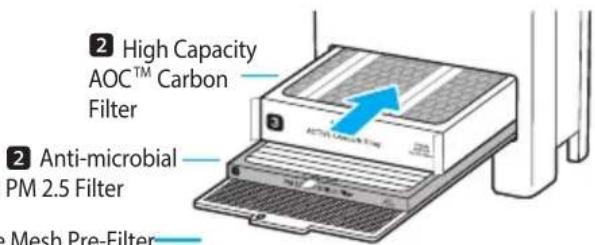
| Purification Technology | 5-Stage System: Fine Mesh Pre-Filter, Antimicrobial PM2.5 Filter, High-Capacity AOC™ Carbon Filter, True HEPA Filter, PlasmaWave® |
| Operating Modes | Auto, Manual, Sleep, Timer (1-12 h) |
| Connectivity | Wi-Fi (WINIX SMART App) |
| Display | LCD with Air Quality Indicator (Colors: Brown, Green, Blue) |
| Sensor | Smart (Dust, Light) |
| Pre-Filter Maintenance | Clean every 14 days (reusable) |
| Filter Replacement | Antimicrobial PM2.5 Filter, AOC™ Carbon Filter and True HEPA Filter: every 12 months (recommended) |
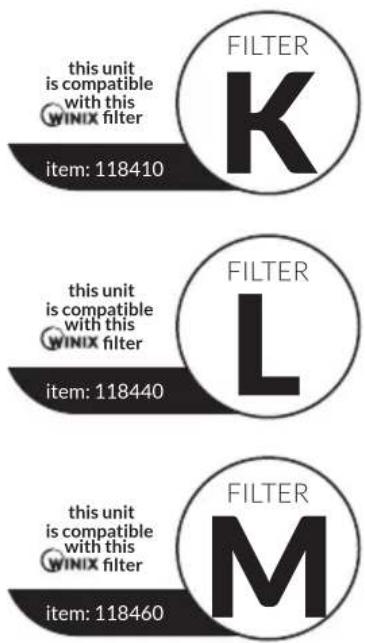
| Replacement Filter Part Numbers | True HEPA (K:118410), AOC™ Carbon (L:118440), Antimicrobial PM2.5 (M:118460), Pre-Filter (J5100106000) |
| Safety | Automatic shutoff if cover or door open, overheat protection |
| Warranty | 2 years (Europe) |
| Noise Level | Normal operation with PlasmaWave® humming (normal sound) |
Frequently Asked Questions - T1 Winix
User questions about T1 Winix
0 question about this device. Answer the ones you know or ask your own.
Ask a new question about this device
Download the instructions for your Air purifier in PDF format for free! Find your manual T1 - Winix and take your electronic device back in hand. On this page are published all the documents necessary for the use of your device. T1 by Winix.
USER MANUAL T1 Winix
natural_image
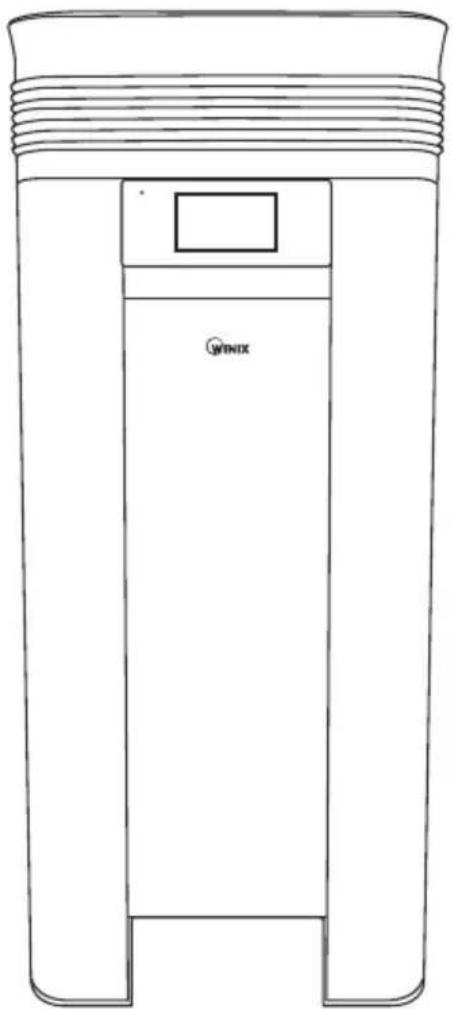
Line drawing of a cylindrical mechanical component with a labeled 'WINIX' on the side (no other text or symbols)Model

Use & Care Guide

- Please read and follow all safety rules and instructions in this manual before operating.
- The product warranty is printed on the back of this guide, so please keep it in a safe place for future use.
CONTENTS
5-Stage Air Purification 3
Controls
4
Set Up
Where to use 8
Installing the filters 9
Safety Instructions
Safety and Cautions 12
Operation
Initial Operation 13
Modes of Operation 14
Features and Settings 15
WINIX SMART Set Up 19
Care and Maintenance
Filter Care 22
Smart Sensor Care 27
Cleaning Care 28
Troubleshooting
Frequently Asked Questions 29
Unit Specifications 32
Product Warranty 33
English 1
Français 35
Español 69
Deutsche 103
Italiano 137
Nederlands 171
This product is suitable for 220 \~ 240V only.
5-STAGE AIR PURIFICATION
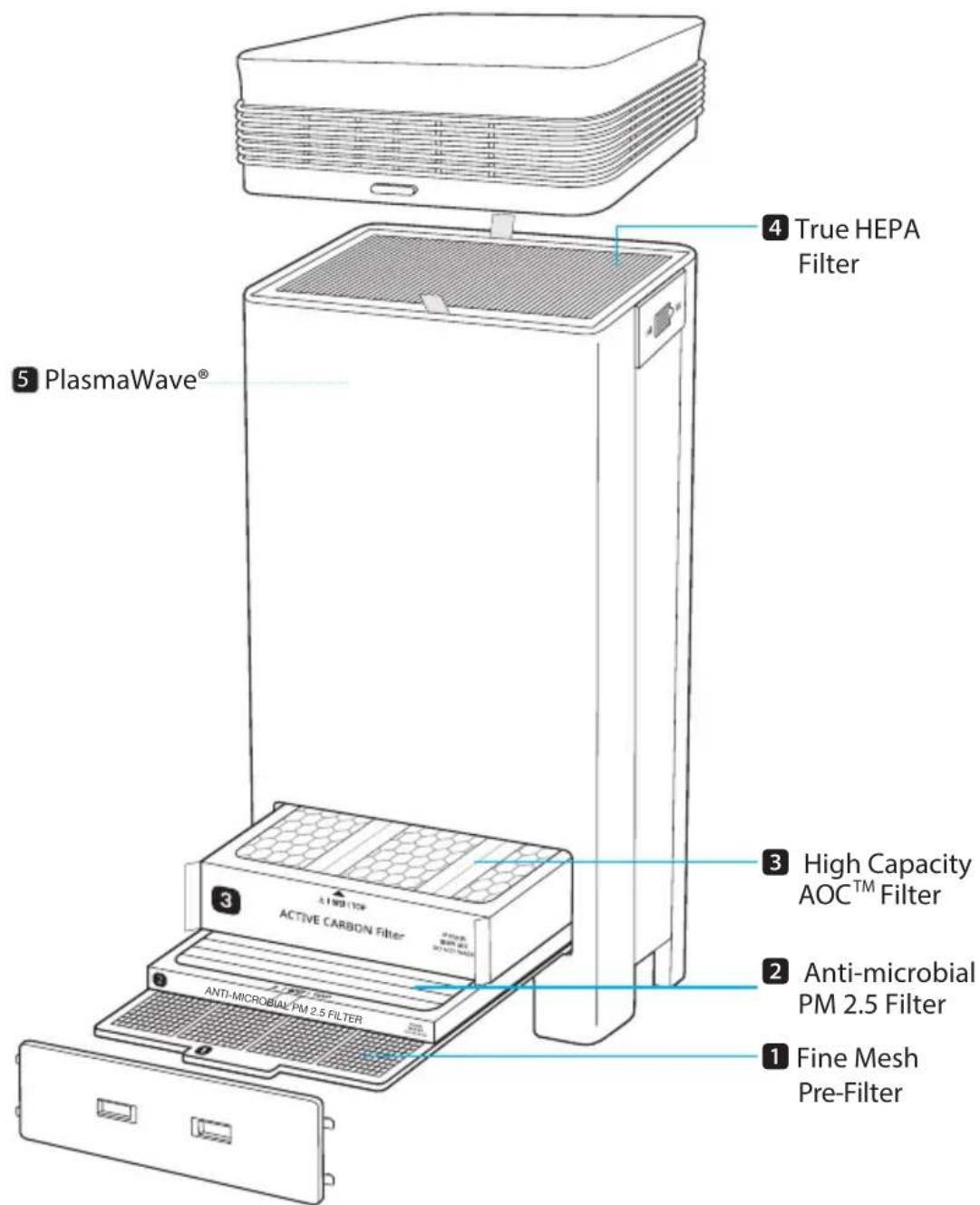
PACKAGE CONTENTS
natural_image
Line drawing of a four-hole厨柜 (no text or symbols)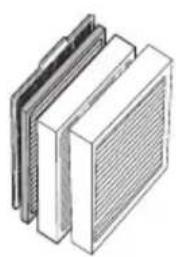
natural_image
Illustration of three stacked rectangular panels with a meshed upper panel, no text or symbols present.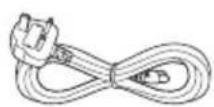
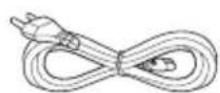
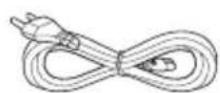
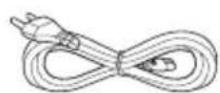
Product Instruction mEHTealSet EU & UK Power Cords

KNOW THE CONTROLS
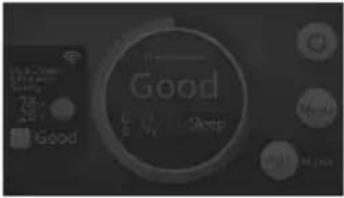
※ The background colour will change, acting as an additional Air Quality Indicator; Brown: Poor / Green: Fair / Blue: Good
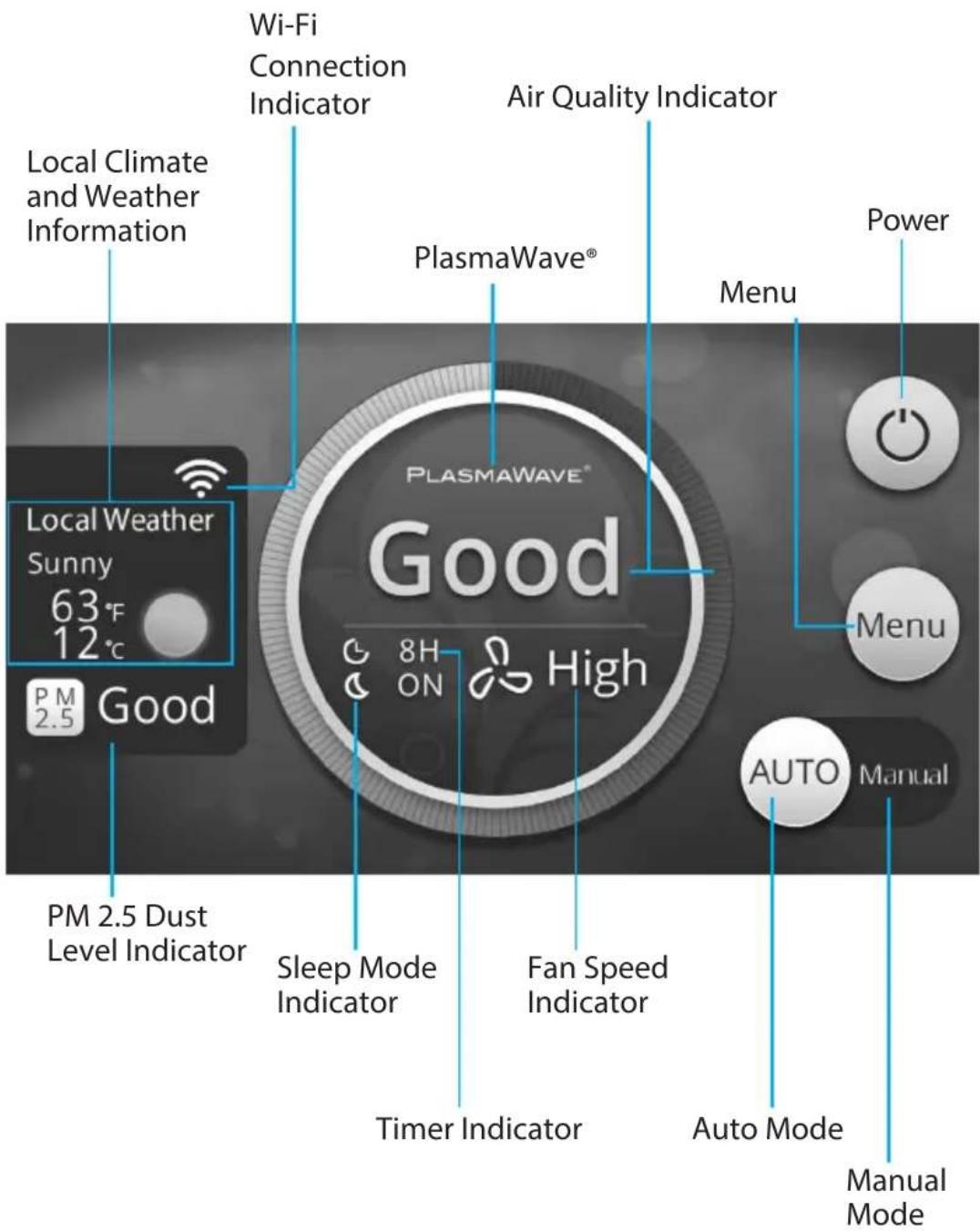
KNOW THE CONTROLS
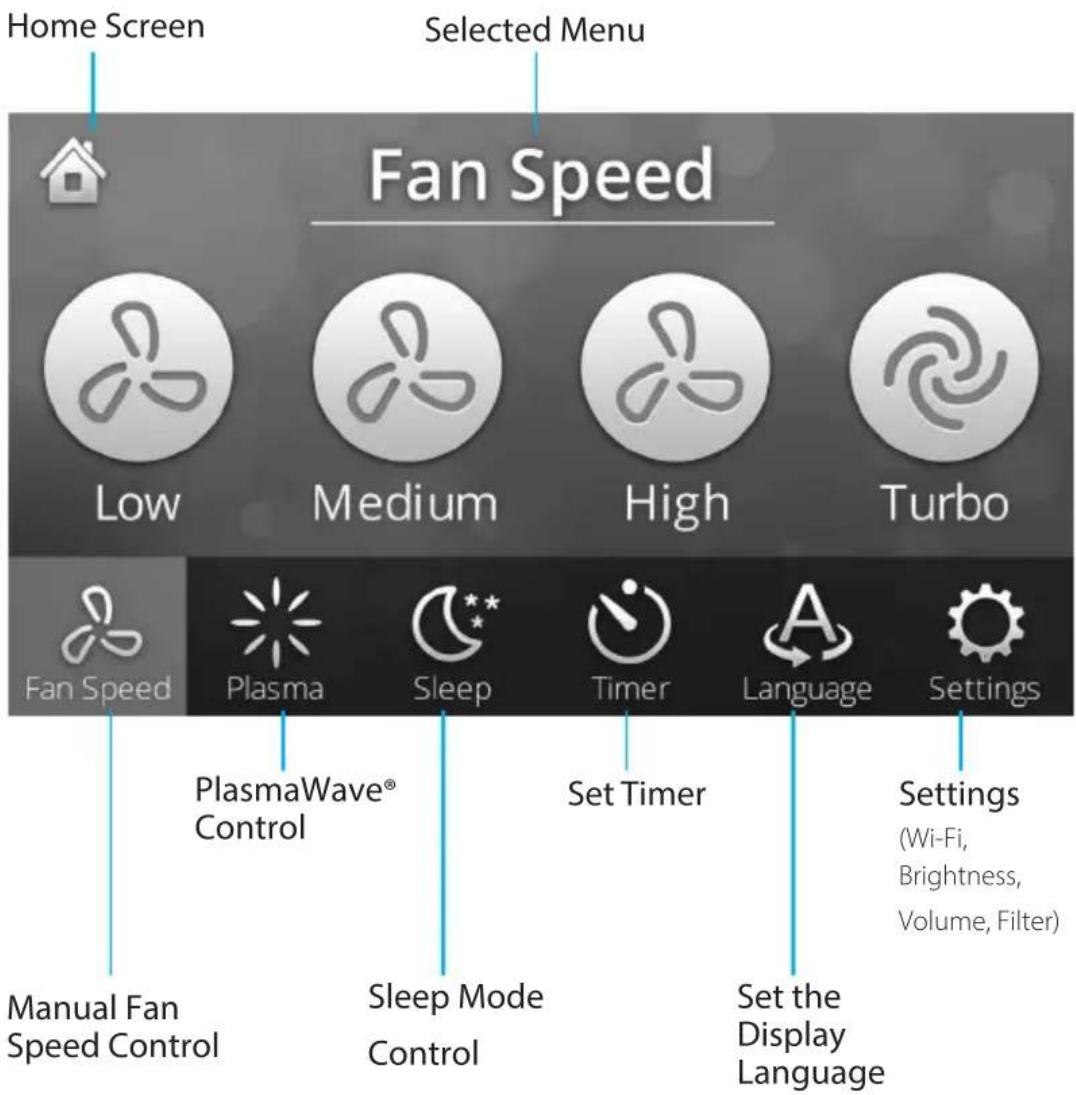
KNOW THE CONTROLS
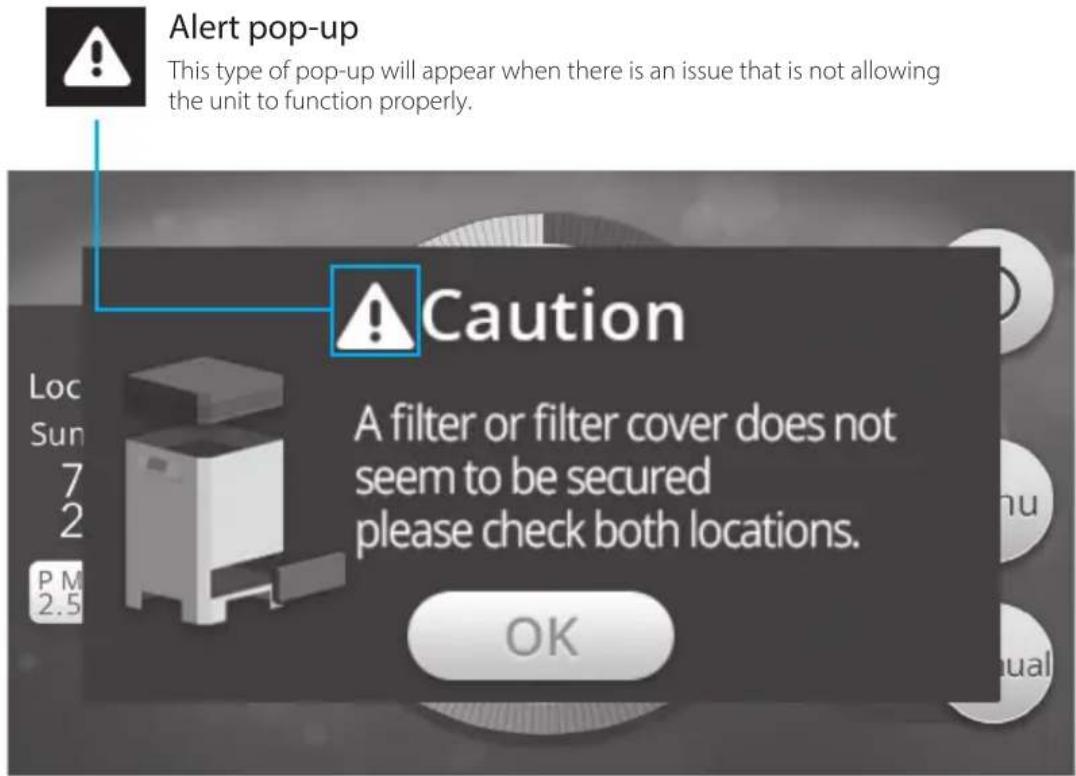
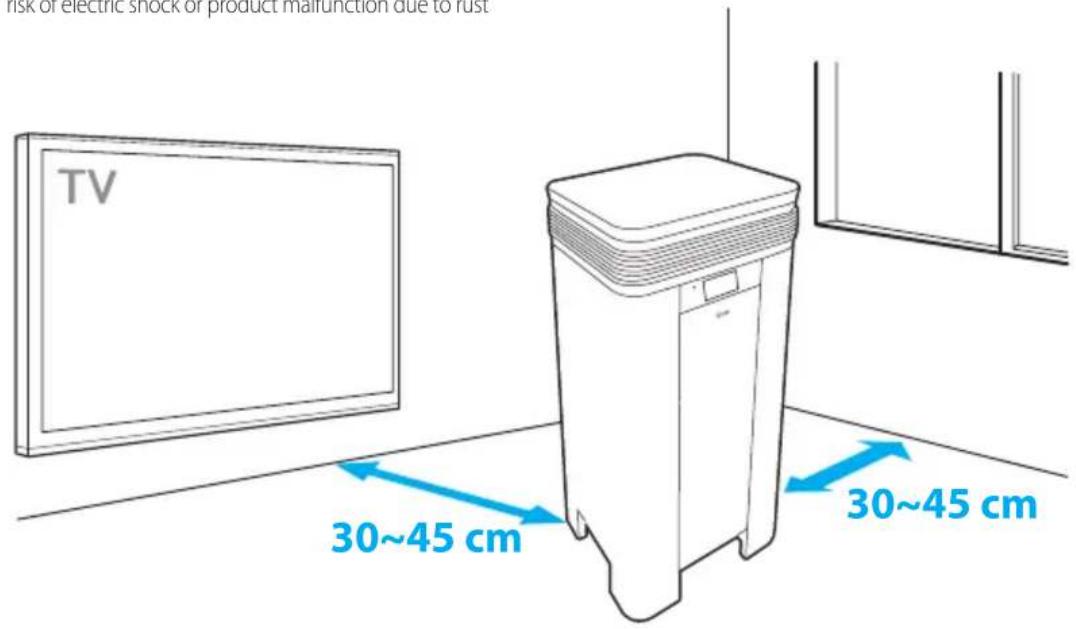
WHERE TO USE
Allow 30 \~ 45 cm. of space between TVs, radios, and other electronic products
electromagnetic interference from certain electronics may cause product malfunction.
Place indoors away from direct sun light
direct exposure may cause product malfunction or failure.
Only place on hard, flat surfaces
flimsy or slanted surfaces may result in abnormal noise and vibrations.
Environment with low humidity
risk of electric shock or product malfunction due to rust

WARNING
Follow these instructions to reduce the risk of serious injury or death and to reduce risk of damaging the unit.
Do not use around mist or fumes from industrial oil or around large quantities of metallic dust
Do not place around heating elements
Do not install in any sort of motor or transport vehicle (trucks, boats, ships, etc.)
Do not place in an area with excessive amounts of noxious gases
Do not place near any flammable materials (aerosols, fuel, gases etc.)
Do not have unit facing into wind or draft
Do not place below any electrical outlet
Do not place in excessively humid areas where unit may become wet
※ This unit is not intended to be used to preserve documents or in art conservation.
INSTALLING THE FILTERS
This product comes with all of the required filters. The protective plastic wrap must be removed from the filters before use.
※ Operating the unit without removing the plastic wrap may result in product failure.
※ Unplug and make sure the unit is turned off before installing filters.
※ On the edge of each filter will show which way should face up.
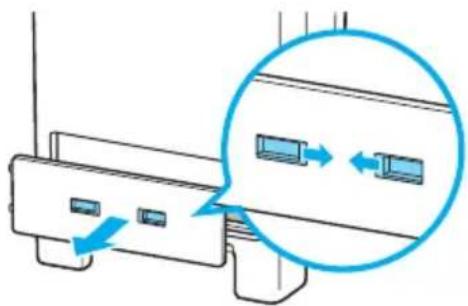
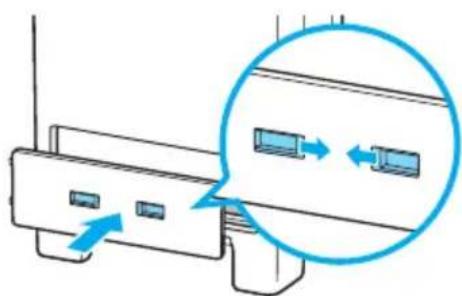
① Remove the Filter Cover
- Squeeze the the two tabs towards the middle and pulling it toward yourself.
natural_image
Diagram of a device with two ports and directional arrows indicating movement or connection (no text or symbols present)② Remove the bottom filters from the unit, they are protected inside plastic wrap.
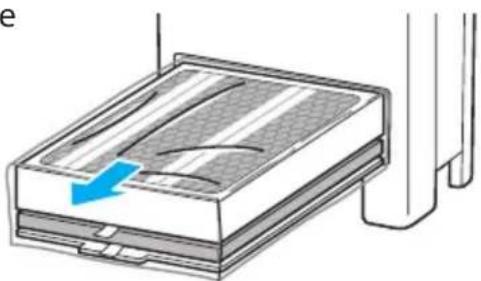
natural_image
Diagram of a device with a blue arrow indicating direction, showing internal structure and connection points (no text or symbols)③ Remove filters from protective plastic wrap.
- Operating the unit without removing filters from plastic may cause abnormal noise, deformation, or fire as a result of overheating.
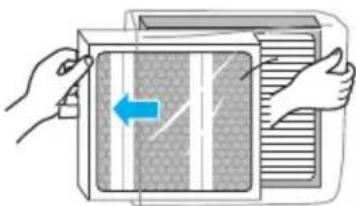
natural_image
Illustration of hands opening a microwave oven with a blue arrow indicating left vent (no text or symbols)④ Install the bottom filters.
- Insert the filters into the appropriate slots until the back of the filter touches the rear of the unit.
⑤ Replace the Filter Cover.
- Squeeze the the two tabs towards the middle and attach it back to the unit.
INSTALLING THE FILTERS
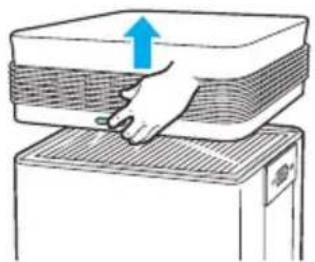
⑥ Remove the Top Cover by pressing the Release buttons on both sides.
⑦ Pull the True HEPA filter out of the unit and remove from protective plastic wrap.
- Operating the unit without removing filter from plastic may cause abnormal noise, deformation, or fire as a result of overheating.
⑧ Insert the True HEPA filter back into place.
⑨ Hold the Release buttons on both sides of the Top Cover and connect it back to the unit.
natural_image
Illustration of a hand pressing down on a stack of papers or documents (no text or symbols visible)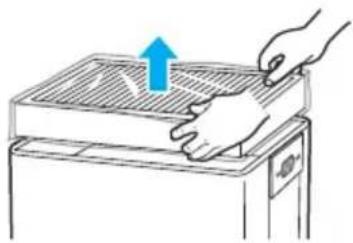
natural_image
Illustration of a hand pressing down on a grating machine with a blue arrow indicating upward motion (no text or symbols)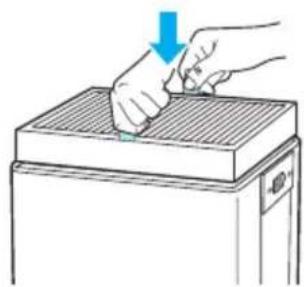
natural_image
Illustration of a hand pressing down on a gridded metal tray (no text or symbols)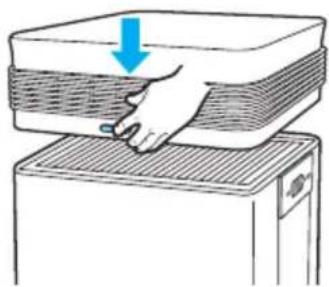
natural_image
Illustration of a hand pressing down on a stack of layered materials (no text or symbols)INSTALLING THE FILTERS
⑩ When to service and replace filters:
| Filter When to service | When to replace | |
| 1 Fine Mesh Pre-filter | Clean once every 14 days | Permanent |
| 2 Anti-microbial PM 2.5 Filter | Can NOT be WASHED | Lasts up to 12 months |
| 3 High Capacity AOC ^TM Carbon Filter | ||
| 4 True HEPA Filter | ||
※ Intervals between filter replacement may vary depending on environment.
※ For optimal use, Pre-filter can be cleaned every 14 days which can extend the life of other filters.

NOTE
▶Refer to pages 13-17 for detailed information on filter care and how to replace them.
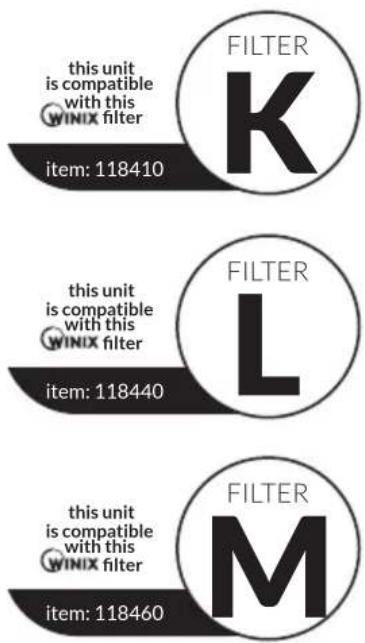
To purchase replacement Winix filters:
contact your local dealer
True HEPA Filter
High Capacity AOC ^TM Carbon Filter
Anti-microbial PM 2.5 Filter
SAFETY AND CAUTIONS
Before operating this equipment, carefully read and follow these safety cautions and instructions to avoid damage and ensure safe use.
Ensure filters are inserted before running unit
running unit without filters can shorten the units life and cause electric shock or injury.
Be sure foreign objects are NOT inserted into the vents on the unit
objects can include pins, rods, and coins.
Do not touch any part of the interior of the unit with wet hands
the high voltage may cause electric shock.
Ensure unit intake and outlet vents do not become blocked
blockage may lead to increased internal temperatures causing product failure and deformation.
Do not use the unit as a step stool or place heavy objects on it
personal injury may occur or product failure and deformation.

WARNING
Follow these instructions to reduce the risk of serious injury or death and to reduce risk of damaging the unit.
Do not pull on the power cord when unplugging the unit
Do not tie or knot power cord when unit is in operation
If the unit becomes submerged in water, unplug it and contact customer service
Do not unplug or move the unit while in operation
Do not plug additional appliances into the same outlet or power supply
Do not touch the plug with wet hands
Unplug unit when not in operation for extended periods of time
Cord can become damaged by forcefully bending, pulling, twisting, bundling, pinching or placing heavy objects on it
※ If the supply cord is damaged, it must be replaced by a special cord or assembly available from the manufacturer or its service agent.
This appliance is not intended for use by a person (including children) with reduced physical sensory or mental capabilities, or lack of experience and knowledge, unless they have been given supervision or instruction concerning use of the appliance by a person responsible for their safety.
※ Children should be supervised to ensure that they do not play with the appliance.
INITIAL OPERATION
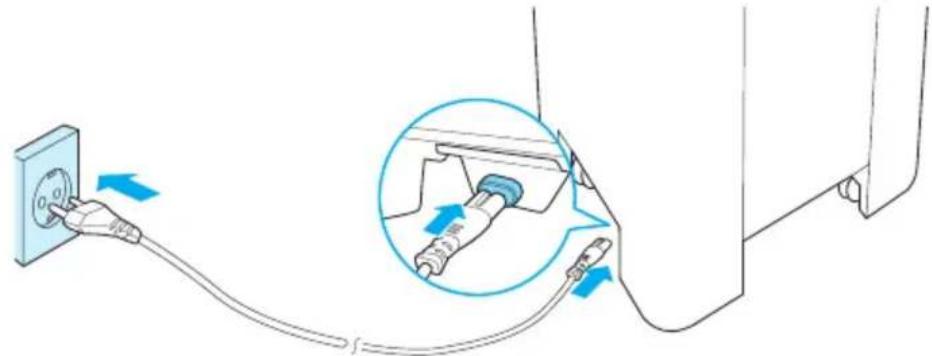
① Insert the unit plug into an electrical outlet.
natural_image
Diagram showing a plug inserted into a power outlet connected to a cable, with an inset close-up of the plug being inserted (no text or symbols present)② Press the [Power] button
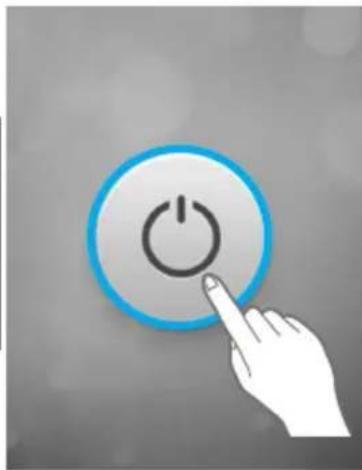
- A short animation and music will play to ensure it is powered on.

NOTE
▶During the first 4 minutes of power up, the Smart Sensors measure the air quality in the environment, after which normal operation will begin, preset in Auto Mode.
natural_image
Hand pressing a button with a power symbol (no text or labels)③ By default, when the unit first powers on, the mode will be set to Auto with PlasmaWave® enabled.
When in Auto Mode the fan speed will be automatically adjusted according to the environments air quality.
PlasmaWave® works to remove harmful airborne contaminants.

NOTE
▶In Auto mode, as the indoor air quality improves, the fan speed will automatically be reduced to Low.
▶When the unit is running, you may hear a chirpping or buzzing sound. The sound is from large particles passing through PlasmaWave®, it is normal and does not signify product failure. To disable PlasmaWave®, see page 15.
MODES OF OPERATION
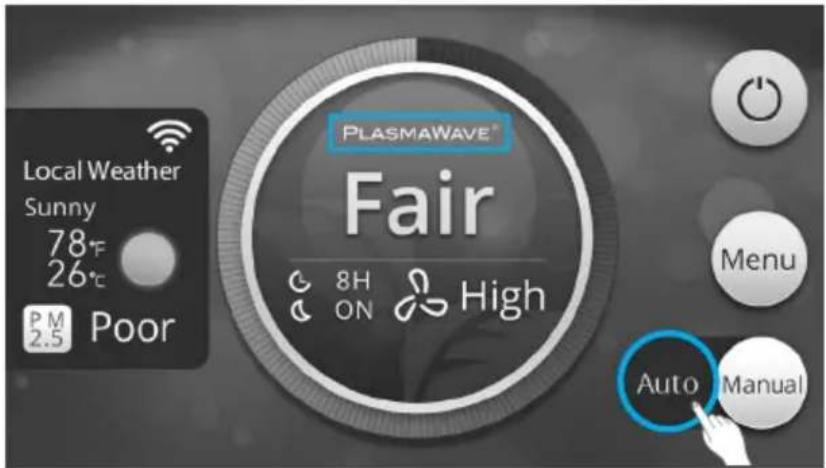
On the Home Screen the following is displayed
Mode, Fan Speed, PlasmaWave®, Air Quality, Local Climate and Weather
1. Auto Mode
Enables Auto operation based on the unit's air quality Smart Sensors.
① Select Auto from the Home Screen.
- In Auto mode, PlasmaWave® is enabled.
When in Auto Mode the fan speed is automatically adjusted according to the indoor air quality. As the indoor air quality improves, the fan speed will automatically be reduced. If the indoor air quality decreases the fan speed will automatically be increased.
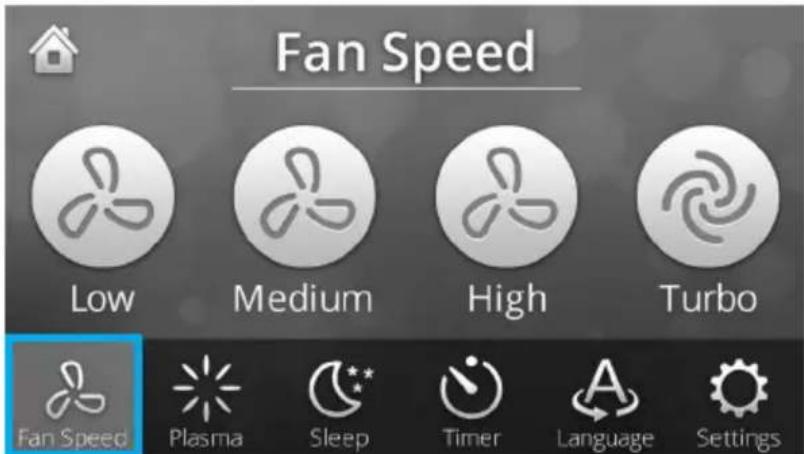
2. Manual Mode (setting fan speed)
① Select Manual from the Home Screen.
- The unit will be switched to Manual mode and will only change fan speeds if switched.
- In Menu, select Fan Speed and choose the speed at which you would like the unit to run.
PLASMAWAVE ^® , SLEEP MODE
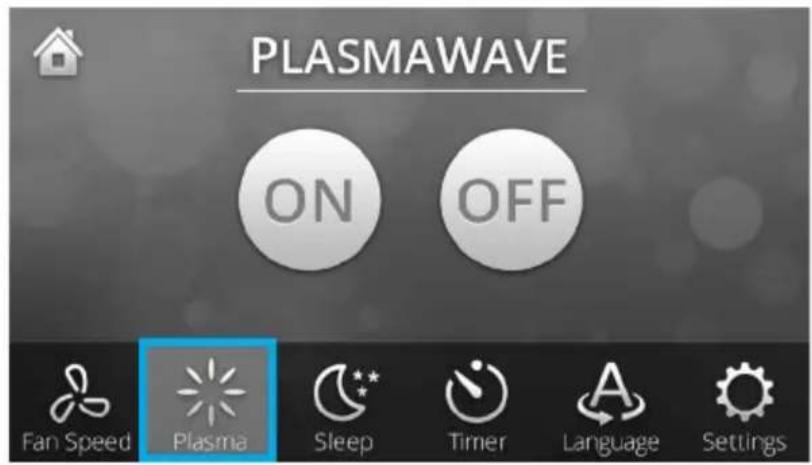
1. PlasmaWave®
PlasmaWave ^® works to remove harmful airborne contaminants.
- Select the Menu Screen.
- Select either [ON] or [OFF] to enable or disable PlasmaWave®.
2. Sleep Mode
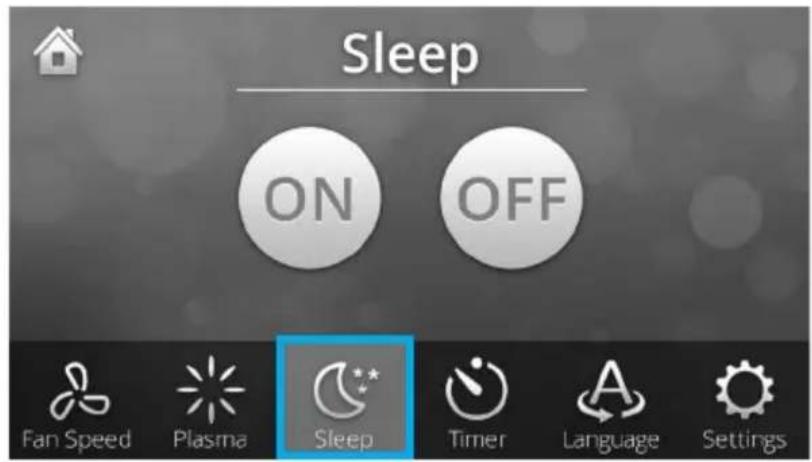
- Select the Menu Screen.
- Select either [ON] or [OFF] to enable or disable Sleep Mode.

NOTE
▶When Sleep mode is selected, the fan speed is automatically set to Low. Fan speed can be changed by manually changing the speed.
▶When Sleep Mode is enabled, the PlasmaWave® is disabled.
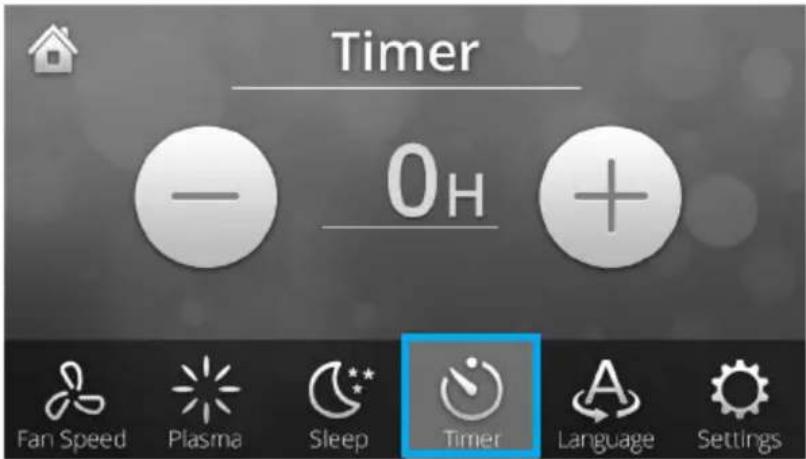
TIMER
3. Timer
The timer can be set for when you want the unit to run for a specified period of time.
- Select the Menu Screen.
- Select the Timer Screen.
- Select [-] or [+] to subtract or add time in increments of 1 hour.
• A maximum of 12 hours can be set.
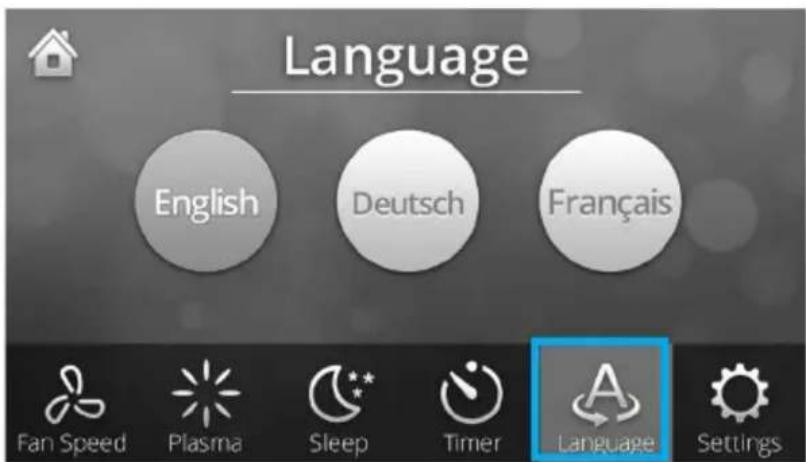
4. Language
The LCD language can be set to English, German and French.
- Select the Menu Screen.
- Select the Language Screen.
- Select which language to displayed.
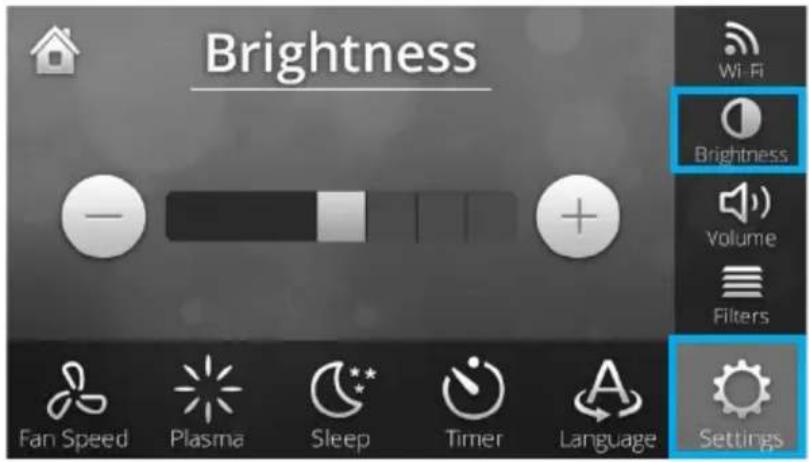
1. Brightness
Allows the brightness on the LCD control panel to be adjusted.
① Go to the Brightness Setting screen.
- Select the Menu Screen.
- Select Settings.
- Select Brightness.
- Select [-] or [+] to gradually decrease or increase brightness of the screen.

2. Volume
Allows the unit volume to be adjusted.
① Go to the Volume Setting screen.
- Select the Menu Screen.
- Select Settings.
- Select Volume.
- Select [-] or [+] to gradually decrease or increase the unit volume.


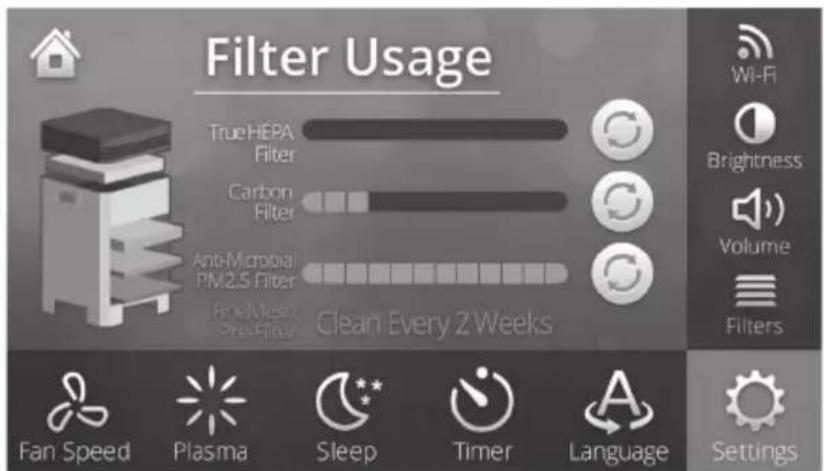
3. Filters
Displays the life of the True HEPA Filter, High Capacity AOC™ Carbon Filter, and the Anti-microbial PM 2.5 Filter.
① Go to the Filter Setting screen.
- Select the Menu Screen.
- Select Settings.
- Select Filters.

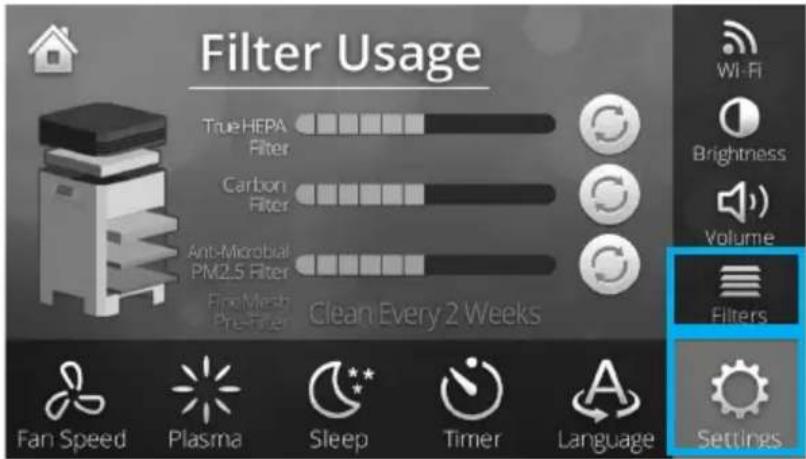

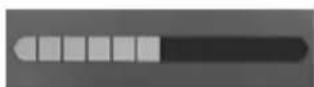
▶A full bar means the filter has not been used. As the bar empties the less life the filter has. When the bar is completely empty the filter will need to be replaced.
WINIX SMART
1. Connecting to WINIX SMART
WINIX SMART allows you to conveniently control your air purifier from any location.
※ WINIX SMART is optimized for the following specifications. Depending on your device capabilities and service parameters, some functions may not be supported.

NOTE

ANDROID (ICS 4.12 Jellybean or later recommended)

iOS (6.0 or later recommended - iPhone 4S or later)
※ Before connecting to WINIX SMART
- A Wi-Fi wireless router must be installed within range of the air purifier to use WINIX SMART.
- Ensure Wi-Fi router matches the following specifications; 802.11b/g/n 2.4GHz or for a dual-band wireless router (2.4GHz/5GHz), be sure to select 2.4GHz.
- Be sure to have the Wi-Fi password handy.
- During registration, please keep the air purifier, wireless router, and smart device within a 32 ft. radius.
- Obstacles between the air purifier, wireless router, and smart device may cause weak reception.
- Before connecting, users with a "Smart Network Switch" on their device should temporarily disable it.
- Once WINIX SMART has been connected, the "Smart Network Switch" on your device can be enabled.
■ Initial Setup
Connecting to the unit for the first time.
① Download the WINIX SMART app on your device.
• available via Google Play store or iTunes App store.
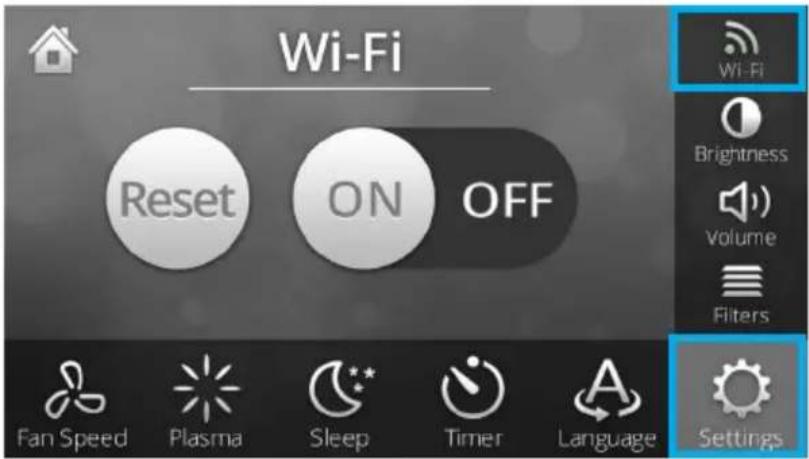
② Turn the unit Wi-Fi on.
- Select the Menu Screen.
- Select Settings.
- Select Wi-Fi.
- Select [ON] to enable Wi-Fi.
WINIX SMART
② Run the app on your device and follow the prompts to connect the unit to the router.
- When connecting to the Winix network on your device, look for "WINIX SMART"
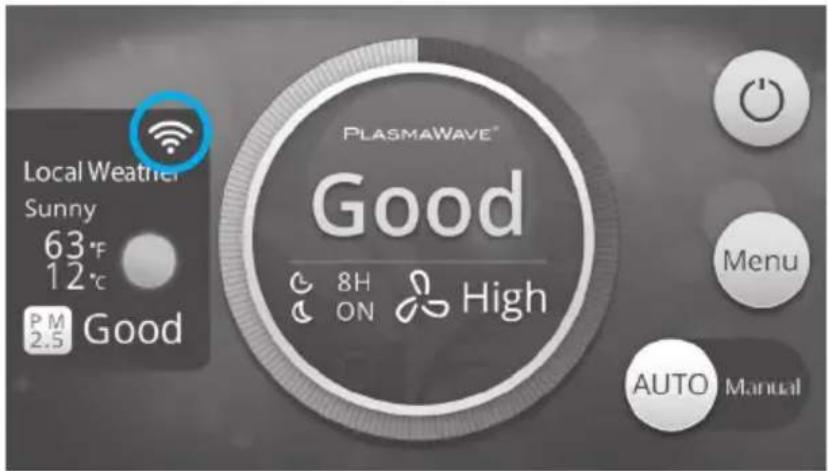
③ Confirm the Wi-Fi connection on the unit.
- Select the Home Screen.
- Ensure the Wi-Fi indicator is solid and no longer blinking.
■ Additional Setup
Connecting to the unit to a different Wi-Fi network or connecting a new mobile device.
① Turn the unit Wi-Fi on.
- Select the Menu Screen.
- Select Settings.
- Select Wi-Fi.
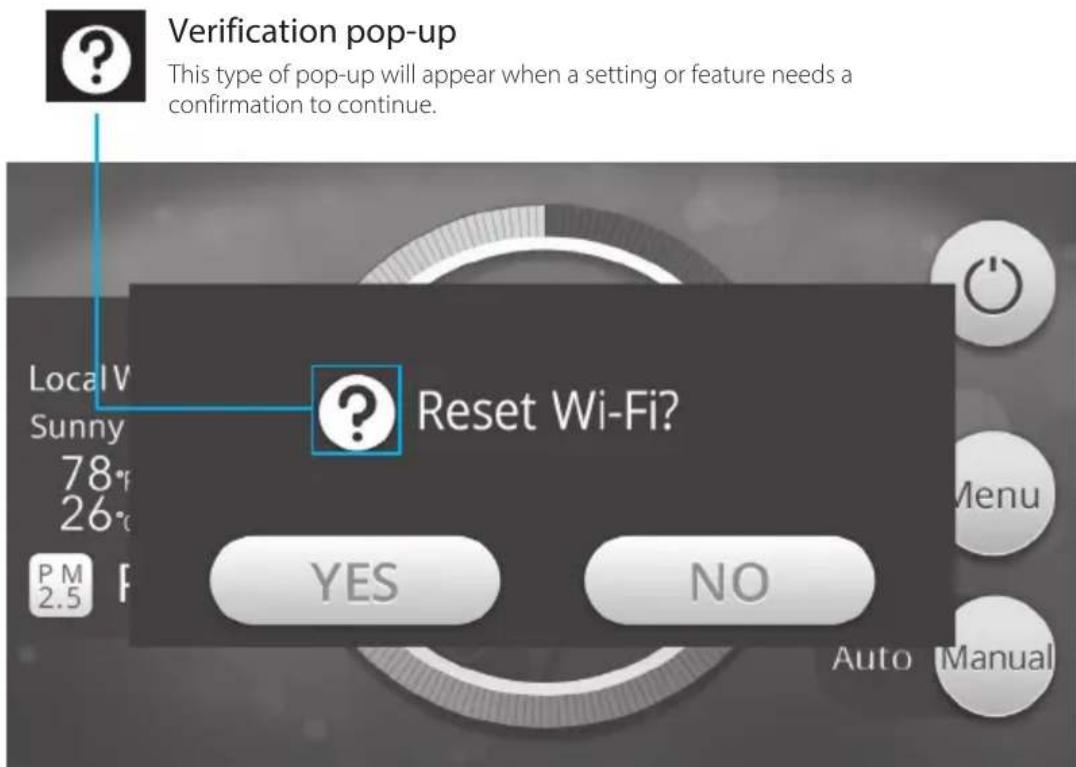
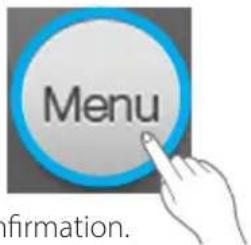
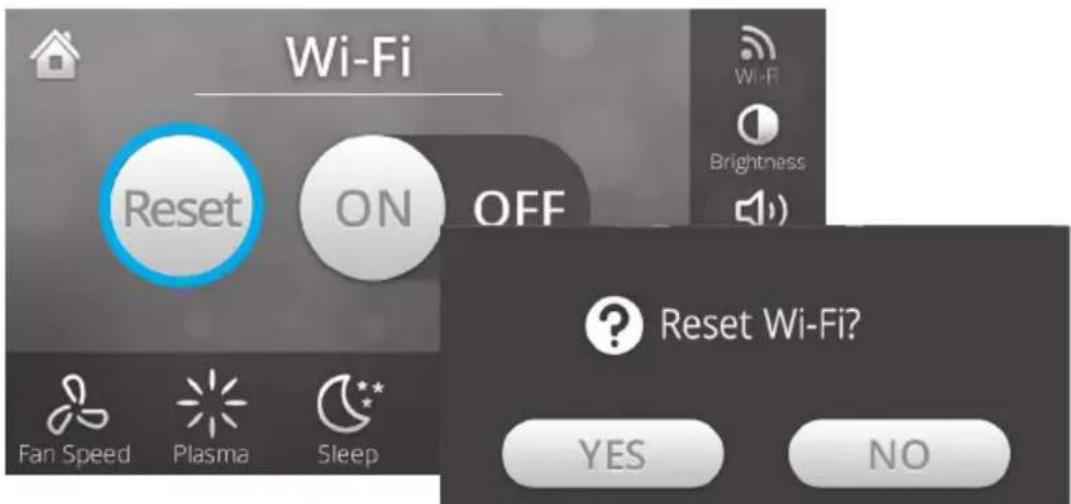
- Select [Reset], which will activate a pop-up window for confirmation.
WINIX SMART
② If connecting to a new device; download the WINIX SMART app on your device.
• available via Google Play store or iTunes App store.
③ Run the app on your device and follow the prompts to connect the unit to the router.
- When connecting to the Winix network on your device, look for "WINIX SMART"
④ Confirm the Wi-Fi connection on the unit.
- Select the Home Screen.
- Ensure the Wi-Fi indicator is solid and no longer blinking.
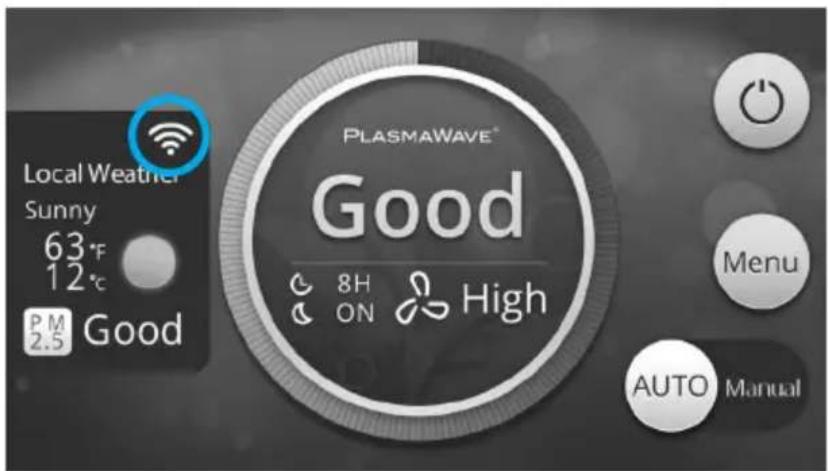

NOTE
Wi-Fi Indicator
Shows the strength of the Wi-Fi signal.

More than -60dBm Strong signal

-60dBm \~ -90dBm Bad signal
Less than -90dBm Weak signal
1. When to Replace Filters
| Filter When to service | When to replace | |
| 1 Fine Mesh Pre-filter | Clean once every 14 days | Permanent |
| 2 Anti-microbial PM 2.5 Filter | Can NOT be WASHED | Lasts up to 12 months |
| 3 High Capacity AOC ^TM Carbon Filter | ||
| 4 True HEPA Filter | ||
※ Intervals between filter replacement may vary depending on environment.
※ For optimal use Pre-filter can be cleaned every 14 days which can extend the life of other filters.
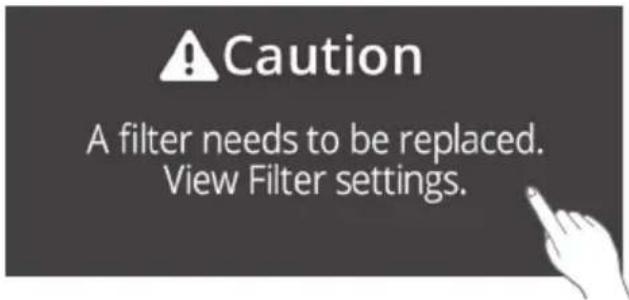
① A pop-up notification will appear alerting you to replace a filter.
- Touch the pop-up notification to automatically be taken to the Filter screen.
② When a filter bar is completely empty, it is time to replace that filter.
2. How to replace the filters
Unit will automatically stop running when the Filter Cover or Top Cover are opened.
■ Bottom Filters
※ Anti-microbial PM 2.5 Filter & High Capacity AOC ^™ Carbon Filter
※ On the edge of each filter will show which way should face up.
① Remove the Filter Cover
- Squeeze the the two tabs towards the middle and pulling it toward yourself.

natural_image
Diagram of a device with two ports and an arrow indicating direction, no text or symbols present② Remove the bottom filters from the unit, they are protected inside plastic wrap.
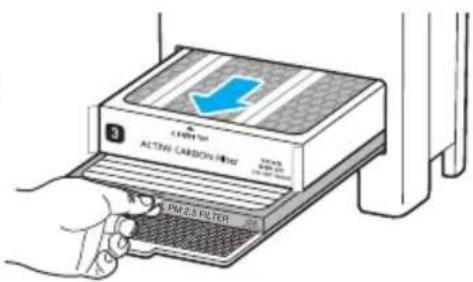
③ Remove filters from protective plastic wrap.
- Operating the unit without removing filters from plastic may cause abnormal noise, deformation, or fire as a result of overheating.
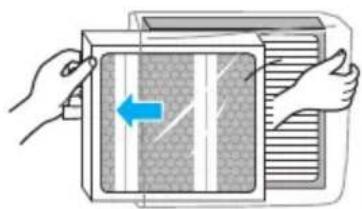
natural_image
Illustration of hands installing or adjusting a wall-mounted device with a blue arrow indicating left motion (no text or symbols)④ Install the bottom filters.
- Insert the filters into the appropriate slots until the back of the filter touches the rear of the unit.
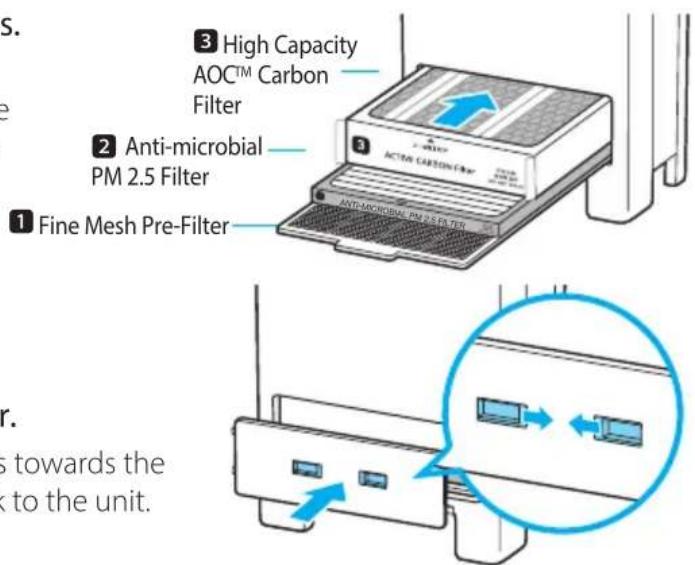
⑤ Replace the Filter Cover.
- Squeeze the the two tabs towards the middle and attach it back to the unit.
FILTER CARE
■ Top Filter
※ True HEPA Filter.
※ On the edge of each filter will show which way should face up.
① Remove the Top Cover by pressing the Release buttons on both sides.

natural_image
Illustration of a hand pressing down on a layered object with an upward arrow (no text or symbols)② Pull the True HEPA filter out of the unit and remove from protective plastic wrap.
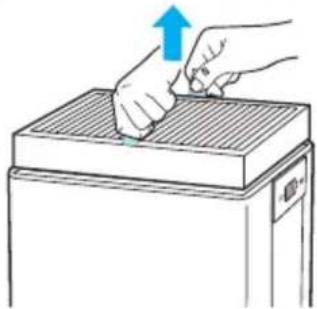
natural_image
Illustration of hands pressing down on a rectangular object with an upward arrow (no text or symbols)③ Remove filters from protective plastic wrap.
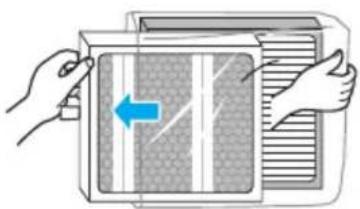
natural_image
Illustration of hands inserting a device into a fan (no text or symbols)- Operating the unit without removing filters from plastic may cause abnormal noise, deformation, or fire as a result of overheating.
④ Insert the True HEPA filter back into place.

natural_image
Illustration of hands using a tool to press down a rectangular object, no text or symbols present⑤ Hold the Release buttons on both sides of the Top Cover and connect it back to the unit.
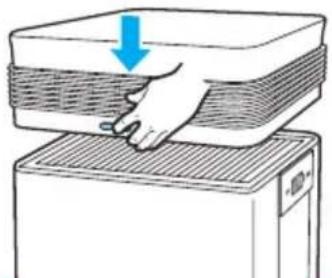
natural_image
Diagram of a hand pressing down on a layered object with a blue arrow indicating downward motion (no text or symbols)
NOTICE
For optimal performance, only genuine Winix filters should be used with this unit.
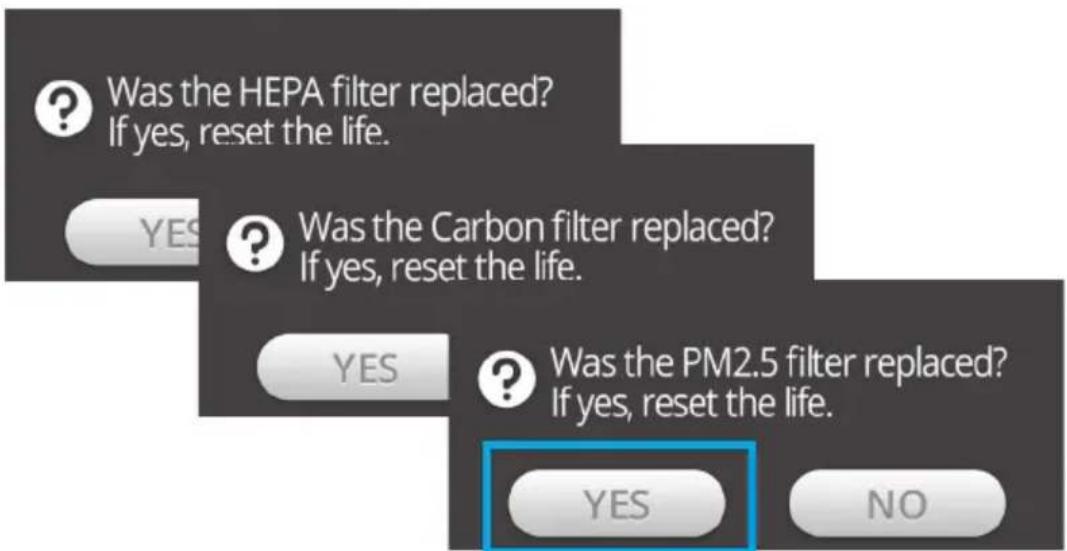
3. Resetting the filters
Each filter will need to be reset individually after replacement.
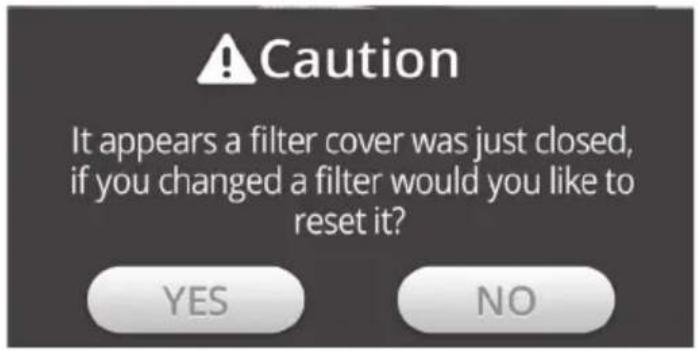
① After re-attaching the Filter Cover or Top Cover a pop-up will activate.
- Selecting [YES] will return you to the Filter screen.
② Press the reset icon corresponding to the filter which was replaced.
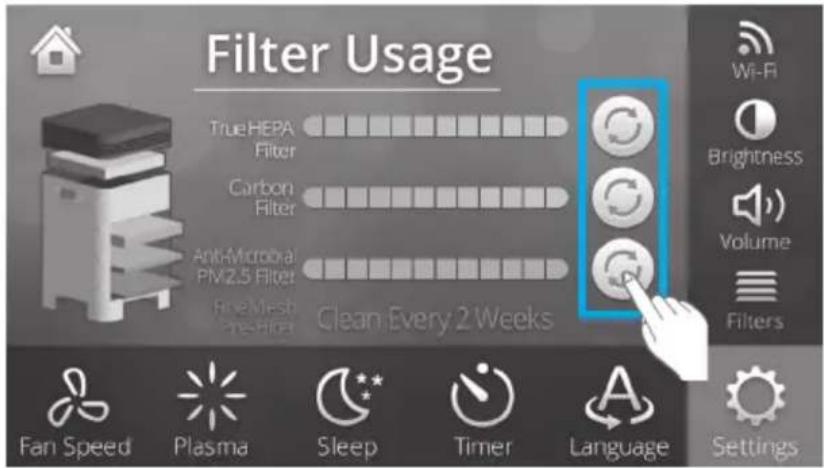
③ A pop-up will activate asking you to confirm the reset, select yes.
FILTER CARE
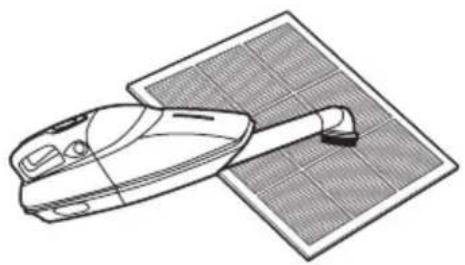
4. Cleaning the Pre-filter
Intervals between filter cleanings may vary depending on the air quality.
Use a vacuum cleaner or soft brush to clean the Pre-filter. If it is excessively dirty, wash with room temperature water.
- Use only water, do not use volatile substances such as alcohol or acetone.
natural_image
Line drawing of a vacuum cleaner next to a solar panel (no text or symbols)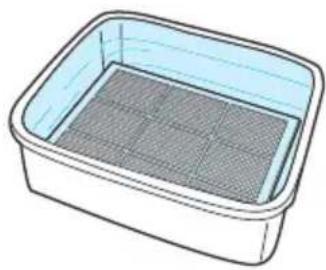
natural_image
Illustration of a rectangular container filled with a mesh pattern (no text or symbols)※ If the pre-filter becomes damaged or in any way needs replacement:
Please contact your local dealer

NOTICE
Do not use benzene, alcohol, or other volatile fluids, which may cause damage or discolouration.
The Pre-filter is reusable after cleaning.
Do not use hot water over 40^ C or volatile fluids such as paint thinner.
After washing the pre-filter, allow it to dry completely in a well-ventilated area. Otherwise, it may develop a bad Odour.
SMART SENSOR CARE
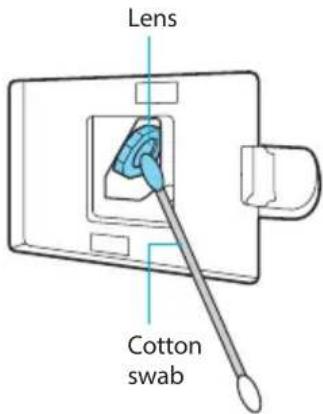
1. Cleaning the Dust Sensor
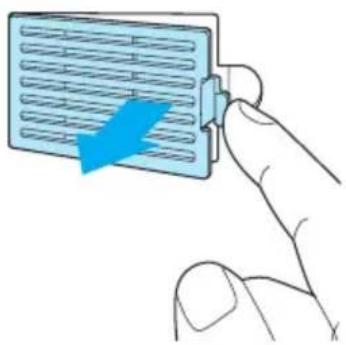
For optimal performance of the Dust Sensor, which detects airborne dust and ultrafine particles, clean it every two months. Clean it more frequently when the unit is running in a place with high dust levels.
① Open the Dust Sensor cover.
natural_image
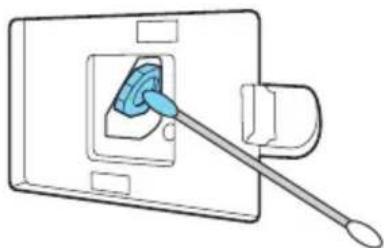
Illustration of a hand inserting a card into a device (no text or symbols visible)② Use a damp cotton swab to wipe the lens and intake area of the Dust Sensor.
• To clean the sensor area, use only water. Do not use volatile substances such as alcohol or acetone.
③ Wipe away any remaining moisture with a dry cotton swab.
natural_image
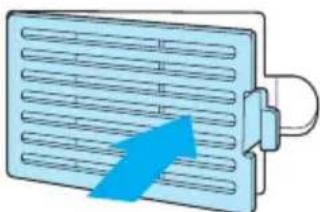
Diagram of a switch or screwdriver inserted into a socket (no text or symbols present)④ Close the Dust Sensor cover.
- The Dust Sensor cover may be cleaned using a vacuum cleaner.
natural_image
Illustration of a blue arrow pointing to a grid-like panel with horizontal lines, no text or symbols present.2. Cleaning the exterior and interior
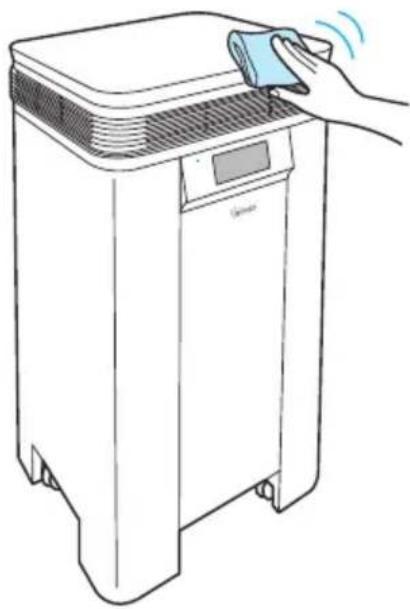
■ Cleaning the exterior.
Wipe with a soft damp cloth using room temperature water. Afterwards, wipe it down with a clean dry cloth.
- For optimal performance, clean the front panel 1-2 times a month.
natural_image
Line drawing of a hand cleaning a clean appliance with a digital display (no text or symbols)■ Cleaning the interior.
Open the front panel and clean the interior with a vacuum cleaner.
- For optimal performance, clean the interior 1-2 times a month.
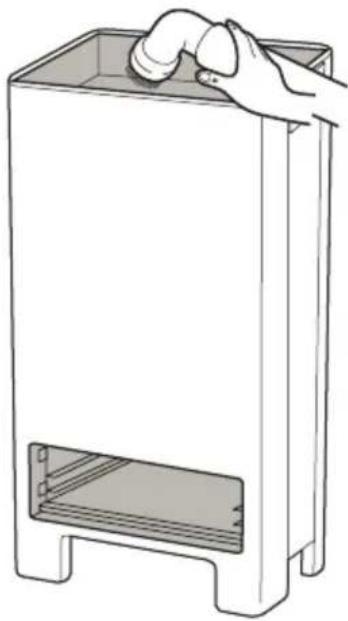
natural_image
Line drawing of a hand opening a rectangular trash bin with a handle, no text or symbols present
NOTICE
When cleaning the unit, always unplug the power cord first and then wait until the unit has cooled off.
Never disassemble, repair or modify this unit yourself
Do not use flammable sprays or liquid detergents
Do not allow children to clean or maintain the unit
Before cleaning or maintaining, ensure unit is off and unplugged
FREQUENTLY ASKED QUESTIONS
| Problem Check / Actions to take | |
| It does not turn on at all. | |
 | ▶Is there a power outage?Check to see if other lights and electrical equipment are working and try again. |
| It doesn’t work in Auto mode. | |
 | ▶Has Auto mode been selected?Press the Mode button until Auto mode is selected.▶Is the sensor blocked or clogged?Clear the sensor using a vacuum cleaner.view page 27 |
| It vibrates and makes a lot of noise. | |
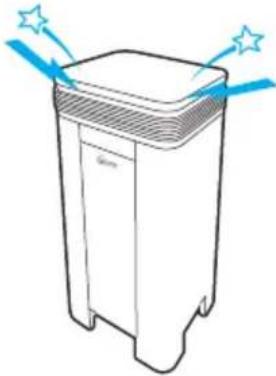 | ▶Is it running on a slanted surface?Move the unit to a hard, flat area of the floor. |
FREQUENTLY ASKED QUESTIONS
| Problem Check / Actions to take | |
The power plug and outlet feel hot.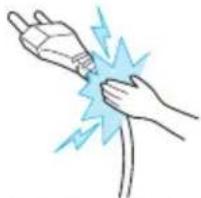 | ►Is the plug securely plugged in?Make sure the plug is properly plugged into the outlet. |
There is a strange smell.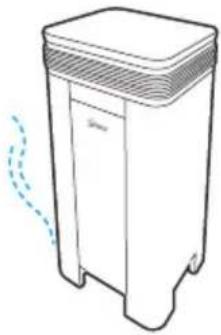 | ►Is it being used in a place with a lot of smoke, dust, or Odours?Contact customer service to confirm the exact cause.Replace the True HEPA Filter and the High Capacity AOCTM Carbon Filter. |
The product is not purifying the air enough.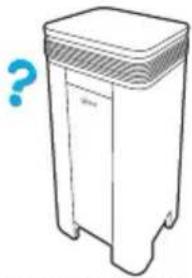 | ►Is the Check Filter indicator light on?Replace the filters as required. |
FREQUENTLY ASKED QUESTIONS
| Problem Check /Actions to take | |
| Wi-Fi is not working properly. | ▶Is Wi-Fi enabled?Follow steps on pages 17-19 to enable and/or reset the Wi-Fi function. |
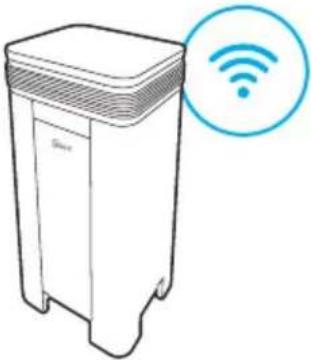 | |
| The display panel is dim. | ▶Is it in Sleep mode?Sleep mode is activated through Auto detection of a room's brightness or darkness. During Sleep mode, the display panel's level of illumination is reduced by half. |
 | ▶Is the Light Sensor blocked by debris?Remove any debris from the Light Sensor. |
UNIT SPECIFICATIONS
| Model Name T1 | |
| Power Voltage | AC220 ~ 240V, 60Hz |
| Power Rate | 200W |
| AHAM Rated Room Size | AHAM Verified at 64.8 m2 |
| Weight | 26 Kg |
| Dimensions | 43.0 cm (W) x 43.0 cm (D) x 101.0 cm (H) |
| True HEPA Replacement Filter | Filter K / Item: 118410 |
| High Capacity AOCTM Carbon Replacement Filter | Filter L / Item: 118440 |
| Anti-microbial PM 2.5 Replacement Filter | Filter M / Item: 118460 |
| Fine Mesh Pre-Filter | Part: J5100106000 |
※ The exterior, design, and product specifications may be changed to improve product performance without prior notice.
PRODUCT WARRANTY
The terms of the warranty are as follows.
- This product is manufactured under stringent quality control and inspections.
- Warranty void if product failure is a result of negligence or misuse by the consumer, shipping and service fees may be incurred even during the warranty period.
- The warranty must be presented upon bringing the product for service.
- Store the warranty in a safe place, as it cannot be reissued.
- This warranty is valid only in the Europe.
| Product Name | Air Purifier | |
| Model Name | T1 | |
| Purchase Date | ||
| Warranty period | Two (2) years | |
| Place of purchase | ||
| Place of purchase Tel. | ||
| Customer | Address | |
| Name | ||
| Tel. | ||
※ After purchase, be sure to complete all of the above information.


Independently Tested.
Consumer Trusted.
160504 Rev.B
PURIFICATEUR D'AIR WINIX
natural_image
Line drawing of a cylindrical mechanical component with a labeled 'WINIX' on its side (no other text or symbols)Modèle

natural_image
Line drawing of a white trash bin with lid and side legs (no text or symbols)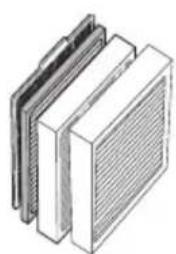
natural_image
Illustration of a multi-layered heat exchanger or cooling unit (no text or symbols visible)
natural_image
Diagram showing two connected devices with directional arrows, no text or symbols presentnatural_image
Diagram of a device with a blue arrow indicating direction, no text or symbols presentnatural_image
Illustration of hands operating a microwave oven with a blue arrow indicating left motion (no text or symbols)INSTALLATION DES FILTRES
natural_image
Illustration of a hand pressing down on a stack of papers or documents (no text or symbols visible)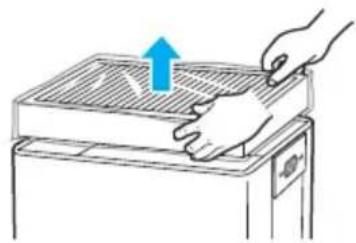
natural_image
Illustration of a hand pressing down on a gridded metal tray with an upward arrow (no text or symbols)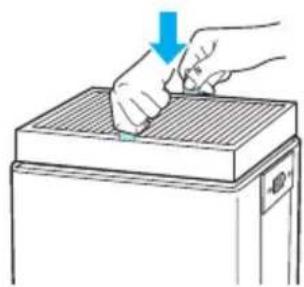
natural_image
Illustration of a hand using a tool to press down a rectangular object, with no visible text or symbols.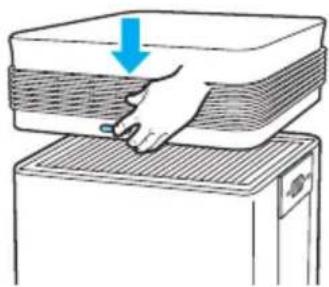
natural_image
Illustration of a hand pressing down on a stack of layered materials (no text or symbols)INSTALLATION DES FILTRES
SÉCURITÉ ET AVERTISSEMENTS
natural_image
Diagram showing a cable being inserted into a power outlet, with an inset close-up of the plug assembly (no text or symbols present)natural_image
Hand pressing a button with a power symbol (no text or labels)natural_image
Illustration of a hand pressing down on a layered object with an upward arrow (no text or symbols)natural_image
Illustration of a hand pressing down on a rectangular object with an upward arrow, no text or symbols presentnatural_image
Illustration of hands inserting a device into a paper with a blue arrow indicating left motion (no text or symbols)natural_image
Illustration of hands using a tool to press down a gridded metal tray (no text or symbols)natural_image
Illustration of a hand pressing down on a layered device with a blue arrow indicating downward motion (no text or symbols)
REMARQUE
natural_image
Line drawing of a vacuum cleaner next to a solar panel array (no text or symbols)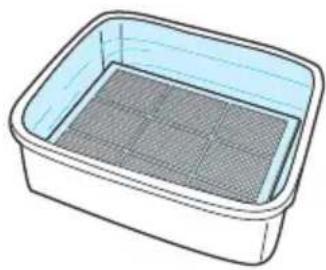
natural_image
Illustration of a rectangular container filled with a mesh pattern (no text or symbols)natural_image
Illustration of a hand inserting a device into a grid panel (no text or symbols visible)natural_image
Diagram of a switch inserted into a socket, with a blue component inserted (no text or symbols)natural_image
Illustration of a blue arrow pointing to a heat exchanger panel with cooling fins (no text or symbols)natural_image
Line drawing of a hand cleaning a clean appliance with a digital display (no text or symbols)natural_image
Line drawing of a hand opening a rectangular trash bin with a handle, no text or symbols present
REMARQUE
Independently Tested.
Consumer Trusted.
160504 Rév. B
natural_image
Line drawing of a cylindrical mechanical component with a labeled 'WINIX' on the side (no other text or symbols)Modelo

natural_image
Line drawing of a four-hole public trash bin (no text or symbols)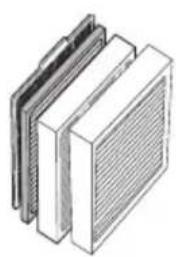
natural_image
Illustration of three stacked rectangular panels with a meshed upper panel, no text or symbols present.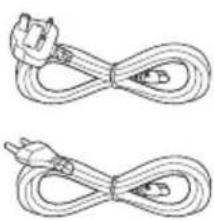
natural_image
Two identical cable or wire diagrams with connectors, no text or symbols presentnatural_image
Diagram showing two connected devices with arrows indicating direction (no text or symbols)natural_image
Diagram of a device with a blue arrow indicating direction, no text or symbols presentnatural_image
Illustration of hands opening a microwave oven with a blue arrow indicating left vent (no text or symbols)natural_image
Diagram of a device with two ports and an arrow indicating direction, no text or symbols presentnatural_image
Illustration of a hand pressing down on a stack of papers or documents (no text or symbols visible)natural_image
Illustration of a hand pressing down on a grating machine with a blue arrow indicating upward motion (no text or symbols)natural_image
Illustration of hands using a tool to press down a rectangular object (no text or symbols visible)natural_image
Illustration of a hand pressing down on a stack of layered materials (no text or symbols)Filtro antimicrobiano PM 2,5

SEGURIDAD Y PRECAUCIONES
natural_image
Diagram showing a cable being inserted into a power outlet, with an inset close-up of the plug assembly (no text or symbols present)natural_image
Hand pressing a button with a power symbol (no text or labels)2. Volumen
natural_image
Diagram of a device with two ports and directional arrows indicating movement or flow (no text or symbols present)natural_image
Illustration of hands opening a microwave oven with a blue arrow indicating left vent (no text or symbols)natural_image
Illustration of a hand pressing down on a layered object with an upward arrow (no text or symbols)natural_image
Illustration of hands pressing down on a gridded surface with an upward arrow (no text or symbols)natural_image
Illustration of hands installing or adjusting a wall-mounted device with a blue arrow indicating the left panel (no text or symbols present)natural_image
Illustration of hands using a tool to press down a rectangular object, no text or symbols presentnatural_image
Illustration of a hand pressing down on a stack of papers or documents, with a blue arrow indicating compression (no text or symbols present)
NOTA
natural_image
Illustration of a vacuum cleaner and its internal mesh container (no text or symbols)natural_image
Diagram of a wall-mounted switch with a blue plastic clip inserted, no text or symbols presentnatural_image
Illustration of a blue arrow pointing to a heat exchanger or cooling unit (no text or symbols)natural_image
Line drawing of a hand cleaning a clean appliance with a digital display (no text or symbols)natural_image
Line drawing of a hand inserting a pipe into a rectangular container (no text or symbols)
NOTA
natural_image
Line drawing of a cylindrical mechanical component with a labeled 'WINIX' on the side (no other text or symbols)Modell

natural_image
Line drawing of a four-hole厨柜 (no text or symbols)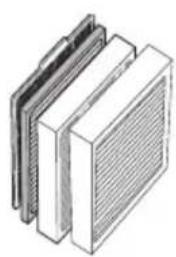
natural_image
Illustration of three stacked rectangular panels with a meshed upper panel, no text or symbols present.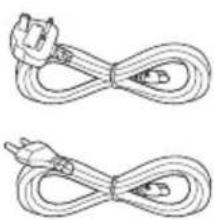
natural_image
Two identical cable or wire diagrams with connectors, no text or symbols presentnatural_image
Diagram of a device with a blue arrow indicating direction, no text or symbols presentnatural_image
Illustration of hands operating a microwave oven with a blue arrow indicating left motion (no text or symbols)FILTERINSTALLATION
natural_image
Illustration of a hand pressing down on a stack of papers or documents (no text or symbols visible)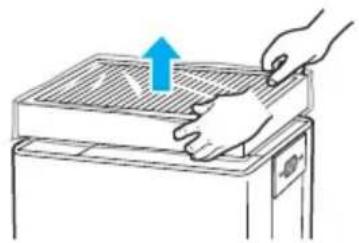
natural_image
Illustration of a hand pressing down on a gridded metal tray with an upward arrow (no text or symbols)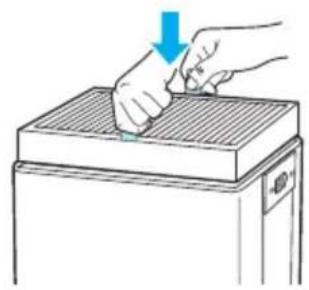
natural_image
Illustration of a hand using a tool to press down a rectangular object, with a blue arrow indicating the motion (no text or symbols present)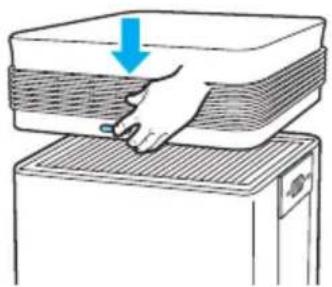
natural_image
Illustration of a hand pressing down on a layered object with a blue arrow indicating compression (no text or symbols)FILTERINSTALLATION
natural_image
Diagram showing a cable being inserted into a power outlet, with an inset close-up of the plug assembly (no text or symbols present)natural_image
Hand pressing a button with a power symbol (no text or labels)
2. Lautstärke
natural_image
Illustration of hands inserting a device into a microwave oven (no text or symbols)natural_image
Diagram showing two connected devices with arrows indicating connection, no text or symbols presentFILTERPFLEGE
■ Oberer Filter
natural_image
Illustration of a hand pressing down on a layered object with an upward arrow (no text or symbols)natural_image
Illustration of a hand pressing down on a rectangular object with an upward arrow, no text or symbols presentnatural_image
Illustration of hands inserting a device into a fan (no text or symbols)natural_image
Illustration of a hand using a tool to press down a rectangular object, with a blue arrow indicating the motion (no text or symbols present)natural_image
Diagram of a hand pressing down on a layered object with a blue arrow indicating downward motion (no text or symbols)
natural_image
Line drawing of a solar panel and a vacuum cleaner (no text or symbols)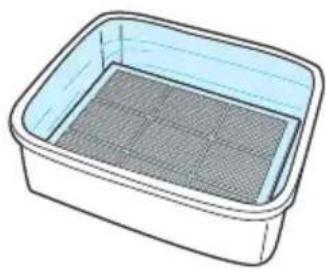
natural_image
Illustration of a rectangular container with a mesh inner layer (no text or symbols)natural_image
Illustration of a hand inserting a card into a device (no text or symbols visible)natural_image
Diagram of a switch inserted into a socket socket (no text or symbols)natural_image
Illustration of a heat exchanger with blue airflow direction indicated by an arrow (no text or symbols)natural_image
Line drawing of a hand cleaning a clean appliance with a digital display (no text or symbols)natural_image
Line drawing of a hand opening a rectangular container with a handle, no text or symbols present
HINWEIS
natural_image
Line drawing of a cylindrical mechanical component with a labeled 'WINIX' on the side (no other text or symbols)Modello

natural_image
Line drawing of a four-hole厨柜 (no text or symbols)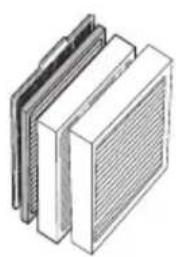
natural_image
Illustration of three stacked rectangular panels with a meshed upper panel, no text or symbols present.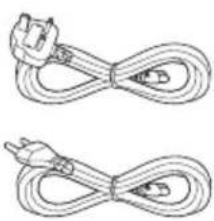
natural_image
Two identical cable or wire diagrams with connectors, no text or symbols presentnatural_image
Diagram of a device with a blue arrow indicating direction, no text or symbols presentnatural_image
Illustration of hands operating a microwave oven with a blue arrow indicating left motion (no text or symbols)natural_image
Illustration of a hand pressing down on a stack of papers or documents (no text or symbols visible)natural_image
Illustration of a hand pressing down on a grating machine with an upward arrow (no text or symbols)natural_image
Illustration of hands using a tool to press down a rectangular object, with a blue arrow indicating the process (no text or symbols present)natural_image
Diagram showing a hand pressing down on a stack of books or documents with a blue arrow indicating compression (no text or symbols present)
SICUREZZA E PRECAUZIONI
natural_image
Diagram showing a plug inserted into a power outlet connected to a cable, with an inset close-up of the plug being inserted (no text or symbols present)natural_image
Hand pressing a button with a power symbol (no text or labels)PLASMAWAVE®, MODALITÀ RIPOSO
1. PlasmaWave®
2. Volume
1. Connessione a WINIX SMART
natural_image
Diagram showing two connected devices with directional arrows, no text or symbols presentnatural_image
Illustration of hands installing or adjusting a wall-mounted device with a blue arrow indicating left motion (no text or symbols present)CURA DEL FILTRO
■ Filtro superiore
natural_image
Diagram of a hand pressing down on a layered object with an upward arrow (no text or symbols)natural_image
Illustration of hands pressing down on a rectangular object with a blue upward arrow (no text or symbols)natural_image
Illustration of hands installing or adjusting a wall-mounted device with a blue arrow indicating the left panel (no text or symbols present)natural_image
Illustration of a hand using a tool to press down a rectangular object, with no visible text or symbols.natural_image
Diagram of a hand pressing down on a stack of papers or documents, with a blue arrow indicating the downward motion (no text or symbols present)
NOTA
CURA DEL FILTRO
natural_image
Line drawing of a vacuum cleaner next to a solar panel array (no text or symbols)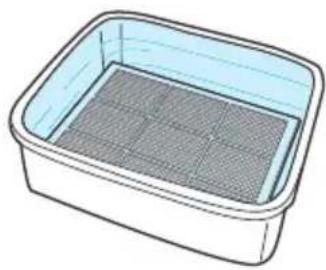
natural_image
Illustration of a rectangular container filled with mesh material (no text or symbols)natural_image
Illustration of a hand inserting a component into a device panel (no text or symbols visible)natural_image
Diagram of a cable inserted into a socket socket (no text or symbols)natural_image
Illustration of a blue arrow pointing to a heat exchanger or cooling unit (no text or symbols)natural_image
Line drawing of a hand cleaning a clean appliance with a digital display (no text or symbols)natural_image
Line drawing of a hand holding a pipe into a rectangular container with a side shelf (no text or symbols)
NOTA
natural_image
Line drawing of a cylindrical mechanical component with a labeled 'WINIX' on the side (no other text or symbols)Model

natural_image
Line drawing of a four-hole厨柜 (no text or symbols)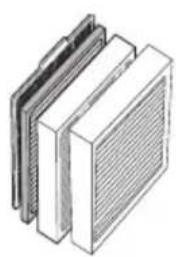
natural_image
Illustration of three stacked rectangular panels with a meshed upper panel, no text or symbols present.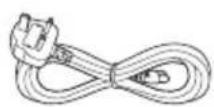
natural_image
Diagram showing two connected devices with directional arrows indicating movement or connection (no text or symbols present)natural_image
Diagram of a device with a blue arrow indicating direction, no text or symbols presentnatural_image
Illustration of hands pressing down on a device with a blue arrow indicating left motion (no text or symbols)④ Monteer de bodemfilters.
FILTERS INSTALLEREN
natural_image
Illustration of a hand pressing down on a stack of papers or documents (no text or symbols visible)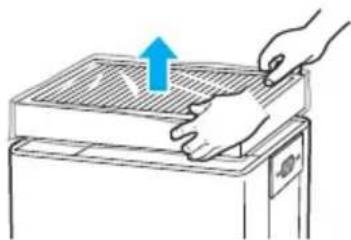
natural_image
Illustration of a hand pressing down on a grating machine with a blue arrow indicating upward motion (no text or symbols)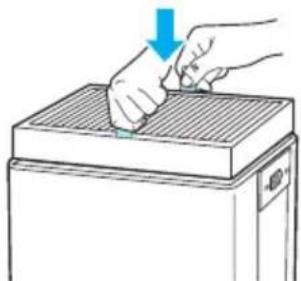
natural_image
Illustration of hands using a tool to press down a rectangular object (no text or symbols visible)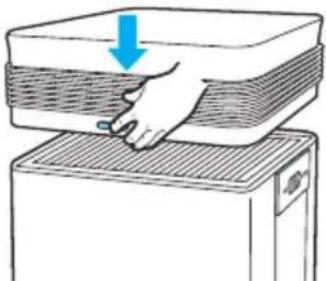
natural_image
Illustration of a hand pressing down on a stack of papers or documents (no text or symbols visible)FILTERS INSTALLEREN
Anti-microbieel PM 2.5 filter
natural_image
Diagram showing a plug inserted into a power outlet connected to a cable, with an inset close-up of the plug being inserted (no text or symbols present)natural_image
Hand pressing a button with a power symbol (no text or labels)4. Handbediening (instellen ventilatorsnelheid)
1. Helderheid (brightness)
2. Volume
natural_image
Diagram of a device with two ports and directional arrows, no text or symbols present2 Anti-microbieel PM 2.5 filter
natural_image
Diagram showing two devices connected by a cable, with one device highlighted by a magnified inset (no text or symbols present)FILTERONDERHOUD
■ Bovenste filter
natural_image
Diagram of a hand pressing down on a layered object with an upward arrow (no text or symbols)natural_image
Illustration of a hand pressing down on a rectangular object with a blue upward arrow (no text or symbols)natural_image
Illustration of hands inserting a device into a microwave oven (no text or symbols)natural_image
Illustration of hands using a tool to press down a rectangular object (no text or symbols visible)natural_image
Diagram of a hand pressing down on a layered device with a blue arrow indicating compression (no text or symbols present)FILTERONDERHOUD
natural_image
Line drawing of a vacuum cleaner next to a solar panel array (no text or symbols)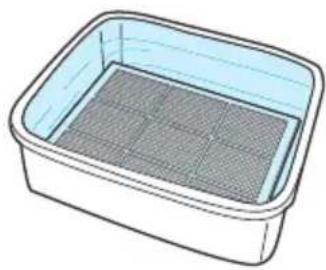
natural_image
Illustration of a rectangular container filled with a mesh grid (no text or symbols)natural_image
Illustration of a hand inserting a card into a device (no text or symbols visible)natural_image
Diagram of a switch inserted into a wall socket, with a blue component inserted (no text or symbols)natural_image
Illustration of a blue arrow pointing to a panel with horizontal lines, no text or symbols presentnatural_image
Line drawing of a hand cleaning a clean appliance with a digital display (no text or symbols)■ Binnenkant reinigen
natural_image
Line drawing of a hand holding a pipe into a rectangular container (no text or symbols)
OPMERKING

- CONTENTS
- Set Up
- Safety Instructions
- Operation
- Care and Maintenance
- Troubleshooting
- 5-STAGE AIR PURIFICATION
- PACKAGE CONTENTS
- KNOW THE CONTROLS
- WHERE TO USE
- WARNING
- INSTALLING THE FILTERS
- ① Remove the Filter Cover
- ③ Remove filters from protective plastic wrap.
- ④ Install the bottom filters.
- ⑤ Replace the Filter Cover.
- To purchase replacement Winix filters:
- SAFETY AND CAUTIONS
- INITIAL OPERATION
- NOTE
- MODES OF OPERATION
- Auto Mode
- Manual Mode (setting fan speed)
- PLASMAWAVE ® , SLEEP MODE
- PlasmaWave®
- Sleep Mode
- TIMER
- Timer
- Language
- Brightness
- Volume
- Filters
- WINIX SMART
- Connecting to WINIX SMART
- ※ Before connecting to WINIX SMART
- ■ Initial Setup
- ■ Additional Setup
- Wi-Fi Indicator
- When to Replace Filters
- How to replace the filters
- ■ Bottom Filters
- FILTER CARE
- ■ Top Filter
- Resetting the filters
- Cleaning the Pre-filter
- Please contact your local dealer
- NOTICE
- SMART SENSOR CARE
- Cleaning the Dust Sensor
- Cleaning the exterior and interior
- ■ Cleaning the exterior.
- ■ Cleaning the interior.
- FREQUENTLY ASKED QUESTIONS
- UNIT SPECIFICATIONS
- PRODUCT WARRANTY
- The terms of the warranty are as follows.
- PURIFICATEUR D'AIR WINIX
- INSTALLATION DES FILTRES
- SÉCURITÉ ET AVERTISSEMENTS
- SEGURIDAD Y PRECAUCIONES
- Volumen
- NOTA
- FILTERINSTALLATION
- Lautstärke
- FILTERPFLEGE
- ■ Oberer Filter
- SICUREZZA E PRECAUZIONI
- PLASMAWAVE®, MODALITÀ RIPOSO
- Connessione a WINIX SMART
- CURA DEL FILTRO
- ■ Filtro superiore
- FILTERS INSTALLEREN
- Handbediening (instellen ventilatorsnelheid)
- Helderheid (brightness)
- FILTERONDERHOUD
- ■ Bovenste filter
- ■ Binnenkant reinigen
- OPMERKING
Brand : Winix
Model : T1
Category : Air purifier